Page 3 - Contents
Contents | 3 Contents Before You Begin . . . . . . . . . . . . . . . . . . . . . . . . . . . 7 Turn Off Your Computer and Connected Devices . . . . . 7 Safety Instructions . . . . . . . . . . . . . . . . . . . . . . . . . . 8 Recommended Tools . . . . . . . . . . . . . . . . . . . . . . . . 8 After ...
Page 7 - Before You Begin; Turn Off Your Computer and Connected Devices
Before You Begin | 7 Before You Begin Turn Off Your Computer and Connected Devices CAUTION: To avoid losing data, save and close all open files and exit all open programs before you turn off your computer. 1 Save and close all open files and exit all open programs. 2 Follow the instructions to shut ...
Page 8 - Safety Instructions
8 | Before You Begin Safety Instructions Use the following safety guidelines to protect your computer from potential damage and ensure your personal safety. WARNING: Before working inside your computer, read the safety information that shipped with your computer. For additional safety best practices...
Page 9 - After Working Inside Your Computer
After Working Inside Your Computer | 9 After Working Inside Your Computer After you complete the replacement procedures, ensure the following: • Replace all screws and ensure that no stray screws remain inside your computer. • Connect any external devices, cables, cards, and any other part(s) you re...
Page 10 - Removing the Battery; Procedure
10 | Removing the Battery Removing the Battery WARNING: Before working inside your computer, read the safety information that shipped with your computer and follow the steps in "Before You Begin" on page 7. After working inside your computer, follow the instructions in "After Working Ins...
Page 11 - Replacing the Battery
Replacing the Battery | 11 Replacing the Battery WARNING: Before working inside your computer, read the safety information that shipped with your computer and follow the steps in "Before You Begin" on page 7. After working inside your computer, follow the instructions in "After Working I...
Page 12 - Prerequisites
12 | Removing the Memory Module(s) Removing the Memory Module(s) WARNING: Before working inside your computer, read the safety information that shipped with your computer and follow the steps in "Before You Begin" on page 7. After working inside your computer, follow the instructions in "...
Page 15 - Removing the Optical-Drive Assembly
Removing the Optical-Drive Assembly | 15 Removing the Optical-Drive Assembly WARNING: Before working inside your computer, read the safety information that shipped with your computer and follow the steps in "Before You Begin" on page 7. After working inside your computer, follow the instruct...
Page 17 - Replacing the Optical-Drive Assembly
Replacing the Optical-Drive Assembly | 17 Replacing the Optical-Drive Assembly WARNING: Before working inside your computer, read the safety information that shipped with your computer and follow the steps in "Before You Begin" on page 7. After working inside your computer, follow the instru...
Page 18 - Removing the Hard-Drive Assembly
18 | Removing the Hard-Drive Assembly Removing the Hard-Drive Assembly WARNING: Before working inside your computer, read the safety information that shipped with your computer and follow the steps in "Before You Begin" on page 7. After working inside your computer, follow the instructions i...
Page 20 - Replacing the Hard-Drive Assembly; Postrequisites
20 | Replacing the Hard-Drive Assembly Replacing the Hard-Drive Assembly WARNING: Before working inside your computer, read the safety information that shipped with your computer and follow the steps in "Before You Begin" on page 7. After working inside your computer, follow the instructions...
Page 21 - Removing the Keyboard
Removing the Keyboard | 21 Removing the Keyboard WARNING: Before working inside your computer, read the safety information that shipped with your computer and follow the steps in "Before You Begin" on page 7. After working inside your computer, follow the instructions in "After Working I...
Page 23 - Replacing the Keyboard
Replacing the Keyboard | 23 Replacing the Keyboard WARNING: Before working inside your computer, read the safety information that shipped with your computer and follow the steps in "Before You Begin" on page 7. After working inside your computer, follow the instructions in "After Working...
Page 24 - Removing the Palm-Rest
24 | Removing the Palm-Rest Removing the Palm-Rest WARNING: Before working inside your computer, read the safety information that shipped with your computer and follow the steps in "Before You Begin" on page 7. After working inside your computer, follow the instructions in "After Working...
Page 27 - Replacing the Palm-Rest
Replacing the Palm-Rest | 27 Replacing the Palm-Rest WARNING: Before working inside your computer, read the safety information that shipped with your computer and follow the steps in "Before You Begin" on page 7. After working inside your computer, follow the instructions in "After Worki...
Page 28 - Removing the Wireless Mini-Card
28 | Removing the Wireless Mini-Card Removing the Wireless Mini-Card WARNING: Before working inside your computer, read the safety information that shipped with your computer and follow the steps in "Before You Begin" on page 7. After working inside your computer, follow the instructions in ...
Page 30 - Replacing the Wireless Mini-Card
30 | Replacing the Wireless Mini-Card Replacing the Wireless Mini-Card WARNING: Before working inside your computer, read the safety information that shipped with your computer and follow the steps in "Before You Begin" on page 7. After working inside your computer, follow the instructions i...
Page 31 - Removing the I/O Board
Removing the I/O Board | 31 Removing the I/O Board WARNING: Before working inside your computer, read the safety information that shipped with your computer and follow the steps in "Before You Begin" on page 7. After working inside your computer, follow the instructions in "After Working...
Page 33 - Replacing the I/O Board
Replacing the I/O Board | 33 Replacing the I/O Board WARNING: Before working inside your computer, read the safety information that shipped with your computer and follow the steps in "Before You Begin" on page 7. After working inside your computer, follow the instructions in "After Worki...
Page 34 - Removing the System Board
34 | Removing the System Board Removing the System Board WARNING: Before working inside your computer, read the safety information that shipped with your computer and follow the steps in "Before You Begin" on page 7. After working inside your computer, follow the instructions in "After W...
Page 37 - Replacing the System Board
Replacing the System Board | 37 Replacing the System Board WARNING: Before working inside your computer, read the safety information that shipped with your computer and follow the steps in "Before You Begin" on page 7. After working inside your computer, follow the instructions in "After...
Page 38 - Removing the Coin-Cell Battery
38 | Removing the Coin-Cell Battery Removing the Coin-Cell Battery WARNING: Before working inside your computer, read the safety information that shipped with your computer and follow the steps in "Before You Begin" on page 7. After working inside your computer, follow the instructions in &#...
Page 40 - Replacing the Coin-Cell Battery
40 | Replacing the Coin-Cell Battery Replacing the Coin-Cell Battery WARNING: Before working inside your computer, read the safety information that shipped with your computer and follow the steps in "Before You Begin" on page 7. After working inside your computer, follow the instructions in ...
Page 41 - Removing the Heat-Sink
Removing the Heat-Sink | 41 Removing the Heat-Sink WARNING: Before working inside your computer, read the safety information that shipped with your computer and follow the steps in "Before You Begin" on page 7. After working inside your computer, follow the instructions in "After Working...
Page 43 - Replacing the Heat-Sink
Replacing the Heat-Sink | 43 Replacing the Heat-Sink WARNING: Before working inside your computer, read the safety information that shipped with your computer and follow the steps in "Before You Begin" on page 7. After working inside your computer, follow the instructions in "After Worki...
Page 44 - Removing the Fan
44 | Removing the Fan Removing the Fan WARNING: Before working inside your computer, read the safety information that shipped with your computer and follow the steps in "Before You Begin" on page 7. After working inside your computer, follow the instructions in "After Working Inside Your...
Page 46 - Replacing the Fan
46 | Replacing the Fan Replacing the Fan WARNING: Before working inside your computer, read the safety information that shipped with your computer and follow the steps in "Before You Begin" on page 7. After working inside your computer, follow the instructions in "After Working Inside Yo...
Page 47 - Removing the Speakers
Removing the Speakers | 47 Removing the Speakers WARNING: Before working inside your computer, read the safety information that shipped with your computer and follow the steps in "Before You Begin" on page 7. After working inside your computer, follow the instructions in "After Working I...
Page 50 - Replacing the Speakers
50 | Replacing the Speakers Replacing the Speakers WARNING: Before working inside your computer, read the safety information that shipped with your computer and follow the steps in "Before You Begin" on page 7. After working inside your computer, follow the instructions in "After Working...
Page 51 - Removing the Display Assembly
Removing the Display Assembly | 51 Removing the Display Assembly WARNING: Before working inside your computer, read the safety information that shipped with your computer and follow the steps in "Before You Begin" on page 7. After working inside your computer, follow the instructions in "...
Page 54 - Replacing the Display Assembly
54 | Replacing the Display Assembly Replacing the Display Assembly WARNING: Before working inside your computer, read the safety information that shipped with your computer and follow the steps in "Before You Begin" on page 7. After working inside your computer, follow the instructions in &#...
Page 55 - Removing the Display Bezel
Removing the Display Bezel | 55 Removing the Display Bezel WARNING: Before working inside your computer, read the safety information that shipped with your computer and follow the steps in "Before You Begin" on page 7. After working inside your computer, follow the instructions in "After...
Page 57 - Replacing the Display Bezel
Replacing the Display Bezel | 57 Replacing the Display Bezel WARNING: Before working inside your computer, read the safety information that shipped with your computer and follow the steps in "Before You Begin" on page 7. After working inside your computer, follow the instructions in "Aft...
Page 58 - Removing the Display Hinges
58 | Removing the Display Hinges Removing the Display Hinges WARNING: Before working inside your computer, read the safety information that shipped with your computer and follow the steps in "Before You Begin" on page 7. After working inside your computer, follow the instructions in "Aft...
Page 60 - Replacing the Display Hinges
60 | Replacing the Display Hinges Replacing the Display Hinges WARNING: Before working inside your computer, read the safety information that shipped with your computer and follow the steps in "Before You Begin" on page 7. After working inside your computer, follow the instructions in "A...
Page 61 - Removing the Display Panel
Removing the Display Panel | 61 Removing the Display Panel WARNING: Before working inside your computer, read the safety information that shipped with your computer and follow the steps in "Before You Begin" on page 7. After working inside your computer, follow the instructions in "After...
Page 64 - Replacing the Display Panel
64 | Replacing the Display Panel Replacing the Display Panel WARNING: Before working inside your computer, read the safety information that shipped with your computer and follow the steps in "Before You Begin" on page 7. After working inside your computer, follow the instructions in "Aft...
Page 65 - Removing the Camera Module
Removing the Camera Module | 65 Removing the Camera Module WARNING: Before working inside your computer, read the safety information that shipped with your computer and follow the steps in "Before You Begin" on page 7. After working inside your computer, follow the instructions in "After...
Page 67 - Replacing the Camera Module
Replacing the Camera Module | 67 Replacing the Camera Module WARNING: Before working inside your computer, read the safety information that shipped with your computer and follow the steps in "Before You Begin" on page 7. After working inside your computer, follow the instructions in "Aft...
Page 68 - Flashing the BIOS
68 | Flashing the BIOS Flashing the BIOS The BIOS may require flashing when an update is available or when replacing the system board. To flash the BIOS: 1 Turn on the computer. 2 Go to dell.com/support . 3 If you have your computer's Service Tag, type your computer's Service Tag and click Submit . ...


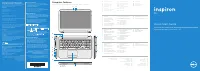 Dell Inspiron 15 3521 User Manual
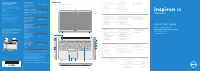 Dell Inspiron 15 7537 User Manual
 Dell Inspiron 15R User Manual
-User-Manual/webp/1.webp) Dell Inspiron 15R (5520, Mid 2012) User Manual
Dell Inspiron 15R (5520, Mid 2012) User Manual-User-Manual/webp/1.webp) Dell Inspiron 15R (5521, Late 2012) User Manual
Dell Inspiron 15R (5521, Late 2012) User Manual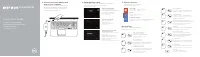 Dell Inspiron 15R 5521 User Manual
-User-Manual/webp/1.webp) Dell Inspiron 15R SE (7520, Mid 2010) User Manual
Dell Inspiron 15R SE (7520, Mid 2010) User Manual-User-Manual/webp/1.webp) Dell Inspiron 15z (5523, Late 2012) User Manual
Dell Inspiron 15z (5523, Late 2012) User Manual-User-Manual/webp/1.webp) Dell Inspiron 17 (3721, Early 2013) User Manual
Dell Inspiron 17 (3721, Early 2013) User Manual-User-Manual/webp/1.webp) Dell Inspiron 17 (3737, Mid 2013) User Manual
Dell Inspiron 17 (3737, Mid 2013) User Manual-User-Manual/webp/1.webp) Dell Inspiron 17 (5749, Early 2015) User Manual
Dell Inspiron 17 (5749, Early 2015) User Manual Dell Inspiron 17 3737 User Manual