Dashmate DSH-680 - User Manual
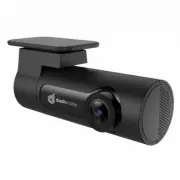
Dashmate DSH-680 Dashcam – User Manual, read for free online in PDF format. We hope this helps you resolve any issues you may have. If you have further questions, please contact us through the contact form.


Table of Contents:
- Page 4 – PRODUCT INFORMATION; • Recording Full HD 1080P footage at 30 frames per second; PRODUCT OVERVIEW; LED STATUS; GESTURE INDUCTION AREA; Refer to FIG 3 page 9
- Page 5 – Do not; REMOVING MEMORY CARD
- Page 6 – INSTALLING YOUR GPS RECEIVER; USB port labelled 2.4A
- Page 7 – SMARTPHONE CONNECTION; connected
- Page 9 – (Large files will take a few minutes to
- Page 11 – Three-axis accelerometer
- Page 12 – 4 Translink Drive, Keilor Park Victoria Australia 3042
Discreet 1080p Dash Camera
with GPS, WiFi & Super Capacitor
DSH
-680 | USER MANUAL
"Loading the manual" means you need to wait until the file loads and becomes available for online reading. Some manuals are very large, and the time they take to appear depends on your internet speed.
Summary
4 PRODUCT INFORMATION For latest manual and product updates please visit our website at www.dashmate.com.au or www.dashmate.co.nz 1. INTRODUCTION Thank you for purchasing a Dashmate Car Dash Cam. Please read through these instructions before attempting to install or use this product. _______________...
5 1.6 GPS RECEIVER The GPS receiver is embedded in-line with the USB power cable. When installing the power cable in your vehicle please run the cable to the right of the interior of your windscreen to ensure that the GPS receiver sits correctly. The GPS receiver should not be adhered to any tint on...
6 2.4 INSTALLING YOUR DSH-680 WINDSHIELD BRACKET. 1. To install the Windscreen Bracket, clean your windscreen with an Alcohol Wipe making sure there is no dust, moisture, or oil on the desired mounting point of the windscreen. This is very important for correct adhesion. 2. Remove the protective fil...


