Comica STA-U1 - User Manual
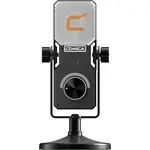
Comica STA-U1 Microphone – User Manual, read for free online in PDF format. We hope this helps you resolve any issues you may have. If you have further questions, please contact us through the contact form.

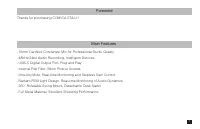
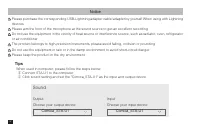
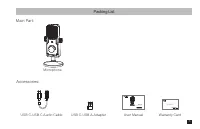
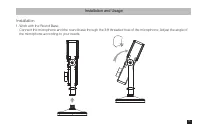
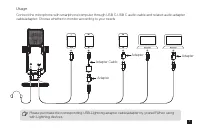
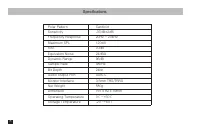

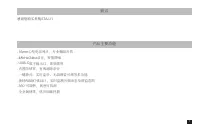
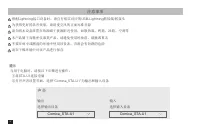
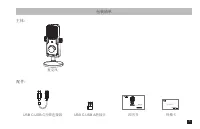
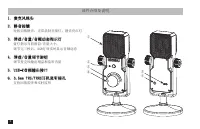
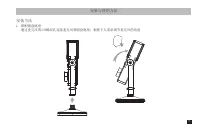
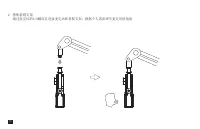
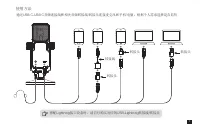
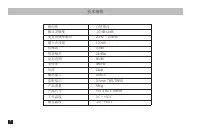



Table of Contents:
- Page 3 – Thanks for purchasing COMICA STA-U1
- Page 4 – Tips; When used in computer, please follow the steps below:; Sound; Notice
- Page 5 – Packing List; Microphone
- Page 7 – Work with the Round Base
- Page 9 – Usage
- Page 10 – Specifications
- Page 13 – 感谢您购买科唛
- Page 14 – 提示; 声音; 注意事项; Lightning
- Page 15 – 包装清单; 麦克风; 主体; 音频连接线
- Page 16 – 部件介绍及说明; 短按切换静音正常录制亮蓝灯静音亮红灯
- Page 19 – 使用方法
- Page 20 – 技术规格; 心型指向
User Manual
STA-U1
Cardioid Condenser USB Microphone
"Loading the manual" means you need to wait until the file loads and becomes available for online reading. Some manuals are very large, and the time they take to appear depends on your internet speed.
Was this manual helpful?
About this manual
- Brand
- Comica
- Model
- STA-U1
- Document type
- User Manual
- Category
- Microphone
- Language(s)
- English
- Pages
- 24
- File size
- 10.4 MB
- Format
Summary
Foreword Main Features Thanks for purchasing COMICA STA-U1 . 16mm Cardioid Condenser Mic for Professional Studio Quality. 48kHz/24bit Audio Recording, Intelligent Denoise. USB-C Digital Output Port, Plug and Play. Internal Pop Filter, Block Plosive Sounds. One-key Mute, Real-time Monitoring and Step...
Tips When used in computer, please follow the steps below: ① Connect STA-U1 to the computer ② Click sound setting and set the "Comica_STA-U1" as the input and output device Sound OutputChoose your output device Comica_STA-U1 InputChoose your input device Comica_STA-U1 Notice Please purchase ...
Packing List Microphone Main Part: Accessories: USB C-USB C Audio Cable USB C-USB A Adapter User Manual Warranty Card User Manual STA-U1 Cardioid Condenser USB Microphone 3


