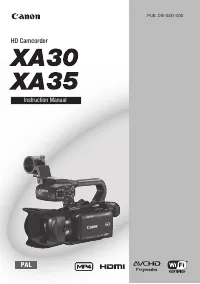
Canon XA25 - User Manual
Canon XA25 – User Manual, read for free online in PDF format. We hope this helps you resolve any issues you may have. If you have further questions, please contact us through the contact form.


Table of Contents:
- Page 2 – CAUTION; Step 1: Select a Media Server from the Camcorders Menu
- Page 3 – and touch the button.
- Page 4 – Step 2: Connect to an Access Point Using Wi-Fi; Connect to an access point.
- Page 7 – The camcorder will connect to the access point.
- Page 8 – Proceed to Step3: Playing Back Movies and Photos
- Page 15 – Step 3: Playing Back Movies and Photos
- Page 17 – IMPORTANT
XA20-XA25 and HF G30 Using Wi-Fi to Play Images and Movies
on a Computer
"Loading the manual" means you need to wait until the file loads and becomes available for online reading. Some manuals are very large, and the time they take to appear depends on your internet speed.
Was this manual helpful?
About this manual
- Brand
- Canon
- Model
- XA25
- Document type
- User Manual
- Language(s)
- English
- Pages
- 17
- File size
- 518.1 KB
- Format
Other Manuals for Canon XA25
Summary
Using the Media Server function, you can wirelessly view your movies and photos from your computer or similar device. You will need an access point connected to your home network and software installed on your computer that can play back movies and photos on the media server. We recommend that you c...
3. Touch [ ]. 4. Drag your finger up or down bring [Wi-Fi] into the orange selection bar, and touch the button. 5. Touch [Media Server].
Step 2: Connect to an Access Point Using Wi-Fi Connect to an access point. If you have already completed the settings for connecting to an access point, proceed to Step 3: Playing Back Movies and Photos If an access point has not been registered, an access point registration message will be displaye...