Canon PowerShot S90 - User Manual
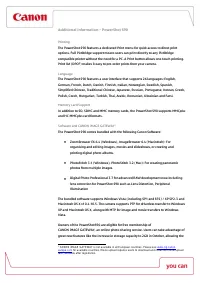
Canon PowerShot S90 – User Manual, read for free online in PDF format. We hope this helps you resolve any issues you may have. If you have further questions, please contact us through the contact form.


Additional Information – PowerShot S90
Printing
The PowerShot S90 features a dedicated Print menu for quick access to direct print
options. Full PictBridge support means users can print directly to any PictBridge
compatible printer without the need for a PC. A Print button allows one-touch printing.
Print list (DPOF) makes it easy to pre-order prints from your camera.
Language
The PowerShot S90 features a user interface that supports 26 languages: English,
German, French, Dutch, Danish, Finnish, Italian, Norwegian, Swedish, Spanish,
Simplified Chinese, Traditional Chinese, Japanese, Russian, Portuguese, Korean, Greek,
Polish, Czech, Hungarian, Turkish, Thai, Arabic, Romanian, Ukrainian and Farsi.
Memory Card Support
In addition to SD, SDHC and MMC memory cards, the PowerShot S90 supports MMC
plus
and HC MMC
plus
card formats.
Software and CANON iMAGE GATEWAY
1
The PowerShot S90 comes bundled with the following Canon Software:
ZoomBrowser EX 6.4 (Windows), ImageBrowser 6.4 (Macintosh): For
organising and editing images, movies and slideshows, or creating and
printing digital photo albums.
PhotoStitch 3.1 (Windows), PhotoStitch 3.2 (Mac): For creating panoramic
photos from multiple images.
Digital Photo Professional 3.7 for advanced RAW development now including
lens correction for PowerShot S90 such as Lens Distortion, Peripheral
Illumination
The bundled software supports Windows Vista (including SP1 and SP2) / XP SP2-3 and
Macintosh OS X v10.4-10.5. The camera supports PTP for driverless transfer to Windows
XP and Macintosh OS X, along with MTP for image and movie transfers to Windows
Vista.
Owners of the PowerShotS90 are eligible for free membership of
CANON iMAGE GATEWAY, an online photo sharing service. Users can take advantage of
great new features like the increase in storage capacity to 2GB in October, allowing the
1
CANON iMAGE GATEWAY is not available in all European countries. Please see
for available countries. Movie upload requires users to download and install the movie upload
task, available after registration.
"Loading the manual" means you need to wait until the file loads and becomes available for online reading. Some manuals are very large, and the time they take to appear depends on your internet speed.
Was this manual helpful?
About this manual
- Brand
- Canon
- Model
- PowerShot S90
- Document type
- User Manual
- Language(s)
- English
- Pages
- 6
- File size
- 122.6 KB
- Format
Ask a question
Related manuals
Popular Canon Other


More Canon Other models
 Canon POWERSHOT S10 User Manual
 Canon PowerShot S30 User Manual
 Canon PowerShot S40 User Manual
 Canon Powershot S60 User Manual
 Canon Powershot S70 User Manual
 Canon Powershot S80 User Manual
 Canon PowerShot S95 User Manual
 Canon PowerShot S110 User Manual
 Canon PowerShot S120 User Manual
 Canon PowerShot S200 User Manual
 Canon PowerShot S230 User Manual
 Canon PowerShot S300 User Manual