Canon PIXMA iP1200 - User Manual
Canon PIXMA iP1200 – User Manual, read for free online in PDF format. We hope this helps you resolve any issues you may have. If you have further questions, please contact us through the contact form.


Table of Contents:
- Page 3 – Introduction
- Page 4 – Preparing the Printer; Place the printer on a flat surface.; Open the Paper Support and the Front
- Page 5 – Installing the FINE Cartridges; Turn on the printer. Do NOT turn on the; Open the Front Cover.
- Page 6 – Remove the Protective Tape gently.
- Page 7 – Use the same procedure to install the
- Page 8 – Installing the Printer Driver; Installing the Printer Driver – Windows; Ensure that the printer is turned off.
- Page 9 – Easy
- Page 10 – Click; Next; When the screen shown on the left; Exit
- Page 11 – Installing the Printer Driver – Macintosh; Setup Software & User’s; Setup
- Page 13 – Restart
- Page 14 – Basic Operations; Printing with Windows; From your application’s; File; select; Ensure that your printer is selected,; Specify the required settings and click; OK; To start printing, click; Print
- Page 15 – Printing with Macintosh
- Page 16 – Replacing a FINE Cartridge; Open the Front Cover and remove the
ENGLISH
Quick Start Guide
Table of Contents
Installing the FINE Cartridges
Installing the Printer Driver - Windows
"Loading the manual" means you need to wait until the file loads and becomes available for online reading. Some manuals are very large, and the time they take to appear depends on your internet speed.
Was this manual helpful?
About this manual
- Brand
- Canon
- Model
- PIXMA iP1200
- Document type
- User Manual
- Language(s)
- English
- Pages
- 16
- File size
- 1.4 MB
- Format
Summary
1 ENGLISH Introduction This Quick Start Guide uses the following symbols to indicate important information. Always observe the instructions indicated by these symbols. Instructions that, if ignored, could result in death or serious personal injury caused by incorrect operation of the equipment. Thes...
2 ENGLISH Preparing the Printer 1 Place the printer on a flat surface. 2 Remove the tapes from the printer as shown. The tape position is subject to change. 3 Open the Paper Support and the Front Cover. 4 Remove the Protective Material on the right side. 5 Close the Front Cover. Protective Material
3 ENGLISH Installing the FINE Cartridges • Never attempt to plug the power cord into the power outlet or unplug the power cord when your hands are wet. • Never damage, modify, stretch, or excessively bend or twist the power cord. Do not place heavy objects on the power cord. • Never use any power su...
Ask a question
Related manuals
Popular Canon Other


More Canon Other models
 Canon PIXMA G4410 User Manual
 Canon PIXMA G4411 User Manual
 Canon PIXMA G4510 User Manual
 Canon PIXMA iP90 Manual
 Canon PIXMA iP100 User Manual
 Canon PIXMA iP110 User Manual
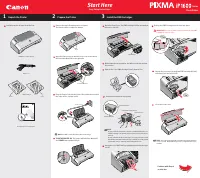 Canon PIXMA iP1600 User Manual
 Canon PIXMA iP1700 Quick Guide
 Canon PIXMA iP2000 User Manual
 Canon Pixma iP2200 Manual
 Canon PIXMA iP2820 Quick Guide
 Canon PIXMA iP2840 User Manual