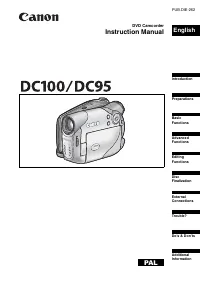
Page 2 - Important Usage Instructions; Important Warning; Información general; Información adicional; Lámpara de asistencia de enfoque
Important Usage Instructions WARNING! TO REDUCE THE RISK OF FIRE OR ELECTRIC SHOCK, DO NOT EXPOSE THIS PRODUCT TO RAIN OR MOISTURE. WARNING! TO REDUCE THE RISK OF ELECTRIC SHOCK AND TO REDUCE ANNOYING INTERFERENCE, USE THE RECOMMENDED ACCESSORIES ONLY. COPYRIGHT WARNING: Unauthorized recording of co...
Page 3 - IMPORTANT SAFETY INSTRUCTIONS
In trod u cti on 3 In these safety instructions the word “product” refers to the Canon DVD Camcorder DC50/DC220/DC230 A and all its accessories. 1 Read Instructions — All the safety and operating instructions should be read before the product is operated. 2 Retain Instructions — The safety and opera...
Page 5 - How to select a DVD disc; allowing you to use the same disc numerous times.; Best for Compatibility; Disc specification on DVD-RWs; Once finalized
5 In trod u cti on How to select a DVD disc There are many types of DVD discs but this camcorder uses only the following three types of 8 cm mini DVD discs: DVD-R, DVD-R DL and DVD-RW. Note that what you can do with a disc depends on the type of DVD used so select the disc that best fits your purpos...
Page 6 - Great Advantages of DVDs; Why DVDs are better than tapes; Recommended Discs
6 No need to worry about recording over a tape. When you use a DVD, the camcorder will automatically record on the empty space of the disc. So you don't have to worry about mistakenly recording over a precious memory. Just select a scene from the index screen. You don't need to bother running a tape...
Page 7 - Available features depend on the DVD disc used; Disc Type
7 In trod u cti on Available features depend on the DVD disc used 1 Disc initialization clears all the recordings on the disc and restores the free space on the disc to its initial value so you can use the same disc again. DVD-R and DVD-R DL discs cannot be initialized. 2 Disc finalization is the pr...
Page 8 - Table of contents
8 Introduction How to select a DVD disc ............................................................................... 5 About this Manual About the Joystick and the Joystick Guide ................................................... 11About the Power Switch ............................................
Page 9 - Editing Functions
9 In trod u cti on Display Setup (LCD Brightness, Language, etc.) ................................49System Setup (Volume, Beep, Media Select , etc.) ........................50 Date/Time Setup .................................................................................51Line-in Mode................
Page 10 - External Connections; Connecting to a TV or VCR; Additional Information; Do’s and Don’ts
10 External Connections Connecting to a TV or VCR Connection Diagrams ................................................................................... 80Playback on a TV Screen ............................................................................. 81Recording to a VCR or Digital Video Reco...
Page 11 - In; Troubleshooting; Conventions Used in the Manual; IMPORTANT: Precautions related to the camcorder’s operation.; About the Joystick and the Joystick Guide; About this Manual
About this Manual 11 In trod u cti on About this Manual Thank you for purchasing the Canon DC50/DC220/DC230. Please read this manual carefully before you use the camcorder and retain it for future reference. Should your camcorder fail to operate correctly, refer to the Troubleshooting table ( 98). C...
Page 12 - About the Power Switch; To turn on the camcorder:; About the Operating Modes; N E X T
12 About this Manual The functions assigned to the joystick change according to the operation mode and the camcorder’s settings. Press ( ) to display/hide the joystick guide. About the Power Switch In addition to turning the camcorder on and off, the power switch also toggles the camcorder’s operati...
Page 13 - Trademark Acknowledgements
About this Manual 13 In trod u cti on Trademark Acknowledgements • miniSD™ is a trademark of SD Card Association.• Windows ® is a registered trademark of Microsoft Corporation in the United States and/or other countries. • Macintosh and Mac OS are trademarks of Apple Computer, Inc., registered in th...
Page 14 - Supplied Accessories; Register your product online at; Protect your product
14 Getting to Know the Camcorder Getting to Know the Camcorder * Includes the electronic version of the Digital Video Software instruction manual on PDF file. Supplied Accessories CA-570 Compact Power Adapter (incl. power cord) BP-208 Battery Pack WL-D86 Wireless Controller Lithium Button Battery CR...
Page 15 - Components Guide; Left side view
Getting to Know the Camcorder 15 In trod u cti on Names of buttons and switches other than the joystick are indicated within a “ button ” frame (for example ). Components Guide Left side view Front view Right Side View FUNC. button ( 31, 43) DISP. button ( 63) QUICK START button and standby lamp ( 3...
Page 16 - Back view
16 Getting to Know the Camcorder Names of buttons and switches other than the joystick are indicated within a “ button ” frame (for example ). Back view Top view Bottom view PLAY mode indicator (green) ( 12) Joystick ( 11) CAMERA mode indicator (red) ( 12) LCD screen ( 30) (fast reverse) button ( 40...
Page 19 - Wireless Controller WL-D86
Getting to Know the Camcorder 19 In trod u cti on Wireless Controller WL-D86 START/STOP button ( 34) FUNC. button ( 31) MENU button ( 31) PLAYLIST button ( 68) Navigation buttons ( / / / ) PREV./NEXT buttons: Scene skip ( 40)/ Index screen page up/down ( 39) Reverse SEARCH button ( 40) / Reverse SLO...
Page 20 - Screen Displays; Recording Movies
20 Getting to Know the Camcorder Screen Displays Recording Movies Operating mode ( 12) Recording program ( 52) White balance ( 57) Image effect ( 58) Digital effects ( 66) Recording mode ( 44) Still image quality/size (simultaneous recording) ( 60) Remote sensor off** ( 50) Self timer ( 66) Disc typ...
Page 23 - Charging the Battery Pack; Turn off the camcorder.; Getting Started
Getting Started Prep ar atio n s 23 PreparationsGetting Started Charging the Battery Pack The camcorder can be powered with a battery pack or directly using the compact power adapter. Charge the battery pack before use. 1 Turn off the camcorder. 2 Attach the battery pack to the camcorder. • Open the...
Page 24 - Slide down; IMPORTANT
Getting Started 24 T O REMOVE THE BATTERY PACK Slide down to release the battery pack, and pull out the battery pack holding it from the ridge on its bottom part. IMPORTANT Turn off the camcorder before connecting or disconnecting the compact power adapter. After you turn off the power switch to , i...
Page 26 - Inserting and Removing a Disc; Inserting the Disc; POINTS TO CHECK; Slide; switch is set to
Getting Started 26 Inserting and Removing a Disc Inserting the Disc POINTS TO CHECK 1 Move the power switch to ON to set the camcorder in mode. 2 Slide fully in the direction of the arrow and gently open the disc cover completely until it stops. Retract the grip belt under the camcorder so it will n...
Page 27 - indication; Removing the Disc; for the disc cover to open.; Close the disc cover.
Getting Started Prep ar atio n s 27 • The disc initialization will take approximately one minute. Avoid moving the camcorder while the operation is in progress.• You can start recording movies once the record pause indication appears. NOTES The process of recognizing a disc may take a moment. The di...
Page 28 - Inserting and Removing a Memory Card; NOTES; Preparing the Camcorder; The lens cover will open
Getting Started 28 Inserting and Removing a Memory Card Only miniSD cards can be used with this camcorder. 1 Turn off the camcorder. 2 Open the memory card slot cover. 3 Insert the memory card straight all the way into the memory card slot. 4 Close the cover. Do not force the cover closed if the mem...
Page 29 - The Wireless Controller; Inserting the Battery
Getting Started Prep ar atio n s 29 4 Fasten the grip belt. Adjust the grip belt so that you can reach the zoom lever with your index finger, and the start/stop button with your thumb. The Wireless Controller Inserting the Battery (Lithium Button Battery CR2025) 1 Press the tab in the direction of t...
Page 30 - Adjusting the LCD Screen; Rotating the LCD Panel
Getting Started 30 Adjusting the LCD Screen Rotating the LCD Panel Open the LCD panel 90 degrees. • You can rotate the panel 90 degrees downward.• You can rotate the panel 180 degrees toward the lens (allowing the subject to monitor the LCD screen while you use the viewfinder). Rotating the panel 18...
Page 31 - Menu; Selecting a FUNC. Menu Option; Using the Menus
Using the Menus Prep ar atio n s 31 Using the Menus Many of the camcorder’s functions can be adjusted from the menus that open after pressing the FUNC. button ( ). For details about the available menu options and settings, refer to the Menu Options Lists ( 43). Selecting a FUNC. Menu Option 1 Press ...
Page 32 - Changing the Language; Options; Time Zones; First Time Settings; DISPLAY SETUP
First Time Settings 32 First Time Settings Changing the Language Options Default value 1 Press . 2 Select ( ) the icon and press ( ) to open the setup menus. 3 Select ( ) [DISPLAY SETUP] and press ( ). 4 Select ( ) [LANGUAGE ] and press ( ). 5 Select ( , ) the desired option and press ( ). 6 Press...
Page 33 - Setting the Date and Time; icon and press
First Time Settings Prep ar atio n s 33 Setting the Date and Time 1 Press . 2 Select ( ) the icon and press ( ) to open the setup menus. 3 Select ( ) [DATE/TIME SETUP] and press ( ). 4 Select ( ) [DATE/TIME] and press ( ). The first field of the date will be displayed in orange and indicated with up...
Page 34 - Shooting Video; • The recording starts press; Recording; Before You Begin Recording
Recording 34 Basic Functions Recording Shooting Video 1 Move the power switch to ON to set the camcorder in CAMERA mode. The red CAMERA indicator will turn on. 2 The lens cover will open automatically. Move the lens cover switch down to to open the lens cover. 3 Move the / switch to the (Movies) pos...
Page 35 - Basi; Reviewing the Last Scene Recorded; • If; AUTO; Selecting the Aspect Ratio of your; CAMERA SETUP; ON
Recording Basi c Fu nctions 35 About the Power Save mode : To save power when the camcorder is powered by a battery pack, the camcorder will automatically shut off if left without any operations for 5 minutes ( 50). To restore the power, slide the power switch toward MODE and release it, or move the...
Page 36 - Taking Photos
Recording 36 record movies in the normal (4:3) aspect ratio. 6 Press to close the menu. NOTES Since the displays on the camcorder have an aspect ratio of 16:9, recordings with a 4:3 aspect ratio will appear in the center of the screen with black sidebars. Simultaneous recording of a still image on t...
Page 37 - Refer to; Selecting the Media for the Photos
Recording Basi c Fu nctions 37 3 Move the / switch to the (Still images) position. 4 If necessary, change the media for recording the still images. Refer to Selecting the Media for the Still Images ( 37). 5 Press halfway. • Once the focus is automatically adjusted, will turn green and one or more AF...
Page 38 - Zooming; Optical Zoom; Quick Start Function; instead of turning off the; Press
Recording 38 Zooming POINTS TO CHECK : In addition to the optical zoom, the digital zoom is also available ( 46). * only. Optical Zoom Move the zoom lever toward W to zoom out (wide-angle). Move it toward T to zoom in (telephoto). You can also change the zoom speed ( 46). You can select one of three...
Page 39 - Playing Back the Video; Move the; Playback
Playback Basi c Fu nctions 39 - “ready and waiting” to resume recording. • Sometimes the standby lamp will flash as the camcorder completes some preparations. The camcorder is Quick-Start ready when the lamp stops flashing and stays on. 2 When you wish to resume recording, press again. Within approx...
Page 40 - Fast Playback
Playback 40 3 Move ( , ) the selection frame to the scene you want to play back. Press or on the camcorder ( or on the wireless controller) to move to the next/previous index page. 4 Press to begin the playback. The playback will start from the scene selected and continue until the end of the last s...
Page 41 - Displaying the Photos; The green PLAY indicator will turn on.; Slideshow; to stop the slideshow.; Index Screen; The still images index screen appears.
Playback Basi c Fu nctions 41 Depending on the recording, you might occasionally notice a brief stop of the picture or sound at the point where the scene changes. Displaying the Photos 1 Move the power switch to ON, then slide it down toward MODE and release it to set the camcorder in PLAY mode. The...
Page 42 - Magnifying Photos during Playback; Move the zoom lever toward
Playback 42 • Move the green selection frame to the image you want to view.• If you have a lot of still images, you may find it easier to browse entire index pages instead. Move the zoom lever toward W to extend the green selection frame to the whole page, and move ( ) between index pages. Move the ...
Page 43 - Adv; Menu Options Lists
Menu Options Lists Adv a nce d Functions 43 Advanced FunctionsMenu Options Lists Menu items not available appear grayed out in the FUNC. menu or in black in the setup menus. For details about how to select an item, refer to Using the Menus ( 31). FUNC. Menu Mode switch: P [ PROGRAM AE] , [ SHUTTER-P...
Page 45 - Setup Menus
Menu Options Lists Adv a nce d Functions 45 Disc type: • VR mode Divide a scene. Disc type: • VR mode Delete a scene. Convert a single still image into a 3-second Photomovie scene. Copy a single still image from the memory card to the disc. Copy a single still image from the disc to the memory card....
Page 46 - ZOOM SPEED
Menu Options Lists 46 The camcorder uses shutter speeds down to 1/30 (1/15 when recording still images). In mode, set the flash mode to (flash off). If a trailing afterimage appears, set the slow shutter to [ OFF]. If (camcorder shake warning) appears, we recommend stabilizing the camcorder, for exa...
Page 48 - • VIDEO mode • Finalized
Menu Options Lists 48 Disc type: [VIDEO], [VR], [CANCEL] [NO], [YES] Disc type: • VIDEO mode • Finalized [NO], [YES] Disc type: • VR mode [NO], [YES]This option is available only in the original index screen. Disc type: • VR mode [NO], [YES]This option is available only in the playlist index screen....
Page 49 - brightness to your preference.; ROMANA
Menu Options Lists Adv a nce d Functions 49 Display Setup (LCD Brightness, Language, etc.) DISPLAY SETUP Adjusts the brightness of the LCD screen. Use the joystick ( ) to adjust the brightness to your preference. Changing the brightness of the LCD screen does not affect that of the viewfinder or the...
Page 50 - VOLUME
Menu Options Lists 50 System Setup (Volume, Beep, Media Select , etc.) SYSTEM SETUP [ CARD] , [ DISC] [ ON] , [ OFF ] Allows the camcorder to be operated with the wireless controller. [ HIGH VOLUME] , [ LOW VOLUME], [ OFF] A beep will accompany some operations like turning on the camcorder, the self...
Page 51 - When the TV type is set to
Menu Options Lists Adv a nce d Functions 51 [ NORMAL TV], [ WIDE TV] In order to display the picture in full and in the correct aspect ratio, select the setting according to the type of television to which you will connect the camcorder.[ NORMAL TV]: TV sets with 4:3 aspect ratio.[ WIDE TV]: TV sets...
Page 52 - Using the Recording Programs; Flexible Recording Programs
Recording Programs 52 Recording Programs Using the Recording Programs AUTO The camcorder adjusts the focus, exposure and other settings automatically, allowing you to just point and shoot. : Flexible Recording Programs [ PROGRAM AE] [ SHUTTER-PRIO. AE] [ APERTURE-PRIO. AE]* ( 53) ( 53) ( 53) Special...
Page 53 - Flexible Recording: Changing the; Icon of the currently selected
Recording Programs Adv a nce d Functions 53 Flexible Recording: Changing the Aperture and Shutter Speed Use the automatic exposure (AE) program or give priority to the exposure value or the shutter speed. POINTS TO CHECK Mode switch: P Options Default value T O SET THE SHUTTER SPEED OR APERTURE VA...
Page 54 - Special Scene: Recording Programs to; For recording subjects in dark places.
Recording Programs 54 Shutter speed guidelines Note that on screen only the denominator is displayed – “ 250” indicates a shutter speed of 1/250 second, etc. Available Aperture Values The actual range of values available for selection will vary depending on the initial zoom position. [1.8], [2.0], [...
Page 55 - Manual Exposure Adjustment; ) the brightness of the; Adjusting the Picture:
Adjusting the Picture: Exposure, Focus and Color Adv a nce d Functions 55 - White points may appear on the screen.- Autofocus may not work as well as in other modes. In such case, adjust the focus manually. [ SNOW]/[ BEACH] - The subject may become overexposed on cloudy days or in shaded places. Che...
Page 56 - Manual Focus Adjustment; ) the focus as required; Infinity Focus
Adjusting the Picture: Exposure, Focus and Color 56 Manual Focus Adjustment Autofocus may not work well on the following subjects. In such case, focus manually. Reflective surfaces Subjects with low contrast or without vertical lines Fast Moving Subjects Through wet windows Night Scenes POINTS TO CH...
Page 57 - White Balance; When the adjustment is completed,
Adjusting the Picture: Exposure, Focus and Color Adv a nce d Functions 57 White Balance The white balance function helps you accurately reproduce colors under different lighting conditions so that white objects will always look truly white in your recordings. POINTS TO CHECK Mode switch: P Options ...
Page 58 - Image Effects; custom setting options.; Darker
Adjusting the Picture: Exposure, Focus and Color 58 Image Effects You can use the image effects to change the color saturation and contrast to record images with special color effects. POINTS TO CHECK Mode switch: P Options Default value * When you select [ CUSTOM], do not press and continue inste...
Page 59 - Selecting the Size and Quality of Still; Still Image Recording; VIDEO mode
Still Image Recording Options Adv a nce d Functions 59 Still Image Recording Options Selecting the Size and Quality of Still Images Still images are recorded on the memory card or the disc using the JPEG (Joint Photographic Experts Group) compression. As a general rule select a larger image size for...
Page 60 - Capturing a Still Image while Recording
Still Image Recording Options 60 Default value with the * The number displayed on the right corner indicates the approximate number of images that can be recorded with the current quality/size setting. NOTES Depending on the number of images on the memory card or disc (Windows: more than 1,800 ima...
Page 61 - Automatic Focus Priority; Light Metering Mode
Still Image Recording Options Adv a nce d Functions 61 Automatic Focus Priority When the focus priority is activated, the camcorder records a still image only after the focus has been adjusted automatically. POINTS TO CHECK Mode switch at AUTO : The focus priority cannot be turned off.Mode switch at...
Page 62 - Continuous Shooting and; Maximum number of continuous shots
Still Image Recording Options 62 Continuous Shooting and Exposure Bracketing Take a series of pictures of a moving subject or record the same picture in 3 levels of exposure in order to choose later the picture you like the best. POINTS TO CHECK Mode switch: P (except for the [ FIREWORKS] recording ...
Page 63 - only; Other Functions
Other Functions Adv a nce d Functions 63 Options Default value C ONTINUOUS S HOOTING / H IGH -S PEED C ONTINUOUS S HOOTING 1 Press halfway to activate the autofocus. 2 Press fully and hold it pressed down. A series of still images will be recorded as long as you hold the button pressed. A UTO E XP...
Page 64 - Selecting the Data Code; Reading the Histogram Display; Flash
Other Functions 64 1 However, the level marker, the disc type icon and the and icons will still appear on the screen. 2 Data code: Time, date and camera data at the time of recording. The contents to be displayed can be selected as explained in the following section. 3 Histogram display: For still i...
Page 65 - Mini Video Light
Other Functions Adv a nce d Functions 65 Options Default value 1 If the joystick guide does not appear on screen, press ( ) to display it. 2 Push the joystick ( ) toward . If does not appear on the joystick guide, repeatedly push the joystick ( ) toward [NEXT] to display the joystick guide in the ...
Page 66 - Self Timer; Digital Effects
Other Functions 66 • Push the joystick ( ) toward again to turn the mini video light off. NOTES We recommend not using the mini video light while the optional Wide-converter is attached; its shadow can appear on the screen. Self Timer POINTS TO CHECK : Set the camcorder in record pause mode. appears...
Page 67 - Setting; Digital Effect
Other Functions Adv a nce d Functions 67 NOTES When you apply a fader, not only the picture but also the sound will fade in or out. When you apply an effect, the sound will be recorded normally. The camcorder retains the setting last used even if you turn off the digital effects or change the record...
Page 68 - Creating a Playlist; Adding Scenes to the Playlist; Managing Scenes
Managing Scenes 68 Editing Functions Managing Scenes Creating a Playlist Create a playlist to easily edit your movies. Include in your playlist only the scenes you prefer or change the order in which they will be played back, without affecting your original recordings. After you add scenes to the pl...
Page 69 - iti; Moving Scenes in the Playlist; Deleting a Single Scene; Deleting a Scene Just After Recording
Managing Scenes E d iti n g Fu nctions 69 Moving Scenes in the Playlist From the original index screen, press . From the playlist index screen, select ( , ) the scene to move. Deleting Scenes You can delete those scenes that you are not interested in keeping. Remember that when you delete scenes in ...
Page 70 - Deleting All Scenes; Dividing a Scene
Managing Scenes 70 4 Select ( ) [YES] and press ( ). NOTES You will not be able to delete the last scene if after the scene was recorded you changed the operating mode, turned off the camcorder or removed the disc. Deleting All Scenes POINTS TO CHECK Disc type: DVD-RW • VR mode To delete all the sce...
Page 71 - Protecting the Disc; Initializing the Disc; Managing the Disc
Managing the Disc E d iti n g Fu nctions 71 Managing the Disc Protecting the Disc You can protect the whole disc to prevent the accidental erasure of important recordings. Follow the same procedure to remove the protection of a protected disc. IMPORTANT Initializing the disc ( 71) will permanently e...
Page 72 - Changing the Disc Title
Managing the Disc 72 * Close the menu only after the screen display returns to the [DISC OPERATIONS] menu. Changing the Disc Title Before you finalize your disc*, you can give it a title. The disc title will be displayed on the index screen when playing the finalized disc in most DVD players. * You ...
Page 73 - Erasing Photos; Erasing a Single Image; Erasing a Single Image Just After; Erasing All Images; Managing Photos
Managing Photos E d iti n g Fu nctions 73 Managing Photos Erasing Photos You can erase still images recorded on the memory card or on the disc (DVD-RW only). IMPORTANT Be careful when erasing images. Erased images cannot be recovered. NOTES Protected images on the memory card and images on a protect...
Page 74 - Copying Photos; Copying a Single Image; Copying All Images; Converting Photos into Photomovie
Managing Photos 74 Copying Photos You can copy still images recorded on the memory card to the disc (for example, to add them to a Photomovie scene ( 74)), or from the disc to the memory card (for example, to set print orders for a DPOF compatible printer ( 96)). Copying a Single Image POINTS TO CHE...
Page 75 - Converting a Single Image; Protecting Photos on the Memory Card; ) the still image you
Managing Photos E d iti n g Fu nctions 75 Converting a Single Image Select ( ) the still image you want to convert to a Photomovie scene. Converting All Images POINTS TO CHECK If you want to include in your Photomovie scene still images recorded on the memory card, copy them to the disc in advance (...
Page 76 - Initializing the Memory Card
Managing Photos 76 Initializing the Memory Card Initialize memory cards when you use them with this camcorder for the first time. You may also have to initialize a card if you get the “CARD ERROR” message or you may choose to do so to erase all data recorded on it.The regular initialization option [...
Page 77 - Restrictions after Disc Finalization; Finalizing the Disc
Pl aying B ack th e D isc on an Exter nal Device 77 Playing Back the Disc on an External Device To play the disc you recorded on a DVD player, a computer’s DVD drive or other digital device, you need to finalize it first. You do not need to finalize the disc to play back your recordings with the cam...
Page 78 - Playing Back your Disc on a DVD Player; Turn on the TV and DVD player.; DVD; Run the DVD playback software.
78 Finalizing the Disc The length of the finalization process depends on the scenes recorded and the remaining free space on the disc. POINTS TO CHECK Power the camcorder using the compact power adapter. * Only when using a DVD-RW recorded in VR mode. With discs recorded in VIDEO mode, pressing will...
Page 79 - Unfinalizing the Disc -; Discs that Can be Unfinalized
Pl aying B ack th e D isc on an Exter nal Device 79 Unfinalize a disc to allow recording additional movies on the disc even after it was finalized. IMPORTANT Be sure to unfinalize the disc in normal room temperatures. If the procedure was not completed correctly due to high temperature, let the camc...
Page 80 - Connection Diagrams; AV Terminal; Output connection (Signal Flow
Connecting to a TV or VCR 80 External ConnectionsConnecting to a TV or VCR Connection Diagrams Connecting to a TV or VCR AV Terminal Sound from the built-in speaker will be muted while the STV-250N stereo video cable is connected to the camcorder. Open the terminal cover to access Terminal on the Ca...
Page 81 - Connecti; Playback on a TV Screen; Connection; Connecting; Connection
Connecting to a TV or VCR External Connecti ons 81 Playback on a TV Screen POINTS TO CHECK Before connecting the camcorder, select the [TV TYPE] setting according to the TV set to which you will connect the camcorder - [WIDE TV]: TV sets with 16:9 aspect ratio or [NORMAL TV]: TV sets with 4:3 aspect...
Page 82 - Video Input Recording; : Terminate the video input and return
Connecting to a TV or VCR 82 Video Input Recording You can input video from an analog video source (VCR, TV, etc.) and record it on the disc in the camcorder. Connecting Connect the camcorder to the analog input source following the connection diagram shown in the previous section Connection Diagram...
Page 83 - PC Connection Diagrams; Transferring Recordings Using Windows; Connecting to a Computer; USB Terminal; Operating System
Connecting to a Computer External Connecti ons 83 Connecting to a Computer PC Connection Diagrams Transferring Recordings Windows users only: You can transfer recordings (movies and still images) from the disc to a computer simply by connecting the camcorder with the USB cable. You can also install ...
Page 84 - Transferring Recordings Using
Connecting to a Computer 84 1 Turn on the camcorder and set it to mode. 2 Insert a finalized disc into the camcorder. 3 Connect the camcorder to the computer using the USB cable. Refer to PC Connection Diagrams ( 83 ). 4 Windows XP: From the Start menu, select "My Computer". Windows 2000/Win...
Page 85 - System Requirements
Connecting to a Computer External Connecti ons 85 System Requirements • Operating System: Microsoft Windows 2000, Windows Me, Windows XP• Minimum Hardware: Pentium III 1 GHz or higher (1.5 GHz or greater, recommended)128 MB RAM (256 MB or greater, recommended)10 GB hard drive space (20 GB or greater...
Page 87 - Connecting the Camcorder
Connecting to a Computer External Connecti ons 87 Connecting the Camcorder You need to install the software and register online only the first time you connect the camcorder to the computer. From the second time on, just connect the camcorder to the computer. 1 Connect the compact power adapter to t...
Page 88 - Creating Backup Copies of your DVD
Connecting to a Computer 88 We recommend powering the camcorder using the compact power adapter while it is connected to the computer. Refer also to the computer’s instruction manual. For further details about restrictions when using MyDVD for Canon, refer also to the “README” section in the softwar...
Page 89 - Transferring Still Images - Direct; Preparations
Connecting to a Computer External Connecti ons 89 If you selected the camcorder itself as the “Device to write to”, after the camcorder finishes reading the original disc, remove it and insert a brand new DVD-R or DVD-RW disc into the camcorder. 8 When the “Your disc was created successfully” screen...
Page 90 - Transferring Images; TRANSFER; ) a transfer option and
Connecting to a Computer 90 During the following operations, even if you connect the camcorder to the computer it will not be recognized.- Protecting the disc- Initializing the disc- Finalizing or Unfinalizing the disc- Erasing all still images from the disc or card- Copying still images between the...
Page 91 - Transfer Orders; Selecting Still Images to Transfer
Connecting to a Computer External Connecti ons 91 M ANUAL TRANSFER OPTIONS When you select [ SELECT & TRANSFER] or [ WALLPAPER] you can select the images you want to transfer one by one. 1 Select ( ) a transfer option and press . 2 Select ( ) the image you want to transfer and press . The button...
Page 92 - Printing Still Images - Direct Print; SELPHY printers of the CP,; Connecting the Camcorder to the Printer; PC Connection; Connecting to a Printer
Connecting to a Printer 92 Erasing All Transfer Orders Connecting to a Printer Printing Still Images - Direct Print The camcorder can be connected to any PictBridge compatible printer. From the still images on the memory card, you can mark in advance the images you want to print and set the desired ...
Page 93 - Printing with the; • Printing starts. The; Selecting the Print Settings
Connecting to a Printer External Connecti ons 93 IMPORTANT If continues to flash (for more than 1 minute) or if does not appear, the camcorder is not correctly connected to the printer. In such case, disconnect the USB cable and turn off the camcorder and the printer. After a short while, turn them ...
Page 94 - Canon Printer
Connecting to a Printer 94 Options NOTES Print setting options and [DEFAULT] settings vary depending on the printer model. For details, refer to the printer’s instruction manual. [PAPER][ PAPER SIZE] Available paper sizes vary depending on the printer model. [ PAPER TYPE] Select [PHOTO], [FAST PHOTO...
Page 95 - Printing after Changing the Print Settings
Connecting to a Printer External Connecti ons 95 Printing after Changing the Print Settings 1 If the joystick guide does not appear on screen, press ( ) to display it. 2 Push the joystick ( ) toward . • The print settings menu appears.• Depending on the printer, the message “BUSY” may appear before ...
Page 96 - Trimming Settings; In the print settings menu (; Print Orders; Selecting Still Images for Printing
Connecting to a Printer 96 Trimming Settings Set the paper size and page layout before changing the trimming settings. 1 In the print settings menu ( 93), select ( , ) [TRIMMING] and press ( ). The trimming frame appears. 2 Change the size of the trimming frame. • Move the zoom lever toward T to shr...
Page 98 - Power Source; Problem
98 Trouble? Additional Information Trouble? If you have a problem with your camcorder, refer to this checklist. Consult your dealer or a Canon Service Center if the problem persists. Power Source Recording/Playback Troubleshooting Problem Solution • Camcorder will not turn on.• The camcorder switche...
Page 99 - al In
Trouble? 99 Addi tion al In form atio n Recording Even without a disc loaded, when closing the disc compartment cover a motor sound can be heard. The camcorder is checking if a disc is loaded or not. This is not a malfunction. – The disc cannot be ejected. Turn off the camcorder, disconnect the comp...
Page 101 - Playing Back the Disc in an External DVD Device
Trouble? 101 Addi tion al In form atio n Playing Back the Disc in an External DVD Device External DVD device refers to DVD players, DVD recorders, computer’s DVD drives and other digital devices. Cannot edit the disc title. You cannot add a title to a DVD-R/DVD-R DL disc after it was finalized. 77 U...
Page 102 - List of Messages
102 Trouble? Memory Card Operation Printing List of Messages Problem Solution Memory card cannot be inserted. Memory card was not facing the correct direction. Turn the memory card over and reinsert it. 28 Memory card cannot be recorded. Memory card is full. Erase still images to free some space or ...
Page 103 - Message
Trouble? 103 Addi tion al In form atio n • TEMPERATURE TOO HIGH CANNOT RECORD • TEMPERATURE TOO HIGH CANNOT REMOVE DISC The camcorder has exceeded its operational temperature. Disconnect the compact power adapter and remove the battery and let the camcorder cool down before resuming use. – CANNOT RE...
Page 105 - Direct Print Related Messages
Trouble? 105 Addi tion al In form atio n Direct Print Related Messages NOTES About Canon PIXMA/SELPHY DS Printers: If the printer’s error indicator flashes or an error message appears on the printer’s operation panel, refer to the printer’s instruction manual. TOO MANY STILL IMAGES DISCONNECT USB CA...
Page 107 - Camcorder; Handling Precautions; Treat the battery pack with care.
Do’s and Don’ts 107 Addi tion al In form atio n Do’s and Don’ts Camcorder Do not subject the camcorder to vibrations or strong impacts while the DISC access indicator is on or flashing. The data may not be correctly recorded on the disc, and the recording may be permanently lost. Do not touch the pi...
Page 108 - Mini DVD Disc; Always remove the disc from the camcorder; Memory Card
108 Do’s and Don’ts Replace the battery pack if the usable time after full charge diminishes substantially at normal temperatures. Mini DVD Disc The recording surface of DVD discs is extremely delicate. If handled or stored in an incorrect manner, the camcorder may stop recognizing or may not be abl...
Page 109 - Lithium Button Battery; To recharge the built-in lithium battery:
Do’s and Don’ts 109 Addi tion al In form atio n memory card, for example by physically damaging it to prevent the leakage of private data. Lithium Button Battery Do not pick up the battery using tweezers or other metal tools as this will cause a short circuit. Wipe the battery with a clean dry cloth...
Page 110 - Storage; Camcorder Body; Condensation; Condensation may form in the following
110 Do’s and Don’ts Storage If you do not intend to use the camcorder for a long time, store it in a place free of dust, in low humidity, and at temperatures not higher than 30 °C (86 °F). Cleaning Camcorder Body Use a soft, dry cloth to clean the camcorder body. Never use chemically treated cloth o...
Page 111 - Using the Camcorder Abroad; Power Sources
Do’s and Don’ts 111 Addi tion al In form atio n T O AVOID CONDENSATION Do not expose the camcorder to sudden or extreme changes in temperature. Unload the disc, place the camcorder in an airtight plastic bag and let it adjust to temperature changes slowly before removing it from the bag. W HEN CONDE...
Page 112 - System Diagram
112 General Information General Information System Diagram (Availability differs from area to area) BP-208, BP-214* Battery Pack CG-300Battery Charger STV-250N Stereo Video Cable CA-570 Compact Power Adapter SC-2000 SoftCarrying Case WS-20 Wrist Strap SS600/SS650 Shoulder Strap miniSD Card BP-208, B...
Page 113 - Battery Packs; Optional Accessories; Use of genuine Canon accessories is recommended.
General Information 113 Addi tion al In form atio n Call or visit your local retailer/dealer for genuine Canon video accessories. You can also obtain genuine accessories for your Canon camcorder by calling: 1-800-828-4040, Canon U.S.A. Information Center. Battery Packs When you need extra battery pa...
Page 114 - Shoulder Strap
114 General Information WD-H37C Wide-converter This lens decreases focal length by a factor of 0.7, giving you a wide perspective for indoor shots or panoramic views.• When the Wide-converter is attached, a shadow may appear in the picture when you record with flash or assist lamp. FS-H37U Filter Se...
Page 115 - Product Codes; Provided Accessories; CA-570 Compact Power Adapter; CG-300 Battery Charger
General Information 115 Addi tion al In form atio n Product Codes Provided Accessories CA-570 Compact Power Adapter 8468A002AA BP-208 Battery Pack 0802B002AA WL-D86 Wireless Controller D83-0722-000 STV-250N Stereo Video Cable 3067A002AA (D82-0590-201) IFC-300PCU USB Cable D82-0710-001 Optional Acces...
Page 116 - Specifications; System
116 General Information DC50/DC220/DC230 Specifications System Disc Recording System Movies DVD-VIDEO (VIDEO mode) DVD-VR (VR mode) only with 8 cm DVD-RWVideo Compression: MPEG2Audio Compression: Dolby Digital 2ch Still Images Exif 2.2** compliant with JPEG compression Television System EIA standard...
Page 119 - Index
General Information 119 Addi tion al In form atio n 1 only. 2 only. 16:9 aspect ratio . . . . . . . . . . . . . . . . . . 359 Point AiAF (Autofocus) . . . . . . . . . . . . 61 A Abroad, using the camcorder . . . . . . . 111AEB - Auto exposure bracketing . . . . . . 62AF-assist lamp¹ . . . . . . . . ...
Page 122 - CANON CONSUMER DIGITAL VIDEO EQUIPMENT LIMITED WARRANTY; CANADA
122 CANON CONSUMER DIGITAL VIDEO EQUIPMENT LIMITED WARRANTY The limited warranty set forth below is given by Canon Canada Inc. (“Canon Canada”) with respect to Canon DVD equipment purchased in Canada. This limited warranty is only effective upon presentation of a bill of sale or other proof of purch...
Page 123 - ENGLISH FRANÇAIS ES; DVD Camcorder; Caméscope DVD; Manuel d’instruction; Cámara DVD; Manual de Instrucciones; • Digital Video Software; NTSC; English
CANON INC. U.S.A. CANON U.S.A., INC. NEW JERSEY OFFICE 100 Jamesburg Road, Jamesburg, NJ 08831 USA CANON U.S.A., INC. CHICAGO OFFICE 100 Park Blvd., Itasca, IL 60143 USA CANON U.S.A., INC. LOS ANGELES OFFICE 15955 Alton Parkway, Irvine, CA 92618 USA CANON U.S.A., INC. HONOLULU OFFICE 210 Ward Avenue...