Page 3 - Infotainment System; Introduction; General
Black plate (3,1) Cadillac SRX Navigation System - 2011 Infotainment System 3 Introduction GENERAL MOTORS, GM, theGM Emblem, CADILLAC, theCADILLAC Crest & Wreath, andthe name SRX are registeredtrademarks of General Motors LLC. The information in this manualsupplements the owner manual. This manu...
Page 4 - Overview; WARNING; Use the navigation system to:
Black plate (4,1) Cadillac SRX Navigation System - 2011 4 Infotainment System Overview Read this manual thoroughly tobecome familiar with how thenavigation system operates. Keeping your eyes on the road andyour mind on the drive is importantfor safe driving. The navigationsystem has built-in feature...
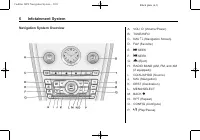
Page 6 - Navigation System Overview; m n; SEEK
Black plate (6,1) Cadillac SRX Navigation System - 2011 6 Infotainment System Navigation System Overview A. VOL/ O (Volume/Power) B. TUNE/INFO C. NAV m n (Navigation Screen) D. FAV (Favorite) E. l SEEK F. g SEEK G. Y (Eject) H. RADIO BAND (AM, FM, and XM (if equipped)) I. CD/AUX/HDD (Source) J. NAV ...
Page 7 - PHONE; Setup Menu; Vehicle Configuration Menu
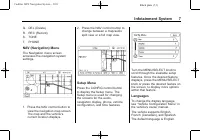
Black plate (7,1) Cadillac SRX Navigation System - 2011 Infotainment System 7 Q. DEL (Delete) R. REC (Record) S. TONE T. PHONE NAV (Navigation) Menu The Navigation menu screenaccesses the navigation systemsettings. 1. Press the NAV control button to view the navigation map screen.The map and the veh...
Page 8 - Deleting Personal Information; Entering an Address
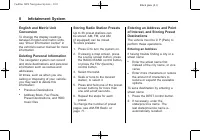
Black plate (8,1) Cadillac SRX Navigation System - 2011 8 Infotainment System English and Metric UnitConversion To change the display readingsbetween English and metric units,see “ Driver Information Center ” in the vehicle's owner manual for moreinformation. Deleting Personal Information The naviga...
Page 9 - Configure Menu
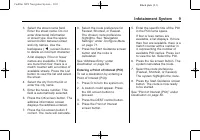
Black plate (9,1) Cadillac SRX Navigation System - 2011 Infotainment System 9 3. Select the street name field. Enter the street name. Do notenter directional informationor street type. Use the spacescreen button between streetand city names. Use thebackspace ( q ) screen button to delete an incorrec...
Page 10 - Storing Preset Destinations; Destination on page 59; Canceling Guidance
Black plate (10,1) Cadillac SRX Navigation System - 2011 10 Infotainment System Storing Preset Destinations 1. Press O to turn the system on. 2. A caution could appear. Press the OK screen button toproceed. 3. Press the NAV or DEST control buttons. 4. Enter a destination. See Destination on page 59 ...
Page 11 - Voice Guidance; Configure Menu on page 71; Cleaning the Display; If you use abrasive; Radio; Playing the Radio; Audio Source Menu
Black plate (11,1) Cadillac SRX Navigation System - 2011 Infotainment System 11 Voice Guidance To adjust the volume of voiceguidance prompts: 1. Press the CONFIG control button to enter the menufeatures. Turn the MENU/SELECT knob until Navdisplays. Press the MENU/SELECT knob to select Navor press th...
Page 13 - Navigation Audio System; Sound Menu; Setting the Tone; to; Adjusting the Speakers; To adjust the speaker fade:
Black plate (13,1) Cadillac SRX Navigation System - 2011 Infotainment System 13 Navigation Audio System Sound Menu To access the sound menu, pressthe TONE control button. Use the Sound Menu to adjust thefollowing features: . Setting the Tone . Adjusting the Speakers . Digital Signal Processing Setti...
Page 14 - EQ Settings; The EQ
Black plate (14,1) Cadillac SRX Navigation System - 2011 14 Infotainment System EQ Settings EQ (Equalization): The EQ settings are selected through thesound menu. EQ provides a choiceof Talk or Manual settings. Digital Signal Processing (DSP)(If equipped) The DSP feature is selected throughthe sound...
Page 15 - Centerpoint; Radio Settings; Automatic Volume Control; Finding a Station; Seeking a Station
Black plate (15,1) Cadillac SRX Navigation System - 2011 Infotainment System 15 Centerpoint ® : Centerpoint signal processing creates a Bose surroundsound listening experience fromstereo CDs and satellite radio.This feature operates automaticallywhen turned on. There is noneed to adjust audio contro...
Page 16 - Local Station List Search; Timeshift
Black plate (16,1) Cadillac SRX Navigation System - 2011 16 Infotainment System Local Station List Search To find a list of local stations in thecurrent band AM or FM band, pressMENU/SELECT. The radio performsa search for available stations. Mixed-Band Presets Up to 36 preset stations can bestored. ...
Page 17 - so that timeshift keeps; Satellite Radio; XM
Black plate (17,1) Cadillac SRX Navigation System - 2011 Infotainment System 17 To resume listening to the broadcastat the point where you left off,press k again. Timeshift stops recording anderases the buffer when the vehicleis turned off or the station or sourceis changed. Before turning the vehic...
Page 18 - XM Categories; Removing or Adding Categories; Audio Players
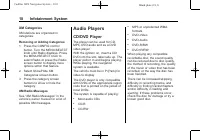
Black plate (18,1) Cadillac SRX Navigation System - 2011 18 Infotainment System XM Categories XM stations are organized incategories. Removing or Adding Categories 1. Press the CONFIG control button. Turn the MENU/SELECTknob until Radio displays. Pressthe MENU/SELECT knob toselect Radio or press the...
Page 19 - Insert only one disc at a time.; Loading and Ejecting Discs; Press; Playing an Audio CD
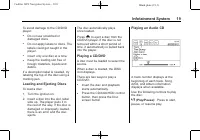
Black plate (19,1) Cadillac SRX Navigation System - 2011 Infotainment System 19 To avoid damage to the CD/DVDplayer: . Do not use scratched ordamaged discs . Do not apply labels to discs. Thelabels could get caught in theplayer. . Insert only one disc at a time. . Keep the loading slot free offoreig...
Page 20 - Shuffle
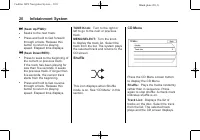
Black plate (20,1) Cadillac SRX Navigation System - 2011 20 Infotainment System l (Seek Up/FWD): . Seeks to the next track. . Press and hold to fast forwardthrough a track. Release thisbutton to return to playingspeed. Elapsed time displays. g (Seek Down/REV): . Press to seek to the beginning ofthe ...
Page 21 - DVD Options
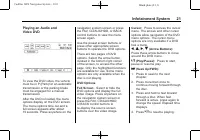
Black plate (21,1) Cadillac SRX Navigation System - 2011 Infotainment System 21 Playing an Audio andVideo DVD To view the DVD video, the vehiclemust be in P (Park) for an automatictransmission or the parking brakemust be engaged for a manualtransmission. After the DVD is loaded, the menuoptions disp...
Page 23 - Select while a DVD is playing to; Error Messages; MP3 Format
Black plate (23,1) Cadillac SRX Navigation System - 2011 Infotainment System 23 Subtitle: 1. Select while a DVD is playing to view with subtitles on or off orto change the language of thesubtitles. 2. Continue pressing to cycle through the available subtitlelanguages and to turn subtitlesoff, depend...
Page 24 - Disc Music Menu
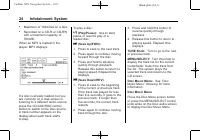
Black plate (24,1) Cadillac SRX Navigation System - 2011 24 Infotainment System . Maximum of 1024 files on a disc. . Recorded on a CD-R or CD-RWwith a maximum capacity of700 MB. When an MP3 is loaded in theplayer, MP3 displays. If a disc is already loaded, but youare currently on a map screen orlist...
Page 25 - Artists
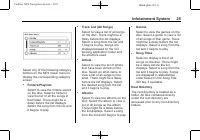
Black plate (25,1) Cadillac SRX Navigation System - 2011 Infotainment System 25 Select any of the following categorybuttons on the MP3 music menu todisplay the corresponding categoryscreen: . Folders/Playlists Select to view the folders storedon the disc. Select a folder toview the list of all the s...
Page 26 - Empty Directory or Folder; or
Black plate (26,1) Cadillac SRX Navigation System - 2011 26 Infotainment System Empty Directory or Folder If a root directory or folder is emptyor contains only folders, the playeradvances to the next folder inthe file structure that contains acompressed audio file. The emptyfolder(s) are not displa...
Page 27 - Duplicate Content
Black plate (27,1) Cadillac SRX Navigation System - 2011 Infotainment System 27 Recording from a CD to theHard Drive The speed of the recordingincreases if you are listening toanother source while recording. To record all tracks from the disc: 1. Load a CD or press the REC (record) control button. 2...
Page 28 - CD Eject
Black plate (28,1) Cadillac SRX Navigation System - 2011 28 Infotainment System If it is determined that some or noneof the content exists, then only thatcontent will be copied to the harddrive. If the same file is recorded fromUSB and CD, it is possible to haveduplicate tracks. CD Eject If the CD e...
Page 29 - HDD Music Menu
Black plate (29,1) Cadillac SRX Navigation System - 2011 Infotainment System 29 DEL (Delete): Select to delete a song from the hard drive. Select thesong from the HDD Music Menuscreen to delete. To delete an entire list of Artists,Albums, or Genres, select thecategory from the HDD Music Menuscreen. ...
Page 30 - Saving HDD Favorites; Playing HDD Favorites
Black plate (30,1) Cadillac SRX Navigation System - 2011 30 Infotainment System Genres: 1. Select to view the genres on the hard drive. 2. Select a genre to view a list of all songs of that genre. 3. Select a song from the list. Once selected, Genre Mode displays. Recently Saved: Select to view a li...
Page 31 - Playing from USB
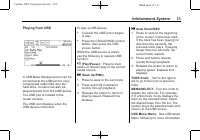
Black plate (31,1) Cadillac SRX Navigation System - 2011 Infotainment System 31 Playing from USB A USB Mass Storage device can beconnected to the USB port to copycompressed audio files onto thehard drive. Content can also beplayed directly from the USB device. The USB port is located in thecenter co...
Page 32 - USB Music Menu
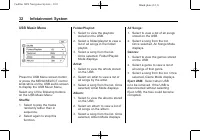
Black plate (32,1) Cadillac SRX Navigation System - 2011 32 Infotainment System USB Music Menu Press the USB Menu screen buttonor press the MENU/SELECT controlknob while on the USB audio screento display the USB Music Menu. Select any of the following buttonson the USB Music Menu: Shuffle: 1. Select...
Page 33 - Playing from an iPod; Auxiliary Devices on
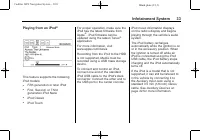
Black plate (33,1) Cadillac SRX Navigation System - 2011 Infotainment System 33 Playing from an iPod ® This feature supports the followingiPod models: . Fifth generation or later iPod . First, Second, or Thirdgeneration iPod Nano . iPod Classic . iPod Touch For proper operation, make sure theiPod ha...
Page 34 - iPod Music Menu
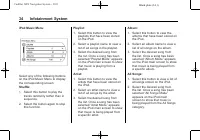
Black plate (34,1) Cadillac SRX Navigation System - 2011 34 Infotainment System iPod Music Menu Select any of the following buttonson the iPod Music Menu to displaythe corresponding screen: Shuffle: 1. Select this button to play the tracks randomly rather than insequence. 2. Select the button again ...
Page 35 - Audio Book
Black plate (35,1) Cadillac SRX Navigation System - 2011 Infotainment System 35 Genres: 1. Select this button to view the genres that have been stored onthe iPod. 2. Select a genre name to view a list of all songs of that genre. 3. Select the desired song from the list. Once a song has beenselected ...
Page 36 - Playing Audio Book Content
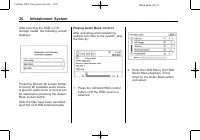
Black plate (36,1) Cadillac SRX Navigation System - 2011 36 Infotainment System After inserting the USB or CDstorage media, the following screendisplays: Press the Record All screen buttonto record all available audio books.A specific audio book to record canbe selected by pressing the SelectBook sc...
Page 37 - The Audio Book screen displays
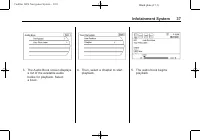
Black plate (37,1) Cadillac SRX Navigation System - 2011 Infotainment System 37 3. The Audio Book screen displays a list of the available audiobooks for playback. Selecta book. 4. Then, select a chapter to start playback. 5. The audio book begins playback.
Page 38 - Selecting Another Audio Book; The Audio Book screen displays
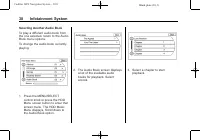
Black plate (38,1) Cadillac SRX Navigation System - 2011 38 Infotainment System Selecting Another Audio Book To play a different audio book fromthe one selected, return to the AudioBook menu options. To change the audio book currentlyplaying: 1. Press the MENU/SELECT control knob or press the HDDMen...
Page 39 - The audio book begins; Auxiliary Devices; Laptop computer
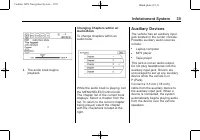
Black plate (39,1) Cadillac SRX Navigation System - 2011 Infotainment System 39 4. The audio book begins playback. Changing Chapters within anAudio Book To change chapters within anaudio book: While the audio book is playing, turnthe MENU/SELECTcontrol knob.The chapter list of the current bookdispla...
Page 40 - To use the rear seat displays:
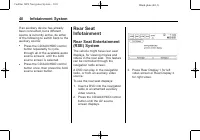
Black plate (40,1) Cadillac SRX Navigation System - 2011 40 Infotainment System If an auxiliary device has alreadybeen connected, but a differentsource is currently active, do eitherof the following to switch back to theauxiliary source: . Press the CD/AUX/HDD controlbutton repeatedly to cyclethroug...
Page 41 - Headphones
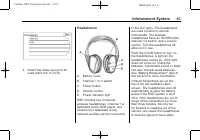
Black plate (41,1) Cadillac SRX Navigation System - 2011 Infotainment System 41 4. Select the video source to be used (AUX A/V or DVD). Headphones A. Battery cover B. Channel 1 or 2 switch C. Power button D. Volume control E. Power indicator light RSE includes two 2-channelwireless headphones. Chann...
Page 42 - Do not store the
Black plate (42,1) Cadillac SRX Navigation System - 2011 42 Infotainment System To adjust the volume on theheadphones, use the volumecontrol. For optimal audio performance, theheadphones must be worn correctly.Headphones should be worn withthe headband over the top of thehead for best audio receptio...
Page 43 - Audio Output
Black plate (43,1) Cadillac SRX Navigation System - 2011 Infotainment System 43 Changing the Source on the VideoDisplay Screens The image from the auxiliary devicecan be switched between the videodisplay screens. To change the display: 1. Press the AUX button on the remote control to change thesourc...
Page 44 - Video Screens; To use the video screen:; Avoid directly touching; Video Screen Input Jack
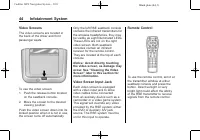
Black plate (44,1) Cadillac SRX Navigation System - 2011 44 Infotainment System Video Screens The video screens are located inthe back of the driver and frontpassenger seats. To use the video screen: 1. Push the release button located on the seatback console. 2. Move the screen to the desired viewin...
Page 45 - Storing the remote
Black plate (45,1) Cadillac SRX Navigation System - 2011 Infotainment System 45 Check the batteries if the remotecontrol does not seem to beworking. See “ Battery Replacement ” later in this section. Objectsblocking the line of sight couldalso affect the function of theremote control. Use the infota...
Page 46 - Replacing the Remote Control
Black plate (46,1) Cadillac SRX Navigation System - 2011 46 Infotainment System u (Next Track/Chapter): Press to go to the beginning of the nextchapter or track. This button mightnot work when the DVD is playingthe copyright information or thepreviews. r (Fast Reverse): Press to quickly reverse the ...
Page 47 - Navigation; Overview on page 4; Navigation Control Buttons; Radio on page 11; NAV; Player on page 18
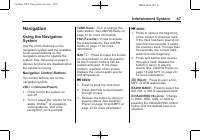
Black plate (47,1) Cadillac SRX Navigation System - 2011 Infotainment System 47 Navigation Using the NavigationSystem Use the control buttons on thenavigation system and the availabletouch-screen buttons on thenavigation screen to operate thesystem. See Overview on page 4 . Various functions are dis...
Page 48 - Touch Screen Buttons
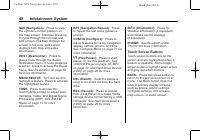
Black plate (48,1) Cadillac SRX Navigation System - 2011 48 Infotainment System NAV (Navigation): Press to view the vehicle's current position onthe map screen. Continue pressingto cycle through the full map andsplit screen. Full Map displays thescreen in full view, split screendisplays both map and...
Page 49 - Alpha-Numeric Keyboard
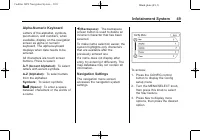
Black plate (49,1) Cadillac SRX Navigation System - 2011 Infotainment System 49 Alpha-Numeric Keyboard Letters of the alphabet, symbols,punctuation, and numbers, whenavailable, display on the navigationscreen as alpha or numerickeyboard. The alpha keyboarddisplays when data needs to beentered. All c...
Page 50 - Voice Prompt
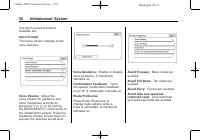
Black plate (50,1) Cadillac SRX Navigation System - 2011 50 Infotainment System The touch-sensitive buttonsavailable are: Voice Prompt This menu allows changes to thevoice features. Voice Volume: Adjust the voice volume for guidance andvoice recognition prompts bypressing ( − ) or (+) or by turning ...
Page 51 - Back Track; Maps; Map Coverage
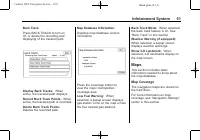
Black plate (51,1) Cadillac SRX Navigation System - 2011 Infotainment System 51 Back Track Press BACK TRACK to turn on,off, or delete the recording anddisplaying of the traveled path. Display Back Tracks: When active, the traveled path displays. Record Back Track Points: When active, the traveled pa...
Page 52 - Installing the DVD Map Disc; Ordering Map; Handling the DVD Map Disc
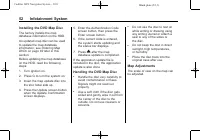
Black plate (52,1) Cadillac SRX Navigation System - 2011 52 Infotainment System Installing the DVD Map Disc The factory installs the mapdatabase information on the HDD. An updated map disc can be usedto update the map databaseinformation, see Ordering Map DVDs on page 82 later in this section. Befor...
Page 53 - Map Scales; Press the Map scale button; Scroll Features
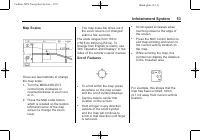
Black plate (53,1) Cadillac SRX Navigation System - 2011 Infotainment System 53 Map Scales There are two methods to changethe map scale: 1. Turn the MENU/SELECT control knob clockwise orcounterclockwise to zoom outor in. 2. Press the Map scale button which is located on the bottomleft-hand corner of...
Page 54 - Navigation Symbols
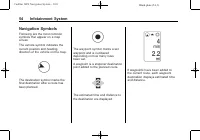
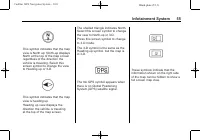
Black plate (54,1) Cadillac SRX Navigation System - 2011 54 Infotainment System Navigation Symbols Following are the most commonsymbols that appear on a mapscreen. The vehicle symbol indicates thecurrent position and headingdirection of the vehicle on the map. The destination symbol marks thefinal d...
Page 56 - Driving on a Route; Urgent Maneuver
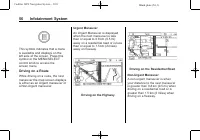
Black plate (56,1) Cadillac SRX Navigation System - 2011 56 Infotainment System This symbol indicates that a menuis available and displays on theleft side of the screen. Press thissymbol or the MENU/SELECTcontrol knob to access thescreen menu. Driving on a Route While driving on a route, the nextman...
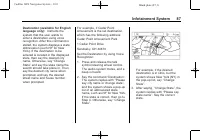
Page 57 - See
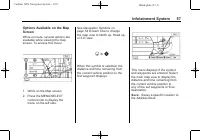
Black plate (57,1) Cadillac SRX Navigation System - 2011 Infotainment System 57 Options Available on the MapScreen While on route, several options areavailable while viewing the mapscreen. To access this menu: 1. While on the Map screen. 2. Press the MENU/SELECT control knob to display themenu on th...
Page 58 - Show POI
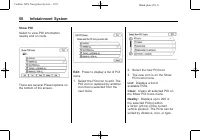
Black plate (58,1) Cadillac SRX Navigation System - 2011 58 Infotainment System Show POI Select to view POI informationnearby and on route. There are several Preset options onthe bottom of the screen. Edit: Press to display a list of POI icons. 1. Select the POI icon to edit. The POI icon is replace...
Page 59 - Destination; Address Entry
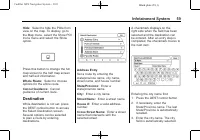
Black plate (59,1) Cadillac SRX Navigation System - 2011 Infotainment System 59 Hide: Select to hide the POIs from view on the map. To display, go tothe Map menu, select the Show POIIcons menu and select the Showoption. Press this button to change the fullmap screen to the half map screenand half ex...
Page 61 - Entering a POI by City Name
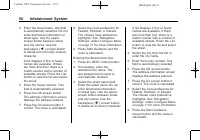
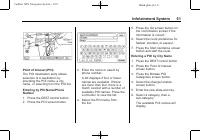
Black plate (61,1) Cadillac SRX Navigation System - 2011 Infotainment System 61 Point of Interest (POI) The POI destination entry allowsselection of a destination byproviding the POI name, a cityname, or selecting from the POI list. Entering by POI Name/PhoneNumber 1. Press the DEST control button. ...
Page 62 - Selecting a POI Category; Previous Destination
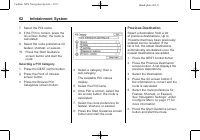
Black plate (62,1) Cadillac SRX Navigation System - 2011 62 Infotainment System 7. Select the POI name. 8. If the POI is correct, press the Go screen button. the route iscalculated. 9. Select the route preference for fastest, shortest, or easiest. 10. Press the Start Guidance screen button and start...
Page 63 - Address Book; Pick From Map
Black plate (63,1) Cadillac SRX Navigation System - 2011 Infotainment System 63 Address Book Choose a destination by selectingan address that has been stored inthe address book. 1. Press the DEST control button. 2. Press the Address Book screen button. A list displays theaddress book entries. 3. Sel...
Page 64 - Preset Destination; Getting Started on the Route
Black plate (64,1) Cadillac SRX Navigation System - 2011 64 Infotainment System Lat/Long Coordinates Choose a destination basedon Latitude and Longitudinalcoordinates. Enter in the location as coordinates,Latitude and Longitude. 1. Press the DEST control button. 2. Press the Lat/Long screen button. ...
Page 65 - Cancel Guidance; Navigation settings; Detour; Press the Add Waypoint screen
Black plate (65,1) Cadillac SRX Navigation System - 2011 Infotainment System 65 Cancel Guidance From the Route screen, press theCancel Guidance screen button tocancel the current route. Press Yeson the confirmation screen to cancelor No to continue the guidance. Voice Prompt Select Voice Volume to c...
Page 66 - Route Preview; s t; (Fast Reverse or Forward; S T; Suspend/Resume Guidance
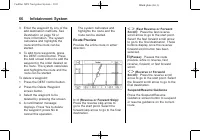
Black plate (66,1) Cadillac SRX Navigation System - 2011 66 Infotainment System 3. Enter the waypoint by any of the add destination methods. See Destination on page 59 or more information. The systemcalculates and highlights theroute and the route can bestarted. 4. To add more waypoints, press the D...
Page 67 - Deleting
Black plate (67,1) Cadillac SRX Navigation System - 2011 Infotainment System 67 PreviousDestinations — Deleting To delete all previous destinationsfrom the system: 1. Press the DEST control button. 2. Press the Previous Destination screen button. 3. Press the Clear All screen button. 4. Press the OK...
Page 69 - Favorite Route
Black plate (69,1) Cadillac SRX Navigation System - 2011 Infotainment System 69 5. Press and hold one of the six preset screen buttons at thebottom of the screen until thetext within the button changes. 6. The name appears in that preset destination screen button andcan be selected from the SelectDe...
Page 70 - Menu Screen Button; Map Heading; Navigation Symbols on page 54
Black plate (70,1) Cadillac SRX Navigation System - 2011 70 Infotainment System Menu Screen Button Various navigation system settingsare available through the Menuscreen button. Some options areonly available after a route isplanned. 1. Press the NAV control button to view the Map screen. 2. Press t...
Page 71 - Satellite Radio on page 17; XM NavTraffic
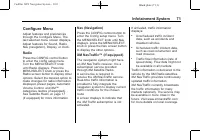
Black plate (71,1) Cadillac SRX Navigation System - 2011 Infotainment System 71 Configure Menu Adjust features and preferencesthrough the Configure Menu. Thelast selected menu screen displays.Adjust features for Sound, Radio,Nav (navigation), Display, or clock. Radio Press the CONFIG control buttont...
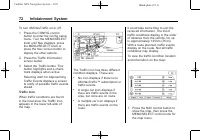
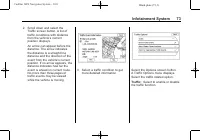
Page 72 - To turn XM NavTraffic on or off:; Traffic Icon; subscription or
Black plate (72,1) Cadillac SRX Navigation System - 2011 72 Infotainment System To turn XM NavTraffic on or off: 1. Press the CONFIG control button to enter the Config setupmenu. Turn the MENU/SELECTknob until Nav displays. pressthe MENU/SELECT knob orpress the Nav screen button todisplay the other ...
Page 74 - Select to
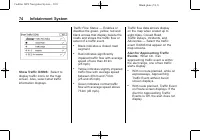
Black plate (74,1) Cadillac SRX Navigation System - 2011 74 Infotainment System Show Traffic ICONS: Select to display traffic icons on the mapscreen. Also, select what trafficinformation displays. Traffic Flow Status — Enables or disables the green, yellow, red andblack arrows that display beside th...
Page 75 - On Route
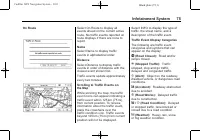
Black plate (75,1) Cadillac SRX Navigation System - 2011 Infotainment System 75 On Route Select On Route to display allevents ahead on the current activeroute. No traffic events reported onroute displays if there are none toreport. Name Select Name to display trafficevents in alphabetical order. Dis...
Page 76 - Traffic Event Information
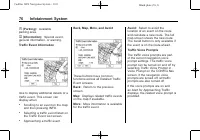
Black plate (76,1) Cadillac SRX Navigation System - 2011 76 Infotainment System m (Parking): Available parking area. l (Information): Special event, general information, or warning. Traffic Event Information Use to display additional details of atraffic event. This screen candisplay when: . Scrollin...
Page 77 - Recognition activity.
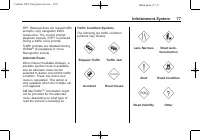
Black plate (77,1) Cadillac SRX Navigation System - 2011 Infotainment System 77 RPT (Repeat) does not repeat trafficprompts, only navigation trafficmaneuvers. The current promptplayback cancels if RPT is pressedduring a traffic voice prompt. Traffic prompts are disabled duringOnStar ® (if equipped) ...
Page 78 - Current Condition; Current vehicle
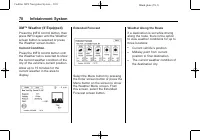
Black plate (78,1) Cadillac SRX Navigation System - 2011 78 Infotainment System XM ™ Weather (If Equipped) Press the INFO control button, thenpress INFO again until the Weatherscreen button is selected or pressthe Weather screen button. Current Condition Press the INFO control button untilthe Weathe...
Page 79 - Weather Alerts; Display
Black plate (79,1) Cadillac SRX Navigation System - 2011 Infotainment System 79 From the XM Weather MenuScreen, select Along the Route: Weather Alerts From the XM Weather Menu, selectWeather Alerts to display anycurrent weather advisory warningsin effect near the current position. Display Press the ...
Page 80 - Vehicle Positioning
Black plate (80,1) Cadillac SRX Navigation System - 2011 80 Infotainment System 12/24 HR Format: Select the 12 HR screen button for standardtime; select the 24 HR screenbutton for military time. Day + or Day − : Press the day + or day − display buttons to increase or decrease the day. Display: Press...
Page 81 - The GPS signal is not received.
Black plate (81,1) Cadillac SRX Navigation System - 2011 Infotainment System 81 . The vehicle changes directionsmore than once, or when thevehicle is turning on a turn tablein a parking lot. . The vehicle is entering and/orexiting a parking lot, garage or alot with a roof. . The GPS signal is not re...
Page 82 - Ordering Map DVDs; Maps on page 51; Voice Recognition
Black plate (82,1) Cadillac SRX Navigation System - 2011 82 Infotainment System If the System NeedsService If the navigation system needsservice and the steps listed herehave been followed but there arestill problems, see your dealer forassistance. Ordering Map DVDs The map data in the vehicle isthe...
Page 83 - Using Voice Recognition; Configure; Canceling Voice Recognition
Black plate (83,1) Cadillac SRX Navigation System - 2011 Infotainment System 83 Using Voice Recognition 1. Press and release the g steering wheel control button. The audio systemmutes, and a beep is heard.A voice prompt stating, “ Please start speaking after the beep ” might be heard. If there is no...
Page 84 - Voice Recognition Help; Display Commands
Black plate (84,1) Cadillac SRX Navigation System - 2011 84 Infotainment System . Background noise such as aclimate control fan positioned onhigh, open windows, and veryloud outside noises, even if thewindows are closed, can causevoice commands to bemisunderstood . This system is able to recognizeco...
Page 85 - Radio Commands
Black plate (85,1) Cadillac SRX Navigation System - 2011 Infotainment System 85 Display [set] night [mode],display [select] night [mode]: Instructs the system to switch thedisplay to night mode. Display [set] auto [mode], display[select] auto [mode]: Instructs the system to switch the display toauto...
Page 88 - The system asks the user to
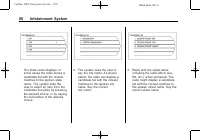
Black plate (88,1) Cadillac SRX Navigation System - 2011 88 Infotainment System The state name displays. Insome cases the radio shows acandidate list with the closestmatches to the spoken statename. The system asks theuser to select an item from thecandidate list either by pressingthe desired choice...
Page 89 - Reply with the house number
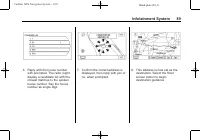
Black plate (89,1) Cadillac SRX Navigation System - 2011 Infotainment System 89 6. Reply with the house number with prompted. The radio mightdisplay a candidate list with theclosest matches to the spokenhouse number. Say the housenumber as single digit. 7. Confirm the correct address is displayed, t...
Page 90 - Voice Tag Commands; If a destination is set to; Help CommandsHelp
Black plate (90,1) Cadillac SRX Navigation System - 2011 90 Infotainment System Voice Tag Commands Voice Tags are recorded phrasesthat can be stored in the navigationsystem. These voice tags areassociated with Address BookEntries, and once these voice tagsare stored, they can be used as partof a voi...
Page 91 - Phone; Bluetooth
Black plate (91,1) Cadillac SRX Navigation System - 2011 Infotainment System 91 Destination and GuidanceCommands Navigation [go to] presetdestination [number] oneNavigation [go to] presetdestination [number] twoNavigation [go to] presetdestination [number] threeNavigation [go to] presetdestination [...
Page 92 - Pairing a Phone
Black plate (92,1) Cadillac SRX Navigation System - 2011 92 Infotainment System Pairing a Phone 1. Press b g . For vehicles with a navigation system, say “ Hands Free ” , after the tone. 2. Say “ Bluetooth ” . 3. Say “ Pair ” . The system responds with instructions and a four ‐ digit PIN number. The...
Page 93 - Command
Black plate (93,1) Cadillac SRX Navigation System - 2011 Infotainment System 93 2. Say “ Bluetooth ” . 3. Say “ Change phone ” . . If another cell phone isfound, the response will be “ <Phone name> is now connected ” . . If another cell phone is notfound, the original phoneremains connected. S...
Page 94 - Listing Stored Numbers
Black plate (94,1) Cadillac SRX Navigation System - 2011 94 Infotainment System Using the “ Digit Store ” Command If an unwanted number isrecognized by the system, say “ Clear ” at any time to clear the last number. To hear all of the numbersrecognized by the system, say “ Verify ” at any time. 1. P...
Page 95 - Making a Call
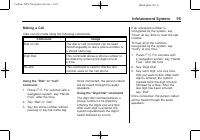
Black plate (95,1) Cadillac SRX Navigation System - 2011 Infotainment System 95 Making a Call Calls can be made using the following commands. Command Usage Dial or Call The dial or call command can be usedinterchangeably to dial a phone number ora stored name tag. Digit Dial This command allows a ph...
Page 96 - Using the; Receiving a Call
Black plate (96,1) Cadillac SRX Navigation System - 2011 96 Infotainment System Using the “ Re ‐ dial ” Command 1. Press b g . For vehicles with a navigation system, say “ Hands Free ” , after the tone. 2. After the tone, say “ Re ‐ dial ” . Once connected, the person calledwill be heard through the...
Page 97 - Muting a Call
Black plate (97,1) Cadillac SRX Navigation System - 2011 Infotainment System 97 Muting a Call During a call, all sounds from insidethe vehicle can be muted so that theperson on the other end of the callcannot hear them. To mute a call, press b g , and then say “ Mute Call ” . To cancel mute, press b...
Page 98 - Clearing the System
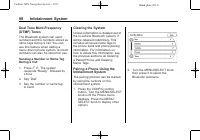
Black plate (98,1) Cadillac SRX Navigation System - 2011 98 Infotainment System Dual Tone Multi-Frequency(DTMF) Tones The Bluetooth system can sendnumbers and the numbers stored asname tags during a call. You canuse this feature when calling amenu driven phone system. Accountnumbers can also be stor...
Page 100 - Press the CONFIG control
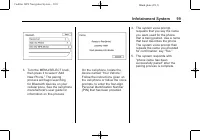
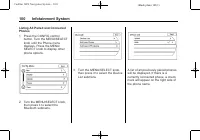
Black plate (100,1) Cadillac SRX Navigation System - 2011 100 Infotainment System Listing All Paired and ConnectedPhones 1. Press the CONFIG control button. Turn the MENU/SELECTknob until the Phone menudisplays. Press the MENU/SELECT knob to display otherphone options. 2. Turn the MENU/SELECT knob, ...
Page 101 - Deleting a Paired Phone
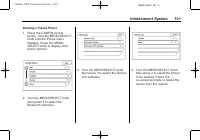
Black plate (101,1) Cadillac SRX Navigation System - 2011 Infotainment System 101 Deleting a Paired Phone 1. Press the CONFIG control button. Turn the MENU/SELECTknob until the Phone menudisplays. Press the MENU/SELECT knob to display otherphone options. 2. Turn the MENU/SELECT knob, then press it t...
Page 102 - Connecting to a Different Phone
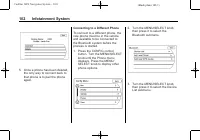
Black plate (102,1) Cadillac SRX Navigation System - 2011 102 Infotainment System 5. Once a phone has been deleted, the only way to connect back tothat phone is to pair the phoneagain. Connecting to a Different Phone To connect to a different phone, thenew phone must be in the vehicleand available t...
Page 103 - Select the phone to be linked; Enter Number
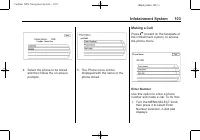
Black plate (103,1) Cadillac SRX Navigation System - 2011 Infotainment System 103 4. Select the phone to be linked and then follow the on-screenprompts. 5. The Phone menu will be displayed with the name of thephone linked. Making a Call Press V located on the faceplate of the infotainment system, to...
Page 104 - Enter the phone number by; Phone Book
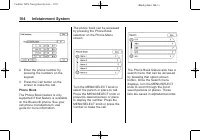
Black plate (104,1) Cadillac SRX Navigation System - 2011 104 Infotainment System 2. Enter the phone number by pressing the numbers on thekeypad. 3. Press the Call button on the screen to make the call. Phone Book The Phone Book feature is onlysupported if that feature is availableon the Bluetooth p...
Page 105 - Call Lists
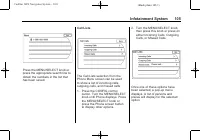
Black plate (105,1) Cadillac SRX Navigation System - 2011 Infotainment System 105 Press the MENU/SELECT knob orpress the appropriate search line toobtain the numbers in the list thathas been saved. Call Lists The Call Lists selection from thePhone Menu screen can be usedto show a list of incoming ca...
Page 106 - Accepting a Call; Call Waiting
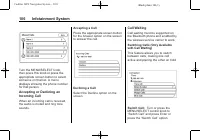
Black plate (106,1) Cadillac SRX Navigation System - 2011 106 Infotainment System Turn the MENU/SELECT knob,then press this knob or press theappropriate screen button to selectsomeone on that list. A menudisplays showing the phone numberfor that person. Accepting or Declining anIncoming Call When an...
Page 107 - Conference Calling; control button on; Ending a Call; Select the Mute call again to
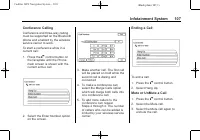
Black plate (107,1) Cadillac SRX Navigation System - 2011 Infotainment System 107 Conference Calling Conference and three-way callingmust be supported on the Bluetoothphone and enabled by the wirelessservice carrier to work. To start a conference while in acurrent call: 1. Press the V control button...
Page 111 - Gracenote; Powered by Gracenote
Black plate (111,1) Cadillac SRX Navigation System - 2011 Infotainment System 111 and is intended for home andother limited viewing uses onlyunless otherwise authorized byMacrovision. Reverse engineeringor disassembly is prohibited. This product uses the sourcecode of T-Kernel under T-Licensegranted...
Page 113 - Database
Black plate (113,1) Cadillac SRX Navigation System - 2011 Infotainment System 113 No warranty is made that theGracenote Software or GracenoteServers are error-free or thatfunctioning of Gracenote Softwareor Gracenote Servers will beuninterrupted. Gracenote is not obligated toprovide you with new enh...
Page 114 - LICENSE GRANT
Black plate (114,1) Cadillac SRX Navigation System - 2011 114 Infotainment System LICENSE GRANT DENSO CORPORATION( “ DENSO ” ), as a licensed distributor of the DATABASE, grants to youa non-exclusive, non-perpetuallicense to use your copy of theDATABASE for your personal useor for your use in your b...
Page 115 - LIMITATION OF LIABILITY
Black plate (115,1) Cadillac SRX Navigation System - 2011 Infotainment System 115 DENSO OR TANA (OR ANY OFTHEIR LICENSORS, AGENTS,EMPLOYEES OR THIRD PARTYPROVIDERS) SHALL CREATEA WARRANTY, AND YOU ARENOT ENTITLED TO RELY ONANY SUCH ADVICE ORINFORMATION. THIS DISCLAIMEROF WARRANTIES IS ANESSENTIAL CO...
Page 116 - commercial
Black plate (116,1) Cadillac SRX Navigation System - 2011 116 Infotainment System U.S. GOVERNMENT RIGHTS If you are an agency, department,or other entity of the United StatesGovernment, or funded in wholeor in part by the United StatesGovernment, then use, duplication,reproduction, release, modifica...
Page 117 - END USER NOTICE
Black plate (117,1) Cadillac SRX Navigation System - 2011 Infotainment System 117 END USER NOTICE PLEASE READ THIS NOTICECAREFULLY BEFORE USING THISNAVIGATION SYSTEM The Point Of Interest Data ( “ POI ” Data) in the navigation system is inpart provided by infoUSA Inc.( “ infoUSA ” ). By using the PO...
Page 119 - INDEX
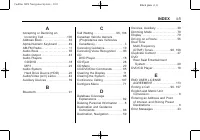
Black plate (1,1) Cadillac SRX Navigation System - 2011 INDEX i-1 A Accepting or Declining an Incoming Call . . . . . . . . . . . . . . . . . 106 Address Book . . . . . . . . . . . . . . . . . . . 63Alpha-Numeric Keyboard . . . . . . . . 49AM-FM Radio . . . . . . . . . . . . . . . . . . . . 11Audio ...
Page 120 - General Navigation
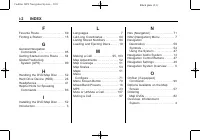
Black plate (2,1) Cadillac SRX Navigation System - 2011 i-2 INDEX F Favorite Route . . . . . . . . . . . . . . . . . . . 69Finding a Station . . . . . . . . . . . . . . . . 15 G General Navigation Commands . . . . . . . . . . . . . . . . . . . . . 85 Getting Started on the Route . . . . 64Global Pos...


 Cadillac 2000 Manual
 Cadillac 2006 Manual
 Cadillac 2006 CTS Manual
 Cadillac 2006 DTS Manual
 Cadillac 2006 Escalade Manual
 Cadillac 2006 SRX Manual
 Cadillac 2006 STS Manual
 Cadillac 2007 Manual
 Cadillac 2007 CTS Manual
 Cadillac 2007 DTS Manual
 Cadillac 2007 SRX Manual
 Cadillac 2007 STS Manual
 Cadillac 2008 Manual
 Cadillac 2008 CTS Manual
 Cadillac 2008 DTS Manual
 Cadillac 2008 Escalade Manual
 Cadillac 2008 Escalade EXT Manual
 Cadillac 2008 SRX Manual