Brother MFC-8880DN - User Manual
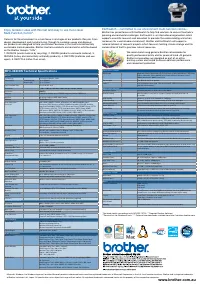
Brother MFC-8880DN – User Manual, read for free online in PDF format. We hope this helps you resolve any issues you may have. If you have further questions, please contact us through the contact form.


www.brother.com.au
We recommend using genuine Brother consumables for
quality professional prints and for peace of mind. All genuine
Brother consumables are designed as part of an entire
printing system and tested to ensure optimum performance
and component protection.
Microsoft, Windows, the Windows logo and / or other Microsoft products referenced herein are either registered trademarks of Microsoft Corporation in the U.S. and / or other countries. Brother and its logo are trademarks
of Brother Industries Ltd., Japan. All specifications are subject to change without notice. All registered trademarks referenced herein are the property of their respective companies.
MFC-8880DN Technical Specifications
General
Technology
Electrophotographic Laser
Print Speed
Standard (A4)
Duplex (A4)
Up to 30 ppm
Up to 13 ppm
First Print Out Time
Less than 8.5 secs
Resolution
1,200 x 1,200 dpi, HQ1200 (2,400 x 600 dpi), 600 dpi, 300 dpi
Processor
300MHz
Memory
64MB (Expandable up to 576MB) using one 144 pin DIMM slot
Interface
Hi-Speed USB2.0, IEEE 1284 Parallel
Network
10/100 Base-TX
IPv4 Supported
Protocols
ARP, RARP, BOOTP, DHCP, APIPA(Auto IP) WINS/NetBIOS name
resolution, DNS Resolver, mDNS, LLMNR responder, LPR/LPD, Custom
Raw Port/Port9100, IPP/IPPS, FTP Client and Server,TELNET Server, HTTP/
HTTPS server, SSL/TLS, TFTP client and server, SMTP Client, APOP,
POP before SMTP, SMTP-AUTH SNMPv1/v2c/v3, ICMP, LLTD responder,
WebServicesPrint,CIFS Client, SNTP, LDAP, POP3/SMTP
IPv6 Supported
Protocols
NDP, RA, DNS resolver, mDNS, LLMNR responder, LPR/LPD, Custom Raw
Port/Port9100, IPP/IPPS, FTP Client and Server,TELNET Server, HTTP/
HTTPS server, SSL/TLS, TFTP client and server, SMTP Client, APOP, POP
before SMTP, SMTP-AUTH SNMPv1/v2c/v3, ICMPv6, LLTD responder,
WebServicesPrint CIFS Client, SNTP, LDAP, POP3/SMTP
Emulation
PCL®6, BR-Script3 (Postscript®3 Language Emulation)
IBM Proprinter XL, Epson FX-850
Resident Fonts
PCL®6 - 66 Scalable Fonts, 12 Bitmap Fonts, 13 Barcodes
Postscript®3 - Compatible fonts: 66
Display
5 line, 22 characters white back-lit LCD
Mono Duplex Copier
Copy Speed A4
Up to 30cpm
Duplex - Up to 13 sides per minute
Resolution
Up to 1,200 x 600dpi
First Copy Out Time
Less than 10.5 seconds (from ready mode)
Stack & Sort
Stack and sort multiple copied documents
Reduction /
Enlargement Ratio
Reduce and enlarge documents from 25% to 400% using 1% increment
2 in 1 and 4 in 1
Mono Duplex Fax
Modem Speed
33,600bps (G3)
Internet Fax
Fax documents anywhere in the world over the Internet without the use of
a telephone line
Fax/Tel Switch
Automatic recognition of fax and telephone reception
One-Touch Dial
40 (20 x 2) locations
Speed & Group Dial
Up to 300 speed locations and up to 20 groups
Automatic Redial
Automatically redials number if line is busy
Distinctive Ring
Detection
Ability to detect different ring styles
Fax Forward and
Retrieval
Forward or retrieve faxes to or from another location
Transmit / Receive
Memory
Up to 500 pages (ITU-T Test Chart, Standard Resolution, MMR)
Error Correction Mode
(ECM)
Resending of failed documents where sending fax shares ECM
PC-Fax***
Send & receive faxes from your PC (phone line required)
Colour Duplex Scanner
Resolution
600 x 2,400dpi (from scanner glass) 600 x 1,200dpi (from ADF)
Resolution (Enhanced)
19,200 x 19,200dpi
Grey Scale
256 shades of grey are available for copying, faxing and scanning
Colour Depth
48 bit internal, 24 bit external
Scan Functions
Scan to E-mail / OCR / Image / File**
Scan to E-mail Server / Network / FTP / USB Flash Memory Drive
Paper Handling
Paper Input
250 sheet standard paper tray
50 sheet multipurpose tray
Optional 250 sheet paper tray
50 sheet automatic document feeder (ADF)
Paper Output
150 sheets (face down)
Media Specifications
Media Types
Standard Paper Tray - Thin Paper, Plain Paper, Bond Paper, Recycled Paper,
Transparencies (up to 10 sheets)
Multi-Purpose Tray - Thin Paper, Plain Paper, Thick Paper, Bond Paper,
Recycled Paper, Envelopes, Labels, Transparencies (up to 10 sheets)
Optional Tray - Thin Paper, Plain Paper, Bond Paper, Recycled Paper
Media Weights
Standard Paper Tray - 60 to 105g/m2
Multi-Purpose Tray - 60 to 163 g/m2
Optional Tray - 60 to 105g/m2
Duplex - 60 to 105g/m2
ADF - 64 to 90 g/m2
Media Sizes
Standard Paper Tray - A4, Letter, ISOB5, A5, A5 (Long Edge), ISOB6,
A6, Executive
Multi-Purpose Tray - Width 69.8 to 216 mm, Length 116 to 406.4 mm
Optional Tray - A4, Letter, ISOB5, A5, ISOB6, Executive
Automatic Duplex-ADF Width 148-215.9mm, Length 148-355.6mm
Printer Driver Software
Windows®
Windows Vista®, Windows® XP Professional (32 & 64 bit editions) / XP Home
Edition, Windows Server 2003® (32 & 64 bit editions), Windows Server
2008®,Windows® 2000 Professional
Macintosh®
Mac OS® X 10.3.9 or greater
Linux****
CUPS printing system (x86, x64 environment), LPD/LPRng printing system
(x86,x64 environment)
Printer Driver Functions
Automatic Duplex
Automatically print on both sides of the paper
Booklet Printing
Print 4 pages to every piece of paper (2 pages per side) and fold it in
the middle.
N-up Printing
Reduce 2, 4, 9, 16 or 25 A4 pages to 1 A4 page
Poster Printing
Enlarge 1 A4 page into a poster using 4, 9, 16 or 25 A4 pages
Watermark Printing
Print documents with predefined text or user-defined messages
Status Monitor
A function for showing the printer status on your PC
Secure Print
Safeguard information throughout the entire printing process, tracking
documents from the moment the print button is pressed
USB Direct Interface
USB Direct Print
Print images or files directly from a USB Flash Memory Drive
File Formats - Print
PDF version1.6, Microsoft XPS, JPEG, Exif + JPEG, PRN (created by
MFC-8880DN series printer driver), TIFF (MH) (scanned by Brother model)
Scan to USB
Scan images or documents to USB Flash Memory Drive
File Formats - Scan
PDF version1.6, Microsoft XPS, JPEG, TIFF
Network
Web Based Management
Use a web browser to manage your Brother network connected machine.
Driver Deployment
Wizard
A quick and easy way to deploy a Brother printer drivers on a networked
Windows® PC
BRAdmin Light
Print Server Management for Windows® and Mac OS X® 10.2.4 or greater
BRAdmin Professional****
For LAN / WAN management
Web BRAdmin Professional****
Server based LAN & WAN management utility (Windows® IIS (4.0/5.0) mode only)
LDAP Address Book
Access external address books using LDAP for sending internet faxes and
scanned images
Supplies / Options
Inbox Toner
Approx. 3,000 pages*
Standard Toner
TN-3250 supplied - Approx. 3,000 pages*
High Yield Toner
TN-3290 - Approx. 8,000 pages*
Drum
DR-3215 - Approx. 25,000 pages
Optional Lower Tray
LT-5300 - 1 x 250 sheet paper tray
Optional Memory
Expandable up to 576MB using 144pin DIMM (Industry Standard)
Dimensions / Weight
With Carton
628(W) x 567(D) x 575(H) mm / 22.1kg
Without Carton
531(W) x 451(D) x 475(H) mm / 18.6kg
Others
Power Consumption
680W copying
85W ready
18W sleep
Noise Level
Sound Pressure - Less than 56dBA when printing, less than 30dBA in ready
Sound Power - Less than 6.95B when printing, less than 4.6B in ready
Ecology
Power Save - Consume less energy when not in use
Toner Save - Reduces toner usage
Recommended Monthly
Print Volume
500 - 3,500 pages
Warranty
24 Months Return to Base (optional extended warranty available)
* Declared yield in accordance with ISO/IEC 19752. ** Requires Brother Software
***Receiving is for Windows® only **** Optional free downloads available from http://solutions.brother.com
Enjoy fantastic value with this fast and easy to use mono laser
Multi-Function Centre
®
.
Concern for the environment is a main focus in all stages of our products lifecycle. From
design, development and manufacturing, through to customer usage and disposal,
our products are designed to help you conduct business in the most environmentally
sustainable manner possible. Brother Australia conducts environmental activities based
on the Brother Group’s “5 Rs”:
1. REDUCE (waste material by recycling), 2. REUSE (products and waste material), 3.
REFUSE (to buy environmentally unfriendly products), 4. REFORM (materials and use
again), 5. RECYCLE (rather than scrap)
Earthwatch – committed to our environment multi-function centre
®
.
Brother has joined forces with Earthwatch to help find solutions to some of Australia’s
pressing environmental challenges. Earthwatch is an international organisation which
supports scientific research and education to promote the understanding and action
necessary for a sustainable environment. Brother and Earthwatch will support a
national network of research projects which focus on tackling climate change and the
conservation of Earth’s precious natural resources.
"Loading the manual" means you need to wait until the file loads and becomes available for online reading. Some manuals are very large, and the time they take to appear depends on your internet speed.
Was this manual helpful?
About this manual
- Brand
- Brother
- Model
- MFC-8880DN
- Document type
- User Manual
- Language(s)
- English
- Pages
- 4
- File size
- 429 KB
- Format
Ask a question
Related manuals
Popular Brother Other




More Brother Other models
 Brother MFC-8670DN User Manual
 Brother MFC-8690DW User Manual
 Brother MFC-8710DW User Manual
- Brother MFC-8810DW User Manual
 Brother MFC-8860DN Manual
 Brother MFC-8870DW User Manual
 Brother MFC-8890DW User Manual
 Brother MFC-8910DW User Manual
 Brother MFC-8950DW User Manual
 Brother MFC-9125CN User Manual
 Brother MFC-9130CW User Manual
 Brother MFC-9320CW User Manual