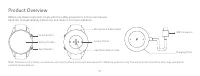
Page 2 - Product Overview
01 Note: Illustrations of product, accessories, and user interface in the user manual are for reference purposes only. The actual product and functions may vary due to product enhancements. Display Screen Home Button Sport Button Charging Dock USB Connector Product Overview Microphone & Baromete...
Page 4 - How to Use; Screen Instructions
04 05 2. Log into your Mi account in the Xiaomi Wear /Xiaomi Wear Lite app, select Add device and follow the instructions to add your watch. 3. Grant the pairing request on the watch. When an identical pairing code is displayed on both the phone and the watch, tap Pair on your phone to complete the ...
Page 5 - Disassembly; Button Instructions
06 07 Adjust the position of the buckle according to the circumference of your wrist. If you need to remove the strap, refer to the figures below. Make sure you pull the strap after attaching it to ensure the strap is installed securely. Disassembly Remove the Strap Install the Strap Note: You can c...
Page 6 - Specifications; Charging
08 09 Name: Mi Watch Model: XMWTCL02Device Name: Bluetooth DeviceDisplay Screen: 1.39 inch AMOLEDResolution: 454 × 454Sensor: Heart rate sensor (including the function of measuring blood oxygen levels), accelerometer, gyroscope, geomagnetic sensor, barometric pressure sensor, ambient light sensor Sp...
Page 7 - Safety Precautions
10 11 sunlight, fire, or other conditions with extreme heat. There's a risk of explosion if the battery is incorrectly installed. Only replace with the same or an equivalent type of battery. ● Do not disassemble, puncture, strike, crush or throw the battery into a fire. Stop using the battery immedi...
Page 8 - Regulatory Compliance Information; WEEE Information; Safety information; Caution
12 13 Regulatory Compliance Information WEEE Information EU Declaration of Conformity All products bearing this symbol are waste electrical and electronic equipment (WEEE as in directive 2012/19/EU) which should not be mixed with unsorted household waste. Instead, you should protect human health and...
Page 9 - Produktübersicht; M.10 Instructions to prevent reasonably foreseeable misuse
14 15 Hinweis: Abbildungen des Produkts, des Zubehörs und der Benutzeroberfläche in der Benutzerhandbuch dienen nur als Referenz. Die tatsächlichen Produkte und Funktionen können aufgrund von Produktverbesserungen variieren. Bildschirm Home-Taste Sport-Taste Ladestation USB-Anschluss Produktübersich...
Page 10 - Wie Sie das Gerät tragen; Wie Sie das Gerät anschließen
16 17 Wie Sie das Gerät tragen Für die tägliche Benutzung sollten Sie das Band so an Ihrem Handgelenk befestigen, dass es angenehm sitzt, mit etwa einem Fingerbreit Abstand vom Handgelenk. Stellen Sie sicher, dass der Herzfrequenzsensor korrekt messen kann. Hinweis: Wenn Sie das Armband zu lose trag...
Page 11 - Verwendung; Bildschirm-Anweisungen
18 19 2. Loggen Sie sich in Ihr Mi-Konto in der Xiaomi Wear /Xiaomi Wear Lite-App ein, wählen Sie „Gerät hinzufügen“ und folgen Sie den Anweisungen, um Ihre Uhr hinzuzufügen. 3. Erlauben Sie die Kopplungs-Anfrage auf der Uhr. Wenn sowohl auf dem Telefon als auch auf der Uhr ein identischer Kopplungs...
Page 12 - Anleitung für die Taste; Auseinandernehmen
20 21 Anleitung für die Taste Hinweis: Sie können die Verknüpfung über die Xiaomi Wear/Xiaomi Wear Lite-App anpassen. 5 6 Zum Ein-/Ausschalten drücken und drei Sekunden lang gedrückt halten.Zum Neustarten drücken und 15 Sekunden lang gedrückt halten.Drücken, um vom Startbildschirm die Funktionsliste...
Page 13 - Aufladen; Spezifikationen
22 23 1. Platzieren Sie die Uhr in der Ladestation. Stellen Sie sicher, dass die Kontaktpunkte auf der Rückseite der Uhr Kontakt mit denen der Ladestation haben.2. Schließen Sie die Ladestation an ein Standard-Ladegerät mit einer Ausgangsspannung von 5 V und einem Ausgangsstrom von mindestens 0,5 A ...
Page 14 - Sicherheitshinweise
24 25 Sicherheitshinweise ● Wenn Sie mit der Uhr Ihre Herzfrequenz messen, sollten Sie Ihr Handgelenk ruhig halten. ● Die Uhr ist wasserbeständig bis 5 ATM. Dies ist jedoch keine dauerhafte Eigenschaft und kann mit der Zeit abnehmen. Die Uhr kann beim kalten Duschen, im Schwimmbad oder beim Schwimme...
Page 15 - EU-Konformitätserklärung; Informationen zur Einhaltung gesetzlicher Vorschriften; Vorsicht
26 27 WEEE-Informationen EU-Konformitätserklärung Alle mit diesem Symbol gekennzeichneten Produkte sind Elektroschrott und Elektrogeräte (WEEE entsprechend EU-Richtlinie 2012/19/EU) und dürfen nicht mit unsortiertem Haushaltsmüll vermischt werden. Schützen Sie stattdessen Ihre Mitmenschen und die Um...
Page 16 - Panoramica del prodotto
28 29 Nota: le illustrazioni del prodotto, degli accessori e dell'interfaccia utente nel manuale utente sono esclusivamente a scopo di riferimento. Il prodotto effettivo e le relative funzioni possono variare a causa dei miglioramenti apportati al prodotto stesso. Schermo di visualizzazione Pulsante...
Page 18 - Istruzioni sullo schermo
32 33 2. Per aggiungere l’orologio, accedere al proprio Mi account nell’app Xiaomi Wear / Xiaomi Wear Lite, quindi selezionare Aggiungi dispositivo e seguire le istruzioni. 3. Accettare la richiesta di associazione sull’orologio. Quando sul telefono e sull’orologio compare lo stesso codice di associ...
Page 19 - Istruzioni del pulsante; Smontaggio
34 35 Nota: la scorciatoia può essere personalizzata mediante l’app Xiaomi Wear / Xiaomi Wear Lite. 5 6 Tenere premuto per 3 secondi per accendere/spegnere.Tenere premuto per 15 secondi per forzare il riavvio.Premere per accedere all’elenco funzioni nella schermata iniziale.Premere per mettere in pa...
Page 20 - Ricarica; Specifiche tecniche
36 37 Ricarica 1. Posizionare l’orologio sulla base di ricarica. Accertarsi che i punti di contatto presenti sul retro dell’orologio e sulla base di ricarica entrino a contatto gli uni con gli altri.2. Collegare la base di ricarica a un adattatore standard con una tensione in uscita di 5 V e una cor...
Page 21 - Precauzioni di sicurezza
38 39 Precauzioni di sicurezza ● Tenere il polso fermo durante la misurazione della frequenza cardiaca con l’orologio. ● L’orologio ha una classificazione di impermeabilità di 5 ATM. Tuttavia, questa funzione non è permanente; pertanto, potrebbe diminuire con il passare del tempo. L’orologio può ess...
Page 22 - Informazioni sulla conformità a normative e standard; Attenzione
40 41 Informazioni RAEE Dichiarazione di conformità europea Tutti i prodotti contrassegnati da questo simbolo sono rifiuti di apparecchiature elettriche ed elettroniche (RAEE in base alla direttiva 2012/19/UE) che non devono essere smaltiti assieme a rifiuti domestici non differenziati. Al contrario...
Page 23 - Présentation du produit
42 43 Remarque : les illustrations du produit, les accessoires et l’interface utilisateur présents dans le manuel d'utilisation sont uniquement fournis à titre indicatif. Le produit actuel et les fonctions effectives peuvent varier en raison des améliorations apportées au produit. Écran d’affichage ...
Page 25 - Utilisation; Instructions à l’écran
46 47 2. Connectez-vous à votre compte Mi au sein de l’application Xiaomi Wear/Xiaomi Wear Lite, sélectionnez Ajouter un appareil et suivez les instructions pour ajouter votre montre. 3. Acceptez la demande d’association sur la montre. Lorsqu'un code d’association identique est affiché sur le téléph...
Page 26 - Instructions sur le bouton; Démontage
48 49 Remarque : vous pouvez personnaliser le raccourci à l’aide de l’application Xiaomi Wear/Xiaomi Wear Lite. 5 6 Maintenez le bouton enfoncé pendant 3 secondes pour allumer/éteindre.Maintenez le bouton enfoncé pendant 15 secondes pour forcer le redémarrage.Appuyez pour ouvrir la liste des fonctio...
Page 27 - Charge en cours; Caractéristiques
50 51 1. Placez la montre sur le socle de charge. Assurez-vous que les zones de contact au dos de la montre et sur le socle de charge sont en contact.2. Branchez le socle de charge sur un adaptateur standard à une tension de sortie de 5 V et un courant de sortie de 0,5 A ou plus. Remarques : ● Si la...
Page 28 - Consignes de sécurité
52 53 Consignes de sécurité ● Lorsque vous utilisez la montre pour mesurer votre fréquence cardiaque, tâchez de garder le poignet immobile. ● La montre a une résistance à l’eau de 5 ATM. Toutefois, cette fonction n’est pas permanente et peut diminuer avec le temps. Vous pouvez porter la montre sous ...
Page 29 - Informations sur la conformité et les réglementations; Attention
54 55 Informations DEEE Déclaration de conformité pour l’Union européenne Tous les produits portant ce symbole deviennent des déchets d’équipements électriques et électroniques (DEEE dans la Directive européenne 2012/19/ UE) qui ne doivent pas être mélangés aux déchets ménagers non triés. Vous devez...
Page 30 - Descripción del producto
56 57 Nota: Las ilustraciones del producto, los accesorios y la interfaz de usuario del manual de usuario son solo para fines de referencia. El producto y las funciones actuales pueden variar debido a mejoras del producto. Pantalla de visualización Botón Inicio Botón Sport Base de carga Conector USB...
Page 32 - Modo de uso; Instrucciones de la pantalla
60 61 2. Inicie sesión en su Cuenta Mi desde la aplicación Xiaomi Wear/Xiaomi Wear Lite, seleccione Añadir dispositivo y siga las instrucciones para añadir el reloj. 3. Conceda el permiso de vinculación en el reloj. Cuando aparezca el mismo código de vinculación en el teléfono y en el reloj, pulse V...
Page 33 - Instrucciones sobre los botones; Desmontaje
62 63 Nota: Puede personalizar el acceso directo a través de la aplicación Xiaomi Wear/ Xiaomi Wear Lite. 5 6 Mantenga pulsado durante tres segundos para encender/apagar.Mantenga pulsado durante quince segundos para forzar el reinicio.Pulse para acceder a la lista de funciones desde la pantalla de i...
Page 34 - Carga; Especificaciones
64 65 Carga 1. Coloque el reloj en la base de carga. Asegúrese de que los puntos de contacto de la parte trasera del reloj estén haciendo contacto con los de la base de carga.2. Conecte la base de carga a un adaptador estándar con un voltaje de salida de 5 V y una corriente de salida de 0,5 A o supe...
Page 35 - Precauciones de seguridad
66 67 Precauciones de seguridad ● Cuando use el reloj para medir su frecuencia cardíaca, no mueva la muñeca. ● El reloj tiene una clasificación de resistencia al agua de 5 ATM. Sin embargo, esta clasificación no es permanente y puede disminuir con el tiempo. Puede llevar el reloj en duchas frías, en...
Page 36 - Información sobre el cumplimiento de la normativa
68 69 Información sobre RAEE Declaración de conformidad de la UE Todos los productos que llevan este símbolo son residuos de aparatos eléctricos y electrónicos (RAEE según la directiva 2012/19/UE) que no deben mezclarse con residuos domésticos sin clasificar. En su lugar, debe proteger la salud huma...
Page 37 - Описание изделия; M.10 Instrucciones para prevenir un previsible mal uso
70 71 Примечание. Иллюстрации изделия, комплектующих и пользовательского интерфейса в руководстве пользователя представлены исключительно в ознакомительных целях. Фактические характеристики прибора и его функции могут отличаться в связи с улучшениями продукта. Экран дисплея Кнопка "Главная" ...
Page 38 - Как носить смарт-часы; Инструкция по подключению
72 73 Как носить смарт-часы При ежедневном использовании удобно затяните браслет вокруг запястья так, чтобы между ним и запястьем оставалось расстояние примерно в палец. Убедитесь, что датчик пульса работает правильно. Примечание. Если браслет недостаточно плотно затянут, это может повлиять на сбор ...
Page 39 - Инструкция; Инструкции к экрану
74 75 2. Войдите в Mi аккаунт с помощью приложения Xiaomi Wear или Xiaomi Wear Lite, выберите пункт "Добавить устройство" и следуйте инструкциям. 3. Создайте запрос на сопряжение часов. Когда на дисплее смартфона и часов отобразится идентичный код, нажмите кнопку "Сопряжение", чтобы ...
Page 40 - Инструкции к кнопкам; Как снять часы
76 77 Инструкции к кнопкам Примечание. Быстрый доступ можно настроить в приложениях Xiaomi Wear и Xiaomi Wear Lite. 5 6 Нажмите и удерживайте в течение трех секунд, чтобы включить или выключить устройство.Нажмите и удерживайте в течение 15 секунд для принудительной перезагрузки устройства.Находясь в...
Page 41 - Зарядка; Технические характеристики
78 79 Зарядка 1. Поместите часы в зарядную док-станцию. Убедитесь, что контакты на задней панели часов совпадают с контактами зарядной док-станции.2. Подключите зарядную док-станцию к стандартному адаптеру с такими характеристиками: выходное напряжение — 5 В, выходной ток — 0,5 А и более. Примечания...
Page 42 - Меры предосторожности
80 81 Меры предосторожности ● Измеряя пульс с помощью часов, не двигайте запястьем. ● Уровень водонепроницаемости смарт-часов равен 5 АТМ. Однако со временем уровень водонепроницаемости устройства может понизиться. В часах можно принимать прохладный душ, плавать в бассейне или недалеко от берега. Од...
Page 44 - Koppelen
84 85 Download en installeer de Xiaomi Wear-/Xiaomi Wear Lite-app om uw horloge beter te beheren en meld u aan op uw Mi-account voor meer diensten.1. Houd de thuisknop drie seconden ingedrukt om het horloge in te schakelen. Scan de QR-code die op het scherm wordt weergegeven met uw telefoon om de Xi...
Page 45 - Gebruik; Scherminstructies; Knopinstructies
86 87 Gebruik Scherminstructies Meldingen bekijken: van boven naar beneden vegen op het startschermConfiguratiescherm openen: van beneden naar boven vegen op het startschermWidget wijzigen: naar links of rechts vegen op het startschermTeruggaan: vanaf de linkerrand naar rechts vegen vanuit andere pa...
Page 46 - Loskoppelen; Opladen
88 89 Pas de positie van het bandje aan op basis van de omtrek van uw pols. Raadpleeg de onderstaande afbeeldingen als u het bandje wilt verwijderen. Controleer of het bandje goed vastzit door er even aan te trekken nadat u het bandje hebt bevestigd. Loskoppelen Het bandje verwijderen Het bandje mon...
Page 47 - Specificaties
90 91 Naam: Mi Watch Model: XMWTCL02Apparaatnaam: Bluetooth-apparaatWeergavescherm: 1,39-inch AMOLEDResolutie: 454 × 454Sensor: Hartslagsensor (inclusief de functie van het meten van de bloedzuurstofniveaus), versnellingsmeter, gyroscoop, geomagnetische sensor, sensor voor barometrische druk, omgevi...
Page 48 - EU-conformiteitsverklaring; Informatie naleven van de wet- en regelgeving
92 93 correct werken. ● Het horloge heeft een geïntegreerde accu die niet kan worden verwijderen. Demonteer het horloge niet. Accu's en accupacks mogen niet worden blootgesteld aan zonlicht, vuur of andere vormen van extreme hitte. Als de accu verkeerd wordt geïnstalleerd, kan deze exploderen. Verva...
Page 49 - Veiligheidsinformatie; Waarschuwing
94 95 Veiligheidsinformatie Waarschuwing Verkeerd gebruik of onjuist behandelen van de batterij kan leiden tot oververhitting, lekken van vloeistof of een explosie. Doe het volgende om mogelijk letsel te voorkomen: ● Open, demonteer of repareer een batterij niet. ● Probeer niet om de interne oplaadb...
Page 51 - Como ligar
98 99 Descarregue e instale a aplicação Xiaomi Wear/Xiaomi Wear Lite para gerir melhor o seu smartwatch e inicie sessão na conta Mi para obter mais serviços.1. Pressione o botão Início sem soltar durante 3 segundos para ligar o smartwatch. Leia o código QR no ecrã com o telefone e, em seguida, desca...
Page 52 - Como utilizar; Instruções no ecrã; Instruções para os botões
100 101 Como utilizar Instruções no ecrã Ver notificações: deslize para baixo no ecrã da página inicialAbra o painel de controlo: deslize para cima no ecrã da página inicialMudar de widget: deslize para a esquerda ou para a direita no ecrã da página inicialVoltar: deslize da esquerda para a direita ...
Page 53 - Remoção; Carregamento
102 103 Ajuste a posição da fivela de acordo com a circunferência do pulso. Se precisar de remover a bracelete, consulte as figuras abaixo. Certifique-se de que puxa a bracelete depois de a prender para garantir que fica bem instalada. Remoção Remover a bracelete Instalar a bracelete 1. Coloque o sm...
Page 54 - Especificações
104 105 Nome: Mi WatchModelo: XMWTCL02Nome do dispositivo: Dispositivo BluetoothEcrã de visualização: AMOLED 1,39 pol.Resolução: 454 × 454Monitor: Monitor de frequência cardíaca (incluindo a função de medição dos níveis de oxigénio no sangue), acelerómetro, giroscópio, monitor geomagnético, monitor ...
Page 55 - Informações relativas aos REEE; Informação sobre o cumprimento da regulamentação·
106 107 ● Use o smartwatch a uma temperatura entre os -10 °C e os 45 °C. Quando a temperatura ambiente é demasiado elevada ou demasiado baixa, poderá experienciar anomalias no smartwatch. ● Este smartwatch está equipado com uma bateria incorporada que não pode ser removida. Não desmonte o smartwatch...
Page 56 - Informações de segurança; Precaução
108 109 Informações de segurança Precaução A utilização indevida da bateria pode provocar o sobreaquecimento, a fuga de líquidos ou uma explosão. De modo a evitar possíveis lesões, siga as instruções abaixo: ● Não abra, desmonte ou repare a bateria. ● Não tente substituir as baterias internas de lít...
Page 57 - 製品紹介
110 111 デバイスを使用および操作する前に、「安全上の注意事項」をよくお読みになり、これに従ってください ご使用前にこの説明書をよくお読みください。また、いつでも参照できるよう保管してください。 注:説明書記載の製品、付属品、ユーザインタフェースなどの画像はイメージです。製品の更新や改良のため、実際の製品とイメージが多少異なる場合があります。そ の場合実物に準じます。 ディスプレイ Homeボタン Sportボタン 充電スタンド USBポート 製品紹介 マイクと気圧計 心拍数感知エリア 充電端子 装着 ふだん着用する場合は、Mi Watchと手首の骨の間に指1本分の余裕があるようにリスト...
Page 58 - 接続
112 113 Xiaomi Wear / Xiaomi Wear Liteアプリをダウンロードしインストールすると、Mi Watchを便利に使うことができます。またMiアカウントにログイ ンするとより多くのサービスを使用できます。1. Mi WatchのHomeキーを3秒長押しして起動します。携帯電話でMi Watch画面のQRコードをスキャンし、Xiaomi Wear / Xiaomi Wear Lite アプ リをダウンロードしてインストールします。以下のQRコードをスキャンするか、モバイルアプリストアでダウンロードしてインストールすることもで きます。 QRコードをスキャンし、携帯電話...
Page 59 - 使用方法; 画面操作; ボタン操作
114 115 使用方法 画面操作 ウォッチフェイスのホーム上端から下にスワイプ:メッセージ通知を開くウォッチフェイスのホーム下端から上にスワイプ:コントロールパネルを開くウォッチフェイスのホーム左右からスワイプ:カードの切り替え他のページで左から右へスワイプ:前のページに戻る 1 2 3 4 ヒント:ショートカット機能はXiaomi Wear / Xiaomi Wear Liteアプリでカス タマイズできます。 5 6 長押し3秒:オン/オフ長押し15秒:デバイスを再起動ウォッチフェイスのホームで短くタップ:アプリリストへワークアウト中に短くタップすると一時停止/ワークアウト継続、長くタップ...
Page 60 - 取り外し; 充電
116 117 ベルトのバックルの位置は手首周りに合わせて調整してください。ベルトをはずす必要がある場合は、図を参照してください。ベルトを取り付けたら、 ベルトを引っ張って正しく取り付けられていることを確認してください。 取り外し ベルトの取り外し ベルトの取り付け 1. Mi Watchを充電スタンドに置き、時計の背面にある充電端子を充電スタンドの金 属端子にぴったり合わせます。2. 充電スタンドを、正規の販売店で購入した出力電圧5V、出力電流0.5A以上の標準 USB充電器に接続します。 充電 ヒント: ● しばらく置いても電源が入らない場合は、充電アイコンが表示されるまで約1分間プリチャ...
Page 62 - 제품 소개
120 121 温になる場所に置かないでください。バッテリーの交換が適切でない場合爆発のおそれがありますので、同じ種類または同等タイプのバッテリー以外 とは交換しないでください。 ● 分解したり、衝撃や強い圧力を加えたり、火の中に投げ入れたりしないでください。バッテリーが異常に膨張した場合は使用を中止してください。 ● 爆発のおそれがあるため、Mi Watchまたはバッテリーは絶対に火の中に投げ入れないでください。 ● Mi Watchは医療機器ではありません。製品が提供するデータ/情報は病気の診断、治療や予防の根拠とすることはできません。 ● Mi Watchおよびアクセサリには小さな部品が...
Page 63 - 착용; 연결
122 123 착용 일상 착용 시 심박수 감자기가 정상적으로 데이터를 수집할 수 있도록 워치와 손목뼈 사이에 손가락 1개 정도가 들어갈 수 있도록 여유 있게 착용해 주세 요. 안내: 워치를 너무 느슨하게 착용하는 경우 심박수 감지에 영향이 미칠 수 있습니다. Xiaomi Wear APP/Xiaomi Wear Lite APP을 다운로드 및 설치하시면 워치를 더욱 다양하게 관리할 수 있으며 Mi 계정을 등록하시면 더 많은 서비스를 이용하실 수 있습니다.1. 워치의 Home 버튼을 3초간 눌러 전원을 켭니다. 휴대폰으로 워치 스크린의 Q...
Page 64 - 사용; 화면 조작
124 125 2. Xiaomi Wear APP/Xiaomi Wear Lite APP을 열어 Mi 계정에 로그인 한 후 기기 추가를 선택하여 화면 안내에 따라 조작합니다.3. 워치에서 APP 블루투스 페어링 요구에 동의한 후 휴대폰에 워치와 동일한 안전번호가 표시되면 휴대폰 상에서 페어링을 눌러 페어링을 완료합니다. 안내: ● 워치와 휴대폰이 정상적으로 연결될 수 있도록 페어링 중에는 휴대폰 블루투스 기능을 켜진 상태로 유지해 주세요. ● 워치에는 안전번호가 표시되어 있으나 휴대폰에는 페어링 확인 창이 뜨지 않은 경우 휴대폰 알림란...
Page 65 - 버튼 조작; 분리하기
126 127 안내: 빠른실행 기능은 Xiaomi Wear APP/Xiaomi Wear Lite APP에서 설정할 수 있 습니다. 5 6 3초간 길게 누름: 전원 켜기/전원 끄기15초간 기렉 누름: 강제 Reset워치 메인페이지 상에서 누름: 앱 리스트 진입운동 중 짧게 누름: 일시중지/운동 계속, 길게 누름: 운동 종료운동 중 짧게 누름: 운동 데이터 화면으로 전환운동 중이 아닌 페이지에서 누름: 빠른실행 기능 실행(디폴트: 운동 리스트) 버튼 조작 1 2 3 4 손목 굵기에 따라 워치 밴드의 구멍에 맞춰 조절해 주세요. 워치 밴...
Page 66 - 충전; 기본 사양
128 129 1. 워치의 후면부 충전 접점과 충전 스탠드 상의 금속 접점이 잘 접촉되도록 워치를 충 전 스탠드에 놓아줍니다.2. 충전 스탠드를 정규 채널에서 구매한 출력 전압 5V, 출력 전류 0.5A 이상의 표준 USB 충전기와 연결해 주시기 바랍니다. 충전 안내: ● 워치를 장시간 동안 방치하여 전원이 켜지지 않는 상태에서 다시 사용하는 경우 예충전 1분 후 화면에 충전 표시가 표시됩니다. ● 충전 전 땀 또는 수분이 잔류하지 않도록 워치의 충전 접점을 깨끗하게 닦아 주세요. 제품명: Mi 워치제품 모델: XMWTCL02기기 ...
Page 67 - 안전 및 주의사항
130 131 안전 및 주의사항 ● 워치로 심박 측정 시에는 손목을 움직이지 않는 상태에서 측정해 주세요. ● 워치의 방수 등급은 5ATM입니다. 그러나 방수 기능은 영구한 효과가 아니므로 시간이 지남에 따라 효과가 약해질 수 있습니다. 차가운 물로 샤워를 하거나 수영장 및 얕은 수심에서 수영 시 착용 가능하며, 사우나 및 잠수 시에는 사용하지 마세요. ● 워치 스크린은 물 속에서 조작할 수 없습니다. 밴드를 물에 담근 후에는 표면에 묻은 물을 부드러운 천으로 제거한 후 사용해 주세요. ● 평소 사용 시 밴드를 너무 조여서 사용하지...

































































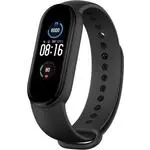 Xiaomi Mi Band 5
Manual
Xiaomi Mi Band 5
Manual
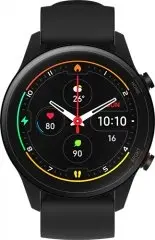 Xiaomi Mi Watch Black (BHR4550GL)
User Manual
Xiaomi Mi Watch Black (BHR4550GL)
User Manual
 Xiaomi Mi Watch Lite Beige (BHR4706RU)
User Manual
Xiaomi Mi Watch Lite Beige (BHR4706RU)
User Manual
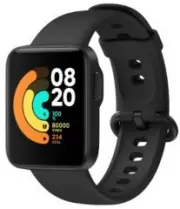 Xiaomi Mi Watch Lite Black (BHR4704RU)
User Manual
Xiaomi Mi Watch Lite Black (BHR4704RU)
User Manual
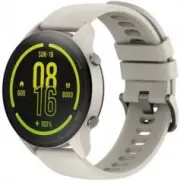
 Xiaomi Mi Watch Lite Blue (BHR4705RU)
User Manual
Xiaomi Mi Watch Lite Blue (BHR4705RU)
User Manual
 Xiaomi Mi Watch White (BHR4723GL)
User Manual
Xiaomi Mi Watch White (BHR4723GL)
User Manual
 Xiaomi Redmi Watch 2 Lite
Manual
Xiaomi Redmi Watch 2 Lite
Manual
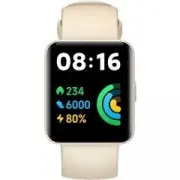 Xiaomi Redmi Watch 2 Lite M2109W1 Beige (BHR5439GL)
User Manual
Xiaomi Redmi Watch 2 Lite M2109W1 Beige (BHR5439GL)
User Manual
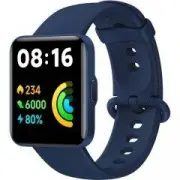 Xiaomi Redmi Watch 2 Lite M2109W1 Blue (BHR5440GL)
User Manual
Xiaomi Redmi Watch 2 Lite M2109W1 Blue (BHR5440GL)
User Manual
 Xiaomi Watch S1 Active
User Manual
Xiaomi Watch S1 Active
User Manual
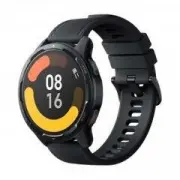 Xiaomi Watch S1 Active GL Space Black (BHR5380GL)
User Manual
Xiaomi Watch S1 Active GL Space Black (BHR5380GL)
User Manual
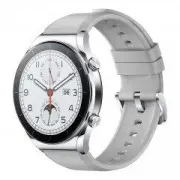 Xiaomi Watch S1 GL Silver (BHR5560GL)
User Manual
Xiaomi Watch S1 GL Silver (BHR5560GL)
User Manual