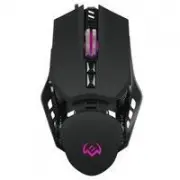
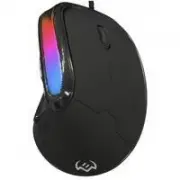
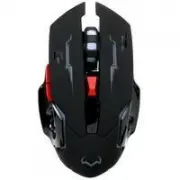
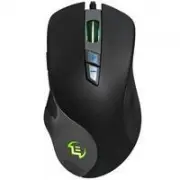
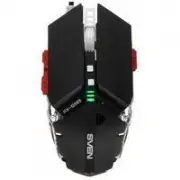
Page 3 - PREPARATION TO WORK; Connect the gaming mouse to an available USB connector on the PC.; KEY ASSIGNMENTS AND MOUSE SETTINGS; the user can change the function of these keys.
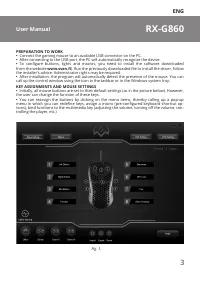
ENG 3 RX-G860 User Manual PREPARATION TO WORK • Connect the gaming mouse to an available USB connector on the PC. • After connecting to the USB port, the PC will automatically recognize the device. • To configure buttons, lights and macros, you need to install the software downloaded from the websit...
Page 4 - from the USB port of the PC.
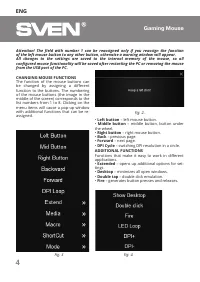
ENG 4 Gaming Mouse Attention! The field with number 1 can be reassigned only if you reassign the function of the left mouse button to any other button, otherwise a warning window will appear. All changes to the settings are saved to the internal memory of the mouse, so all configured mouse functiona...
Page 5 - Hot button
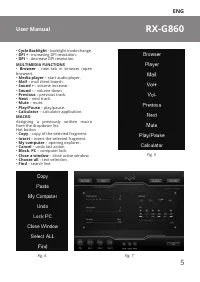
ENG 5 RX-G860 User Manual • Cycle Backlight – backlight mode change. • DPI + - increasing DPI resolution. • DPI – - decrease DPI resolution. MULTIMEDIA FUNCTIONS • Browser - new tab in browser (open browser). • Media player – start audio player. • Mail – mail client launch. • Sound + - volume increa...
Page 6 - ADDITIONAL SETTINGS
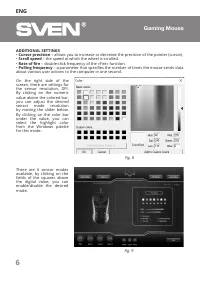
ENG 6 Gaming Mouse ADDITIONAL SETTINGS • Cursor precision – allows you to increase or decrease the precision of the pointer (cursor). • Scroll speed – the speed at which the wheel is scrolled. • Rate of fire – double-click frequency of the «Fire» function. • Polling frequency – a parameter that spec...
Page 7 - – turn on the LEDs counterclockwise.
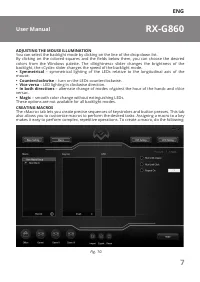
ENG 7 RX-G860 User Manual ADJUSTING THE MOUSE ILLUMINATION You can select the backlight mode by clicking on the line of the drop-down list. By clicking on the colored squares and the fields below them, you can choose the desired colors from the Windows palette. The «Brightness» slider changes the br...
Page 10 - Execute while the button is pressed; Saving, loading a profile
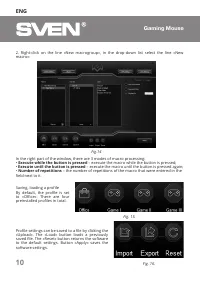
ENG 10 Gaming Mouse 2. Right-click on the line «New macrogroup», in the drop-down list select the line «New macro»: In the right part of the window, there are 3 modes of macro processing: • Execute while the button is pressed – execute the macro while the button is pressed; • Execute until the butto...
Page 11 - BACKLIGHT TO THE BEAT OF THE MUSIC; Parameter, measurement unit
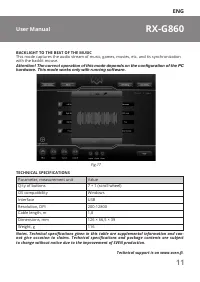
ENG 11 RX-G860 User Manual BACKLIGHT TO THE BEAT OF THE MUSIC This mode captures the audio stream of music, games, movies, etc. and its synchronization with the backlit mouse. Attention! The correct operation of this mode depends on the configuration of the PC hardware. This mode works only with run...
Page 12 - Благодарим Вас за покупку игровых наушников ТМ SVEN!
RUS 12 Игровая мышь Благодарим Вас за покупку игровых наушников ТМ SVEN! АВТОРСКОЕ ПРАВО © SVEN PTE. LTD. Версия 2.0 (17.01.2023). Данное Руководство и содержащаяся в нем ин - формация защищены авторским правом. Все права защищены. ТОРГОВЫЕ МАРКИ Все торговые марки являются собственностью их законны...
Page 13 - ПОДГОТОВКА К РАБОТЕ; Подключите манипулятор к свободному USB-разъёму ПК.; НАЗНАЧЕНИЯ КЛАВИШИ ПАРАМЕТРЫ МЫШИ
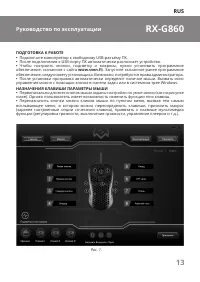
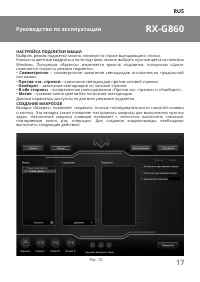
RUS 13 RX-G860 Руководство по эксплуатации ПОДГОТОВКА К РАБОТЕ • Подключите манипулятор к свободному USB-разъёму ПК. • После подключения к USB-порту ПК автоматически распознает устройство. • Чтобы настроить кнопки, подсветку и макросы, нужно установить программное обеспечение, скачанное с сайта www....
Page 14 - случае появится окно предупреждения.
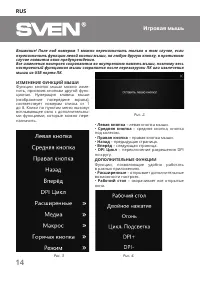
RUS 14 Игровая мышь Внимание! Поле под номером 1 можно переназначить только в том случае, если переназначить функцию левой кнопки мыши, на любую другую кнопку, в противном случае появится окно предупреждения. Все изменения настроек сохраняются во внутреннюю память мыши, поэтому весь настроенный функ...
Page 15 - DPI –
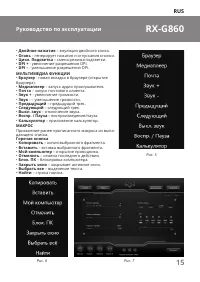
RUS 15 RX-G860 Руководство по эксплуатации • Двойное нажатие – эмуляция двойного клика. • Огонь – генерирует нажатия и отпускания кнопки. • Цикл. Подсветка – смена режима подсветки. • DPI + - увеличение разрешения DPI. • DPI – - уменьшение разрешения DPI. МУЛЬТИМЕДИА ФУНКЦИИ • Браузер - новая вкладк...
Page 16 - ДОПОЛНИТЕЛЬНЫЕ НАСТРОЙКИ
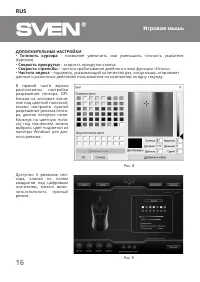
RUS 16 Игровая мышь ДОПОЛНИТЕЛЬНЫЕ НАСТРОЙКИ • Точность курсора – позволяет увеличить или уменьшить точность указателя (курсора). • Скорость прокрутки – скорость прокрутки колеса. • Скорость стрельбы – частота срабатывания двойного клика функции «Огонь». • Частота опроса – параметр, указывающий коли...
Page 18 - списке выбрать строку «Новый макрос»:
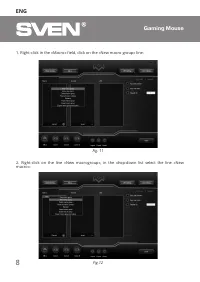
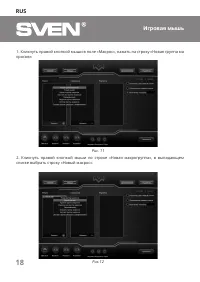
RUS 18 Игровая мышь 1. Кликнуть правой кнопкой мыши в поле «Макрос», нажать на строку «Новая группа ма кросов»: 2. Кликнуть правой кнопкой мыши по строке «Новая макрогруппа», в выпадающем списке выбрать строку «Новый макрос»: Рис. 11 Рис.12
Page 19 - Программа сохранит настройки макроса.; Внимание: При вводе макросов, вводимые символы будут только того
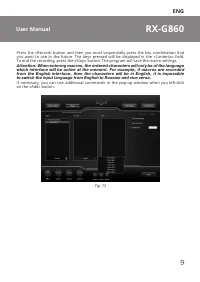
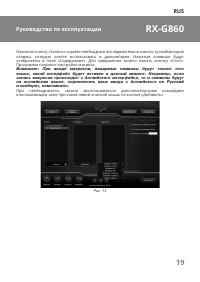
RUS 19 RX-G860 Руководство по эксплуатации Нажмите кнопку «Запись» и далее необходимо последовательно нажать ту комбинацию клавиш, которую хотите использовать в дальнейшем. Нажатые клавиши будут отображены в поле «Содержание». Для завершения записи нажать кнопку «Стоп». Программа сохранит настройки ...
Page 20 - Исполнять при нажатой кнопке; Рис
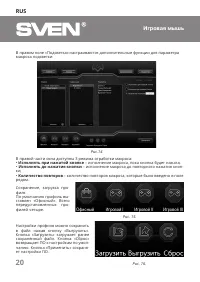
RUS 20 Игровая мышь В правом поле «Подсветка» настраиваются дополнительные функции для параметра макроса подсветки: В правой части окна доступны 3 режима отработки макроса: • Исполнять при нажатой кнопке – исполнение макроса, пока кнопка будет нажата; • Исполнять до нажатия кнопки – исполнение макро...
Page 21 - ПОДСВЕТКА В ТАКТ МУЗЫКЕ; Windows
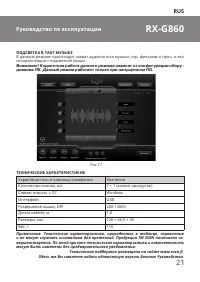
RUS 21 RX-G860 Руководство по эксплуатации ПОДСВЕТКА В ТАКТ МУЗЫКЕ В данном режиме происходит захват аудиопотока музыки, игр, фильмов и проч. и его синхронизации с подсветкой мыши. Внимание! Корректная работа данного режима зависит от конфигурации обору - дования ПК. Данный режим работает только при...
Page 22 - Gaming Mouse; Уполномоченная организация в России:; ® Registered Trademark of Oy SVEN
Gaming Mouse RX-G860 Model: RX-G860 Importer: Tiralana OY, Office 102, Kotolahden- tie 15, 48310 Kotka, Finland. Модель: RX-G860 Импортер в России: OOO «Регард», 105082, г. Москва, ул. Фридриха Энгельса, д.75, стр. 5. Уполномоченная организация в России: ООО «РТ-Ф», 105082, г. Москва, ул. Фридриха ...