Page 2 - CONTENTS
CONTENTS Welcome 2 SteelSeries Engine 3 Product overview 5 Setup Wireless Setup 7 Wired Setup 8 Charging 9 Power On/Off 10 Pairing 11 Microphone 12 Multimedia Control 13 Translations Español 15 简体中文 17 繁體中文 19 日本語 21 한국어 23 Deutsch 25 Русский 27 Français 29 Italiano 31 Português 33 Regulatory 35
Page 3 - WELCOME TO ARCTIS
2 WELCOME TO ARCTIS Your new headset is the result of our unyielding pursuit of perfection for over 15 years. We poured our hearts into creating the best possible gaming headset by pushing the boundaries of sound quality, mic clarity, comfort, and style. Arctis is our glory; now go chase yours.
Page 4 - STEELSERIES ENGINE
STEELSERIES ENGINE 3 Download SteelSeries Engine to customize your audio settings and to integrate with Engine Apps (like Discord): steelseries.com/engine STEELSERIES ENGINE
Page 5 - PACKAGE CONTENTS
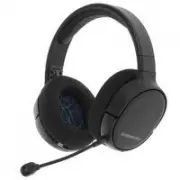
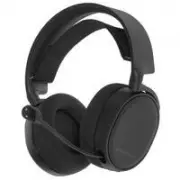
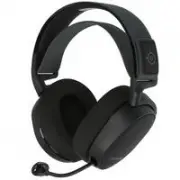
4 find help at support.steelseries.com PACKAGE CONTENTS Arctis 1 Wireless Headset USB-C Wireless Dongle USB Charging Cable USB-C to USB-A Adapter Cable ClearCast Microphone SYSTEM REQUIREMENTS // COMPATIBILITY PC Playstation 4 Nintendo Switch Android (with USB-C)
Page 6 - PRODUCT OVERVIEW
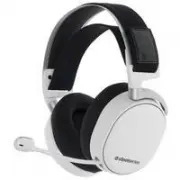
5 PRODUCT OVERVIEW 01 Airweave Ear Cushions* 02 ClearCast Microphone 03 Volume Wheel 04 Microphone Mute Switch 05 3.5 mm Audio Jack 06 Power Button 07 Power LED 08 Micro-USB Jack for charging and firmware updates 09 Microphone Jack 10 USB-C wireless Dongle 11 Micro-USB charging Cable 12 USB-C to USB...
Page 8 - SETUP; WIRELESS SETUP
2.4 GHz 2.4 GHz DOCK CONTROLLER TABLET 7 SETUP WIRELESS SETUP Connection to USB-A Connection to USB-C 10 10 12 PS4 SETTING > DEVICES > AUDIO DEVICES Output to Headphones All Audio
Page 9 - WIRED SETUP
2.4 GHz 2.4 GHz DOCK CONTROLLER TABLET 8 WIRED SETUP 13
Page 10 - CHARGING
9 CHARGING To charge the headset, connect the micro-USB charging cable 11 to the micro-USB jack 08 on the headset, and plug the other end into any USB power source. The color of the power LED 07 indicates the battery level.Green 100–50 % Yellow 49–20 % Red 19–10 % Red (fast blink) 9–1 %
Page 12 - PAIRING
2.4 GHz 11 PAIRING Note: The headset is already paired with the transmitter out of the box 01 Connect the USB-C wireless dongle 10 to a Windows PC with SteelSeries Engine installed 02 Initiate wireless dongle pairing from Engine 03 With the headset off, press and hold the power button 06 for 6 secon...
Page 13 - MICROPHONE
2.4 GHz 12 top view front view Position the microphone close to the corner of your mouth with the flat surface facing you MICROPHONE Microphone attachment
Page 14 - MULTIMEDIA CONTROL
13 MULTIMEDIA CONTROL Answer/end voice call single · press Power Button 06 Play/pause music single · press Power Button 06 Next track double · · press Power Button 06 Previous track triple · · · press Power Button 06
Page 16 - ESPAÑOL; DESCRIPCIÓN GENERAL DEL PRODUCTO; CARGA
15 ESPAÑOL CONTENIDO DEL PAQUETE Auriculares Arctis 1 Wireless Adaptador USB-C inalámbrico Cable de carga USB Cable adaptador USB-C a USB-A Micrófono ClearCast REQUISITOS DEL SISTEMA//COMPATIBILIDAD PC Playstation 4 Nintendo Switch Android (con USB-C) Si necesitas ayuda, visita support.steelseries.c...
Page 18 - 产品概览; 充电
17 简体中文 包装内容 Arctis 1 无线耳机USB-C 无线发送器USB 充电线缆USB-C 转 USB-A 线缆ClearCast 麦克风 系统要求 //兼容性 PCPlaystation 4Nintendo SwitchAndroid(带 USB-C)如需帮助,请访问 support.steelseries.com 产品概览 01 AirWeave 耳垫* 02 ClearCast 麦克风 03 音量轮 04 麦克风静音开关 05 3.5 mm 耳机接口 06 电源按钮 07 电源 LED 指示灯 08 Micro-USB 接口 (用于充电和固件更新) 09 麦克风接口 10 US...
Page 20 - 繁體中文; 產品介紹; 充電
19 繁體中文 包裝內容 Arctis 1 無線耳機USB-C 無線發送器USB 充電線USB-C 轉 USB-A 數據線ClearCast 麥克風 系統要求 //相容性 PCPlaystation 4Nintendo SwitchAndroid(使用 USB-C)如需協助,請前往 support.steelseries.com 產品介紹 01 Airweave 耳墊* 02 ClearCast 麥克風 03 音量旋鈕 04 麥克風靜音開關 05 3.5 mm 耳機插孔 06 電源按鈕 07 電源 LED 指示燈 08 Micro-USB 插孔 (適用於充電及韌體更新) 09 麥克風插孔 10...
Page 22 - 日本語; 製品概要; 設定
21 日本語 パッケージの内容 Arctis 1 ワイヤレスヘッドホンUSB-C ワイヤレスドングルUSB 充電ケーブルUSB-C、USB-A 変換アダプターケーブルClearCast マイク システム要件 // 互換性 PCPlaystation 4Nintendo SwitchAndroid (USB-C 対応)詳細については support.steelseries.com をご 覧ください 製品概要 01 Airweave イヤークッション* 02 ClearCast マイク 03 ボリュームホイール 04 マイク消音スイッチ 05 3.5 mm オーディオジャック 06 電源ボタン 0...
Page 24 - 한국어; 제품 개요; 충전
23 한국어 패키지 구성품 Arctis 1 무선 헤드셋USB-C 무선 동글USB 충전 케이블USB-C to USB-A 어댑터 케이블ClearCast 마이크 시스템 요구 사항 // 호환성 PCPlaystation 4Nintendo SwitchAndroid (USB-C 지원)도움말은 support.steelseries.com 에서 찾아볼 수 있습니다. 제품 개요 01 Airweave 이어 쿠션* 02 ClearCast 마이크 03 볼륨 휠 04 마이크 음소거 스위치 05 3.5mm 오디오 잭 06 전원 버튼 07 전원 LED 08 Mi...
Page 26 - DEUTSCH; PRODUKTÜBERSICHT; AUFLADEN
25 DEUTSCH LIEFERUMFANG Headset Arctis 1 Wireless Drahtloser USB-C-Dongle USB-Ladekabel Adapterkabel für USB-C auf USB-A ClearCast-Mikrofon SYSTEMANFORDERUNGEN // KOMPATIBILITÄT PC PlayStation 4 Nintendo Switch Android (mit USB-C) Du brauchst Hilfe? support.steelseries.com PRODUKTÜBERSICHT 01 Airwea...
Page 28 - РУССКИЙ; ОБЗОР ПРОДУКТА; ЗАРЯДКА
27 РУССКИЙ КОМПЛЕКТАЦИЯ Гарнитура Arctis 1 WirelessБеспроводной адаптер USB-CЗарядный USB-кабельКабель-переходник USB-C к USB-AМикрофон ClearCast СИСТЕМНЫЕ ТРЕБОВАНИЯ/СОВМЕСТИМОСТЬ ПКPlayStation 4Nintendo SwitchAndroid (с USB-C)Поддержка на сайте support.steelseries.com ОБЗОР ПРОДУКТА 01 Амбушюры Ai...
Page 30 - FRANÇAIS; VUE D’ENSEMBLE DU PRODUIT; CHARGE
29 FRANÇAIS CONTENU DE L’EMBALLAGE Casque Arctis 1 sans fil Dongle USB-C sans fil Câble de charge USB Câble adaptateur USB-C vers USB-A Microphone ClearCast CONFIGURATION SYSTÈME REQUISE // COMPATIBILITÉ PC PlayStation 4 Nintendo Switch Android (avec USB-C) obtenez de l’aide sur support.steelseries....
Page 32 - ITALIANO; PANORAMICA DEL PRODOTTO; RICARICA
31 ITALIANO CONTENUTO DELLA CONFEZIONE Cuffie wireless Arctis 1 Dongle wireless USB-C Cavo di ricarica USB Cavo adattatore da USB-C a USB-A Microfono ClearCast REQUISITI DI SISTEMA//COMPATIBILITÀ PC PlayStation 4 Nintendo Switch Android (con USB-C) Per assistenza, visitare support.steelseries.com PA...
Page 34 - PORTUGUÊS; VISÃO GERAL DO PRODUTO; CARREGAMENTO
33 PORTUGUÊS CONTEÚDO DA EMBALAGEM Auscultadores Sem Fios Arctis 1 Adaptador Sem Fios USB-C Cabo de Carregamento USB Cabo adaptador USB-C para USB-A Microfone ClearCast REQUISITOS DO SISTEMA //COMPATIBILIDADE PC PlayStation 4 Nintendo Switch Android (com USB-C) obtenha ajuda em support.steelseries.c...
Page 36 - REGULATORY
35 REGULATORY Europe – EU Declaration of Conformity Hereby, SteelSeries ApS. declares that the equipment which is compliance with directive RoHS 2.0 (2015/863/EU), R.E.D (2014/53/EU), EMC Directive (2014/30/EU), and LVD (2014/35/EU) which are issued by the Commission of the European Community.The fu...