Page 2 - Important Safety Instructions; Important Note to the Customer; WARNING
Important Safety Instructions 4 Important Note to the Customer • Check for proper installation and use of the anti-tip bracket. Carefully tip the range forward by pulling it from the back to ensure that the anti-tip bracket engages the range leg and prevents tip-over. The range should not move more ...
Page 3 - Definitions
Important Safety Instructions 5 EN • This manual contains important safety symbols and instructions. Please pay attention to these symbols and follow all instructions given. • Do not attempt to install or operate your appliance until you have read the safety precautions in this manual. Safety instru...
Page 4 - Grounding instructions
Important Safety Instructions 6 • Record the Model and Serial number on Page 2 of this booklet. The Model and Serial numbers are on the Cooker ID plate. The plate is visibly located on the right side of the oven door frame. THE ID PLATE MUST NOT BE REMOVED. • Do not leave the packing materials aroun...
Page 5 - Instructions for using the appliance
Important Safety Instructions 7 EN • Installation must conform with local codes or, in the absence of local codes, with the National Fuel Gas Code, ANSI Z223.1/NFPA 54 or, in Canada, the Natural Gas and Propane Installation Code, CSA B149.1. • The appliance must be electrically grounded in accordanc...
Page 6 - • DO NOT LEAVE CHILDREN; • NEVER cover any slots, holes or
Important Safety Instructions 8 • DO NOT LEAVE CHILDREN UNATTENDED: Children should not be left alone or unattended in the area where the appliance is being used. Never allow children to sit or stand on any part of the appliance. • Do not allow children to climb or play around the appliance. The wei...
Page 11 - • ONLY QUALIFIED SERVICE
Important Safety Instructions 13 EN • Do not clean, rub, damage or remove the oven door gasket. It is essential for a good, tight seal during baking and when the self-clean cycle is engaged. Replace the oven door gasket if it becomes damaged or encrusted with food residues. • ONLY QUALIFIED SERVICE ...
Page 12 - • Increase distance between unit; How to read the user manual; SAVE THESE INSTRUCTIONS; Instructions
Important Safety Instructions 14 This appliance has been tested and found to comply with the limits for a class B digital device, pursuant to Part 18 of the FCC rules (United States) and ICES-001 (Canada). These limits are designed to provide reasonable protection against harmful interference in a r...
Page 13 - Description; General Description; Cooktop
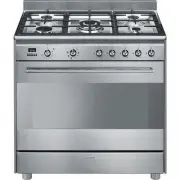
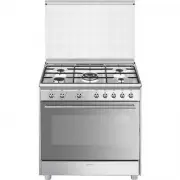
Description 15 EN 1 Description 1.1 General Description 1 Cooktop 2 Control panel 3 Seal 4 Oven light 5 Door 6 Broiler 7 Fan 8 Oven Rack/tray support frame shelf
Page 14 - RR; Cooktop burner knobs; Programmer clock
Description 16 1.2 Cooktop RR = Reduced-rapid R = Rapid DUAL = Ultra-rapid 1.3 Control panel 1 Cooktop burner knobs Used for lighting and adjusting the burners.The following markings appear on each cooktop knob: burner OFF position; burner electric ignition; burner MAX flame setting; burner MIN flam...
Page 15 - Hot oven indicator light; to; Temperature knob; CAUTION
Description 17 EN 4 Hot oven indicator light The indicator light comes on to indicate that the oven is hot. Each time the indicator light comes on, the appliance emits an acoustic signal.Depending on the set temperature (from 250 to 500°F ) it will activate after about 10-12 minutes of operation.It ...
Page 16 - Available accessories; Rack
Description 18 1.5 Available accessories Rack Used to hold containers containing food to be cooked. WOK ring (not included) Useful when using a wok. NOTE : Some models are not provided with all accessories. NOTE : The accessories intended to come into contact with food are made of materials that com...
Page 17 - Use; Improper use
Use 19 EN 2 Use 2.1 Instructions WARNING Danger of burns High temperature inside the oven during use • Keep the oven door closed when the appliance is in use. • Protect your hands by wearing oven gloves when moving food inside the oven. • Do not touch the heating elements inside the oven. • Do not p...
Page 18 - A gas leak can cause an explosion.
Use 20 A gas leak can cause an explosion. If you smell gas or there are faults in the gas system:• Immediately turn off the gas supply or close the valve on the gas cylinder. • Extinguish all naked flames and cigarettes. • Do not turn on power switches or appliances and do not remove plugs from powe...
Page 19 - Using the accessories; NOTE
Use 21 EN 2.2 Using the accessories Racks and trays Racks and trays have to be inserted into the side guides until they come to a complete stop.The mechanical safety locks that prevent the rack from being taken out accidentally have to face downwards and towards the oven back. WOK ring (not included...
Page 20 - Using the cooktop
Use 22 2.3 Using the cooktop All the appliance's control and monitoring devices are located together on the front panel. The burner controlled by each knob is shown next to the knob. The appliance is equipped with an electronic ignition device. Simply press the knob and turn it counter-clockwise to ...
Page 21 - Setting the DUAL flame size; Outer ring; Simmer function
Use 23 EN Setting the DUAL flame size Refer to the following diagrams: Outer ring Inner ring Simmer function 1. Switch on the DUAL burner internal cup.2. Set the flame to the minimum.3. Leave the external cup off. Correct positioning of the flame-spreader crowns and burner caps Before lighting the c...
Page 22 - Practical tips for using the cooktop; • Heats very quickly and evenly.
Use 24 Practical tips for using the cooktop For better burner efficiency and to minimize gas consumption, use pans with lids and of suitable size for the burner so that the flames do not reach up the sides of the pan. Once the contents come to the boil, turn down the flame far enough to ensure that ...
Page 23 - Checking the power supply; LIGHT; Programming clock
Use 25 EN 2.4 Using the oven Checking the power supply Before manually lighting the gas oven burner, you should check that there is power to the appliance.After connecting the appliance to the mains power, rotate the function knob to the LIGHT position to switch on the internal lighting of the appli...
Page 24 - Setting the time
Use 26 Setting the time On the first use, or after a power failure, the digits will be flashing on the appliance’s display. 1. Keep the clock key pressed for two seconds. The dot between the hours and the minutes flashes. 2. The time can be set using the value increase key and value decrease key . K...
Page 25 - Selecting the buzzer; Using the gas oven
Use 27 EN 12h or 24h format The default mode is 12h format. 1. Keep the value increase key for a few seconds. The symbols or disappear on the display and 24h format is set. 2. Keep the value increase key pressed for a few seconds to go back to the 12h format. Selecting the buzzer The buzzer can have...
Page 26 - Using the broiler; BROIL; Functions list
Use 28 Using the broiler Electronic spark ignition:• Push in zero position up to the mechanical stop for at least 2 seconds (the sparking will be heard) and rotate the temperature knob clockwise to BROIL . This automatically activates the electric spark igniter. Functions list WARNING Danger of fire...
Page 27 - General advice
Use 29 EN 2.6 Cooking advice General advice • Use pans/trays with a maximum width of 33-35 cm. • It is not possible to shorten cooking times by increasing the temperature (the food could be overcooked on the outside and undercooked on the inside). • It is recommended to preheat the oven before bakin...
Page 28 - Advice for defrosting and proving
Use 30 • To facilitate the flow of air, place the molds/pans in the center of the racks and make sure that their width/diameter does not exceed 11”. • Position the racks keeping an empty level between them. • Depending on the food and the increased load in the oven, cooking on two levels may take a ...
Page 29 - Cooking information table
Use 31 EN Cooking information table Preh = preheatingRunner = position from the bottom Food Weight (Kg) Runner Function Preh Temperature (°F) Time (minutes) MEAT Whole chicken 2.5 2 FAN-ASSISTED Yes 375 15 - 25 Roast loin* 1.5 2 STATIC Yes 350 16 - 25 * in a pan on a rack. DESSERTS Sheet cake 1 1.0 ...
Page 30 - Cleaning and Maintenance; Cleaning and maintenance; Recommendations
Cleaning and Maintenance 32 3 Cleaning and maintenance 3.1 Instructions Recommendations To keep the surfaces in good condition, they should be cleaned regularly after use. Let them cool first. Regular daily cleaning Always use only specific products that do not contain abrasives or chlorine-based ac...
Page 31 - Cleaning the cooktop; Removing the oven door
Cleaning and Maintenance 33 EN 3.2 Cleaning the cooktop 1. Pour some non-abrasive detergent on a damp cloth and wipe the surfaces. 2. Rinse thoroughly.3. Dry with a soft cloth or a microfiber cloth. Cleaning cooktop grates, flame-spreader crowns and burner caps 1. Remove the components from the hob....
Page 32 - Grasp the door on both sides with both; Cleaning the oven door glass; Removing the inner glass
Cleaning and Maintenance 34 2. Grasp the door on both sides with both hands, lift it forming an angle of around 30° and remove it. 3. To reassemble the door, put the hinges in the relevant slots in the oven, making sure that the grooved sections A are resting completely in the slots. Lower the door ...
Page 33 - Clean the external glass panel and the; Cleaning the oven cavity
Cleaning and Maintenance 35 EN 4. Clean the external glass panel and the one you just removed. Use paper towels. If there are tough to clean spots, use a damp sponge and mild detergent. 5. Reinsert the glass panels in the reverse order of removal. 6. Replace the inner glass panel. Make sure you cent...
Page 34 - Removal of the rack/tray supports; Special maintenance
Cleaning and Maintenance 36 Removal of the rack/tray supports Removing the guide frames makes it easier to clean the sides of the oven.To remove the guide frames:• Pull the frame towards the inside of the oven to unhook it from its housing A , and then slide it out of the grooves at the back B . • W...
Page 35 - Replace the bulb with a similar one
Cleaning and Maintenance 37 EN 4. Loosen and remove the light bulb. 5. Replace the bulb with a similar one (40 W). 6. Reattach the cover. Leave the inside of the glass molding ( A ) facing the door. 7. Press the cover firmly so that it adheres tightly to the light bulb holder. Lubricating the surfac...
Page 36 - PAGE INTENTIONALLY LEFT BLANK