Page 2 - Contents
Contents 1. Description of the controls________________________________ 16 2. Troubleshooting _______________________________________ 25 Thank you for choosing one of our products.You are advised to read this manual carefully; it contains all theinformation you need about the right conditions for th...
Page 3 - User instructions; Description of the controls
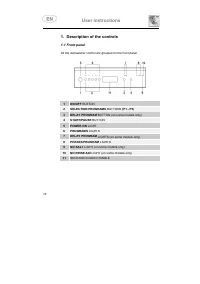
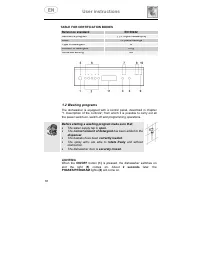
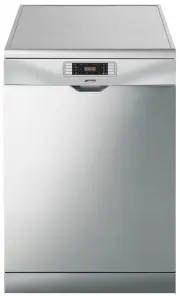
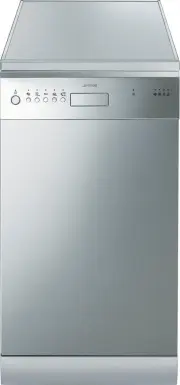
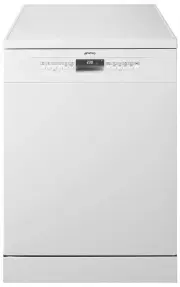
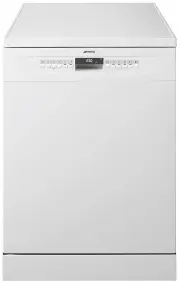
User instructions 1. Description of the controls 1.1 Front panel All the dishwasher control are grouped on the front panel. 1 ON/OFF BUTTON 2 SELECTION PROGRAMS BUTTONS (P1...P5) 3 DELAY PROGRAM BUTTON (on some models only) 4 START/PAUSE BUTTON 5 POWER ON LIGHT 6 PROGRAMS LIGHTS 7 DELAY PROGRAM LIGH...
Page 4 - Only; run the soak program with half loads.; level 2; temperatures, and the type and amount of dishes.
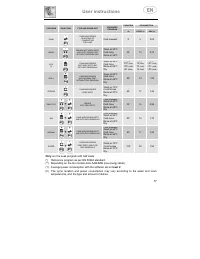
User instructions DURATION CONSUMPTION PROGRAM SELECTION TYPE AND GRADE DIRT PROGRESS PROGRAM MINUTES (2) WATER LITRES (1) POWERKWh (2) SOAK PANS AND DISHES IN WAITING OF COMPLETING THE LOAD Cold prewash 9' 5 0,02 QUICK DISHES NOT MUCH DIRTY AND W ITH "FRESH DIRT" WITHOUT RESIDUAL DRY Wash a...
Page 5 - TABLE FOR CERTIFICATION BODIES; Before starting a washing program make sure that:; LIGHTING
User instructions TABLE FOR CERTIFICATION BODIES Reference standard EN 50242 Reference program (*) Program ECO (P3) Load 10 place-settings Type of detergent B Amount of detergent 25 g Rinse aid setting 5 /6 1.2 Washing programs The dishwasher is equipped with a control panel, described in chapter...
Page 6 - PROGRAMMING; lights; SELECTION PROGRAM
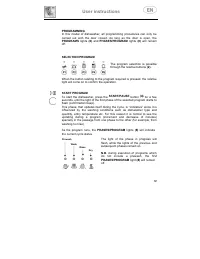
User instructions PROGRAMMING In this model of dishwasher, all programming procedures can only becarried out with the door closed. As long as the door is open, the PROGRAMS lights (6) and PHASES/PROGRAM lights (8) will remain off. SELECTION PROGRAM The program selection is possiblethrough the relati...
Page 7 - END PROGRAM
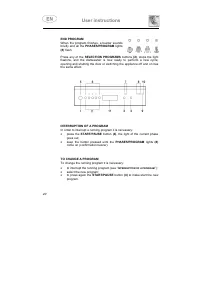
User instructions END PROGRAM When the program finishes, a buzzer soundsbriefly and all the PHASES/PROGRAM lights (8) flash. Press any of the SELECTION PROGRAMS buttons (2) , stops the light flashins, and the dishwasher is now ready to perform a new cycle;opening and shutting the door or switching t...
Page 8 - ANNULLING A PROGRAM; Now press buttons; ”. The program will resume from the point in
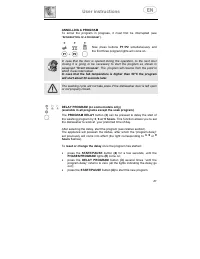
User instructions ANNULLING A PROGRAM To annul the program in progress, it must first be interrupted (see“ I NTERRUPTION OF A PROGRAM ”). Now press buttons P1 + P2 simultaneously and the first three program lights will come on. In case that the door is opened during the operation, to the next doorcl...
Page 9 - To set the delay once the program has started
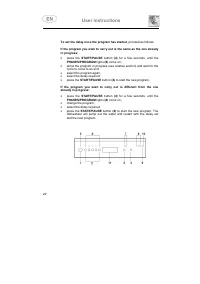
User instructions To set the delay once the program has started , proceed as follows. If the program you wish to carry out is the same as the one alreadyin progress: • press the START/PAUSE button (4) for a few seconds, until the PHASES/PROGRAM lights (8) come on; • annul the program in progress (se...
Page 10 - TO SAVE ON ENERGY! ... AND PROTECT THE ENVIRONMENT; REMOVING THE DISHES; At the end of the washing program, wait at least; advisable; to unload the lower basket first, and then the
User instructions TO SAVE ON ENERGY! … AND PROTECT THE ENVIRONMENT • Always try to run the dishwasher fully loaded . • Do not wash the dishes in running water. • Use the washing program that is most appropriate for each type of load. • Do not carry out any preliminary rinsing. • If available, connec...
Page 11 - ADJUSTING THE WATER SOFTENING SYSTEM; WATER HARDNESS
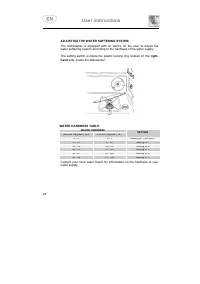
User instructions ADJUSTING THE WATER SOFTENING SYSTEM The dishwasher is equipped with an device for the user to adjust thewater softening system according to the hardness of the water supply. The setting switch is inside the plastic locking ring located on the right- hand side, inside the dishwashe...
Page 12 - When an alrm is present, all the; PROGRAM; CODE; The appliance
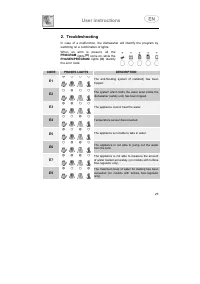
User instructions 2. Troubleshooting In case of a malfunction, the dishwasher will identify the program byswitching on a combination of lights. When an alrm is present, all the PROGRAM lights (6) come on, while the PHASES/PROGRAM lights (8) identify the error code: CODE PHASES LIGHTS DESCRIPTION E1 ...
Page 13 - INSTRUCTION MANUAL
INSTRUCTION MANUAL W W A A R R N N I I N N G G S S A A N N D D R R E E C C O O M M M M E E N N D D A A T T I I O O N N S S , , G G U U I I D D E E F F O O R R T T H H E E U U S S E E O O F F B B A A S S K K E E T T S S A A N N D D F F O O R R C C L L E E A A N N I I N N G G D D I I S S H H W W A A S...
Page 14 - INSTALLATION INSTRUCTIONS: these are intended for the
Contents 1. Safety and operating instructions __________________________ 28 2. Installation and hook-up _________________________________ 31 3. Operating instructions ___________________________________ 35 4. Cleaning and maintenance _______________________________ 46 Thank you for choosing one of o...
Page 15 - Safety instructions; Safety and operating instructions; ANY OTHER USE SHALL BE CONSIDERED
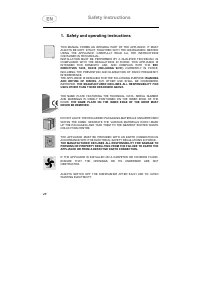
Safety instructions 1. Safety and operating instructions THIS MANUAL FORMS AN INTEGRAL PART OF THE APPLIANCE: IT MUSTALWAYS BE KEPT INTACT TOGETHER WITH THE DISHWASHER. BEFOREUSING THE APPLIANCE, CAREFULLY READ ALL THE INSTRUCTIONSCONTAINED IN THIS MANUAL.INSTALLATION MUST BE PERFORMED BY A QUALIFIE...
Page 16 - EUROPEAN DIRECTIVE
Safety instructions OBSOLETE APPLIANCES MUST BE RENDERED UNUSABLE. CUT OFF THEMAINS POWER CORD AFTER UNPLUGGING IT FROM THE WALL OUTLET,AND MAKE SAFE ANY COMPONENTS WHICH MIGHT BE DANGEROUS FORCHILDREN (LOCKS, DOORS, ETC.). THIS APPLIANCE IS MARKED ACCORDING TO THE EUROPEAN DIRECTIVE 2002/96/EC ON W...
Page 17 - AQUASTOP MODELS; IN THE EVENT OF DAMAGE TO THE WATER INTAKE HOSE,; DO NOT ATTEMPT TO REPAIR THE; The manufacturer declines all responsibility; for damage to persons or property
Safety instructions LEANING OR SITTING ON THE DISHWASHER DOOR WHEN OPEN MAYCAUSE THE APPLIANCE TO OVERTURN, PUTING PEOPLE AT RISK.NEVER LEAVE THE DISHWASHER DOOR OPEN; PEOPLE MIGHT TRIPOVER IT. DO NOT DRINK THE WATER RESIDUES WHICH MAY BE PRESENT INSIDETHE DISHES OR DISHWASHER AT THE END OF THE WASH...
Page 18 - Installation instructions
Installation instructions 2. Installation and hook-up Remove the polystyrene basket retainers.Position the appliance in the desired place of installation. The back orsides of the dishwasher may be placed up against walls or otherfurniture units. If the dishwasher is installed near a heat source, fit...
Page 19 - Water supply connection; Preventing the risk of clogging or damage:
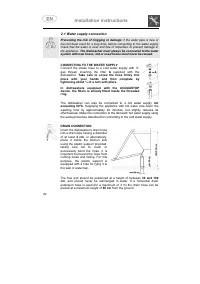
Installation instructions 2.1 Water supply connection Preventing the risk of clogging or damage: if the water pipe is new or has not been used for a long time, before connecting to the water supplycheck that the water is clear and free of impurities, to prevent damage tothe appliance. The dishwasher...
Page 20 - Electrical connection and precautions; BRACKET; IF THE APPLIANCE IS PROVIDED WITH A PLUGLESS SUPPLY CORD:; QUALIFIED TECHNICIAN
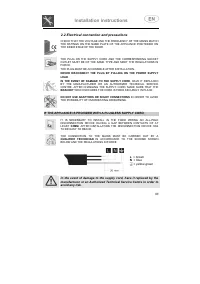
Installation instructions 2.2 Electrical connection and precautions CHECK THAT THE VOLTAGE AND THE FREQUENCY OF THE MAINS MATCHTHE RATINGS ON THE NAME PLATE OF THE APPLIANCE POSITIONED ONTHE INNER EDGE OF THE DOOR. THE PLUG ON THE SUPPLY CORD AND THE CORRESPONDING SOCKETOUTLET MUST BE OF THE SAME TY...
Page 21 - WHEN CLEANING AND MAINTAINING THE APPLIANCE:; THIS APPLIANCE MUST BE EARTHED.; Fuse replacement; The fuse cover must be refitted when changing a fuse
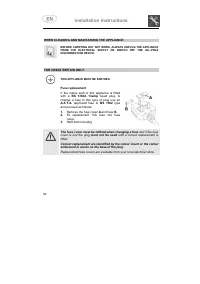
Installation instructions WHEN CLEANING AND MAINTAINING THE APPLIANCE: BEFORE CARRYING OUT ANY WORK, ALWAYS UNPLUG THE APPLIANCEFROM THE ELECTRICAL SUPPLY OR SWITCH OFF THE ALL-POLEDISCONNECTION DEVICE. FOR GREAT BRITAIN ONLY: THIS APPLIANCE MUST BE EARTHED. Fuse replacement If the mains lead of thi...
Page 22 - Operating instructions; Adjust the water softening system; Using the water softening system; container can hold approximately
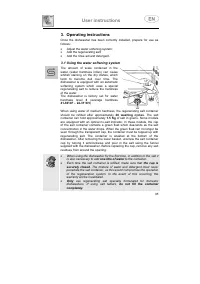
User instructions 3. Operating instructions Once the dishwasher has been correctly installed, prepare for use asfollows: • Adjust the water softening system; • Add the regenerating salt; • Add the rinse aid and detergent. 3.1 Using the water softening system The amount of scale contained in thewater...
Page 23 - Using the rinse aid and detergent dispensers
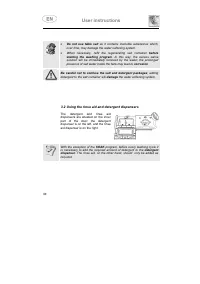
User instructions • Do not use table salt as it contains insoluble substances which, over time, may damage the water softening system. • When necessary, refill the regenerating salt container before starting the washing program . In this way, the excess saline solution will be immediately removed by...
Page 24 - ADDING THE RINSE AID; Rotate the container cap anticlockwise by 1⁄4 of a turn and remove it.; ADJUSTING THE RINSE AID DISPENSER SETTING; The amount of rinse aid must be
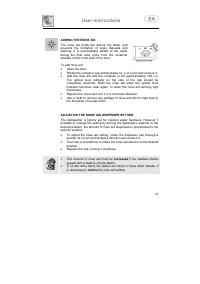
User instructions ADDING THE RINSE AID The rinse aid helps the dishes dry faster andprevents the formation of scale deposits andstaining; it is automatically added to the waterduring the final rinse cycle, from the containersituated on the inner side of the door. To add rinse aid: • Open the door. •...
Page 25 - ADDING THE DETERGENT; . Add the detergent and close the cap
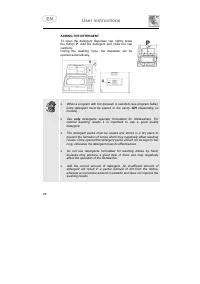
User instructions ADDING THE DETERGENT To open the detergent dispenser cap, lightly pressthe button P . Add the detergent and close the cap carefully.During the washing cycle, the dispenser will beopened automatically. • When a program with hot prewash is selected (see program table), extra detergen...
Page 27 - General warnings and recommendations; Before loading the dishes into the baskets it is necessary to:
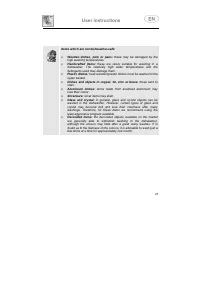
User instructions 3.3 General warnings and recommendations Before using the dishwasher for the first time, it is advisable to read thefollowing recommendations concerning dish types to be washed andtheir loading.There are generally no constraints on the washing of domestic dishes,but in certain case...
Page 29 - Using the baskets; The dishwasher has a capacity of; EN 50242 STANDARD LOADS FOR CERTIFICATION BODIES; The; LOWER BASKET; With fixed supports
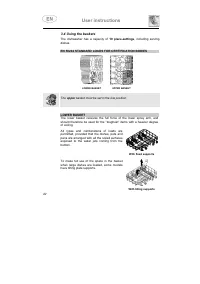
User instructions 3.4 Using the baskets The dishwasher has a capacity of 10 place-settings , including serving dishes. EN 50242 STANDARD LOADS FOR CERTIFICATION BODIES LOWER BASKET UPPER BASKET The upper basket must be set in the low position. LOWER BASKET The lower basket receives the full force of...
Page 30 - The cutlery basket features an; Vertical
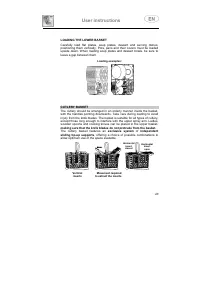
User instructions LOADING THE LOWER BASKET Carefully load flat plates, soup plates, dessert and serving dishes,positioning them vertically. Pots, pans and their covers must be loadedupside down. When loading soup plates and dessert bowls, be sure toleave a gap between them. Loading examples: CUTLERY...
Page 31 - UPPER BASKET
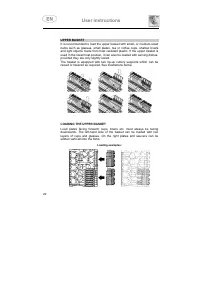
User instructions UPPER BASKET It is recommended to load the upper basket with small- or medium-sizeditems such as glasses, small plates, tea or coffee cups, shallow bowlsand light objects made from heat resistant plastic. If the upper basket isused in the lowermost position, it can also be loaded w...
Page 32 - ADJUSTING THE UPPER BASKET
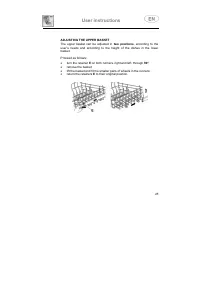
User instructions ADJUSTING THE UPPER BASKET The upper basket can be adjusted in two positions , according to the user’s needs and according to the height of the dishes in the lowerbasket. Proceed as follows: • turn the retainer E on both runners, right and left, through 90° ; • remove the basket; •...
Page 33 - Cleaning and maintenance; General warnings and recommendations
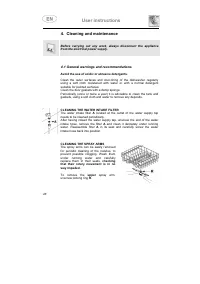
User instructions 4. Cleaning and maintenance Before carrying out any work, always disconnect the appliancefrom the electrical power supply. 4.1 General warnings and recommendations Avoid the use of acidic or abrasive detergents. Clean the outer surfaces and door-lining of the dishwasher regularlyus...
Page 34 - CLEANING THE SPRAY ARM, TRAVELLING VERSION
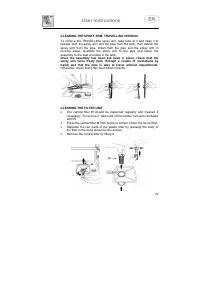
User instructions CLEANING THE SPRAY ARM, TRAVELLING VERSION To remove the TRAVELLING spray arm, take hold of it and raise it torelease both the spray arm and the pipe from the tank, then detach thespray arm from the pipe. Wash both the pipe and the spray arm inrunning water, re-attach the spray arm...
Page 36 - If the dishes are not being cleaned properly, check that:
User instructions If the dishes are not being cleaned properly, check that: • the correct amount of detergent has been added; • there is regenerating salt inside the special container; • the dishes are being loaded correctly; • the selected program is suitable for the dish types and their degreeof s...
Page 37 - TECHNICAL DATA; 0 Standard place settings; Water supply pressure; See rating plate
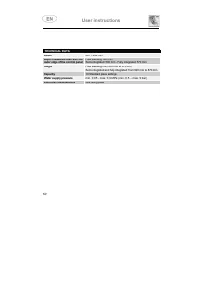
User instructions TECHNICAL DATA Width 447 ÷ 449 mm Depth measured flush with theouter edge of the control panel Free standing: 600 mmSemi-integrated: 590 mm - Fully integrated: 570 mm Height Free standing from 850 mm to 870 mmSemi-integrated and fully integrated: from 820 mm to 870 mm Capacity 10 S...