Page 2 - Instructions; General safety instructions
Instructions 4 1 Instructions 1.1 General safety instructions Risk of personal injury • During use the appliance becomes hot. Care should be taken to avoid touching heating elements inside the oven. • Protect your hands by wearing oven gloves when handling food inside the oven cavity. • Never try to...
Page 4 - Risk of damaging the appliance
Instructions 6 • If the power supply cable is damaged, contact technical support immediately and they will replace it. Risk of damaging the appliance • Do not use abrasive or corrosive detergents (e.g. scouring powders, stain removers and metallic sponges) on glass parts. • Use wooden or plastic ute...
Page 5 - Installation
Instructions 7 EN • If any liquid does boil over or spill, remove the excess from the cooktop. • Take care not to spill acidic substances such as lemon juice or vinegar onto the cooktop. • Do not put empty pans or frying pans on switched on cooking zones. • Do not use steam jets to clean the applian...
Page 6 - For this appliance
Instructions 8 check that the tightening torque of gas connections is between 10 Nm and 15 Nm. • At the end of the installation, check for any leaks with a soapy solution, never with a flame. • Have the electrical connection performed by authorised persons. • The appliance must be connected to earth...
Page 7 - Manufacturer liability; How to read the user manual
Instructions 9 EN 1.3 Manufacturer liability The manufacturer declines all liability for damage to persons or property caused by:• use of the appliance other than the one envisaged; • non-observance of the user manual provisions; • tampering with any part of the appliance; • use of non-original spar...
Page 9 - Description; General Description
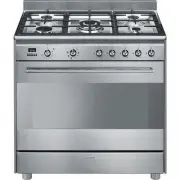
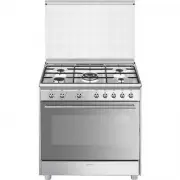
Description 11 EN 2 Description 2.1 General Description 1 Backguard 2 Cooktop 3 Control panel 4 Oven light 5 Seal 6 Door 7 Fan 8 Storage compartment Rack/tray support frame shelf
Page 10 - AUX
Description 12 2.2 Cooktop AUX = Auxiliary SR = Semi-rapid UR-3c = Ultra rapid 2.3 Control panel 1 Temperature knob This knob allows you to select the cooking temperature. Turn the knob clockwise to the required value, between the minimum and maximum setting. 2 Indicator light The indicator light co...
Page 11 - Available accessories
Description 13 EN 5 Cooktop burner knobs Useful for lighting and adjusting the cooktop burners.Press and turn the knobs anti-clockwise to the value to light the relative burners. Turn the knobs to the zone between the maximum and minimum setting to adjust the flame. Return the knobs to the position ...
Page 12 - Deep tray
Description 14 Deep tray Useful for collecting fat from foods placed on the rack above and for cooking pies, pizzas and baked desserts. Tray rack To be placed over the top of the tray; for cooking foods which may drip. The accessories intended to come into contact with food are made of materials tha...
Page 13 - Use; Danger of burns
Use 15 EN 3 Use Instructions High temperature inside the oven during use Danger of burns • Keep the oven door closed during cooking. • Protect your hands wearing heat resistant gloves when moving food inside the oven. • Do not touch the heating elements inside the oven. • Do not pour water directly ...
Page 14 - Escaping gas may cause an explosion.
Use 16 Escaping gas may cause an explosion. If you smell gas or notice any faults in the gas installation:• Immediately shut off the gas supply or close the gas cylinder valve. • Immediately extinguish all naked flames and cigarettes. • Do not use any light or appliance switches and do not pull any ...
Page 15 - Using the accessories; WOK ring
Use 17 EN 3.2 Using the accessories WOK ring The WOK ring must be placed on the hob pan supports. Make sure they are placed properly. Tray rack The tray rack has to be inserted into the tray. In this way fat can be collected separately from the food which is being cooked. Racks and trays Racks and t...
Page 16 - Using the cooktop; Practical tips for using the cooktop
Use 18 3.3 Using the cooktop All the appliance's control and monitoring devices are located together on the front panel. The burner controlled by each knob is shown next to the knob. The appliance is equipped with an electronic ignition device. Simply press the knob and turn it anti-clockwise to the...
Page 17 - Using the storage compartment; Switching on the oven
Use 19 EN 3.4 Using the storage compartment The storage compartment is at the bottom of the cooker. To open it, pull the handle towards you. It can be used to store cookware or metallic objects necessary when using the appliance. 3.5 Using the oven Switching on the oven To switch on the oven:1. Sele...
Page 18 - General advice
Use 20 3.6 Cooking advice General advice • Use a fan assisted function to achieve consistent cooking at several levels. • It is not possible to shorten cooking times by increasing the temperature (the food could be overcooked on the outside and undercooked on the inside). Advice for cooking meat • C...
Page 19 - Advice for defrosting and proving
Use 21 EN • Foods should be seasoned before cooking. Foods should also be coated with oil or melted butter before cooking. • Use the oven tray on the first bottom shelf to collect fluids produced by grilling. • Grilling processes should never last more than 60 minutes. Advice for cooking desserts/pa...
Page 20 - Setting the time
Use 22 Setting the time On the first use, or after a power failure, the digits will be flashing on the appliance’s display. 1. Hold down the clock key for two seconds. The dot between the hours and the minutes flashes. 2. The time can be set via the value increase key and value decrease key . Keep t...
Page 21 - Programmed cooking
Use 23 EN 7. Press the clock key to reset the programmer clock. Programmed cooking 1. Set the cooking time as described in the previous point “Timed cooking”. 2. Hold the menu key down for 2 seconds. 3. Press the menu key again. The display will show the digits and the text in sequence, while the sy...
Page 22 - Minute minder timer
Use 24 10. Return the function and temperature knobs to 0 . 11. To turn off the buzzer just press any key of the programmer clock. 12. Press the and keys at the same time to reset the set program. Minute minder timer The minute minder timer can be activated at any time. 1. Keep the clock key pressed...
Page 23 - Modifying the set data
Use 25 EN Modifying the set data 1. Press the clock key . 2. Use the value increase and value decrease keys to set the number of minutes required. Deleting the set data 1. Press the clock key . 2. Hold down the value increase and value decrease keys at the same time. 3. Then switch off the oven manu...
Page 24 - Cooking information table
Use 26 Cooking information table Food Weight (Kg) Function Shelf Temperature (°C) Time (minutes) Lasagne 3 - 4 Convection 1 220 - 230 45 - 50 Pasta bake 3 - 4 Convection 1 220 - 230 45 - 50 Veal roast 2 Fan assisted/Fan forced 2 180 - 190 90 - 100 Pork loin 2 Fan assisted/Fan forced 2 180 - 190 70 -...
Page 25 - Cleaning and maintenance; Cleaning the appliance; Cleaning the cooktop
Cleaning and maintenance 27 EN 4 Cleaning and maintenance Instructions 4.1 Cleaning the appliance Recommendations for cleaning the cooktop To keep the surfaces in good condition, they should be cleaned regularly after use. Let them cool first. Cleaning the cooktop 1. Pour some non-abrasive detergent...
Page 26 - Cleaning the igniters and thermocouples; Removing the door; Grasp the door on both sides with both
Cleaning and maintenance 28 Cleaning the igniters and thermocouples • If necessary, clean the igniters and thermocouples with a damp cloth. • If there is any dry residue, remove it with a toothpick or needle. Recommendations for cleaning the oven cavity For the best oven upkeep, clean it regularly a...
Page 27 - To reassemble the door, put the hinges in; Cleaning the door glazing; Removing the internal glass panes
Cleaning and maintenance 29 EN 3. To reassemble the door, put the hinges in the relevant slots in the oven, making sure that grooved sections A are resting completely in the slots. Lower the door and once it is in place remove the pins from the holes in the hinges. 4.3 Cleaning the door glazing The ...
Page 28 - Clean the external glass pane and the; Cleaning the oven cavity
Cleaning and maintenance 30 4. Clean the external glass pane and the panes removed previously. Use absorbent kitchen roll. In case of stubborn dirt, wash with a damp sponge and neutral detergent. 5. Refit the panes in the reverse order in which they were removed. 6. Reposition the internal glass pan...
Page 29 - Removing racks/trays support frames
Cleaning and maintenance 31 EN Removing racks/trays support frames Removing the guide frames enables the sides to be cleaned more easily. This operation should be performed each time the automatic cleaning cycle is used (on some models only).To remove the guide frames: Pull the frame towards the ins...
Page 30 - Vapor Clean cycle setting; Extraordinary maintenance; Removing and installing the oven seal
Cleaning and maintenance 32 • Spray a water and washing up liquid solution inside the oven using a spray nozzle. Direct the spray towards the side walls, upwards, downwards and towards the deflector. • Close the door. Vapor Clean cycle setting 1. Turn the function knob to the symbol and the temperat...
Page 31 - Oven seal maintenance tips
Cleaning and maintenance 33 EN Oven seal maintenance tips The seal should be soft and elastic.To keep the oven seal clean, use a non-abrasive sponge and lukewarm water to wash it. Replacing the oven light bulb 1. Completely remove all accessories from inside the oven. 2. Remove the racks/trays suppo...
Page 32 - The appliance does not work.
Cleaning and maintenance 34 What to do if... The appliance does not work. • The circuit breaker is faulty: look in the fuse box and check that the circuit breaker is in working order. • Power cut: check whether the kitchen light works. The gas burner does not ignite. • Power cut or damp ignition plu...
Page 33 - Installation; Minimum clearance to; Freestanding cooker
Installation 35 EN 5 Installation 5.1 Minimum clearance to combustible surfaces Freestanding cooker A 600 mm (Overhead) measured from the highest part of the highest burner and 750 mm for an exhaust fan. B 200 mm (Vertical combustible surface) measured form the edge of the nearest burner. C 10 mm (H...
Page 34 - Natural Gas
Installation 36 This appliance is suitable for connection with rigid pipe or flexible hose. The isolating manual shut-off valve connection point must be accessible when the appliance is installed.Flexible hose assembly must be certified to AS/NZS 1869 class B or D, be of appropriate internal diamete...
Page 35 - Room ventilation
Installation 37 EN Room ventilation The room containing the appliance should have a permanent air supply in accordance with the standards in force. The room where the appliance is installed must have enough air flow needed for the regular combustion of gas and the necessary air change in the room it...
Page 36 - Adaptation to different types of; Replacing nozzles
Installation 38 5.3 Adaptation to different types of gas In case of operation with other types of gas, the burner nozzles must be changed and the minimum flame adjusted on the gas cocks. Replacing nozzles 1. Remove the pan stands, burner caps and flame-spreader crowns to access the burner casings. 2...
Page 37 - Burner and nozzle characteristics table; Heavy appliance
Installation 39 EN Burner and nozzle characteristics table Overall dimensions Location of gas (G) and electrical (E) connection points. 5.4 Positioning 1 ULPG 2.75 kPa AUX SR UR-3c Nominal gas consumption (MJ/h) 3.9 6.3 15.0 Injector (1/100 mm) 54 68 105 2 NG 1.0 kPA AUX SR UR-3c Nominal gas consump...
Page 38 - General information
Installation 40 General information This appliance may be installed next to walls, one of which must be higher than the worktop, at a minimum distance of 50 mm from the side of the appliance, as shown in figures A and C relative to the installation classes.Any wall units positioned above the worktop...
Page 39 - Positioning and levelling
Installation 41 EN Positioning and levelling • After making the gas and electrical connections, screw on the four feet supplied with the appliance. The appliance must sit level on the floor to ensure stability.• Screw or unscrew the bottom part of the foot until the appliance is stable and level on ...
Page 40 - Align the base of the hook on the
Installation 42 3. Assemble the fastening bracket. 4. Align the base of the hook on the fastening bracket with the base of the slot on the wall fastening plate. 5. Align the base of the fastening bracket with the ground and tighten the screws to fix the measurements. 6. Use 50 mm for the distance fr...
Page 41 - Wall fixing
Installation 43 EN 7. Move the bracket onto the wall and mark the position of the holes to be drilled in the wall. 8. After drilling the holes in the wall, use wall plugs and screws to fasten the bracket to the wall. 9. Push the cooker towards the wall, and at the same time, insert the bracket in th...
Page 42 - Assembling the upstand
Installation 44 4. Mark the wall in the position where the hole is to be drilled. 5. Drill the hole and insert a wall plug. 6. Attach the chain and push the appliance to the wall. Assembling the upstand The upstand must always be positioned and secured correctly on the appliance.1. Unscrew the 2 nut...
Page 43 - Electrical connection
Installation 45 EN 5.5 Electrical connection General information Check the grid characteristics against the data indicated on the plate.The identification plate bearing the technical data, serial number and brand name is visibly positioned on the appliance.Do not remove this plate for any reason.Per...
Page 44 - For the installer
Installation 46 5.6 For the installer • The plug must remain accessible after the installation is complete. Do not kink or trap the mains connection cable. • The appliance must be fitted according to the installation diagrams. • Do not attempt to turn or stress the threaded elbow on the manifold. Yo...