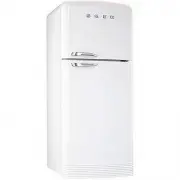
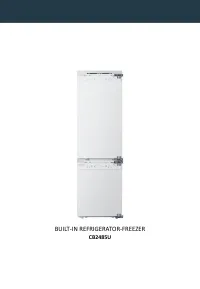
Page 2 - General warnings; SAFETY PRECAUTIONS
General warnings 26 1. SAFETY PRECAUTIONS Keep the instruction handbook in a safe place; it contains important information which must be followedwhen installing, using and servicing the refrigerator. The manual must be kept so that it can be handedover to any future owners of the appliance.The manuf...
Page 4 - Disposal instructions; ENVIRONMENTAL CARE
Disposal instructions 28 2. ENVIRONMENTAL CARE Our refrigerators are packaged using only non-polluting, environmentally-friendly, recyclable materials.Please help by disposing of the packing correctly. Ask your supplier or the relevant organisations in yourarea for the addresses of collection, recyc...
Page 5 - User instructions; INTENDED USE OF THE REFRIGERATOR
29 User instructions 3. INTENDED USE OF THE REFRIGERATOR The appliance is specifically constructed for domestic use and is therefore suitable for the refrigerationand storage of fresh and frozen foods and the production of ice-cubes. The appliance is not designedand manufactured for professional use...
Page 6 - PRODUCT DESCRIPTION
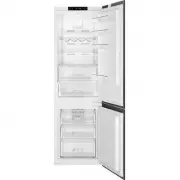
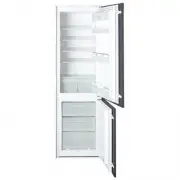
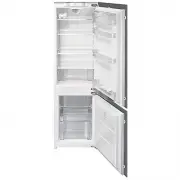
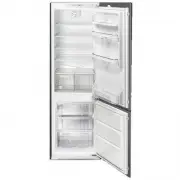
30 User instructions 4. PRODUCT DESCRIPTION 1 Quick freezing compartment 2 Ice cube tray 3 Ice container 4 Freezer thermostat 5 Freezer shelf 6 Freezer compartment ( ffff ) 7 Freezer light 8 Super-cold shelves 9 Refrigerator thermostat 10 Refrigerator light 11 Refrigerator shelves 12 Cheese box 13 D...
Page 7 - Shelves; Door ledges and containers
31 User instructions 4.1 Shelves Each refrigerator comes complete with several shelves which can be set at different heights by placingthem on the runners provided. In order to remove all the internal accessories, the door needs to be fullyopen. 4.2 Fruit and vegetable drawer These containers are at...
Page 8 - Interior lighting
32 User instructions 4.6 Super-cold shelves Storing food in the super-cold compartment instead of the freezer or refrigerator compartments allowsthe food to maintain its freshness and flavour longer, preserving its appearance. When the super-coldtray becomes dirty, remove and rinse it under water.Wa...
Page 9 - FUNCTIONS AND FEATURES; Thermostat settings
33 User instructions 5. FUNCTIONS AND FEATURES 5.1 Thermostat settings 1 Freezer thermostat 2 Refrigerator thermostat The thermostat of the freezer and the refrigerator will automatically adjust the temperature inside thecompartments. Lower temperatures can be obtained by turning the knob from posit...
Page 10 - USING THE APPLIANCE; Switching the appliance on
34 User instructions 6. USING THE APPLIANCE 6.1 Switching the appliance on After connecting the device to the power supply, see section "9.3 Electrical connection", adjust thethermostats as described above.When first turned on, the appliance must operate continuously for 24 hours before cool...
Page 12 - Freezing of foods
36 User instructions 6.3 Freezing of foods The freezer is used for the long-term storage of deep frozen or frozen foods for a long period of time andfor the making of ice cubes.Use the shelf for quick freezing to freeze food prepared at home (and any other food requiring freezing)more quickly thanks...
Page 13 - Keeping deep-frozen foods; Defrosting deep-frozen foods
37 User instructions 6.4 Keeping deep-frozen foods When buying deep-frozen foods, always make sure that the packaging is not damaged, the product has notpast its expiry date and the thermometer of the freezer in which the food is displayed for sale does notindicate a temperature above –18°C. Also no...
Page 14 - Making ice cubes
38 User instructions 6.6 Making ice cubes Fill the tray provided ( 3 ) up to the indicated level with cold water or any other liquid that you wish to freeze. Place it inside the freezer compartment in its original position. To remove the ice cubes and dropthem into the prepared container ( 1 ), rota...
Page 15 - MAINTENANCE AND CLEANING; Cleaning the refrigerator
39 User instructions 7. MAINTENANCE AND CLEANING 7.1 Cleaning the refrigerator Before cleaning, disconnect the plug from the electrical mains. To clean the outside of the freezer, usewater and a gentle liquid detergent only, or a detergent for general use on washable surfaces (e.g. adetergent for us...
Page 16 - Switching off the refrigerator; Noises during operation; Identifying and eliminating any operational faults
40 User instructions 7.2 Switching off the refrigerator If the refrigerator is to remain out of use for a long time disconnect it from the mains.Then empty the compartments and dry any residual moisture which has collected. Leave the door ajar toensure that moisture and stagnant air do not cause unp...
Page 17 - Replacing the inside light bulbs
41 User instructions 7.6 Replacing the inside light bulbs BEFORE PERFORMING ANY OPERATIONS, SWITCH OFF THE POWER SUPPLY TO THEAPPLIANCE. Freezer lamps Refrigerator lamps Before replacing the bulb, make sure that its failure to operate is not simply because it has become looseinside the lamp holder. ...
Page 21 - Installation instructions; INSTALLATION AND CONNECTION; Choice of location
45 Installation instructions 9. INSTALLATION AND CONNECTION 9.1 Choice of location Always place the refrigerator in a dry place with adequate ventilation. Ensure that it is not directlyexposed to the sun's rays and do not place it outdoors. Depending on its climate class (stated on thenameplate insi...
Page 22 - Positioning the appliance and making sure it's level; Electrical connection
46 Installation instructions 9.2 Positioning the appliance and making sure it's level Place the fridge on a stable and level floor. To compensate for uneven flooring and to allow greaterstability of the product, the refrigerator has two adjustable front legs ( 1 ). To ensure easier movement and corr...