Page 3 - Contents
Contents 3 1 Instructions 4 1.1 General safety instructions 4 1.2 Manufacturer liability 7 1.3 Appliance purpose 7 1.4 Disposal 7 1.5 Identification plate 8 1.6 This user manual 8 1.7 How to read the user manual 8 2 Description of the appliance 9 2.1 General description 9 3 Using the appliance 10 3....
Page 4 - Instructions
Instructions 4 1 Instructions 1.1 General safety instructionsRisk of personal injury • Never touch the heating ele- ments during use. • Keep children under the age of eight at a safe distance unless they are constantly supervised and make sure that they do not play with the appliance. • In accordanc...
Page 5 - Risk of damaging the appliance
5 Instructions • Opening the door for long periods can cause a significant increase of the temperature in the compartments of the appli- ance. • Clean regularly surfaces that can come in contact with food and accessible drainage systems. • Store raw meat and fish in suita- ble containers in the refr...
Page 6 - For this appliance
Instructions 6 • If installed near another refrig- erator or freezer, keep it at a minimum distance of 2 cm. • Do not install/use the appli- ance outdoors. For this appliance • WARNING: risk of fire / flammable materials. • The appliance may only be used by children aged 8 years and over, and by peo...
Page 7 - Manufacturer liability; Danger of electrocution
7 Instructions 1.2 Manufacturer liability The manufacturer declines all liability for damage to persons or property caused by: • use of the appliance other than that specified; • failure to comply with the in- structions in the user manual; • tampering with any part of the appliance; • use of non-or...
Page 8 - Danger of suffocation; Identification plate
Instructions 8 Our appliances are packaged in non-polluting and recyclable mate- rials. • Deliver the packing materials to the appropriate recycling centre. Plastic packaging Danger of suffocation • Do not leave the packaging or any part of it unattended. • Do not let children play with the plastic ...
Page 9 - Description; Description of the appliance; General description
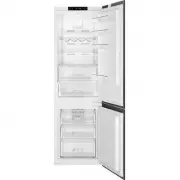
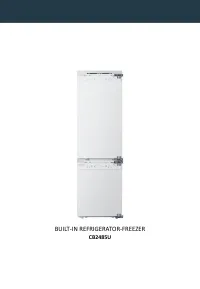
9 Description 2 Description of the appliance 2.1 General description This presentation is only for information about the parts of the appliance. Parts may vary according to the appli- ance model. A) Refrigerator compartment B) Freezer compartment 1) Display and control panel 2) Turbo fan * 3) Refrig...
Page 10 - Use; Using the appliance; eration Cooling Technology; Using the Control Panel
10 Use 3 Using the appliance 3.1 Information about New Gen- eration Cooling Technology Fridges with new-generation cooling technology have a different operating sys- tem to static fridges. Other (static) fridges may experience a build up of ice in the freezer compartment due to door openings and hum...
Page 11 - Operating your Fridge Freezer; Purpose
11 Use 3.3 Operating your Fridge Freezer Once you have plugged in the prod- uct, all symbols will be displayed for 2 seconds and the initial values will be shown as -18 °C on the freezer adjustment indicator, and +4 °C on the refrigerator adjustment indicator. 3.3.1 Freezer Temperature Settings • Th...
Page 13 - Temperature Adjustment
13 Use 3.4 Temperature Adjustment Warnings • It is not recommended that you operate your appliance in environ- ments colder than 10°C in terms of its efficiency. • Do not start another adjustment while you are already making an adjust- ment. • Temperature adjustments should be made according to the ...
Page 14 - Do not fill the icebox with water; Removing the freezer box:; Do not put food you want to
14 • Hold the left end of the lever and set the ice-tray on the icebox • When ice cubes have formed, twist the lever to drop the ice cubes into the icebox. Do not fill the icebox with water in order to make ice. It will break. 3.5.3 The Freezer Box The freezer box allows food to be accessed more eas...
Page 15 - To remove the Chiller Shelf:
15 To remove the Chiller Shelf: • Pull the chiller shelf towards you by sliding it on the rails. • Pull the chiller shelf up from the rail and remove it from the refrigerator. 3.5.5 The Fresh Dial (In some models) Fresh dial If the crisper is full, the fresh dial located in front of the crisper shou...
Page 17 - Visual and text descriptions in the ac-; Food storage; Refrigerator Compartment
17 3.5.9 Maxi-fresh preserver (If available) Maxi Fresh Preserver technology helps to remove ethylene gas (a bioproduct released naturally from fresh foods) and unpleasant odors from the crisper. In this way, food stays fresh for a longer time. • Maxi Fresh Preserver must be cleaned once in a year. ...
Page 19 - Freezer Compartment
19 4.2 Freezer Compartment For normal operating conditions, set the temperature of the freezer compartment to -18 or -20 °C. • The freezer is used for storing frozen food, freezing fresh food, and mak- ing ice cubes. • For freezing fresh food; wrap and seal fresh food properly, that is the packaging...
Page 22 - Cleaning and Maintenance
22 Vegetables and Fruits Preparation Maximum storage time (months) Cooked fruits Add 10 % of sugar to the container 12 Plum, cherry, sourberry Wash and hull the stems 8 - 12 Food Maximum storage time (months) Thawing time at room tem- perature (hours) Thawing time in oven (minutes) Bread 4 - ...
Page 23 - Cleaning and Maintenance; Defrosting the refrigerator/freezer
23 Cleaning and Maintenance 5 Cleaning and Maintenance 5.1 Defrosting Occasional presence of frost inside the freezer compartment is normal. Do not use electrical applianc- es (e.g. hair dryers) or sprays for defrosting, the plastic parts could be damaged. Defrosting the refrigerator/freezer compart...
Page 24 - Cleaning the appliance; Cleaning the outside of the appliance; Replacing LED Lighting
24 5.3 Cleaning the appliance A special antibacterial protection on the appliance’s interior walls prevents bacterial growth and keeps them clean. They must nevertheless be cleaned regularly in order to keep them in good condition. Do not wash your appliance by pouring water on it. Cleaning the outs...
Page 26 - Excessive ice has built up inside the; Installation; Electrical connection
26 Installation Excessive ice has built up inside the freezer compartment: • The thermostat is set at too low a temperature. • The room temperature is too high. • The door is being opened too often or for too long. • The door is not closing/sealing prop- erly. • The door seal is damaged or dirty. Cl...
Page 28 - Installation warnings
28 6.3 Installation warnings Before using your appliance for the first time, please pay attention to the follow- ing points: • The operating voltage for your appli- ance is 220-240 V at 50Hz. • The plug must be accessible after installation. • Your appliance may have an odour when it is operated for...
Page 31 - Risk of damages to the ap-
31 Installation Level the appliance horizontally adju- sting its feet. Lean the appliance slightly towards the rear part to facilitate proper door closure. The images are indicative. The aesthetics of the appliance, shape, dimensions and position of the handles depend on the model purchased. In orde...
Page 32 - Shipment and repositioning; Transportation and Changing; Before calling after-sales; Errors
32 Shipment and repositioning 7 Shipment and repositioning 7.1 Transportation and Changing Positioning • The original packaging and foam may be kept for re-transportation (optional). • Fasten your appliance with thick packaging, bands or strong cords and follow the instructions for trans- portation ...
Page 33 - Before calling after-sales service
33 EN Before calling after-sales service ERROR TYPE MEANING WHY WHAT TO DO E01 Sensor warning Call Service for assistance as soon as possible. E02 Sensor warning Call Service for assistance as soon as possible. E03 Sensor warning Call Service for assistance as soon as possible. E06 Sensor...
Page 34 - Your refrigerator does not operate
34 ERROR TYPE MEANING WHY WHAT TO DO E10 Refriger- ator com- partment is not cold enough Likely to occur after: 1. Set the refrigerator temperature to a colder value or set Super Cool. This should remove the error code once the required temperature has been reached. Keep doors closed to impro...
Page 36 - Tips for saving energy
36 9 Tips for saving energy 1. Install the appliance in a cool, well-ventilated room, but not in direct sunlight and not near a heat source (such as a radiator or oven) otherwise an insulating plate should be used. 2. Allow warm food and drinks to cool before placing them inside the appli- ance. 3. ...