Page 2 - Instructions; Key information for the user:; General safety instructions; Instructions
Instructions 4 1 Instructions 1.1 Introduction Key information for the user: 1.2 This user manual This user manual is an integral part of the appliance and must therefore be kept in its entirety and in an accessible place for the whole working life of the appliance. 1.3 Intended use The appliance ca...
Page 3 - ENEN; Only for European markets:
Instructions 5 ENEN • Never submerge the appliance in water. • This appliance is intended for household use. Moreover, it cannot be used: • in kitchen areas provided for employees in shops, offices and other working environments; • in farms/farm stay facilities• by guests in hotels, motels and resid...
Page 4 - For this appliance
Instructions 6 For this appliance • Follow all safety instructions in order to use the appliance safely. • Read this user manual carefully before using the appliance. • Switch off the appliance immediately after use. • Do not leave the coffee machine unattended during use. • Always disconnect the co...
Page 5 - Old appliances do not belong in
Instructions 7 ENEN 1.5 Manufacturer liability The manufacturer shall not be liable for injuries or property damage caused by:• Use of the appliance other than that specified • Failure to read the user manual• Tampering with any part of the appliance • Use of non-original spare parts• Failure to obs...
Page 6 - Description; Product description
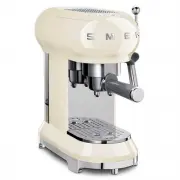
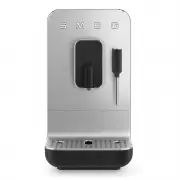
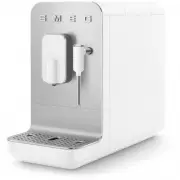
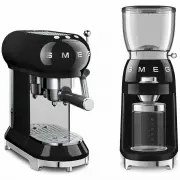
Description 8 2 Description 2.1 Product description Model ECF01 - Coffee Machine 1 Cup warmer shelf 2 Boiler outlet 3 Filter holder 4 Steel cup holder tray 5 Float 6 Stainless-steel drip tray 7 Hot water/steam nozzle and frothing nozzle for cappuccino 8 Steam knob 9 ON/OFF switch 10 Water tank lid 1...
Page 7 - Use; Remove any labels and stickers from the
Use 9 ENEN 3 Use 3.1 Before first use 1. Remove any labels and stickers from the coffee machine. 2. Carefully wash and dry the components of the coffee machine (see ”4 Cleaning and care”). 3. Remove the lid ( 1 ) by pulling it upwards, then remove the tank ( 2 ). 4. Fill the tank ( 2 ) with cool, cl...
Page 9 - position; How to prepare espresso coffee; Tamp down the ground coffee using the
Use 11 ENEN 5. Return the steam knob ( 5 ) to the position . Filters The coffee machine is provided with three filters: one for one cup, one for two cups and one for soft pods.The corresponding symbol is indicated on the bottom of each filter. 3.3 How to prepare espresso coffee Ground coffee: 1. Ins...
Page 10 - Danger of burns
Use 12 3. Remove any excess coffee from around the edge of the filter holder. Attach the filter holder by lining up the handle with and turning it to the right up to the position . 4. Position the cup(s) under the filter holder spouts and press the or dispense button . • For one cup, fill the filter...
Page 11 - Coffee soft pods; How to prepare a cappuccino
Use 13 ENEN Coffee soft pods : 1. Insert the coffee soft pod filter in the filter holder. 2. Insert the soft pod in the filter holder, centring it as mush as possible. 3. Proceed in the same manner as for ground coffee. 3.4 How to prepare a cappuccino 1. Prepare an espresso coffee in a large cup. 2....
Page 12 - How to dispense hot water
Use 14 6. Once the volume of milk has doubled, immerse the frothing nozzle for cappuccino all the way and heat the milk up to 60°C. Stop the steam by turning the steam knob to the right. 7. Pour the milk into the cups with the espresso. 3.5 How to dispense hot water 1. Turn the machine on using the ...
Page 14 - Setting the automatic shut-off time
Use 16 4. Press the relative button to select the water hardness: 5. The button flashes to indicate that the selection has been stored. Setting the automatic shut-off time In order to save energy, the coffee machine will turn itself off when it has not been used for a certain period of time. To turn...
Page 15 - Cleaning and care; Restoring factory default values; How to cool down the boiler
Cleaning and care 17 ENEN Restoring factory default values To return the machine to its factory settings:1. Access the settings menu. 2. Turn the steam knob to the position. 3. Press the button: the three lights will flash to indicate that the factory defaults have been reset. 4. Return the steam kn...
Page 16 - Cleaning and care; Instructions; Cleaning the drip tray
Cleaning and care 18 4 Cleaning and care 4.1 Instructions 4.2 Cleaning the body of the coffee machine To keep the outer surface of the coffee machine in good condition, it should be cleaned regularly after use. Let the appliance cool down first. Clean with a soft, damp cloth. 4.3 Cleaning the coffee...
Page 17 - Cleaning the boiler outlet
Cleaning and care 19 ENEN Cleaning the frothing nozzle for cappuccino Clean the frothing nozzle for cappuccino immediately after use.1. Turn the steam knob to let a little steam out and drive out any milk inside the nozzle. 2. Shut off the coffee machine by pressing the ON/OFF switch. 3. Hold the tu...
Page 18 - Descaling and rinsing the boiler outlet
Cleaning and care 20 4.4 Descaling The coffee machine needs descaling when the orange light on the button lights up. 1. Fill the water tank with a solution of water and descaler, following the instructions on the package. 2. Press the ON/OFF switch. 3. Remove the filter holder and position a contain...
Page 19 - Problem
Cleaning and care 21 ENEN 4.5 What to do if... Problem Possible causes Solution Coffee does not come out No water in tank. Fill the tank. The filter holes are blocked. Clean the filter with a brush or pin. The tank is not inserted correctly. Insert the tank correctly in its housing. Scale build-up. ...