Page 2 - User instructions; Safety and operating instructions; FOR INDOOR USE IN A HOUSEHOLD
User instructions 2 1. Safety and operating instructions THIS MANUAL FORMS AN INTEGRAL PART OF THE APPLIANCE; IT MUST ALWAYS BE KEPT INTACT TOGETHER WITH THE DISHWASHER FOR FUTIRE REFERENCE. BEFORE USING THE APPLIANCE, CAREFULLY READ ALL THE INSTRUCTIONS CONTAINED IN THIS MANUAL. THEY CONTAIN IMPORT...
Page 3 - DO NOT INSTALL THE APPLIANCE IN A PLACE SUBJECT TO FREEZING.
User instructions 3 DURING THE INSTALLATION THE APPLIANCE MUST BE DISCONNECTED FROM THE NETWORK.. DO NOT INSTALL THE APPLIANCE IN A PLACE SUBJECT TO FREEZING. IF THE APPLIANCE IS INSTALLED ON A CARPETED OR COVERED FLOOR, ENSURE THAT THE OPENINGS ON ITS UNDERSIDE ARE NOT OBSTRUCTED. DO NOT INSTALL TH...
Page 4 - DO NOT ATTEMPT
User instructions 4 THE APPLIANCE MUST BE CONNECTED TO THE WATER SUPPLY BY NEW HOSES; OLD HOSES MUST NEVER BE REUSED. IMMEDIATELY AFTER INSTALLING THE DISHWASHER, PERFORM A QUICK TEST OF THE APPLIANCE. IF THE DISHWASHER FAILS TO OPERATE CORRECTLY, DISCONNECT IT FROM THE ELECTRICAL POWER SUPPLY AND C...
Page 5 - CLEANING AND REGULAR MAINTENANCE OF THE APPLIANCE BY
User instructions 5 THE DISHWASHER MEETS ALL THE REQUIREMENTS SET OUT BY THE REGULATIONS IN FORCE CONCERNING SAFETY AND ELECTRICAL EQUIPMENT. ANY TECHNICAL CHECKS SHOULD BE CONDUCTED EXCLUSIVELY BY TRAINED AND AUTHORISED TECHNICIANS: REPAIRS CARRIED OUT BY UNAUTHORISED PERSONS WILL INVALIDATE THE WA...
Page 6 - THE SYMBOL OF A CROSSED OUT WHEELIE BIN; TECHNICAL DATA
User instructions 6 IN ACCORDANCE TO ART. 26 OF THE LEGISLATIVE DECREE 14 MARCH 2014, NR. 49 “IMPLEMENTATION OF THE DIRECTIVE 2012/19/EU ON WASTE OF ELECTRICAL AND ELECTRONIC EQUIPMENT (WEEE)”. THE SYMBOL OF A CROSSED OUT WHEELIE BIN ON THE DEVICE OR PACKAGE SHOWS THAT THE PRODUCT MUST BE COLLECTED ...
Page 7 - Building-in a dishwasher underneath a hob is
User instructions 7 2. Installation and hook-up Remove the polystyrene basket retainers. Position the appliance in the desired place of installation. The back or sides of the dishwasher may be placed up against walls or other furniture units. If the dishwasher is installed near a heat source, fit th...
Page 8 - Water supply connection; Preventing the risk of clogging or damage:
User instructions 8 2.1 Water supply connection Preventing the risk of clogging or damage: if the water pipe is new or has not been used for a long time, before connecting to the water supply check that the water is clear and free of impurities, to prevent damage to the appliance. The dishwasher mus...
Page 9 - DRAIN CONNECTION
User instructions 9 DRAIN CONNECTION Insert the dishwasher’s drain hose into a drain pipe having a diameter of at least 4 cm , or alternatively, place it inside the kitchen sink using the plastic support provided, taking care not to crush or excessively bend the hose. It is important to prevent the ...
Page 10 - Electrical connection and precautions; BRACKET
User instructions 10 2.2 Electrical connection and precautions CHECK THAT THE VOLTAGE AND THE FREQUENCY OF THE MAINS MATCH THE RATINGS ON THE NAME PLATE OF THE APPLIANCE POSITIONED ON THE INNER EDGE OF THE DOOR. THE PLUG ON THE SUPPLY CORD AND THE CORRESPONDING SOCKET OUTLET MUST BE OF THE SAME TYPE...
Page 11 - Description of the controls; Front panel; The front panel includes the
User instructions 11 3. Description of the controls 3.1 Front panel All the dishwasher controls are grouped on the upper panel. Switching on, programming, switching off etc. are only possible when the door is open. 1 ON/OFF BUTTON 2 OPTION BUTTONS/LIGHTS 3 SELECTED PROGRAM BUTTONS/LIGHTS 4 START/PAU...
Page 12 - Information shown on top display; CHECK; Information shown on front display; End
User instructions 12 Information shown on top display Example of screen and information provided 01.05 Estimated wash cycle duration and time remaining 1 h Delayed start information E01 Error message CHECK h.3 Softener setting P0 Program cancellation Information shown on front display End of cycle m...
Page 14 - PROGRAMS TABLE
User instructions 14 PROGRAMS TABLE PROGRAMME NUMBER & SYMBOL LOAD CROCKERY AND CUTLERY PROGRAM PROGRESS DURATION CONSUMPTION MINUTES (1) WATER LITRES POWER KWh (1) 1 EXPRESS 27’ Quick wash cycle for lightly soiled dishes, washed immediately after use. Wash at 38°C Rinse at 50°C 27 6,5 0,70 2 AU...
Page 15 - SPECIAL PROGRAMS; (see relevant section for explanation of functioning modes); SOAK; CRYSTAL; SILENT; The
User instructions 15 SPECIAL PROGRAMS (see relevant section for explanation of functioning modes) PROGRAMME NUMBER E SYMBOL LOAD CROCKERY AND CUTLERY PROGRAM PROGRESS DURATION CONSUMPTION MINUTES (1) WATER LITRES POWER KWh (1) 6 SOAK + Recommended for rinsing dishes while waiting for another wash cy...
Page 16 - Washing programs
User instructions 16 Notice for testing institutes Testing institutes are provided with guidelines for comparative tests (e.g. according to AS/NZS 2007). request the guidelines by contacting us at the following e-mail address: [email protected] When making a request, please specify the model (MOD) a...
Page 17 - As the program runs, the
User instructions 17 As the program runs, the front display, which shows the program phases, will indicate the status of the cycle in progress. Prewash Wash Rinse Drying Warning: during the initial phase of the wash program the spray arms cannot be heard in operation because they start turning about...
Page 18 - If the option is not provided
User instructions 18 DELAYING THE PROGRAM Allows you to program the dishwasher cycle to start during the required time period (e.g. night). Press the DELAY button to activate the option. A delay of 1 hour is shown on the display. Pressing the button repeatedly will allow you to select the required d...
Page 19 - Press the
User instructions 19 CANCELLING THE PROGRAM IN PROGRESS - Open the door (watch out for water splashes) - Press the START button and hold it down until P0 appears on the top display. - Close the door (00:01 appears on the front display) - After about 1 minute the program will be cancelled ( “End” app...
Page 21 - Operating instructions; Adjust the water softening system (in some models only); Using the water softening system; 0 wash cycles
User instructions 21 4. Operating instructions Once the dishwasher has been correctly installed, prepare it for use as follows: Adjust the water softening system (in some models only) Add salt (in some models only) Add rinse aid and detergent 4.1 Using the water softening system (in some model...
Page 22 - ADJUSTING THE SOFTENER (in some models only); (available for all programs except the soak program); PROGRAM DELAY
User instructions 22 Do not use table salt , as it contains insoluble substances which, over time, may damage the water softening system. The salt container should be refilled when necessary before starting the wash program . This way, the excess saline solution will be immediately removed by th...
Page 23 - WATER HARDNESS TABLE; WATER HARDNESS; Using the rinse aid and detergent dispensers; detergent
User instructions 23 WATER HARDNESS TABLE WATER HARDNESS SETTING German degrees (°dH) French degrees (°dF) 0 - 6 0 - 11 h.-0 NO SALT 7 - 10 12 - 18 h.-1 11 - 15 19 - 27 h.-2 16 - 21 28 - 37 h.-3 22 - 28 38 - 50 h.-4 29 - 50 51 - 90 h.-5 Contact your local water board for information on the hardness ...
Page 24 - ADDING THE RINSE AID
User instructions 24 ADDING THE RINSE AID The rinse aid helps the dishes dry faster and prevents the formation of scale deposits and staining; it is automatically added to the water during the final rinse cycle, from the container situated on the inner side of the door. To add rinse aid: Open the ...
Page 25 - press the; RINSE AID ADJUSTMENT TABLE; The amount of rinse aid must be
User instructions 25 ADJUSTING THE RINSE AID DISPENSER MODE To access the programming environment it is necessary that the dishwasher is switched on and the door is open, at this point you must: press the PROGRAM DELAY button until the b symbol appears on the display, followed by the number curren...
Page 26 - ADDING THE DETERGENT
User instructions 26 ADDING THE DETERGENT To open the detergent dispenser cover, lightly press button P . Add the detergent or tablet and close the cover by sliding it until it stops, indicated by a click. The dispenser will open automatically during the wash cycle. Only add the detergent (also in t...
Page 27 - General warnings and recommendations
User instructions 27 The introduction of detergent into the rinse aid dispenser, even in liquid form, will damage the dishwasher. 4.3 General warnings and recommendations Before using the dishwasher for the first time, it is advisable to read the following recommendations concerning dish types to be...
Page 28 - MAKE SURE that the items being washed are dishwasher-safe.
User instructions 28 WARNING! Make sure that the dishes are securely in place so that they cannot tip over or obstruct the rotation of the spray arms during the washing cycle. Do not place very small objects in the baskets as these could fall and obstruct the spray arms or the wash pump. Conta...
Page 29 - Using the baskets; The dishwasher has a capacity of
User instructions 29 4.4 Using the baskets The dishwasher has a capacity of 15 place-settings , including serving dishes. LOWER BASKET The lower basket receives the full force of the lower spray arm, and should therefore be used for the “toughest” items with a heavier degree of soiling. All types an...
Page 30 - glass holder
User instructions 30 Supports for cups and long objects (ladles, spoons, etc.), in the rear; can be tipped to the vertical position when not in use. Glass holder. Support for long- stem glasses. When lifted out of the stowed position (0) it snaps into three different positions (1-2-3). 2-position fo...
Page 31 - rotates into place above point
User instructions 31 To lie completely flat, lift the end and turn it towards you so that the retainer F rotates into place above point S . LOADING THE LOWER BASKET Carefully load flat plates, soup plates, dessert and serving dishes, positioning them vertically. Pots, pans and their covers must be l...
Page 32 - UPPER BASKET
User instructions 32 UPPER BASKET The upper basket should be loaded with small or medium-sized items such as glasses, small plates and saucers, tea or coffee cups, shallow bowls and light objects. If the upper basket is used in the lowermost position, it can also be loaded with serving dishes, provi...
Page 34 - FLEXI DUO TOP RACK
User instructions 34 FLEXI DUO TOP RACK This comprises two independent sliding, pull-out tray racks for easier loading/unloading of cutlery. Various loading systems and configurations are possible. For example, tea cups can be loaded with the right-hand rack set in the low position, while the left-h...
Page 35 - EXAMPLES OF LOADING FOR INTENSIVE DIRT
User instructions 35 EXAMPLES OF LOADING FOR INTENSIVE DIRT 13 Standard place setting FLEXI DUO TOP RACK (on some models only) If the bottom basket inserts are of the fold-down type, they should be laid flat for easier loading.
Page 36 - Cutlery tray
User instructions 36 UPPER BASKET EQUIPMENT (depending on the model) Cutlery tray For knives, spoons (tea and dessert) and long objects. The ends are designed to hold long stemmed glasses. - It can be removed by pressing and pushing the release levers (B) at the same time. - It has to be lowered if ...
Page 37 - Shelves with expandable wings
User instructions 37 Fold-down shelves For mugs, cups and long objects. The ends are designed to hold long stemmed glasses When not used they can be moved to a vertical position (until a click is heard). Shelves with expandable wings For small objects, mugs and cups. They can be used either closed o...
Page 40 - Cleaning and maintenance; To remove and clean the; PLANETARIUM
User instructions 40 5. Cleaning and maintenance Before carrying out any work, always unplug the appliance from the electrical supply or switch off the all-pole disconnection device. 5.1 General warnings and recommendations Avoid the use of acidic or abrasive detergents. Clean the outer surfaces and...
Page 41 - CLEANING THE FILTER UNIT
User instructions 41 CLEANING THE FILTER UNIT It is advisable to periodically inspect the centre filter and, if necessary, to clean it. remove the planetarium sprayer follow the instructions provided. push the centre filter D from the underside to remove it from the micro- filter: separate t...
Page 42 - Plug the power cord
User instructions 42 BEFORE STARTING THE DISHWASHER AFTER PROLONGED DISUSE: Check that there are no deposits of sludge or rust inside the water pipe: if there are, allow the water to run from the water supply tap for a few minutes. Plug the power cord back into the socket. Reconnect the water ...
Page 43 - there is rinse aid inside the special container
User instructions 43 If the dishes fail to dry or remain dull, check that: there is rinse aid inside the special container; the rinse aid dispenser setting is correct; the detergent used is of good quality and has not lost its effectiveness (for example, through incorrect storage, with the box...
Page 44 - If the door does not close:
User instructions 44 If the door does not close: 1 - Check the position of the door lock catch (D) 2 - If necessary , raise it by adjusting the plastic screw (V) next to the catch. 3 - Check the condition of the lock hook; if it has not triggered (reference N ), the door opens and closes normally. I...
Page 46 - TABLE OF MALFUNCTIONS DETECTED BY THE AUTODIAGNOSIS SYSTEM
User instructions 46 6. Troubleshooting The dishwasher has an autodiagnosis system capable of detecting and indicating a preset series of possible malfunctions. TABLE OF MALFUNCTIONS DETECTED BY THE AUTODIAGNOSIS SYSTEM FAULT DESCRIPTION Error 01 Anti-flooding system tripped (where installed). Error...
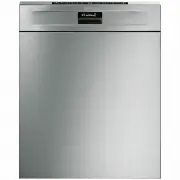


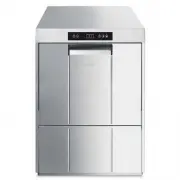 Smeg CW511MDA-2
User Manual
Smeg CW511MDA-2
User Manual
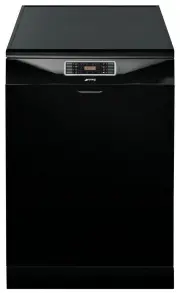 Smeg DWA157B
User Manual
Smeg DWA157B
User Manual
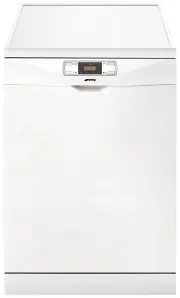 Smeg DWA314W
User Manual
Smeg DWA314W
User Manual
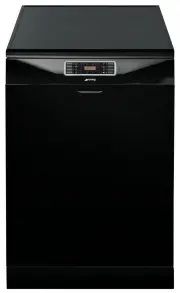 Smeg DWA315B
User Manual
Smeg DWA315B
User Manual
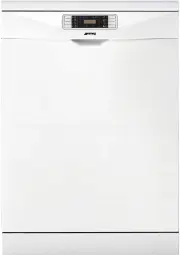 Smeg DWA315W
User Manual
Smeg DWA315W
User Manual
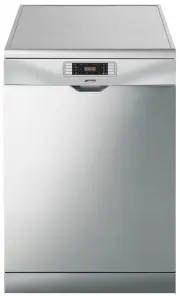 Smeg DWA315X
User Manual
Smeg DWA315X
User Manual
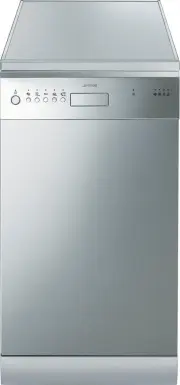 Smeg DWA4510X
User Manual
Smeg DWA4510X
User Manual
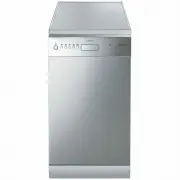 Smeg DWA4510X2
User Manual
Smeg DWA4510X2
User Manual
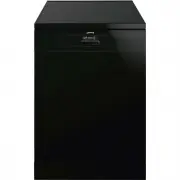 Smeg DWA615DB3
User Manual
Smeg DWA615DB3
User Manual
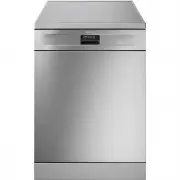 Smeg DWA615DX3
User Manual
Smeg DWA615DX3
User Manual
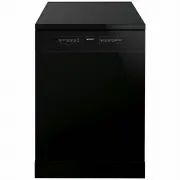 Smeg DWA6214B2
User Manual
Smeg DWA6214B2
User Manual
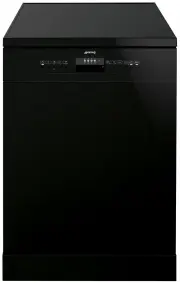 Smeg DWA6314B2
User Manual
Smeg DWA6314B2
User Manual
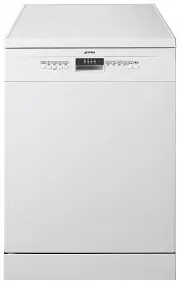 Smeg DWA6314W2
User Manual
Smeg DWA6314W2
User Manual
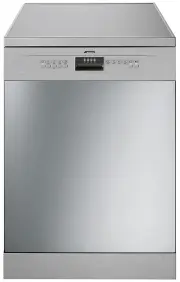 Smeg DWA6314X2
User Manual
Smeg DWA6314X2
User Manual
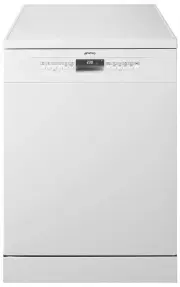 Smeg DWA6315W
User Manual
Smeg DWA6315W
User Manual
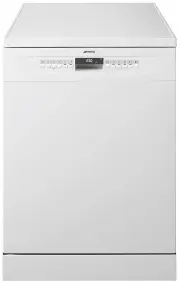 Smeg DWA6315W2
User Manual
Smeg DWA6315W2
User Manual
 Smeg DWA6315W3
User Manual
Smeg DWA6315W3
User Manual
 Smeg DWA6315X3
User Manual
Smeg DWA6315X3
User Manual
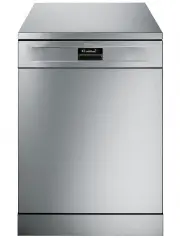 Smeg DWA6D15X
User Manual
Smeg DWA6D15X
User Manual
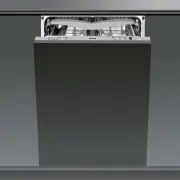 Smeg DWAFI152T
User Manual
Smeg DWAFI152T
User Manual