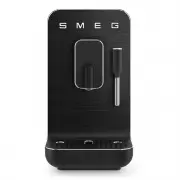
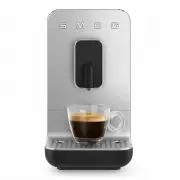
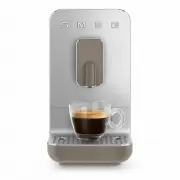
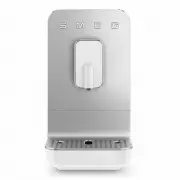
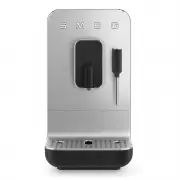
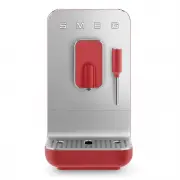
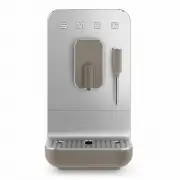
Page 7 - ”طقف ةيداشرإ ةميق تاذ امنإو ةمزلُم ليلدلا اذه يف ةدراولا فاصولأاو
ةيحيضوتلا موسرلا ربتعت لا ،كلذلو .قبسم راذنإ نود اهتاجتنم نيسحتل ةبسانم اهارت يتلا تلايدعتلا عيمجب مايقلا يف قحلاب اهسفنل عينصتلا ةهج ظفتحت“ ”طقف ةيداشرإ ةميق تاذ امنإو ةمزلُم ليلدلا اذه يف ةدراولا فاصولأاو The manufacturer reserves the right to make any changes deemed useful for the improvement of ...
Page 8 - Thank you very much for purchasing the Smeg Line coffee machine.; Bean to cup Coffee machine
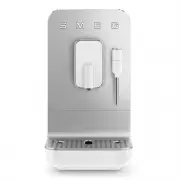
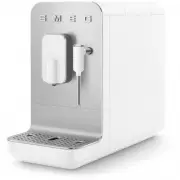
EN - 1 EN Dear Customer, Thank you very much for purchasing the Smeg Line coffee machine. By choosing our product, You have opted for a solution in which aesthetics and innovative technical design offer unique objects, which become part of the furnishings. In fact, a Smeg household appliance always ...
Page 9 - SAFETY; Essential safety recommendations.; Keep these instructions carefully.; Connecting the appliance; Important Safeguards
EN - 2 SAFETY Essential safety recommendations. Keep these instructions carefully. W h e n e v e r t h e a p p l i a n c e i s transferred to other persons, they must also be given these user instructions. Danger of Electrocution, since the appliance operates on electric current, it is necessary to ...
Page 11 - DISPOSAL; that have this symbol; DESCRIPTION OF THE APPLIANCE; B e f o r e u s e , c h e c k t h a t a l l; ASSEMBLY OF COMPONENTS; Change dispensing program; White Menu
EN - 4 DISPOSAL Electrical appliances must not be disposed of with household waste. The appliances that have this symbol are subject to the European Directive 2012/19/EU. All discarded electric and electronic appliances must be disposed of separately from household waste, by taking them to relevant ...
Page 12 - “Orange”; White; Coffee grounds container alarm; Controls
EN - 5 EN “Orange” and vice versa. White Keys LED white 16 Ristretto coffee 17 Espresso coffee 18 Coffee 19 Hot water Orange Keys LED orange 16 Light Ristretto coffee 17 Light Espresso coffee 18 Long coffee 19 Steam function Empty water tank alarm (21) The related LED flashes when the tank (5) is ab...
Page 13 - Dispensing a drink; Use; Change of dispensing program
EN - 6 Tur ning off the machine the setting of the White or Orange dispensing menu remains in t he memory at the next restart. Dispensing a drink • It is possible to adjust the position of the dispenser (11) according to the cup used. For very high cups it is possible to remove the drip tray (14). •...
Page 14 - Steam delivery; Orange; Customization of the quantity
EN - 7 EN Use Steam delivery • Enter the “ Orange ” dispensing program. • Make sure that the tray (14) is correctly assembled. • Press the button (19) which starts flashing. Wait until the button is steady lit and the buzzer sounds to indicate that the correct steam dispensing temperature has been r...
Page 15 - Turning off the machine; MACHINE SETTINGS; Activation / deactivation of acoustic; Use / Cleaning and maintenance; Led
EN - 8 To restore the manufacturer’s settings, press the keys (9) and (20) simultaneously for at least 3 seconds. The machine emits a single sound to signal the restoration of the factory settings. Turning off the machine • Check that the drip tray (14) is positioned correctly. • If there is no wate...
Page 16 - Cleaning and maintenance; CLEANING AND MAINTENANCE; Manual rinse; Cleaning of the machine body
EN - 9 EN Cleaning and maintenance To prolong the machine operation and preserve the aroma and taste of the coffee, it is recommended to use the Smeg Softener Filter (optional, not supplied). For installation and operation, follow the instructions that accompany the accessor y. Once installed, set t...
Page 17 - C l e a n i n g t h e c o f f e e g r o u n d s
EN - 10 grid (28) and empty it. • Clean the tray (14) and the grid (28) in running water with neutral dish detergent. • Dry the components and reassemble them in the machine. D o n o t c l e a n c o m p o n e n t s , especially the cup holder grid, in the dishwasher. We recommend you clean the exter...
Page 18 - Descaling
EN - 11 EN Open the door and clean the brewing unit while the machine is on. This is the only way of resetting the counter. The counter resets at least 10 seconds after opening the various components and LED 24 turns off. We recommend running a manual circuit cleaning cycle whenever this operation i...
Page 19 - “Empty system” procedure
EN - 12 • Pour clean water into the tank (5) up to the “MAX” level to carry out the rinse cycle, then press the button (18) to start the rinse cycle, the button (18) flashes and the LED (25) lights up steadily for the entire duration of the washing cycle. • The rinse cycle ends when the keys light u...
Page 20 - Generic alarm (LED 24
EN - 13 EN What To Do If...... Problem Possible causes Solution The machine doesn’t turn on. Plug not connected. Connect the plug. Plug not fully connected. Fully connect the plug to the machine. ON-OFF (9) button not pressed. Press the button to start the machine. ON-OFF (9) button not working. Con...