Page 6 - ”طقف ةيداشرإ ةميق تاذ امنإو ةمزلُم ليلدلا اذه يف ةدراولا فاصولأاو
ةيحيضوتلا موسرلا ربتعت لا ،كلذلو .قبسم راذنإ نود اهتاجتنم نيسحتل ةبسانم اهارت يتلا تلايدعتلا عيمجب مايقلا يف قحلاب اهسفنل عينصتلا ةهج ظفتحت“ ”طقف ةيداشرإ ةميق تاذ امنإو ةمزلُم ليلدلا اذه يف ةدراولا فاصولأاو The manufacturer reserves the right to make any changes deemed useful for the improvement of ...
Page 7 - Thank you very much for purchasing the Smeg Line coffee machine.; Bean to cup Coffee machine
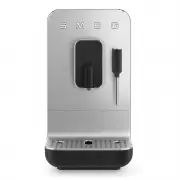
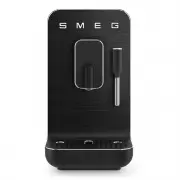
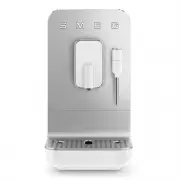
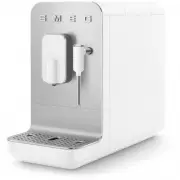
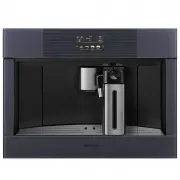
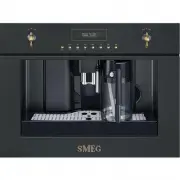
EN - 1 EN Dear Customer, Thank you very much for purchasing the Smeg Line coffee machine. By choosing our product, You have opted for a solution in which aesthetics and innovative technical design offer unique objects, which become part of the furnishings. In fact, a Smeg household appliance always ...
Page 8 - SAFETY; Essential safety recommendations.; Keep these instructions carefully.; Connecting the appliance; Important Safeguards
EN - 2 SAFETY Essential safety recommendations. Keep these instructions carefully. W h e n e v e r t h e a p p l i a n c e i s transferred to other persons, they must also be given these user instructions. Danger of Electrocution, since the appliance operates on electric current, it is necessary to ...
Page 10 - DISPOSAL; that have this symbol; DESCRIPTION OF THE APPLIANCE; B e f o r e u s e , c h e c k t h a t a l l; ASSEMBLY OF COMPONENTS
EN - 4 DISPOSAL Electrical appliances must not be disposed of with household waste. The appliances that have this symbol are subject to the European Directive 2012/19/EU. All discarded electric and electronic appliances must be disposed of separately from household waste, by taking them to relevant ...
Page 11 - DESCRIPTION OF CONTROLS; Change dispensing program; White Menu; Coffee grounds container alarm; Controls
EN - 5 EN DESCRIPTION OF CONTROLS AND ALARMS (Fig. A-C-D) ON/OFF button (9) Pressing the button switches the machine on or off. Change dispensing program button (20) The product has 8 functions, accessible through two menus, White Menu and Orange Menu. By pressing this button it is possible to chang...
Page 12 - Use
EN - 6 We recommend setting the water hardness upon first use. Please see the “Water hardness settings” paragraph for this reason. After 20 minutes of non-use, the machine switches off. If it has made at least one coffee, it performs a self-cleaning cycle. Press the button (9) to switch on the machi...
Page 13 - Customization of the quantity; MACHINE SETTINGS; Activation / deactivation of acoustic
EN - 7 EN Use Dispensing can be stopped at any time by pressing the dispensing key again . Remember to reassemble the tray (14) at the end of any dispensing. It is completely normal that after a prolonged inactivity of the machine (breaks longer than 20 min) the first coffees are not at the right te...
Page 14 - Cleaning and maintenance; CLEANING AND MAINTENANCE; Manual rinse; Cleaning of the machine body
EN - 8 minute. If 5 blue stripes appear on the strip, select “light water” settings. If 1 or 2 pink stripes appear on the strip, select “average water” settings. If 3, 4 or 5 pink stripes appear on the strip, select “hard water” settings. • To open the water hardness settings, simultaneously press a...
Page 15 - Allow the machine to cool down; General cleaning
EN - 9 EN Cleaning and maintenance Allow the machine to cool down before cleaning. Use the supplied brush to clean the empty coffee bean container (3), removing any beans or residue. Always clean when the machine is off. General cleaning To ensure good machine operations, in additional to excellent ...
Page 17 - Descaling
EN - 11 EN Descaling The cof fee machine signals when it is necessary to carry out a descaling cycle based on the set water hardness (For the setting of the water hardness, see the “Setting the water hardness” paragraph). If the LED (25) lights up steadily, it means that a descaling cycle is necessa...
Page 18 - “Empty system” procedure
EN - 12 Any other ser vicing should be p e r f o r m e d b y a n a u t h o r i z e d service representative. “Empty system” procedure The ‘Empty system’ procedure is recommended before long periods of non-use and before consulting a maintenance manager. • Activate the procedure by holding down the k...
Page 19 - Generic alarm (LED 24
EN - 13 EN What To Do If...... Problem Possible causes Solution The machine doesn’t turn on. Plug not connected. Connect the plug. Plug not fully connected. Fully connect the plug to the machine. ON-OFF (9) button not pressed. Press the button to start the machine. ON-OFF (9) button not working. Con...