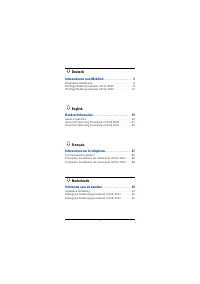
Page 6 - Deutsch
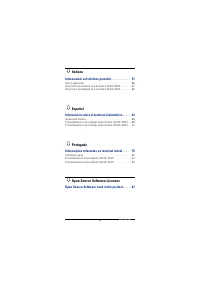
2 Ø Italiano Informazioni sul telefono portatile. . . . . . . . . . . . . 51 Uso in generale . . . . . . . . . . . . . . . . . . . . . . . . . . . . . . . 56Importanti procedure di comando HiPath 3000. . . . . . . . 57Importanti procedure di comando HiPath 4000. . . . . . . . 60 Ø Español Informació...
Page 7 - Informationen zum Mobilteil; Wichtige Hinweise
3 Informationen zum Mobilteil De u ts c h En g li sh Fr ança is Nede rla n ds It a lia no Españo l P o rt uguê s Informationen zum Mobilteil Wichtige Hinweise Die Informationen in diesem Dokument enthalten lediglich allgemei-ne Beschreibungen bzw. Leistungsmerkmale, welche im konkreten Anwendungsfal...
Page 9 - Pflegehinweise
5 Informationen zum Mobilteil De u ts c h En g li sh Fr ança is Nede rla n ds It a lia no Españo l P o rt uguê s Pflegehinweise • Reinigen Sie das Mobilteil mit einem feuchten Tuch oder einem Antistatiktuch. Kein trockenes Tuch verwenden! • Bei starker Verschmutzung reinigen Sie das Mobilteil mit ve...
Page 10 - Wieso ist eine Funktion nicht verfügbar?; Kurzdruck
6 Informationen zum Mobilteil Wieso ist eine Funktion nicht verfügbar? Dies kann folgende Ursachen haben:• Die Funktion ist für Sie und Ihr Mobilteil nicht eingerichtet – bit-te wenden Sie sich an Ihre Systembetreuung. • Ihre Kommunikationsplattform verfügt nicht über diese Funkti-on – bitte wenden ...
Page 12 - Allgemeine Bedienung; Lokale Einstellungen am optiPoint WL 2 professional; Hauptmenü
8 Allgemeine Bedienung Allgemeine Bedienung Lokale Einstellungen am optiPoint WL 2 professional Hauptmenü Im Ruhe-Modus die Steuer-Taste nach oben ( t ) drücken. Alle Ein- stellungen werden lokal gespeichert und sind nur für Ihr Mobilteil gültig. Konfiguration über Web-Schnittstelle Das optiPoint WL...
Page 13 - Wichtige Bedienprozeduren HiPath 3000; Wichtige Bedienprozeduren HiPath 30 0 0; Anrufen; Anruf auswählen; in Ruhe-Modus wechseln
9 Wichtige Bedienprozeduren HiPath 3000 De u ts c h En g li sh Fr ança is Nede rla n ds It a lia no Españo l P o rt uguê s Wichtige Bedienprozeduren HiPath 30 0 0 c = Abheben-Taste drücken ~ = Ruf-Nr. oder Kennzahl eingeben a = Auflegen-Taste drücken + = zum nächsten Bedienschritt Õ = Gespräch führe...
Page 14 - Briefkasten nutzen; Mobilteil einstellen
10 Wichtige Bedienprozeduren HiPath 3000 Briefkasten nutzen Ein Rückruf oder eine Nachricht ist gespeichert f (leuchtet) oder oder Benutzerführung folgen! Kurzwahl Mit Kurzruf-Nr. wählen FCN ~ Kurzruf-Nr. individuell - * 0 ... * 9 zentral - 000 ... 999 Individuelle Kurzruf-Nr. speichern FCN ~ Kurzru...
Page 15 - Einschalten
11 Wichtige Bedienprozeduren HiPath 3000 De u ts c h En g li sh Fr ança is Nede rla n ds It a lia no Españo l P o rt uguê s Gespräch weitergeben Õ Gespräch 1. Teilnehmer ~ Ruf-Nr. zweiter Tln Gespräch evtl. ankündigen a Konferenz Õ Gespräch 1. Teilnehmer ~ Ruf-Nr. zweiter Tln Konferenz evtl. ankündi...
Page 16 - Wichtige Bedienprozeduren HiPath 4000; Wichtige Bedienprozeduren HiPath 40 0 0; Angezeigten Anruf; Gespräch beenden; Rufnummer speichern
12 Wichtige Bedienprozeduren HiPath 4000 Wichtige Bedienprozeduren HiPath 40 0 0 c = Abheben-Taste drücken ~ = Ruf-Nr. oder Kennzahl eingeben a = Auflegen-Taste drücken + = zum nächsten Bedienschritt Õ = Gespräch führen FCN = Mit Display-Taste A bestätigen Funktion aus der FCN-Liste mit der Steuer-T...
Page 17 - Kurzwahl
13 Wichtige Bedienprozeduren HiPath 4000 De u ts c h En g li sh Fr ança is Nede rla n ds It a lia no Españo l P o rt uguê s Kurzwahl Mit Kurzruf-Nr. wählen ~ Kurzruf-Nr. (0...9) Individuelle Kurzruf-Nr. speichern ~ Kurzruf-Nr. (0...9) ~ Ruf-Nr. Rückfrage Õ Gespräch 1. Teilnehmer ~ Ruf-Nr. zweiter Tl...
Page 18 - English
14 Wichtige Bedienprozeduren HiPath 4000 Ruf-Nr. in FCN-Liste speichern Ziehlwahleintrag einrichten FCN ~ Ruf-Nr. Konferenz Õ Gespräch 1. Teilnehmer ~ Ruf-Nr. zweiter Tln Konferenz evtl. ankündigen Briefkasten nutzen Eine Nachricht ist gespeichert f (leuchtet) Benutzerführung folgen! Aus Anlagen-Men...
Page 19 - Handset Information; Important notes
15 Handset Information De u ts c h En g li sh Fr ança is Nede rla n ds It a lia no Españo l P o rt uguê s Handset Information Important notes The information provided in this document contains merely general descriptions or characteristics of performance features which in case of actual use do not a...
Page 21 - Telephone Maintenance
17 Handset Information De u ts c h En g li sh Fr ança is Nede rla n ds It a lia no Españo l P o rt uguê s Telephone Maintenance • Always use a damp or antistatic cloth to clean the telephone. Never use a dry cloth. • If the telephone is very dirty, clean it with a diluted neutral cleaner containing ...
Page 22 - Why is a function not available?; short press
18 Handset Information Why is a function not available? This may be due to one of the following reasons:• The function has not been configured for your telephone - ad-dress any questions to Customer Support. • Your communications platform does not support this function - contact your Siemens sales r...
Page 24 - General operation; Local settings for optiPoint WL 2 professional; Main menu
20 General operation General operation Local settings for optiPoint WL 2 professional Main menu In idle mode, press the UP ARROW on the CONTROL key ( t ). All settings are saved locally and only apply for your handset. Configuration using a Web interface optiPoint WL 2 professional is equipped with ...
Page 25 - Important Operating Procedures HiPath 3000; Important Operating Procedures HiPath 30 0 0; Select call
21 Important Operating Procedures HiPath 3000 De u ts c h En g li sh Fr ança is Nede rla n ds It a lia no Españo l P o rt uguê s Important Operating Procedures HiPath 30 0 0 c = Press the talk key ~ = Enter a telephone number or code a = Press on-hook key + = To next user action Õ = Conduct a call F...
Page 26 - Using mailbox
22 Important Operating Procedures HiPath 3000 Using mailbox Callback or message is saved f (lights up) or or Follow user prompts! Speed-dialling Dial using speed-dial no. FCN ~ Speed-dial no. Individual - *0 ... *9 Central - 000 ... 999 Save individual speed- dial no. FCN ~ Speed-dial no. ( * 0... *...
Page 27 - Activate
23 Important Operating Procedures HiPath 3000 De u ts c h En g li sh Fr ança is Nede rla n ds It a lia no Españo l P o rt uguê s Transferring a call Õ 1st user call ~ 2nd user call no. Call may be announced a Conference Õ 1st user call ~ 2nd user call no. Conf. may be announced Call forwarding Activ...
Page 28 - Important Operating Procedures HiPath 4000; Important Operating Procedures HiPath 40 0 0; Calling; Dial displayed call; Ending a call; Dial
24 Important Operating Procedures HiPath 4000 Important Operating Procedures HiPath 40 0 0 c = Press talk key ~ = Enter a telephone number or code a = Press on-hook key + = To next user action Õ = Conduct a call FCN = Press the A softkey to confirm your selection Use the CONTROL key q to select a fu...
Page 29 - Consultation
25 Important Operating Procedures HiPath 4000 De u ts c h En g li sh Fr ança is Nede rla n ds It a lia no Españo l P o rt uguê s Speed-dialling Dial speed-dial no. ~ Speed.dial no. (0...9) Save individual speed- dial no. ~ Speed-dial no. (0...9) ~ call no. Consultation Õ 1st user call ~ 2nd user cal...
Page 30 - Français
26 Important Operating Procedures HiPath 4000 Save external number to FCN-list Set up repdial key. FCN ~ Phone no. Conference Õ 1st user call ~ 2nd user call no. Conference may be announced Using mailbox A callback or message is saved f (lights up) Follow user prompts! Change from System menu to idl...
Page 31 - Informations sur le téléphone; Remarques importantes
27 Informations sur le téléphone De u ts c h En g li sh Fr ança is Nede rla n ds It a lia no Españo l P o rt uguê s Informations sur le téléphone Remarques importantes Les informations de ce document contiennent uniquement des des-criptions ou des caractéristiques générales qui, dans des cas d'utili...
Page 33 - Entretien du téléphone
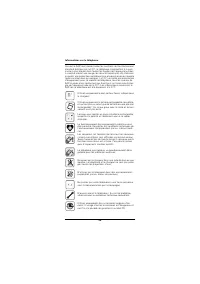
29 Informations sur le téléphone De u ts c h En g li sh Fr ança is Nede rla n ds It a lia no Españo l P o rt uguê s Entretien du téléphone • Nettoyer le poste avec un chiffon humide ou antistatique. Ne pas utiliser de chiffon sec ! • S’il est fortement encrassé, nettoyer le poste avec un produit neu...
Page 34 - Où puis-je obtenir le mode d’emploi correspondant ?; Brève pression
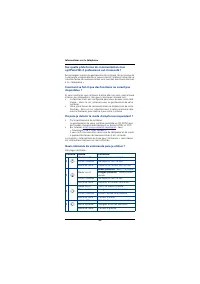
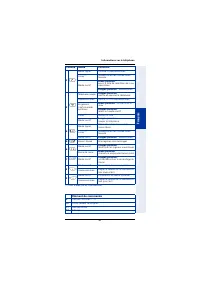
30 Informations sur le téléphone Sur quelle plate-forme de communication mon optiPoint WL 2 professional est-il raccordé ? Se renseigner auprès du gestionnaire du système, du service ou de la personne responsable de la supervision et l’administration de vo-tre plate-forme de communication ainsi que ...
Page 36 - Fonctionnement général; Paramètres locaux sur optiPoint WL 2 professional; Menu principal
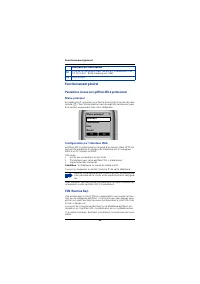
32 Fonctionnement général Fonctionnement général Paramètres locaux sur optiPoint WL 2 professional Menu principal En mode inactif, appuyez sur la flèche du haut de la touche de com-mande ( t ). Tous les paramètres sont enregistrés localement pour être valides uniquement pour votre téléphone. Configu...
Page 37 - Principales procédures de commande HiPath 3000; Principales procédures de commande HiPath 30 0 0; Sélectionner un appel
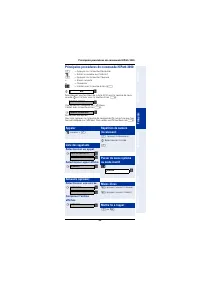
33 Principales procédures de commande HiPath 3000 De u ts c h En g li sh Fr ança is Nede rla n ds It a lia no Españo l P o rt uguê s Principales procédures de commande HiPath 30 0 0 c = Appuyer sur la touche Décrocher ~ = Entrer le numéro ou l’indicatif a = Appuyer sur la touche Coupure + = Etape su...
Page 38 - Utiliser boîte aux lettres; Réglages du téléphone
34 Principales procédures de commande HiPath 3000 Utiliser boîte aux lettres Un rappel ou un message est enregistré f (allumé) ou ou Suivre le guidage interactif ! Numérotation abrégée Utiliser un numéro abrégé FCN ~ numéro abrégé individuel - *0 à *9 central - 000 à 999 Enregistrer un numéro abrégé...
Page 39 - Activer
35 Principales procédures de commande HiPath 3000 De u ts c h En g li sh Fr ança is Nede rla n ds It a lia no Españo l P o rt uguê s Transférer un appel Õ conversation 1er usager ~ numéro deuxième usager Annoncer éventuellement a Conférence Õ conversation 1er usager ~ numéro deuxième usager Annoncer...
Page 40 - Principales procédures de commande HiPath 4000; Principales procédures de commande HiPath 40 0 0; Appeler; Avec une entrée FCN; Interrog. liste appelants; Sélectionner appel affiché; Mettre fin à l’appel; Enregistrer un numéro
36 Principales procédures de commande HiPath 4000 Principales procédures de commande HiPath 40 0 0 c = Appuyer sur la touche Décrocher ~ = Entrer le numéro ou l’indicatif a = Appuyer sur la touche Coupure + = Etape suivante Õ = Converser FCN = Valider avec la touche écran A Sélectionner une fonction...
Page 41 - Numérotation abrégée; Renvoi
37 Principales procédures de commande HiPath 4000 De u ts c h En g li sh Fr ança is Nede rla n ds It a lia no Españo l P o rt uguê s Numérotation abrégée Utiliser un numéro abrégé ~ n° abrégé (0...9) Enregistrer un numéro abrégé individuel ~ n° abrégé (0...9) ~ numéro Double appel Õ conversation 1er...
Page 42 - Nederlands
38 Principales procédures de commande HiPath 4000 Enregistrer un numéro dans la liste FCN Configurer la destination FCN ~ numéro Conférence Õ conversation 1er usager ~ numéro deuxième usager Annoncer éventuellement Utiliser boîte aux lettres Un rappel ou un message est enregistré f (allumé) Suivre l...
Page 43 - Informatie over de handset; Belangrijke opmerkingen
39 Informatie over de handset De u ts c h En g li sh Fr ança is Nede rla n ds It a lia no Españo l P o rt uguê s Informatie over de handset Belangrijke opmerkingen Dit document bevat slechts een algemene beschrijving respectievelijk een beschrijving van de functies die in een concreet geval niet alt...
Page 45 - Onderhoud van het toestel
41 Informatie over de handset De u ts c h En g li sh Fr ança is Nede rla n ds It a lia no Españo l P o rt uguê s Onderhoud van het toestel • Maak het toestel alleen schoon met een vochtige of antistatische doek. Gebruik nooit een droge doek. • Maak sterk vervuilde toestellen schoon met verdunde, neu...
Page 46 - Waarom kan ik een functie niet gebruiken?; Kort indrukken
42 Informatie over de handset Waarom kan ik een functie niet gebruiken? Dit kan de volgende oorzaken hebben:• De functie is niet voor u en uw toestel geprogrammeerd – raadpleeg hierover uw systeembeheerder. • Uw communicatieplatform beschikt niet over deze functie – raadpleeg in dat geval uw Siemens...
Page 48 - Algemene bediening; Lokale instellingen op de optiPoint WL 2 professional; Hoofdmenu; Configuratie via webinterface
44 Algemene bediening Algemene bediening Lokale instellingen op de optiPoint WL 2 professional Hoofdmenu Druk in de ruststand de besturingstoets omhoog ( t ). Alle instellingen worden lokaal opgeslagen en zijn alleen voor uw handset van toepassing. Configuratie via webinterface De optiPoint WL 2 pro...
Page 49 - Belangrijke bedieningsprocedures HiPath 3000; Belangrijke bedieningsprocedures HiPath 30 0 0
45 Belangrijke bedieningsprocedures HiPath 3000 De u ts c h En g li sh Fr ança is Nede rla n ds It a lia no Españo l P o rt uguê s Belangrijke bedieningsprocedures HiPath 30 0 0 c = Verbindingstoets indrukken ~ = Telefoonnummer of code invoeren a = Verbreektoets indrukken + = Naar de volgende proced...
Page 50 - Mailbox gebruiken; Handset instellen
46 Belangrijke bedieningsprocedures HiPath 3000 Mailbox gebruiken Terugbelverzoek of een bericht voor u opgeslagen f (brandt) of of Bedieningsinstructies volgen! Verkort kiezen Verkort kiesnr. gebruiken FCN ~ Verkort kiesnr. individueel - *0 ... *9 centraal - 000 ... 999 Individueel verkort kiesnr. ...
Page 51 - Inschakelen
47 Belangrijke bedieningsprocedures HiPath 3000 De u ts c h En g li sh Fr ança is Nede rla n ds It a lia no Españo l P o rt uguê s Gesprek doorverbinden Õ Gesprek 1e deelnemer ~ Tel.nr. 2e deelnemer Gesprek evt. aankondigen a Conferentie Õ Gesprek 1e deelnemer ~ Tel.nr. 2e deelnemer Conferentie evt....
Page 52 - Belangrijke bedieningsprocedures HiPath 4000; Belangrijke bedieningsprocedures HiPath 40 0 0; Opbellen; Weergegeven oproep; Gesprek beëindigen; Telefoonnummer opslaan
48 Belangrijke bedieningsprocedures HiPath 4000 Belangrijke bedieningsprocedures HiPath 40 0 0 c = Verbindingstoets indrukken ~ = Telefoonnummer of code invoeren a = Verbreektoets indrukken + = naar de volgende procedure Õ = Gesprek voeren FCN = Met displaytoets A bevestigen Functie uit de FCN-lijst...
Page 53 - Verkort kiezen
49 Belangrijke bedieningsprocedures HiPath 4000 De u ts c h En g li sh Fr ança is Nede rla n ds It a lia no Españo l P o rt uguê s Verkort kiezen Verkort kiesnr. gebruiken ~ Verkort kiesnr. (0...9) Individueel verkort kiesnr. opslaan ~ Verkort kiesnr. (0...9) ~ Tel.nr. Ruggespraak Õ Gesprek 1e deeln...
Page 54 - Italiano
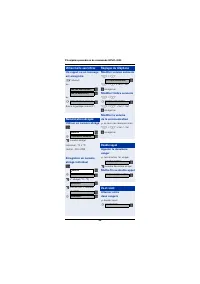
50 Belangrijke bedieningsprocedures HiPath 4000 Oproepnr. in FCN-lijst opslaan Snelkieslijst instellen FCN ~ Tel.nr. Conferentie Õ Gesprek 1e deelnemer ~ Tel.nr. 2e deelnemer Conferentie evt. aankondigen Mailbox gebruiken Terugbelverzoek of een bericht voor u opgeslagen f (brandt) Bedieningsinstruct...
Page 55 - Informazioni sul telefono portatile; Istruzioni importanti
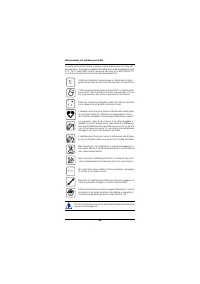
51 Informazioni sul telefono portatile De u ts c h En g li sh Fr ança is Nede rla n ds It a lia no Españo l P o rt uguê s Informazioni sul telefono portatile Istruzioni importanti Le informazioni contenute nel presente documento sono soltanto descrizioni di carattere generale o dei servizi, che nel ...
Page 57 - Cura del telefono
53 Informazioni sul telefono portatile De u ts c h En g li sh Fr ança is Nede rla n ds It a lia no Españo l P o rt uguê s Cura del telefono • Pulire l’apparecchio con un panno umido o antistatico e in nes-sun caso con un panno asciutto! • Qualora si renda necessario pulire a fondo l’apparecchio, uti...
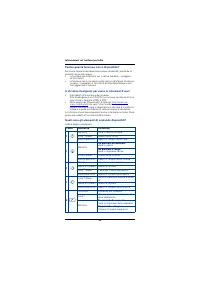
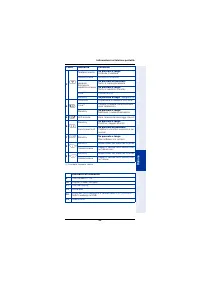
Page 58 - Perché questa funzione non è disponibile?; Se premuto brevemente
54 Informazioni sul telefono portatile Perché questa funzione non è disponibile? Se alcune funzioni non dovessero essere disponibili, potrebbe di-pendere da quanto segue:• la funzione non è abilitata per il vostro telefono – rivolgetevi all’assistenza; • la funzione non è contenuta nella vostra piat...
Page 60 - Uso in generale; Impostazioni locali di optiPoint WL 2 professional; Menu principale
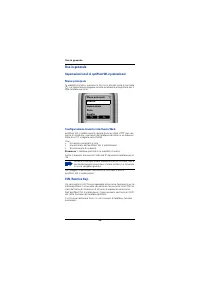
56 Uso in generale Uso in generale Impostazioni locali di optiPoint WL 2 professional Menu principale In modalità stand by, premere la freccia in alto del tasto di controllo t . Le impostazioni vengono salvate localmente ed applicate per il solo telefono portatile. Configurazione tramite interfaccia...
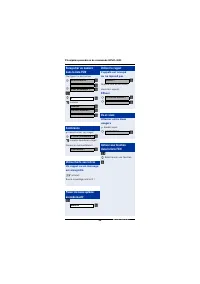
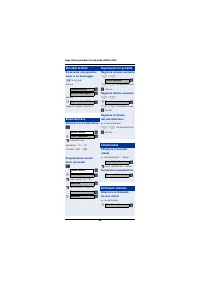
Page 61 - Importanti procedure di comando HiPath 3000; Importanti procedure di comando HiPath 30 0 0; Scegliere la chiamata
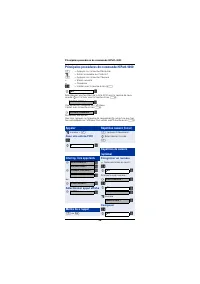
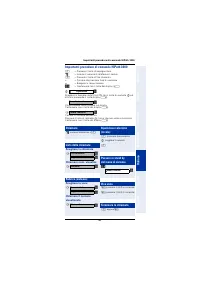
57 Importanti procedure di comando HiPath 3000 De u ts c h En g li sh Fr ança is Nede rla n ds It a lia no Españo l P o rt uguê s Importanti procedure di comando HiPath 30 0 0 c = Premere il tasto di impegno linea ~ = Inserire il numero di telefono o il codice a = Premere il tasto di fine chiamata +...
Page 62 - Uso della mailbox; Impostazioni tel. portatile
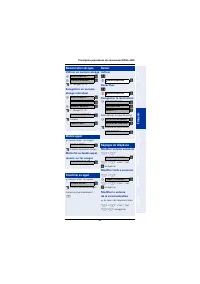
58 Importanti procedure di comando HiPath 3000 Uso della mailbox È presente una prenota- zione o un messaggio f (è acceso) oppure oppure seguire la guida a display! Selezione breve Chiamare con selez.breve FCN ~ numero breve personale - *0 ... *9 sistema - 000 ... 999 Programmare numeri brevi person...
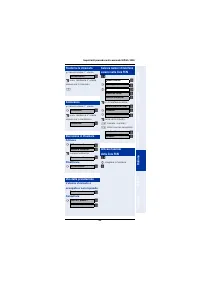
Page 63 - Attivare
59 Importanti procedure di comando HiPath 3000 De u ts c h En g li sh Fr ança is Nede rla n ds It a lia no Españo l P o rt uguê s Trasferire la chiamata Õ conversazione 1° utente ~ num. telefonico 2° utente annunciare la chiamata a Conferenza Õ conversazione 1° utente ~ num. telefonico 2° utente ann...
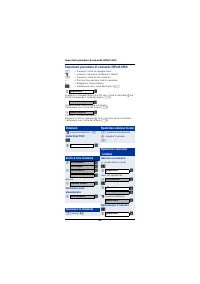
Page 64 - Importanti procedure di comando HiPath 4000; Importanti procedure di comando HiPath 40 0 0; Chiamare; dalla lista FCN; Verifica lista chiamate; visualizzato; Terminare la chiamata; Salvare un numero
60 Importanti procedure di comando HiPath 4000 Importanti procedure di comando HiPath 40 0 0 c = Premere il tasto di impegno linea ~ = Inserire il numero di telefono o il codice a = Premere il tasto di fine chiamata + = Passare alla prossima fase di comando Õ = Svolgere la conversazione FCN = Confer...
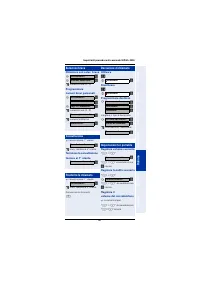
Page 65 - Selezione breve
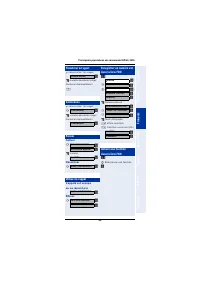
61 Importanti procedure di comando HiPath 4000 De u ts c h En g li sh Fr ança is Nede rla n ds It a lia no Españo l P o rt uguê s Selezione breve Chiamare con selez. breve ~ numero breve (0...9) Programmare numeri brevi personali ~ numero breve (0...9) ~ numero telefonico Consultazione Õ conversazio...
Page 66 - Español
62 Importanti procedure di comando HiPath 4000 Salvare numeri di telefono nell’elenco FCN Programmare la destinazione FCN ~ numero di telefono Conferenza Õ conversazione 1° utente ~ num. telefonico 2° utente Annunciare la conferenza Uso della mailbox È presente una prenota- zione o un messaggio f (è...
Page 67 - Información sobre el terminal inalámbrico; Observaciones importantes
63 Información sobre el terminal inalámbrico De u ts c h En g li sh Fr ança is Nede rla n ds It a lia no Españo l P o rt uguê s Información sobre el terminal inalámbrico Observaciones importantes Esto documento contiene sólo descripciones generales o de pres-taciones que en el caso de aplicación con...
Page 69 - Limpieza del teléfono
65 Información sobre el terminal inalámbrico De u ts c h En g li sh Fr ança is Nede rla n ds It a lia no Españo l P o rt uguê s Limpieza del teléfono • Limpie el equipo con un paño húmedo o antiestático. No utilice nunca un paño seco. • Si el teléfono está muy sucio, límpielo únicamente con limpia-d...
Page 70 - ¿Por qué no está disponible una función?; Pulsación breve
66 Información sobre el terminal inalámbrico ¿Por qué no está disponible una función? En el caso de que determinadas funciones no puedan ejecutarse en el teléfono tal como Ud. desea, esto puede deberse a las siguientes razones:• La función no está programada en su teléfono – diríjase al en-cargado d...
Page 72 - Operación básica; Ajustes locales del optiPoint WL 2 professional; Menú principal; Configuración a través de la interfaz Web
68 Operación básica Operación básica Ajustes locales del optiPoint WL 2 professional Menú principal En el modo de reposo, pulse la tecla de control hacia arriba ( t ). To- dos los ajustes se guardan de forma local y son válidos para su ter-minal inalámbrico. Configuración a través de la interfaz Web...
Page 73 - Procedimientos de manejo importantes HiPath 3000; Procedimientos de manejo importantes HiPath 30 0 0; Seleccionar llamada
69 Procedimientos de manejo importantes HiPath 3000 De u ts c h En g li sh Fr ança is Nede rla n ds It a lia no Españo l P o rt uguê s Procedimientos de manejo importantes HiPath 30 0 0 c = Pulsar la tecla de descolgar ~ = Introducir el número de tel. o el código a = Pulsar la tecla de colgar + = al...
Page 74 - Utilizar buzón; Ajustar terminal
70 Procedimientos de manejo importantes HiPath 3000 Utilizar buzón Se ha guardado una devol. de llamada o un mensaje f (encendido) o bien o bien Seguir la guía del usuario! Marcación abreviada Marcar con nº abreviado FCN ~ Número abreviado individual - *0 ... *9 central - 000 ... 999 Guardar número ...
Page 75 - Activar
71 Procedimientos de manejo importantes HiPath 3000 De u ts c h En g li sh Fr ança is Nede rla n ds It a lia no Españo l P o rt uguê s Transferir llamada Õ Llamada 1er usuario ~ Nº de tel. 2º usuario Anunciar en su caso la llam. a Conferencia Õ Llamada 1er usuario ~ Nº de tel. 2º usuario Anunciar en...
Page 76 - Procedimientos de manejo importantes HiPath 4000; Procedimientos de manejo importantes HiPath 40 0 0; Realizar llamadas; Con registro FCN; Consultar lista llamant.; Marcar llamada mostrada; Finalizar llamada; Guardar número de teléf.
72 Procedimientos de manejo importantes HiPath 4000 Procedimientos de manejo importantes HiPath 40 0 0 c = Pulsar la tecla de descolgar ~ = Introducir el número de tel. o el código a = Pulsar la tecla de colgar + = al siguiente paso de manejo Õ = Cursar la llamada FCN = Confirmar con la tecla de dis...
Page 77 - Marcación abreviada
73 Procedimientos de manejo importantes HiPath 4000 De u ts c h En g li sh Fr ança is Nede rla n ds It a lia no Españo l P o rt uguê s Marcación abreviada Marcar con nº abreviado ~ Número abreviado (0...9) Guardar número abreviado individual ~ Número abreviado (0...9) ~ Nº de teléfono Consulta Õ Lla...
Page 78 - Português
74 Procedimientos de manejo importantes HiPath 4000 Guardar n° de teléfono en la lista FCN Configurar n° marcación directa FCN ~ Número de llamada Conferencia Õ Llamada 1er usuario ~ Nº de teléf. 2º usuario Anunciar en su caso la conf. Utilizar buzón Se ha guardado una devol. de llamada o un mensaje...
Page 79 - Informações referentes ao terminal móvel; Notas importantes
75 Informações referentes ao terminal móvel De u ts c h En g li sh Fr ança is Nede rla n ds It a lia no Españo l P o rt uguê s Informações referentes ao terminal móvel Notas importantes As presentes informações contidas neste documento contêm ape-nas descrições gerais ou indicações de facilidades, a...
Page 81 - Cuidados com o telefone; Marca
77 Informações referentes ao terminal móvel De u ts c h En g li sh Fr ança is Nede rla n ds It a lia no Españo l P o rt uguê s Cuidados com o telefone • Para limpar, passar um pano ligeiramente húmido ou um pano antiestático. Nunca utilizar um pano seco! • Em caso de maior sujidade, utilizar um dete...
Page 82 - Quais elementos de controlo podem ser utilizados?; Pressão breve
78 Informações referentes ao terminal móvel Por que uma função descrita aqui não está disponível no meu telefone? Caso as funções não estejam disponíveis no seu telefone como de-seja, as possíveis causas são:• Esta função não está configurada para a sua linha e/ou para o seu telefone – consultar a a...
Page 84 - Utilização geral; Definições locais no optiPoint WL 2 professional; Configuração através da interface Web
80 Utilização geral Utilização geral Definições locais no optiPoint WL 2 professional Menu principal No modo de repouso, premir a tecla de controlo para cima ( t ). To- das as definições são memorizadas localmente e são válidas ape-nas para o seu terminal móvel. Configuração através da interface Web...
Page 85 - Procedimentos importantes HiPath 3000; Procedimentos importantes HiPath 30 0 0; Seleccionar chamada
81 Procedimentos importantes HiPath 3000 De u ts c h En g li sh Fr ança is Nede rla n ds It a lia no Españo l P o rt uguê s Procedimentos importantes HiPath 30 0 0 c = Premir a tecla Marcar ~ = Introduzir o número ou código a = Premir a tecla Desligar + = para o próximo passo Õ = Falar FCN = Confirm...
Page 86 - Caixa de correio; Configurar o terminal móvel
82 Procedimentos importantes HiPath 3000 Caixa de correio Há uma rechamada ou uma mensagem memorizada f (aceso) ou ou Seguir o guia de utilização! Marcação abreviada Marcar com nº abreviado FCN ~ Nº abreviado individual - *0 ... *9 central - 000 ... 999 Memorizar número abreviado individual FCN ~ Nº...
Page 88 - Procedimentos importantes HiPath 4000; Procedimentos importantes HiPath 40 0 0; Chamar; Com registo FCN; Consultar a lista de; Marcar o no indicado; Terminar a chamada; Memorizar número
84 Procedimentos importantes HiPath 4000 Procedimentos importantes HiPath 40 0 0 c = Premir a tecla Marcar ~ = Introduzir o número ou código a = Premir a tecla Desligar + = para o próximo passo Õ = Falar FCN = Confirmar com a tecla de display A Seleccionar função na lista FCN com a tecla de controlo...
Page 89 - Marcação abreviada
85 Procedimentos importantes HiPath 4000 De u ts c h En g li sh Fr ança is Nede rla n ds It a lia no Españo l P o rt uguê s Marcação abreviada Marcar com nº abreviado ~ Nº abreviado (0...9) Memorizar número abreviado individual ~ Nº abreviado (0...9) ~ Nº tel. Consulta Õ A falar com 1ºinterlocutor ~...
Page 90 - Open Source Software Licenses
86 Procedimentos importantes HiPath 4000 Memorizar nº tel. na lista FCN Definir marcação de destino FCN ~ Número Conferência Õ A falar com 1ºinterlocutor ~ Número do 2º interlocutor Anunciar a conferência Caixa de correio Há uma rechamada ou uma mensagem memorizada f (aceso) Seguir o guia de utiliza...
Page 91 - Open Source Software used in the product; Your local Siemens Service Organisation
87 Open Source Software used in the product Open Source Software used in the product The product contains, among other things, embedded Open Source Software, licensed under an Open Source Software License and de-veloped by third parties. These embedded Open Source Software files are protected by cop...
Page 92 - Open Source Software Used; Open Source Software Component
88 Open Source Software used in the product Open Source Software Used Following table is valid for different phones, not all SW-components are in your phone. The software of this product is based in part on the work of the In-dependent JPEG Group. This product includes software developed by the Univ...







 Siemens HF35M630/01
User Manual
Siemens HF35M630/01
User Manual
 Siemens 1015N-2MFM-1A
Manual
Siemens 1015N-2MFM-1A
Manual
 Siemens 108
User Manual
Siemens 108
User Manual
 Siemens 11
User Manual
Siemens 11
User Manual
 Siemens 1168
User Manual
Siemens 1168
User Manual
 Siemens 120 Series
User Manual
Siemens 120 Series
User Manual
 Siemens 125-1957
User Manual
Siemens 125-1957
User Manual
 Siemens 125-3584T
User Manual
Siemens 125-3584T
User Manual
 Siemens 125-5033
User Manual
Siemens 125-5033
User Manual
 Siemens 140
User Manual
Siemens 140
User Manual
 Siemens 175V
User Manual
Siemens 175V
User Manual
 Siemens 18inc Freezer Tower with Dispenser
User Manual
Siemens 18inc Freezer Tower with Dispenser
User Manual
 Siemens 18inc Wine Tower
User Manual
Siemens 18inc Wine Tower
User Manual
 Siemens 1G03QB 630G
User Manual
Siemens 1G03QB 630G
User Manual
 Siemens 2 D SP
User Manual
Siemens 2 D SP
User Manual
 Siemens 2000
User Manual
Siemens 2000
User Manual
 Siemens 2010 Tango
User Manual
Siemens 2010 Tango
User Manual