Page 2 - F O R C U S T O M E R A S S I S T A N C E; CUSTOMER ASSISTANCE; UNITED STATES ONLY; REGISTER YOUR PRODUCT; Convenience; EASY WAYS TO REGISTER TODAY!; PRODUCT SUPPORT; FAQ’s and How-To Videos; CONTACT US
2 F O R C U S T O M E R A S S I S T A N C E CUSTOMER ASSISTANCE UNITED STATES ONLY REGISTER YOUR PRODUCT Registering your new product is easy and offers benefits that help you get the most out of your Sharp product including: 9 Convenience : If you ever need warranty support, your product informatio...
Page 4 - C O N S U M E R L I M I T E D W A R R A N T Y
4 SHARP ELECTRONICS CORPORATION warrants to the first consumer purchaser that this Sharp brand (the “Product”), when shipped in its original container, will be free from defective workmanship and materials, and agrees that it will, at its option, either repair the defect or replace the defective Pro...
Page 5 - S A V E T H E S E I N S T R U C T I O N S; I M P O R T A N T S A F E T Y I N S T R U C T I O N S
5 When using electrical appliances, basic safety precautions should be followed, including the following: WARNING-To reduce the risk of burns, electric shock, fire, injury to persons or exposure to excessive microwave energy: 1. Read all instructions before using the appliance.2. Read and follow the...
Page 6 - F E D E R A L C O M M U N I C A T I O N S C O M M I S S I O N
6 WARNING: This equipment generates and uses ISM frequency energy and if not installed and used properly, that is in strict accordance with the manufacturer's instructions, may cause interference to radio and television reception. It has been type-tested and found to comply with limits for an ISM Eq...
Page 7 - I N S T A L L A T I O N G U I D E; Image
7 1. Examine the oven after unpacking. Unpack the oven, remove all packaging material and examine the oven for any damage such as dents on theinterior or exterior of the oven, broken door latches, cracks in the door, or a door that is not lined up correctly. Ifthere is any damage, do not operate the...
Page 9 - S P E C I F I C A T I O N S
9 S P E C I F I C A T I O N S POWER SUPPLY 120V AC, 60Hz SINGLE PHASE WITHGROUNDING MICROWAVE INPUT POWER 1550 W ENERGY OUTPUT 1000 W FREQUENCY 2,450MHz OUTSIDE DIMENSIONS (W x H x D) 29.9 x 16.4 x 15.5 in CAVITY DIMENSIONS (W x H x D) 20.9 x 9.9 x 14.6 in CAVITY VOLUME 1.7 cu.ft NET WEIGHT APPROX. ...
Page 10 - F E A T U R E S D I A G R A M
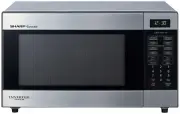
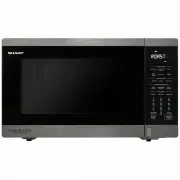
10 1 DOOR LATCHES 2 WINDOW with METAL SHIELD - Screen allows cooking to be viewed while keeping microwaves confined in oven. 3 MODEL NUMBER PLATE - Located on the front wall of the microwave oven. 4 CHARCOAL FILTER (behind Vent Grille) 5 6 WAVEGUIDE COVER Protects the microwave outlet from splashes ...
Page 12 - N U M B E R PA D S -
12 1 DISPLAY - Displays time of day, time or power level being used, cooking mode and instructions. 2 SNACK MENU - 5 AUTO COOK - 6 7 8 SENSOR/MENU - 9 0 TURNTABLE On/Off - Press this pad to turn turntable on or off. TIME COOK - Press this pad to set the Microwave cooking time. ◆ Power Level 11 (High...
Page 13 - TO SET POWER LEVEL; O P E R A T I O N P R O C E D U R E; P R E S S P O W E R P A D A N D N U M B E R
13 Plug power supply cord into a standard 3-pronged 15 Amps 120V AC 60Hz power outlet. After placing the food in a suitable container, open t h e o v e n d o o r a n d p u t i t o n t h e g l a s s t r a y. The glass tray and roller guide must always be in place during cooking. Close the door. Make ...
Page 14 - C O N T R O L S
14 SETTING THE CLOCK When the oven is first plugged in, the display will flash "12:00" and a tone will sound. If the AC power ever goes off, the display show “12:00” when the power comes back on. SETTING THE TIMER Timer operates as a minute timer.Timer operates without microwave energy. 1. P...
Page 15 - SNACK MENU; D I S P L A Y
15 C O N T R O L S SNACK MENU Sn-1 Fresh Vegetable Sn-2 Hot Dogs Sn-3 Meal in a Cup Sn-4 Frozen Kids Meal 2 Cups 1 Pieces 2 Pieces 3 Pieces4 Pieces5 Pieces 6 Pieces2.4 oz 8.8 oz D I S P L A Y P R E S S P A D once twice three times four times 1 2 345 6 S E L E C T P A D F O O D I T E M Q U A N T I T ...
Page 16 - AUTO COOK; P A D
16 C O N T R O L S AUTO COOK Ac-1 Scrambled Eggs Ac-2 Bacon Ac-3 Hot Cereal Ac-4 Frozen Pizza 1 Egg 2 Eggs 3 Eggs4 Eggs 5 Eggs 6 Eggs 1 Slices 2 Slices 3 Slices 1 Servings 2 Servings 3 Servings 12 oz 18 oz Ac-5 Ac-6 Fudge Brownies Stuffed Mushrooms P A D D I S P L A Y P R E S S P A D once twice thre...
Page 17 - REHEAT
17 C O N T R O L S REHEAT Sr-1 Dinner Plate Sr-2 Rolls / Muffins Sr-3 Soup/Sauce Sr-4 Casserole/Lasagna 1-2 Plates 1-3 Pieces 1 Cup 2 Cups 10.5 oz D I S P L A Y P R E S S P A D S E L E C T P A D once twice three times four times 1 2 F O O D I T E M Q U A N T I T Y / W E I G H T / S I Z E
Page 18 - WEIGHT DEFROSTING
18 C O N T R O L S WEIGHT DEFROSTING WEIGHT DEFROST lets you easily defrost food by eliminating guesswork in determining defrosting time.Follow the steps below for easy defrosting. TIME DEFROSTING 1. Press AUTO DEFROST pad once. 2. Press number pads for the desired defrosting weight. 3. Press START/...
Page 19 - MELT/SOFTEN ITEM CHART; P R E S S P A D; F O O D I T E M
19 C O N T R O L S MELT/SOFTEN ITEM CHART MELT/SOFTEN The melt/soften feature can be used to melt or soften butter, chocolate, ice cream, cheese and cream cheese.See the chart for specific settings to use. 1. Press MELT/SOFTEN pad once for butter, twice for chocolate, three times for cheese, four ti...
Page 20 - TIME COOK
20 C O N T R O L S TIME COOK 1. Press TIME COOK pad. 2. Press number pads for the cooking time. 3. Press POWER LEVEL pad. 4. Press number pads for power level (0~10). 5. Press START pad. “ : 0” is displayed. The display will show what you pressed. The display will show P-HI. The display will show P-...
Page 21 - COOKING IN TWO STAGES
21 Cooking + Cooking C O N T R O L S 1. Press TIME COOK pad. 2. Press number pads for the cooking time. 5. Press TIME COOK pad. 6. Press number pads for the cooking time. 3. Press POWER LEVEL pad. 4. Press number pads for power level (0~10) . Press START/+30 SEC pad. 9 The display will show what you...
Page 24 - SENSOR OPERATIONS; Using Sensor Settings; Covering Foods
24 SENSOR OPERATIONS The Sensor Cook categories are designed to detect the increasing humidity released by the food during the cooking process. The microwave oven sensor will automatically adjust the cooking time to the type and amount of food. Using Sensor Settings 1. After the oven is plugged in, ...
Page 25 - SENSOR MENU CHART; SENSOR MENU
25 SENSOR MENU CHART C O N T R O L S SENSOR MENU Sensor is semi-conductor device that detects the vapor emitted from the food as it heats. The sensor adjusts the cooking time and power level for various food and quantities and you don't need to enter the weight or quantity of the food. Sc-1 Frozen D...
Page 26 - COOKTOP LIGHT
26 1. TURNTABLE On-Off pad. 1. Press pad once to turn the light on or twice to turn the light off. 1. Press pad once for high fan speed, twice for low fan speed or three times to turn the fan off. The options are displayed for 2 seconds. The options are displayed for 2 seconds. The options are displ...
Page 27 - MUTE; CHILD SAFETY LOCK
27 C O N T R O L S MUTE Audible signals are available to guide you when setting and using your oven.To mute, press CLOCK pad for 3 seconds. The OFF indicator lights. To sound on, press CLOCK pad for 3 seconds. A beep sounds and the ON indicator will be turned off. FILTER RESET If your oven is vented...
Page 28 - TO STOP THE OVEN WHILE THE OVEN IS OPERATING
28 TO STOP THE OVEN WHILE THE OVEN IS OPERATING 1. Press the STOP/CLEAR pad. • You can restart the oven by pressing the START pad. 2. Open the door. • You can restart the oven by closing the door and pressing the START pad. NOTE : Oven stops operating when door is opened. C O N T R O L S
Page 29 - C A R E A N D C L E A N I N G
29 MICROWAVE OVEN INTERIOR The oven interior should be cleaned after each use with a damp cloth to keep it free from grease and soil buildup. Stubborn soils can be removed with a plastic scrub pad. When cleaning interior surfaces and surfaces of door and oven that come together when the door is clos...
Page 30 - THE EXHAUST FEATURE; TO CLEAN GREASE FILTER
30 C A R E A N D C L E A N I N G THE EXHAUST FEATURE The exhaust hood feature on your microwave oven is equipped with two metal filters which collect grease. When the fan is being operated, air is drawn up through the filters and is then discharged through the venting to the outside or through the c...
Page 31 - LIGHT REPLACEMENT; Cooktop Light
31 C A R E A N D C L E A N I N G LIGHT REPLACEMENT Cooktop Light When replacing the cooktop light, make sure that you are wearing gloves to avoid injury from the heat of the lamp. Oven Light When replacing the cooktop light, make sure that you are wearing gloves to avoid injury from the heat of the ...
Page 33 - INSTALL/REPLACE CHARCOAL FILTER
33 INSTALL/REPLACE CHARCOAL FILTER Charcoal Filter If your oven is vented to the inside, the charcoal filter should be replaced if it is used for approximately 6 months. C A R E A N D C L E A N I N G 1. Unplug the oven or turn off the power at the main power supply. 2. Remove the grille air mounting...
Page 34 - B E F O R E Y O U C A L L; Check the following to be sure a service call is necessary:
34 B E F O R E Y O U C A L L If noting on the oven operates: • check for a blown circuit fuse or a tripped main circuit breaker. • check if oven is properly connected to electric circuit in house. • check that controls are set properly.• check that the cooking time is set. If the oven interior light...
Page 35 - Q U E S T I O N S A N D A N S W E R S
35 * Q : I accidentally ran my microwave oven without any food in it. Is it damaged? * A : Running the oven empty for a short time will not d a m a g e t h e o v e n . H o w e v e r , i t i s n o t recommended. * Q : Can the oven be used with the glass tray or roller guide removed? * A : No. Both th...
Page 36 - UTENSIL GUIDE; C O O K I N G I N S T R U C T I O N S; U T E N S I L
36 UTENSIL GUIDE Only use utensils that are suitable for use in microwave ovens.To cook food in the microwave oven, the microwaves must be able to penetrate the food, without being reflected or absorbed by the dish used. Care must therefore be taken choosing the utensil. If the utensil is marked mic...
Page 37 - ARCING; USE YOUR MICROWAVE OVEN SAFELY; Food
37 ARCING If you see arcing, open the door and correct the problem. Arcing is the microwave term for sparks in the oven.Arcing is caused by:• Metal or foil touching the side of the oven.• Foil not molded to food (upturned edges act like antennas). • Metal, such as twist-ties, poultry pins, or gold r...
Page 39 - COOKING TECHNIQUES
39 STANDING TIME Dense foods e.g. meat, jacket potatoes and cakes, require standing time(inside or outside of the oven) after cooking, to allow heat to finish conducting to cook the center completely. Wrap meat joints and jacket potatoes in aluminium foil while standing. Meat joints need approx. 10-...
Page 40 - DEFROSTING GUIDE
40 DEFROSTING GUIDE ▶ Do not defrost covered meat. Covering might allow cooking to take place. Always remove outer wrap and tray. Use only containers that are microwave-safe. ▶ Begin defrosting whole poultry breast-side-down. Begin defrosting roasts fat-side-down. ▶ The shape of the package alters t...
Page 41 - COOKING & REHEATING CHART; Cooking chart; I T E M
41 C O O K I N G I N S T R U C T I O N S COOKING & REHEATING CHART Cooking chart I T E M P O W E R L E V E L C O O K I N G T I M E P E R L B . / 4 5 0 G S P E C I A L I N S T R U C T I O N MEAT Beef joint - Rare - Medium - well done Pork JointBacon joint PL-8PL-8PL-8 PL10PL10 6-8 min. 7-10 min.9...
Page 42 - Reheating chart
42 Reheating chart • Baby food particularly needs to be checked carefully before serving to prevent burns.• When heating pre-packaged ready-cooked foods, always follow the pack instructions carefully.• If you freeze foods which were bought from the fresh or chilled counters, remember that they shoul...
Page 43 - VEGETABLE CHART
43 Cooking Guide for fresh vegetables Cooking Guide for frozen vegetables Use a suitable glass pyrex bowl with lid. Add 30-45ml cold water(2-3 tbsp.) for every 250g unless another water quantity is recommended - see table. Cook covered for the minimum time - see table.Continue cooking to get the res...
Page 44 - RECIPES; FRENCH ONION SOUP; STIR FRIED VEGETABLES; HONEYED CHICKEN
44 RECIPES C O O K I N G I N S T R U C T I O N S TOMATO & ORANGE SOUP 1 oz.(25g) butter1 medium onion, chopped1 large carrot & 1 large potato, chopped13/4lb(800g) canned, chopped tomatoesjuice and grated rind of 1 small orange11/2pints(900ml) hot vegetable stocksalt and pepper to taste 1. Me...
Page 45 - BLUE CHEESE & CHIVE JACKETS
45 C O O K I N G I N S T R U C T I O N S BLUE CHEESE & CHIVE JACKETS 2 baking potatoes, (approx.9 oz.(250g) each)2 oz.(50g) butter4 oz.(100g) blue cheese, chopped1 tbsp(15ml) fresh chives, chopped2 oz.(50g) mushrooms, slicedsalt and pepper to taste 1. Prick each potato in several places. Cook on...
Page 46 - SCRAMBLED EGG
46 C O O K I N G I N S T R U C T I O N S SCRAMBLED EGG 1/2 oz.(15g) butter2 eggs2 tbsp(30ml) milksalt & pepper 1. Melt the butter in a bowl on PL10 for 30 seconds.2. Add the eggs, milk and seasoning and mix well.3. Cook on PL10 for 3 minutes, stirring every 30 seconds. SAVORY MINCE 1 small onion...