Page 2 - Table of Contents; Basics; Applications
2 Table of Contents Basics 4 Read me first 5 Device overheating situations and solutions 9 Package contents 10 Device layout12 Battery16 SIM or USIM card (nano-SIM card)18 Memory card (microSD card)20 Turning the device on and off21 Controlling the touchscreen23 Home screen29 Lock screen30 Notificat...
Page 3 - Settings
Table of Contents 3 Settings 85 Introduction85 Connections94 Sounds and vibration95 Notifications96 Display96 Wallpaper97 Advanced features98 Device maintenance100 Apps100 Lock screen and security106 Cloud and accounts110 Google110 Accessibility111 General management111 Software update112 User manua...
Page 5 - Instructional icons; Device overheating situations and solutions; When the device heats up while charging the battery
Basics 5 • Be careful not to forget your unlock codes for the screen lock, accounts, and other security features. If you forget an unlock code, you will not be able to use the device if you do not reset it. Samsung is not responsible for any data loss or inconvenience caused by forgotten unlock code...
Page 6 - Do the following when the device heats up:; When the device heats up during use
Basics 6 Do the following when the device heats up: • Disconnect the charger from the device and close any running apps. Wait for the device to cool down and then begin charging the device again. • If the lower part of the device overheats, it could be because the connected USB cable is damaged. Rep...
Page 8 - Device limitations when the device overheats
Basics 8 Device limitations when the device overheats When the device heats up, the features and performance may be limited or the device may turn off to cool down. This feature is only available on supported models. • If the device becomes hotter than usual, a device overheating message will appear...
Page 9 - Package contents
Basics 9 Package contents Check the product box for the following items: • Device • Quick start guide • The items supplied with the device and any available accessories may vary depending on the region or service provider. • The supplied items are designed only for this device and may not be compati...
Page 10 - Device layout; Device
Basics 10 Device layout Device Touchscreen Proximity sensor (SM-T719 and SM-T719Y models only) / Light sensor Receiver (SM-T719 and SM-T719Y models only) Recents key Home key (Fingerprint recognition sensor) Loud speaker Headset jack Microphone (SM-T719 and SM-T719Y models only) Volume key Power key...
Page 11 - Keys
Basics 11 • Connectivity problems and battery drain may occur in the following situations: – If you attach metallic stickers on the antenna area of the device – If you attach a device cover made with metallic material to the device – If you cover the device’s antenna area with your hands or other ob...
Page 12 - Battery; Charging the battery
Basics 12 Battery Charging the battery Charge the battery before using it for the first time or when it has been unused for extended periods. Use only Samsung-approved chargers, batteries, and cables. Unapproved chargers or cables can cause the battery to explode or damage the device. Connecting the...
Page 13 - Viewing the remaining charging time; Reducing the battery consumption
Basics 13 Viewing the remaining charging time While charging, open the Home screen and tap Apps → Settings → Device maintenance → Battery . The actual charging time may vary depending on the status of your device and the charging conditions. The remaining charging time may not be displayed when you ...
Page 14 - Battery charging tips and precautions
Basics 14 Battery charging tips and precautions • When the battery power is low, the battery icon appears empty. • If the battery is completely discharged, the device cannot be turned on immediately when the charger is connected. Allow a depleted battery to charge for a few minutes before turning on...
Page 15 - Power saving mode; Maximum power saving mode
Basics 15 Power saving mode Activate power saving mode to extend the battery’s usage time. 1 On the Home screen, tap Apps → Settings → Device maintenance → Battery → MID . 2 Tap CUSTOMISE to change the power saving settings before entering power saving mode. 3 Tap APPLY . Maximum power saving mode I...
Page 16 - Installing the SIM or USIM card
Basics 16 SIM or USIM card (nano-SIM card) Installing the SIM or USIM card Insert the SIM or USIM card provided by the mobile telephone service provider. Use caution not to lose or let others use the SIM or USIM card. Samsung is not responsible for any damages or inconveniences caused by lost or sto...
Page 17 - Removing the SIM or USIM card
Basics 17 3 Place the SIM or USIM card on the SIM card tray with the gold-coloured contacts facing downwards. 4 Insert the SIM card tray back into the SIM card tray slot. • If you insert the tray into your device while the tray is wet, your device may be damaged. Always make sure the tray is dry. • ...
Page 18 - Installing a memory card
Basics 18 Memory card (microSD card) Installing a memory card Your device’s memory card capacity may vary from other models and some memory cards may not be compatible with your device depending on the memory card manufacturer and type. To view your device’s maximum memory card capacity, refer to th...
Page 19 - Removing the memory card
Basics 19 1 Insert the ejection pin into the hole on the memory card tray to loosen the tray. Ensure that the ejection pin is perpendicular to the hole. Otherwise, the device may be damaged. 2 Pull out the memory card tray gently from the memory card tray slot. 3 Place a memory card on the memory ca...
Page 20 - Formatting the memory card; Turning the device on and off; Restarting the device
Basics 20 Formatting the memory card A memory card formatted on a computer may not be compatible with the device. Format the memory card on the device.On the Home screen, tap Apps → Settings → Device maintenance → Storage → → Storage settings → SD card → Format → FORMAT . Before formatting the memor...
Page 21 - Controlling the touchscreen; Tapping
Basics 21 Controlling the touchscreen • Do not allow the touchscreen to come into contact with other electrical devices. Electrostatic discharges can cause the touchscreen to malfunction. • To avoid damaging the touchscreen, do not tap it with anything sharp or apply excessive pressure to it with yo...
Page 22 - Dragging; Swiping
Basics 22 Dragging To move an item, tap and hold it and drag it to the target position. Double-tapping Double-tap on a webpage or image to zoom in. Double-tap again to return. Swiping Swipe to the left or right on the Home screen or the Apps screen to view other panels. Swipe upwards or downwards to...
Page 23 - Spreading and pinching; Home screen
Basics 23 Spreading and pinching Spread two fingers apart on a webpage, map, or image to zoom in a part. Pinch to zoom out. Home screen Home screen The Home screen is the starting point for accessing all of the device’s features. It displays widgets, shortcuts to apps, and more.To view other panels,...
Page 24 - Home screen options; Adding items; Moving items
Basics 24 Home screen options On the Home screen, tap and hold an empty area, or pinch your fingers together to access the available options. Customise the Home screen by adding, deleting, or rearranging Home screen panels. You can also set the Home screen wallpaper, add widgets to the Home screen, ...
Page 25 - Removing items
Basics 25 Removing items Tap and hold an item, and then drag it to Remove shortcut , Delete , or Remove at the top of the screen. Creating folders Create folders and gather similar applications to quickly access and launch apps. 1 On the Home screen, tap and hold an app, and then drag it over anothe...
Page 26 - Managing panels; Using quick options; Apps screen; Creating folders
Basics 26 Managing panels On the Home screen, tap and hold an empty area to add, move, or remove a panel.To add a panel, swipe to the left, and then tap .To move a panel, tap and hold a panel preview, and then drag it to a new location.To remove a panel, tap and hold a panel preview, and then drag i...
Page 27 - Rearranging items
Basics 27 3 Drop the app when a folder frame appears around the apps.A new folder containing the selected apps will be created. 4 Tap Enter folder name and enter a folder name. To change the folder colour, tap .To add more apps to the folder, tap ADD , tick the apps, and then tap ADD . You can also ...
Page 28 - Indicator icons
Basics 28 Indicator icons Indicator icons appear on the status bar at the top of the screen. The icons listed in the table below are most common. The status bar may not appear at the top of the screen in some apps. To display the status bar, drag down from the top of the screen. Icon Meaning No sign...
Page 29 - Lock screen
Basics 29 Lock screen Pressing the Power key turns off the screen and locks it. Also, the screen turns off and automatically locks if the device is not used for a specified period.The screen is locked with Swipe , the default screen lock method. Press the Power key or the Home key and swipe in any d...
Page 30 - Notification panel; Using the notification panel
Basics 30 • None : Do not set a screen lock method. • Fingerprints : Register your fingerprints to unlock the screen. Refer to Fingerprint recognition for more information. • You can unlock your device’s screen remotely from the Find My Mobile website ( findmymobile.samsung.com ) using your Samsung ...
Page 31 - Using quick setting buttons
Basics 31 You can use the following functions on the notification panel. Launch Settings . Switch between user accounts or add new user accounts. Tap a notification and perform various actions. Clear all notifications. Quick setting buttons Block notifications from apps. Using quick setting buttons ...
Page 32 - Finder; Searching for content or nearby devices; Setting search categories; Entering text; Keyboard layout
Basics 32 Finder Search for a variety of content with a keyword or search for nearby devices. Searching for content or nearby devices Open the notification panel, swipe downwards on the notification panel, and then tap Search tablet and scan for nearby devices . Enter a keyword in the search field o...
Page 33 - Changing the input language; Additional keyboard functions
Basics 33 Changing the input language Tap → Languages and types → MANAGE INPUT LANGUAGES , and then select the languages to use. When you select two or more languages, you can switch between the input languages by swiping to the left or right on the space key. Additional keyboard functions Tap and h...
Page 34 - Copying and pasting
Basics 34 Copying and pasting 1 Tap and hold over text. 2 Drag or to select the desired text, or tap Select all to select all text. 3 Tap Copy or Cut . The selected text is copied to the clipboard. 4 Tap and hold where the text is to be inserted and tap Paste . To paste text that you have previously...
Page 35 - Screen capture; Capturing screenshots; Smart capture
Basics 35 Screen capture Capture a screenshot while using the device. Capturing screenshots Press and hold the Home key and the Power key simultaneously. You can view captured images in Gallery . You can also capture screenshots by swiping your hand to the left or right across the screen. If this fe...
Page 36 - Opening apps; Closing an app; Multi window; Introduction
Basics 36 Opening apps On the Home screen or the Apps screen, select an app icon to open it.To open an app from the list of recently used apps, tap and select a recent app window. Closing an app Tap and drag a recent app window to the left or right to close it. To close all running apps, tap CLOSE A...
Page 37 - Using additional options
Basics 37 Split screen view 1 Tap to open the list of recently used apps. 2 Swipe upwards or downwards and tap on a recent app window.The selected app will launch in the upper window. 3 In the lower window, swipe upwards or downwards to select another app to launch.To launch apps not in the list of ...
Page 38 - Adjusting the window size
Basics 38 Adjusting the window size Drag the bar between the app windows up or down to adjust the size of the windows. Sharing text or images between windows Drag and drop text or copied images from one window to another. Tap and hold an item in the selected window and drag it to a location in anoth...
Page 39 - Minimising the split screen view; Moving pop-up windows
Basics 39 Minimising the split screen view Press the Home key to minimise the split screen view. The icon will appear on the status bar. The app in the lower window will close and the app in the upper window will remain active in the minimised split screen view.To close the minimised split screen vi...
Page 40 - Samsung account; Registering a new Samsung account
Basics 40 Samsung account Introduction Your Samsung account is an integrated account service that allows you to use a variety of Samsung services provided by mobile devices, TVs, and the Samsung website. Once your Samsung account has been registered, you can use apps provided by Samsung, without sig...
Page 41 - Removing your Samsung account; Transferring data from your previous device; Transferring data via Smart Switch
Basics 41 Removing your Samsung account When you remove your registered Samsung account from the device, your data, such as contacts or events, will also be removed. 1 On the Apps screen, tap Settings → Cloud and accounts → Accounts . 2 Tap Samsung account , and then tap → Remove account → OK . 3 En...
Page 42 - Transferring data from a mobile device
Basics 42 Transferring data from a mobile device Transfer data from your previous device to your device. 1 On both devices, download and install Smart Switch from Galaxy Apps or Play Store . 2 Place the devices near each other. 3 Launch Smart Switch on both devices. 4 On the previous device, tap WIR...
Page 43 - Transferring data via Samsung Cloud
Basics 43 2 On the computer, launch Smart Switch. If your previous device is not a Samsung device, back up data to a computer using a program provided by the device’s manufacturer. Then, skip to the fifth step. 3 Connect your previous device to the computer using the USB cable. 4 On the computer, fo...
Page 44 - Device and data management; Connecting the device to a computer for data transfer; Updating over the air
Basics 44 Device and data management Connecting the device to a computer for data transfer Move audio, video, image, or other types of files from the device to the computer, or vice versa. Do not disconnect the USB cable from the device when you are transferring files. Doing so may cause data loss o...
Page 45 - Updating with Smart Switch; Backing up and restoring data; Using a Samsung account
Basics 45 Updating with Smart Switch Connect the device to a computer and update the device to the latest software. 1 On the computer, visit www.samsung.com/smartswitch to download and install Smart Switch. 2 On the computer, launch Smart Switch. 3 Connect the device to the computer using a USB cabl...
Page 46 - Using a Google account; Performing a data reset; QUICK CONNECT
Basics 46 Using a Google account On the Apps screen, tap Settings → Cloud and accounts → Backup and restore and tap the Back up my data switch for the Google account to activate it. Tap Backup account and select an account as the backup account. To add the backup account, tap Add account . To restor...
Page 47 - Connecting to other devices; Sharing content; Connecting to a TV
Basics 47 Connecting to other devices 1 Open the notification panel, swipe downwards on the notification panel, and then tap Search tablet and scan for nearby devices . 2 Tap QUICK CONNECT . The Wi-Fi and Bluetooth features will be activated and the device will automatically search for nearby device...
Page 48 - Streaming content on the registered TV
Basics 48 3 Tap QUICK CONNECT . 4 Select the TV.The list of features you can use with the TV appears. 5 Select a feature and follow the on-screen instructions to use the feature.Available features may vary depending on the TV. • View tablet on TV (Smart View) : View your device’s content on the TV s...
Page 49 - Sharing features
Basics 49 Sharing features Share content by using various sharing options. The following actions are an example of sharing images. You may incur additional charges when sharing files via the mobile network. 1 Tap Gallery on the Apps screen. 2 Select an image. 3 Tap Share and select a sharing method,...
Page 50 - Installing or uninstalling apps; Galaxy Apps; Installing apps
50 Applications Installing or uninstalling apps Galaxy Apps Purchase and download apps. You can download apps that are specialised for Samsung Galaxy devices.Tap Galaxy Apps on the Apps screen. This app may not be available depending on the region or service provider. Installing apps Browse apps by ...
Page 51 - Managing apps; Uninstalling or disabling apps
Applications 51 Managing apps Uninstalling or disabling apps On the Apps screen, tap → Edit . The icon appears on the apps that you can disable or uninstall. Select an app and tap DISABLE or OK . Alternatively, on the Apps screen, tap Settings → Apps , select an app, and then tap DISABLE or UNINSTAL...
Page 52 - Making calls
Applications 52 Phone Introduction Make or answer voice and video calls. Making calls 1 Tap Phone on the Apps screen. 2 Enter a phone number.If the keypad does not appear on the screen, tap to open the keypad. 3 Tap to make a voice call, or tap to make a video call. Add the number to the contacts li...
Page 53 - Receiving calls
Applications 53 Using speed dial Set speed dial numbers to quickly make calls.To set a number to speed dial, tap → Speed dial , select a speed dial number, and then add a phone number.To make a call, tap and hold a speed dial number on the keypad. For speed dial numbers 10 and up, tap the first digi...
Page 54 - Missed calls; Blocking phone numbers; During a voice call
Applications 54 Missed calls If a call is missed, the icon appears on the status bar. Open the notification panel to view the list of missed calls. Alternatively, on the Apps screen, tap Phone → RECENTS to view missed calls. Blocking phone numbers Block calls from specific numbers added to your bloc...
Page 55 - During a video call; Contacts; Creating a new contact
Applications 55 • Keypad / Hide : Open or close the keypad. • Mute : Turn off the microphone so that the other party cannot hear you. • : End the current call. During a video call Tap the screen to use the following options: • VOLUME : Adjust the volume. • : Access additional options. • Camera : Tur...
Page 56 - Adding a phone number to Contacts from the keypad
Applications 56 3 Enter contact information. Select a storage location. Add an image. Open more information fields. Enter contact information. Depending on the selected storage location, the types of information you can save may vary. 4 Tap SAVE . Adding a phone number to Contacts from the keypad 1 ...
Page 57 - Importing contacts; Searching for contacts
Applications 57 Importing contacts Add contacts by importing them from other storages to your device. 1 Tap Contacts on the Apps screen. 2 Tap → Settings → Import/Export contacts → IMPORT . 3 Select a storage location to import contacts from. 4 Select a storage location to save contacts to. 5 Tick V...
Page 58 - Sharing contacts
Applications 58 Sharing contacts You can share contacts with others by using various sharing options. 1 Tap Contacts on the Apps screen. 2 Tap → Share . 3 Tick contacts and tap SHARE . 4 Select a sharing method. Merging duplicate contacts When you import contacts from other storages, or sync or move...
Page 59 - Sending messages
Applications 59 Messages Introduction Send and view messages by conversation. Sending messages You may incur additional charges for sending messages when you are roaming. 1 Tap Messages on the Apps screen. 2 Tap . 3 Add recipients and tap COMPOSE . 4 Enter a message. Access additional options. Enter...
Page 60 - Viewing messages
Applications 60 Viewing messages Messages are grouped into message threads by contact. You may incur additional charges for receiving messages when you are roaming. 1 Tap Messages on the Apps screen. 2 On the messages list, select a contact. 3 View your conversation.To reply to the message, enter a ...
Page 61 - Setting a message reminder; Internet
Applications 61 3 Change the notification settings. • Notification sound : Change the notification sound. • Vibrate when sound plays : Set the device to vibrate when you receive messages. • Pop-up display : Set the device to display messages in pop-up windows. • Preview message : Set the device to d...
Page 62 - Using secret mode; Activating secret mode
Applications 62 To view the toolbars, drag your finger downwards slightly on the screen. Move between pages. Close the tab. Open a new tab. Bookmark the current webpage. Access additional options. Open the homepage. Refresh the current webpage. View your bookmarks, saved webpages, and recent browsin...
Page 63 - Changing security settings; Deactivating secret mode; Email; Setting up email accounts
Applications 63 Changing security settings You can change your password or the lock method.Tap → Settings → Privacy → Secret mode security → Change password . To set your registered fingerprint as the lock method along with the password, tap the Fingerprints switch to activate it. Refer to Fingerpri...
Page 64 - Reading emails; Launching Camera
Applications 64 Reading emails When Email is open, the device will automatically retrieve new emails. To manually retrieve emails, swipe downwards on the screen.Tap an email on the screen to read it. If email syncing is disabled, new emails cannot be retrieved. To enable email syncing, tap → → your ...
Page 65 - Using swipe gestures; Switching cameras
Applications 65 Using swipe gestures Quickly control the preview screen by swiping in different directions. You can change the shooting mode, switch between cameras, or apply filter effects. Front camera preview Rear camera preview Shooting modes Filter effects Switching cameras On the preview scree...
Page 66 - Viewing filter effects; Basic shooting; Taking photos or recording videos
Applications 66 Viewing filter effects On the preview screen, swipe from the right to the left to open the filter effects list. You can apply a unique feel to your photos or videos. This feature is only available in some shooting modes. Basic shooting Taking photos or recording videos 1 Tap the imag...
Page 67 - Locking the focus and exposure; Customising shooting modes
Applications 67 • The preview screen may vary depending on the shooting mode and which camera is being used. • The camera automatically shuts off when unused. • Make sure that the lens is clean. Otherwise, the device may not work properly in some modes that require high resolutions. • The front came...
Page 68 - Auto mode; Pro mode
Applications 68 Auto mode Auto mode allows the camera to evaluate the surroundings and determine the ideal mode for the photo.On the shooting modes list, tap Auto . Pro mode Take photos while manually adjusting various shooting options, such as exposure value and ISO value.On the shooting modes list...
Page 69 - Selfie; Applying beauty effects
Applications 69 Selfie Take self-portraits with the front camera. You can preview various beauty effects on the screen. 1 On the preview screen, swipe upwards or downwards, or tap to switch to the front camera for self-portraits. 2 On the shooting modes list, tap Selfie . 3 Face the front camera len...
Page 70 - Night; Downloading modes
Applications 70 Continuous shot Take a series of photos of moving subjects.On the shooting modes list, tap Continuous shot . Tap and hold to take several photos continuously. HDR (Rich tone) Take photos with rich colours and reproduce details even in bright and dark areas.On the shooting modes list,...
Page 71 - Camera settings; Quick settings
Applications 71 Camera settings Quick settings On the preview screen, use the following quick setting. The available options may vary depending on the shooting mode and which camera is being used. • : Select a metering method. This determines how light values are calculated. Centre-weighted uses the...
Page 72 - Gallery
Applications 72 COMMON • Timer : Select the length of the delay before the camera automatically takes a photo. • Full screen view (16:9) : Set the device to preview photos or videos using the full screen ratio. • Grid lines : Display viewfinder guides to help composition when selecting subjects. • L...
Page 73 - Viewing images and videos; Viewing images
Applications 73 Viewing images and videos Viewing images 1 On the Apps screen, tap Gallery → PICTURES . 2 Select an image. Access additional options. Move to the previous screen. Automatically adjust the image. Share the image with others. Delete the image. Image and video preview thumbnails Modify ...
Page 74 - Viewing videos
Applications 74 Viewing videos 1 Tap Gallery on the Apps screen. 2 Select a video to play. Video files show the icon on the preview thumbnail. Lock the playback screen. Switch to the pop-up video player. Rewind or fast-forward by dragging the bar. Display your videos. Skip to the previous video. Tap...
Page 75 - Viewing albums; Creating stories
Applications 75 Viewing albums You can sort the images and videos saved in your device by folder or album. The animations or collages you have created will also be sorted in your folders on the albums list.On the Apps screen, tap Gallery → ALBUMS and select an album. Viewing stories When you capture...
Page 76 - Syncing images and videos with Samsung Cloud; Deleting images or videos; Deleting an image or a video; Sharing images or videos
Applications 76 Syncing images and videos with Samsung Cloud You can sync images and videos saved in Gallery with Samsung Cloud and access them from other devices. You must register and sign in to your Samsung account to use Samsung Cloud. Refer to Samsung account for more information. On the Apps s...
Page 77 - Game Launcher; Using Game Launcher
Applications 77 Game Launcher Introduction Game Launcher gathers your games downloaded from Play Store and Galaxy Apps into one place for easy access. You can set the device to game mode to play games more easily. Access additional options. Open games with or without sound. Turn on or off the Game T...
Page 78 - Removing a game from Game Launcher; Activating game power saving mode
Applications 78 Removing a game from Game Launcher Tap and hold a game and tap Remove . Activating game power saving mode When you activate game power saving mode, the device will lower games’ resolution and frame rate to reduce battery consumption.On the Apps screen, tap Game Launcher → Save power ...
Page 79 - Blocking notifications during games
Applications 79 To show the icon on the game screen again, open the notification panel and tap the Game Tools notification. Capture screenshots. Record your game session. Dim and lock the game's screen. Lock the Recents and Back keys. Access the Game Tools settings. Mute notification sounds and disp...
Page 80 - Creating tasks
Applications 80 3 Enter event details. Select a calendar to use or sync with. Set a start and end date for the event. Attach a map showing the location of the event. Enter the location of the event. Add a note. Enter a title. Add more details. Set an alarm. 4 Tap SAVE to save the event. Creating tas...
Page 81 - Composing memos; Searching for memos
Applications 81 My Files Access and manage various files stored in the device.On the Apps screen, tap My Files . View files that are stored in each storage. You can also view files in your device or a memory card by category.To free up the device’s storage, tap → Manage storage usage → CLEAN NOW . T...
Page 82 - Clock; Setting alarms; WORLD CLOCK; Creating clocks
Applications 82 Clock Introduction Set alarms, check the current time in many cities around the world, time an event, or set a specific duration. ALARM On the Apps screen, tap Clock → ALARM . Setting alarms Tap in the alarms list, set an alarm time, select the days on which the alarm will repeat, se...
Page 83 - STOPWATCH; Calculator
Applications 83 STOPWATCH 1 On the Apps screen, tap Clock → STOPWATCH . 2 Tap START to time an event. To record lap times while timing an event, tap LAP . 3 Tap STOP to stop timing. To restart the timing, tap RESUME . To clear lap times, tap RESET . TIMER 1 On the Apps screen, tap Clock → TIMER . 2 ...
Page 85 - Connecting to a Wi-Fi network
85 Settings Introduction Customise settings for functions and apps. You can make your device more personalised by configuring various setting options.On the Apps screen, tap Settings . To search for settings by entering keywords, tap . Connections Wi-Fi Activate the Wi-Fi feature to connect to a Wi-...
Page 86 - Sending and receiving data
Settings 86 3 Tap CONNECT . • Once the device connects to a Wi-Fi network, the device will reconnect to that network each time it is available without requiring a password. To prevent the device connecting to the network automatically, select it from the list of networks and tap FORGET . • If you ca...
Page 87 - Ending the device connection; Bluetooth
Settings 87 3 Tap Share → Wi-Fi Direct and select a device to transfer the image to. 4 Accept the Wi-Fi Direct connection request on the other device.If the devices are already connected, the image will be sent to the other device without the connection request procedure. Ending the device connectio...
Page 88 - Pairing with other Bluetooth devices
Settings 88 Pairing with other Bluetooth devices 1 On the Settings screen, tap Connections → Bluetooth , and then tap the switch to activate it.The detected devices are listed. 2 Select a device to pair with.If the device you want to pair with is not in the list, request that the device turns on its...
Page 89 - Unpairing Bluetooth devices; Tablet visibility
Settings 89 Unpairing Bluetooth devices 1 On the Settings screen, tap Connections → Bluetooth . The device displays the paired devices in the list. 2 Tap next to the device name to unpair. 3 Tap Unpair . Tablet visibility Allow other devices to find your device to share content with you. When this f...
Page 90 - Limiting data usage; Flight mode
Settings 90 Limiting data usage Set the device to automatically disable the mobile data connection when the amount of mobile data you have used reaches your specified limit. 1 On the Settings screen, tap Connections → Data usage → Billing cycle , and then tap the Data limit switch to activate it. 2 ...
Page 91 - Using the mobile hotspot; Mobile networks
Settings 91 Using the mobile hotspot Use your device as a mobile hotspot to share your device’s mobile data connection with other devices. 1 On the Settings screen, tap Connections → Mobile hotspot and tethering → Mobile hotspot . 2 Tap the switch to activate it.The icon appears on the status bar. O...
Page 92 - Location; Printing
Settings 92 Location Change settings for location information permissions.On the Settings screen, tap Connections → Location . • Locating method : Select a network to use for locating your device. • Improve accuracy : Set the device to use the Wi-Fi or Bluetooth feature to increase the accuracy of y...
Page 93 - Adding printer plug-ins
Settings 93 Adding printer plug-ins Add printer plug-ins for printers you want to connect the device to. 1 On the Settings screen, tap Connections → More connection settings → Printing → Download plug-in . 2 Search for a printer plug-in in Play Store . 3 Select a printer plug-in and install it. 4 Se...
Page 94 - Download booster; Sounds and vibration
Settings 94 Download booster Set the device to download files larger than 30 MB, faster via Wi-Fi and mobile networks simultaneously. A stronger Wi-Fi signal will provide a faster download speed.On the Settings screen, tap Connections → More connection settings → Download booster . • This feature ma...
Page 95 - Notifications
Settings 95 • Notification sounds : Select a default notification sound. You can also change the notification settings for each app. • Do not disturb : Set the device to mute incoming calls, notification sounds, and media, except for allowed exceptions. • Touch sounds : Set the device to sound when ...
Page 96 - Display; Options; Wallpaper
Settings 96 Display Options Change the display and the Home screen settings.On the Settings screen, tap Display . • Brightness : Adjust the brightness of the display. • Auto brightness : Adjust the brightness of the display automatically. • Screen mode : Change the screen mode to adjust the display’...
Page 97 - Advanced features
Settings 97 Advanced features Options Activate advanced features and change the settings that control them.On the Settings screen, tap Advanced features . Excessive shaking or impact to the device may cause unintended input for some features. • Accessories : Change the accessory settings. • Smart st...
Page 98 - Using the quick optimisation feature
Settings 98 Device maintenance The device maintenance feature provides an overview of the status of your device’s battery, storage, memory, and system security. You can also automatically optimise the device with a tap of your finger. Battery Storage Device security Memory Using the quick optimisati...
Page 99 - Managing the battery; Storage; Managing the memory
Settings 99 Battery Check the remaining battery power and time to use the device. For devices with low battery levels, conserve battery power by activating power saving features.On the Settings screen, tap Device maintenance → Battery . • The usage time left shows the time remaining before the batte...
Page 100 - Memory; Device security
Settings 100 Memory On the Settings screen, tap Device maintenance → Memory . To speed up your device by reducing the amount of memory you are using, tick apps from the apps list, and tap CLEAN NOW . Device security Check the device’s security status. This feature scans your device for malware.On th...
Page 102 - For better fingerprint recognition
Settings 102 • This feature may not be available depending on the region or service provider. • Fingerprint recognition uses the unique characteristics of each fingerprint to enhance the security of your device. The likelihood of the fingerprint sensor confusing two different fingerprints is very lo...
Page 103 - Registering fingerprints
Settings 103 Registering fingerprints 1 On the Settings screen, tap Lock screen and security → Fingerprints . 2 Unlock the screen using the preset screen lock method.If you have not set a screen lock method, create one. 3 Place your finger on the Home key. 4 After the device detects your finger, lif...
Page 104 - Using fingerprints to sign in to accounts
Settings 104 Using fingerprints to sign in to accounts You can use your fingerprints to sign in to webpages that support password saving. This feature is only available for webpages that you access via the Internet app. 1 On the Settings screen, tap Lock screen and security → Fingerprints . 2 Unlock...
Page 105 - Private mode; Activating private mode
Settings 105 Private mode Hide personal content in your device to prevent others from accessing it. Activating private mode 1 On the Settings screen, tap Lock screen and security → Private mode , and then tap the switch to activate it.If you are activating private mode for the first time, follow the...
Page 106 - Unhiding content; Automatically deactivating private mode; Cloud and accounts
Settings 106 Unhiding content 1 In the private folder, tap and hold an item, and then tick items to unhide. 2 Tap → Remove from Private . 3 Select a folder to move the items to, and then tap DONE . The items will be moved to the selected folder. Automatically deactivating private mode You can set th...
Page 107 - Manage cloud storage; DATA TO SYNC; Adding accounts
Settings 107 Samsung Cloud You can manage the content that you want to store securely in Samsung Cloud. Check the usage status of your Samsung Cloud storage, and sync, back up, and restore your data.On the Settings screen, tap Cloud and accounts → Samsung Cloud . Manage cloud storage View the amount...
Page 108 - Removing accounts; Users; Adding users
Settings 108 Removing accounts On the Settings screen, tap Cloud and accounts → Accounts , select an account name, select the account to remove, and then tap → Remove account . Users Set up additional user accounts for other users to use the device with personalised settings, such as email accounts,...
Page 109 - Switching users; Managing users; Backup and restore
Settings 109 Switching users Tap the user account icon at the top of the locked screen or the notification panel, and then select an account to switch to. Locked screen Notification panel Managing users When using the owner account, you can delete accounts or change account settings.To delete a user...
Page 110 - Google
Settings 110 Google Configure settings for some features provided by Google.On the Settings screen, tap Google . Accessibility Configure various settings to improve accessibility to the device.On the Settings screen, tap Accessibility . • Vision : Customise the settings to improve accessibility for ...
Page 111 - General management
Settings 111 General management Customise your device’s system settings or reset the device.On the Settings screen, tap General management . • Language and input : Select device languages and change settings, such as keyboards and voice input types. Some options may not be available depending on the...
Page 112 - User manual
Settings 112 User manual View help information to learn how to use the device and apps or configure important settings.On the Settings screen, tap User manual . About tablet Access your device’s information.On the Settings screen, tap About tablet . • My phone number : View your phone number. • Stat...
Page 113 - Appendix; Troubleshooting; When you turn on your device or while you are using the device, it
113 Appendix Troubleshooting Before contacting a Samsung Service Centre, please attempt the following solutions. Some situations may not apply to your device. When you turn on your device or while you are using the device, it prompts you to enter one of the following codes: • Password: When the devi...
Page 114 - The touchscreen responds slowly or improperly; Your device freezes or encounters a fatal error
Appendix 114 The touchscreen responds slowly or improperly • If you attach a screen protector or optional accessories to the touchscreen, the touchscreen may not function properly. • If you are wearing gloves, if your hands are not clean while touching the touchscreen, or if you tap the screen with ...
Page 116 - The battery does not charge properly (For Samsung-approved; The battery depletes faster than when first purchased
Appendix 116 The battery does not charge properly (For Samsung-approved chargers) • Ensure that the charger is connected properly. • Visit a Samsung Service Centre and have the battery replaced. The battery depletes faster than when first purchased • When you expose the device or the battery to very...
Page 117 - Photo quality is poorer than the preview
Appendix 117 Photo quality is poorer than the preview • The quality of your photos may vary, depending on the surroundings and the photography techniques you use. • If you take photos in dark areas, at night, or indoors, image noise may occur or images may be out of focus. Error messages appear when...
Page 119 - Removing the battery
Appendix 119 Removing the battery • To remove the battery, contact an authorised service centre. To obtain battery removal instructions, please visit www.samsung.com/global/ecodesign_energy . • For your safety, you must not attempt to remove the battery. If the battery is not properly removed, it ma...


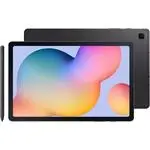 Samsung Galaxy Tab S6
User Manual
Samsung Galaxy Tab S6
User Manual
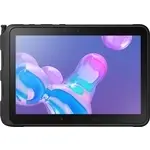 Samsung Tab Active Pro
User Manual
Samsung Tab Active Pro
User Manual
 Samsung Galaxy Book
User Manual
Samsung Galaxy Book
User Manual
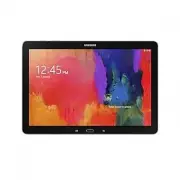 Samsung Galaxy Note pro
User Manual
Samsung Galaxy Note pro
User Manual
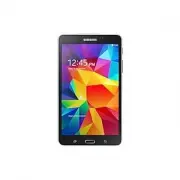 Samsung Galaxy Tab 4
User Manual
Samsung Galaxy Tab 4
User Manual
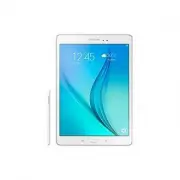 Samsung Galaxy Tab A
User Manual
Samsung Galaxy Tab A
User Manual
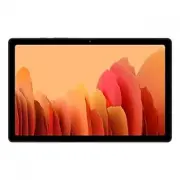 Samsung Galaxy Tab A7
User Manual
Samsung Galaxy Tab A7
User Manual
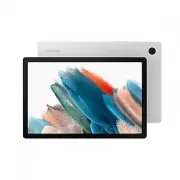 Samsung Galaxy Tab A8
User Manual
Samsung Galaxy Tab A8
User Manual
 Samsung Galaxy Tab A9
User Manual
Samsung Galaxy Tab A9
User Manual
 Samsung Galaxy Tab A9+
User Manual
Samsung Galaxy Tab A9+
User Manual
 Samsung Galaxy Tab Active Pro
User Manual
Samsung Galaxy Tab Active Pro
User Manual
 Samsung Galaxy Tab E
User Manual
Samsung Galaxy Tab E
User Manual
 Samsung Galaxy Tab Lite
User Manual
Samsung Galaxy Tab Lite
User Manual
 Samsung Galaxy Tab S
User Manual
Samsung Galaxy Tab S
User Manual
 Samsung Galaxy Tab S2
User Manual
Samsung Galaxy Tab S2
User Manual
 Samsung Galaxy Tab S6 Lite
User Manual
Samsung Galaxy Tab S6 Lite
User Manual
 Samsung Galaxy Tab S7
User Manual
Samsung Galaxy Tab S7
User Manual
 Samsung Galaxy Tab S7 FE
User Manual
Samsung Galaxy Tab S7 FE
User Manual
 Samsung Galaxy Tab S7+
User Manual
Samsung Galaxy Tab S7+
User Manual
 Samsung Galaxy Tab S8
User Manual
Samsung Galaxy Tab S8
User Manual