Page 2 - Table of Contents; Basics; Apps and features
2 Table of Contents Basics 5 Read me first 7 Device overheating situations and solutions 10 Device layout and functions13 Charging the battery15 SIM or USIM card (nano-SIM card) (Mobile network enabled models) 16 Memory card (microSD card)18 Turning the device on and off19 Initial setup19 Camera App...
Page 3 - Appendix
Table of Contents 3 83 Battery and device care 83 Optimising your device84 Battery84 Storage84 Memory84 Device protection 85 Apps85 General management86 Accessibility87 Software update87 About tablet Appendix 89 Troubleshooting94 Removing the battery Settings 66 Introduction67 Samsung account67 Conn...
Page 6 - Instructional icons
Basics 6 • You can see the touchscreen clearly even in strong outdoor sunlight by automatically adjusting the contrast range based on the surrounding environment. Due to the nature of the product, displaying fixed graphics for extended periods may result in afterimages (screen burn-in) or ghosting. ...
Page 7 - Device overheating situations and solutions; When the device heats up while charging the battery; Do the following when the device heats up:; When the device heats up during use
Basics 7 Device overheating situations and solutions When the device heats up while charging the battery While charging, the device and the charger may become hot. During wireless charging or fast charging, the device may feel hotter to the touch. This does not affect the device’s lifespan or perfor...
Page 9 - Precautions for device overheating
Basics 9 Precautions for device overheating If you begin to feel uncomfortable due to the device overheating, stop using the device.When the device heats up, the features and performance may be limited or the device may turn off to cool down. The feature is only available on supported models. • If t...
Page 10 - Device layout and functions; Package contents
Basics 10 Device layout and functions Package contents Refer to the quick start guide for package contents. • The items supplied with the device and any available accessories may vary depending on the region or service provider. • The supplied items are designed only for this device and may not be c...
Page 11 - Device layout
Basics 11 Device layout Speaker (SM-T295) Front camera Side key Volume key Multipurpose jack Light sensor Touchscreen Microphone Earphone jack SM-T295, SM-T297: SIM card / Memory card traySM-T290: Memory card tray Main antenna (SM-T295, SM-T297) Speaker Speaker Rear camera GPS antenna
Page 12 - Hard keys
Basics 12 • When using the speakers, such as when playing media files, do not place the device close to your ears. • Be careful not to expose the camera lens to a strong light source, such as direct sunlight. If the camera lens is exposed to a strong light source, such as direct sunlight, the camera...
Page 13 - Soft buttons; Charging the battery; Wired charging
Basics 13 Soft buttons Back button Home button Recents button When you turn on the screen, the soft buttons will appear at the bottom of the screen. Refer to Navigation bar (soft buttons) for more information. Charging the battery Charge the battery before using it for the first time or when it has ...
Page 14 - Reducing the battery consumption
Basics 14 Reducing the battery consumption Your device provides various options that help you conserve battery power. • Optimise the device using the device care feature. • When you are not using the device, turn off the screen by pressing the Side key. • Activate power saving mode. • Close unnecess...
Page 15 - SIM or USIM card; Installing the SIM or USIM card
Basics 15 SIM or USIM card (nano-SIM card) (Mobile network enabled models) Insert the SIM or USIM card provided by the mobile telephone service provider. Some services that require a network connection may not be available depending on the service provider. Installing the SIM or USIM card 2 1 3 4 1 ...
Page 16 - Memory card; Installing a memory card
Basics 16 Memory card (microSD card) Installing a memory card Your device’s memory card capacity may vary from other models and some memory cards may not be compatible with your device depending on the memory card manufacturer and type. To view your device’s maximum memory card capacity, refer to th...
Page 17 - Removing the memory card
Basics 17 4 Insert the tray back into the tray slot. • Some memory cards may not be fully compatible with the device. Using an incompatible card may damage the device or the memory card, or corrupt the data stored in it. • Use caution to insert the memory card right-side up. • Ensure that the ejecti...
Page 18 - Formatting the memory card; Turning the device on and off; Turning the device on; Turning the device off; Forcing restart
Basics 18 Formatting the memory card A memory card formatted on a computer may not be compatible with the device. Format the memory card on the device.Launch the Settings app and tap Battery and device care → Storage → → Advanced → SD card → Format . Before formatting the memory card, remember to ma...
Page 19 - Initial setup; Introduction; Taking photos
Basics 19 Initial setup When you turn on your device for the first time or after performing a data reset, follow the on-screen instructions to set up your device. If you do not connect to a Wi-Fi network, you may not be able to set up some device features during the initial setup. Camera Introductio...
Page 21 - Using zoom features; Options for current shooting mode
Basics 21 Using zoom features Select / or drag it to up or down to zoom in or out. Alternatively, spread two fingers apart on the screen to zoom in, and pinch to zoom out. • : Take basic pictures or record normal videos. • : Take pictures or record videos by enlarging the subject. Zoom features are ...
Page 22 - Photo mode; Taking selfies
Basics 22 • : Apply a filter effect or beauty effects. • : Select a metering method. This determines how light values are calculated. Centre-weighted uses the light in the centre portion of the shot to calculate the exposure of the shot. Spot uses the light in a concentrated centre area of the shot ...
Page 23 - Video mode; Live focus mode
Basics 23 Video mode The camera adjusts the shooting options automatically depending on the surroundings to record videos easily. 1 On the shooting modes list, tap VIDEO and tap to record a video. To capture an image from the video while recording, tap . 2 Tap to stop recording the video. Live focus...
Page 24 - Panorama mode; Pro mode; Available options
Basics 24 Panorama mode Using panorama mode, take a series of photos and then stitch them together to create a wide scene. 1 On the shooting modes list, tap MORE → PANORAMA . 2 Tap and move the device slowly in one direction.Keep the image within the frame on the camera’s viewfinder. If the preview ...
Page 25 - Customising camera settings
Basics 25 Customising camera settings On the preview screen, tap . Some options may not be available depending on the shooting mode. Intelligent features • Scan QR codes : Set the device to scan QR codes from the preview screen. Pictures • Swipe Shutter button to edge to : Select an action to perfor...
Page 28 - Samsung account; Finding your ID and resetting your password
Apps and features 28 Samsung account Your Samsung account is an integrated account service that allows you to use a variety of Samsung services provided by mobile devices, TVs, and the Samsung website.To check the list of services that can be used with your Samsung account, visit account.samsung.com...
Page 29 - Transferring data from your previous device; Transferring data wirelessly
Apps and features 29 Transferring data from your previous device (Smart Switch) You can use Smart Switch to transfer data from your previous device to your new device.Launch the Settings app and tap Accounts and backup → Bring data from old device . • This feature may not be supported on some device...
Page 30 - Transferring backup data from a computer
Apps and features 30 Transferring backup data from a computer Transfer data between your device and a computer. You must download the Smart Switch computer version app from www.samsung.com/smartswitch . Back up data from your previous device to a computer and import the data to your device. 1 On the...
Page 31 - Understanding the screen; Controlling the touchscreen
Apps and features 31 Understanding the screen Controlling the touchscreen Tapping Tap the screen. Tapping and holding Tap and hold the screen for approximately 2 seconds. Dragging Tap and hold an item and drag it to the target position. Double-tapping Double-tap the screen. Swiping Swipe upwards, do...
Page 32 - Hiding the navigation bar
Apps and features 32 Navigation bar (soft buttons) When you turn on the screen, the soft buttons will appear on the navigation bar at the bottom of the screen. The soft buttons are set to the Recents button, Home button, and Back button by default. The functions of the buttons can change according t...
Page 33 - Home screen and Apps screen; Switching between Home and Apps screens
Apps and features 33 Home screen and Apps screen The Home screen is the starting point for accessing all of the device’s features. It displays widgets, shortcuts to apps, and more.The Apps screen displays icons for all apps, including newly installed apps. Switching between Home and Apps screens On ...
Page 34 - Editing the Home screen; Displaying all apps on the Home screen
Apps and features 34 Editing the Home screen On the Home screen, tap and hold an empty area, or pinch your fingers together to access the editing options. You can set the wallpaper, add widgets, and more. You can also add, delete, or rearrange Home screen panels. • Adding panels: Swipe to the left, ...
Page 35 - Launching Finder; Moving items; Creating folders
Apps and features 35 Launching Finder Search for content on the device quickly. 1 On the Apps screen, tap Search . Alternatively, open the notification panel, swipe downwards, and then tap . 2 Enter a keyword.Apps and content on your device will be searched.If you tap on the keyboard, you can search...
Page 36 - Edge panel
Apps and features 36 • Moving apps from a folder Tap and hold an app to drag it to a new location. • Deleting a folder Tap and hold a folder, and then tap Delete folder . Only the folder will be deleted. The folder’s apps will be relocated to the Apps screen. Edge panel You can quickly access your f...
Page 37 - Lock screen; Changing the screen lock method; Indicator icons
Apps and features 37 Lock screen Pressing the Side key turns off the screen and locks it. Also, the screen turns off and automatically locks if the device is not used for a specified period.To unlock the screen, swipe in any direction when the screen turns on.If the screen is off, press the Side key...
Page 39 - Notification panel; Using quick setting buttons
Apps and features 39 Notification panel When you receive new notifications, indicator icons appear on the status bar. To see more information about the icons, open the notification panel and view the details.To open the notification panel, drag the status bar downwards. To close the notification pan...
Page 40 - Controlling media playback; Controlling nearby devices
Apps and features 40 To change feature settings, tap the text under each button. To view more detailed settings, tap and hold a button.To rearrange buttons, tap → Edit buttons , tap and hold a button, and then drag it to another location. Controlling media playback Take control of music or video pla...
Page 41 - Entering text; Keyboard layout; Changing the input language
Apps and features 41 Entering text Keyboard layout A keyboard appears automatically when you enter text. Break to the next line. Delete a preceding character. Enter symbols. Enter uppercase. For all caps, tap it twice. Additional keyboard functions Move the cursor. Enter a space. View more keyboard ...
Page 42 - Copying and pasting
Apps and features 42 • → Stroke : Switch to stroke mode. Tap stroke keys to enter a character. Tap when you are unsure about which stroke to enter. • → Pinyin 3 x 4 : Switch to 3x4 pinyin mode. To enter a character, tap the corresponding key and select characters from the left side. • : Switch to ha...
Page 43 - Installing or uninstalling apps; Galaxy Store; Uninstalling or disabling apps
Apps and features 43 Installing or uninstalling apps Galaxy Store Purchase and download apps. You can download apps that are specialised for Samsung Galaxy devices.Launch the Galaxy Store app. Browse apps by category or tap to search for a keyword. • This app may not be available depending on the se...
Page 44 - Setting app permissions
Apps and features 44 Setting app permissions For some apps to operate properly, they may need permission to access or use information on your device.To view your app permission settings, launch the Settings app and tap Apps . Select an app and tap Permissions . You can view the app’s permissions lis...
Page 45 - Phone; Making calls from call logs or contacts list
Apps and features 45 Phone Introduction Make or answer voice and video calls. Making calls 1 Launch the Phone app and tap Keypad . 2 Enter a phone number. 3 Tap to make a voice call, or tap or to make a video call. Preview the phone number. More options Search for a contact. Add the number to the co...
Page 46 - Using speed dial; Receiving calls; Answering a call
Apps and features 46 Using speed dial To set a number to speed dial, launch the Phone app, tap Keypad or Contacts → → Speed dial numbers , select a speed dial number, and then add a phone number. To make a call, tap and hold a speed dial number on the keypad. For speed dial numbers 10 and up, tap th...
Page 47 - Blocking phone numbers
Apps and features 47 Blocking phone numbers Block calls from specific numbers added to your block list. 1 Launch the Phone app and tap → Settings → Block numbers . 2 Tap Recents or Contacts , select contacts or phone numbers, and then tap Done . To manually enter a number, tap Add phone number , ent...
Page 48 - Contacts; Creating a new contact; Searching for contacts
Apps and features 48 Contacts Introduction Create new contacts or manage contacts on the device. Adding contacts Creating a new contact 1 Launch the Contacts app and tap . 2 Select a storage location. 3 Enter contact information and tap Save . Importing contacts Add contacts by importing them from o...
Page 49 - Deleting contacts
Apps and features 49 Deleting contacts 1 Launch the Contacts app and tap at the top of the contacts list, and then tap Delete contacts . 2 Select contacts and tap Delete . To delete contacts one by one, tap a contact from the contacts list and tap → Delete . Sharing contacts You can share contacts w...
Page 51 - Viewing messages; Sorting messages; Changing message settings
Apps and features 51 Viewing messages 1 Launch the Messages app and tap Conversations . 2 On the messages list, select a contact or a phone number. • To reply to the message, tap the message input field, enter a message, and then tap . • To adjust the font size, spread two fingers apart or pinch on ...
Page 52 - Internet; Using secret mode
Apps and features 52 Internet Browse the Internet to search for information and bookmark your favourite webpages to access them conveniently. 1 Launch the Internet app. 2 Enter the web address or a keyword, and then tap Go . To view the toolbars, drag your finger downwards slightly on the screen. Bo...
Page 53 - Grouping similar images
Apps and features 53 Gallery Introduction View images and videos stored in your device. You can also manage images and videos by album or create stories. Using Gallery Launch the Gallery app. Search for images. Group similar images. More options Grouping similar images Launch the Gallery app and tap...
Page 54 - Viewing images; Cropping enlarged images
Apps and features 54 Viewing images Launch the Gallery app and select an image. To view other files, swipe to the left or right on the screen. Delete the image. Share the image with others. Modify the image. More options Image and video thumbnail Bixby Vision View the content on a large screen using...
Page 55 - Viewing videos
Apps and features 55 Viewing videos Launch the Gallery app and select a video to play. To view other files, swipe to the left or right on the screen. Lock the playback screen. Skip to the previous video. Tap and hold to rewind. Switch to the pop-up video player. Capture the current screen. Display y...
Page 56 - Albums; Using the recycle bin feature
Apps and features 56 Albums Create albums and sort your images and videos. 1 Launch the Gallery app and tap Albums → → Create album to create an album. 2 Select the album, tap Add items , and then copy or move the images or videos you want. Stories When you capture or save images and videos, the dev...
Page 57 - Multi window; Split screen view; Launching apps from the Edge panel
Apps and features 57 Multi window Introduction Multi window lets you run two apps at the same time in the split screen view. You can also run multiple apps at the same time in the pop-up view. Split screen view Pop-up view Some apps may not support this feature. Split screen view 1 Tap the Recents b...
Page 58 - Adding app pairs; Moving pop-up windows
Apps and features 58 Adding app pairs Add two frequently used apps to the Edge panel to launch them together in the split screen view with a single tap. 1 In the split screen view, tap the circles between the app windows. 2 Tap .The two apps you are using in the split screen view will be saved on th...
Page 59 - Creating notes; Deleting notes
Apps and features 59 Samsung Notes Create notes by entering text from the keyboard or by handwriting or drawing on the screen. You can also insert images or voice recordings into your notes. Creating notes 1 Launch the Samsung Notes app, tap , and then create a note. You can change the input method ...
Page 60 - Samsung Members; Creating events
Apps and features 60 Samsung Members Samsung Members offers support services to customers, such as device problem diagnosis, and lets users submit questions and error reports. You can also share information with others in the Galaxy users’ community or view the latest news and tips. Samsung Members ...
Page 61 - Reminder; Starting Reminder; Restoring reminders; Deleting reminders
Apps and features 61 Reminder Register to-do items as reminders and receive notifications according to the condition you set. • To receive more accurate notifications, connect to a Wi-Fi or mobile network. • To use location reminders, the GPS feature must be activated. Location reminders may not be ...
Page 62 - Clock; Calculator
Apps and features 62 My Files Access and manage various files stored in the device.Launch the My Files app. To check for unnecessary data and free up the device’s storage, tap Analyse storage . To search for files or folders, tap . Clock Set alarms, check the current time in many cities around the w...
Page 63 - Sharing content; Quick Share; Sharing content with nearby devices
Apps and features 63 Sharing content Share content by using various sharing options. The following actions are an example of sharing images. 1 Launch the Gallery app and select an image. 2 Tap and select a sharing method you want. You may incur additional charges when sharing files via the mobile ne...
Page 64 - Google apps
Apps and features 64 Google apps Google provides entertainment, social network, and business apps. You may require a Google account to access some apps.To view more app information, access each app’s help menu. • Chrome : Search for information and browse webpages. • Gmail : Send or receive emails v...
Page 65 - Samsung Kids; Using parental control features; Closing Samsung Kids; Screen capture
Apps and features 65 Samsung Kids You can restrict children’s access to certain apps, set their usage times, and configure settings to provide a fun and safe environment for children when they use the device.Open the notification panel, swipe downwards, and then tap ( Kids ) to activate it. If you c...
Page 67 - Options
Settings 67 Samsung account Sign in to your Samsung account and manage it.On the Settings screen, tap Samsung account . Connections Options Change settings for various connections, such as the Wi-Fi feature and Bluetooth.On the Settings screen, tap Connections . • Wi-Fi : Activate the Wi-Fi feature ...
Page 68 - Connecting to a Wi-Fi network
Settings 68 • Mobile Hotspot and Tethering : Use the device as a mobile hotspot to share the device’s mobile data connection with other devices. For more information about the mobile hotspot, refer to Mobile Hotspot (Mobile network enabled models) . You may incur additional charges when using this f...
Page 69 - Sharing Wi-Fi network passwords
Settings 69 Sharing Wi-Fi network passwords If you make a request to a person who is connected to a secured Wi-Fi network to share its password, you can connect to the network without entering the password. This feature is available between the devices which have contacts each other and the screen o...
Page 70 - Pairing with other Bluetooth devices; Sending and receiving data
Settings 70 Bluetooth Use Bluetooth to exchange data or media files with other Bluetooth-enabled devices. • Samsung is not responsible for the loss, interception, or misuse of data sent or received via Bluetooth. • Always ensure that you share and receive data with devices that are trusted and prope...
Page 71 - Data saver (Mobile network enabled models); Mobile data only apps (Mobile network enabled models); Mobile Hotspot (Mobile network enabled models)
Settings 71 Data saver (Mobile network enabled models) Reduce your data usage by preventing some apps running in the background from sending or receiving data.On the Settings screen, tap Connections → Data usage → Data saver and tap the switch to activate it.When the data saver feature is activated,...
Page 72 - More connection settings; Printing; Adding printer plug-ins
Settings 72 3 On the other device’s screen, search for and select your device from the Wi-Fi networks list.Alternatively, tap QR code on the mobile hotspot screen and scan the QR code with the other device. • If the mobile hotspot is not found, on your device, tap Configure and set Band to 2.4 GHz ,...
Page 73 - Printing content; Sounds and vibration
Settings 73 4 Select a printer to add. To add printers manually, tap → Add printer . Printing content While viewing content, such as images or documents, access the options list, tap Print → → All printers... , and then select a printer. Printing methods may vary depending on the content type. Sound...
Page 74 - Sound quality and effects; Notifications
Settings 74 Sound quality and effects Set the device’s sound quality and effects.On the Settings screen, tap Sounds and vibration → Sound quality and effects . • Dolby Atmos : Select a surround sound mode optimised for various types of audio, such as movies, music, and voice. With Dolby Atmos, you c...
Page 75 - Display; Wallpaper
Settings 75 Display Change the display and the Home screen settings.On the Settings screen, tap Display . • Light / Dark : Activate or deactivate dark mode. • Dark mode settings : Reduce eye strain by applying the dark theme when using the device at night or in a dark place. You can set a schedule f...
Page 76 - Smart Lock
Settings 76 Lock screen Options Change the settings for the locked screen.On the Settings screen, tap Lock screen . • Screen lock type : Change the screen lock method. • Smart Lock : Set the device to unlock itself when trusted locations or devices are detected. Refer to Smart Lock for more informat...
Page 77 - Security
Settings 77 Security Change the settings for securing the device.On the Settings screen, tap Security . • Google Play Protect : Set the device to check for harmful apps and behaviour and warn about potential harm and remove them. • Security update : View the version of your device’s software and che...
Page 78 - Location
Settings 78 Location Change settings for location information permissions.On the Settings screen, tap Location . • App permissions : View the list of apps that have permission to access the device’s location and edit the permission settings. • Improve accuracy : Set the device to use the Wi-Fi or Bl...
Page 79 - Adding users
Settings 79 • Google Drive : Keep your personal information, app data, and settings safe on your device. You can back up your sensitive information. You must sign in to your Google account to back up data. • Smart Switch : Launch Smart Switch and transfer data from your previous device. Refer to Tra...
Page 80 - Switching users; Managing users
Settings 80 Adding restricted profiles (Wi-Fi models) 1 On the Settings screen, tap Accounts and backup → Users . 2 Tap Add user or profile → User (restricted profile) and follow the on-screen instructions to set up a user account. Switching users Tap the user account icon at the top of the locked s...
Page 81 - Samsung Cloud; Backing up data
Settings 81 Samsung Cloud Back up your device’s data to Samsung Cloud and restore it later. Backing up data You can back up your device’s data to Samsung Cloud. 1 On the Settings screen, tap Accounts and backup and tap Back up data under Samsung Cloud . 2 Tick items you want to back up and tap Back ...
Page 82 - Advanced features; Motions and gestures
Settings 82 Advanced features Options Activate advanced features and change the settings that control them.On the Settings screen, tap Advanced features . • Quick Share : Change the Quick Share settings. Refer to Quick Share for more information. • Motions and gestures : Activate the motion feature ...
Page 83 - Digital Wellbeing and parental controls; Using the auto optimisation feature
Settings 83 Digital Wellbeing and parental controls View the history of your device usage and use features to prevent your device from interfering with your life. You can also set up parental controls for your children and manage their digital use.On the Settings screen, tap Digital Wellbeing and pa...
Page 84 - Battery
Settings 84 Battery Check the remaining battery power and time to use the device. For devices with low battery levels, conserve battery power by activating power saving features.On the Settings screen, tap Battery and device care → Battery . • Power saving mode : Activate power saving mode to extend...
Page 85 - Apps
Settings 85 Apps Manage the device’s apps and change their settings. You can view the apps’ usage information, change their notification or permission settings, or uninstall or disable unnecessary apps.On the Settings screen, tap Apps . General management Customise your device’s system settings or r...
Page 86 - Accessibility
Settings 86 Adding device languages You can add languages to use on your device. 1 On the Settings screen, tap General management → Language → Add language . To view all the languages that can be added, tap → All languages . 2 Select a language to add. 3 To set the selected language as the default l...
Page 87 - Software update; Security updates information; About tablet
Settings 87 Software update Update your device’s software via the firmware over-the-air (FOTA) service. You can also schedule software updates.On the Settings screen, tap Software update . • Download and install : Check for and install updates manually. • Auto download over Wi-Fi : Set the device to...
Page 89 - Troubleshooting; When you turn on your device or while you are using the device, it
Appendix 89 Troubleshooting Before contacting a Samsung Service Centre, please attempt the following solutions. Some situations may not apply to your device.You can also use Samsung Members to solve any problems you might encounter while using your device. When you turn on your device or while you a...
Page 90 - The touchscreen responds slowly or improperly; Restarting the device; Calls are not connected
Appendix 90 The touchscreen responds slowly or improperly • If you attach a screen protector or optional accessories to the touchscreen, the touchscreen may not function properly. • If you are wearing gloves, if your hands are not clean while touching the touchscreen, or if you tap the screen with s...
Page 92 - Error messages appear when launching the camera
Appendix 92 Error messages appear when launching the camera Your device must have sufficient available memory and battery power to operate the camera app. If you receive error messages when launching the camera, try the following: • Charge the battery. • Free some memory by transferring files to a c...
Page 94 - Data stored in the device has been lost; Removing the battery
Appendix 94 Data stored in the device has been lost Always make backup copies of all important data stored in the device. Otherwise, you cannot restore data if it is corrupted or lost. Samsung is not responsible for the loss of data stored in the device. A small gap appears around the outside of the...


 Samsung Galaxy Tab S6
User Manual
Samsung Galaxy Tab S6
User Manual
 Samsung Tab Active Pro
User Manual
Samsung Tab Active Pro
User Manual
 Samsung Galaxy Book
User Manual
Samsung Galaxy Book
User Manual
 Samsung Galaxy Note pro
User Manual
Samsung Galaxy Note pro
User Manual
 Samsung Galaxy Tab 4
User Manual
Samsung Galaxy Tab 4
User Manual
 Samsung Galaxy Tab A
User Manual
Samsung Galaxy Tab A
User Manual
 Samsung Galaxy Tab A7
User Manual
Samsung Galaxy Tab A7
User Manual
 Samsung Galaxy Tab A8
User Manual
Samsung Galaxy Tab A8
User Manual
 Samsung Galaxy Tab A9
User Manual
Samsung Galaxy Tab A9
User Manual
 Samsung Galaxy Tab A9+
User Manual
Samsung Galaxy Tab A9+
User Manual
 Samsung Galaxy Tab Active Pro
User Manual
Samsung Galaxy Tab Active Pro
User Manual
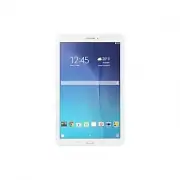 Samsung Galaxy Tab E
User Manual
Samsung Galaxy Tab E
User Manual
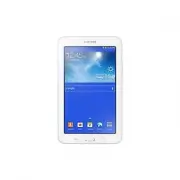 Samsung Galaxy Tab Lite
User Manual
Samsung Galaxy Tab Lite
User Manual
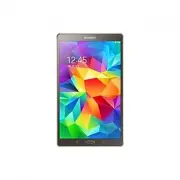 Samsung Galaxy Tab S
User Manual
Samsung Galaxy Tab S
User Manual
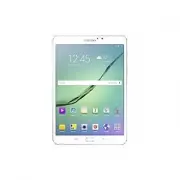 Samsung Galaxy Tab S2
User Manual
Samsung Galaxy Tab S2
User Manual
 Samsung Galaxy Tab S6 Lite
User Manual
Samsung Galaxy Tab S6 Lite
User Manual
 Samsung Galaxy Tab S7
User Manual
Samsung Galaxy Tab S7
User Manual
 Samsung Galaxy Tab S7 FE
User Manual
Samsung Galaxy Tab S7 FE
User Manual
 Samsung Galaxy Tab S7+
User Manual
Samsung Galaxy Tab S7+
User Manual
 Samsung Galaxy Tab S8
User Manual
Samsung Galaxy Tab S8
User Manual