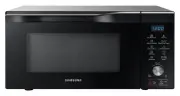
Page 2 - Microwave Oven; User manual
Microwave Oven User manual MS28J5255** Please be advised that the Samsung warranty does NOT cover service calls to explain product operation, correct improper installation, or perform normal cleaning or maintenance. MS28J5255UW_EF_DE68-04333A-00_EN.indd 1 2015-01-13 6:09:17
Page 3 - Contents
2 English C ontents Using this user manual 4 Safety instructions 5 Installation 14 Accessories 14 Installation site 16 Turntable 16 Maintenance 17 Cleaning 17 Replacement (repair) 18 Care against an extended period of disuse 18 Quick look-up guide 19 Oven features 20 Oven 20 Control panel 21 Oven us...
Page 5 - The following symbols are used in this User Manual:; Using this user manual
4 English Using this user manual You have just purchased a SAMSUNG microwave oven. Your Owner’s Instructions contains valuable information on cooking with your microwave oven: • Safety precautions• Suitable accessories and cookware• Useful cooking tips• Cooking tips The following symbols are used in...
Page 6 - Safety instructions; IMPORTANT SAFETY INSTRUCTIONS
English 5 Safety inf ormation Safety instructions IMPORTANT SAFETY INSTRUCTIONS READ CAREFULLY AND KEEP FOR FUTURE REFERENCE. MAKE SURE THAT THESE SAFETY PRECAUTIONS ARE OBEYED AT ALL TIMES. BEFORE USING THE OVEN, CONFIRM THAT THE FOLLOWING INSTRUCTIONS ARE FOLLOWED. Microwave function only WARNING ...
Page 7 - Safety information; : This appliance can be used by children aged from 8 years; : Microwave heating of beverages can result in delayed; : The contents of feeding bottles and baby food jars shall be
6 English Safety information Safety inf ormation WARNING : This appliance can be used by children aged from 8 years and above and persons with reduced physical, sensory or mental capabilities or lack of experience and knowledge if they have been given supervision or instruction concerning use of the...
Page 8 - The appliance should not be cleaned with a water jet.
English 7 Safety inf ormation Failure to maintain the oven in a clean condition could lead to deterioration of the surface that could adversely affect the life of the appliance and possibly result in a hazardous situation. The appliance is not intended for installing in road vehicles, caravans and s...
Page 9 - Oven function only - Optional
8 English Safety information Safety inf ormation The microwave oven is intended to be used on the counter top (freestanding) use only, the microwave oven shall not be placed in a cabinet. Oven function only - Optional WARNING : When the appliance is operated in the combination mode, children should ...
Page 10 - General safety
English 9 Safety inf ormation This appliance can be used by children aged from 8 years and above and persons with reduced physical, sensory or mental capabilities or lack of experience and knowledge if they have been given supervision or instruction concerning use of the appliance in a safe way and ...
Page 14 - Product group definition
English 13 Safety inf ormation Product group definition This product is a Group 2 Class B ISM equipment. The definition of group 2 which contains all ISM equipment in which radio-frequency energy is intentionally generated and/or used in the form of electromagnetic radiation for the treatment of mat...
Page 15 - Installation; Accessories
14 English Installation Installation Accessories Depending on the model that you have purchased, you are supplied with several accessories that can be used in a variety of ways. 01 Roller ring , to be placed in the centre of the oven. Purpose: The roller ring supports the turntable. 02 Turntable , t...
Page 16 - see page
English 15 Installation 04 Plate warming bowl see page 38 to 40. Purpose: The plate warming bowl when using the plate warming function in warming mode. IMPORTANT DO NOT operate the microwave oven without the roller ring and turntable. IMPORTANT DO NOT operate the Microwave , Grill and Combi mode wit...
Page 17 - Installation site
16 English Installation Installation Installation site • Select a flat, level surface approx. 85 cm above the floor. The surface must support the weight of the oven. • Secure room for ventilation, at least 10 cm from the rear wall and both sides, and 20 cm from above. • Do not install the oven in ho...
Page 18 - Maintenance; Cleaning
English 17 Maint enanc e Maintenance Cleaning Clean the oven regularly to prevent impurities from building up on or inside the oven. Also pay special attention to the door, door sealing, and turntable and roller ring (applicable models only).If the door won’t open or close smoothly, first check if t...
Page 20 - If you want to cook some food.
English 19 Q uick look -up g uide Quick look-up guide If you want to cook some food. Place the food in the oven. Press the START/+30s button. Result: Cooking starts. When it has finished. 1) The oven beeps 4 times.2) The end reminder signal will beep 3 times (once every minute). 3) The current time ...
Page 21 - Oven features; Oven
20 English Oven features O v en f eatur es Oven features Oven 01 02 03 04 05 08 09 06 07 10 01 Door handle 04 Light 07 Coupler 02 Door 05 Door latches 08 Roller ring 03 Ventilation holes 06 Turntable 09 Safety interlock holes 10 Control panel MS28J5255UW_EF_DE68-04333A-00_EN.indd 20 2015-01-13 6:09:...
Page 22 - Control panel
English 21 O v en f eatur es Control panel 01 Healthy Cooking Button 02 My Plate Button 03 Power Defrost Button 04 Healthy Steam Button 05 Microwave Button 06 Plate Warming Button 07 Deodorisation Button 08 Child Lock Button 09 Turntable On/Off Button 10 Dial Knob (Weight/Serving/Time) 11 Select/Clo...
Page 23 - Oven use; How a microwave oven works
22 English Oven use Oven use O v en use Oven use How a microwave oven works Microwaves are high-frequency electromagnetic waves; the energy released enables food to be cooked or reheated without changing either the form or the colour.You can use your microwave oven to:• Defrost• Reheat• CookCooking ...
Page 24 - Checking that your oven is operating correctly
English 23 O v en use Checking that your oven is operating correctly The following simple procedure enables you to check that your oven is working correctly at all times. If you are in doubt, refer to the section entitled “Troubleshooting” on the page 45 to 49. Press the START/+30s button and set th...
Page 26 - Setting the time
English 25 O v en use 1. Press the Select/Clock button. 2. Set the 24-hour or 12-hour notation by turning the Dial Knob . And then press the Select/Clock button. 3. Turn the Dial Knob to set the hour. And then press the Select/Clock button. 4. Turn the Dial Knob to set the minute. 5. When the right ...
Page 27 - Adjusting the cooking time; Power levels and time variations
26 English Oven use Oven use O v en use Adjusting the cooking time You can increase the cooking time by pressing the START/+30s button once for each 30 seconds to be added.• Check how cooking is progressing at any time simply by opening the door• Increase the remaining cooking time Method 1. To incr...
Page 28 - Stopping the cooking
English 27 O v en use Stopping the cooking You can stop cooking at any time so that you can:• Check the food• Turn the food over or stir it• Leave it to stand To stop the cooking... Then... Temporarily Temporarily : Open the door or press the STOP/ECO button once. Result: Cooking stops. To resume co...
Page 29 - Using the healthy cooking features
28 English Oven use Oven use O v en use 1. Press the Healthy cooking button. 2. Select the Vegetable & Grain or Poultry & Fish by turning the Dial Knob . And then press the Select/Clock button. 1 - Vegetable & Grain 2 - Poultry & Fish 3. Select the type of food that you are cooking b...
Page 32 - Using the my plate features
English 31 O v en use Using the my plate features The My Plate features has 2 pre-programmed cooking times. You do not need to set either the cooking times or the power level. You can adjust the number of servings by turning the Dial Knob . First, place the food in the centre of the turntable and cl...
Page 33 - Using the power defrost features
32 English Oven use Oven use O v en use Using the power defrost features The Power Defrost features enable you to defrost meat, poultry, fish, bread and cake. The defrost time and power level are set automatically. You simply select the programme and the weight. 1. Press the Power Defrost button. 2....
Page 35 - Using the healthy steam features
34 English Oven use Oven use O v en use Using the healthy steam features The Healthy Steam features has 17 pre-programmed cooking times. You do not need to set either the cooking times or the power level. You can adjust the number of servings by turning the Dial Knob . You can Healthy Steam cook wit...
Page 38 - Glass steamer cooking guide
English 37 O v en use Glass steamer cooking guide The Glass Steamer is based on the principle of steam cooking, and is designed for fast, healthy cooking in your Samsung Microwave oven. This accessory is ideal for cooking rice, pasta, vegetables, etc. in record time, while preserving their nutrition...
Page 39 - Using the plate warming features; Recommend Menu
38 English Oven use Oven use O v en use 1. Place the plates in the centre of the turntable. (Maximum Plates : 5 pcs) 2. Fill with water following guide line (water level) inside the plate warming bowl. (The line is about 200 ml.) 3. Cover the plate warming bowl with lid. And then screw it toward “Lo...
Page 41 - Using the deodorisation features
40 English Oven use Oven use O v en use IMPORTANT Use normal water only, and no distilled water. IMPORTANT Do not use plate warming bowl for cooking. Plate Warming Bowl only can be used during “Plate Warming” mode. IMPORTANT Use only Plates that are microwave-safe. IMPORTANT Do not use this function...
Page 42 - Using the child lock features
English 41 O v en use 1. Press the Child Lock button at the same time. Result: • The oven is locked (no functions can be selected). • The display shows “L”. 2. To unlock the oven, press the Child Lock button at the same time. Result: The oven can be used normally. Using the child lock features Your ...
Page 43 - Switching the beeper off
42 English Oven use Oven use O v en use Switching the beeper off You can switch the beeper off whenever you want. 1. Press the START/+30s and STOP/ECO button at the same time. Result: The oven does not beep to indicate the end of a function. 2. To switch the beeper back on, press the START/+30s and ...
Page 52 - Memo
Memo MS28J5255UW_EF_DE68-04333A-00_EN.indd 51 2015-01-13 6:09:27