Page 2 - safety information; Using this instrUction booklet; contents
English - 2 safety information Using this instrUction booklet You have just purchased a SAMSUNG microwave oven. Your Owner’s Instructions contain valuable information on cooking with your microwave oven: • Safety precautions• Suitable accessories and cookware• Useful cooking tips• Cooking tips legen...
Page 3 - important safety instrUctions; READ CAREFULLY AND KEEP FOR
English - 3 important safety instrUctions READ CAREFULLY AND KEEP FOR FUTURE REFERENCE. Make sure that these safety precautions are obeyed at all times. Before using the oven, confirm that the following instructions are followed. WARNING (Microwave function only) WARNING: If the door or door seals a...
Page 6 - installing yoUr microwave oven; Remove all packing materials inside the oven.
English - 6 This appliance can be used by children aged from 8 years and above and persons with reduced physical, sensory or mental capabilities or lack of experience and knowledge if they have been given supervision or instruction concerning use of the appliance in a safe way and understand the haz...
Page 8 - storing and repairing yoUr; • Broken hinge; NEVER; • Unplug it from the wall socket
English - 8 If you wish to store your oven away temporarily, choose a dry, dustfree place. Reason : Dust and damp may adversely affect the working parts in the oven.This microwave oven is not intended for commercial use.The Light bulb should not be replaced in person for safety reasons. Please conta...
Page 10 - precaUtions to avoid possible exposUre to excessive
English - 10 Do not operate the microwave oven when it is empty. The microwave oven will automatically shut down for 30 minutes for safety purposes. We recommend placing a glass of water inside the oven at all times to absorb microwave energy in case the microwave oven is started accidentally.Instal...
Page 11 - oven features; OVEN
English - 11 01 OVEN FEA TURES (a) A Dented, Scratched, or Broken Door, Handle, Out-Panel, or Control Panel.(b) A Broken or missing Tray, Guide Roller, Coupler, or Wire Rack. • Use this appliance only for its intended purpose as described in this instruction manual. Warnings and Important Safety Ins...
Page 12 - ACCESSORIES; CONTROL PANEL
English - 12 ACCESSORIES Depending on the model that you have purchased, you are supplied with several accessories that can be used in a variety of ways. 1. Roller ring , to be placed in the centre of the oven. Purpose : The roller ring supports the turntable. 2. Turntable , to be placed on the roll...
Page 13 - oven use; HOW A MICROWAVE OVEN WORKS; SETTING THE TIME
English - 13 02 OVEN USE oven use HOW A MICROWAVE OVEN WORKS Microwaves are high-frequency electromagnetic waves; the energy released enables food to be cooked or reheated without changing either the form or the colour.You can use your microwave oven to: • Defrost • Instant Reheat/Cook• Cook Cooking...
Page 14 - POWER LEVELS; ADjUSTING THE COOKING TIME
English - 14 1. To display the time in the...24-hour notation.12-hour notation.Press the Clock button once or twice 2. Set the hour with the h button and the minutes with the min button. 3. When the right time is displayed, press the Clock button again to start the clock. Result : The time is displa...
Page 15 - SETTING THE ENERGY SAVE MODE; USING THE INSTANT REHEAT/COOK FEATURES; USING THE INSTANT REHEAT/COOK PROGRAMMES
English - 15 02 OVEN USE 2. To stop completely; Press the Stop button. Result : The cooking stops. If you wish to cancel the cooking settings, press the Stop button again. You can cancel any setting before starting cooking by simply pressing Stop button. SETTING THE ENERGY SAVE MODE The oven has an ...
Page 16 - USING THE AUTO POWER DEFROST FEATURE; USING THE AUTO POWER DEFROST PROGRAMMES
English - 16 USING THE AUTO POWER DEFROST FEATURE The auto power defrost feature enables you to defrost meat, poultry or fish.The defrost time and power level are set automatically. You simply select the programme and the weight. Use only dishes that are microwave-safe. First, place the frozen food ...
Page 17 - SWITCHING THE BEEPER OFF
English - 17 02 OVEN USE 3. Press the Power Level button. The microwave mode (I) : If necessary, set the power level by pressing the Power Level button again one or more times. (600 W in the example) 4. Set the cooking time by pressing the 10 min , 1 min and 10 s buttons the appropiate number of tim...
Page 18 - cookware guide
English - 18 cookware guide To cook food in the microwave oven, the microwaves must be able to penetrate the food, without being reflected or absorbed by the dish used. Care must therefore be taken when choosing the cookware. If the cookware is marked microwave-safe, you do not need to worry. The fo...
Page 19 - troubleshooting and error code; TROUBLESHOOTING; ERROR CODE
English - 19 03 COOKW ARE GUIDE & t ROU blE shOOt In G troubleshooting and error code TROUBLESHOOTING If you have any of the problems listed below try the solutions given. This is normal. • Condensation inside the oven. • Air flow around the door and outer casing.• Light reflection around the do...
Page 20 - technical specifications
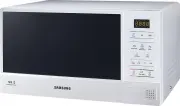
English - 20 technical specifications SAMSUNG strives to improve its products at all times. Both the design specifications and these user instructions are thus subject to change without notice. Model ME83D Power source 240 V ~ 50 Hz Power consumption Microwave 1150 W Output power 100 W / 800 W (IEC-...