Page 2 - Conventions; Symbols
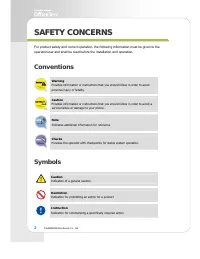
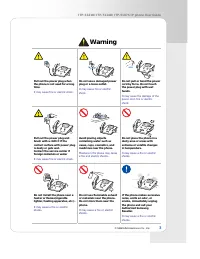
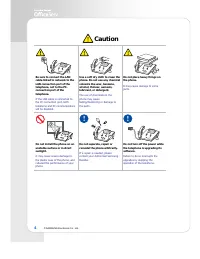
2 © SAMSUNG Electronics Co., Ltd. S S A A F F E E T T Y Y C C O O N N C C E E R R N N S S For product safety and correct operation, the following information must be given to the operator/user and shall be read before the installation and operation. Conventions Warning Provides information or instru...
Page 5 - ОШИБКА; THINGS YOU SHOULD KNOW
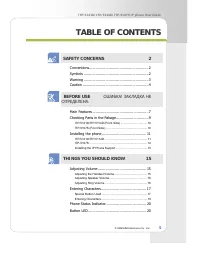
ITP-5121D/ITP-5114D/ITP-5107S IP phone User Guide © SAMSUNG Electronics Co., Ltd. 5 T T A A B B L L E E O O F F C C O O N N T T E E N N T T S S SAFETY CONCERNS 2 Conventions....................................................... 2 Symbols ............................................................ ...
Page 6 - BASIC FUNCTIONS; APPLICATION MENU
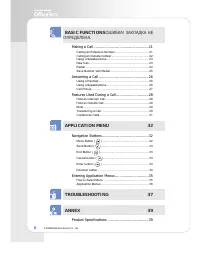
6 © SAMSUNG Electronics Co., Ltd. BASIC FUNCTIONS ОШИБКА ! ЗАКЛАДКА НЕ ОПРЕДЕЛЕНА . Making a Call ...................................................21 Calling an Extension Number ......................................... 21 Calling an Outside number ............................................. 22 ...
Page 7 - Main Features; IP Network; Automatic Redial/Retry
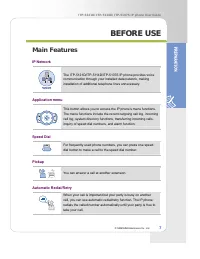
ITP-5121D/ITP-5114D/ITP-5107S IP phone User Guide © SAMSUNG Electronics Co., Ltd. 7 B B E E F F O O R R E E U U S S E E Main Features IP Network The ITP-5121D/ITP-5114D/ITP-5107S IP phone provides voice communication through your installed data network, making installation of additional telephone li...
Page 9 - Checking Parts in the Package
ITP-5121D/ITP-5114D/ITP-5107S IP phone User Guide © SAMSUNG Electronics Co., Ltd. 9 Checking Parts in the Package - If any item is missing or damaged, contact your dealer. - The above f igure shows ITP-5121D as a sample. If you purchase ITP-5114D/ITP- 5107S, the relevant phone is included. Handset L...
Page 11 - Installing the phone
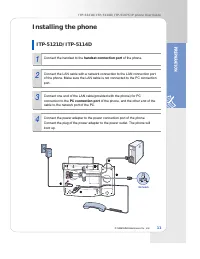
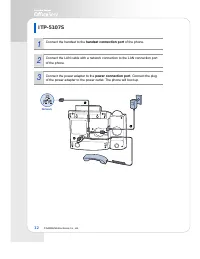
ITP-5121D/ITP-5114D/ITP-5107S IP phone User Guide © SAMSUNG Electronics Co., Ltd. 11 Installing the phone ITP-5121D/ITP-5114D 1 Connect the handset to the handset connection port of the phone. 2 Connect the LAN cable with a network connection to the LAN connection port of the phone. Make sure the LA...
Page 13 - Installing the IP Phone Support
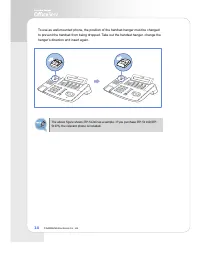
ITP-5121D/ITP-5114D/ITP-5107S IP phone User Guide © SAMSUNG Electronics Co., Ltd. 13 Installing the IP Phone Support Using as Desktop Phone Insert the both ends of the support into two upper grooves in the bottom of the phone as shown in the figure below. Using as Wall-Mounted Phone Insert the both ...
Page 15 - Adjusting Volume; Adjusting the Handset Volume
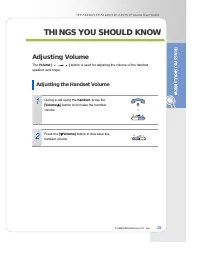
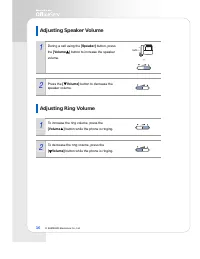
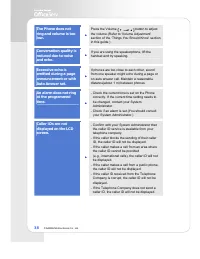
ITP-5121D/ITP-5114D/ITP-5107S IP phone User Guide © SAMSUNG Electronics Co., Ltd. 15 T T H H I I N N G G S S Y Y O O U U S S H H O O U U L L D D K K N N O O W W Adjusting Volume The Volume [ ] button is used for adjusting the volume of the handset, speaker, and ringer. Adjusting the Handset Volume 1...
Page 17 - Entering Characters; Special Button Used
ITP-5121D/ITP-5114D/ITP-5107S IP phone User Guide © SAMSUNG Electronics Co., Ltd. 17 Entering Characters Using the dial buttons of this phone, you can easily enter/edit, letters, numbers and special characters. Special Button Used To enter letters of the alphabet the following special button is used...
Page 20 - Phone Status Indicator; Button; Button LED
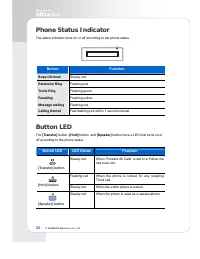
20 © SAMSUNG Electronics Co., Ltd. Phone Status Indicator The status indicator turns on or off according to the phone status. Button Function Busy/Off-hook Steady red. Extension Ring Flashing red. Trunk Ring Flashing green. Recalling Flashing yellow. Message waiting Flashing red. Calling Denied Fast...
Page 21 - Making a Call; Calling an Extension Number
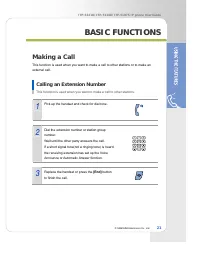
ITP-5121D/ITP-5114D/ITP-5107S IP phone User Guide © SAMSUNG Electronics Co., Ltd. 21 B B A A S S I I C C F F U U N N C C T T I I O O N N S S Making a Call This function is used when you want to make a call to other stations or to make an external call. Calling an Extension Number This function is us...
Page 22 - Calling an Outside number
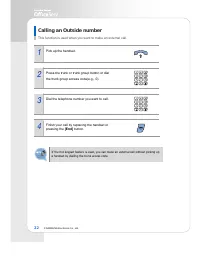
22 © SAMSUNG Electronics Co., Ltd. Calling an Outside number This function is used when you want to make an external call. 1 Pick up the handset. 2 Press the trunk or trunk group button or dial the trunk group access code(e.g., 0). 3 Dial the telephone number you want to call. 4 Finish your call by ...
Page 23 - Using a Speakerphone; New Call
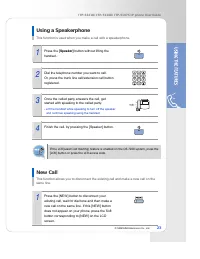
ITP-5121D/ITP-5114D/ITP-5107S IP phone User Guide © SAMSUNG Electronics Co., Ltd. 23 Using a Speakerphone This function is used when you make a call with a speakerphone. 1 Press the [Speaker] button without lifting the handset. 2 Dial the telephone number you want to call. Or, press the trunk line c...
Page 24 - Redial
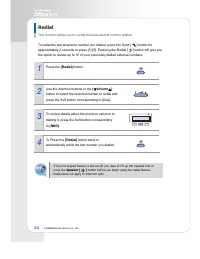
24 © SAMSUNG Electronics Co., Ltd. Redial This function allows you to redial the last external number dialled. To redial the last telephone number you dialled, press the Send [ ] button for approximately 2 seconds or press [1] [9]. Pressing the Redial [ ] button will give you the option to review up...
Page 25 - Save Number with Redial
ITP-5121D/ITP-5114D/ITP-5107S IP phone User Guide © SAMSUNG Electronics Co., Ltd. 25 Save Number with Redial You can redial the saved number anytime. 1 To save the number you just dialled for later use, press the [SAVE] button before hanging up. 2 This saved number can be redialled at any time by pr...
Page 26 - Answering a Call; Using a Handset
26 © SAMSUNG Electronics Co., Ltd. Answering a Call This function is used when you want to answer an intercom call or external call. Using a Handset This function is used when you answer a call with a handset. 1 When the phone rings, pick up the handset. 2 To finish the call replace the handset. Usi...
Page 27 - Call Pickup
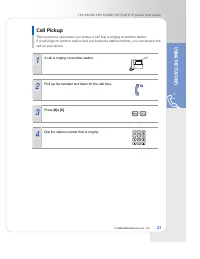
ITP-5121D/ITP-5114D/ITP-5107S IP phone User Guide © SAMSUNG Electronics Co., Ltd. 27 Call Pickup This function is used when you pickup a call that is ringing at another station. If a call rings on another station and you know the station number, you can answer the call on your phone. 1 A call is rin...
Page 28 - Features Used During a Call; Hold an Intercom Call
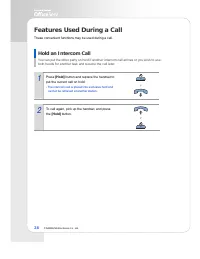
28 © SAMSUNG Electronics Co., Ltd. Features Used During a Call These convenient functions may be used during a call. Hold an Intercom Call You can put the other party on hold if another intercom call arrives or you wish to use both hands for another task and resume the call later. 1 Press [Hold] but...
Page 30 - Transferring a Call
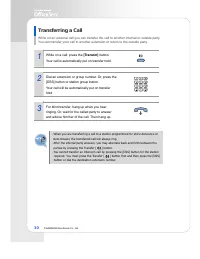
30 © SAMSUNG Electronics Co., Ltd. Transferring a Call While on an external call you can transfer the call to another internal or outside party. You can transfer your call to another extension or return to the outside party. 1 While on a call, press the [Transfer] button. Your call is automatically ...
Page 31 - Conference Calls
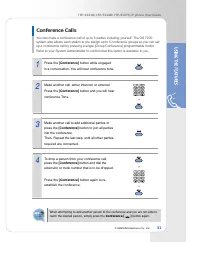
ITP-5121D/ITP-5114D/ITP-5107S IP phone User Guide © SAMSUNG Electronics Co., Ltd. 31 Conference Calls You can make a conference call of up to 5 parties including yourself. The OS 7200 system also allows each station to pre assign up to 5 conference groups so you can set up a conference call by press...
Page 32 - Navigation Buttons
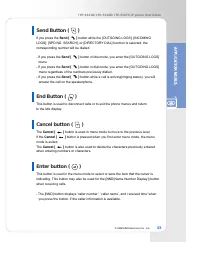
32 © SAMSUNG Electronics Co., Ltd. A A P P P P L L I I C C A A T T I I O O N N M M E E N N U U Navigation Buttons The ITP-5121D and ITP-5114D IP phones have navigation buttons for convenient use of the IP phone functions. This chapter introduces the functions available using the navigation buttons a...
Page 34 - Direction button
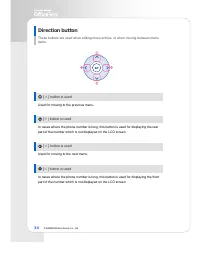
34 © SAMSUNG Electronics Co., Ltd. Direction button These buttons are used when editing menu entries, or when moving between menu items. 1 [ ∧ ] button is used Used for moving to the previous menu. 2 [ > ] button is used In cases where the phone number is long, this button is used for displaying ...
Page 35 - Entering Application Menus; How to Select Menu
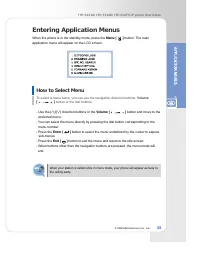
ITP-5121D/ITP-5114D/ITP-5107S IP phone User Guide © SAMSUNG Electronics Co., Ltd. 35 Entering Application Menus When the phone is in the standby mode, press the Menu [ ] button. The main application menu will appear on the LCD screen. How to Select Menu To select a menu items, you can use the naviga...
Page 36 - Application Menus
36 © SAMSUNG Electronics Co., Ltd. Application Menus The main application menu will appear on the LCD screen, by pressing the Menu [ ] button. - To use the ‘3. SPD NO. SEARCH’ and ’5. FORWARD ASSIGN’ menu function you should consult your System Administrator. - If the Transfer [ ] button is pressed,...
Page 39 - Product Specifications; Items
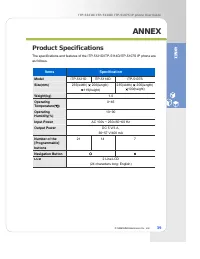
ITP-5121D/ITP-5114D/ITP-5107S IP phone User Guide © SAMSUNG Electronics Co., Ltd. 39 A A N N N N E E X X Product Specifications The specifications and features of the ITP-5121D/ITP-5114D/ITP-5107S IP phone are as follows. Items Specification Model ITP-5121D ITP-5114D ITP-5107S Size(mm) 235(width) 20...