Page 2 - Using this manual; Read me first
Using this manual 2 Using this manual Thank you for choosing this Samsung mobile device. This device will provide you with high-quality mobile communication and entertainment based on Samsung’s exceptional technology and high standards.This manual has been specially designed to guide you through the...
Page 3 - Instructional icons
Using this manual 3 ● Samsung is not liable for performance issues or incompatibilities caused by edited registry settings or modified operating system software. Attempting to customise the operating system may cause your device or applications to work improperly. ● You can upgrade your device’s sof...
Page 4 - Copyright
Using this manual 4 Copyright Copyright © 2013 Samsung ElectronicsThis manual is protected under international copyright laws.No part of this manual may be reproduced, distributed, translated, or transmitted in any form or by any means, electronic or mechanical, including photocopying, recording, or...
Page 5 - ABOUT DIVX VIDEO
Using this manual 5 ● DivX ® , DivX Certified ® and associated logos are trademarks of Rovi Corporation or its subsidiaries and are used under licence. ● All other trademarks and copyrights are the property of their respective owners. ABOUT DIVX VIDEO DivX ® is a digital video format created by DivX...
Page 6 - Contents
Contents 6 Assembling ........................................................ 10 Unpack ................................................................................................. 10Device layout ..................................................................................... 11Keys .......
Page 10 - Assembling; Unpack
Assembling 10 Assembling Unpack Check your product box for the following items: ● Mobile device ● Quick start guide Use only Samsung-approved software. Pirated or illegal software may cause damage or malfunctions that are not covered by your manufacturer's warranty. ● The items supplied with your de...
Page 11 - Device layout; Front view
Assembling 11 Device layout › Front view Number Function 1 Light sensor 2 Memory card slot 3 Touch screen 4 Speaker 5 Multifunction jack 6 Front camera lens
Page 12 - Rear view
Assembling 12 › Rear view Number Function 7 Microphone 8 GPS antenna 1 9 Power/Reset/Lock key 10 Rear camera lens 11 Volume key 12 Headset jack 1. Do not touch or cover the area around the antenna with your hands or other objects while using the GPS functions.
Page 13 - Keys
Assembling 13 Keys Key Function Power/ Reset 1 / Lock Turn on the device (press and hold); Access the device options (press and hold); Reset the device (press and hold for 8-10 seconds); Turn off and lock the touch screen or turn it on. Volume Adjust the device’s volume. Charge the battery Before us...
Page 15 - Reduce the battery consumption
Assembling 15 2 Plug the USB power adapter into a power outlet. ● If the device receives an unstable power supply while charging, the touch screen may not function. If this happens, unplug the USB cable from the device. ● The device may heat up while charging. This is normal and should not affect yo...
Page 17 - Remove a memory card
Assembling 17 3 Push the memory card into the memory card slot until it locks in place. 4 Close the cover of the memory card slot. › Remove a memory card Ensure that the device is not currently accessing the memory card. 1 In the application list, select Settings → Storage → Unmount SD card → OK . 2...
Page 18 - Getting started; Turn on or off your device
18 Getting started Getting started Turn on or off your device To turn on your device, press and hold the Power key. If you are turning on your device for the first time, follow the on-screen instructions to set up your device. You must sign in to Google or create a Google account to use applications...
Page 19 - Use the touch screen
19 Getting started Use the touch screen Your device’s touch screen lets you easily select items or perform functions. Learn basic actions for using the touch screen. ● Do not press the touch screen with your fingertips, or use sharp tools on the touch screen. Doing so may damage the touch screen or ...
Page 22 - Lock or unlock the touch screen and the
22 Getting started Lock or unlock the touch screen and the keys When you do not use the device for a specified period, your device turns off the touch screen and locks the touch screen and the keys automatically to prevent unintended operations. To lock the touch screen and the keys manually, press ...
Page 23 - System bar
23 Getting started › System bar From the system bar at the bottom of the screen, you can quickly navigate the screen and access applications. Number Function 1 Open the list of recent applications. 2 Return to the Home screen; Access the Google search widget or Google Now (tap and hold). 3 Return to...
Page 24 - Use the notifications panel
24 Getting started Icon DefinitionNew messageAlarm activatedFlight mode activatedError occurred or caution requiredBattery power level › Use the notifications panel To open the notifications panel, tap the indicator icons area and drag it downwards. To hide the panel, drag the bottom of the panel up...
Page 25 - Move an item on the Home screen; Remove an item from the Home screen
25 Getting started › Move an item on the Home screen Tap and hold an item, and then drag it to a new location. You can add an item to a new folder or move it to a new panel. Tap and hold the item, and then drag it to Create folder or Create page . › Remove an item from the Home screen Tap and hold a...
Page 26 - Add or remove a panel from the Home screen
26 Getting started › Add or remove a panel from the Home screen You can add or remove Home screen panels to organise widgets. 1 On the Home screen, place two fingers on the screen and pinch them together to switch to Edit mode. 2 Add, remove, or reorganise panels: ● To remove a panel, tap and hold t...
Page 27 - Access applications
27 Getting started Access applications Launch applications and take full advantage of features on your device. You can reorganise the application list to match your preferences, or download applications from the Internet to enhance your device’s functionality. 1 On the Home screen, select Apps to ac...
Page 28 - Organise applications
28 Getting started › Organise applications You can change the order of applications in the application list or group them into categories. 1 In the application list, select → Edit . 2 Tap and hold an application icon. 3 Organise applications: ● To move the application, drag it to a new location. ● T...
Page 29 - Access recently-used applications; Launch multiple applications; Manage applications; Customise your device; Change the display language
29 Getting started › Access recently-used applications 1 Select to view the applications you have accessed recently. 2 Select an application. Launch multiple applications Your device allows you to multitask by running multiple applications at the same time. To launch multiple applications, select wh...
Page 30 - Turn on or off the touch tones
30 Getting started › Turn on or off the touch tones In the application list, select Settings → Sound → Touch sounds . › Adjust the device’s volume 1 Press the Volume key up or down. 2 Select and drag the sliders to adjust the volume level for each sound. › Switch to Silent mode To mute or unmute you...
Page 31 - Adjust the brightness of the display; Set your device to adjust the brightness
31 Getting started › Adjust the brightness of the display Your device includes a light sensor, which can detect the level of ambient light and adjust the brightness of the display automatically. You can also manually set the brightness of the display. The brightness of the display will affect how qu...
Page 32 - Lock your device; Set a face detection unlock
32 Getting started › Lock your device You can lock your device by activating the screen lock feature. ● If you forget your password, take your device to a Samsung Service Centre to reset it. ● Samsung is not responsible for the loss of passwords or private information, or other damages caused by ill...
Page 33 - Set an unlock PIN; Activate the Find my mobile feature
33 Getting started Set an unlock PIN 1 In the application list, select Settings → Lock screen → Screen lock → PIN . 2 Enter a new PIN and select Continue . 3 Enter the PIN again and select OK . Set an unlock password 1 In the application list, select Settings → Lock screen → Screen lock → Password ....
Page 34 - Enter text; Change the text input method; Enter text with the Google voice input feature; Enter text with the Samsung keypad
34 Getting started Enter text You can enter text by speaking words into the microphone or selecting characters on the virtual keypad. Text entry is not supported in some languages. To enter text, you must change the input language to one of the supported languages. › Change the text input method 1 F...
Page 35 - Copy and paste text
35 Getting started Number Function 1 Change the case. 2 Switch text input modes. 3 Access the keypad settings; Enter text by voice (tap and hold). 4 Insert a space. 5 Clear your input. 6 Start a new line. 7 Add an item from the clipboard. › Copy and paste text From a text field, you can copy and pas...
Page 36 - Web and GPS-based services; Internet
Web and GPS-based services 36 Web and GPS-based services You may incur additional charges for accessing the Internet and downloading media files. For details, contact your service provider. Internet Learn to access and bookmark your favourite webpages. ● This feature may be labelled differently depe...
Page 38 - Search for information by voice
Web and GPS-based services 38 ● To save the current webpage for reading offline, select → Save for offline reading . You can view the saved pages by selecting → Saved pages . ● To view your download history, select → Downloads . ● To print the webpage via Wi-Fi or USB, select → Print . Your device i...
Page 39 - Download a file from the Internet; View your recent history
Web and GPS-based services 39 › Download a file from the Internet When you download files or applications from the Internet, your device saves them to the internal memory. Files you download from the Internet can include viruses that will damage your device. To reduce this risk, only download files ...
Page 40 - Search for a location
Web and GPS-based services 40 Maps Learn to use the Google Maps ™ mapping service to find your location, search for places, and get directions. ● This feature may be unavailable depending on your region or service provider. ● You must activate location services to find your location and search the m...
Page 41 - Share locations using Google Latitude
Web and GPS-based services 41 ● To save a map and for offline viewing, select → Make available offline . To view the saved map, select → My Places → OFFLINE . ● To search for a place nearby, select → Local . ● To add layers of additional information to the map or change the view mode, select → Layer...
Page 42 - Get directions to a specific destination; Navigation
Web and GPS-based services 42 › Get directions to a specific destination 1 In the application list, select Maps . 2 Select . 3 Enter the addresses of the starting location and the destination.To enter an address from your contact list or starred places, or select a point on the map, select → an opti...
Page 43 - Local
Web and GPS-based services 43 1 In the application list, select Navigation . 2 Enter your destination with the following methods: ● Speak destination : Enter your destination by voice. ● Type destination : Enter your destination with the virtual keypad. ● Contacts : Select your destination from cont...
Page 44 - Play Movies; Play Store
Web and GPS-based services 44 Play Books Browse and download book files with Google Play Books. You can read book files on your device. In the application list, select Play Books . This feature may be unavailable depending on your region or service provider. Play Movies Browse and rent movies with G...
Page 45 - Download an application; Uninstall an application
Web and GPS-based services 45 › Download an application 1 In the application list, select Play Store . 2 Search for an application and download it to the device.When the download is complete, the device will install the application automatically. › Uninstall an application 1 In the application list,...
Page 46 - S Suggest; YouTube
Web and GPS-based services 46 Samsung Apps Samsung Apps allows you to easily download a wide range of applications and updates for your device. With fully optimised applications from Samsung Apps, your device becomes even smarter. Explore the useful applications on offer and enhance your mobile life...
Page 47 - Play a video; Upload a video
Web and GPS-based services 47 › Play a video 1 In the application list, select YouTube . 2 Select a video. 3 Control playback with the following keys: Number Function 1 Pause or resume playback. 2 Scan forwards or backwards in the file by dragging the bar. 3 Play the video on the full screen. › Uplo...
Page 48 - Voice Search
Web and GPS-based services 48 Video Hub Learn to access videos. This feature may be unavailable depending on your region or service provider. 1 In the application list, select Video Hub . 2 Select a category. 3 Search for and access videos. Voice Search Learn to search the Internet by voice. This fe...
Page 49 - Communication; Google Mail
Communication 49 Communication Google Mail Learn to send or view email messages via the Google Mail ™ webmail service. ● This feature may be unavailable depending on your region or service provider. ● This feature may be labelled differently depending on your region or service provider. › Send an em...
Page 50 - View an email message
Communication 50 › View an email message 1 In the application list, select Google Mail . 2 Select to update the message list. 3 Select an email message. From the message view, use the following options: ● To move to the next or previous message, scroll right or left. ● To reply to the message, selec...
Page 51 - Set up an email account
Communication 51 Email Learn to send or view email messages via your personal or company email account. › Set up an email account 1 In the application list, select Email . 2 Enter your email address and password. 3 Select Next . To enter account details manually, select Manual setup . 4 Follow the o...
Page 53 - Talk; Set your status
Communication 53 ● To save the email addresses of the recipients to the phonebook as a group of contacts, select → Save as group . ● To change the email settings, select → Settings . ● To save an attachment to your device, select the attachment tab → . The options available may vary depending on the...
Page 54 - Start a conversation
Communication 54 › Start a conversation 1 In the application list, select Talk . 2 Select a contact from the friend list.The conversation screen opens. 3 Enter and send your message. ● To add more contacts to the conversation, select → Add to chat . ● To use video chat, select . ● To use voice chat,...
Page 56 - Entertainment; Camera
56 Entertainment Entertainment Camera Learn how to take and view photos and videos. ● The camera turns off automatically when you do not use it for a specified period. ● The memory capacity may differ depending on the scene or shooting conditions. › Take a photo 1 In the application list, select Cam...
Page 59 - Change the shooting mode; Customise camera settings
59 Entertainment › Change the shooting mode You can take photos with various shooting modes. To change the shooting mode, select → Shooting mode → an option. Option Function Panorama Take panoramic photos. Share shot Take a photo and send it to others via Wi-Fi Direct. Buddy photo share Set the devi...
Page 61 - Record a video
61 Entertainment › Record a video 1 In the application list, select Camera . 2 Rotate the device to the landscape view. 3 Drag the slider to switch to the camcorder. 4 Aim the lens at the subject and make any necessary adjustments. Number Function 1 Use camcorder shortcuts. ● : Switch to the front c...
Page 63 - Customise camcorder settings
63 Entertainment ● To search for devices that have media sharing activated, select → Scan for nearby devices . ● To view video details, select → Details . › Customise camcorder settings Before recording a video, select to access the following options: Option Function Edit shortcuts Edit shortcuts to...
Page 64 - Edit the shortcut icons
64 Entertainment › Edit the shortcut icons You can add or remove shortcuts to frequently-used options. 1 From the preview screen, select → Edit shortcuts . 2 Tap and hold an icon from the option list, and then drag it to the shortcut area.To remove shortcuts, tap and hold an icon, and then drag it t...
Page 67 - Gallery; View an image
67 Entertainment Gallery Learn to view images and play videos saved in your device. ● Some file formats are not supported depending on the device’s software. ● If a file size exceeds the memory available, an error may occur when you try to open the file. ● Playback quality may vary by content type. ...
Page 68 - Tag a face in an image
68 Entertainment ● To rotate the image anti-clockwise, select → Rotate left . ● To rotate the image clockwise, select → Rotate right . ● To crop a section from the image, select → Crop . ● To edit the photo with the image editor or video editor, select → Edit . ► p. 70, 71 ● To set the image as you...
Page 70 - Photo Editor
70 Entertainment Photo Editor You can edit images and apply various effects. 1 In the application list, select Photo Editor . 2 Select an image, or select Select picture → a folder → an image.To take a new photo, select Take picture . 3 Select Selection → OK . 4 Draw a border around the area you wan...
Page 71 - Video Editor; Create a video
71 Entertainment 6 When you are finished, select . 7 Enter a name for the image and select OK . Video Editor You can edit videos and apply various effects. › Create a video 1 In the application list, select Video Editor . 2 Rotate the device to the landscape view. 3 Select a frame theme. 4 Select Ad...
Page 72 - Trim a segment of a video
72 Entertainment › Trim a segment of a video 1 Launch the video editor and open a video file. 2 Select the thumbnail. 3 Move the start bracket to the point where trimming should begin. 4 Move the end bracket to the point where the trimming should end. 5 Save the edited video. › Split a video 1 Launc...
Page 73 - Add music files to your device
73 Entertainment Music Player Learn to listen to your favourite music while on the go. ● Some file formats are not supported depending on the device’s software. ● If a file size exceeds the memory available, an error may occur when you try to open the file. ● Playback quality may vary by content typ...
Page 76 - Create a playlist
76 Entertainment › Create a playlist 1 In the application list, select Music Player . 2 Select → New playlist . 3 Enter a title for your new playlist and select OK . 4 Select a music category. 5 Select the files to include and select Done . › Customise music player settings 1 In the application list...
Page 78 - Personal information; Contacts; Find a contact
Personal information 78 Personal information Contacts Learn to create and manage a list of your personal or business contacts. You can save names, phone numbers, email addresses, and more for your contacts. › Create a contact 1 In the application list, select Contacts → Contacts → . 2 Select a memor...
Page 79 - Create your namecard; Import contact files
Personal information 79 › Create your namecard 1 In the application list, select Contacts → Contacts . 2 Select your name at the top of the contact list. 3 Select → Edit . 4 Enter your personal details and select . You can send your namecard to others by selecting → Share namecard via . › Create a g...
Page 80 - Export contacts; S Planner; Create an event or task
Personal information 80 4 Select an option for importing a single contact file, multiple contact files, or all contact files, and then select OK . 5 Select contact files to import, and then select OK . Export contacts 1 In the application list, select Contacts → Contacts . 2 Select → Import/Export →...
Page 81 - View an event or task
Personal information 81 ● Week : Hourly blocks for one full week ● Day : Hourly blocks for one full day ● List : A list of all the events and holidays scheduled for a specific period ● Task : A list of tasks You can also change the view mode by placing two fingers on the screen and spreading them ap...
Page 82 - Create a memo; View a memo
Personal information 82 Memo Learn to record important information for viewing at a later date. › Create a memo 1 In the application list, select Memo . 2 Select . 3 Enter your memo text. 4 Select Done . › View a memo 1 In the application list, select Memo . 2 Select a memo to view its details. Whil...
Page 83 - Connectivity; USB connections; Connect with Samsung Kies
Connectivity 83 Connectivity USB connections Learn to connect your device to a computer with a USB cable. Do not disconnect the USB cable from a computer while the device is transferring or accessing data. Doing so may result in data loss or damage to the device.For best results, connect the USB cab...
Page 84 - Connect with Windows Media Player; Connect as a camera device
Connectivity 84 › Connect with Windows Media Player Ensure that Windows Media Player is installed on your computer. 1 Connect your device to a computer with a USB cable. 2 Open Windows Media Player and synchronise music files. › Connect as a media device You can connect your device to a computer and...
Page 85 - Activate the Wi-Fi feature; Find and connect to a Wi-Fi AP
Connectivity 85 Wi-Fi Learn to use your device’s wireless networking capabilities to activate and connect to any wireless local area network (WLAN) compatible with the IEEE 802.11 standards.You can connect to the Internet or other network devices anywhere an access point or wireless hotspot is avail...
Page 86 - Add a Wi-Fi AP manually; Connect with a WPS button
Connectivity 86 › Add a Wi-Fi AP manually 1 In the application list, select Settings → Wi-Fi → Add Wi- Fi network . 2 Enter an SSID for the AP and select a security type. 3 Set the security settings according to the security type you selected, and then select Save . › Connect to a Wi-Fi AP with a pr...
Page 87 - Set the static IP settings
Connectivity 87 › Set the static IP settings 1 In the application list, select Settings → Wi-Fi . 2 Select an AP → Show advanced options . 3 Select the IP settings drop-down menu. 4 Select Static . 5 Change the IP settings. 6 Select Connect . › Customise Wi-Fi settings 1 In the application list, sel...
Page 88 - Connect your device to another device; Receive data via Wi-Fi
Connectivity 88 Wi-Fi Direct Learn to use the Wi-Fi Direct feature to connect two devices via Wi-Fi without requiring an AP. › Connect your device to another device 1 In the application list, select Settings → Wi-Fi → Wi-Fi Direct . 2 Select Scan . 3 Select a device.When the owner of the other devic...
Page 89 - Send a file; Share a file
Connectivity 89 AllShare Play Learn to use the AllShare Play service that enables you to play contents saved on various devices over the Internet. You can play and send any file on any device to another device or web storage server via AllShare Play.To use the AllShare Play service, you must sign in...
Page 90 - Play a file on a remote device; Manage contents on a web storage server
Connectivity 90 › Play a file on a remote device ● Supported file formats may differ depending on connected devices as a media player. ● Some files may be buffered while playing depending on the network connection. 1 In the application list, select AllShare Play . 2 Select a device or web storage th...
Page 91 - Customise AllShare Play settings
Connectivity 91 › Customise AllShare Play settings 1 In the application list, select AllShare Play . 2 Select → Settings . 3 Change the following options: Option Function Registered storage View web storage servers that have been added to AllShare Play. Registered devices View or edit devices that h...
Page 92 - Bluetooth; Activate the Bluetooth feature
Connectivity 92 Bluetooth Learn to exchange data or media files with other devices via Bluetooth. ● Samsung is not responsible for the loss, interception, or misuse of data sent or received via the Bluetooth feature. ● Always ensure that you share and receive data with devices that are trusted and p...
Page 93 - Find and pair with another device; Send data via Bluetooth
Connectivity 93 › Find and pair with another device 1 In the application list, select Settings → Bluetooth → Scan . 2 Select a device. 3 Select OK to match the Bluetooth PIN between two devices. Alternately, enter a Bluetooth PIN and select OK . When the owner of the other device accepts the connect...
Page 94 - Receive data via Bluetooth; GPS
Connectivity 94 › Receive data via Bluetooth 1 In the application list, select Settings → Bluetooth and then select the tick box next to your device. To select the length of time that your device will be visible, select → Visible time-out . 2 When prompted, select OK to match the Bluetooth PIN or en...
Page 95 - Activate location services; VPN connections
Connectivity 95 › Activate location services You must activate location services to receive location information or search the map. 1 In the application list, select Settings → Location services . 2 Change the following options: Option Function Use wireless networks Set to use Wi-Fi to find your loc...
Page 96 - Set up a VPN profile
Connectivity 96 › Set up a VPN profile 1 In the application list, select Settings → More settings → VPN → Add VPN network . 2 Change the following options: Option Function Name Enter a name for the VPN server. Type Select a VPN type. Server address Enter the IP address of the VPN server.L2TP secret ...
Page 97 - Connect to a private network
Connectivity 97 Option Function PPP encryption (MPPE) Set to encrypt data before sending it to the VPN server. Show advanced options Set to change the advanced network settings. The options available may vary depending on the VPN type. 3 When you are finished, select Save . › Connect to a private ne...
Page 98 - Tools; Alarm; Stop an alarm
98 Tools Tools Alarm Learn to set and control alarms for important events. › Set an alarm 1 In the application list, select Alarm . 2 Select . 3 Set the details of the alarm. 4 When you are finished, select Done . To deactivate an alarm, select the clock icon next to the alarm. To delete an alarm, s...
Page 99 - Perform a calculation; View the calculation history; Downloads
99 Tools Calculator Learn to perform calculations with your device. › Perform a calculation 1 In the application list, select Calculator . 2 Use the keys on the screen to perform basic calculations. Rotate the device to the landscape view to use the scientific calculator. If you have prevented the d...
Page 100 - Dropbox; Activate Dropbox
100 Tools Dropbox Learn to use the Dropbox cloud storage service to save and share your files with others. When you save files to your Dropbox folder, your device automatically synchronise with the web server and any other computers that have Dropbox installed. › Activate Dropbox 1 In the applicatio...
Page 101 - View a file; My Files; Supported file formats
101 Tools › View a file 1 In the application list, select Dropbox → . 2 Select a file. My Files Learn to access various types of files saved in your device. › Supported file formats Your device supports the following file formats: Type Format Image bmp, gif, jpg, png Video avi, 3gp/mp4, wmv, flv, mk...
Page 102 - Polaris Office
102 Tools › View a file 1 In the application list, select My Files . 2 Select a folder. ● To move up one level in the file directory, select . ● To return to the Home directory, select . 3 Select a file. From the folder list, access the following options: ● To search for files saved in your device, ...
Page 103 - Create a document
103 Tools › Create a document 1 In the application list, select Polaris Office . 2 Select → a document type. 3 Select a template (if necessary). 4 Create the document. 5 When you are finished, select → Save . 6 Enter a name for the document and select a memory location for saving the document, and t...
Page 104 - Manage documents online; Google
104 Tools › Manage documents online 1 In the application list, select Polaris Office . 2 Select Clouds → Add account → a cloud service. 3 Enter your email address and password to access your account, and then select OK . 4 View and manage your documents on the server. Google Learn to search for data...
Page 105 - Access the setting options
Settings 105 Settings Access the setting options 1 In the application list, select Settings . 2 Select a setting category, and then select an option. Wi-Fi Activate the Wi-Fi feature to connect to a Wi-Fi AP and access the Internet or other network devices.To use options, select . ● Advanced : Custo...
Page 106 - More settings; Flight mode
Settings 106 More settings Change the settings to control connections with other devices or networks. › Flight mode Activate Flight mode to disable all wireless functions on your device. You can use only non-network features. › VPN Set up and manage virtual private networks (VPNs). › Nearby devices ...
Page 107 - Blocking mode
Settings 107 Blocking mode Select which notifications will be blocked. Sound Change the settings for various sounds on your device. ● Volume : Adjust the volume for various sounds on your device. ● Default notifications : Select a ringtone to alert you to events. ● Touch sounds : Set the device to s...
Page 108 - Storage
Settings 108 ● Font style : Change the font type for the display text. ● Font size : Change the font size for creating or showing items in applications. ● Battery percentage : Set to view the remaining battery life. Storage View memory information for your device and memory card. You can also format...
Page 109 - Application manager
Settings 109 Application manager View and manage the applications on your device. Location services Change the settings for location services. ● Use wireless networks : Set to use Wi-Fi for finding your location. ● Use GPS satellites : Set to use GPS satellites for finding your location. ● Location ...
Page 110 - Security
Settings 110 - Weather : Set to show the weather information and change the settings for the weather display. - Help text : Set to show the help text on the locked screen. ● Owner information : Enter your information that is shown on the locked screen. Security Change the settings for securing your ...
Page 111 - Language and input; Language
Settings 111 ● Device administrators : View the administrators you have approved for your device. You can allow device administrators to apply new policies to your device. ● Unknown sources : Set to download applications from any source. If you do not select this option, you can download application...
Page 112 - Samsung keyboard
Settings 112 › Samsung keyboard To change the Samsung keypad settings, select . ● Input language : Select input languages to use with the keypad. ● Predictive text : Activate XT9 mode to predict words based on your input and show word suggestions. ● Continuous input : Set to enter text by sweeping o...
Page 113 - Pointer speed; Back up and reset
Settings 113 › Text-to-speech output ● Preferred TTS engine : Select a speech synthesis engine. To change the settings for speech synthesis engines, select . ● Speech rate : Select a speed for the TTS feature. ● Listen to an example : Listen to the spoken text for an example. ● Driving mode : Activa...
Page 114 - Accessory
Settings 114 Accessory Dock sound : Set the device to play a sound when your device is connected to or removed from a desktop dock. Date and time Change the settings to control how time and date appears on your device. If the battery remains fully discharged or removed from the device, the time and ...
Page 115 - Developer options
Settings 115 ● TalkBack : Activate TalkBack, which provides voice feedback. ● Font size : Change the font size in the calendar, email, phonebook, and memo applications. ● Text-to-speech output : - Preferred TTS engine : Select a speech synthesis engine. To change the settings for speech synthesis en...
Page 117 - About device
Settings 117 ● Enable traces : Set to capture traces of application and system performance. ● Do not keep activities : Set to end a running application when you launch a new application. ● Limit background processes : Set to limit the number of processes that can run in the background. ● Show all AN...
Page 118 - Troubleshooting; Your device displays network or service error
Troubleshooting 118 Troubleshooting Your device displays network or service error messages ● When you are in areas with weak signals or poor reception, you may lose reception. Move to another area and try again. ● You cannot access some options without a subscription. Contact your service provider f...
Page 119 - The device beeps and the battery icon is empty
Troubleshooting 119 The device beeps and the battery icon is empty Your battery is low. Recharge the battery to continue using the device. The battery does not charge properly or the device turns off If the battery will no longer charge completely, you need to replace it with a new battery. Take you...
Page 120 - Error messages appear when opening music files
Troubleshooting 120 Error messages appear when opening music files Some music files may not play on your device for a number of reasons. If you receive error messages when opening music files on your device, try the following: ● Free some memory by transferring files to a computer or deleting files ...
Page 121 - Index
Index 121 alarms 98AllShare Play 89applications closing 29 downloading 28 launching 27 multitasking 29 organising 28 uninstalling 28 battery charging 13 Bluetooth 92calculator 99calendar creating events 80 viewing events 81 camera changing camcorder settings 63 changing camera settings 59 recording ...


 Samsung Galaxy Tab S6
User Manual
Samsung Galaxy Tab S6
User Manual
 Samsung Tab Active Pro
User Manual
Samsung Tab Active Pro
User Manual
 Samsung Galaxy Book
User Manual
Samsung Galaxy Book
User Manual
 Samsung Galaxy Note pro
User Manual
Samsung Galaxy Note pro
User Manual
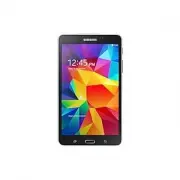 Samsung Galaxy Tab 4
User Manual
Samsung Galaxy Tab 4
User Manual
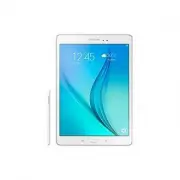 Samsung Galaxy Tab A
User Manual
Samsung Galaxy Tab A
User Manual
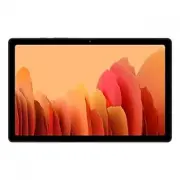 Samsung Galaxy Tab A7
User Manual
Samsung Galaxy Tab A7
User Manual
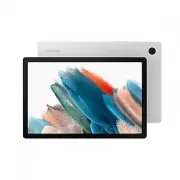 Samsung Galaxy Tab A8
User Manual
Samsung Galaxy Tab A8
User Manual
 Samsung Galaxy Tab A9
User Manual
Samsung Galaxy Tab A9
User Manual
 Samsung Galaxy Tab A9+
User Manual
Samsung Galaxy Tab A9+
User Manual
 Samsung Galaxy Tab Active Pro
User Manual
Samsung Galaxy Tab Active Pro
User Manual
 Samsung Galaxy Tab E
User Manual
Samsung Galaxy Tab E
User Manual
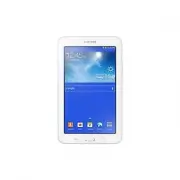 Samsung Galaxy Tab Lite
User Manual
Samsung Galaxy Tab Lite
User Manual
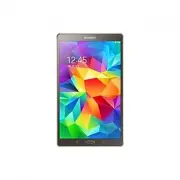 Samsung Galaxy Tab S
User Manual
Samsung Galaxy Tab S
User Manual
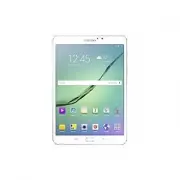 Samsung Galaxy Tab S2
User Manual
Samsung Galaxy Tab S2
User Manual
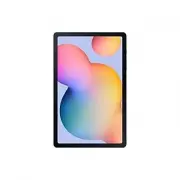 Samsung Galaxy Tab S6 Lite
User Manual
Samsung Galaxy Tab S6 Lite
User Manual
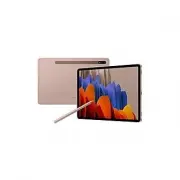 Samsung Galaxy Tab S7
User Manual
Samsung Galaxy Tab S7
User Manual
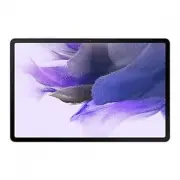 Samsung Galaxy Tab S7 FE
User Manual
Samsung Galaxy Tab S7 FE
User Manual
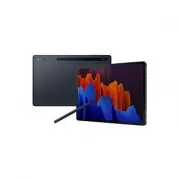 Samsung Galaxy Tab S7+
User Manual
Samsung Galaxy Tab S7+
User Manual
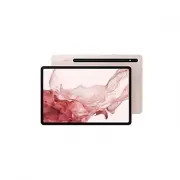 Samsung Galaxy Tab S8
User Manual
Samsung Galaxy Tab S8
User Manual