Page 2 - Contents; Safety information
Contents English 2 Contents Safety information 4 What you need to know about the safety instructions 4 Important safety symbols 4 Before using your dishwasher 7 Before you start 12 Unpacking your dishwasher 12 Checking parts 13 Unsuitable items for the dishwasher 15 Water reflector 15 Using your dis...
Page 3 - Troubleshooting; Cycle chart
Contents English 3 Troubleshooting 46 Check these solutions if your dishwasher… 46 Information codes 51 Cycle chart 53 Appendix 55 Helping the environment 55 Specifications 55 Warranty (U.S.A) 56 DW9900R_DD68-00209A-00_EN.indd 3 12/26/2018 11:36:25 AM
Page 4 - SAVE THESE INSTRUCTIONS; What you need to know about the safety instructions; What the icons and signs in this user manual mean:
Safety information English 4 SAVE THESE INSTRUCTIONS Safety information Congratulations on your new Samsung dishwasher. This manual contains important information on the installation, use, and care of your appliance. Please take time to read this manual to take full advantage of your dishwasher’s ma...
Page 5 - California Proposition 65 Warning; WARNING
Safety information English 5 SAVE THESE INSTRUCTIONS California Proposition 65 Warning WARNING : Cancer and Reproductive Harm - www.P65Warnings.ca.gov WARNING When using your dishwasher, follow basic precautions, including the following: 1. Read all instructions before using the dishwasher. 2. Use t...
Page 6 - CAUTION
Safety information Safety information English 6 SAVE THESE INSTRUCTIONS CAUTION • After unpacking the dishwasher, keep the packaging out of the reach of children.• The dishwasher is extremely heavy. Do not attempt to move or carry the dishwasher by yourself. Two or more people are needed to move a d...
Page 7 - • This dishwasher is intended for residential use only.; Before using your dishwasher
Safety information English 7 SAVE THESE INSTRUCTIONS • Disconnect the power cable (or set the circuit breaker to off) before servicing your dishwasher. • Do not repair, replace, or service any part of your dishwasher yourself. Disassembly, repairs, and modifications are permitted by authorized servi...
Page 8 - Regulatory notice; FCC Notice; This device may not cause harmful interference, and
Safety information Safety information English 8 SAVE THESE INSTRUCTIONS Regulatory notice FCC Notice FCC CAUTION: Any changes or modifications not expressly approved by the party responsible for compliance could void the user’s authority to operate the equipment. This device complies with Part 15 of...
Page 9 - IC Notice
Safety information English 9 SAVE THESE INSTRUCTIONS FCC RADIATION EXPOSURE STATEMENT:This equipment complies with FCC radiation exposure limits set forth for an uncontrolled environment. This equipment should be installed and operated so there is at least 8 inches (20 cm) between the radiator and y...
Page 10 - Unintentional Emitter per FCC Part 15
Safety information Safety information English 10 SAVE THESE INSTRUCTIONS Equipment EUT Type Unintentional Emitter per FCC Part 15 Kind of product Dishwasher Trade Name Samsung Model DW80R9950UG, DW80R9950US, DW80R9950UT Variant Model - Applied Rules 47 CFR Part 15, Subpart B / ANSI C63.4-2014 ICES-0...
Page 11 - Open Source Announcement
Safety information English 11 SAVE THESE INSTRUCTIONS Open Source Announcement The software included in this product contains open source software. You may obtain the complete corresponding source code for a period of three years after the last shipment of this product by sending an email to mailto:...
Page 12 - Before you start; Unpacking your dishwasher
Before you start English 12 Before you start Be sure to have your installer follow these instructions closely so that your new dishwasher works properly and that you’re not at risk of injury when washing dishes. Unpacking your dishwasher • Once your new dishwasher has been delivered to you, carefull...
Page 13 - Checking parts
Before you start English 13 Checking parts When your dishwasher has been unpacked, make sure you’ve received all the parts shown below.If your dishwasher was damaged during shipping, or if you do not have all the parts, contact Samsung Customer Service at 1-800-SAMSUNG (726-7864) . 02 05 07 06 03 04...
Page 14 - Accessories; Upper rack; rack
Before you start Before you start English 14 Accessories Upper rack Lower rack Cutlery rack 3 rd rack NOTE Accessory parts - User/Installation manual, Installation Kit, Kick Plate. CAUTION • Do not wash items that are covered with ash, sand, wax, lubricating grease, or paint. These materials will da...
Page 15 - Unsuitable items for the dishwasher; Water reflector
Before you start English 15 Unsuitable items for the dishwasher WARNING Wash only items such as glass, porcelain, and cutlery which the manufacturer states is dishwasher safe. Do not wash aluminium (e.g. grease filters). The dishwasher may damage aluminium, or in extreme cases, cause a severe chemic...
Page 16 - Using your dishwasher; Basic use of racks; Angle of the plate supports; In the Upper rack
Using your dishwasher English 16 Using your dishwasher Basic use of racks Angle of the plate supports In the Upper rack , you can adjust the angle of the tines to three different positions to match the size and shape of your dishes. To adjust the tines, grasp the handle at the front of the rack, and...
Page 17 - Height adjustment; To raise the upper rack
Using your dishwasher English 17 Height adjustment You can adjust the height of the upper rack in your Samsung dishwasher so that the lower rack can accommodate larger sized dishes. Depending on where you set the upper rack height, the lower rack can accommodate plates up to 12 in. (30 cm) in diamet...
Page 18 - To remove the upper rack
Using your dishwasher Using your dishwasher English 18 To remove the upper rack Step 1. Step 2. Step 3. To remove the upper rack from the slide rail, pull the upper rack out from the tub until it is fully extended.Hold down the holder rails on both sides to release the upper rack. Slide the upper ra...
Page 19 - To remove the 3; Rack; Put your finger on the lower area of the; holder rail as shown, and then push; rack from the dishwasher.
Using your dishwasher English 19 To remove the 3 rd Rack 1. Put your finger on the lower area of the 3 rd holder rail as shown, and then push the holder handle (see the arrow marks in this picture) to draw and remove the holder. Repeat this step on the other side. 2. When the holder is removed, remo...
Page 20 - Flexible 3; adjustment; High position of Flex Deck; rack or raise it to make more room.
Using your dishwasher Using your dishwasher English 20 Flexible 3 rd Rack TM adjustment High position of Flex Deck Low position of Flex Deck When putting spatulas, serving spoons and similar items in the Flex Deck, pull or push the parts highlighted in the figure above in the direction of the arrows...
Page 21 - Loading dishes; Loading the lower rack
Using your dishwasher English 21 Loading dishes Loading the lower rack The lower rack has been especially designed for dinner dishes, soup bowls, plates, pots, lids, casserole dishes, and plates.Load large items such as pans and pots into the dishwasher so their open sides face downwards. We recomme...
Page 22 - Loading the Zone Booster areas
Using your dishwasher Using your dishwasher English 22 Loading the Zone Booster areas For more effective cleaning, load large items into the left side of the lower rack- Zone Booster areas (Red zone).The Zone Booster function supplies more powerful water jets in the Zone Booster areas.Make sure pot ...
Page 23 - Loading the upper rack
Using your dishwasher English 23 Loading the upper rack The upper rack has been designed for small plates, mugs, glasses, and plastic items marked “dishwasher safe”. Load your plates into the dishwasher in two half rows, so that the front of each plate faces the back of the plate in front of it, and...
Page 24 - Loading the Flexible 3; Flex Deck Upper
Using your dishwasher Using your dishwasher English 24 Loading the Flexible 3 rd Rack TM Flex Deck Upper Flex Deck Lower The cutlery rack is best suited for flatware and cooking or serving utensils. You can place cutlery and utensils randomly or regularly on the cutlery rack. Heavily soiled utensils...
Page 25 - Loading the Cutlery rack
Using your dishwasher English 25 Loading the Cutlery rack The cutlery rack consists of two compartments.You can place each knife, spoon, or fork separately into the spoon stands in the basket’s covers to prevent chipping and discoloration. See the illustrations below. You can use the cutlery rack wi...
Page 26 - NOTE
Using your dishwasher Using your dishwasher English 26 The spoon stands as seen from above with the suggested placement of cutlery items. Match the numbers in the diagram to the numbers in the list of cutlery items below. NOTE DO NOT let any item extend through the bottom. 1 2 3 4 5 1. Forks 2. Tea ...
Page 27 - Detergent guidelines; To fill the detergent dispenser; Gently press the dispenser flap to
Using your dishwasher English 27 Detergent guidelines All dishwasher cycles require detergent in the detergent compartment. Apply detergent as appropriate for the selected cycle to ensure best performance. WARNING • Do not consume dishwasher detergent. Avoid breathing in detergent fumes. Dishwasher ...
Page 28 - Apply the recommended amount of
Using your dishwasher Using your dishwasher English 28 2. Apply the recommended amount of detergent to the main compartment. 3. Close the flap, and then press down to lock. NOTE This dishwasher has no separate compartment for tablet detergent. 4. For better performace, pour a small amount of deterge...
Page 29 - CYCLE; Rinse aid
Using your dishwasher English 29 The cover opens automatically to dispense the detergent during the wash. CYCLE AMOUNT OF DETERGENT Main wash dispenser Onto the door for pre-wash Auto, Normal 3/4 oz (20 g) 1/3 oz (10 g) Heavy, Express 60 1 oz (30 g) 1/2 oz (15 g) Delicate 3/4 oz (20 g) 1/5 oz (5 g) ...
Page 30 - Touchpad responsiveness
Using your dishwasher Using your dishwasher English 30 3. Turn the rinse aid dial to select a rinse aid level between 1 and 6. • The higher the number, the more rinse aid the dishwasher uses. • To improve the drying performance, select a higher level. • If your dishes appear discolored after a wash,...
Page 31 - Operations; Control panel
Operations English 31 Operations WARNING To reduce the risk of fire, electric shock, or injury to persons, read the IMPORTANT SAFETY INSTRUCTIONS before operating this appliance. Control panel DW80R9950 Series 01 02 03 04 05 06 07 08 09 10 01 POWER When you press the POWER button, the Cycle On light...
Page 33 - Indicators
Operations English 33 09 Delay Start Delay a cycle for up to 24 hours in one-hour increments. To increase the delay start time, press or hold the Delay Start button. The hour displayed indicates the time at which the wash will start.- After setting the delay time, press the START button, and then cl...
Page 34 - Cycle overview; Use this cycle for heavily soiled dishes.
Operations Operations English 34 Cycle overview 01 02 03 04 05 06 07 01 Auto This cycle detects the level of soil and automatically initiates the optimal cycle after a few minutes of operation. 02 Normal Use this cycle for normally soiled dishes. The energy-usage label is based on this cycle. 03 Hea...
Page 35 - Simple steps to start your dishwasher
Operations English 35 Simple steps to start your dishwasher 1. Open the door, and then load the dishwasher. Make sure dishes are empty. 2. If applicable, put the dishes in the lower rack. If adding the Zone Booster option, put the dishes in the left side of the lower rack. 3. Add detergent to the de...
Page 36 - Settings; Sound
Operations Operations English 36 Settings You can change the sound or Auto Release TM settings to your preference. To change the settings, press the Sanitize and Delay Start buttons simultaneously for 3 seconds. Press Sanitize to navigate through the sub menus, and then press Delay Start to confirm ...
Page 37 - SmartThings; Download; Log in; To register your device to SmartThings
Operations English 37 SmartThings Wi-Fi connection On your smartphone, go to Settings , and then connect to your home Wi-Fi network. Download On an app market (Google Play Store, Apple App Store, Samsung Galaxy Apps), find the SmartThings app using “SmartThings” as the search term. Download and inst...
Page 38 - Dishwasher app; options or settings if necessary.
Operations Operations English 38 Dishwasher app Integrated control: You can monitor and control your dishwasher both at home and on the go.• Select the dishwasher icon on SmartThings. The dishwasher page appears.• Check the operation status or notifications related to your dishwasher, and then chang...
Page 40 - Special features; Delay Start; Touch Controls; Control Lock
Operations Operations English 40 Special features Delay Start You can delay the cycle starting time up to 24 hours in 1-hour increments. To increase the delay time, press Delay Start . The hour displayed indicates the time at which the cycle will start. 1. Open the door, and then load the dishwasher...
Page 41 - Maintenance; Cleaning; Exterior; Interior
Maintenance English 41 Maintenance Cleaning Keep the dishwasher clean to improve performance, reduce unnecessary repairs, and lengthen its lifecycle. Exterior Clean spills on the surface of the dishwasher as they occur. Use a soft, damp cloth on the control panel to gently wipe away spills and dust....
Page 42 - Nozzles; Upper nozzle
Maintenance Maintenance English 42 Nozzles To prevent the nozzles from being clogged, or if the nozzles are clogged, remove and clean each nozzle. Use caution when removing the nozzles as they may break. Upper nozzle 1. Open the door, and then pull out the upper rack to reveal the upper nozzle. 2. T...
Page 43 - Filter
Maintenance English 43 Filter We recommend cleaning the filter every month. 1. Open the door, and then remove the lower rack. 2. Turn the filter handle counterclockwise to unlock the filter cover. 3. Remove the filter cover, and then the cylindrical micro filter underneath. DW9900R_DD68-00209A-00_EN...
Page 44 - Remove any dirt and impurities from
Maintenance Maintenance English 44 4. Remove any dirt and impurities from the micro filter and the filter cover. 5. Rinse them with running water, and then dry well. 6. Reinsert the filter, and then the filter cover. 7. Turn the filter handle clockwise to lock. CAUTION Make sure the filter cover is ...
Page 45 - Cleaning the drain pump; Storing your dishwasher
Maintenance English 45 Cleaning the drain pump If the dishwasher fails to drain because the drain pump is clogged with foreign matter or there is an abnormal noise coming from the drain pump, you must unclog and clean the drain pump as instructed below. 1 2 1. Remove the lower rack. 2. See the "...
Page 46 - Problem
Troubleshooting English 46 Troubleshooting Check these solutions if your dishwasher… Problem Possible cause Solution Will not start. The door is not closed completely. • Check if the door is latched and closed completely. Check whether the Upper Rack is properly joined to the Duct Nozzle. • Also, ch...
Page 51 - • Once the door opens in the Auto; Information codes
Troubleshooting English 51 Problem Possible cause Solution Cannot close the door. Auto Release™ Dry mode is in operation. • Once the door opens in the Auto Release™ Dry mode, the door cannot be closed manually for the next 2 minutes. You may close the door after 2 minutes. Cannot start Smart Control...
Page 55 - Appendix; 5 place setting
Appendix English 55 Appendix Helping the environment • Your dishwasher is manufactured from recyclable materials. If you decide to dispose of it, please observe local waste disposal regulations. Cut off the power cable so that the appliance cannot be connected to a power source. • Remove the door so...
Page 56 - SAMSUNG DISHWASHER
Warranty (U.S.A) English 56 Warranty (U.S.A) SAMSUNG DISHWASHER LIMITED WARRANTY TO ORIGINAL PURCHASER WITH PROOF OF PURCHASE This SAMSUNG brand product, as supplied and distributed by SAMSUNG ELECTRONICS AMERICA, INC. (SAMSUNG) and delivered new, in the original carton to the original consumer purc...
Page 57 - EXCLUSION OF IMPLIED WARRANTIES
Warranty (U.S.A) English 57 This limited warranty covers manufacturing defects in materials or workmanship encountered in normal household, noncommercial use of this product and shall not cover the following: damage that occurs in shipment, delivery, installation, and uses for which this product was...
Page 58 - LIMITATION OF REMEDIES
Warranty (U.S.A) Warranty (U.S.A) English 58 LIMITATION OF REMEDIES YOUR SOLE AND EXCLUSIVE REMEDY IS PRODUCT REPAIR, PRODUCT REPLACEMENT, OR REFUND OF THE PURCHASE PRICE AT SAMSUNG’S OPTION, AS PROVIDED IN THIS LIMITED WARRANTY. SAMSUNG SHALL NOT BE LIABLE FOR SPECIAL, INCIDENTAL OR CONSEQUENTIAL D...
Page 59 - Memo
Memo DW9900R_DD68-00209A-00_EN.indd 59 12/26/2018 11:37:05 AM
Page 61 - Lavavajillas; Manual del usuario
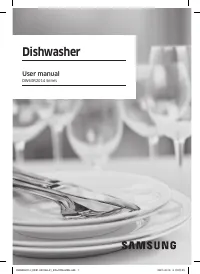
Lavavajillas Manual del usuario Serie DW80R9950 DW9900R_DD68-00209A-00_MES.indd 1 1/3/2019 12:41:27 PM
Page 62 - Contenidos; Información sobre seguridad
Contenido s Español 2 Contenidos Información sobre seguridad 4 Lo que necesita saber sobre las instrucciones de seguridad 4 Símbolos de seguridad importantes 4 Antes de usar la lavavajillas 7 Antes de comenzar 12 Desempaque de la lavavajillas 12 Verificación de las piezas 13 Artículos no adecuados p...
Page 63 - Solución de problemas; Tabla de ciclos
Contenido s Español 3 Solución de problemas 46 Intente implementar las siguientes soluciones si su lavavajillas… 46 Códigos de información 51 Tabla de ciclos 53 Apéndice 55 Ayuda al medio ambiente 55 Especificaciones 55 Garantía limitada (Estados Unidos) 56 DW9900R_DD68-00209A-00_MES.indd 3 1/3/2019...
Page 64 - CONSERVE ESTAS INSTRUCCIONES; Lo que necesita saber sobre las instrucciones de seguridad; Significado de los íconos y señales de este manual del usuario:
Inf ormación sobr e seg uridad Español 4 CONSERVE ESTAS INSTRUCCIONES Información sobre seguridad Felicitaciones por la compra de su nueva lavavajillas Samsung. Este manual contiene información importante acerca de la instalación, el uso y el cuidado del electrodoméstico. Lea detenidamente estas ins...
Page 65 - Advertencia sobre la California Proposition 65; ADVERTENCIA
Inf ormación sobr e seg uridad Español 5 CONSERVE ESTAS INSTRUCCIONES Advertencia sobre la California Proposition 65 ADVERTENCIA : Cáncer y afecciones reproductivas - www.P65Warnings.ca.gov ADVERTENCIA Cuando utilice la lavavajillas, tome todas las precauciones básicas, incluyendo las siguientes: 1....
Page 66 - PRECAUCIÓN
Inf ormación sobr e seg uridad Información sobre seguridad Español 6 CONSERVE ESTAS INSTRUCCIONES PRECAUCIÓN • Después de desempacar la lavavajillas, mantenga el empaque fuera del alcance de los niños.• La máquina lavavajillas es muy pesada. No intente mover o trasladarla usted mismo. Se necesitan d...
Page 67 - Antes de usar la lavavajillas
Inf ormación sobr e seg uridad Español 7 CONSERVE ESTAS INSTRUCCIONES • Desconecte el cable de alimentación (o corte el disyuntor) antes de realizar el mantenimiento de la lavavajillas. • No repare, reemplace ni realice el mantenimiento de ninguna de las piezas de su lavavajillas por su cuenta. Solo...
Page 68 - Aviso normativo; Aviso de la FCC; PRECAUCIÓN DE LA FCC:
Inf ormación sobr e seg uridad Información sobre seguridad Español 8 CONSERVE ESTAS INSTRUCCIONES Aviso normativo Aviso de la FCC PRECAUCIÓN DE LA FCC: Todos los cambios o modificaciones que no cuenten con la aprobación expresa de la parte responsable del cumplimiento invalidará la autoridad del usu...
Page 69 - Aviso de IC
Inf ormación sobr e seg uridad Español 9 CONSERVE ESTAS INSTRUCCIONES DECLARACIÓN DE LA FCC SOBRE LA EXPOSICIÓN A LA RADIACIÓN:Este equipo cumple con los límites de exposición a la radiación establecidos por la FCC para un entorno no controlado. Este equipo debe instalarse y utilizarse de manera que...
Page 70 - Emisor no intencional de acuerdo con FCC Parte 15
Inf ormación sobr e seg uridad Información sobre seguridad Español 10 CONSERVE ESTAS INSTRUCCIONES Tipo de equipo EUT Emisor no intencional de acuerdo con FCC Parte 15 Tipo de producto Lavavajillas Marca comercial Samsung Modelo DW80R9950UG, DW80R9950US, DW80R9950UT Modelo de variante - Normas aplic...
Page 71 - Anuncio de código abierto
Inf ormación sobr e seg uridad Español 11 CONSERVE ESTAS INSTRUCCIONES Anuncio de código abierto El software incluido en este producto contiene software de código abierto. Puede obtener el código fuente completo correspondiente para un período de tres años a partir del último envío de este producto ...
Page 72 - omenz; Antes de comenzar; Desempaque de la lavavajillas; garantizar su seguridad.
Antes de c omenz ar Español 12 Antes de comenzar Asegúrese de que su instalador siga estas instrucciones minuciosamente para que su nueva lavavajillas funcione adecuadamente y no existan riesgos de sufrir lesiones al lavar los platos. Desempaque de la lavavajillas • Cuando haya recibido la lavavajil...
Page 73 - Verificación de las piezas
Antes de c omenz ar Español 13 Verificación de las piezas Una vez desempacada la lavavajillas, asegúrese de haber recibido todas las piezas que aparecen a continuación.Si su lavavajillas sufrió daños durante el transporte, o si falta alguna pieza, comuníquese con el Servicio al cliente de Samsung al...
Page 74 - Accesorios; Estante superior; estante
Antes de c omenz ar Antes de comenzar Español 14 Accesorios Estante superior Estante inferior Estante para cubiertos 3 er estante NOTA Accesorios - Manual del usuario/instalación, kit de instalación, placa de protección. PRECAUCIÓN • No lave artículos que estén cubiertos con cenizas, arena, cera, gr...
Page 75 - Artículos no adecuados para la lavavajillas; Reflector de agua
Antes de c omenz ar Español 15 Artículos no adecuados para la lavavajillas ADVERTENCIA Lave solamente artículos tales como vidrio, porcelana y cubiertos que el fabricante declara como aptos para lavavajillas. No lave artículos de aluminio (por ejemplo, filtros de grasa). La lavavajillas puede dañar ...
Page 76 - Uso de la lavavajillas; Uso básico de los estantes; Ángulo de los soportes para platos; En el estante superior
Uso de la lav av ajillas Español 16 Uso de la lavavajillas Uso básico de los estantes Ángulo de los soportes para platos En el estante superior , puede ajustar el ángulo de los dientes en tres posiciones diferentes para adaptarse al tamaño y la forma de sus platos. Para ajustar los dientes, sujete l...
Page 77 - Ajuste de la altura; Para elevar el estante superior
Uso de la lav av ajillas Español 17 Ajuste de la altura Puede ajustar la altura del estante superior de su lavavajillas Samsung para dar cabida a platos de mayor tamaño en el estante inferior. Según la altura del estante superior que establezca, en el estante inferior puede ubicar platos de hasta 12...
Page 78 - Para retirar el estante superior
Uso de la lav av ajillas Uso de la lavavajillas Español 18 Para retirar el estante superior Paso 1. Paso 2. Paso 3. Para retirar el estante superior del riel, jale el estante superior hasta separarlo totalmente de la tina.Sujete los rieles de soporte por ambos lados para liberar el estante superior....
Page 79 - Para retirar el 3
Uso de la lav av ajillas Español 19 Para retirar el 3 º estante 1. Apoye el dedo en la parte inferior del 3 º riel de soporte como se ilustra y luego empuje la manija del soporte (observe las marcas de las flechas de la imagen) para retirar el soporte. Repita este paso en el otro lado. 2. Cuando ret...
Page 80 - Ajuste del 3; flexible; Posición superior de estante flexible
Uso de la lav av ajillas Uso de la lavavajillas Español 20 Ajuste del 3 º Rack TM flexible Posición superior de estante flexible Posición inferior del estante flexible Al colocar espátulas, cucharas para servir y elementos similares en el estante flexible, tire o empuje de las piezas resaltadas en l...
Page 81 - Cómo cargar la vajilla; Carga del estante inferior
Uso de la lav av ajillas Español 21 Cómo cargar la vajilla Carga del estante inferior Se ha diseñado el estante inferior específicamente para la vajilla para comida, recipientes para sopa, platos, ollas, tapas y fuentes de horno.Cargue los objetos grandes como recipientes y ollas en la lavavajillas ...
Page 82 - Carga de las áreas de la zona de refuerzo
Uso de la lav av ajillas Uso de la lavavajillas Español 22 Carga de las áreas de la zona de refuerzo Para una limpieza más efectiva, cargue los elementos grandes en el lado izquierdo del estante inferior: el área de la Zone Booster (Zona de refuerzo) (Zona roja).La función Zone Booster (Zona de refu...
Page 83 - Carga del estante superior
Uso de la lav av ajillas Español 23 Carga del estante superior Se ha diseñado el estante superior para platos pequeños, jarras, vasos y objetos de plástico que tengan el rótulo "apto para lavavajillas". Cargue los platos en la lavavajillas en dos medias hileras, de manera que la cara de cada...
Page 84 - Cargar el 3; Posición superior del estante flexible
Uso de la lav av ajillas Uso de la lavavajillas Español 24 Cargar el 3 rd Rack TM flexible Posición superior del estante flexible Posición inferior del estante flexible El estante para cubiertos es adecuado para cubiertos y utensilios para cocinar y servir. Puede acomodar los cubiertos y utensilios ...
Page 85 - Carga del estante para cubiertos; Izquierda
Uso de la lav av ajillas Español 25 Carga del estante para cubiertos El estante para cubiertos consiste en dos compartimientos.Puede colocar independientemente cada cuchillo, cuchara o tenedor en el soporte para cucharas en la cubierta de la canasta para evitar roturas o decoloración. Consulte las i...
Page 86 - NOTA
Uso de la lav av ajillas Uso de la lavavajillas Español 26 Soporte para cucharas visto desde arriba con las ubicaciones sugeridas para los cubiertos. Haga coincidir los números del diagrama con los números de la lista inferior de los cubiertos. NOTA NO permita que ningún objeto llegue hasta la parte...
Page 87 - Guías sobre detergentes; Para llenar el dosificador de detergente; Presione suavemente la tapa del dosificador
Uso de la lav av ajillas Español 27 Guías sobre detergentes Todos los ciclos de la lavavajillas requieren detergente en el compartimiento correspondiente. Agregue detergente según corresponda para el ciclo seleccionado a fin de asegurar el mejor rendimiento. ADVERTENCIA • No ingiera detergente para ...
Page 88 - Agregue la cantidad recomendada de
Uso de la lav av ajillas Uso de la lavavajillas Español 28 2. Agregue la cantidad recomendada de detergente en el compartimiento principal. 3. Cierre la tapa y presiónela para trabarla. NOTA Esta lavavajillas no cuenta con un compartimiento separado para tabletas de detergente. 4. Para un mejor dese...
Page 89 - CICLO; Producto para el enjuague
Uso de la lav av ajillas Español 29 La cubierta se abre automáticamente para dosificar el detergente durante el lavado. CICLO CANTIDAD DE DETERGENTE Dosificador para el lavado principal En la puerta para el prelavado Auto, Normal 3/4 oz (20 g) 1/3 oz (10 g) Heavy (Muy sucio), Express 60 (Rápido 60) ...
Page 90 - Respuesta del teclado táctil
Uso de la lav av ajillas Uso de la lavavajillas Español 30 3. Gire el selector del producto de enjuague para seleccionar un nivel entre 1 y 6. • Cuanto más alto es el número, más cantidad de producto de enjuague utiliza la lavavajillas. • Para mejorar el rendimiento del secado, seleccione un nivel s...
Page 91 - Operaciones; Panel de control
Oper acione s Español 31 Operaciones ADVERTENCIA Para reducir el riesgo de incendio, descarga eléctrica o lesiones personales, lea las INSTRUCCIONES DE SEGURIDAD IMPORTANTES antes de poner en marcha este electrodoméstico. Panel de control Serie DW80R9950 01 02 03 04 05 06 07 08 09 10 01 POWER (ENCEN...
Page 92 - Sanitize
Oper acione s Operaciones Español 32 05 Hi-Temp Wash (Lavado a alta temperatura) Eleva la temperatura del lavado principal para mejorar la limpieza de cargas muy sucias o que contienen restos de alimentos adheridos. 06 Sanitize (Desinfección) / (Bloqueo de controles) Cuando se selecciona la opción S...
Page 93 - START; Indicadores; Smart Control
Oper acione s Español 33 09 Delay Start (Inicio retardado) Retarde un ciclo hasta 24 horas, en incrementos de una hora. Para aumentar el tiempo del inicio retardado, presione o mantenga presionado el botón Delay Start (Inicio retardado) . La hora en pantalla indica el tiempo en el cual comenzará el ...
Page 94 - Descripción general de los ciclos; Auto
Oper acione s Operaciones Español 34 Descripción general de los ciclos 01 02 03 04 05 06 07 01 Auto Este ciclo detecta el nivel de suciedad e inicia automáticamente el ciclo óptimo luego de algunos minutos de funcionamiento. 02 Normal Utilice este ciclo para vajilla con suciedad normal. La etiqueta ...
Page 95 - Pasos sencillos para encender su lavavajillas; Zone Booster
Oper acione s Español 35 Pasos sencillos para encender su lavavajillas 1. Abra la puerta y, luego, cargue la lavavajillas. Asegúrese de que los platos estén vacíos. 2. Si corresponde, coloque los platos en el estante inferior. En caso de agregar la opción Zone Booster (Zona de refuerzo) , coloque lo...
Page 96 - Configuración; Sonido
Oper acione s Operaciones Español 36 Configuración Puede modificar los ajustes de sonido o Auto Release TM según su preferencia. Para modificar los ajustes, presione los botones Sanitize (Desinfección) y Delay Start (Inicio retardado) simultáneamente durante 3 segundos. Presione Sanitize (Desinfecci...
Page 97 - Descarga; Inicio de sesión; Para registrar sus dispositivo en SmartThings
Oper acione s Español 37 SmartThings Conexión Wi-Fi En su teléfono inteligente, vaya a Settings (Ajustes) y conéctelo a su red de Wi-Fi hogareña. Descarga En el mercado de aplicaciones (Google Play Store, Apple App Store, Samsung Galaxy Apps), busque la aplicación SmartThings utilizando “SmartThings...
Page 98 - Aplicación del lavavajillas; las opciones o ajustes si fuera necesario.
Oper acione s Operaciones Español 38 Aplicación del lavavajillas Control integrado: Puede supervisar y controlar su lavavajillas en su casa y en viaje.• Seleccione el icono el lavavajillas en SmartThings. Aparece la página del lavavajillas.• Verifique el estado de operación o notificaciones relacion...
Page 100 - Características especiales; Inicio retardado; Controles táctiles; Bloqueo de controles
Oper acione s Operaciones Español 40 Características especiales Inicio retardado Puede retrasar el tiempo de inicio de un ciclo hasta 24 horas en incrementos de 1 hora. Para aumentar el tiempo de inicio retardado, presione Delay Start (Inicio retardado) . La hora en pantalla indica el tiempo en el c...
Page 101 - Mantenimiento; Limpieza
Mant enimient o Español 41 Mantenimiento Limpieza Mantenga limpia la lavavajillas para mejorar su rendimiento, reducir la cantidad de reparaciones innecesarias y alargar su vida útil. Exterior Limpie los derrames en la superficie de la lavavajillas a medida que ocurran. Utilice un paño suave y húmed...
Page 102 - Boquillas; Boquilla superior
Mant enimient o Mantenimiento Español 42 Boquillas Para evitar que las boquillas se atasquen o si las boquillas están obstruidas, retire y limpie cada una. Tenga cuidado al retirar las boquillas porque pueden romperse. Boquilla superior 1. Abra la puerta y, luego, jale el estante superior para revel...
Page 103 - Filtro
Mant enimient o Español 43 Filtro Recomendamos limpiar el filtro de forma mensual. 1. Abra la puerta y, luego, retire el estante inferior. 2. Gire la manija del filtro hacia la izquierda para destrabar la cubierta del filtro. 3. Retire la cubierta y, luego, el microfiltro cilíndrico que está debajo....
Page 104 - Elimine la suciedad y las impurezas del; Cuidado a largo plazo
Mant enimient o Mantenimiento Español 44 4. Elimine la suciedad y las impurezas del microfiltro y la cubierta del filtro. 5. Enjuague con agua corriente y, luego, seque bien. 6. Vuelva a insertar el filtro y, luego, la cubierta. 7. Gire la manija del filtro hacia la derecha para bloquearlo. PRECAUCI...
Page 105 - Limpieza de la bomba de drenaje; Cómo guardar la lavavajillas
Mant enimient o Español 45 Limpieza de la bomba de drenaje Si la lavavajillas no desagua porque la bomba de drenaje está obstruida con objetos extraños, o esta produce un ruido anormal, deberá desatascar y limpiar la bomba como se indica a continuación. 1 2 1. Retire el estante inferior. 2. Consulte...
Page 106 - Problema
Solución de pr oblemas Español 46 Solución de problemas Intente implementar las siguientes soluciones si su lavavajillas… Problema Causa posible Solución No enciende. La puerta no está completamente cerrada. • Verifique que la puerta esté trabada y completamente cerrada. Verifique si el estante supe...
Page 111 - • Cuando la puerta se abre en el modo de
Solución de pr oblemas Español 51 Problema Causa posible Solución No se puede cerrar la puerta. El modo de Secado Auto Release™ está en uso. • Cuando la puerta se abre en el modo de Secado Auto Release™, no se puede cerrar manualmente durante los 2 minutos siguientes. Puede cerrar la puerta después ...
Page 112 - • Cuando el panel de control muestre ‘
Solución de pr oblemas Solución de problemas Español 52 Código Acción HC Control de calentamiento de temperatura alta. • Control funcional. Con la lavavajillas vacía, agregue detergente y, luego, ejecute un ciclo. Si el problema continúa, vaya al panel del disyuntor de su casa, desconecte el disyunt...
Page 113 - Tabla de ciclo
Tabla de ciclo s Español 53 Tabla de ciclos Ciclo Auto Normal Heavy (Muy sucio) Secuencia de enjuague Prelavado Lavado principal Enjuague Enjuague caliente Secado Fin Prelavado Lavado principal Enjuague Enjuague caliente Secado Fin Prelavado Lavado principal Enjuague Enjuag...
Page 115 - Apéndic; Apéndice; Lavavajillas integrable
Apéndic e Español 55 Apéndice Ayuda al medio ambiente • Esta lavavajillas se fabrica con materiales reciclables. Si decide deshacerse de ella, siga la normativa local relacionada con la eliminación de desechos. Corte el cable de alimentación para que el aparato no pueda conectarse a una fuente de al...
Page 116 - LAVAVAJILLAS SAMSUNG
Garantía limit ada (Es tados Unido s) Español 56 Garantía limitada (Estados Unidos) LAVAVAJILLAS SAMSUNG GARANTÍA LIMITADA AL COMPRADOR CONSUMIDOR ORIGINAL CON PRUEBA DE COMPRA El presente producto de la marca SAMSUNG, tal como lo provee y distribuye SAMSUNG ELECTRONICS AMERICA, INC. (SAMSUNG) y lo ...
Page 117 - EXCLUSIÓN DE GARANTÍAS IMPLÍCITAS
Garantía limit ada (Es tados Unido s) Español 57 La presente garantía limitada cubre defectos de fabricación de los materiales o la mano de obra que ocurran durante el uso normal y doméstico de este producto y no cubrirá lo siguiente: daños que ocurran durante el envío, entrega e instalación y usos ...
Page 118 - LIMITACIÓN DE RECURSOS
Garantía limit ada (Es tados Unido s) Garantía limitada (Estados Unidos) Español 58 LIMITACIÓN DE RECURSOS EL ÚNICO Y EXCLUSIVO RECURSO ES LA REPARACIÓN DEL PRODUCTO, EL REEMPLAZO DEL PRODUCTO O LA DEVOLUCIÓN DEL IMPORTE DE COMPRA, A DISCRECIÓN DE SAMSUNG, CONFORME A ESTA GARANTÍA LIMITADA. SAMSUNG ...
Page 119 - Notas
Notas DW9900R_DD68-00209A-00_MES.indd 59 1/3/2019 12:41:43 PM


 Samsung DW50T6060US
User Manual
Samsung DW50T6060US
User Manual
 Samsung DW50T6060US/AA
User Manual
Samsung DW50T6060US/AA
User Manual
 Samsung DW5343TGBSL
User Manual
Samsung DW5343TGBSL
User Manual
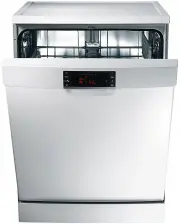 Samsung DW5343TGBWQ
User Manual
Samsung DW5343TGBWQ
User Manual
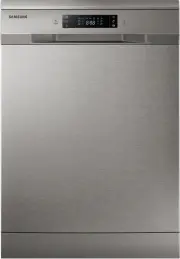 Samsung DW60H6050FS
User Manual
Samsung DW60H6050FS
User Manual
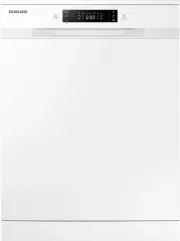 Samsung DW60H6050FW
User Manual
Samsung DW60H6050FW
User Manual
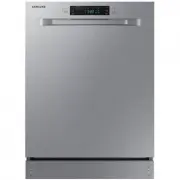 Samsung DW60R2014US
User Manual
Samsung DW60R2014US
User Manual
 Samsung DW60R2014US/AA
User Manual
Samsung DW60R2014US/AA
User Manual
 Samsung DW80B6060UG
User Manual
Samsung DW80B6060UG
User Manual
 Samsung DW80B6060US
User Manual
Samsung DW80B6060US
User Manual
 Samsung DW80B7070AP
User Manual
Samsung DW80B7070AP
User Manual
 Samsung DW80B7070AP/AA
User Manual
Samsung DW80B7070AP/AA
User Manual
 Samsung DW80B7070UG
User Manual
Samsung DW80B7070UG
User Manual
 Samsung DW80B7070US
User Manual
Samsung DW80B7070US
User Manual
 Samsung DW80B7071UG
User Manual
Samsung DW80B7071UG
User Manual
 Samsung DW80B7071US
User Manual
Samsung DW80B7071US
User Manual