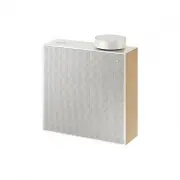
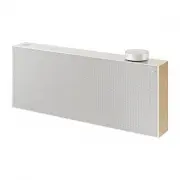
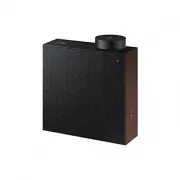
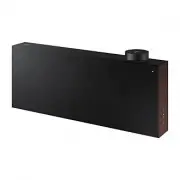
Page 2 - English; WHAT’S INCLUDED; YOUR WIRELESS AUDIO PORTABLE
English 2 WHAT’S INCLUDED Check for the supplied accessories shown below. The appearance of the accessories may differ slightly from the illustrations. Power Adapter Cover Fabric User Manual Using the Cover Fabric 3 5V 500mA USB OPEN AUX IN DC 14V 2.5A 2 1 Wrap the cover around the product. The cove...
Page 3 - ENG; USING THE NFC FUNCTION; USING BLUETOOTH FUNCTION
3 English ENG Support DC 14V 2.5A AUX IN 5V 500 BASS FUNC. MUTE VOL OPEN Don't pull the support too hard. You can damage it. Reset your Product DC 14V 2.5A AUX IN OPEN If an error occurs while you are operating this product and it doesn't work properly, press the Reset hole with a pen tip or similar...
Page 4 - USING AUX IN FUNCTION; USING THE SOUNDSHARE FUNCTION; SOFTWARE UPGRADE
English 4 ✎ You may be required to enter a PIN code (password) when connecting the Bluetooth device to the Wireless Audio Portable. If the PIN code input window appears, enter <0000>. ✎ Supported sampling frequencies for aptX and SBC decoding are 44.1kHz and 48kHz. ✎ The AVRCP feature is not s...
Page 5 - TROUBLESHOOTING; SPECIFICATIONS
5 English ENG TROUBLESHOOTING Before requesting service, please try the following solutions: The unit will not turn on. • Connect the power plug to the outlet. • Your player will not turn on if the battery is completely drained. Recharge the battery and turn the player on again. • Check if the batte...
Page 6 - Svenska; DETTA INGÅR; DIN WIRELESS AUDIO PORTABLE; KONTROLLERA OCH LADDA BATTERIET
2 Svenska DETTA INGÅR Kontrollera de medföljande tillbehören nedan. Utseendet hos tillbehören kan variera lite från bilderna. Strömadapter Luckmaterial Bruksanvisning Använda textilomslag 3 5V 500mA USB OPEN AUX IN DC 14V 2.5A 2 1 Vira omslaget runt produkten. Luckan hålls på plats med magneter. DIN...
Page 7 - SWE; ANVÄNDA NFC-FUNKTIONEN
3 Svenska SWE Stöd DC 14V 2.5A AUX IN 5V 500 BASS FUNC. MUTE VOL OPEN Dra inte för hårt i stödet. Du kan skada den. Återställa produkten DC 14V 2.5A AUX IN OPEN Om det uppstår ett fel när du använder den här produkten och den inte fungerar som den ska, trycker du på återställningshålet med en pennsp...
Page 8 - ANVÄNDA AUX IN-FUNKTIONEN; ANVÄNDA SOUNDSHARE-FUNKTIONEN; PROGRAMUPPGRADERING
4 Svenska ✎ Du kan bli ombedd att ange en PIN-kod (lösenord) när du ansluter Bluetooth-enheten till Wireless Audio Portable. Om inmatningsfönstret för PIN-kod visas ska du skriva <0000>. ✎ Samplingsfrekvenserna som stöds för aptX- och SBC-avkodning är 44,1 kHz och 48 kHz. ✎ AVRCP-funktionen st...
Page 9 - FELSÖKNING; SPECIFIKATIONER
5 Svenska SWE FELSÖKNING Innan du begär service bör du prova följande. Enheten slås inte på. • Koppla in kontakten i vägguttaget. • Spelaren slås inte på om batteriet är helt slut. Ladda batteriet och slå på spelaren igen. • Kontrollera om batteriet är urladdat. En funktion fungerar inte när knappen...
Page 10 - Dansk; DETTE ER INKLUDERET; KONTROL OG OPLADNING AF BATTERIET
2 Dansk DETTE ER INKLUDERET Kontrollér det medfølgende tilbehør herunder: Tilbehørets udseende kan være lidt anderledes end på illustrationerne. Strømadapter Dækselstof Brugervejledning Brug af dækselstoffet 3 5V 500mA USB OPEN AUX IN DC 14V 2.5A 2 1 Kom dækslet omkring produktet. Dækslet holdes på ...
Page 11 - DAN; BRUG AF NFC-FUNKTIONEN
3 Dansk DAN Støtte DC 14V 2.5A AUX IN 5V 500 BASS FUNC. MUTE VOL OPEN Træk ikke for hårdt i støtten. Du kan beskadige den. Nulstil dit produkt DC 14V 2.5A AUX IN OPEN Hvis der forekommer en fejl, mens du betjener dette produkt, og det ikke fungerer korrekt, kan du trykke på knappen til nulstilling m...
Page 12 - BRUG AF AUX IN-FUNKTIONEN; BRUG AF SOUNDSHARE-FUNKTIONEN; SOFTWAREOPGRADERING
4 Dansk ✎ Du skal muligvis indtaste en PIN-kode (en adgangskode) ved tilslutning af Bluetooth-enheden til din Wireless Audio Portable. Hvis vinduet til indtastning af PIN-kode vises, skal du indtaste <0000>. ✎ Understøttede samplingfrekvenser til aptX og SBC-dekodning er 44.1kHz og 48kHz. ✎ Fu...
Page 13 - PROBLEMLØSNING
5 Dansk DAN PROBLEMLØSNING Inden du anmoder om service, bedes du prøve følgende løsninger. Enheden vil ikke tænde. • Slut stikket til stikkontakten. • Din afspiller kan ikke tænde, når batteriet er helt afladet. Oplad batteriet, og tænd for afspilleren igen. • Tjek, om batteriet er afladet. En funkt...
Page 14 - Suomi; PAKKAUKSEN SISÄLTÖ; OMA WIRELESS AUDIO PORTABLE; AKUN TARKISTAMINEN JA LATAAMINEN
2 Suomi PAKKAUKSEN SISÄLTÖ Tarkista, että pakkauksesta löytyvät alla näytetyt tarvikkeet. Tarvikkeiden ulkoasu voi erota hieman tarvikekuvista. Virtasovitin Kotelosuojus Käyttöopas Kotelosuojuksenkäyttö 3 5V 500mA USB OPEN AUX IN DC 14V 2.5A 2 1 Aseta suojus tuotteen ympäri. Kansi kiinnittyy magneet...
Page 15 - FIN; NFC-TOIMINNON KÄYTTÖ
3 Suomi FIN Tuki DC 14V 2.5A AUX IN 5V 500 BASS FUNC. MUTE VOL OPEN Älä vedä tuesta liian kovaa. Voit vaurioittaa sitä. Tuotteen nollaaminen DC 14V 2.5A AUX IN OPEN Jos tuotteen käytön yhteydessä esiintyy virhe, ja tuote ei toimi oikein, paina laitteen Reset (Nollaa) -kohtaa kynän kärjellä tai vasta...
Page 16 - AUX IN -TOIMINNON KÄYTTÖ; SOUNDSHARE-TOIMINNON KÄYTTÖ; OHJELMISTON PÄIVITYS
4 Suomi ✎ PIN-koodia (salasana) voidaan kysyä, kun yhdistät Bluetooth-laitteen Wireless Audio Portable-laitteeseen. Jos näkyviin tulee PIN-koodin syöttöikkuna, näppäile <0000>. ✎ AptX- ja SBC-koodauksen tuetut näytteenottotaajuudet ovat 44,1 kHz ja 48 kHz. ✎ AVRCP-ominaisuutta ei tueta. Et voi...
Page 17 - VIANMÄÄRITYS; LIITEET
5 Suomi FIN VIANMÄÄRITYS Kokeile seuraavia ratkaisuja ennen yhteydenottoa huoltoon: Laitteeseen ei tule virtaa. • Kytke virtajohto pistorasiaan. • Soitin ei käynnisty, jos akussa ei ole yhtään virtaa. Lataa akku ja käynnistä soitin. • Tarkista, onko akku tyhjä. Toiminto ei toimi painiketta painettae...
Page 18 - Norsk; HVA ER INKLUDERT; KONTROLLERE OG LADE BATTERIET
2 Norsk HVA ER INKLUDERT Kontroller at tilbehøret under følger med. Tilbehøret kan se annerledes ut enn illustrasjonene. Strømforsyning Stoffdeksel Brukerhåndbok Bruke stoffdekslet 3 5V 500mA USB OPEN AUX IN DC 14V 2.5A 2 1 Legg dekslet rundt produktet. Dekslet vil bli holdt på plass av magneter. DI...
Page 19 - NOR; BRUKE NFC-FUNKSJONEN
3 Norsk NOR Støtte DC 14V 2.5A AUX IN 5V 500 BASS FUNC. MUTE VOL OPEN Ikke trekk for hardt i støtten. Du kan skade det. Tilbakestille produktet DC 14V 2.5A AUX IN OPEN Hvis det oppstår en feil mens du bruker produktet, og det ikke fungerer som det skal, kan du trykke på tilbakestillingsknappen med e...
Page 20 - BRUKE AUX IN-FUNKSJON; BRUKE SOUNDSHARE-FUNKSJONEN; PROGRAMOPPGRADERING
4 Norsk ✎ Det kan hende du trenger en PIN-kode (passord) når du kobler Bluetooth-enheten til Wireless Audio Portable. Hvis du blir bedt om å taste inn en PIN-kode, må du taste inn <0000>. ✎ Støttede samplingfrekvenser for aptX og SBC-dekoding er 44,1 kHz og 48 kHz. ✎ AVRCP-funksjonen støttes i...
Page 21 - FEILSØKING; SPESIFIKASJONER
5 Norsk NOR FEILSØKING Før du tar rekvirerer service, må du forsøke følgende løsninger: Enheten vil ikke slå seg på. • Sett inn strømledningen. • Spilleren din vil ikke slå seg på hvis batteriet er helt tømt. Lad opp batteriene og prøv på nytt. • Sjekk om batteriene er utladet. En funksjon virker ik...
Page 22 - Nederlands; MEEGELEVERDE ONDERDELEN; UW WIRELESS AUDIO PORTABLE; DE BATTERIJ CONTROLEREN EN OPLADEN
2 Nederlands MEEGELEVERDE ONDERDELEN Controleer of de onderstaande accessoires bij het apparaat zijn geleverd. De toebehoren zien er mogelijk iets anders uit dat in de afbeeldingen. Voedingsadapter Omslag Gebruikershandleiding Gebruik van de omslag 3 5V 500mA USB OPEN AUX IN DC 14V 2.5A 2 1 Wikkel d...
Page 23 - WERKEN MET DE NFC-FUNCTIE
3 Nederlands NL Steun DC 14V 2.5A AUX IN 5V 500 BASS FUNC. MUTE VOL OPEN Niet te hard aan de steun trekken. U zou het kunnen beschadigen. Het apparaat resetten DC 14V 2.5A AUX IN OPEN Als zich tijdens het gebruik van dit apparaat een fout voordoet en het apparaat niet naar behoren werkt, moet u de r...
Page 24 - DE FUNCTIE AUX IN GEBRUIKEN; WERKEN MET DE SOUNDSHARE-FUNCTIE
4 Nederlands ✎ Het kan zijn dat u een PIN-code (wachtwoord) moet invoeren op het moment dat u een koppeling to stand brengt tussen het Bluetooth-apparaat en de Wireless Audio Portable. Als het invoerscherm voor de pincode verschijnt, geeft u de code <0000> op. ✎ Ondersteunde bemonsteringsfrequ...
Page 25 - PROBLEMEN OPLOSSEN; SPECIFICATIES
5 Nederlands NL PROBLEMEN OPLOSSEN Controleer de volgende oplossingen voordat u contact met ons opneemt: Het apparaat wordt niet ingeschakeld. • Steek de stekker in het stopcontact. • De speler kan niet worden aangezet wanneer de batterij helemaal leeg is. Laad de batterij op en zet de speler opnieu...
Page 26 - Deutsch; LIEFERUMFANG; IHR WIRELESS AUDIO PORTABLE GERÄT; PRÜFEN UND LADEN DER BATTERIE
2 Deutsch LIEFERUMFANG Überprüfen Sie, ob das im Folgenden aufgeführte Zubehör mitgeliefert wurde. Das Aussehen des Zubehörs kann leicht von den Illustrationen abweichen. Netzteil Gehäusematerial Benutzerhandbuch Verwenden der Stoffhülle 3 5V 500mA USB OPEN AUX IN DC 14V 2.5A 2 1 Wickeln Sie die Abd...
Page 27 - GER; VERWENDEN DER NFC-FUNKTION
3 Deutsch GER Ständer DC 14V 2.5A AUX IN 5V 500 BASS FUNC. MUTE VOL OPEN Ziehen Sie nicht zu stark am Ständer. Er könnte beschädigt werden. Das Gerät zurücksetzen DC 14V 2.5A AUX IN OPEN Falls beim Betrieb des Geräts ein Fehler auftritt und es nicht ordnungsgemäß funktioniert, die Reset Taste mit ei...
Page 28 - VERWENDEN DER AUX IN FUNKTION; VERWENDEN DER SOUNDSHARE FUNKTION; SOFTWARE AKTUALISIERUNG
4 Deutsch ✎ Eventuell werden Sie aufgefordert einen PIN-Code (Passwort) einzugeben, wenn Sie eine Verbindung zwischen dem Bluetooth-Gerät und dem Wireless Audio Portable herstellen. Wenn Sie zur Eingabe des PIN-Codes aufgefordert werden, geben Sie <0000> ein. ✎ Die unterstützten Abtastfrequenz...
Page 29 - FEHLERSUCHE; SONSTIGE BEMERKUNGEN; TECHNISCHE DATEN
5 Deutsch GER FEHLERSUCHE Bevor Sie sich an den Kundendienst wenden, überprüfen Sie bitte die folgenden Punkte. Das Gerät lässt sich nicht einschalten. • Schließen Sie den Netzstecker an die Steckdose an. • Ihr Gerät schaltet sich nicht ein, wenn die Batterie vollständig entladen ist. Laden Sie die ...
Page 30 - Français; CONTENU; VOTRE PORTABLE AUDIO SANS FIL; VÉRIFICATION ET CONTRÔLE DE LA BATTERIE
2 Français CONTENU Vérifiez que les accessoires ci-dessous sont fournis. L'aspect des accessoires peut différer légèrement des illustrations. Adaptateur de courant Tissu de protection Manuel d’utilisation Utilisation du tissu de protection 3 5V 500mA USB OPEN AUX IN DC 14V 2.5A 2 1 Enroulez le tissu...
Page 31 - FRA; UTILISATION DE LA FONCTION NFC
3 Français FRA Support DC 14V 2.5A AUX IN 5V 500 BASS FUNC. MUTE VOL OPEN Ne tirez pas trop fort le support. Vous pouvez l’endommager. Réinitialisez votre appareil DC 14V 2.5A AUX IN OPEN Si une erreur se produit lorsque vous faites fonctionner cet appareil et qu’il ne fonctionne pas correctement, a...
Page 32 - UTILISATION DE LA FONCTION AUX IN; UTILISATION DE LA FONCTION SOUNDSHARE; MISE À NIVEAU DU LOGICIEL
4 Français ✎ Il peut vous être demandé d’entrer un code PIN (mot de passe) lors de la connexion du périphérique Bluetooth au Portable Audio Sans fil. Si la fenêtre d’entrée du code NIP s’affiche, entrez <0000>. ✎ Les fréquences d'échantillonnage prises en charge pour le décodage aptX et SBC so...
Page 33 - DÉPANNAGE; AUTRES REMARQUES; CARACTÉRISTIQUES TECHNIQUES
5 Français FRA DÉPANNAGE Avant de demander une intervention, essayez tout d'abord les solutions suivantes. L’appareil ne s’allume pas. • Branchez la prise d’alimentation sur la prise murale. • Votre lecteur ne s’allume pas si la batterie est complètement déchargée. Rechargez la batterie et rallumez ...
Page 34 - Italiano; ACCESSORI FORNITI; IL SISTEMA AUDIO PORTATILE WIRELESS; TEST E CARICAMENTO DELLA BATTERIA
2 Italiano ACCESSORI FORNITI Controllare di seguito gli accessori forniti. L'aspetto degli accessori può essere leggermente diverso da quello indicato nelle figure. Alimentatore Copertina in tessuto Manuale utente Uso della copertina in tessuto 3 5V 500mA USB OPEN AUX IN DC 14V 2.5A 2 1 Avvolgere la...
Page 35 - UTILIZZO DELLA FUNZIONE NFC
3 Italiano IT A Supporto DC 14V 2.5A AUX IN 5V 500 BASS FUNC. MUTE VOL OPEN Non tirare il supporto con troppa forza. Si può danneggiare. Reset del prodotto DC 14V 2.5A AUX IN OPEN Se un errore verificatosi durante l'uso provoca un funzionamento anomalo del prodotto, premere il foro di reset con la p...
Page 36 - UTILIZZO DELLA FUNZIONE SOUNDSHARE; AGGIORNAMENTO SOFTWARE
4 Italiano ✎ Per collegare il dispositivo Bluetooth al Sistema Audio Portatile Wireless può essere richiesto l'inserimento di un codice PIN (password). Se viene visualizzata la finestra di inserimento del codice PIN, inserire <0000>. ✎ Le frequenze di campionamento supportate per la decodifica...
Page 37 - RISOLUZIONE DEI PROBLEMI; SPECIFICHE
5 Italiano IT A RISOLUZIONE DEI PROBLEMI Prima di rivolgersi al servizio di assistenza, provare con le seguenti soluzioni: L'unità non si accende. • Collegare la spina alla presa. • Il lettore non si accende se la batteria è completamente scarica. Ricaricare la batteria e riprovare ad accendere il l...
Page 38 - Español; COMPONENTES; EL PORTÁTIL DE AUDIO INALÁMBRICO; COMPROBACIÓN Y CARGA DE LA BATERÍA
2 Español COMPONENTES Compruebe los accesorios suministrados que se incluyen a continuación. El aspecto de los accesorios puede diferir ligeramente de las ilustraciones. Adaptador de alimentación Funda de la cubierta Manual del usuario Utilización de la funda de la cubierta 3 5V 500mA USB OPEN AUX I...
Page 39 - UTILIZACIÓN DE LA FUNCIÓN NFC
3 Español SPA Soporte DC 14V 2.5A AUX IN 5V 500 BASS FUNC. MUTE VOL OPEN No tire demasiado fuerte del soporte. Puede dañarla. Reinicio del producto DC 14V 2.5A AUX IN OPEN Si se produce un error al utilizar este producto y no funcione correctamente, pulse durante 2 segundos el botón de reinicio con ...
Page 40 - UTILIZACIÓN DE LA FUNCIÓN AUX IN; ACTUALIZACIÓN DEL SOFTWARE
4 Español ✎ Es posible que se le pida que introduzca un código PIN (contraseña) al conectar el dispositivo Bluetooth al Portátil de Audio Inalámbrico. Si aparece la ventana de introducción del código PIN, introduzca <0000>. ✎ Las frecuencias de muestreo admitidas para la descodificación aptX y...
Page 41 - SOLUCIÓN DE PROBLEMAS; OTRAS NOTAS; ESPECIFICACIONES
5 Español SPA SOLUCIÓN DE PROBLEMAS Antes de solicitar servicio técnico, intente las siguientes soluciones: La unidad no se encenderá. • Conecte el enchufe de alimentación en la toma de corriente. • El reproductor no se encender si la batería está totalmente descargada. Recargue la batería y enciend...
Page 42 - Português; COMPONENTES INCLUÍDOS; O SEU DISPOSITIVO PORTÁTIL DE ÁUDIO SEM FIOS; VERIFICAR E CARREGAR A BATERIA
2 Português COMPONENTES INCLUÍDOS Verifique, abaixo, os acessórios fornecidos. O aspecto real dos acessórios poderá ser ligeiramente diferente das ilustrações. Transformador Estrutura da tampa Manual do Utilizador Utilizar a Cobertura 3 5V 500mA USB OPEN AUX IN DC 14V 2.5A 2 1 Cubra o produto com a ...
Page 43 - POR; UTILIZAR A FUNÇÃO NFC
3 Português POR Apoio DC 14V 2.5A AUX IN 5V 500 BASS FUNC. MUTE VOL OPEN Não puxe o apoio com muita força. Pode provocar danos. Reiniciar o seu Produto DC 14V 2.5A AUX IN OPEN Se ocorrer um erro durante a utilização do produto e este não funcionar correctamente, insira a ponta de uma esferográfica o...
Page 44 - UTILIZAR A FUNÇÃO AUX IN; UTILIZAR A FUNÇÃO SOUNDSHARE; ACTUALIZAÇÃO DO SOFTWARE
4 Português ✎ Poderá ser-lhe solicitado que introduza um código PIN (palavra-passe) ao ligar o dispositivo Bluetooth ao Dispositivo Portátil de Áudio Sem Fios. Se aparecer a janela de introdução do código PIN, introduza <0000>. ✎ As frequências de amostragem suportadas para descodificação SBC ...
Page 45 - RESOLUÇÃO DE PROBLEMAS; CARACTERÍSTICAS TÉCNICAS
5 Português POR RESOLUÇÃO DE PROBLEMAS Antes de pedir assistência, tente aplicar as seguintes soluções. A unidade não liga. • Ligue a ficha à tomada. • O leitor não liga se a bateria estiver completamente descarregada. Recarregue a bateria e ligue novamente o leitor. • Verifique se a bateria está de...
Page 46 - Contact SAMSUNG WORLD WIDE
Contact SAMSUNG WORLD WIDE If you have any questions or comments relating to Samsung products, please contact the SAMSUNG customer care centre. Country Contact Centre Web Site AUSTRIA 0800 - SAMSUNG (0800 - 7267864) www.samsung.com/at/support BELGIUM 02-201-24-18 www.samsung.com/be/support (Dutch)...