Page 2 - IMPORTANT SAFEGUARDS; Read all instructions.; SAVE THESE INSTRUCTIONS
IMPORTANT SAFEGUARDS When using electrical appliances, basic safety precautions should always be followed, including the following: 1. Read all instructions. 2. Do not touch hot surfaces. Use handles or knobs. 3. To protect against fire, electric shock and injury to persons do not immerse cord, plug...
Page 3 - CAUTION; corresponds with your voltage.; INSTRUCTIONS FOR THE POWER; If a long detachable power-supply cord or extension cord is used,
CAUTION This appliance is for household use only. Any servicing, other than cleaning and user maintenance, should be performed by an authorized service center. Do not immerse machine in water. To reduce the risk of fire or electric shock, do not disassemble the machine. There are no parts inside the...
Page 4 - ENGLISH
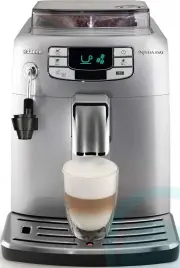
2 ENGLISH Congratulations on your purchase of a Saeco Intelia EVO Class fully automatic coff ee machine! To fully benefi t from the support that Saeco off ers, please register your product at www.philips.com/welcome . This user manual applies to HD8752 and HD8881. The machine is made for preparing e...
Page 5 - CONTENTS
3 ENGLISH CONTENTS IMPORTANT..................................................................................................... 4 Safety Instructions .................................................................................................................................... 4Warning .........
Page 6 - IMPORTANT
4 ENGLISH IMPORTANT Safety Instructions This machine is equipped with safety features. Nevertheless read the safety instructions carefully and only use the ma-chine as described in these instructions to avoid accidental injury or damage.Keep this user manual for future reference. The term WARNING an...
Page 8 - Caution
6 ENGLISH Caution • The machine is for household use only and is not intended for use in environments such as canteens, staff kitchens of shops, offi ces, farms or other work environments. • Always put the machine on a fl at and stable surface. • Do not place the machine on hot surfaces, directly ne...
Page 9 - Compliance with Standards
7 ENGLISH 7 Compliance with Standards The machine complies with art.13 of the Italian Legislative Decree dated 25 July 2005, no. 151 “Implementation of the Directives 2005/95/EC, 2002/96/EC and 2003/108/EC on the restriction of the use of certain hazardous substances in electri-cal and electronic eq...
Page 10 - INSTALLATION; Product Overview
8 INSTALLATION Product Overview 10 11 22 12 5 6 78 9 15 16 17 21 272829 242526 30 18 20 23 14 13 19 1 2 3 4
Page 11 - General Description
9 ENGLISH 9 General Description 1. Grinder adjustment knob 2. Pre-ground coff ee compartment 3. Coff ee bean hopper 4. Coff ee bean hopper lid 5. Control panel 6. Coff ee dispensing spout 7. Cup holder grill 8. Full drip tray indicator 9. Drip tray 10. Coff ee grounds drawer 11. Brew group 12. Servi...
Page 12 - PREPARING FOR USE; Remove the drip tray with grill from the packaging.
10 ENGLISH PREPARING FOR USE Machine Packaging The original packaging has been designed and constructed to protect the machine during transport. We recommend keeping the packaging material for possible future transport. Machine Installation 1 Remove the drip tray with grill from the packaging. 2 Rem...
Page 14 - To turn on the machine simply press the “; USING THE MACHINE FOR THE FIRST TIME; ) You need to initiate a manual rinse cycle.; Circuit Priming; Place a container under the steam wand.
12 ENGLISH 12 The display shows the stand-by icon. Black Y ello w 13 To turn on the machine simply press the “ ” button. The display indi- cates that the circuit must be primed. USING THE MACHINE FOR THE FIRST TIME When using the machine for the fi rst time, the following activities need to happen: ...
Page 16 - Manual Rinse Cycle
14 ENGLISH Manual Rinse Cycle During this process you activate the coff ee brewing cycle and fresh water fl ows through the steam/hot water circuit. This takes a few minutes. 1 Place a container under the coff ee dispensing spout. 2 Check that the machine shows this display. Gr een 3 Select the pre-...
Page 18 - Measuring and Programming Water Hardness
16 ENGLISH Measuring and Programming Water Hardness Water hardness measuring is very important in order to defi ne the descal-ing frequency and to install the “INTENZA+” water fi lter (for more detail on the water fi lter, see next chapter). To measure the water hardness follow the steps below: 1 Im...
Page 19 - “INTENZA+” Water Filter Installation
17 ENGLISH 17 Y ello w 5 Press the “ ” button to increase the value or the “ ” button to decrease the value. 6 Press the “ ” button to confi rm the setting. 7 Press the “ ” button to exit the programming MENU. The machine shows this display and is ready to brew. Gr een “INTENZA+” Water Filter Instal...
Page 21 - Replacing the “INTENZA+” Water Filter
19 ENGLISH 19 Y ello w Replacing the “INTENZA+” Water Filter When the “INTENZA+” water fi lter needs to be replaced with a new one, the following icon is displayed. 1 Replace the fi lter as described in the previous chapter. Y ello w Y ello w Gr een 2 Press the “ ” button and scroll through the opti...
Page 22 - ADJUSTMENTS
20 ENGLISH ADJUSTMENTS The machine allows for certain adjustments so that you can brew the best tasting coff ee possible. Saeco Adapting System Coff ee is a natural product and its characteristics may change according to its origin, blend and roast. The machine is equipped with a self-adjusting syst...
Page 24 - Adjusting the Dispensing Spout; For the use of large cups.
22 ENGLISH Adjusting the Dispensing Spout The height of the dispensing spout can be adjusted to better fi t the dimen-sions of the cups that you wish to use. Move the dispensing spout up or down with your fi ngers to adjust its height as shown in the image. The recommended positions are:For the use ...
Page 25 - Adjusting the Coff ee Length; “MEMO”
23 ENGLISH 23 Adjusting the Coff ee Length The machine allows you to adjust the amount of brewed coff ee according to your taste and/or the size of your cups.Each time the “ ” or “ ” button is pressed, the machine brews a pre-set amount of coff ee. Each button may be individually programmed for a sp...
Page 26 - ESPRESSO AND COFFEE BREWING
24 ENGLISH ESPRESSO AND COFFEE BREWING Before brewing coff ee, make sure that there are no warnings shown on the display, and that the water tank and coff ee bean hopper are fi lled. Espresso and Coff ee Brewing Using Coff ee Beans 1 Place 1 or 2 cups under the dispensing spout. Gr een Gr een 2 To b...
Page 27 - Espresso and Coff ee Brewing Using Pre-Ground Coff ee
25 ENGLISH 25 Espresso and Coff ee Brewing Using Pre-Ground Coff ee This function allows you to use pre-ground and decaff einated coff ee. With the pre-ground coff ee function you can only brew one coff ee at a time. 1 Press the “ ” button to select the pre-ground coff ee function. Gr een 2 Lift the...
Page 28 - CAPPUCCINO BREWING; ” button and then the “
26 ENGLISH CAPPUCCINO BREWING Warning: Danger of burning! Dispensing may be preceded by small jets of hot water. The Automatic Milk Frother may reach high temperatures. Never touch it with bare hands. Use the appropriate protective handle only. 1 Fill 1/3 of a container with cold milk. Note: Use col...
Page 30 - After use, store the suction tube as shown in the fi gure.; HOT WATER DISPENSING; Remove the Automatic Milk Frother as shown in the fi gure.
28 ENGLISH 11 After use, store the suction tube as shown in the fi gure. Note: After having pressed the “ ” button it will take a few seconds before the machine stops dispensing steam completely. Caution: After frothing the milk, a small quantity of hot water must be dis-pensed into a container. See...
Page 32 - CLEANING AND MAINTENANCE; Use a soft, dampened cloth to clean the machine.
30 ENGLISH CLEANING AND MAINTENANCE Daily Cleaning of the Machine. Caution: Timely cleaning and maintenance of your machine is very important as it prolongs the life of your machine. Your machine is continuously exposed to moisture, coff ee and limescale!The activities you need to perform and their ...
Page 33 - Daily Cleaning of the Water Tank
31 ENGLISH 31 3 Empty and clean the drip tray. Perform this operation also when the full drip tray indicator is raised. Daily Cleaning of the Water Tank 1 Remove the small white fi lter or the INTENZA+ water fi lter (if installed) from the water tank and wash the tank with fresh water. 2 Put the sma...
Page 34 - Weekly Cleaning of the Machine
32 ENGLISH 3 Press the “ ” button. This icon will be displayed. 4 Press the " " button to select steam. Gr een Gr een Y ello w 5 This icon is displayed during preheating time required by the machine. 6 The following icon will be displayed during the dispensing phase. Dispense water from the ...
Page 35 - Weekly Cleaning of the Brew Group; Do not use detergent or soap to clean the brew group.
33 ENGLISH 33 Weekly Cleaning of the Brew Group The brew group should be cleaned every time the coff ee bean hopper is fi lled or at least once a week. 1 Turn off the machine by pressing the “ ” button and remove the plug from the socket. 2 Remove the coff ee grounds drawer. Open the service door. 3...
Page 36 - Thoroughly clean the inside of the machine using a soft, dampened
34 ENGLISH 6 Let the brew group air-dry thoroughly. 7 Thoroughly clean the inside of the machine using a soft, dampened cloth. 8 Make sure the brew group is in the off position; the two reference signs must match. If they do no match up, proceed as described in steps 9-10. 9 Gently pull down the lev...
Page 37 - Insert the coff ee residues drawer and close the service door.; Monthly Cleaning of the Automatic Milk Frother; Make sure that the Automatic Milk Frother is correctly installed.
35 ENGLISH 35 12 Insert the coff ee residues drawer and close the service door. 13 Insert the coff ee grounds drawer. Monthly Cleaning of the Automatic Milk Frother Every month you need to perform a more thorough cleaning of the Auto-matic Milk Frother using the “Saeco Milk Circuit Cleaner”. The “Sa...
Page 38 - Never drink the solution dispensed during this step.
36 ENGLISH Gr een Gr een 4 Place a large container (1.5l) under the Automatic Milk Frother. 5 Press the “ ” button. This icon will be displayed. 6 Press the “ ” button to dispense steam. Y ello w 7 This icon is displayed during preheating time required by the machine. 8 The following icon will be di...
Page 39 - The steam wand may be hot if the same has been recently used.
37 ENGLISH 37 11 Empty the container and place it back under the Automatic Milk Frother. Gr een Gr een Y ello w 12 Press the “ ” button. This icon will be displayed. 13 Press the “ ” button to dispense steam. 14 This icon is displayed during preheating time required by the machine. 15 The following ...
Page 40 - Remove the suction tube.
38 ENGLISH 19 Remove the suction tube. 20 To detach the Automatic Milk Frother, press the sides and remove it by applying light lateral movements as shown in the fi gure. 21 Remove the rubber lid as shown in the fi gure. 22 Wash all the components with lukewarm water. Note: These components can also...
Page 41 - into place in its seat.
39 ENGLISH 39 24 Attach the Automatic Milk Frother to the fi tting and ensure it is locked into place in its seat. 25 Install the suction tube. 26 Insert the rubber grip back on the steam wand. 27 Insert the Automatic Milk Frother on the rubber grip until it locks into place. Caution: Do not insert ...
Page 42 - Apply the grease evenly on both side guides.; Monthly Lubrication of the Brew Group
40 ENGLISH 1 Apply the grease evenly on both side guides. 2 Also lubricate the shaft. Monthly Lubrication of the Brew Group Lubricate the brew group after approximately 500 cups of coff ee or once a month. You can purchase the Saeco grease, used to lubricate the brew group, separately. Please refer ...
Page 43 - Close the service door. Insert the coff ee grounds drawer.; Monthly Cleaning of the Brew Group with “Coff ee Oil Remover”; Place a container under the dispensing spout.
41 ENGLISH 41 3 Insert the brew group in its seat until it locks into place (see “Weekly Cleaning of the Brew Group” chapter). Insert the coff ee residues drawer. 4 Close the service door. Insert the coff ee grounds drawer. Monthly Cleaning of the Brew Group with “Coff ee Oil Remover” Besides weekly...
Page 45 - Monthly Cleaning of the Coff ee Bean Hopper
43 ENGLISH 43 11 Wash the brew group thoroughly with fresh water. Gr een 12 After rinsing the brew group, insert it again in its seat until it locks into place (see “Weekly Cleaning of the Brew Group” chapter). Insert the cof-fee residues drawer and the coff ee grounds drawer. Close the service door...
Page 46 - DESCALING; To execute the descaling cycle, follow the steps below:
44 ENGLISH Y ello w DESCALING The descaling process takes approx. 35 minutes. Limescale builds up inside the machine during use. It needs to be removed regularly as it may clog the water and coff ee circuit of your machine. The machine indicates when descaling is needed. Descaling is required when t...
Page 50 - PROGRAMMING; Coff ee Temperature; This function adjusts the coff ee brewing temperature.; Contrast; This function activates the descaling cycle.; Factory Settings; This function allows you to reset all factory values.
48 ENGLISH PROGRAMMING The user can change some of the machine operating parameters to suit his/her needs. Adjustable Parameters Coff ee Temperature This function adjusts the coff ee brewing temperature. Y ello w Y ello w Y ello w Y ello w Y ello w Y ello w Y ello w Timer (stand-by) This function ad...
Page 51 - Programming Example
49 ENGLISH 49 Programming Example In this example, it is shown how to program the display contrast. Proceed in the same way to program the other functions. The programming menu can only be accessed when the machine is on and shows this display. Gr een 1 Press the “ ” button to access programming. Y ...
Page 52 - When the display value is changed, the “OK” message appears. Press; Press the “
50 ENGLISH 5 When the display value is changed, the “OK” message appears. Press the “ ” button to confi rm the change. Y ello w 6 Press the “ ” button to exit the programming menu. Note: The machine will exit the programming mode if the user does not do any-thing for 3 minutes. The values that have ...
Page 53 - MEANING OF THE DISPLAY ICONS
51 ENGLISH 51 MEANING OF THE DISPLAY ICONS This machine is equipped with a colour-coded system to make the user’s understanding of the display signals easier.The icons are colour-coded according to the traffi c light principle. Ready Signals (Green Colour) The machine is ready to brew products. The ...
Page 55 - Close the service door.
53 ENGLISH 53 Warning Signals (Red Colour) Close the service door. Fill the coff ee bean hopper. The brew group must be inserted into the machine. Insert the coff ee grounds drawer. Empty the coff ee grounds drawer and the coff ee residues drawer. Fully insert the coff ee grounds drawer before turni...
Page 56 - TROUBLESHOOTING; for a list of frequently asked questions or
54 ENGLISH TROUBLESHOOTING This chapter summarizes the most common problems you could encoun-ter with your machine. If you are unable to solve the problem with the information below, visit www.philips.com/support for a list of frequently asked questions or contact the Philips Saeco hotline in your c...
Page 57 - Machine actions
55 ENGLISH 55 Machine actions Causes Solutions The machine grinds the coff ee beans but no coff ee comes out.(See note) There is no water. Fill the water tank and prime the circuit (see "Us-ing the Machine for the First Time" chapter). The brew group is dirty. Clean the brew group (see the &...
Page 58 - ENERGY SAVING
56 ENGLISH ENERGY SAVING Stand-by The Saeco fully automatic espresso machine is designed for energy saving proven by the Class A energy label. After 30 minutes of inactivity, the machine turns off automatically. If a product has been brewed the machine performs a rinse cycle. In stand-by mode, the e...
Page 59 - TECHNICAL SPECIFICATIONS
57 ENGLISH 57 TECHNICAL SPECIFICATIONS The manufacturer reserves the right to make changes to the technical specifi cations of the product. Nominal Voltage - Power Rating - Power Supply See label on the inside of the service door Housing material Thermoplastic material Size (w x h x d) 265.5 x 341 x...
Page 60 - ORDERING MAINTENANCE PRODUCTS; , from your local dealer or authorised
58 ENGLISH ORDERING MAINTENANCE PRODUCTS For cleaning and descaling, use Saeco maintenance products only. You can purchase the products at the Philips online shop (if available in your country) at www.shop.philips.com/service , from your local dealer or authorised service centres. If you have any di...
Page 61 - - Coff ee Oil Remover CA6704
59 ENGLISH 59 - Coff ee Oil Remover CA6704 - Maintenance Kit CA 6706 - Milk Circuit Cleaner: CA6705


 Saeco Cafe Nova
User Manual
Saeco Cafe Nova
User Manual
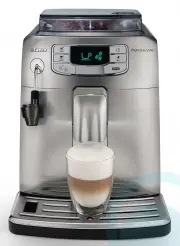 Saeco HD875203
User Manual
Saeco HD875203
User Manual
 Saeco HD8761-03
User Manual
Saeco HD8761-03
User Manual
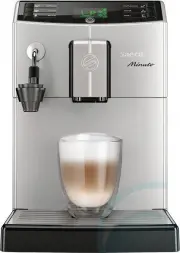 Saeco HD8762-03
User Manual
Saeco HD8762-03
User Manual
 Saeco HD8857-03
User Manual
Saeco HD8857-03
User Manual
 Saeco Magic de Luxe
User Manual
Saeco Magic de Luxe
User Manual
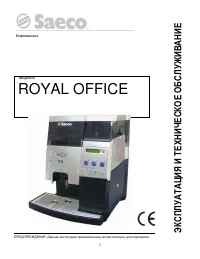 Saeco Royal Office
User Manual
Saeco Royal Office
User Manual
 Saeco SM6480/00
User Manual
Saeco SM6480/00
User Manual
 Saeco SM6580/10
User Manual
Saeco SM6580/10
User Manual
 Saeco SM6582/30
User Manual
Saeco SM6582/30
User Manual
 Saeco SM6585/00
User Manual
Saeco SM6585/00
User Manual
 Saeco SM7580/00
User Manual
Saeco SM7580/00
User Manual
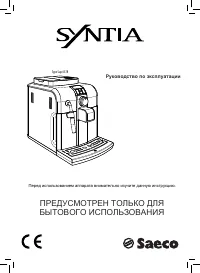 Saeco Syntia
User Manual
Saeco Syntia
User Manual
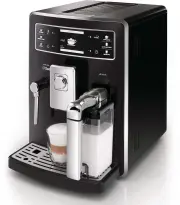 Saeco XELSIS-BLACK
User Manual
Saeco XELSIS-BLACK
User Manual