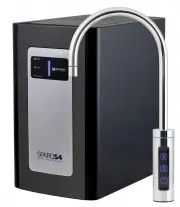
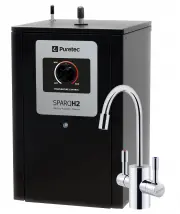
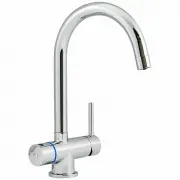
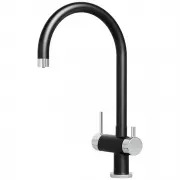
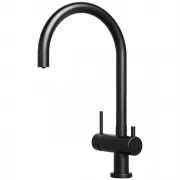
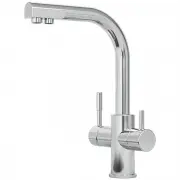
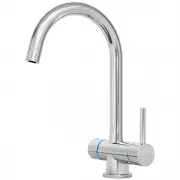
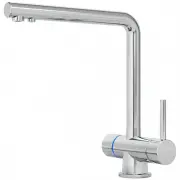
Page 2 - Specifications
2 Installation & Operation Manual Copyright © Puretec Pty Ltd 2019 AUSTRALIA Customer Service: 1300 140 140 Email: [email protected] Web: www.puretec.com.au NEW ZEALAND Customer Service: 0800 130 140 Email: [email protected] Web: www.puretec.co.nz What's Inside What's Inside Puretec Customer Ser...
Page 3 - Introduction; Puretec Customer Service; disinfection before or after the system.; Installation Record; For future reference, fill in the following data:
3 Copyright © Puretec Pty Ltd 2019 Puretec Sparq S4 User Guide Introduction Puretec Customer Service Thank you for purchasing a Puretec Sparq S4 Drinking Water Appliance. The Sparq S4 is a proven performer manufactured from only quality materials and components. It will give years of reliability and...
Page 4 - Before Installation; NOTE: This product must be connected to MAINS WATER ONLY.; Parts Included
4 Installation & Operation Manual Copyright © Puretec Pty Ltd 2019 Before Installation Read the instructions and check if there is adequate space to mount all of the components. Check the mains water pressure is between 172 - 500kPa. NOTE: This product must be connected to MAINS WATER ONLY. Chec...
Page 5 - Max Power Consumption:
5 Copyright © Puretec Pty Ltd 2019 Puretec Sparq S4 User Guide Specifications Specifications A Ø26mm hole is required for faucet (Max. 30mm).^Warranty cover parts and labour for the period of 1 year where applicable subject to approval. Dimensions Model: SPARQ-S4 Throughput L/hour: 20 Chilled Temper...
Page 6 - System Identification; Tap Button Identification
6 Installation & Operation Manual Copyright © Puretec Pty Ltd 2019 System Identification Tap Button Identification Cold SparklingAmbient Fig.2 Pressure Regulator CO 2 Bottle CO 2 Tube (Black)
Page 8 - Installation; Installation Procedure; These installation steps are VERY important and must be
8 Installation & Operation Manual Copyright © Puretec Pty Ltd 2019 Installation Installation Procedure VERY IMPORTANT! These installation steps are VERY important and must be followed in the correct sequence. Remove all packaging before installation including tubes on the back of the unit (see F...
Page 9 - DO NOT TURN POWER ON; to settle before initialising.
9 Copyright © Puretec Pty Ltd 2019 Puretec Sparq S4 User Guide Installation 11. Attach the Wiring Loom from the tap to the unit (see Fig.3). 12. Connect the power cord ( DO NOT TURN POWER ON ). DO NOT turn on the water/and or power supply, this will be done in Step 22-26 of Cold/Ambient Water Startu...
Page 10 - Turn on the water and check for leaks.; How To Use Quick Connect Fittings
10 Installation & Operation Manual Copyright © Puretec Pty Ltd 2019 Installation 21. Check all electrical connections are correct and there are no loose wires. COLD/AMBIENT WATER 22. Turn on the water and check for leaks. 23. Allow tank to fill for 5 minutes. 24. Turn on the power supply at the ...
Page 11 - temperature is preset to 4-10 degrees. It takes up to 20 minutes.
11 Copyright © Puretec Pty Ltd 2019 Puretec Sparq S4 User Guide Installation the front panel of the unit will turn off once the correct temperature is reached. The temperature is preset to 4-10 degrees. It takes up to 20 minutes. SODA/SPARKING WATER 27. Ensure CO 2 bottle is connected firmly to the ...
Page 12 - Filter Maintenance - Every 12 Months or When Taste Returns; Remove filter cover by pushing the clip in.; How To Operate The Tap; Operation & Maintenance
12 Installation & Operation Manual Copyright © Puretec Pty Ltd 2019 Filter Maintenance - Every 12 Months or When Taste Returns 1. Turn off ball valve and purge lines by pressing tap on until flow stops. 2. Remove filter cover by pushing the clip in. 3. Remove filter manifold pushing in the butto...
Page 13 - Gas Replacement; Gas Replacement - As Required; Close regulator, turn off soda button and water supply.
13 Copyright © Puretec Pty Ltd 2019 Puretec Sparq S4 User Guide Gas Replacement Gas Replacement - As Required 1. Close regulator, turn off soda button and water supply. 2. Purge sparking lines by pressing the sparkling button for 30 sec. 3. Disconnect regulator from BLACK tubing. 4. Unscrew the regu...
Page 14 - Troubleshooting; SYMPTOMS
14 Installation & Operation Manual Copyright © Puretec Pty Ltd 2019 Troubleshooting SYMPTOMS POSSIBLE CAUSE POSSIBLE SOLUTION No cold water. Cold temperature switch is off. Please turn the cold temperature switch on. Refrigerant is low. Call your service provider. Problem with compressor or ther...
Page 15 - Warranty; WARRANTY
15 Copyright © Puretec Pty Ltd 2019 Puretec Sparq S4 User Guide Warranty WARRANTY Any claim under this warranty must be made within 1 year of the date of purchase of the product. This product is warranted to be free of defect of material and workmanship for 1 year from date of purchase. To make a cl...