Page 2 - CLASS 1 LASER PRODUCT
WARNING This equipment is not waterproof. To prevent a fire or shock hazard, do not place any container filled with liquid near this equipment (such as a vase or flower pot) or expose it to dripping, splashing, rain or moisture. D3-4-2-1-3_A1_En WARNING To prevent a fire hazard, do not place any nak...
Page 3 - Radio wave caution
Information for users on collection and disposal of old equipment and used batteries These symbols on the products, packaging, and/or accompanying documents mean that used electrical and electronic products and batteries should not be mixed with general household waste. For proper treatment, recover...
Page 4 - Thank you for buying this Pioneer product.; Contents; Bluetooth
4 En Thank you for buying this Pioneer product. Please read through these operating instructions so that you will know how to operate your model properly. After you have finished reading the instructions, put them in a safe place for future reference. Contents 01 Before you start What’s in the box ....
Page 5 - English; Before you start; What’s in the box; Using the remote control
Before you start 01 5 En English Français Español Chapter 1: Before you start What’s in the box Please confirm that the following accessories are in the box when you open it. • Remote Control • AAA batteries (R03) x 2 • Power cord • AM antenna cable*1 • FM wire antenna*2 • DAB/FM wire antenna*3 • Wa...
Page 6 - Part names and functions; Remote control
Part names and functions 02 6 En Chapter 2: Part names and functions Remote control 1 Í Switches the receiver between standby and on (page 12). 2 Input function buttons Use to select the input source to this receiver (page 12). Use to set up or play the audio file using the Bluetooth network (page 2...
Page 7 - Front panel
Part names and functions 02 7 En English Français Español Front panel 1 Í STANDBY/ON Switches the receiver between standby and on (page 12). 2 Remote sensor Receives the signals from the remote control. 3 TIMER indicator Lights when the receiver is power off with timer setting. 4 Main display See Di...
Page 8 - Speaker system
Part names and functions 02 8 En Display 1 Lights when the sound is muted. Note • The mute icon will be displayed in red. 2 1 Start playback. 3 ; Pause playback. 4 Timer function is set. 5 Character display Displays various system information. Speaker system 1 Tweeter2 Woofer3 Bass Reflex Duct Impor...
Page 9 - Connections; Speaker connection
Connections 03 9 En English Français Español Chapter 3: Connections CAUTION • Be sure to turn off the power and unplug the power cord from the power outlet whenever making or changing connections. • Connect the power cord after all the connections between devices have been completed. Speaker connect...
Page 10 - Connecting antennas; Using external antennas
Connections 03 10 En Connecting antennas • Connect the AM loop antenna and the FM (DAB/FM) wire antenna as shown below. • To improve reception and sound quality, connect external antennas (see Using external antennas ). For North American models only For European models 1 Connect the AM antenna wire...
Page 11 - Plugging in
Connections 03 11 En English Français Español Plugging in Before making or changing the connections, switch off the power and disconnect the power cord from the AC outlet. After you’ve finished making all connections, plug the unit into an AC outlet. CAUTION • Do not use any power cord other than th...
Page 12 - Getting started; To turn the power on; Input function
Getting started 04 12 En Chapter 4: Getting started To turn the power on Press the Í to turn the power on. After use: Press the Í to enter the power stand-by mode. Setting the clock 1 Press Í to turn the power on. 2 Press TIMER on the remote control. “CLOCK” is shown on the main display. 3 Press ENT...
Page 13 - Sound controls; Equalizer; Setting the wake-up timer
Getting started 04 13 En English Français Español Sound controls Equalizer When the EQ is pressed, the current mode setting will be displayed. To change to a different mode, press the EQ repeatedly until the desired sound mode appears. P.BASS control When the power is first turned on, the unit will ...
Page 14 - Calling the wake-up timer; Using the sleep timer; Using Headphones
Getting started 04 14 En Calling the wake-up timer It can be used to re-use an existing timer setting. 1 As well as steps 1 through 3 in “Setting the wake-up timer”.2 Press / to select “TIMER ON”, then press ENTER. Cancelling the wake-up timer It can be used to turn off the timer setting. 1 As w...
Page 15 - Disc playback; Playing discs or files; Load the disc
Disc playback 05 15 En English Français Español Chapter 5: Disc playback This system can play back a standard CD, CD-R/RW in the CD format and CD-R/RW with MP3 files, but cannot record on them. Some audio CD-R and CD-RW discs may not be playable due to the state of the disc or the device that was us...
Page 16 - Advanced CD or MP3 disc playback; Repeat play
Disc playback 05 16 En Basic operations Advanced CD or MP3 disc playback Repeat play Repeat play can play one track, all tracks or a programmed sequence continuously. To repeat one track: Press repeatedly until “REPEAT ONE” appears. Press ENTER . To repeat all tracks: Press repeatedly until “REPEAT ...
Page 17 - About downloading MP3
Disc playback 05 17 En English Français Español Programmed play (CD) You can choose up to 24 selections for playback in the order you like. 1 Whilst in the stop mode, press PGM/ MEMORY on the remote control to enter the programming save mode.2 Press : 9 to select the desired tracks. 3 Press ENTER to...
Page 18 - USB playback; Playing USB storage devices
USB playback 06 18 En Chapter 6: USB playback Playing USB storage devices It is possible to listen to two-channel audio using the USB interface with MP3 files on the front of this receiver. • Pioneer does not guarantee that any file recorded on a USB storage device will play or that power will be su...
Page 19 - Random play
USB playback 06 19 En English Français Español Repeat play Repeat play can play one track, all tracks or a programmed sequence continuously. To repeat one track: Press repeatedly until “REPEAT ONE” appears. Press ENTER . To repeat all tracks: Press repeatedly until “REPEAT ALL” appears. Press ENTER ...
Page 20 - Using the tuner; Listening to FM (For European; Tuning
Using the tuner 07 20 En Chapter 7: Using the tuner Listening to FM (For European models)/Listening to FM or AM (For North American models) The following steps show you how to tune in to FM and AM radio broadcasts using the automatic (search) and manual (step) tuning functions. Once you are tuned to...
Page 24 - Changing the information display; Memorising a station
Using the tuner 07 24 En Changing the information display You can switch DAB+ display information.Press the DISPLAY button. Each time the button is pressed, the information display changes in the following order.When “NO SIGNAL” appears, the DISPLAY button does not allow you to change the display. [...
Page 25 - Other connections; Connecting auxiliary components; Automatic switching to Audio In
Other connections 08 25 En English Français Español Chapter 8: Other connections CAUTION • Before making or changing the connections, switch off the power and disconnect the power cord from the AC outlet. • We will not accept responsibility for damage arising from the connection of equipment manufac...
Page 26 - Audio playback; wireless technology; Remote control operation; Pairing with the unit
Bluetooth ® Audio playback 26 En 09 Chapter 9: Bluetooth ® Audio playback X-HM26/26D only Music playback using Bluetooth wireless technology The unit is capable of playing back music stored on Bluetooth capable devices (cell phones, digital music players etc.) wirelessly. You can also use a Bluetoot...
Page 27 - Listen to music on the unit from a; capable device; BT STANDBY
Bluetooth ® Audio playback 27 En English Français Español 09 Note • This unit will be displayed as “Pioneer X-HM26” on all Bluetooth capable devices that you have. Pairing will start. • Place the Bluetooth capable device close to the unit. • Please refer to the user’s manual for your Bluetooth capab...
Page 28 - Scope of operation
Bluetooth ® Audio playback 28 En 09 Radio wave caution This unit uses a 2.4 GHz radio wave frequency, which is a band used by other wireless systems (see list below). To prevent noise or interrupted communication, do not use this unit nearby such devices, or make sure these devices are switched off ...
Page 29 - Additional information; Troubleshooting
Additional information 10 29 En English Français Español Chapter 10: Additional information Troubleshooting Incorrect operations are often mistaken for trouble and malfunctions. If you think that there is something wrong with this component, check the points below. Sometimes the trouble may lie in a...
Page 31 - Playable discs and formats
Additional information 10 31 En English Français Español When the Bluetooth wireless technology device is connected or operated X-HM26/26D only Playable discs and formats • Only the discs that have been finalized can be played. • Discs recorded in packet write mode (UDF format) are not compatible wi...
Page 32 - Cautions on use
Additional information 10 32 En Regarding copy protected CDs This unit is designed to conform to the specifications of the audio CD format. This unit does not support the playback or function of discs that do not conform to these specifications. Supported audio file formats This unit does not suppor...
Page 33 - Cleaning the product; Handling discs; Storing; Auto power off setting; Restoring all the settings to the
Additional information 10 33 En English Français Español Cleaning the product • Unplug the power cord from the power outlet when cleaning this unit. • Clean this unit using a soft cloth. For tough dirt, apply some neutral detergent diluted in 5 to 6 parts water to a soft cloth, wring out thoroughly,...
Page 34 - Specifications
Additional information 10 34 En Specifications • Amplifier section RMS Power Output: . . . . . . . . . . . . . . . . . . . . 15 W + 15 W (1 kHz, 10 %, T.H.D., 8 Ω ) • Tuner section Frequency Range (FM) . . . . . . . . . 87.5 MHz to 108.0 MHz Antenna Input (FM). . . . . . . . . . . . . . . . . . 75 Ω...
Page 36 - APPAREIL À LASER DE CLASSE 1
ATTENTION POUR ÉVITER TOUT RISQUE D’ÉLECTROCUTION, NE PAS ENLEVER LE COUVERCLE (NI LE PANNEAU ARRIÈRE). AUCUNE PIÈCE RÉPARABLE PAR L’UTILISATEUR NE SE TROUVE À L’INTÉRIEUR. CONFIER TOUT ENTRETIEN À UN PERSONNEL QUALIFIÉ UNIQUEMENT. D3-4-2-1-1_B1_Fr AVERTISSEMENT Cet appareil n’est pas étanche. Pour ...
Page 37 - équipements et batteries usagés; AVERTISSEMENT
K058a_A1_Fr Pb Information à destination des utilisateurs sur la collecte et l’élimination des équipements et batteries usagés Ces symboles qui figurent sur les produits, les emballages et/ou les documents d’accompagnement signifient que les équipements électriques et électroniques et batteries usag...
Page 38 - Nous vous remercions d’avoir acheté ce produit Pioneer.; Table des matières
4 Fr Nous vous remercions d’avoir acheté ce produit Pioneer. Veuillez lire attentivement ce mode d'emploi de manière à pouvoir utiliser votre modèle correctement. Lorsque vous avez terminé, rangez ces instructions en lieu sûr afin de pouvoir vous y référer à l’avenir. Table des matières 01 Préparati...
Page 39 - Préparatifs; Contenu de l’emballage; Utilisation de la télécommande
Préparatifs 01 5 Fr English Français Español Deutsch Italiano Nederlands Pyccкий Chapitre 1 : Préparatifs Contenu de l’emballage Veuillez vérifier que les accessoires suivants sont présents dans la boîte quand vous l’ouvrez. • Télécommande • Piles « AAA (R03) » x 2 • Cordon d’alimentation • Câble d’...
Page 40 - Les organes et leurs fonctions; Télécommande
Les organes et leurs fonctions 02 6 Fr Chapitre 2 : Les organes et leurs fonctions Télécommande 1 Í Cette touche permet d’allumer le récepteur et de le mettre en veille (page 12). 2 Touches de fonction d’entrée Pour sélectionner la source d’entrée de ce récepteur (page 12). Pour configurer ou lire l...
Page 41 - Panneau avant
Les organes et leurs fonctions 02 7 Fr English Français Español Deutsch Italiano Nederlands Pyccкий Panneau avant 1 Í STANDBY/ON Cette touche permet d’allumer le récepteur et de le mettre en veille (page 12). 2 Capteur de télécommande Reçoit les signaux provenant de la télécommande. 3 Témoin TIMER S...
Page 42 - Enceintes Acoustiques
Les organes et leurs fonctions 02 8 Fr Afficheur 1 S’allume lorsque le son est coupé. Remarque • L’icône de silence est affichée en rouge. 2 1 Permet de lancer la lecture. 3 ; Pour mettre la lecture en pause. 4 La fonction réveille-matin est activée. 5 Afficheur alphanumérique Affiche diverses infor...
Page 43 - Connexions; Raccordement des enceintes
Connexions 03 9 Fr English Français Español Deutsch Italiano Nederlands Pyccкий Chapitre 3 : Connexions ATTENTION • Veillez à mettre l’appareil hors tension et à débrancher le cordon d’alimentation de la prise secteur à chaque fois que vous effectuez ou que vous modifiez des connexions. • Branchez l...
Page 44 - Raccordement des antennes; Utilisation des antennes externes
Connexions 03 10 Fr Raccordement des antennes • Raccordez l’antenne cadre AM et l’antenne filaire FM (DAB/FM) comme indiqué ci-dessous. • Pour améliorer la réception et la qualité du son, raccordez les antennes externes (voir la section Utilisation des antennes externes ci-dessous). Pour les modèles...
Page 45 - Branchement
Connexions 03 11 Fr English Français Español Deutsch Italiano Nederlands Pyccкий Branchement Avant d’effectuer ou de modifier les raccordements, mettez l’appareil hors tension et débranchez le cordon d’alimentation au niveau de la prise secteur. Après avoir effectué toutes les connexions, branchez l...
Page 46 - Pour commencer; Pour allumer l’appareil; Fonction d’entrée
Pour commencer 04 12 Fr Chapitre 4 : Pour commencer Pour allumer l’appareil Appuyez sur la touche Í pour mettre l’appareil sous tension. Après utilisation : Appuyez sur Í pour passer en mode veille. Réglage de l’horloge 1 Appuyez sur Í pour la mise sous tension. 2 Appuyez sur la touche TIMER de la t...
Page 47 - Commandes de son; Réglage de l’alarme de réveil
Pour commencer 04 13 Fr English Français Español Deutsch Italiano Nederlands Pyccкий Commandes de son Equalizer Lorsque vous appuyez sur la touche EQ , le mode en cours est affiché. Pour changer de mode, appuyez à plusieurs reprises sur la touche EQ jusqu’à ce que le mode audio souhaité s’affiche. T...
Page 48 - Rappel de l’alarme de réveil; Utilisation du minuteur de mise en; Utilisation avec un casque
Pour commencer 04 14 Fr Rappel de l’alarme de réveil Cette procédure permet de réutiliser les réglages d’une alarme existante. 1 Suivez les étapes 1 à 3 de la procédure « Réglage de l’alarme de réveil ».2 Appuyez sur / pour sélectionner « TIMER ON », puis appuyez sur ENTER. Annulation de l’alarm...
Page 49 - Lecture de disque; Lecture de disques ou de fichiers; Charger le disque
Lecture de disque 05 15 Fr English Français Español Deutsch Italiano Nederlands Pyccкий Chapitre 5 : Lecture de disque Ce système peut lire les CD, CD-R/RW au format CD et les CD-R/RW contenant des fichiers MP3 mais il ne peut pas les enregistrer. Certains CD-R et CD-RW audio pourraient ne pas pouvo...
Page 50 - Lecture avancée de disques CD ou; Lecture répétée; Lecture aléatoire
Lecture de disque 05 16 Fr Astuce • Si aucune opération n’a été effectuée en mode CD ou si le fichier audio n’a pas été lu depuis plus de 20 minutes, l’appareil se met automatiquement hors tension. Pour cela, il est nécessaire d’activer ( ON ) la fonction d’arrêt automatique la fonction de mise hors...
Page 51 - À propos du téléchargement de fichiers
Lecture de disque 05 17 Fr English Français Español Deutsch Italiano Nederlands Pyccкий Pour annuler la lecture aléatoire : Appuyez à plusieurs reprises sur la touche RANDOM jusqu’à ce que l’indication « RANDOM OFF » apparaisse. Appuyez sur la touche ENTER . Remarque • Si vous appuyez sur la touche ...
Page 52 - Lecture USB; Lecture à partir d’un périphérique
Lecture USB 06 18 Fr Chapitre 6 : Lecture USB Lecture à partir d’un périphérique USB Il est possible d'écouter du son provenant de deux canaux avec les fichiers MP3 en utilisant l'interface USB située à l'avant de cet ampli-tuner. • Pioneer ne garantit pas que tout fichier enregistré sur un périphér...
Page 53 - Sélection des informations affichées
Lecture USB 06 19 Fr English Français Español Deutsch Italiano Nederlands Pyccкий Lecture répétée Avec répétition lecture, l’appareil peut relire continuellement une piste toutes les pistes ou une séquence programmée. Pour répéter la lecture d’une piste : Appuyez à plusieurs reprises sur la touche j...
Page 54 - Utilisation du tuner; Écoute en FM (Pour les modèles; Mémorisation des stations
Utilisation du tuner 07 20 Fr Chapitre 7 : Utilisation du tuner Écoute en FM (Pour les modèles européens)/Écoute en FM ou AM (Pour les modèles nord-américains) Les étapes suivantes décrivent la façon de régler les bandes FM et AM à l’aide de la recherche automatique et des fonctions de réglage manue...
Page 57 - Tuner
Utilisation du tuner 07 23 Fr English Français Español Deutsch Italiano Nederlands Pyccкий Écoute du DAB+ (X-HM26D uniquement) À propos de DAB+ (Digital Audio Broadcasting, radio numérique) Digital Audio Broadcasting est un système de transmission numérique dans lequel les signaux audio sont convert...
Page 58 - Changement de l’écran d’informations
Utilisation du tuner 07 24 Fr Changement de l’écran d’informations Vous pouvez changer les informations DAB+ affichées.Appuyez sur le bouton DISPLAY . Chaque fois que vous appuyez sur le bouton, l’écran d’informations change dans l’ordre suivant.Lorsque « NO SIGNAL » s’affiche, le bouton DISPLAY ne ...
Page 59 - Autres raccordements; Connexion de composants auxiliaires; Commutation automatique sur
Autres raccordements 08 25 Fr English Français Español Deutsch Italiano Nederlands Pyccкий Chapitre 8 : Autres raccordements ATTENTION • Avant d’effectuer ou de modifier les raccordements, mettez l’appareil hors tension et débranchez le cordon d’alimentation au niveau de la prise secteur. • Nous n'a...
Page 60 - Lecture audio; Lecture de musique par la; Fonctionnement par télécommande; Association avec l’appareil
Lecture audio Bluetooth ® 26 Fr 09 Chapitre 9 : Lecture audio Bluetooth ® X-HM26/26D uniquement Lecture de musique par la technologie sans fil Bluetooth L’appareil peut lire de la musique stockée sur des périphériques équipés de la fonction sans fil Bluetooth (téléphones portables, lecteurs de musiq...
Page 61 - Écouter de la musique sur l’appareil à
Lecture audio Bluetooth ® 27 Fr 09 English Français Español Deutsch Italiano Nederlands Pyccкий 3 Mettez le périphérique sans fil Bluetooth que vous souhaitez associer sous tension et effectuez la procédure d’association sur le périphérique. Remarque • Cet appareil s'affichera comme « Pioneer X-HM26...
Page 62 - Précaution concernant les ondes; Limite de fonctionnement
Lecture audio Bluetooth ® 28 Fr 09 Précaution concernant les ondes radio Cet appareil utilise une fréquence d’ondes radio de 2,4 GHz, cette bande étant également utilisée par d’autres systèmes sans fil (consultez la liste ci-dessous). Pour éviter le brouillage ou les interruptions de communication, ...
Page 63 - Informations supplémentaires; Guide de dépannage
Informations supplémentaires 10 29 Fr English Français Español Deutsch Italiano Nederlands Pyccкий Chapitre 10 : Informations supplémentaires Guide de dépannage Souvent, les opérations incorrectes sont interprétées comme des problèmes ou des dysfonctionnements. Si vous estimez que cet appareil ne fo...
Page 65 - Types de disque et formats de fichier lisibles
Informations supplémentaires 10 31 Fr English Français Español Deutsch Italiano Nederlands Pyccкий Lorsqu’un périphérique sans fil Bluetooth est connecté ou utilisé : X-HM26/26D uniquement Types de disque et formats de fichier lisibles • Seuls les disques qui ont été finalisés peuvent être reproduit...
Page 66 - Précautions d’utilisation
Informations supplémentaires 10 32 Fr À propos des CD protégés contre la copie Ce lecteur se conforme aux spécifications du format CD Audio. Il ne prend pas en charge la lecture ou les fonctions des disques non conformes à ces spécifications. Formats de fichiers audio pris en charge Cet appareil ne ...
Page 67 - Manipulation d’un disque; Rangement; Configuration de la fonction de mise; Rétablissement de tous les réglages
Informations supplémentaires 10 33 Fr English Français Español Deutsch Italiano Nederlands Pyccкий Manipulation d’un disque Rangement • Remettez toujours les disques dans leur boîtier et rangez-les verticalement, en évitant les endroits chauds, humides, exposés directement à la lumière du soleil ou ...
Page 68 - Spécifications
Informations supplémentaires 10 34 Fr Spécifications • Section Amplificateur Puissance de sortie RMS : . . . . . . . . . . . . . . 15 W + 15 W (1 kHz, 10 %, T.H.D., 8 Ω ) • Section tuner Gamme de fréquences (FM) . . . . . 87,5 MHz à 108,0 MHz Entrée antenne (FM) . . . . . . . . . . . . . . . 75 Ω as...
Page 70 - PRODUCTO LASER CLASE 1
PRECAUCIÓN PARA PREVENIR EL PELIGRO DE CHOQUE ELÉCTRICO NO REMOVER LA TAPA NI LAS PARTES DENTRO NO UTILIZADAS, LLAMAR UNA PERSONA CUALIFICADA. D3-4-2-1-1_B2_Es ADVERTENCIA Este aparato no es impermeable. Para evitar el riesgo de incendio y de descargas eléctricas, no ponga ningún recipiente lleno de...
Page 71 - su vida y de las pilas y baterías usadas.; ADVERTENCIA
K058a_A1_Es Pb Información para los usuarios en la recogida y tratamiento de los equipos al final de su vida y de las pilas y baterías usadas. Estos símbolos en los productos, embalaje, y/o en los documentos que los acompañan significa que los productos eléctricos y electrónicos al final de su vida,...
Page 72 - Gracias por comprar un producto Pioneer.; Índice
4 Es Gracias por comprar un producto Pioneer. Le sugerimos que lea atentamente estas manual de instrucciones a fin de que aprenda a utilizar su equipo de manera adecuada. Después de leer las instrucciones, guárdelas en un lugar seguro para futuras referencias. Índice 01 Antes de comenzar Contenido d...
Page 73 - Antes de comenzar; Contenido de la caja; Utilización del mando a distancia
Antes de comenzar 01 5 Es English Français Español Deutsch Italiano Nederlands Pyccкий Capítulo 1: Antes de comenzar Contenido de la caja Al abrir la caja, confirme que la misma contiene los siguientes accesorios: • Mando a distancia • Pilas AAA (R03) x 2 • Cable de alimentación • Cable de antena de...
Page 74 - Nombres y funciones de los controles; Mando a distancia
Nombres y funciones de los controles 02 6 Es Capítulo 2: Nombres y funciones de los controles Mando a distancia 1 Í Alterna el receptor entre encendido y modo de espera (página 12). 2 Botones de función de entrada Utilícelos para seleccionar la fuente de entrada para este receptor (página 12). Permi...
Page 75 - Panel frontal
Nombres y funciones de los controles 02 7 Es English Français Español Deutsch Italiano Nederlands Pyccкий Panel frontal 1 Í STANDBY/ON Alterna el receptor entre encendido y modo de espera (página 12). 2 Sensor del mando a distancia Recibe las señales del mando a distancia. 3 Indicador TIMER Se ilumi...
Page 76 - Sistema de altavoces
Nombres y funciones de los controles 02 8 Es Indicadores 1 Se ilumina cuando se silencia el sonido. Nota • El icono de silencio se mostrará en rojo. 2 1 Para iniciar la reproducción. 3 ; Efectuar una pausa en la reproducción. 4 La función del temporizador está activada. 5 Pantalla de visualización d...
Page 77 - Conexiones; Conexión de los altavoces
Conexiones 03 9 Es English Français Español Deutsch Italiano Nederlands Pyccкий Capítulo 3: Conexiones PRECAUCIÓN • Siempre que realice o modifique conexiones deberá apagar la unidad y desenchufar el cable de alimentación de la toma de corriente. • Conecte el cable de alimentación después de que hay...
Page 78 - Conexión de antenas; Uso de antenas exteriores
Conexiones 03 10 Es Conexión de antenas • Conecte la antena de cuadro de AM y la antena de hilo de FM (DAB/FM) como se indica a continuación. • Para mejorar la recepción y la calidad de sonido, conecte antenas exteriores (consulte más abajo Uso de antenas exteriores ). Solo para modelos norteamerica...
Page 79 - Conexión a la corriente
Conexiones 03 11 Es English Français Español Deutsch Italiano Nederlands Pyccкий Conexión a la corriente Antes de realizar o cambiar las conexiones, apague el sistema y desenchufe el cable de alimentación de la toma de CA. Después de haber terminado todas las conexiones, enchufe la unidad a una toma...
Page 80 - Primeros pasos; Para encender la unidad
Primeros pasos 04 12 Es Capítulo 4: Primeros pasos Para encender la unidad Pulse Í para conectar la alimentación. Después del uso: Para colocar la unidad en el modo de espera, pulse Í . Ajuste del reloj 1 Pulse Í para conectar la alimentación. 2 Pulse TIMER en el mando a distancia. Se mostrará “CLOC...
Page 81 - Controles de sonido; Configuración del despertador
Primeros pasos 04 13 Es English Français Español Deutsch Italiano Nederlands Pyccкий Controles de sonido Equalizer Al pulsar EQ , se mostrará el ajuste del modo en curso. Para cambiar a otro modo, pulse EQ varias veces hasta que se muestre el modo de sonido deseado. Control P.bass Cuando se activa l...
Page 82 - Cómo restablecer el despertador; Empleo del temporizador de; Uso de auriculares
Primeros pasos 04 14 Es Cómo restablecer el despertador Permite volver a utilizar una configuración de despertador existente. 1 Siga los pasos 1 a 3 indicados en “Configuración del despertador”.2 Pulse / para seleccionar “TIMER ON” y, a continuación, pulse ENTER. Cómo cancelar el despertador Per...
Page 83 - Reproducción de discos; Reproducción de discos o archivos; Cargue el disco
Reproducción de discos 05 15 Es English Français Español Deutsch Italiano Nederlands Pyccкий Capítulo 5: Reproducción de discos Este sistema puede reproducir un CD, CD-R/RW estándar en formato CD y CD-R/RW con archivos MP3, pero no puede grabar en ellos. Cabe la posibilidad de que algunos discos CD-...
Page 84 - Reproducción avanzada de CD o; Repetición de la reproducción; Reproducción aleatoria
Reproducción de discos 05 16 Es Sugerencia • Si no se ha llevado a cabo ninguna operación en el modo de CD y no se ha reproducido ningún archivo de audio durante más de 20 minutos, la unidad se apagará automáticamente. En este caso es necesario que apagado automático esté ajustado a ON . • El apagad...
Page 85 - Sobre la descarga de archivos MP3
Reproducción de discos 05 17 Es English Français Español Deutsch Italiano Nederlands Pyccкий Nota • Si pulsa el botón 9 durante la reproducción aleatoria, podrá pasar a la siguiente pista seleccionada en el modo de reproducción aleatoria. • En la reproducción aleatoria, la unidad seleccionará y repr...
Page 86 - Reproducción USB; Reproducción de dispositivos de
Reproducción USB 06 18 Es Capítulo 6: Reproducción USB Reproducción de dispositivos de almacenamiento USB Se puede escuchar audio de dos canales a través de la interfaz USB con archivos MP3 en el frontal del receptor. • Pioneer no garantiza que todos los ficheros grabados en un dispositivo de almace...
Page 87 - Cómo cambiar el contenido visualizado
Reproducción USB 06 19 Es English Français Español Deutsch Italiano Nederlands Pyccкий Repetición de la reproducción La repetición de lectura de una pista se puede realizar de forma que afecte a todas las pistas o a una secuencia programada de forma continua. Para escuchar nuevamente una pista: Puls...
Page 88 - Uso del sintonizador; Audición de FM (Para modelos; Presintonización de emisoras
Uso del sintonizador 07 20 Es Capítulo 7: Uso del sintonizador Audición de FM (Para modelos europeos)/Audición de FM o AM (Solo para los modelos norteamericanos) El siguiente procedimiento describe cómo sintonizar emisoras de radio de FM o AM utilizando las funciones de sintonización automática (bús...
Page 89 - Uso del Radio Data System o RDS (sistema
Uso del sintonizador 07 21 Es English Français Español Deutsch Italiano Nederlands Pyccкий 3 Pulse PRESET +/– para seleccionar el número de emisora presintonizada.4 Pulse PGM/MEMORY para guardar la emisora en la memoria. Si el número de presintonía deja de parpadear y se ilumina de forma continua an...
Page 92 - Cambio de visualización de información; Memorización de una emisora
Uso del sintonizador 07 24 Es Cambio de visualización de información Puede cambiar la visualización de información de DAB+.Pulse el botón DISPLAY . Cada vez que se pulsa el botón la visualización de información cambia en el siguiente orden.Cuando aparece “NO SIGNAL”, el botón DISPLAY no permite camb...
Page 93 - Otras conexiones; Conexión de componentes auxiliares; Cambio automático a entrada Audio In
Otras conexiones 08 25 Es English Français Español Deutsch Italiano Nederlands Pyccкий Capítulo 8: Otras conexiones PRECAUCIÓN • Antes de realizar o cambiar las conexiones, apague el sistema y desenchufe el cable de alimentación de la toma de CA. • Nous n'acceptons en aucun cas la responsabilité pou...
Page 94 - Reproducción de audio con; Reproducción de música empleando; Funcionamiento con mando a; Sincronización con la unidad (registro
Reproducción de audio con Bluetooth ® 26 Es 09 Capítulo 9: Reproducción de audio con Bluetooth ® Solamente X-HM26/26D Reproducción de música empleando la tecnología inalámbrica Bluetooth Esta unidad permite reproducir inalámbricamente música almacenada en dispositivos habilitados para Bluetooth (tel...
Page 95 - Cómo escuchar música en la unidad
Reproducción de audio con Bluetooth ® 27 Es 09 English Français Español Deutsch Italiano Nederlands Pyccкий 3 Encienda el dispositivo habilitado para Bluetooth con el que desea sincronizar la unidad y lleve a cabo el procedimiento de sincronización. Nota • Esta unidad se visualizará como “Pioneer X-...
Page 96 - Precaución con las ondas; Alcance de operación
Reproducción de audio con Bluetooth ® 28 Es 09 • Si los ajustes se restablecen a los valores de fábrica, todos los historiales de sincronización se eliminarán. Precaución con las ondas radioeléctricas Esta unidad emplea una frecuencia de onda de radio de 2,4 GHz, que es una banda utilizada por otros...
Page 97 - Información adicional; Detección y solución de problemas
Información adicional 10 29 Es English Français Español Deutsch Italiano Nederlands Pyccкий Capítulo 10: Información adicional Detección y solución de problemas A menudo, un manejo incorrecto se confunde con problemas o un mal funcionamiento. Si cree que este componente tiene algún problema, comprue...
Page 99 - Discos y formatos que pueden reproducirse
Información adicional 10 31 Es English Français Español Deutsch Italiano Nederlands Pyccкий Cuando el dispositivo de tecnología inalámbrica Bluetooth esté conectado o se esté utilizando Solamente X-HM26/26D Discos y formatos que pueden reproducirse • Sólo pueden reproducirse los discos que han sido ...
Page 100 - Observaciones sobre el uso de este
Información adicional 10 32 Es Acerca de los CD protegidos contra la copia Esta unidad ha sido diseñada para cumplir con las especificaciones del formato CD de audio. Esta unidad no es compatible con la reproducción ni las funciones de los discos que no satisfacen estas especificaciones. Formatos de...
Page 101 - Manipulación de discos; Almacenaje de los discos; Configuración del apagado; Restauración de todos los ajustes a
Información adicional 10 33 Es English Français Español Deutsch Italiano Nederlands Pyccкий Manipulación de discos Almacenaje de los discos • Siempre deberá guardar los discos en sus cajas y en posición vertical, evitando los lugares cálidos y húmedos, los lugares expuestos a la luz directa del sol ...
Page 102 - Especificaciones
Información adicional 10 34 Es Especificaciones • Sección del amplificador Potencia de salida RMS: . . . . . . . . . . . . . . . . 15 W + 15 W (1 kHz, 10 %, T.H.D., 8 Ω ) • Sección del sintonizador Intervalo de frecuencia (FM). . . De 87,5 MHz a 108,0 MHz Entrada de antena (FM) . . . . . . . . . . ....
Page 104 - PRODOTTO LASER DI CLASSE 1
ATTENZIONE PER EVITARE IL RISCHIO DI SCOSSE ELETTRICHE, NON RIMUOVERE IL COPERCHIO (O IL RETRO). NON CI SONO PARTI INTERNE LA CUI MANUTENZIONE POSSA ESSERE EFFETTUATA DALL’UTENTE. IN CASO DI NECESSITÀ, RIVOLGERSI ESCLUSIVAMENTE A PERSONALE DI SERVIZIO QUALIFICATO. D3-4-2-1-1_B2_It ATTENZIONE Questo ...
Page 105 - dispositivi e batterie esauste; ATTENZIONE
K058a_A1_It Pb Informazioni per gli utilizzatori finali sulla raccolta e lo smaltimento di vecchi dispositivi e batterie esauste Questi simboli sui prodotti, confezioni, e/o documenti allegati significano che vecchi prodotti elettrici ed elettronici e batterie esauste non devono essere mischiati ai ...
Page 106 - Vi ringraziamo per avere acquistato questo prodotto Pioneer.; Indice
4 It Vi ringraziamo per avere acquistato questo prodotto Pioneer. Prima di usare il prodotto, leggere questo manuale d’istruzioni in modo da saperlo utilizzare correttamente. Finito di leggerle, conservarle in un luogo sicuro per poterle riutilizzare in futuro. Indice 01 Prima di cominciare Contenut...
Page 107 - Prima di cominciare; Contenuto della confezione; Utilizzo del telecomando
Prima di cominciare 01 5 It English Français Español Deutsch Italiano Nederlands Pyccкий Capitolo 1: Prima di cominciare Contenuto della confezione Assicurarsi che i seguenti accessori siano nella scatola al momento dell’apertura. • Telecomando • Batterie AAA (R03) x 2 • Cavo di alimentazione • Cavo...
Page 108 - Nome delle parti e loro funzione; Telecomando
Nome delle parti e loro funzione 02 6 It Capitolo 2: Nome delle parti e loro funzione Telecomando 1 Í Commuta il ricevitore tra standby e on (pagina 12). 2 Selettori di entrata Usarlo per selezionare la sorgente di entrata a questo ricevitore (pagina 12). Usare per impostare o leggere un file audio ...
Page 109 - Pannello anteriore
Nome delle parti e loro funzione 02 7 It English Français Español Deutsch Italiano Nederlands Pyccкий Pannello anteriore 1 Í STANDBY/ON Commuta il ricevitore tra standby e on (pagina 12). 2 Sensore remoto Riceve i segnali dal telecomando. 3 Indicatore TIMER Si illumina quando il ricevitore ha la cor...
Page 110 - Diffusori
Nome delle parti e loro funzione 02 8 It Display 1 Si illumina quando il suono viene silenziato. Nota • L’icona mute verrà visualizzata in rosso. 2 1 Avviare la riproduzione. 3 ; Pausa playback. 4 La funzione orologio è stata impostata. 5 Display dei caratteri Visualizza varie informazioni sul siste...
Page 111 - Collegamenti; Collegamento dei diffusori
Collegamenti 03 9 It English Français Español Deutsch Italiano Nederlands Pyccкий Capitolo 3: Collegamenti ATTENZIONE • Assicurarsi di spegnere la corrente e togliere la spina del cavo di corrente dalla presa mentre si eseguono o modificano le connessioni. • Connettere il cavo di corrente solo dopo ...
Page 112 - Collegamento delle antenne; Uso delle antenne esterne
Collegamenti 03 10 It Collegamento delle antenne • Collegare l’antenna AM a telaio e l’antenna FM (DAB/ FM) a filo come segue. • Per migliorare la ricezione e la qualità sonora, collegare le antenne esterne (vedi Uso delle antenne esterne sotto). Solo per i modelli per il Nord America Per i modelli ...
Page 113 - Inserire la spina
Collegamenti 03 11 It English Français Español Deutsch Italiano Nederlands Pyccкий Inserire la spina Prima di eseguire o cambiare i collegamenti, spegnete l’apparecchio e scollegate la spina dalla presa AC. Finiti i collegamenti, collegare questa unità ad una presa AC. ATTENZIONE • Utilizzare solo e...
Page 114 - Come iniziare; Per accendere l’apparecchio; Entrata
Come iniziare 04 12 It Capitolo 4: Come iniziare Per accendere l’apparecchio Premere Í per attivare l’alimentazione. Dopo l’uso: Premere Í per inserire la modalità di corrente stand-by. Impostazione dell’orologio 1 Premere Í per attivare l’alimentazione. 2 Premere TIMER sul telecomando. Sul display ...
Page 115 - Comandi audio; Impostazione della sveglia
Come iniziare 04 13 It English Français Español Deutsch Italiano Nederlands Pyccкий Comandi audio Equalizer Se si preme EQ , si visualizzeranno le impostazioni della modalità corrente. Per selezionare una modalità diversa, premere EQ ripetutamente finché non appare la modalità di suono desiderata. P...
Page 116 - Regolare la sveglia; Come utilizzare il timer di; Usare le cuffie
Come iniziare 04 14 It Regolare la sveglia Può essere usato per riutilizzare un’impostazione esistente del timer. 1 Gli stessi passaggi da 1 a 3 in “Impostare la sveglia”.2 Premere / per selezionare “TIMER ON”, quindi premere ENTER. Annullare la sveglia Può essere usato per disattivare le impost...
Page 117 - Riproduzione di dischi; Riproduzione di dischi o file; Caricare il disco
Riproduzione di dischi 05 15 It English Français Español Deutsch Italiano Nederlands Pyccкий Capitolo 5: Riproduzione di dischi Questo sistema può riprodurre un CD standard, CD-R/RW in formato CD e CD-R/RW con file MP3, ma non è in grado di registrare su di essi. Potrebbe non essere possibile riprod...
Page 118 - Riproduzione d’avanguardia di un CD; Ripetizione di lettura; Riproduzione ad accesso casuale
Riproduzione di dischi 05 16 It • Lo spegnimento automatico può essere commutato su ON / OFF (pagina 33). Operazioni base Riproduzione d’avanguardia di un CD o disco MP3 Ripetizione di lettura La funzione di ripetizione della riproduzione permette di eseguire la lettura continua di un brano, di tutt...
Page 119 - Scaricare MP3
Riproduzione di dischi 05 17 It English Français Español Deutsch Italiano Nederlands Pyccкий Nota • Se si preme il tasto 9 durante la riproduzione casuale, ci si può spostare sulla prossima pista selezionata attraverso il funzionamento causale. • La funzione di lettura casuale permette la selezione ...
Page 120 - Riproduzione USB; Riprodurre dispositivi di memoria
Riproduzione USB 06 18 It Capitolo 6: Riproduzione USB Riprodurre dispositivi di memoria USB È possibile ascoltare audio a due canali con file MP3 usando l'interfaccia USB nella parte anteriore di questo ricevitore. • Pioneer non garantisce che tutti i file registrati su qualsiasi dispositivo di mem...
Page 122 - Come usare il sintonizzatore; Ascolto di FM (Per i modelli per; Come salvare le stazioni di preselezione
Come usare il sintonizzatore 07 20 It Capitolo 7: Come usare il sintonizzatore Ascolto di FM (Per i modelli per l’Europa)/Ascolto di FM o AM (Per i modelli per il Nord America) I seguenti punti mostrano come sintonizzare le trasmissioni radio FM e AM usando le funzioni di sintonizzazione automatica ...
Page 125 - Broadcasting, Trasmissione audio
Come usare il sintonizzatore 07 23 It English Français Español Deutsch Italiano Nederlands Pyccкий Ascolto di DAB+ (solo X-HM26D) Informazioni su DAB+ (Digital Audio Broadcasting, Trasmissione audio digitale) Il Digital Audio Broadcasting è un sistema di trasmissione digitale in cui i segnali audio ...
Page 126 - Modifica del display delle informazioni; Memorizzazione di una stazione
Come usare il sintonizzatore 07 24 It Modifica del display delle informazioni È possibile passare alle informazioni del display DAB+.Premere il pulsante DISPLAY . Ogni volta che si preme questo pulsante, il display cambia nell’ordine seguente.Quando viene visualizzato “NO SIGNAL” (Nessun segnale), i...
Page 127 - Altri collegamenti; Connessione di componenti ausiliari; Passaggio automatico all'ingresso
Altri collegamenti 08 25 It English Français Español Deutsch Italiano Nederlands Pyccкий Capitolo 8: Altri collegamenti ATTENZIONE • Prima di eseguire o cambiare i collegamenti, spegnete l’apparecchio e scollegate la spina dalla presa AC. • Non accetteremo responsabilità per danni derivanti dal coll...
Page 128 - Audio; Riproduzione con tecnologia wireless; Funzionamento del telecomando; Accoppiare all’unità (Registrazione
Riproduzione Bluetooth ® Audio 26 It 09 Capitolo 9: Riproduzione Bluetooth ® Audio Solo X-HM26/26D Riproduzione con tecnologia wireless Bluetooth L’unità è in grado di riprodurre la musica salvata sugli apparecchi wireless abilitati a tecnologia Bluetooth (telefono cellulare, lettori musica digitale...
Page 129 - Ascoltare la musica sull’unità con
Riproduzione Bluetooth ® Audio 27 It 09 English Français Español Deutsch Italiano Nederlands Pyccкий 3 Accendere la corrente dell’apparecchio abilitato a tecnologia Bluetooth con il quale si desidera eseguire l’accoppiamento ed effettuare la procedura di accoppiamento su di esso. Nota • Questa unità...
Page 130 - Avvertenza sulle onde radio; Campo di funzionamento
Riproduzione Bluetooth ® Audio 28 It 09 Avvertenza sulle onde radio Questa unità utilizza una frequenza di onde radio da 2,4 GHz, che corrisponde alla banda usata da altri sistemi wireless (fare riferimento all’elenco che segue). Per evitare rumore ed interruzioni della comunicazione, non usare ques...
Page 131 - Informazioni aggiuntive; Risoluzione dei problemi
Informazioni aggiuntive 10 29 It English Français Español Deutsch Italiano Nederlands Pyccкий Capitolo 10: Informazioni aggiuntive Risoluzione dei problemi Le operazioni non corrette sono spesso interpretate come problemi o guasti. Qualora si ritenga che questo componente non funzioni nel modo corre...
Page 133 - Dischi e formati riproducibili
Informazioni aggiuntive 10 31 It English Français Español Deutsch Italiano Nederlands Pyccкий Con un dispositivo Bluetooth a tecnologia wireless connesso e in funzione Solo X-HM26/26D Dischi e formati riproducibili • Si possono riprodurre solo dischi finalizzati. • I dischi registrati nella modalità...
Page 134 - Precauzioni d’uso; Pulizia del prodotto
Informazioni aggiuntive 10 32 It I CD protetti dalla copia Questa unità è costruita in conformità alle caratteristiche del formato CD audio. Questa unità non supporta la riproduzione o le funzioni di dischi che non siano conformi a tali caratteristiche. Formati dei file audio supportati Questo letto...
Page 135 - Come maneggiare i dischi; Archiviazione; Ritorno di tutte le impostazioni ai
Informazioni aggiuntive 10 33 It English Français Español Deutsch Italiano Nederlands Pyccкий Come maneggiare i dischi Archiviazione • Riporre sempre i dischi nelle loro custodie e archiviarli verticalmente, evitando luoghi caldi, umidi, esposti alla luce solare o estremamente freddi. • Leggere atte...
Page 136 - Specifiche
Informazioni aggiuntive 10 34 It Specifiche • Sezione amplificatore Uscita alimentazione RMS: . . . . . . . . . . . . . . 15 W + 15 W (1 kHz, 10 %, T.H.D., 8 Ω ) • Sezione sintonizzatore Gamma di frequenza (FM) . . . . . da 87,5 MHz a 108,0 MHz Ingresso di antenna (FM) . . . . . . . . . . . . .75 Ω ...
Page 138 - LASER KLASSE 1
ACHTUNG UM SICH NICHT DER GEFAHR EINES ELEKTRISCHEN SCHLAGES AUSZUSETZEN, DÜRFEN SIE NICHT DEN DECKEL (ODER DIE RÜCKSEITE) ENTFERNEN. IM GERÄTEINNEREN BEFINDEN SICH KEINE VOM BENUTZER REPARIERBAREN TEILE. ÜBERLASSEN SIE REPARATUREN DEM QUALIFIZIERTEN KUNDENDIENST. D3-4-2-1-1_B1_De WARNUNG Dieses Ger...
Page 139 - gebrauchten Batterien; WARNUNG
K058a_A1_De Pb Informationen für Anwender zur Sammlung und Entsorgung von Altgeräten und gebrauchten Batterien Diese Symbole auf den Produkten, der Verpackung und/oder Begleitdokumenten bedeuten, dass gebrauchte elektrische und elektronische Produkte und Batterien nicht über den Haushaltsmüll entsor...
Page 140 - Inhaltsverzeichnis
4 De Wir danken Ihnen dafür, dass Sie sich für dieses Produkt von Pioneer entschieden haben. Bitte lesen Sie diese Bedienungsanleitung vor der Inbetriebnahme aufmerksam durch, damit Sie Ihr neues Gerät richtig bedienen und stets seine optimale Leistung erzielen können. Bitte bewahren Sie diese Anlei...
Page 141 - Vor der Inbetriebnahme; Lieferumfang; Verwendung der Fernbedienung
Vor der Inbetriebnahme 01 5 De English Français Español Deutsch Italiano Nederlands Pyccкий Kapitel 1: Vor der Inbetriebnahme Lieferumfang Bitte überzeugen Sie sich, dass sich das folgende Zubehör in der Box befindet, wenn Sie sie öffnen. • Fernbedienung • Batterien (R03, Größe „AAA“) x 2 • Netzkabe...
Page 142 - Bezeichnungen und Funktionen der Teile; Fernbedienung
Bezeichnungen und Funktionen der Teile 02 6 De Kapitel 2: Bezeichnungen und Funktionen der Teile Fernbedienung 1 Í Schaltet den Receiver zwischen Eingeschaltet und Bereitschaftsmodus um (Seite 12). 2 Eingangsfunktion-Tasten Wird zur Wahl der Eingangsquelle für diesen Receiver verwendet (Seite 12). V...
Page 143 - Vorderes Bedienfeld
Bezeichnungen und Funktionen der Teile 02 7 De English Français Español Deutsch Italiano Nederlands Pyccкий Vorderes Bedienfeld 1 Í STANDBY/ON Schaltet den Receiver zwischen Eingeschaltet und Bereitschaftsmodus um (Seite 12). 2 Fernbedienungssignal-Sensor Empfängt die Signale der Fernbedienung. 3 TI...
Page 144 - Lautsprecher
Bezeichnungen und Funktionen der Teile 02 8 De Display 1 Leuchtet bei stummgeschaltetem Ton. Hinweis • Das Stummschaltungs-Icon wird in Rot angezeigt. 2 1 Hiermit starten Sie die Wiedergabe. 3 ; Anhalten der Wiedergabe. 4 Die Timer-Funktion ist eingestellt. 5 Zeichenanzeige Zeigt verschiedene System...
Page 145 - Anschlüsse; Anschluß der Lautsprecher
Anschlüsse 03 9 De English Français Español Deutsch Italiano Nederlands Pyccкий Kapitel 3: Anschlüsse ACHTUNG • Achten sie darauf, immer dann, wenn Sie Anschlüsse vornehmen oder ändern, vorher den Strom auszuschalten und das Netzkabel aus der Netzsteckdose zu ziehen. • Schließen Sie das Stromkabel e...
Page 146 - Anschluss der Antennen; Verwendung externer Antennen
Anschlüsse 03 10 De Anschluss der Antennen • Schließen Sie die MW-Rahmenantenne und die FM (DAB/FM)-Drahtantenne wie unten dargestellt an. • Um den Empfang und die Klangqualität zu verbessern, schließen Sie bitte externe Antennen an (siehe Verwendung externer Antennen unten). Nur bei Modellen für No...
Page 147 - Einstecken des Steckers
Anschlüsse 03 11 De English Français Español Deutsch Italiano Nederlands Pyccкий Einstecken des Steckers Schalten Sie, ehe Sie die Anschlüsse vornehmen oder ändern, den Strom aus und ziehen Sie das Netzkabel aus der Netzsteckdose. Nachdem Sie alle übrigen Anschlüsse hergestellt haben, schließen Sie ...
Page 148 - Die ersten Schritte; Einschalten der Stromversorgung; Generelle Bedienung
Die ersten Schritte 04 12 De Kapitel 4: Die ersten Schritte Einschalten der Stromversorgung Drücken Sie Í , um den Strom einzuschalten. Nach Gebrauch: Drücken Sie Í , um den Strom-Standby-Modus einzugeben. Einstellen der Uhr 1 Drücken Sie Í , um das Gerät einzuschalten.2 Drücken Sie TIMER auf der Fe...
Page 149 - Lautstärkeregler; Einstellen des Weck-Timers
Die ersten Schritte 04 13 De English Français Español Deutsch Italiano Nederlands Pyccкий Lautstärkeregler Equalizer Wenn der EQ gedrückt wird, wird die momentane Modus- Einstellung angezeigt. Drücken Sie zur Änderung auf einen anderen Modus den EQ wiederholt, bis der gewünschte Klang-Modus erschein...
Page 150 - Anwählen des Weck-Timers; Verwendung des Sleep-Timers; Verwenden von Kopfhörern
Die ersten Schritte 04 14 De Anwählen des Weck-Timers Kann für die Wiederverwendung einer existierenden Timer- Einstellung verwendet werden. 1 Wie die Schritte 1 – 3 in „Einstellen des Weck-Timers“.2 Drücken Sie / , um „TIMER ON“ zu wählen und drücken Sie dann ENTER. Abbrechen des Weck-Timers Ka...
Page 151 - Abspielen von Discs oder Dateien; Einlegen einer Disc
Disc-Wiedergabe 05 15 De English Français Español Deutsch Italiano Nederlands Pyccкий Kapitel 5: Disc-Wiedergabe Dieses System kann Standard-CDs, CD-R/RW- und CD-R/ RW-Discs mit MP3-Dateien wiedergeben, jedoch keine Daten aufzeichnen. Einige Audio-CD-R- und CD-RW-Discs können aufgrund ihres Zustands...
Page 152 - Weitere Wiedergabe von CDs oder; Wiederholte Wiedergabe; Zufallswiedergabe
Disc-Wiedergabe 05 16 De • Die automatische Stromabschaltung kann ein- oder ausgeschaltet werden ( ON / OFF ) (Seite 33). Grundlegende Funktionen Weitere Wiedergabe von CDs oder MP3-Discs Wiederholte Wiedergabe Bei der wiederholten Wiedergabe können ein Titel, alle Titel oder eine programmierte Reih...
Page 153 - Herunterladen von MP3
Disc-Wiedergabe 05 17 De English Français Español Deutsch Italiano Nederlands Pyccкий Programmierte Wiedergabe (CD) Zur Wiedergabe können Sie bis zu 24 Titel in der gewünschten Reihenfolge wählen. 1 Drücken Sie im Stopp-Modus auf der Fernbedienung PGM/MEMORY, um den Programmierspeichermodus einzugeb...
Page 154 - Wiedergeben von USB-Speichern
USB-Wiedergabe 06 18 De Kapitel 6: USB-Wiedergabe Wiedergeben von USB-Speichern (USB-Geräten) Mit der USB-Schnittstelle an der Vorderseite des Receivers ist eine Zwei-Kanal-Wiedergabe von MP3-Dateien möglich. • Pioneer garantiert nicht, dass jede Datei, die auf einem USB-Speicher gespeichert ist, wi...
Page 156 - Verwendung des Tuners; Wiedergabe von FM (Bei Modellen für; Speichern voreingestellter Sender
Verwendung des Tuners 07 20 De Kapitel 7: Verwendung des Tuners Wiedergabe von FM (Bei Modellen für Europa)/Wiedergabe von FM oder AM (Nur bei Modellen für Nordamerika) Die folgenden Schritte beschreiben die Einstellung von UKW- und MW-Radiosendungen mittels der automatischen (Suchlauf) und der manu...
Page 157 - Verwenden von RDS (Radio Data
Verwendung des Tuners 07 21 De English Français Español Deutsch Italiano Nederlands Pyccкий 1 Stellen Sie den Sender ein, den Sie speichern möchten. Hinsichtlich weiterer Einzelheiten siehe den Abschnitt Abstimmung oben. 2 Betätigen Sie PGM/MEMORY. Die voreingestellte Zahl blinkt. 3 Drücken Sie PRES...
Page 159 - Sendersuche
Verwendung des Tuners 07 23 De English Français Español Deutsch Italiano Nederlands Pyccкий Wiedergabe von DAB+ (nur X-HM26D) Über DAB+ (Digital Audio Broadcasting) Digital Audio Broadcasting ist ein digitales Rundfunksystem, bei dem Audiosignale zur Ausstrahlung in digitale Signale umgewandelt werd...
Page 160 - Ändern der Informationsanzeige; Speichern eines Senders
Verwendung des Tuners 07 24 De Ändern der Informationsanzeige Sie können die DAB+-Displayinformationen umschalten.Drücken Sie die Taste DISPLAY . Die Informationsanzeige ändert sich mit jedem Drücken der Taste in der folgenden Reihenfolge.Wenn „NO SIGNAL“ angezeigt wird, erlaubt Ihnen die Taste DISP...
Page 161 - Andere Anschlüsse; Anschluss zusätzlicher Komponenten; Automatisches Wechseln zum Audio
Andere Anschlüsse 08 25 De English Français Español Deutsch Italiano Nederlands Pyccкий Kapitel 8: Andere Anschlüsse ACHTUNG • Schalten Sie, ehe Sie die Anschlüsse vornehmen oder ändern, den Strom aus und ziehen Sie das Netzkabel aus der Netzsteckdose. • Wir übernehmen keine Haftung für Schäden, die...
Page 162 - Musikwiedergabe unter Einsatz von; drahtloser Technologie; Betrieb per Fernbedienung
Bluetooth ® Audio-Wiedergabe 26 De 09 Kapitel 9: Bluetooth ® Audio-Wiedergabe Nur X-HM26/26D Musikwiedergabe unter Einsatz von Bluetooth drahtloser Technologie Die Einheit kann Musik, die auf Bluetooth fähigen Geräten (Handys, digitale Musikplayer usw.) gespeichert ist, drahtlos wiedergeben. Sie kön...
Page 163 - Musik auf der Einheit von einem; fähigen Gerät anhören
Bluetooth ® Audio-Wiedergabe 27 De 09 English Français Español Deutsch Italiano Nederlands Pyccкий 2 Drücken Sie . Die Einheit schaltet auf Bluetooth um, und „Pairing“ wird angezeigt. 3 Den Strom für das Bluetooth fähige Gerät einschalten, mit dem das Pairing erfolgen soll, und den Pairing-Vorgang a...
Page 164 - Warnhinweis Funkwellen; Einsatzbereich
Bluetooth ® Audio-Wiedergabe 28 De 09 Warnhinweis Funkwellen Dieses Gerät arbeitet mit einer Funkwellenfrequenz von 2,4 GHz, einem Frequenzband, das auch von anderen drahtlosen Systemen genutzt wird (siehe Liste weiter unten). Nutzen Sie dieses Gerät nicht in der Nähe solcher Anlagen oder stellen Si...
Page 165 - Zusätzliche Informationen; Fehlersuche
Zusätzliche Informationen 10 29 De English Français Español Deutsch Italiano Nederlands Pyccкий Kapitel 10: Zusätzliche Informationen Fehlersuche Häufig wird eine nicht ordnungsgemäße Bedienung mit Geräteproblemen und Fehlfunktionen verwechselt. Wenn Sie den Eindruck haben, dass diese Komponente nic...
Page 167 - Abspielbare Discs und Formate
Zusätzliche Informationen 10 31 De English Français Español Deutsch Italiano Nederlands Pyccкий Wenn das mit der drahtlosen Bluetooth -Technologie ausgestattete Gerät angeschlossen ist oder betrieben wird. Nur X-HM26/26D Abspielbare Discs und Formate • Mit diesem Gerät können ausschließlich finalisi...
Page 168 - Vorsichtsmaßregeln bei der
Zusätzliche Informationen 10 32 De • Bei der Multisession/Multiborder-Aufzeichnung handelt es sich jeweils um ein Verfahren, bei dem Daten in zwei oder mehr sog. Sessions bzw. Borders auf einer einzigen Disc aufgezeichnet werden. Bei einer „session“ bzw. einem „border“ handelt es sich um eine Aufzei...
Page 169 - Handhabung von Discs; Aufbewahren; Einstellen der automatischen; Wiederherstellen aller
Zusätzliche Informationen 10 33 De English Français Español Deutsch Italiano Nederlands Pyccкий Handhabung von Discs Aufbewahren • Platzieren Sie Discs stets in Ihren Hüllen und bewahren Sie sie vertikal auf. Vermeiden Sie für den Aufbewahrungsort Hitze, Feuchtigkeit, direktes Sonnenlicht und extrem...
Page 170 - Technische Daten
Zusätzliche Informationen 10 34 De Technische Daten • Verstärkerteil Effektive Ausgangsleistung: . . . . . . . . . . . . . . 15 W + 15 W (1 kHz, 10 %, THD, 8 Ω ) • Tunerbereich Frequenzbereich (UKW) . . . . . . . . 87,5 MHz bis 108,0 MHz Antenneneingang (UKW) . . . . . . . . . . 75 Ω unsymmetrisch F...
Page 172 - KLASSE 1 LASERPRODUCT
LET OP OM HET GEVAAR VOOR EEN ELEKTRISCHE SHOCK TE VOORKOMEN, DEKSEL (OF RUG) NIET VERWIJDEREN. AAN DE BINNENZIJDE BEVINDEN ZICH GEEN ELEMENTEN DIE DOOR DE GEBRUIKER KUNNEN BEDIEND WORDEN. ENKEL DOOR GEKWALIFICEERD PERSONEEL TE BEDIENEN. D3-4-2-1-1_B2_Nl WAARSCHUWING Dit apparaat is niet waterdicht....
Page 173 - batterijen; WAARSCHUWING
K058a_A1_Nl Pb Gebruikersinformatie voor het verzamelen en verwijderen van oude producten en batterijen De symbolen op producten, verpakkingen en bijbehorende documenten geven aan dat de gebruikte elektronische producten en batterijen niet met het gewone huishoudelijk afval kunnen worden samengevoeg...
Page 174 - Hartelijk dank voor de aanschaf van dit Pioneer produkt.; Inhoudsopgave
4 Nl Hartelijk dank voor de aanschaf van dit Pioneer produkt. Lees de handleiding aandachtig door zodat u volledig op de hoogte bent van de bediening en werking. Bewaar de handleiding op een veilige plaats voor eventuele naslag in de toekomst. Inhoudsopgave 01 Voordat u begint Inhoud van de doos . ....
Page 175 - Voordat u begint; Inhoud van de doos; Gebruik van de afstandsbediening
Voordat u begint 01 5 Nl English Français Español Deutsch Italiano Nederlands Pyccкий Hoofdstuk 1: Voordat u begint Inhoud van de doos Controleer of de volgende onderdelen zich bij opening in de doos bevinden. • Afstandsbediening • AAA-batterijen (R03) x 2 • Netsnoer • AM-antennekabel*1 • FM-draadan...
Page 176 - Overzicht van de bedieningstoetsen; Afstandsbediening
Overzicht van de bedieningstoetsen 02 6 Nl Hoofdstuk 2: Overzicht van de bedieningstoetsen Afstandsbediening 1 Í Schakelen tussen ruststand en aan (bladzijde 12). 2 Ingangsfunctieknoppen Gebruik deze toets om de ingangsbron van deze receiver te selecteren (bladzijde 12). Gebruiken om het audiobestan...
Page 177 - Voorpaneel
Overzicht van de bedieningstoetsen 02 7 Nl English Français Español Deutsch Italiano Nederlands Pyccкий Voorpaneel 1 Í STANDBY/ON Schakelen tussen ruststand en aan (bladzijde 12). 2 Afstandsbedieningssensor Hier komen de signalen van de afstandsbediening binnen. 3 TIMER indicator Gaat branden als de...
Page 178 - Luidsprekersysteem
Overzicht van de bedieningstoetsen 02 8 Nl Display 1 Brandt wanneer het geluid is gedempt. Opmerking • Het Mute-icoon verschijnt in rood. 2 1 Start de weergave. 3 ; De weergave onderbreken. 4 De Timerfunctie is ingesteld. 5 Lettertekendisplay Toont uiteenlopende systeeminformatie. Luidsprekersysteem...
Page 179 - Aansluitingen; Aansluiten van de luidsprekers
Aansluitingen 03 9 Nl English Français Español Deutsch Italiano Nederlands Pyccкий Hoofdstuk 3: Aansluitingen WAARSCHUWING • Zorg er te allen tijde voor dat het apparaat is uitgeschakeld en verwijder het netsnoer van het stopcontact als u aansluitingen doet of wijzigt. • Sluit het netsnoer aan nadat...
Page 180 - Antennes aansluiten; Buitenantennes gebruiken
Aansluitingen 03 10 Nl Antennes aansluiten • Sluit de AM-raamantenne en de FM (DAB/FM)- draadantenne aan zoals hieronder getoond. • Om de ontvangst en de geluidskwaliteit te verbeteren, kunt u buitenantennes aansluiten (zie Buitenantennes gebruiken hieronder). Alleen voor Noord-Amerikaanse modellen ...
Page 181 - Insteken
Aansluitingen 03 11 Nl English Français Español Deutsch Italiano Nederlands Pyccкий Insteken Schakel het apparaat uit en verwijder het netsnoer van het wandcontact voordat u apparatuur aansluit of aansluitingen wijzigt. Nadat alle aansluitingen zijn voltooid, kunt u het apparaat op een stopcontact a...
Page 182 - Aan de slag; Het apparaat inschakelen
Aan de slag 04 12 Nl Hoofdstuk 4: Aan de slag Het apparaat inschakelen Druk op de toets Í om het apparaat in te schakelen. Na gebruik: Druk op de toets Í om het apparaat op stand-by te zetten. Instellen van de klok 1 Druk op Í om het apparaat in te schakelen. 2 Druk op TIMER op de afstandsbediening....
Page 183 - Geluidsbediening; De wekkerfunctie instellen
Aan de slag 04 13 Nl English Français Español Deutsch Italiano Nederlands Pyccкий Geluidsbediening Equalizer Als de EQ wordt ingedrukt, wordt de huidige modusinstelling getoond. Om de modus te wijzigen, drukt u herhaaldelijk op EQ totdat de gewenste geluidsmodus verschijnt. P.bass-bediening Als het ...
Page 184 - Activeren van de wekkerfunctie; De slaaptimer gebruiken; Gebruik van hoofdtelefoons
Aan de slag 04 14 Nl Activeren van de wekkerfunctie Deze kan worden gebruikt om een bestaande timerinstelling opnieuw te gebruiken. 1 En ook stappen 1 tot 3 bij “De wekkerfunctie instellen”.2 Druk op / om “TIMER ON” te selecteren en druk dan op ENTER. Uitschakelen van de wekkertimer Deze kan wor...
Page 185 - Afspelen van discs of bestanden; Laad deze disc
Disc-weergave 05 15 Nl English Français Español Deutsch Italiano Nederlands Pyccкий Hoofdstuk 5: Disc-weergave Dit systeem kan een standaard CD, CD-R/RW in het CD- formaat en CD-R/RW met MP3-bestanden afspelen, maar kan er niet op opnemen. Sommige audio CD-R- en CD-RW- schijven zouden niet afspeelba...
Page 186 - Geavanceerde weergave van een CD; Herhaalde weergave
Disc-weergave 05 16 Nl • Auto Power Off kan in en uit worden geschakeld ( ON / OFF ) (bladzijde 33). Basisbediening Geavanceerde weergave van een CD of MP3-disc Herhaalde weergave In de herhalingsfunctie kan één fragment, alle fragmenten of een geprogrammeerde reeks herhaald worden afgespeeld. Herha...
Page 187 - Informatie over het downloaden van
Disc-weergave 05 17 Nl English Français Español Deutsch Italiano Nederlands Pyccкий Geprogrammeerde weergave (CD) U kunt maximaal 24 fragmenten voor weergave in de gewenste volgorde kiezen. 1 Druk als het apparaat is stopgezet op PGM/ MEMORY van de afstandsbediening voor toegang tot het programmerin...
Page 188 - Afspelen van USB-opslagapparaten
USB-weergave 06 18 Nl Hoofdstuk 6: USB-weergave Afspelen van USB-opslagapparaten Het is mogelijk om naar twee-kanaalsgeluid m.b.v. de USB- interface met MP3-bestanden op de voorkant van deze ontvanger. • Pioneer garandeert niet dat bestanden die op een USB- opslagapparaat zijn opgenomen kunnen worde...
Page 189 - Willekeurige weergave
USB-weergave 06 19 Nl English Français Español Deutsch Italiano Nederlands Pyccкий Herhaalde weergave In de herhalingsfunctie kan één fragment, alle fragmenten of een geprogrammeerde reeks herhaald worden afgespeeld. Herhalen van één fragment: Druk herhaaldelijk op totdat “REPEAT ONE” verschijnt. Dr...
Page 190 - Gebruik van de tuner; Luisteren naar FM (Voor Europese; Voorkeurzenders opslaan
Gebruik van de tuner 07 20 Nl Hoofdstuk 7: Gebruik van de tuner Luisteren naar FM (Voor Europese modellen)/Luisteren naar FM of AM (Voor Noord-Amerikaanse modellen) Hieronder wordt beschreven hoe u afstemt op FM- en AM- radiozenders met de automatische (zoek) en handmatige (stap) afstemfuncties. Zod...
Page 191 - Gebruik van het Radio Data Systeem
Gebruik van de tuner 07 21 Nl English Français Español Deutsch Italiano Nederlands Pyccкий 3 Druk op PRESET +/– om het in te stellen kanaal te selecteren.4 Druk op PGM/MEMORY om dat station in het geheugen op te slaan. Als het presetnummer van knipperen op branden is overgegaan, herhaal dan de proce...
Page 194 - De informatiedisplay wijzigen
Gebruik van de tuner 07 24 Nl De informatiedisplay wijzigen U kunt de informatie op de DAB+ display omschakelen.Druk op de toets DISPLAY . Telkens als u de toets indrukt, verandert de informatie op de display als volgt.Als “NO SIGNAL” verschijnt, kan de display niet gewijzigd worden met de toets DIS...
Page 195 - Overige aansluitingen; Aansluiten van extra apparatuur; Automatisch schakelen naar Audio In-
Overige aansluitingen 08 25 Nl English Français Español Deutsch Italiano Nederlands Pyccкий Hoofdstuk 8: Overige aansluitingen WAARSCHUWING • Schakel het apparaat uit en verwijder het netsnoer van het wandcontact voordat u apparatuur aansluit of aansluitingen wijzigt. • Wij zijn niet aansprakelijk v...
Page 196 - audioweergave; Muziek weergeven met behulp van; draadloze technologie; Paren met het systeem (eerste
Bluetooth ® audioweergave 26 Nl 09 Hoofdstuk 9: Bluetooth ® audioweergave alleen X-HM26/26D Muziek weergeven met behulp van Bluetooth draadloze technologie Op het systeem kan muziek worden afgespeeld die draadloos op met Bluetooth uitgeruste apparatuur (mobiele telefoon, digitale muziekspelers, enz....
Page 197 - Luister naar muziek op het systeem; uitgerust
Bluetooth ® audioweergave 27 Nl 09 English Français Español Deutsch Italiano Nederlands Pyccкий Opmerking • Dit toestel zal weergegeven worden als “Pioneer X- HM26” op alle apparaten die u bezit die met Bluetooth kunnen werken. De paring gaat van start. • Plaats het met Bluetooth uitgeruste apparaat...
Page 198 - Waarschuwing radiogolven; Omvang van de werking
Bluetooth ® audioweergave 28 Nl 09 Waarschuwing radiogolven Dit apparaat maakt gebruik van een radiogolffrequentie van 2,4 GHz, wat een band is die wordt gebruikt door andere draadloze systemen (zie lijst hieronder). Om ruis of onderbroken communicatie te voorkomen, dient u dit apparaat niet in de b...
Page 199 - Aanvullende informatie; Problemen oplossen
Aanvullende informatie 10 29 Nl English Français Español Deutsch Italiano Nederlands Pyccкий Hoofdstuk 10: Aanvullende informatie Problemen oplossen Vaak worden onjuiste handelingen verward met problemen of storingen. Wanneer u denkt dat er iets mis is met dit apparaat, controleert u eerst de onders...
Page 201 - Afspeelbare schijven en indelingen
Aanvullende informatie 10 31 Nl English Français Español Deutsch Italiano Nederlands Pyccкий Wanneer het apparaat dat is uitgevoerd met Bluetooth draadloze technologie wordt aangesloten of bediend alleen X-HM26/26D Afspeelbare schijven en indelingen • Alleen discs die gefinaliseerd zijn kunnen worde...
Page 202 - Let op tijdens het gebruik
Aanvullende informatie 10 32 Nl • Multisessie/multiborder-opname is een opnamemethode waarbij de gegevens op een enkele disc worden opgenomen in meerdere sessies of tussen twee of meer begrenzingen (“borders”). Een “sessie” of een “border” is een complete opnameeenheid, bestaande uit een volledig st...
Page 203 - Behandeling van discs; Bewaren; Auto Power Off-instelling; Alle instellingen op de beginstand
Aanvullende informatie 10 33 Nl English Français Español Deutsch Italiano Nederlands Pyccкий Behandeling van discs Bewaren • Plaats schijven altijd in hun cover en bewaar ze rechtop, waarbij hitte, vocht, plaatsen die blootstaan aan direct zonlicht en zeer koude plaatsen dienen te worden vermeden. •...
Page 204 - Specificaties
Aanvullende informatie 10 34 Nl Specificaties • Versterkergedeelte RMS-uitgangsvermogen: . . . . . . . . . . . . . . . . 15 W + 15 W (1 kHz, 10 %, T.H.D., 8 Ω ) • Tunergedeelte Frequentiebereik (FM) . . . . . . . . . 87,5 MHz tot 108,0 MHz Antenne-ingang (FM) . . . . . . . . . . . . 75 Ω ongebalance...
Page 206 - ЛАЗЕРНЫЙ ПРОДУКТ КЛАСС 1
ВНИМАНИЕ ВО ИЗБЕЖАНИЕ ПОРАЖЕНИЯ ЭЛЕКТРИЧЕСКИМ ТОКОМ НЕ СНИМАЙТЕ КРЫШКУ (ИЛИ ЗАДНЮЮ СТЕНКУ). ВНУТРИ НЕ СОДЕРЖАТСЯ ДЕАТЛИ, ПРЕДНАЗНАЧЕННЫЕ ДЛЯ РЕМОНТА ПОЛЬЗОВАТЕЛЕМ. ДЛЯ ОБСЛУЖИВАНИЯ ОБРАТИТЕСЬ К КВАЛИФИЦИРОВАННОМУ СОТРУДНИКУ СЕРВИСНОЙ СЛУЖБЫ. D3-4-2-1-1_B1_Ru ПРЕДУПРЕЖДЕНИЕ Данное оборудование не явл...
Page 207 - ПРЕДУПРЕЖДЕНИЕ
K058a_A1_Ru Pb Информация для пользователей по сбору и утилизации бывшего в эксплуатации оборудования и отработавших элементов питания Эти обозначения на продукции, упаковке, и/или сопроводительных документах означают, что бывшая в эксплуатации электротехническая и электронная продукция и отработанн...
Page 208 - Благодарим за покупку этого изделия компании Pioneer.; Содержание
4 Ru Благодарим за покупку этого изделия компании Pioneer. Для того чтобы правильно обращаться с приобретенной моделью устройства, прочтите, пожалуйста, внимательно данную инструкцию. После того как вы ознакомитесь с инструкцией, сохраните ее в надежном месте для обращения к ней в будущем. Содержани...
Page 209 - Перед началом работы; Комплект поставки; Использование пульта дистанционного
Перед началом работы 01 5 Ru English Français Español Deutsch Italiano Nederlands Pyccкий Глава 1: Перед началом работы Комплект поставки При вскрытии коробки убедитесь, что в ней присутствуют следующие принадлежности. • Пульт дистанционного управления • Батарейки AAA (R03) x 2 • Кабель питания • Ка...
Page 210 - Названия частей и функции; Пульт ДУ
Названия частей и функции 02 6 Ru Глава 2: Названия частей и функции Пульт ДУ 1 Í Используется для включения ресивера или его переключения в режим ожидания (стр. 12). 2 Кнопки выбора входа Используется для выбора источника входа данного ресивера (стр. 12). Используется для настройки или воспроизведе...
Page 211 - Передняя панель
Названия частей и функции 02 7 Ru English Français Español Deutsch Italiano Nederlands Pyccкий Передняя панель 1 Í STANDBY/ON Используется для включения ресивера или его переключения в режим ожидания (стр. 12). 2 Датчик дистанционного управления Принимает сигналы от пульта ДУ. 3 Индикатор TIMER Заго...
Page 212 - Акустическая система
Названия частей и функции 02 8 Ru Дисплей 1 Высвечивается при приглушении звука. Примечание • Значок приглушения звука будет отображаться красным цветом. 2 1 Запуск воспроизведения. 3 ; Пауза в воспроизведении. 4 Функция таймера установлена. 5 Символьный дисплей Отображает различную информацию о сис...
Page 213 - Подключения; Подключение громкоговорителей
Подключения 03 9 Ru English Français Español Deutsch Italiano Nederlands Pyccкий Глава 3: Подключения ВНИМАНИЕ • Обязательно выключите питание и отсоедините кабель питания от розетки при выполнении подключений или изменении соединений. • Подключите кабель питания после выполнения всех соединений меж...
Page 214 - Подключение антенн; Использование внешних антенн
Подключения 03 10 Ru Подключение антенн • Подключите рамочную антенну АМ и проволочную антенну FM (DAB/FM), как показано ниже. • Для улучшения приема и качества звука подключите внешние антенны (см. раздел Использование внешних антенн ниже). Только для моделей для Северной Америки Только для европей...
Page 215 - Подключение
Подключения 03 11 Ru English Français Español Deutsch Italiano Nederlands Pyccкий Подключение Перед выполнением или изменением соединений выключите питание и отсоедините кабель питания от сетевой розетки. Когда выполнение всех соединений будет завершено, вставьте вилку питания устройства в розетку с...
Page 216 - Начало работы; Для включения питания; Функция ввода
Начало работы 04 12 Ru Глава 4: Начало работы Для включения питания Нажмите Í , чтобы включить питание. После использования: Нажмите кнопку Í , чтобы войти в режим ожидания. Настройка часов 1 Нажмите Í , чтобы включить питание. 2 Нажмите TIMER на пульте дистанционного управления. На главном дисплее ...
Page 217 - Управление звуком; Эквалайзер; Настройка таймера включения
Начало работы 04 13 Ru English Français Español Deutsch Italiano Nederlands Pyccкий Управление звуком Эквалайзер При нажатии кнопки EQ на дисплее будет отображаться настройка текущего режима. Для переключения на другой режим нажмите несколько раз кнопку EQ , пока не отобразится желаемый режим звучан...
Page 218 - Вызов таймера включения; Использование таймера; Использование наушников
Начало работы 04 14 Ru Вызов таймера включения Может использоваться для повторного применения текущей установки таймера. 1 Также выполните шаги с 1 до 3 в разделе «Настройка таймера включения».2 Нажмите кнопки / , чтобы выбрать параметр «TIMER ON», затем нажмите ENTER. Отмена таймера включения М...
Page 219 - Воспроизведение диска; Воспроизведение дисков или файлов; Загрузка диска
Воспроизведение диска 05 15 Ru English Français Español Deutsch Italiano Nederlands Pyccкий Глава 5: Воспроизведение диска Эта система позволяет воспроизводить стандартные компакт-диски, CD-R/RW в формате CD и CD-R/RW с файлами MP3, запись на диски не предусмотрена. Некоторые музыкальные диски CD-R ...
Page 220 - Усовершенствованное; Повторное воспроизведение; Воспроизведение в случайной
Воспроизведение диска 05 16 Ru Основные операции Усовершенствованное воспроизведение дисков CD или MP3 Повторное воспроизведение При повторном воспроизведении можно непрерывно воспроизводить одну дорожку, все дорожки или дорожки в запрограммированной последовательности. Для повтора одной дорожки: На...
Page 221 - О загрузке файлов MP3
Воспроизведение диска 05 17 Ru English Français Español Deutsch Italiano Nederlands Pyccкий Примечание • Если кнопка 9 нажимается во время воспроизведения в случайной последовательности, можно перейти на следующую выбранную дорожку в режиме воспроизведения в случайной последовательности. • При воспр...
Page 222 - Воспроизведение с USB; Воспроизведение запоминающих
Воспроизведение с USB 06 18 Ru Глава 6: Воспроизведение с USB Воспроизведение запоминающих устройств USB Этот ресивер позволяет прослушивать файлы MP3 с двухканальным звуком через интерфейс USB на его передней панели. • Pioneer не гарантирует, что будет воспроизводиться любой файл, записанный на зап...
Page 224 - Использование тюнера; Прослушивание передач FM-; Настройка; Сохранение запрограммированных
Использование тюнера 07 20 Ru Глава 7: Использование тюнера Прослушивание передач FM- диапазона (Только для европейских моделей)/Прослушивание передач FM- или AM-диапазона (Только для моделей для Северной Америки) В приведенных ниже пунктах описывается процедура настройки на радиостанции диапазона F...
Page 225 - Использование системы передачи
Использование тюнера 07 21 Ru English Français Español Deutsch Italiano Nederlands Pyccкий 1 Выполните настройку на радиостанцию, которую требуется занести в память. Подробнее об этом см. Настройка выше. 2 Нажмите PGM/MEMORY. Запрограммированный номер будет мигать. 3 Нажмите кнопку PRESET +/–, чтобы...
Page 227 - Прослушивание радиостанций; цифровое аудиовещание)
Использование тюнера 07 23 Ru English Français Español Deutsch Italiano Nederlands Pyccкий Прослушивание радиостанций DAB+ (только X-HM26D) О DAB+ (Digital Audio Broadcasting, цифровое аудиовещание) Digital Audio Broadcasting — это система цифровой передачи данных, в которой аудиосигналы для передач...
Page 228 - Запоминание станции
Использование тюнера 07 24 Ru [Scrolling text] Информация пролистывается по дисплею при ее получении со станции. [Programme type] Описание типа содержимого, транслируемого станцией. [Multiplex name] Название мультиплекса (группы), предоставляющего текущую службу. [Frequency] Частота DAB+ станции. [S...
Page 229 - Другие подключения; Подсоединение дополнительных; Автоматическое переключение на
Другие подключения 08 25 Ru English Français Español Deutsch Italiano Nederlands Pyccкий Глава 8: Другие подключения ВНИМАНИЕ • Перед выполнением или изменением соединений выключите питание и отсоедините кабель питания от сетевой розетки. • Мы не несем ответственности за ущерб, возникший из-за подкл...
Page 230 - Воспроизведение
Воспроизведение Bluetooth ® Audio 26 Ru 09 Глава 9: Воспроизведение Bluetooth ® Audio Только X-HM26/26D Воспроизведение музыки с помощью беспроводной технологии Bluetooth Аппарат может воспроизводить музыку на устройствах с поддержкой Bluetooth (сотовые телефоны, цифровые аудиоплееры и т.д.) в беспр...
Page 231 - Прослушивание музыки на
Воспроизведение Bluetooth ® Audio 27 Ru 09 English Français Español Deutsch Italiano Nederlands Pyccкий 1 Нажмите Í и включите электропитание аппарата.2 Нажмите кнопку . Устройство переключается на Bluetooth , и на дисплее появится индикация «Pairing». 3 Включите электропитание того устройства с под...
Page 232 - Предостережение по радиоволнам; Рамки действия
Воспроизведение Bluetooth ® Audio 28 Ru 09 В таких случаях удалите историю спаривания из устройства с беспроводным интерфейсом Bluetooth и снова выполните спаривание. • В истории установленных сопряжений аппарата может храниться информация не более чем о восьми устройствах. • При восстановлении заво...
Page 233 - Дополнительная информация; Устранение неполадок
Дополнительная информация 10 29 Ru English Français Español Deutsch Italiano Nederlands Pyccкий Глава 10: Дополнительная информация Устранение неполадок Зачастую неверные действия ошибочно принимаются за неполадки или неисправности. Если вам кажется, что этот компонент неисправен, пожалуйста, сначал...
Page 235 - Воспроизводимые диски и форматы
Дополнительная информация 10 31 Ru English Français Español Deutsch Italiano Nederlands Pyccкий Когда подключено или работает устройство с беспроводным интерфейсом Bluetooth Только X-HM26/26D Воспроизводимые диски и форматы • Могут воспроизводиться только финализированные диски. • Диски, записанные ...
Page 236 - Меры предосторожности при
Дополнительная информация 10 32 Ru • Многосеансовая/многократная последовательная запись — это метод, при котором данные записываются на один и тот же диск в два или более сеанса/сессии. «Сеанс» или «сессия» представляет собой единицу записи, состоящую из полного набора данных от начальной записи до...
Page 237 - Чистка линзы; Обращение с дисками; Хранение; Настройка автоматического; Сброс всех настроек на значения
Дополнительная информация 10 33 Ru English Français Español Deutsch Italiano Nederlands Pyccкий Чистка линзы При нормальных условиях эксплуатации линза обычно не загрязняется, но если она по какой-то причине начнет работать неправильно из-за грязи или пыли, обратитесь в ближайший авторизованный серв...
Page 238 - Технические характеристики
Дополнительная информация 10 34 Ru Технические характеристики • Усилитель Выходная среднеквадратическая мощность: . . . . . . . . . . . . . . . . . . . . . . . . . . . . . . . . . . . .15 Вт + 15 Вт (1 кГц, 10 % коэффициент гармоник, 8 Ом) • Секция тюнера Частотый диапазон (FM) . . . . . . .87,5 МГц...
Page 239 - Дата изготовления оборудования; P2 - Месяц изготовления
Серийный номер P1 - Год изготовления P1 P2 Дату изготовления оборудования можно определить по серийному номеру, который содержит информацию о месяце и годе производства. Дата изготовления оборудования Год 2001 A 2002 B 2003 C 2004 D 2005 E 2006 F 2007 G 2008 H 2009 I 2010 J Символ 12 цифр 10 цифр 2 ...
Page 240 - Информация для покупателей в ЕАЭС:
Примечание: Корпорация О энд Пи устанавливает следующую продолжительность срока службы официально поставляемых на Российский рынок товаров. Аудио и видеооборудование: 7 лет Переносное аудиооборудование: 6 лет Другое оборудование (наушники, микрофон и т.д.): 5 лет Информация для покупателей в ЕАЭС: У...
Page 241 - Pioneer Europe NV
0 Declaration of Conformity with regard to th e R&TTE Directive 1999/5/E C English: Hereby, O&P, declares that this [*] is in compliance with the essential require-ments and other relevant provisions of Directive 1999/5/EC. Suomi: O&P vakuuttaa täten että [*] tyyppinen laite on direktiiv...
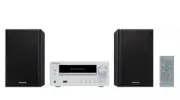


 Pioneer AHU
User Manual
Pioneer AHU
User Manual
 Pioneer DMH WT6000NEX
User Manual
Pioneer DMH WT6000NEX
User Manual
 Pioneer DMH 2000NEX
User Manual
Pioneer DMH 2000NEX
User Manual
 Pioneer DMH W3050NEX
User Manual
Pioneer DMH W3050NEX
User Manual
 Pioneer HEAT PUMP
User Manual
Pioneer HEAT PUMP
User Manual
 Pioneer MINI-SPLITS OUTDOOR
User Manual
Pioneer MINI-SPLITS OUTDOOR
User Manual
 Pioneer SL405
User Manual
Pioneer SL405
User Manual
 Pioneer ND BC010
User Manual
Pioneer ND BC010
User Manual
 Pioneer TS A4671F
User Manual
Pioneer TS A4671F
User Manual
 Pioneer TS A653CH
User Manual
Pioneer TS A653CH
User Manual
 Pioneer TS A653FH
User Manual
Pioneer TS A653FH
User Manual
 Pioneer TS A683FH
User Manual
Pioneer TS A683FH
User Manual
 Pioneer TS A693CH
User Manual
Pioneer TS A693CH
User Manual
 Pioneer TS A693FH
User Manual
Pioneer TS A693FH
User Manual
 Pioneer VSX LX805
User Manual
Pioneer VSX LX805
User Manual
 Pioneer PN43 751 24U
User Manual
Pioneer PN43 751 24U
User Manual