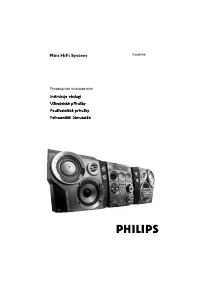
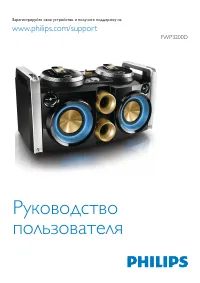
Page 3 - Contents
1 English EN Contents 1 Important 2 Safety 2 Notice 3 2 Your Mini Hi-Fi System 5 Introduction 5 What’s in the box 5 Over view of the main unit 6 Over view of the remote control 8 3 Get started 10 Prepare the remote control 10 Connect power 10 Turn on 10 4 Play 12 Basic play operations 12 Play from B...
Page 4 - Important; Safety; Important Safety Instructions; Mains fuse
2 EN 1 Important Safety Important Safety Instructions a Read these instructions. b Keep these instructions. c Heed all warnings. d Follow all instructions. e Do not use this apparatus near water. f Clean only with dry cloth. g Do not block any ventilation openings. Install in accordance with the man...
Page 5 - Hearing safety; Notice
3 English EN Contact your dealer if you are not sure about what type of fuse to use.Caution: To conform with the EMC directive (2004/108/EC), do not detach the plug from the power cord.Risk of overheating! Never install this apparatus in a confined space. Always leave a space of at least four inches...
Page 7 - System; Introduction; What’s in the box
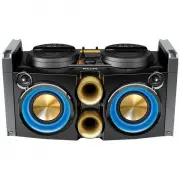
5 English EN 2 Your Mini Hi-Fi System Congratulations on your purchase, and welcome to Philips! To fully benefit from the suppor t that Philips offers, register your product at www.philips.com/welcome. Introduction With this Hi-Fi system, you can: • enjoy audio from your USB storage devices, Bluetoo...
Page 8 - Overview of the main unit
6 EN Overview of the main unit a MIC 1/MIC 2 • Connect microphones. b MIC VOL • Adjust volume of the connected microphone(s). F L I P FLIP VOL A B OUTPUT MIC 1 MIC 2 MIN MAX MIC VOL MIN MAX g i j k l m n o p q r s t u h F M MAX MIN SOUND VO LU M E a b c d f e c FLIP • Reverse the text displayed on t...
Page 12 - Get started; Prepare the remote control; Connect power; Turn on
10 EN 3 Get started Caution • Use of controls or adjustments or performance of procedures other than herein may result in hazardous radiation exposure or other unsafe operation. Always follow the instructions in this chapter in sequence.If you contact Philips, you will be asked for the model and ser...
Page 13 - Switch to standby mode
11 English EN 1 Turn the POWER ON/OFF switch on the back panel to the | position. 2 Press . » The unit switches to the last selected source. Switch to standby mode • Press to switch the unit to standby mode. » The backlight on the display panel turns off.
Page 15 - Pair and connect; Option 1: Pair and connect through NFC; Option 2: Pair and connect manually; Stream music through Bluetooth
13 English EN Pair and connect Option 1: Pair and connect through NFC Near Field Communication (NFC) is a technology that enables shor t-range wireless communication between various NFC compatible devices, such as mobile phones and IC tags. With the NFC function, data communication can be achieved e...
Page 16 - Play through USB; Play options; Repeat and shuffle play
14 EN Play through USB Note • Make sure that the USB device contains playable audio content. 1 Inser t a USB mass storage device into the socket on either the left (A) or the right (B). 2 Press SOURCE (A/B) repeatedly to select the USB source. » Play star ts automatically. Tip • You can also charge ...
Page 17 - Listen to radio; Tune to radio stations; Store radio stations; Select a preset radio station; Select stereo/mono broadcast
15 English EN 5 Listen to radio Tune to radio stations Note • To improve FM reception, fully extend and adjust the position of the FM antenna attached to the back panel. 1 Press FM to select the FM tuner source. 2 Press and hold ( FM ) for three seconds. » The unit tunes to a station with strong rec...
Page 18 - Adjust sound; Adjust speaker volume; Boost sound power; Mute sound
16 EN 6 Adjust sound Adjust speaker volume • During play, press VOL +/- to increase/ decrease speaker volume. Select a sound effect Note • You cannot use different sound effects at the same time. Boost sound power This feature allows you to give an instant boost to the sound power. • Press NX BASS o...
Page 19 - Additional; Play audio from an external; Speak or sing through the Hi-
17 English EN 7 Additional features Play audio from an external device With this Hi-Fi system, you can play audio from an external audio device. 1 Connect the attached 3.5mm audio cable (A/B) to the headphone socket on an external device. 2 Press SOURCE A or SOURCE B repeatedly to select the AUDIO I...
Page 21 - Product; Amplifier; USB playability information
19 English EN 8 Product information Note • Product information is subject to change without prior notice. Specifications Amplifier Rated Output Power 300W RMS at 10%THD Frequency Response 40 - 20000 Hz, ±3dB Signal to Noise Ratio >65dBA AUDIO IN 600mV RMS Tuner (FM) Tuning Range 87.5 - 108MHz Tun...
Page 23 - Troubleshooting; About Bluetooth device
21 English EN 9 Troubleshooting Warning • Never remove the casing of this apparatus. To keep the warranty valid, never tr y to repair the system yourself. If you encounter problems when using this apparatus, check the following points before requesting ser vice. If the problem remains unsolved, go t...