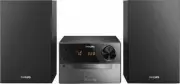
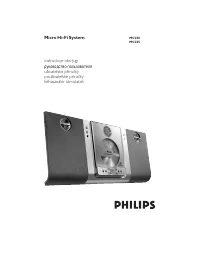
Page 2 - Norge; DICHIARAZIONE DI CONFORMITA’; CAUTION
MC-320/22-1 2 Important notes for users in theU.K. Mains plug This apparatus is fitted with an approved 13Amp plug. To change a fuse in this type of plugproceed as follows: 1 Remove fuse cover and fuse. 2 Fix new fuse which should be a BS1362 5 Amp,A.S.T.A. or BSI approved type. 3 Refit the fuse cov...
Page 3 - English
English xxxxx 3 3 # @ 0 ! $ 1 2 3 5 7 % 12 6 3 4 5 9 0 7 8 !
Page 4 - SF
MC-320/22-1 4 DK Advarsel: Usynlig laserstråling ved åbningnår sikkerhedsafbrydere er ude af funktion.Undgå utsættelse for stråling. Bemærk: Netafbr yderen er sekundærtindkoblet og ofbryder ikke strømmen franettet. Den indbyggede netdel er derfortilsluttet til lysnettet så længe netstikketsidder i s...
Page 5 - rançais; Eλληνικά; Index
xxxxx 5 English F rançais Po r tuguês Español Deutsch Nederlands Italiano Sv enska Dansk Suomi Eλληνικά Index English ------------------------------------------------ 6 Français -------------------------------------------- 21 Español --------------------------------------------- 36 Deutsch ---------...
Page 6 - Contents
MC-320/22-1 6 English Contents General Information Environmental information ................................ 7Supplied accessories ............................................ 7Safety information ................................................ 7 Preparation Rear connections ..........................
Page 7 - General Information; Environmental Information
English xxxxx 7 General Information This product complies with the radiointerference requirements of the EuropeanCommunity. Environmental Information All unnecessar y packaging has been omitted. Wehave tried to make the packaging easy toseparate into three materials: cardboard (box),polystyrene foam...
Page 8 - Preparations; Rear connections; Power
MC-320/22-1 8 English Preparations Rear connections The type plate is located at the rear of thesystem.For users in the U.K.: please follow theinstructions on page 2. A Power Before connecting the AC power cord to thewall outlet, ensure that all other connectionshave been made. WARNING!– For optimal...
Page 9 - FM Antenna; Before using the remote control; PUSH
English xxxxx 9 Preparations FM Antenna ● Extend coil antenna at the back of the unit fullyfor optimum reception. C Speakers Connection Front Speakers Connect the speaker wires to the SPEAKERSterminals, right speaker to " RIGHT " and left speaker to " LEFT ", coloured (mar ked) wire ...
Page 10 - Controls
MC-320/22-1 10 English Controls (illustrations on page 3) Controls on the system andremote control 1 STANDBY-ON / y – switches the system to standby/on. 2 SOURCE (CD/ TUNER/ TAPE) – switches on the system. – selects the respective sound source for CD/ FM/MW/ TAPE. 3 DBB1 / DBB2 (DBB) – (Dynamic Bass...
Page 11 - Basic Functions; Switching the system on
English xxxxx 11 Basic Functions IMPORTANT:Before you operate the system, completethe preparation procedures. Switching the system on ● Press STANDBY-ON ( y on the remote control) or SOURCE. ➜ The system will switch to the last selected source. ● Press SOURCE ( CD , TUNER or TAPE on the remote contr...
Page 12 - CD Operation; Selecting a different track; CD; OPEN•CLOSE
MC-320/22-1 12 English CD Operation 5 To pause playback press 2; . Press 2; again to resume play. ➜ The display freezes and the current track number flashes when playback is paused. 6 To stop disc playback, press 9 . Note: CD play will also stop when;– the CD door is opened.– the disc has reached th...
Page 13 - Programming track numbers; Reviewing the programme
English xxxxx 13 CD Operation Different play modes: SHUFFLEand REPEAT You can select and change the various playmodes before or during playback. The playmodes can also be combined withPROGRAMME. SHUFFLE ......... tracks of the entire disc/programme are played inrandom order SHUFFLE and REPEAT ALL …t...
Page 14 - Radio Reception; Tuning to radio stations; Programming radio stations; Tuning to preset radio stations
MC-320/22-1 14 English Radio Reception Tuning to radio stations 1 Select TUNER source. ➜ tU is displayed briefly. 2 Press SOURCE (TUNER) once or more to select your waveband. 3 Press on TUNE à or á and release button. ➜ The radio automatically tunes to a station with sufficient reception. Display in...
Page 15 - Tape Operation / Recording; Synchro start CD recording
English xxxxx 15 Tape Operation / Recording General information onrecording ● Recording is permissible insofar as copyright orother rights of third par ties are not infringed. ● For recording, use only NORMAL (IEC type I)tapes on which the tabs have not yet beenbroken. This deck is not suited for re...
Page 16 - Recording from the radio
MC-320/22-1 16 English Tape Operation / Recording Cleaning the Cabinet ● Use a soft cloth slightly moistened with a milddetergent solution. Do not use a solutioncontaining alcohol, spirits, ammonia or abrasives. Cleaning Discs ● When a disc becomes dir ty,clean it with a cleaning cloth.Wipe the disc...
Page 17 - Setting the timer; Setting the clock
English xxxxx 17 Clock/Timer Setting the timer ● The system can be used as an alarm clock. CDor TUNER can be set to switch on at a presettime. The clock time needs to be set first beforethe timer can be used. ● If no button is pressed within 90 seconds duringtimer setup, the system will exit timer s...
Page 18 - Specifications
MC-320/22-1 18 English Activating and deactivatingSLEEP The sleep timer enables the system to switch offby itself after a set period of time. The clock timeneeds to be set first before the sleep timer canbe used. ● Press SLEEP on the remote control repeatly to selectdesired time before systemshuts o...
Page 19 - Troubleshooting; Problem
English xxxxx 19 Troubleshooting WARNINGUnder no circumstances should you tr y to repair the system yourself, as this will invalidate thewarranty. Do not open the system as there is a risk of electric shock. If a fault occurs, first check the points listed below before taking the system for repair. ...