Page 2 - Europe—EU Declaration of Conformity; SOUND
(EN) Important Monster® Performance and Safety Tips FCC ID: RJE190506 This device complies with Part 15 of FCC Rules. Operation is subject to the following two conditions: (1) This device may not cause harmful interference, and (2) This device must accept any interference received, including interfe...
Page 3 - WARNING: (1) Please pay attention to the environmental aspects of; Bluetooth; WARNING: Excessive sound pressure from earphones and
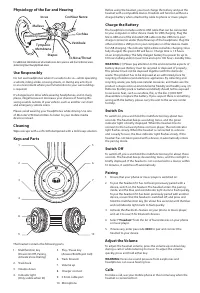
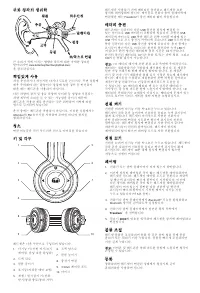
Physiology of the Ear and Hearing For additional information on what loud noises do to your ear and chart reference www.abelard.org/hear/hear.php#loud-music Use Responsibly Do not use headphones when it’s unsafe to do so—while operating a vehicle, riding a bike, crossing streets, or during any activ...
Page 4 - Answering a call: When alerted of an incoming call, press and
To activate voice dialing (if your phone supports this feature with the headset), when no call is in progress, press the multifunction key twice quickly until the phone starts voice dialing, and process as described in the phone user guide. To answer or end a call, quickly press the play / pause key...
Page 5 - Europe — Déclaration de Conformité UE; Quelques conseils importants
timely made. NOTE: TO THE FULLEST EXTENT PERMITTED BY APPLICABLE LAW, MONSTER DOES NOT ASSUME ANY LIABILITY FOR ANY INCIDENTAL, CONSEQUENTIAL OR INDIRECT DAMAGES UNDER THIS LIMITED WARRANTY. GENERAL PROVISIONSCHOICE OF LAW/JURISDICTION. This Limited Warranty and any disputes arising out of or in con...
Page 6 - Référence du modèle certifié :; Écoutez de manière responsable; SON
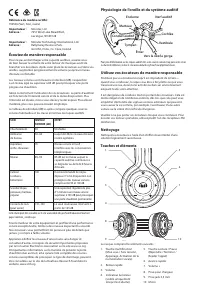
Physiologie de l’oreille et du système auditif Pour plus d’information sur les risques auditifs liés à des sources sonores trop puissantes et sur la charte de référence, visitez le site www.abelard.org/hear/hear.php#loud-music Utilisez vos écouteurs de manière responsable N’utilisez pas vos écouteur...
Page 7 - AVERTISSEMENT : (1) Soyez attentif aux conséquences écologiques
Avant d'utiliser le casque, rechargez la batterie et appairez le casque à un appareil compatible. Freedom fonctionne sans batterie rechargée lorsqu'il est relié par un câble à un téléphone ou à un lecteur audio. Chargement de la batterie Le casque comprend un câble micro-USB qui peut être branché su...
Page 8 - Utiliser ControlTalk UniversalTM; Répondre à un appel : Lorsqu’un appel se présente, pressez; Rodage des casques
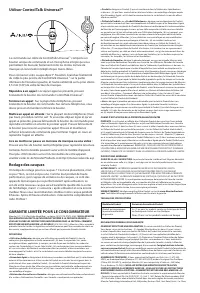
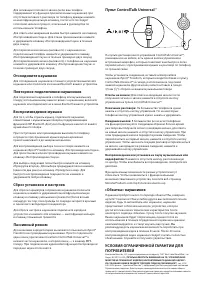
Utiliser ControlTalk Universal™ La commande sur câble de ControlTalk Universal ™ comporte un bouton unique de commande et un microphone intégré qui vous permettent de basculer facilement entre les modes lecture de musique et conversation téléphonique mains-libres. Pour connecter votre casque iSport ...
Page 9 - Wichtige Tipps von Monster®
Hinweis für Kanada — IC ID: 7512A-190506 Dieses Digitalgerät der Klasse B erfüllt die Vorgaben der kanadischen ICES-003. Dieses Gerät erfüllt die RSS 210-Vorgaben der Industry Canada. Der Betrieb unterliegt den folgenden beiden Bedingungen: (1) dieses Gerät darf keine Störungen verursachen, und (2) ...
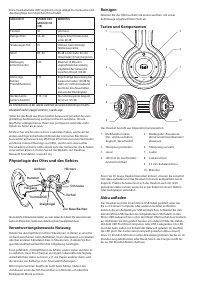
Page 10 - Physiologie des Ohrs und des Gehörs; Verantwortungsbewusste Nutzung; GERÄUSCH; Akku aufladen
Diese Dezibeltabelle (dB) vergleicht einige alltägliche Geräusche und ihre Rangfolge bei möglichen Hörschäden. Holen Sie das Beste aus Ihren Geräten heraus und genießen Sie eine großartige Audioleistung auch bei sicherer Lautstärke. Unsere Kopfhörer ermöglichen es Ihnen, bei geringerer Lautstärke me...
Page 11 - WARNUNG: 1) Bitte beachten Sie gültige Umweltschutzvorschriften; WARNUNG: Zu hohe Lautstärke beim Hören mit Ohr- oder
WARNUNG: 1) Bitte beachten Sie gültige Umweltschutzvorschriften bei der Entsorgung von Akkus. Akkus müssen ordnungsgemäß recycelt oder entsorgt werden. Das Gerät darf nicht mit dem regulären Hausmüll entsorgt werden. Am Ende seiner Einsatzzeit muss das Gerät ordnungsgemäß bei einer Sammelstelle zum ...
Page 12 - Kopfhörer-Einspielzeit
Stöpseln Sie zum Verbinden das Ende des iSport® Freedom- Kopfhörerkabels, das dem ControlTalk Universal™ am nächsten ist, in die Unterseite der linken Kopfhörermuschel und das andere Ende in die 1 ∕₈" (3,5 mm) Stereobuchse Ihres Music Players.Annahme eines Anrufs: Wenn Sie über einen eingehenden...
Page 13 - Europa. Declaración de conformidad de la UE
Niederlande 0800-0228919 Norwegen 800-10906 Russland 810-800-20051353 Spanien 900-982-909 Schweden 020-792650 Schweiz 0800834659 Vereinigtes Königreich 0800-0569520 WEITERE VORGEHENSWEISE. Monster wird entscheiden, ob ein Produktdefekt vorliegt. Monster kann Sie nach eigenem Ermessen auffordern, bei...
Page 14 - SONIDO; Cómo cargar la batería
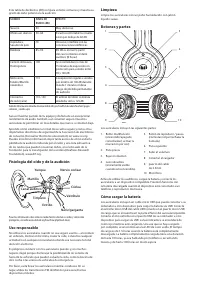
Esta tabla de decibelios (dB) compara sonidos comunes y muestra su grado de daño potencial a la audición. Saca el máximo partido de tu equipo y disfruta de un excepcional rendimiento de audio, también a un volumen seguro. Nuestros auriculares te permitirán oír más detalles que nunca, a volumen bajo....
Page 15 - ADVERTENCIA: La presión del sonido en exceso de los auriculares y; Responder a una llamada: Cuando reciba un aviso de llamada
ADVERTENCIA: (1) Por favor, tome en cuenta las normas de eliminación de baterías. Las baterías deben reciclarse o desecharse de forma adecuada. Este producto no debe desecharse junto con desperdicios domésticos. Este producto debe desecharse en un lugar autorizado donde se reciclen aparatos eléctric...
Page 16 - Rodaje de los auriculares
Finalizar una llamada: En la mayoría de teléfonos, basta con pulsar y soltar el botón de control. Con algunos teléfonos, puede ser necesario mantener pulsado el botón de control unos segundos. Uso de llamada en espera: La mayor parte de los teléfonos (aunque no todos) funcionan de la siguiente maner...
Page 17 - Luister op een verantwoorde manier naar muziek; GELUID; Verantwoord gebruik
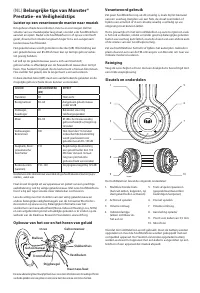
(NL) Belangrijke tips van Monster® Prestatie- en Veiligheidstips Luister op een verantwoorde manier naar muziek Om gehoorschade te voorkomen moet u ervoor zorgen dat het volume van uw muziekspeler laag staat, voordat u de hoofdtelefoon aansluit en opzet. Nadat u de hoofdtelefoon in of op uw oren hee...
Page 18 - WAARSCHUWING: (1) Het afvoeren van batterijen heeft gevolgen; WAARSCHUWING: overmatige geluidsdruk van oortelefoons en
De batterij opladen De hoofdtelefoon wordt geleverd met een micro-USB-kabel die op een pc of ander apparaat kan worden aangesloten dat is gemaakt voor opladen via USB. Sluit het uiteinde van de kabel met de micro- USB-stekker aan op de micro-USB-oplaadpoort onder de linker oorschelp van de hoofdtele...
Page 19 - Gebruik van ControlTalk Universal; Een oproep beantwoorden: Wanneer u een melding krijgt van; “Indraagtijd” voor hoofdtelefoons
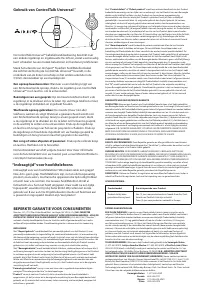
Gebruik van ControlTalk Universal ™ De ControlTalk Universal™ kabelafstandsbediening beschikt over een enkele regelknop en ingebouwde microfoon, zodat u eenvoudig kunt schakelen tussen muziek beluisteren en handenvrij telefoneren. Steek het uiteinde van de iSport® Freedom hoofdtelefoonkabel die zich...
Page 20 - Ascoltare in modo responsabile; SUONO; Fisiologia dell’orecchio e udito
Ierland 353 65 68 69 354 Oostenrijk 0800296482 België 0800-79201 Tsjechië 800-142471 Denemarken 8088-2128 Finland 800-112768 Frankrijk 0800-918201 Duitsland 0800-1819388 Griekenland 00800-353-12008 Italië 800-871-479 Nederland 0800-0228919 Noorwegen 800-10906 Rusland 810-800-20051353 Spanje 900-982-...
Page 21 - ATTENZIONE: (1) Si prega di prestare attenzione agli aspetti; ATTENZIONE: Un’eccessiva pressione sonora da auricolari e cuffie
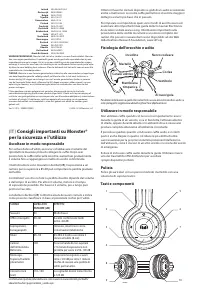
L’auricolare è composto dalle seguenti parti: 1. Tasto multifunzione (Power On/Off, Accoppiamento, Attiva composizione vocale) 2. Traccia indietro 3. Diminuisci volume 4. Indicatore ottico (Visibile solo quando acceso) 5. Tasto Play/Pausa (Rispondi/Termina/Rifiuta chiamata) 6. Traccia avanti 7. Aume...
Page 22 - Utilizzo di ControlTalk Universal; Rispondere a una chiamata: Quando si attiva l’avviso di chiamata; “Rodaggio” delle cuffie
Utilizzo di ControlTalk Universal ™ Il dispositivo ControlTalk Universal™ integrato nel cavo è provvisto di un unico pulsante di controllo e di microfono integrato, che consentono di passare comodamente dalla modalità musica alla modalità chiamata senza l’utilizzo delle mani. Per collegarlo, inserir...
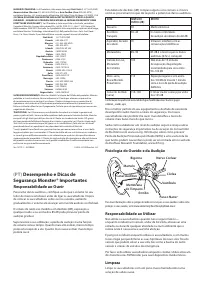
Page 23 - Desempenho e Dicas de; Responsabilidade ao Ouvir; SOM
Esta tabela de decibéis (dB) compara alguns sons comuns e mostra como se posicionam no que diz respeito a potenciais danos auditivos. Tire o melhor partido do seu equipamento e desfrute de excelente desempenho áudio mesmo a níveis de segurança. Os nossos auscultadores irão permitir-lhe ouvir mais de...
Page 24 - AVISO: (1) Ter em conta as considerações ambientais aquando da; AVISO: A pressão sonora excessiva dos auscultadores pode causar
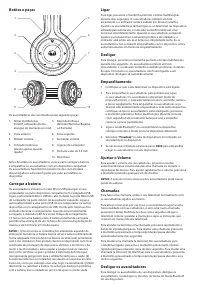
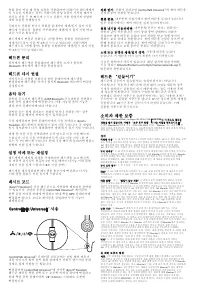
Botões e peças Os auscultadores são constituídos pelas seguintes peças: 1 5 2 6 3 7 4 8 9 10 1. Botão multifunções (On/Off, emparelhamento, ativação de marcação por voz) 2. Faixa anterior 3. Reduzir volume 4. Indicador luminoso (Visível apenas quando ligado) 5. Reproduzir/Pausa (Atender/Terminar/Rej...
Page 25 - Atender uma chamada: Quando receber uma chamada, prima e
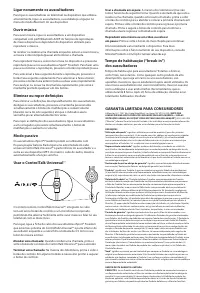
Ligar novamente os auscultadores Para ligar os auscultadores ao telemóvel ou dispositivo que utilizou anteriormente, ligue os auscultadores, ou estabeleça a ligação no menu do modo Bluetooth do seu dispositivo. Ouvir música Para ouvir música, ligue os auscultadores a um dispositivo compatível com pe...
Page 26 - Σημαντικές συμβουλές απόδοσης; Υπεύθυνη ακρόαση; ΗΧΟΣ
uma das seguintes soluções: a Monster procederá (1) à reparação ou, ao exclusivo critério da Monster; à substituição do Produto defeituoso ou (2) ao reembolso do preço pago à Monster ou ao Representante autorizado pelo Produto defeituoso se a reparação ou a substituição não forem comercialmente viáv...
Page 27 - Ακουστικό κανάλι
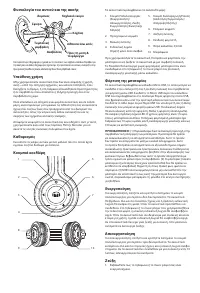
Φυσιολογία του αυτιού και της ακοής Για περισσότερες πληροφορίες σχετικά με τις συνέπειες των υψηλών επιπέδων θορύβου για την ακοή σας και άλλες πληροφορίες σχετικά με την προστασία των αυτιών, ανατρέξτε στην ηλεκτρονική διεύθυνση www.abelard.org/hear/hear.php#loud-music Υπεύθυνη χρήση Μην χρησιμοπο...
Page 28 - ΠΡΟΕΙΔΟΠΟΙΗΣΗ: Η υπερβολική ένταση από τα ακουστικά (που; Τερματίστε μια κλήση: Στα περισσότερα τηλέφωνα, πατήστε και
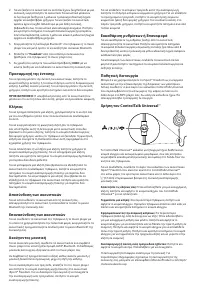
2. Για να ζεύξετε τα ακουστικά αν αυτά δεν έχουν ζευχθεί ξανά με μια συσκευή, ενεργοποιήστε τα ακουστικά. Τα ακουστικά μπαίνουν σε λειτουργία ζεύξης και η μπλε και η κόκκινη ενδεικτική λυχνία αρχίζει να αναβοσβήνει γρήγορα. Για να ζεύξετε τα ακουστικά, εφόσον έχουν ζευχθεί παλαιότερα με μια άλλη συσ...
Page 30 - Kulak ve İşitme Fizyolojisi; SES; Dikkatli Kullanın
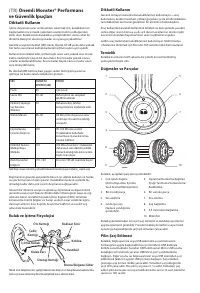
(TR) Önemli Monster® Performans ve Güvenlik İpuçları Dikkatli Kullanın İşitme duyunuza zarar vermesinden sakınmak için, kulaklıklarınızı bağlamadan önce müzik çalarınızın sesinin kısılmış olduğundan emin olun. Kulaklarınıza kulaklıkları yerleştirdikten sonra, rahat bir dinleme düzeyine ulaşıncaya ka...
Page 31 - Çağrıyı sonlandırma: Birçok telefonda kontrol düğmesine basıp
UYARI: (1) Pili imha etmeden önce çevreye olan etkisini göz önünde bulundurun. Pil uygun şekilde geri dönüştürülmeli veya imha edilmelidir. Bu ürün ev atıklarıyla birlikte imha edilemez. Ürün, elektrik ve elektronik eşyaların geri dönüştürülmesi için yetkili bir yerde imha edilmelidir. Atıkları topl...
Page 32 - hakkında daha fazla bilgi için lütfen MonsterProducts.com/mp3/; Kulaklıkların “Rodajı”; performans sergileyecektir ama kullandıkça “oturacak” ve daha da; TÜKETİCİLER İÇİN SINIRLI GARANTİ
İşlevsellik cihaza göre değişecektir. Cihazınızın işlevselliği hakkında daha fazla bilgi için lütfen MonsterProducts.com/mp3/ ctuniversalworks.asp Kulaklıkların “Rodajı” Kulaklıkların rodaj süresi mi olur? Şaka yapıyoruz sanıyorsunuz değil mi? Hayır, yapmıyoruz. İster otomobil isterse kulaklık olsun...
Page 33 - ZVUK
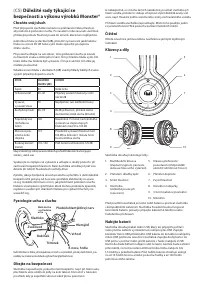
(CS) Důležité rady týkající se bezpečnosti a výkonu výrobků Monster® Chraňte svůj sluch Před připojením sluchátek nastavte na přehrávači nízkou hlasitost, aby nedošlo k poškození sluchu. Po nasazení nebo zasunutí sluchátek přidávejte pomalu hlasitost pouze do úrovně, která není nepříjemná. Jednotkou...
Page 34 - VÝSTRAHA: (1) Při likvidaci baterie dávejte pozor na ochranu; VÝSTRAHA: Nadměrná hlasitost sluchátek a peckových sluchátek; Přijetí hovoru: Hovor přijmete jedním zmáčknutím kontrolního
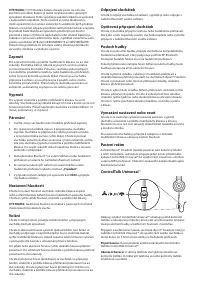
VÝSTRAHA: (1) Při likvidaci baterie dávejte pozor na ochranu životního prostředí. Baterie je nutné recyklovat nebo správným způsobem likvidovat. Tento výrobek je zakázáno likvidovat společně s komunálním odpadem. Tento výrobek je nutné likvidovat na místě oprávněním k recyklaci elektrických a elektr...
Page 35 - Sluchátka „v záběhu“
Použití služby call waiting (druhé volání) Většina telefonů (ovšem ne všechny) funguje následovně: Když jste upozorněni na příchozí hovor v době, kdy právě telefonujete, přijměte hovor jedním zmáčknutím kontrolního tlačítka a první hovor bude zatím „čekat“. Jedním zmáčknutím tlačítka se přepojíte zp...
Page 36 - Počúvajte zodpovedne; Fyziológia ucha a sluchu; Používajte zodpovedne
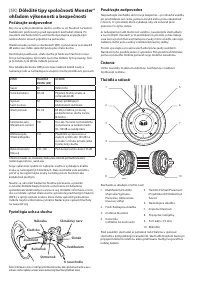
(SK) Dôležité tipy spoločnosti Monster® ohľadom výkonnosti a bezpečnosti Počúvajte zodpovedne Aby ste sa vyhli poškodeniu sluchu, uistite sa, že hlasitosť na Vašom hudobnom prehrávači je pred zapojením slúchadiel stíšená. Po nasadení slúchadiel do/na uši hlasitosť postupne zvyšujte, kým nedosiahnete...
Page 37 - UPOZORNENIE: Nadmerný zvukový tlak zo slúchadiel môže
Nabíjanie batérie K slúchadlám je priložený kábel Micro USB, ktorý je možné pripojiť k počítaču alebo inému zariadeniu a nabíjať cez USB. Zapojte konektor Micro USB na priloženom kábli USB do konektora portu micro USB nabíjačky, ktorý je umiestnený pod ľavým náušníkom slúchadiel. Druhý koniec zapojt...
Page 38 - „Zabehnutie“ slúchadiel
Pripojenie vykonáte zapojením konca kábla slúchadiel iSport ® Freedom, ktorý je najbližšie k diaľkovému ovládaču ControlTalk Universal™, do spodnej časti ľavej mušle slúchadiel; druhý koniec zapojte do 1 ∕₈" (3,5 mm) konektora výstupu stereofónneho signálu na vašom hudobnom prehrávači. Prijatie ...
Page 39 - ЗВУК; Слуховой проход
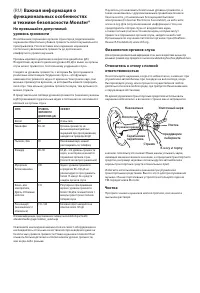
(RU) Важная информация о функциональных особенностях и технике безопасности Monster® Не превышайте допустимый уровень громкости Во избежание поражения органов слуха перед подключением наушников обязательно убавьте громкость своего музыкального проигрывателя. После вставки или надевания наушников пос...
Page 40 - ВНИМАНИЕ! Чрезмерный уровень звука из наушников может
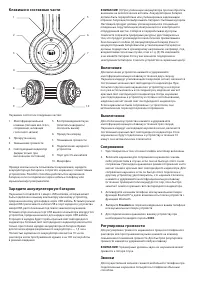
1. Многофункциональная клавиша (питание вкл./откл., сопряжение, активация голосового звонка) 2. Прокрутка назад 3. Уменьшение громкости 4. Светодиодный индикатор (видим только при включенном состоянии) 5. Воспроизведение/пауза (ответить/завершить/ отклонить вызов) 6. Прокрутка вперед 7. Повышение гр...
Page 41 - Окончание разговора: На большинстве телефонов нужно
Для активации голосового звонка (если ваш телефон поддерживает эту функцию при включенных наушниках) при отсутствии активного разговора по телефону дважды нажмите на многофункциональную клавишу, после чего последует голосовой звонок и процесс, описанный в руководстве по использованию телефона. Для о...
Page 43 - Monster®; の性能と安全のための重; カナダ通知; — EU; 指令の遵守; EMC; 周囲に配慮しましょう
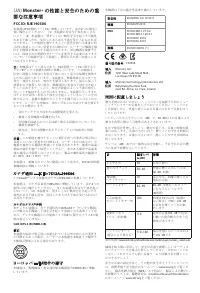
(JA) Monster® の性能と安全のための重 要な注意事項 FCC ID: RJE190506 本装置は FCC 規則パート 15 に準拠しています。次の 2 つの条件に 従い操作してください。 ( 1 ) 本装置が有害な干渉を起こさな いこと、( 2 ) 本装置は、望ましくない動作を引き起こす可能性 のある干渉も含め、受信したあらゆる干渉を受け入れなければなりません。この規則を遵守することに責任を持つ当事者が明 示的に承認していない変更または修正は、ユーザーが機器を操 作する権限を無効にする場合があります。周辺機器を接続するには、接地された遮断信号ケーブルを使用する必要があります。 コ...
Page 44 - Freedom
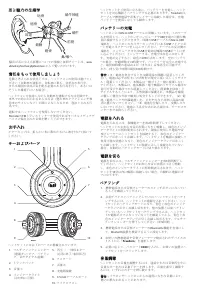
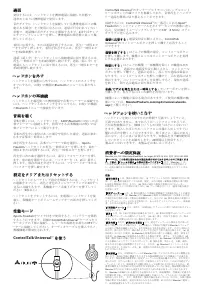
耳と聴力の生理学 騒音が耳に与える影響についての情報と参照チャートは、 www. abelard.org/hear/hear.php#loud-music からご覧いただけます。 責任をもって使用しましょう 危険と考えられる状況下では、ヘッドフォンの使用は避けてください(自動車の運転中、自転車に乗る、交差点の歩行中、 または周囲の状況に気を配る必要のある行為を行う、あるいはそうした環境下にいる場合)。 ヘッドフォンを装着しながら自動車を運転するのは危険です。 車外での命にかかわるあらゆる音(他の車のクラクションや救急車のサイレンなど)が聞こえなくなるため、違法とされる行為です。 運転中はヘッド...
Page 45 - ControlTalk Universal; asp
通話 発信するには、ヘッドセットを携帯電話に接続した状態で、 通常のとおりに携帯電話で発信します。 音声ダイヤル(ヘッドセットを接続している携帯電話にこの機 能がある場合)をご使用になるには、通話が行なわれていない状態で、電話機が音声ダイヤルを開始するまで、 2 回すばやくマ ルチファンクションキーを押し、携帯電話の説明書に従って操 作してください。 着信に応答する、または通話を終了するには、再生/一時停止キ ーをすばやく押します。着信を拒否するには、再生/一時停止キーを約 2 秒間押します。 通話(話し中)をヘッドセットから接続電話に切り替えるには、再生/一時停止キーを約 2 秒間押し続けま...
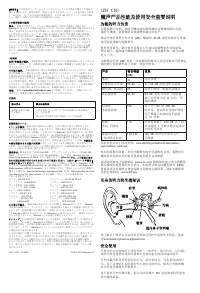
Page 46 - 魔声产品性能及使用安全重要说明; 为您的听力负责
「消費者」とは認定ディーラーからオリジナルのパッケージで製品を購入した最初の 個人を意味します。限定保証は、製品を (i) 中古またはパッケージを取り除いた状態 で、 (ii) 転売、リースまたは他の商業用途で、または (iii) 認定ディーラー以外の誰か から、購入した個人または法人には適用されません。 この限定保証の範囲 製品。 消費者が認定ディーラーから製品を購入した時点で製品に欠陥があり、 Monster が (i) あなたが当該の発見をしてから (または、当該の製品欠陥が明白である 場合、発見が妥当とみなされる時期から) 2 か月以内に消費者から正規保証クレー ムを受け取った場合、さ...
Page 47 - 通话
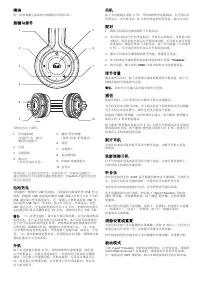
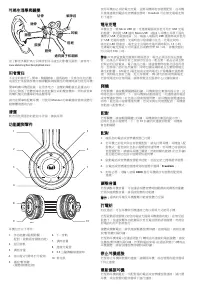
清洁 用一块软布蘸上温和的皂液擦拭耳机的耳杯。 按键与部件 耳机包含以下部件: 1 5 2 6 3 7 4 8 9 10 1. 多功能按键 (电源开/关、配对、 激活语音拨号) 2. 后退 3. 音量降低 4. 指示灯 (仅在点亮时可见) 5. 播放/暂停按键 (接听/结束/拒绝通话) 6. 前进 7. 音量增大 8. 充电器连接 9. 3.5mm 连接线端口 10. 麦克风 用耳机前,必须给电池充电,并将耳机与一台兼容设备配对。 通过连接线与手机或音乐播放器相连时, Freedom 无需充电电池 即可正常使用。 电池充电 耳机随附一根微型 USB 连接线,可连接到电脑或其他 USB 充电 设...
Page 48 - 使用; ControlTalk UniversalTM; 耳机“磨合”
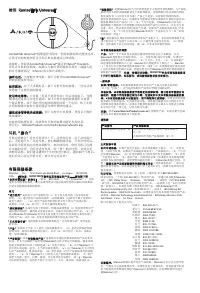
使用 ControlTalk Universal ™ ControlTalk Universal™ 线缆遥控采用单一的控制按钮和内置麦克风, 让您可以轻松地在听音乐和手机免提通话之间切换。 连接时,将距离 ControlTalk Universal™ 最近的 iSport ® Freedom 双耳式耳机的耳机线一端插入左侧耳罩的底部并将另一端插入您的音乐播放器 1 ∕₈" ( 3.5mm )的立体声系统中。 接听电话:当提醒有来电时,按下并松开 ControlTalk Universal™ 控制按钮接听电话。 结束通话:对于大多数电话,按下并松开控制按钮。一些电话需要您按下并按住控制按...
Page 49 - 性能與安全重要提示; FCC; 加拿大規定 -; IC ID; Ballymaley Business Park,; 聽者責任
时间:如果您提出了正式保修申请并且完全遵守本有限保修条款的条款和 条件, Monster 将尽最大努力在收到您的保修申请之日起三十( 30 )天内向 您提供救济,(前提是如果您在美国;否则如果您在其他地方,则四十五 ( 45 )天之内),除非由于 Monster 不可控制的因素而延误。 * 我们的产品提供多项保障,依据澳大利亚消费者法律它们不能被排除。对于严重的产品问题,您有权获得更换的产品或退款;对于任何能合理预 见的损失或破损,您有权获得赔偿。如果产品质量未达到可接受的程度, 但并不构成严重的产品问题,您还有权要求修理或更换此产品 版本 121912– 全球 ©2003–2014 Mons...
Page 52 - 청취 시 주의 사항; 중요; 성능 및 안전 정보; 캐나다 고지; EU; 적합성 선언문; dB; aspx
본 장비는 다음 적합성 기준을 충족합니다. 안전 EN 60950-1/A 12:2011 건강 EN 62479:2010 EMC EN 301489-1 V1.9.2 EN 301489-17 V2.2.1 EN 55022: 2010 EN 55024: 2010 무선 EN 300 328 V1.7.1 인증 모델 번호: 190506 수입 Monster, LLC 주소 7251 West Lake Mead Blvd., Las Vegas, NV 89128 수입 Monster Technology International, Ltd. 주소 Ballymaley Bu...
Page 56 - Informacje o normach — Kanada — IC ID:
(PL) Ważne informacje dotyczące urządzeń firmy Monster® i zasady bezpieczeństwa FCC ID: RJE190506 Urządzenie to spełnia warunki ujęte w części 15 przepisów FCC. Korzystanie z urządzenia podlega następującym dwóm warunkom: (1) działanie urządzenia nie może powodować szkodliwych zakłóceń i (2) urządze...
Page 57 - Przewód słuchowy
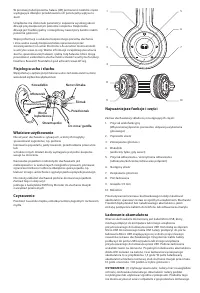
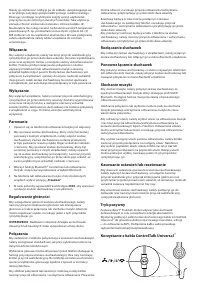
W poniższej tabeli poziomu hałasu (dB) porównano niektóre często występujące dźwięki i przedstawiono ich potencjalny wpływ na słuch. Urządzenie ma doskonałe parametry i zapewnia wysokiej jakości dźwięk przy bezpiecznym poziomie natężenia. Dzięki temu dźwięk jest bardziej pełny i szczegółowy nawet pr...
Page 58 - OSTRZEŻENIE: Nadmierne natężenie dźwięku ze słuchawek
Należy go utylizować, oddając go do zakładu specjalizującego się w recyklingu zużytego sprzętu elektrycznego i elektronicznego. Zbierając i poddając recyklingowi zużyty sprzęt, użytkownik przyczynia się do ochrony naturalnych zasobów. Taka utylizacja pozwala chronić środowisko naturalne i zdrowie lu...
Page 59 - „Docieranie” słuchawek
Pilot sterowania na kablu ControlTalk Universal ™ jest wyposażony w jeden przycisk i wbudowany mikrofon, co umożliwia łatwe przełączanie między słuchaniem muzyki a zestawem głośnomówiącym. Aby połączyć urządzenie, należy podłączyć koniec kabla słuchawek iSport ® Freedom bliższy pilotowi ControlTalk ...


 Monster Clarity HD Black
User Manual
Monster Clarity HD Black
User Manual
 Monster Clarity HD White
User Manual
Monster Clarity HD White
User Manual
 Monster DNA On-Ear Headphones Carbon Black
User Manual
Monster DNA On-Ear Headphones Carbon Black
User Manual
 Monster DNA Pro 2.0 Over-Ear White Tuxedo (137022-00)
User Manual
Monster DNA Pro 2.0 Over-Ear White Tuxedo (137022-00)
User Manual
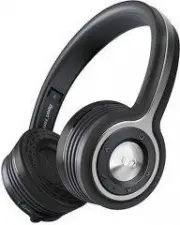
 Monster iSport Freedom Wireless Bluetooth Green
User Manual
Monster iSport Freedom Wireless Bluetooth Green
User Manual
 Monster iSport In-Ear Black (128660-00)
User Manual
Monster iSport In-Ear Black (128660-00)
User Manual
 Monster iSport Intensity In-Ear Green
User Manual
Monster iSport Intensity In-Ear Green
User Manual
 Monster iSport Victory In-Ear Green
User Manual
Monster iSport Victory In-Ear Green
User Manual
 Monster ROC Sport Freedom On-Ear (137046-00)
User Manual
Monster ROC Sport Freedom On-Ear (137046-00)
User Manual
 Monster ROC Sport Over-Ear Black Platinum (137044-00)
User Manual
Monster ROC Sport Over-Ear Black Platinum (137044-00)
User Manual
 Monster ROC Sport SuperSlim In-Ear (137047-00)
User Manual
Monster ROC Sport SuperSlim In-Ear (137047-00)
User Manual