Page 2 - Contents; programme
Contents 2 Caring for the environment ............................................................................. 5 Warnings and safety instructions ................................................................... 6 Operating the tumble dryer .......................................................
Page 4 - Installation
Contents 4 Installation .......................................................................................................... 59 Front view ............................................................................................................ 59Rear view .....................................
Page 5 - Caring for the environment
Caring for the environment 5 Disposal of the packingmaterial The transport and protective packaginghas been selected from materials whichare environmentally friendly fordisposal, and can normally be recycled. Recycling the packaging reduces theuse of raw materials in themanufacturing process and als...
Page 6 - Warnings and safety instructions; It is essential to read these instructions.
Warnings and safety instructions 6 It is essential to read these instructions. This tumble dryer contains a refrigerant that is flammable andexplosive. This tumble dryer complies with all current local and nationalsafety requirements. However, inappropriate use can lead topersonal injury and damage ...
Page 7 - Correct application
Warnings and safety instructions 7 Correct application This tumble dryer is designed for domestic use and for use in similar environments by guests in hotel or motel rooms, bed &breakfasts and other typical living quarters. This does not includecommon/shared facilities or commercial facilities...
Page 8 - Technical safety
Warnings and safety instructions 8 Technical safety Before setting up the tumble dryer, check it for any externally visible damage.Do not install or use a damaged tumble dryer. Before connecting the tumble dryer, ensure that the connection data on the data plate (fuse rating, voltage and frequen...
Page 11 - Correct use
Warnings and safety instructions 11 Correct use Warning: Risk of fire / Flammable materials. To avoid the possible danger of fire, please read these warningscarefully. A clogged filter is a fire hazard! The fluff filter must be cleaned after every programme. The maximum load for this tumble dr...
Page 12 - Oil-affected items can ignite spontaneously, especially when
Warnings and safety instructions 12 The fluff filters and the plinth filter must be thoroughly dried after cleaning. Do not replace them if they are damp or wet. Damp or wetfilters could cause operational faults. Oil-affected items can ignite spontaneously, especially when exposed to heat source...
Page 15 - Using a fragrance flacon (optional accessory); skin
Warnings and safety instructions 15 Using a fragrance flacon (optional accessory) Only use genuine Miele original fragrance flacons. The fragrance flacon must be stored in its packaging so please make sure you retain this. Caution. The fragrance can run out of the flacon. Make sure that you al...
Page 16 - Accessories; Only use genuine Miele spare parts and accessories with this
Warnings and safety instructions 16 Accessories Only use genuine Miele spare parts and accessories with this appliance. If spare parts or accessories from other manufacturersare used, this will invalidate the warranty, and Miele cannot acceptliability. A Miele tumble dryer can be stacked on top ...
Page 17 - Operating the tumble dryer; Control panel; light up when necessary
Operating the tumble dryer 17 Control panel a Control panel b Sensors for the drying levels c Indicator lights light up when necessary d Gentle tumble sensor for gentle drying e Time display for the programme duration f Sensors for time selection g Start/Add lau...
Page 18 - MobileStart; How the control panel works; The
Operating the tumble dryer 18 How the programme selectorworks The programme selector is used toselect programmes. The dryer isswitched on by selecting a programme,and switched off by turning theprogramme selector to the position. MobileStart You can operate your tumble dryerremotely with the M...
Page 19 - Indicator lights
Operating the tumble dryer 19 Indicator lights - lights up when the condensed watercontainer needs to be emptied. - lights up when the plinth filter needsto be cleaned. - PerfectDry The PerfectDry system measures theresidual moisture present in thelaundry in programmes withselectable dryin...
Page 20 - Before using for the first time; Availability of the Wi-Fi connection
Before using for the first time 20 Miele@home Your tumble dryer is equipped with anintegrated Wi-Fi module. In order to use it you need: - a Wi-Fi network - the Miele App - a Miele user account. The user account can be created via the MieleApp. The Miele App will guide you as youconnect your tumble ...
Page 21 - Wash2Dry; Function
Before using for the first time 21 Wash2Dry Function Once the wash programme hascompletely finished, the Miele washingmachine transfers the programmedata via the router to which thenetworked tumble dryer is alsoconnected, as well as transferring it tothe Miele Cloud.The tumble dryer automatically...
Page 22 - Downtime after installation; Logging in via the Miele App
Before using for the first time 22 Downtime after installation Damage to the tumble dryer by switching it on too soon.This can damage the heat pump.After setting up the tumble dryer,wait for at least one hour beforeswitching it on. Removing the protective foiland advertising stickers Remove: - t...
Page 23 - Logging in via WPS
Before using for the first time 23 Logging in via WPS Turn the programme selectorto MobileStart . Touch the sensor until appears in the time display and ashort keypad tone sounds. The timeout time then starts to countdown from 2 minutes in the timedisplay. Activate the WPS function...
Page 24 - Energy saving tips; - Make sure your laundry is spun at the
Energy saving tips 24 This dryer with heat-pump technologyis designed for energy-saving dryingcycles. You can save even moreenergy with the following measures,because the drying time is notextended unnecessarily. - Make sure your laundry is spun at the maximum spin speed before drying.The higher the...
Page 25 - Notes on correct laundry care
1. Notes on correct laundry care 25 Points to note regardingwashed laundry - When washing very heavily soiled items, ensure that you use sufficientdetergent and select a hightemperature. If in doubt, wash theitems several times. - Do not put soaking wet items into the tumble dryer. Make sure your la...
Page 26 - Drying; Care label symbols
1. Notes on correct laundry care 26 Drying Useful tip: See the "Programme chart". It lists all programmes and theirmaximum load. - Always observe the maximum recommended load for eachprogramme. This will mean that theenergy consumption for the amountof laundry is the most economical. - Down-...
Page 27 - Loading the tumble dryer; Loading the laundry; Socket for the fragrance flacon; Closing the door; Shut the door with a gentle swing.
2. Loading the tumble dryer 27 Loading the laundry Textiles may be damaged.Before loading the dryer, read “1.Notes on correct laundry care”. Check that the drum is empty.Remove any items that might beblocking the drum. Unfold the laundry and load looselyinto the drum. Do not overload the drum.Ov...
Page 28 - Selecting a programme and starting it; Switching on the tumble dryer
3. Selecting a programme and starting it 28 Switching on the tumble dryer The dryer is switched on by selecting aprogramme, and switched off by turningthe programme selector to the position. Turn the programme selector to aprogramme. Selecting a programme There are 3 possible ways to select apro...
Page 29 - Bed linen
3. Selecting a programme and starting it 29 Selecting a drying level with adrying programme Cottons, Minimum iron, Delicates,Shirts, Express, Bed linen The preset drying level for theprogramme can be changed ifrequired. Touch the sensor for the drying levelyou want. It will light up brightly. Any ...
Page 30 - Selecting Gentle tumble; Adding laundry
3. Selecting a programme and starting it 30 Selecting Gentle tumble Delicate fabrics (with the symbol on the care label, e.g. acrylic garments)are dried at a lower temperature andwith a longer programme duration. Touch the Gentle tumble sensor. It will light up brightly. - Gentle tumble can be s...
Page 31 - Removing the laundry at the end of the programme; lights up in the; Removing the laundry; Turn the programme selector to the; Drum lighting
4. Removing the laundry at the end of the programme 31 End of programme/Anti-crease End of programme: lights up in the time display and the Start/Add laundry sensor goes out. The end of the programme is followedby the Anti-crease phase, which will runfor up to 2 hours. There is no Anti-crease ...
Page 32 - Delay start/SmartStart; Selecting Delay start; Altering Delay start
Delay start/SmartStart 32 Selecting Delay start With Delay start you can delay thestart of a programme from minutes up to (hours). However: Delay start cannot be used with the Warm air/DryFresh programme. Touch the sensor. The sensor lights up brightly. Touch the o...
Page 33 - SmartStart; Setting the timeframe
Delay start/SmartStart 33 SmartStart The SmartStart function (only availablein selected countries) lets you define atime period during which your tumbledryer will start automatically. Themachine will start on receipt of asignal, e.g. from your energy supplier,that indicates that the electricity ra...
Page 34 - Programme chart; Cottons
Programme chart 34 All weights marked with * are based on the weight of dry laundry. Cottons Max. load 8.0 kg* Items Cotton items such as those described under Cottons Normal with normal residual moisture. Notes Items are dried to a Normal level only. Cottons Max. load 8.0 kg* Extra dry, Normal It...
Page 36 - Proofing
Programme chart 36 Proofing Max. load 2.5 kg* Items Microfibre fabric, skiwear, outerwear, fine close weave cottongarments (poplin), or tablecloths which are suitable for drying in atumble dryer and have been treated to provide a water and dirt-resistant finish. Notes - Items are dried to a Normal l...
Page 37 - Changing the programme sequence; Cancelling the current programme; Adding or removing laundry; Add
Changing the programme sequence 37 Changing a programme after ithas started It is no longer possible to change theselected programme. This prevents theappliance being operatedunintentionally, e.g. by children. If you adjust the programme selector,the symbol will light up in the time display. Th...
Page 38 - Condensed water container
Condensed water container 38 Emptying the condensed watercontainer The condensed water is collected inthe condensed water container. Empty the condensed watercontainer after every dryingprogramme. The indicator will light up when the maximum level in the condensed watercontainer is reached.To turn...
Page 39 - Fragrance flacon; FragranceDos; You can simply close the
Fragrance flacon 39 FragranceDos Fragrance flacons (optionalaccessories) can be used to give yourlaundry a pleasant scent. Useful tip: You can simply close the fragrance flacon if you want to drytextiles without adding fragrance. Risk of fire and harm to health if fragrance flacons are usedincorre...
Page 40 - Inserting the fragrance flacon
Fragrance flacon 40 Inserting the fragrance flacon Open the door of the tumble dryer. The fragrance flacon is inserted in theupper fluff filter next to the recessedgrip. Open the cover using the tab until thetab is right at the top as shown. Insert the fragrance flacon in theopening as far as ...
Page 41 - Opening the fragrance flacon; is in position
Fragrance flacon 41 Opening the fragrance flacon Before drying, you can select theintensity of the fragrance. Turn the outer ring clockwise: thefurther you open the fragrance flacon,the more intense the fragrance. The fragrance is only released into thelaundry effectively with damp laundryand long...
Page 42 - and
Fragrance flacon 42 Removing/replacing thefragrance flacon Turn the outer ring anti-clockwiseuntil markers a and b line up. Replace the fragrance flacon with anew one. When not in use, you can store thefragrance flacon in its originalpackaging. Fragrance flacons are available toorder from Miele ...
Page 43 - Cleaning and care; Fluff filters; Also clean the fluff filters when the
Cleaning and care 43 Fluff filters This tumble dryer has 2 fluff filters inthe door opening: The upper andlower fluff filters trap fluff producedduring the drying process. Clean the fluff filters after each dryingprogramme. This prevents anextension of the programme duration. Also clean the fluff fi...
Page 45 - Finally, clean the fluff filters with water.
Cleaning and care 45 Use a vacuum cleaner with a longcrevice nozzle attached to removeany visible fluff from the upper airflow openings. Finally, clean the fluff filters with water. Cleaning the fluff filters with water Wipe the smooth plastic surfaces ofthe fluff filters with a damp cloth tocle...
Page 46 - Cleaning the plinth filter; Clean the plinth filter whenever the
Cleaning and care 46 Cleaning the plinth filter Clean the plinth filter whenever the indicator light comes on or when theprogramme duration is longer thanusual. To turn the indicator light off: Open and close the door while thedryer is switched on. Removing the plinth filter Press the round,...
Page 48 - Cleaning the plinth filter flap; Cleaning the dryer; Damage due to the use of
Cleaning and care 48 Cleaning the plinth filter flap Use a damp cloth to remove any fluff.Make sure that you do not damagethe rubber seal when doing this. Close the heat exchanger accesspanel. Damage or ineffective drying when drying without a plinth filter orwith the heat exchanger flap open....
Page 49 - Problem solving guide; Indicator lights or information in the time display
Problem solving guide 49 With the help of the following guide, minor faults in the performance of theappliance, some of which may result from incorrect operation, can be remediedwithout contacting Miele. This will save you time and money because you won'tneed a service call. Please note that a call-...
Page 50 - Problem
Problem solving guide 50 Problem Possible cause and remedy and flash again after a programmecancellation, despitethorough cleaning. The plinth filter looks clean after thorough cleaning.However, the programme is terminated again and theerror message appears again. There are probably stilldee...
Page 52 - Unsatisfactory drying results
Problem solving guide 52 Unsatisfactory drying results Problem Possible cause and remedy The laundry is notsufficiently dry. The load consisted of different types of fabric. Finish drying using the Warm air/DryFresh programme. Select a more suitable programme next time. Useful tip: You can alter...
Page 53 - The drying process takes a long time.
Problem solving guide 53 The drying process takes a long time. Problem Possible cause and remedy The drying processgoes on for too long oreven switches off.* The room in which the tumble dryer is located is toowarm. Ventilate the room thoroughly. Detergent residues, hair and fine fluff can clog th...
Page 54 - Other problems
Problem solving guide 54 Other problems Problem Possible cause and remedy There are hummingnoises. The compressor is operating. These noises are quite normal and do not indicate afault. A programme cannot bestarted. There is no obvious cause. Connect the tumble dryer to the mains electricitysupply...
Page 55 - Replacing the plinth filter; Poor fit
Problem solving guide 55 Replacing the plinth filter The heat exchanger can clog up.Replace the plinth filter immediately(replacement filters are available asan optional accessory) if you see thefollowing signs of wear before orafter cleaning. Poor fit The edges of the plinth filter do not sitproper...
Page 57 - Regenerating the plinth filter; Risk of injury from sharp cooling
Problem solving guide 57 Regenerating the plinth filter You can regenerate one or more dirtyplinth filters in the washing machine.The plinth filter will be ready for useagain. Before regenerating it, check whetherthe plinth filter is still in goodcondition. Check the plinth filter inaccordance with ...
Page 58 - Service; Contact in case of fault; Drying basket; Warranty
Service 58 Contact in case of fault In the event of any faults which youcannot remedy yourself, please contactMiele. You can book a Miele customerservice call-out online atwww.miele.com.au/service orwww.miele.co.nz/service. Contact information for Miele can befound at the end of this booklet. Please...
Page 59 - Front view
Installation *INSTALLATION* 59 Front view a Mains connection cable b Control panel c Condensed water container – empty after every drying cycle d Door – do not open during drying e Heat exchanger access panel – do not open during drying f Four height adjustable screw feet g Cool air intake grille – ...
Page 60 - Rear view; Drain hose for condensed water; Transporting the tumble dryer; Danger of injury to people and
Installation *INSTALLATION* 60 Rear view a Protruding lid for holding whenmoving the tumble dryer (seearrows) b Drain hose for condensed water c Hook for winding the mains cablearound during transport d Mains connection cable Transporting the tumble dryer Danger of injury to people and damage to p...
Page 61 - Levelling the dryer
Installation *INSTALLATION* 61 Installation Levelling the dryer The appliance must not be installed behind a lockable door, asliding door or a door with a hinge onthe opposite side to that of thetumble dryer, in such a way that a fullopening of the tumble dryer door isrestricted. Make sure the dry...
Page 63 - Risk of injury from an electrical
Installation *INSTALLATION* 63 Additional installationrequirements Risk of injury from an electrical shock when the appliance lid isremoved.There is a risk of electric shockbecause electrically chargedcomponents in the dryer areaccessible with the lid removed.For safety reasons, the tumble dryermu...
Page 64 - Notes
Installation *INSTALLATION* 64 Externally draining condensedwater Notes When drying is in progress,condensed water is pumped into thecondensed water container throughthe drain hose which is located at theback of the dryer. The condensed water can also bedrained away via the drain hose. Thecondensed ...
Page 65 - Arranging the drain hose
Installation *INSTALLATION* 65 Arranging the drain hose Damage to the drain hose through incorrect handling.The drain hose can suffer damageand leak.Do not pull on the drain hose and donot stretch it or allow it to becomekinked. There will be a small amount of residualwater left in the drain hose....
Page 67 - Electrical connection; Risk of fire from overheating.
Installation *INSTALLATION* 67 Electrical connection The tumble dryer is supplied with amains cable with moulded plug readyfor connection to a socket. The socket must be easily accessibleafter the tumble dryer has beeninstalled. If the switch is not accessibleafter installation an additional means o...
Page 68 - Technical data
Technical data 68 Height 850 mm Width 596 mm Depth 636 mm Depth with door open 1054 mm Height for building under 820 mm (+8/-2 mm) Width for building under 600 mm Depth for building under 600 mm Suitable for pushing under a worktop Yes Stackable Yes Weight Approx. 62 kg Drum volume 120 l Load capaci...
Page 69 - Consumption data
Consumption data 69 Load 1 Final spin speed in a domestic washing machine Residual moisture Energy Duration kg rpm % kWh min. Cottons 8.0 4.0 1,000 1,000 60 60 1.44 0.82 155 95 Cottons Normal 8.0 8.0 8.0 1,200 1,400 1,600 53 50 44 1.30 1.20 1.10 140 133 118 Cottons Normalincl. Gentle tumble 8.0 1,...
Page 70 - Programmable functions; Programming; Accessing the programming level
Programmable functions 70 Programming You can use the programmablefunctions to alter the dryer'selectronics to suit your requirements. Programming is carried out by followingthese steps ( , , ... ) using the sensors. Accessing the programming level Before you begin, ensure the following: - M...
Page 71 - Programmable function; Add laundry
Programmable functions 71 Editing and saving the programmablefunction You can either switch a programmablefunction on or off or select differentoptions. The programmable function option willappear in the time display as and a number: e.g. . Touch the or sensor to switch the programmabl...
Page 72 - Cottons drying levels; Minimum iron drying levels; Minimum iron; Cooling temperature; factory setting 55 °C
Programmable functions 72 Cottons drying levels You can adjust the drying levels for the Cottons programme to one of 7 different levels. Options = even damper = damper = a little damper = factory setting = a little drier = drier = even drier Exception:The Cottons pr...
Page 73 - Keypad tone; factory setting; PIN Code
Programmable functions 73 Keypad tone The tone that sounds when a sensor ispressed can be changed or switchedoff. = Off = factory setting = louder PIN Code The code prevents your machinebeing used without your knowledge. When the code has been activated, youhave to enter the code...
Page 74 - Conductivity; laundry
Programmable functions 74 Conductivity This programmable function shouldonly be altered if the water is so softthat it is likely to cause the electronicswhich sense residual moisture in thelaundry to give false readings. Options = Off (factory setting) = low Important This programmable f...
Page 75 - Memory; DryFresh; Airways indicator
Programmable functions 75 Memory You can set the following: Theelectronics will save the drying leveland any options selected for thecurrent drying programme. They willalso save the duration of the Warm air/ DryFresh programme. The next time the programme is selected thesesaved settings will app...
Page 76 - Backlight brightness; Network
Programmable functions 76 Backlight brightness dimmed The brightness of the dimmed sensorsin the control panel can be set to oneof 7 different levels. The brightness will change as soon as adifferent setting is chosen. Options = darkest level = factory setting ... = brightest level N...
Page 77 - Running a RemoteUpdate
Programmable functions 77 Running a RemoteUpdate Information about the content andscope of an update is provided in theMiele App. The message will appear in the time display if an update is available. You can install the update immediatelyor postpone this until later. When thetumble dryer is swit...
Page 78 - Remote control
Programmable functions 78 Remote control You can use the Miele App to checkthe status of your tumble dryer fromanywhere and start it remotely. Youcan also control it remotely via the MobileStart programme. Remote control is automaticallyactivated when you connect the tumbledryer to the Wi-Fi ne...
Page 79 - Miele New Zealand Limited
Miele Experience Centre and Head Office Melbourne: 1 Gilbert Park DriveKnoxfield, VIC 3180 Miele Experience Centre South Melbourne: 206-210 Coventry StreetSouth Melbourne, VIC 3205 Miele Experience Centre and Office Sydney: 3 Skyline PlaceFrenchs Forest, NSW 2086 Miele Experience Centre and Office B...


 Miele 11204480
User Manual
Miele 11204480
User Manual
 Miele 11619650
User Manual
Miele 11619650
User Manual
 Miele 11619730
User Manual
Miele 11619730
User Manual
 Miele 11619850
User Manual
Miele 11619850
User Manual
 Miele 11620030
User Manual
Miele 11620030
User Manual
 Miele TCB140WP
User Manual
Miele TCB140WP
User Manual
 Miele TWB140
User Manual
Miele TWB140
User Manual
 Miele TWC220WP
User Manual
Miele TWC220WP
User Manual
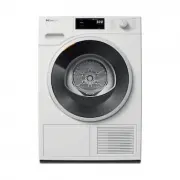 Miele TWD360 WP
User Manual
Miele TWD360 WP
User Manual
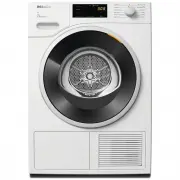 Miele TWD364
User Manual
Miele TWD364
User Manual
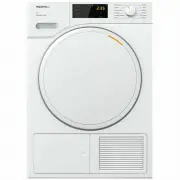 Miele TWD440
User Manual
Miele TWD440
User Manual
 Miele TWD660WP
User Manual
Miele TWD660WP
User Manual
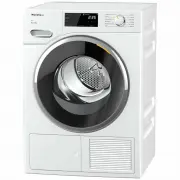 Miele TWF720
User Manual
Miele TWF720
User Manual
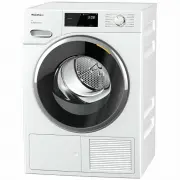 Miele TWH780WP
User Manual
Miele TWH780WP
User Manual
 Miele TWV780WPS
User Manual
Miele TWV780WPS
User Manual
 Miele PDR510
Installation Manual
Miele PDR510
Installation Manual