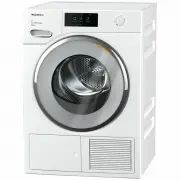
Page 2 - Contents
Contents 2 Caring for the environment ............................................................................. 7 Warning and Safety instructions ..................................................................... 8 Operating the tumble dryer ......................................................
Page 4 - Fragrance flacon
Contents 4 Fragrance flacon ................................................................................................ 57 FragranceDos ...................................................................................................... 57Removing the protective seal from the fragrance flacon...
Page 5 - Installation
Contents 5 Installation .......................................................................................................... 80 Front view ............................................................................................................ 80Rear view .....................................
Page 6 - Settings
Contents 6 Settings .............................................................................................................. 96 Calling up settings ............................................................................................... 96Operation/Display ...............................
Page 7 - Caring for the environment
Caring for the environment 7 Disposal of the packingmaterial The transport and protective packaginghas been selected from materials whichare environmentally friendly fordisposal, and can normally be recycled. Recycling the packaging reduces theuse of raw materials in themanufacturing process and als...
Page 8 - Warning and Safety instructions; It is essential to read these instructions.
Warning and Safety instructions 8 It is essential to read these instructions. This tumble dryer complies with all current local and nationalsafety requirements. However, inappropriate use can lead topersonal injury and damage to property. Read the operating instructions carefully before using the ...
Page 9 - Correct application; This tumble dryer is designed for domestic use and for use in
Warning and Safety instructions 9 Correct application This tumble dryer is designed for domestic use and for use in similar environments by guests in hotel or motel rooms, bed &breakfasts and other typical living quarters. This does not includecommon/shared facilities or commercial facilities ...
Page 10 - Safety with children; Young children must not be allowed to use this appliance.
Warning and Safety instructions 10 Safety with children Young children must not be allowed to use this appliance. Older children may only use the appliance when its operation has been clearly explained to them and they are able to use it safely,recognising the dangers of misuse. Children must ...
Page 11 - Technical safety
Warning and Safety instructions 11 Technical safety Before setting up the tumble dryer, check it for any externally visible damage.Do not install or use a damaged tumble dryer. Before connecting the tumble dryer, ensure that the connection data on the data plate (fuse rating, voltage and frequen...
Page 14 - Correct use; A clogged filter is a fire hazard!
Warning and Safety instructions 14 Correct use Warning: Risk of fire / Flammable materials. To avoid the possible danger of fire, please read these warningscarefully. A clogged filter is a fire hazard! The fluff filter must be cleaned after every programme. The maximum load for this tumble dry...
Page 15 - in this tumble dryer:
Warning and Safety instructions 15 To prevent the risk of fire, the following textiles must not be dried in this tumble dryer: - Items which have not been washed. - Items which have been cleaned using chemicals (e.g. professional dry-cleaning agents). - Items, such as workwear, which have not been...
Page 18 - Using a fragrance flacon (optional accessory); skin
Warning and Safety instructions 18 Using a fragrance flacon (optional accessory) Only use genuine Miele original fragrance flacons. The fragrance flacon must be stored in its packaging so please make sure you retain this. Caution. The fragrance can run out of the flacon. Make sure that you alw...
Page 19 - Accessories; Only use genuine Miele spare parts and accessories with this
Warning and Safety instructions 19 Accessories Only use genuine Miele spare parts and accessories with this appliance. If spare parts or accessories from other manufacturersare used, this will invalidate the warranty, and Miele cannot acceptliability. A Miele tumble dryer can be stacked on top o...
Page 20 - Operating the tumble dryer; Control panel; sensor; Touch display and sensor controls
Operating the tumble dryer 20 Control panel a sensor Takes you back one level in the menu. b Touch display c Start/Stop sensor Touching the Start/Stop sensor starts the selected programme or cancels a programme that has already started. The sensor flashes slowly as soon as it ispossible for a prog...
Page 21 - Main menu
Operating the tumble dryer 21 Main menu After switching on the tumble dryer, themain menu will appear in the display. You can access all important sub-menus from the main menu. Touch the sensor at any time to return to the main menu. Values thathave not yet been confirmed are notsaved when you ret...
Page 22 - Selection lists; Extras menu; Touch the
Operating the tumble dryer 22 Examples on how to operatethe appliance Selection lists Programmes menu 11:02 0:00 0:00 0:00 0:00 h h h h Programmes Cottons Delicates Cottons Minimum iron Help You can scroll to the right or the left byswiping your finger across the screen.To do this, plac...
Page 23 - Moving programmes; The programme has moved.; sensor to accept all; sensor will be highlighted green.
Operating the tumble dryer 23 Moving programmes You can move the programmes aroundin the menu to change the order inwhich they are displayed. 11:02 0:00 0:00 0:00 0:00 h h h h Programmes Cottons Delicates Cottons Minimum iron Help Place your finger on the programmeyou wish to move ...
Page 24 - Help display; Exiting a menu
Operating the tumble dryer 24 Pull-down menu The pull-down menu can be used todisplay information, e.g. about a dryingprogramme. 11:02 2:35 Overview Cottons h Timer Save Drying level Normal Extras not selected Touch the top edge of the screen in themiddle and drag down with your fing...
Page 25 - Before using for the first time; Downtime after installation
Before using for the first time 25 Installation Before using the appliance for thefirst time, check that you havefollowed all the instructions under“Installation”.Read these operating instructions,paying particular attention to theinformation provided under“Installation”. Removing the protective foi...
Page 26 - Availability of the Wi-Fi connection; Switching on the tumble dryer; Press the; Setting the language
Before using for the first time 26 Availability of the Wi-Fi connection The Wi-Fi connection shares afrequency range with other appliances(including microwave ovens and remotecontrol toys). This may result insporadic or even complete connectionfailures. Therefore, a constantavailability of featured ...
Page 27 - Setting up Miele@home; To postpone set-up until; Via WPS; Setting the clock format; Setting the time of day; Confirm with the
Before using for the first time 27 Setting up Miele@home Skip Continue Set up “Miele@home”? To set up Miele@home now: touchthe Continue sensor. Useful tip: To postpone set-up until later: touch the Skip sensor. The following message will then appear inthe display: It is possible to set up la...
Page 28 - Continuing setup
Before using for the first time 28 Continuing setup Refer to “1. Notes on correct laundrycare”. You can then load the tumble dryerand select a programme as describedin “2. Loading the tumble dryer” and“3. Selecting a programme”. The initial commissioning process iscompleted when a programme last...
Page 29 - Energy saving tips; - Make sure your laundry is spun at the
Energy saving tips 29 Energy saving tips This dryer with heat-pump technologyis designed for energy-saving dryingcycles. You can save even moreenergy with the following measures,because the drying time is notextended unnecessarily. - Make sure your laundry is spun at the maximum spin speed before dr...
Page 30 - Feedback; - An estimate of the energy; Energy consumption; Actual consumption; You can view the
Energy saving tips 30 Feedback You can view information about theenergy consumption of your tumbledryer in the pull-down menu. The following information will appear inthe display: - An estimate of the energy consumption before the programmestarts. - The actual energy consumption during the programme...
Page 31 - Notes on correct laundry care
1. Notes on correct laundry care 31 Points to note regardingwashed laundry - When washing very heavily soiled items, ensure that you use sufficientdetergent and select a hightemperature. If in doubt, wash theitems several times. - Do not put soaking wet items into the tumble dryer. Make sure your la...
Page 32 - Care symbols; Selecting the correct drying level
1. Notes on correct laundry care 32 Drying Useful tip: See the “Programme chart”, which contains everything you need toknow about programmes and loadsizes. - Always observe the maximum recommended load for eachprogramme. This will mean that theenergy consumption for the amountof laundry is the most ...
Page 33 - Loading the tumble dryer; Loading the laundry; Checking the FragranceDos socket; Closing the door; Shut the door with a gentle swing.
2. Loading the tumble dryer 33 Loading the laundry Textiles may be damaged.Before loading, read chapter “1.Notes on correct laundry care” first. Open the door. Remove any items that have been leftinside the drum. Unfold the laundry and load looselyinto the drum. Do not overload the drum. Doing...
Page 34 - Selecting a programme
3. Selecting a programme 34 Switching on the tumble dryer To switch on, press the sensor. Useful tip: The condensed water can be recycled when certain programmesare used. See “Condensed water container –Filling the condensed water container”.To find out when the condensed watercan be used as par...
Page 35 - Selecting programme settings; Selecting the drying level; Drying level; HygieneDry
4. Selecting programme settings 35 Selecting the drying level Check the “Programme chart” to seewhich programme you can select adrying level for and which drying levelmeets your requirements. 11:02 2:35 Overview Cottons h Timer Save Drying level Normal Extras not selected Touch the Dryin...
Page 36 - Warm air; Selecting Extras
4. Selecting programme settings 36 Selecting the running time fortimed programmes You can change the duration in 10-minute increments. Programmes:Cool air: 20 min – 1:00 hWarm air: 20 min – 2:00 hBasket programme: 40 min – 2:30 h 11:02 0:20 Overview Timed drying Warm air h Timer Save Extras ...
Page 37 - Starting the programme; Starting a programme; Energy savings
5. Starting the programme 37 Starting a programme The programme can be started whenthe Start/Stop sensor is flashing on and off. Touch the Start/Stop sensor. The Start/Stop sensor lights up constantly. 11:02 Status Cottons Time left Machine iron PerfectDry h 1:42 Add laundry Drying and the...
Page 38 - Cottons; Drum lighting
6. End of programme - unloading the drum 38 At the end of the programme The programme is finished when Finish/ Anti-crease appears in the display. The Start/Stop sensor will no longer light up. The dryer will switch off automatically15 minutes after the end of the Anti-crease phase (or 15 minutes af...
Page 39 - Programme chart
Programme chart 39 All weights marked with * are based on the weight of dry laundry. Cottons Max. load 9.0 kg* HygieneDry Items - Cottons and linen fabric which will be in direct contact with the skin, e.g. underwear, baby clothes, bed linen, towelling. - Other hard-wearing fabrics with special hygi...
Page 41 - Woollens handcare
Programme chart 41 Woollens handcare Max. load 2.0 kg* Items Woollen garments and fabric containing wool blends, e.g. pullovers,cardigans, stockings. Notes - Wool and wool blend items are only fluffed up; they are not dried completely. - Remove garments as soon as the programme has finished. Silks h...
Page 42 - Steam care
Programme chart 42 Steam care Max. load 1 kg* Normal, Hand iron Items - Cotton and linen fabric. - Minimum iron items made of cotton, synthetic or mixed fibre. For example: cotton trousers, jackets, anoraks, and shirts. Tip - For dampening items before ironing. - For smoothing items that are cre...
Page 43 - Basket programme
Programme chart 43 Basket programme Max. load for basket 3.5 kg Notes - This programme may only be used with the Miele tumble dryer basket TRK 555 (optional accessory) fitted. - It is essential to observe the operating instructions for the drying basket. - Make sure that no sleeves, straps, belt str...
Page 45 - Extra quiet
Programme chart 45 Extra quiet Max. load 9.0 kg* Normal plus, Normal, Hand iron , Hand iron , Machine iron Items Mixed loads of garments suitable for the Cottons and Minimum iron programmes. Tip Use to reduce the noise of the tumble dryer during quiet times. Pre-ironing Max. load 1 kg* Normal, ...
Page 46 - DryFresh; PowerFresh
Extras 46 The drying programmes can besupplemented with various Extras. Thetable lists the selection options. DryFresh The Normal drying level can be used to freshen up clothing that is clean and drywithout wetting it. The function is slightly less effectivewhen used with fabrics made ofsynthetic fi...
Page 47 - Gentle tumble
Extras 47 DryCare 40 This option dries fabrics gently by usinga particularly low temperature. It can be used for all fabrics that arefree of wool and are washable attemperatures of 40°C and above. In order to achieve an optimal dryingresult, please note:For the respective programme, reducethe maximu...
Page 48 - Drying programme overview - Extras
Extras 48 Drying programme overview - Extras Cottons – – – – – – – Cottons X X X X X X X Minimum iron X X X X X X X Delicates – – – – – – Bed linen – – – – – – – Automatic X X X X X X – Woollens handcare – – – – – – – Silks handcare – – – – – – Express – – – – – – – Shirts X X X ...
Page 49 - Wash2Dry; Do not disconnect the; Requirements for use; In order to use the; lights up in the display of
Wash2Dry 49 Once the wash programme hascompletely finished, the Miele washingmachine transfers the programmedata via the router to which thenetworked tumble dryer is alsoconnected, as well as transferring it tothe Miele Cloud.The tumble dryer automatically sets adrying programme tailored to thela...
Page 50 - Favourite programmes; Option 1
Favourite programmes 50 Creating a Favouriteprogramme You can save your own customisedprogrammes under names of yourchoice. There are two ways to create aFavourite programme. Option 1 The main menu must be visible in thedisplay. Touch the Favourites sensor. The display will change to show theFavo...
Page 51 - Change
Drying assistant 51 The Drying assistant helps you whendrying a wide variety of items. Thetumble dryer will use the list of items toput together a suitable dryingprogramme. Scroll to the second page in the mainmenu. Touch the Drying assistant sensor. A list will open. The drying purpose isgroupe...
Page 52 - Timer; Setting the Timer
Timer 52 The Timer can be used to set the timeat which a programme starts or finishes.The programme start can be delayed byup to 24 hours. Setting the Timer Touch the sensor. Select the Finish at or Start at option. Set the hours and the minutes andconfirm your entry with the OK sensor. Chan...
Page 53 - SmartStart; Setting the timeframe
Timer 53 SmartStart The SmartStart function (only availablein selected countries) lets you define atime period during which your tumbledryer will start automatically. Theappliance will start on receipt of asignal, e.g. from your energy supplier,that indicates that the electricity rate isparticularly...
Page 54 - Changing the programme sequence; Cancelling a programme; Adding or removing laundry; Exceptions to adding laundry
Changing the programme sequence 54 Changing a programme after ithas started You cannot change to anotherprogramme once a programme hasstarted (this prevents unintentionalalterations). You will need to cancel the currentprogramme before you can select anew one. Cancelling a programme Touch the Star...
Page 55 - Condensed water container; Damage to the door and the
Condensed water container 55 Emptying the condensed watercontainer The condensed water is collected inthe condensed water container.Empty the condensed water containerafter every drying programme. When the maximum level in thecondensed water container is reached,the following message will light up i...
Page 56 - ―min―; Cleaning the rubber seal
Condensed water container 56 Filling the condensed watercontainer When certain programmes are beingused, condensed water generatedduring drying is recycled and sprayedinto the drum via a spray nozzle. The condensed water container musttherefore be filled to at least the ―min― mark. Otherwise, this c...
Page 57 - FragranceDos
Fragrance flacon 57 FragranceDos Fragrance flacons (optionalaccessories) can be used to give yourlaundry a pleasant scent. This dryer has 2 places for insertingfragrance flacons. This gives you achoice of how to use them. - You can use both positions if you wish to change from one scent toanother. Y...
Page 58 - Inserting the fragrance flacon; Open the door of the tumble dryer.
Fragrance flacon 58 Inserting the fragrance flacon Open the door of the tumble dryer. The fragrance flacon is inserted in theupper fluff filter. It can be inserted onthe left or the right-hand side besidethe grip. Open the cover using the tab until thetab is right at the top as shown. To prevent...
Page 59 - Turn the outer ring; Opening the fragrance flacon; Cool Air; Closing the fragrance flacon; is in position
Fragrance flacon 59 Turn the outer ring clockwise a little. The fragrance flacon can slip out.Turn the outer ring so that markers and line up. Opening the fragrance flacon Before drying, you can select theintensity of the fragrance. Turn the outer ring clockwise: thefurther you open the fr...
Page 60 - and
Fragrance flacon 60 Removing/replacing thefragrance flacon Turn the outer ring anti-clockwiseuntil markers a and b line up. Replace the fragrance flacon with anew one. When not in use, you can store thefragrance flacon in its originalpackaging. Fragrance flacons are available toorder from Miele ...
Page 61 - Cleaning and care; Fluff filters; To clear the message, confirm with; Removing the fragrance flacon
Cleaning and care 61 Fluff filters This tumble dryer has 2 fluff filters in theloading area of the door. Both flufffilters trap fluff produced during thedrying process. Clean the fluff filters after each dryingprogramme. This prevents anextension of the programme duration. Also clean the fluff filte...
Page 63 - Finally, clean the fluff filters with water.
Cleaning and care 63 Use a vacuum cleaner with a longcrevice nozzle attached to removeany visible fluff from the upper airflow openings. Finally, clean the fluff filters with water. Cleaning the fluff filters with water Wipe the smooth plastic surfaces ofthe fluff filters with a damp cloth tocle...
Page 64 - Cleaning the plinth filter; Removing the plinth filter
Cleaning and care 64 Cleaning the plinth filter Clean the plinth filter when theprogramme duration has beenextended or when this messageappears in the display: Clean the fluff and plinth filters. See the operatinginstruction manual for more information. To clear the message, confirm with OK . Remo...
Page 66 - Cleaning the plinth filter flap; Cleaning the dryer; Damage due to the use of
Cleaning and care 66 Cleaning the plinth filter flap Use a damp cloth to remove any fluff.Make sure that you do not damagethe rubber seal when doing this. Close the heat exchanger accesspanel. Damage or ineffective drying when drying without a plinth filter orwith the heat exchanger flap open....
Page 67 - Problem solving guide; Message; Clean the fluff filters and the plinth filter.
Problem solving guide 67 With the help of the following guide, minor faults in the performance of theappliance, some of which may result from incorrect operation, can be remediedwithout contacting Miele. This will save you time and money because you won'tneed a service call. Please note that a call-...
Page 69 - Messages in the display
Problem solving guide 69 Messages in the display Message Possible cause and remedy 000 Access via a code has been activated. Enter the code and confirm the entry. Deactivatethe code if you do not wish this message toappear in the display the next time the machine isswitched on. Finish/Cooling down...
Page 70 - Unsatisfactory drying results; Problem
Problem solving guide 70 Unsatisfactory drying results Problem Possible cause and remedy The DryCare 40 Extra is not drying the laundrysufficiently. The room in which the tumble dryer is located is toowarm. This has caused the DryCare process to finishprematurely. Ventilate the room thoroughly. ...
Page 71 - The drying process takes a long time.
Problem solving guide 71 The drying process takes a long time. Problem Possible cause and remedy The drying processgoes on for too long oreven switches off.* The room in which the tumble dryer is located is toowarm. Ventilate the room thoroughly. Detergent residues, hair and fine fluff can clog th...
Page 72 - General problems with the tumble dryer; There is no obvious cause.
Problem solving guide 72 General problems with the tumble dryer Problem Possible cause and remedy You can hear buzzing orhumming operatingnoises. The compressor (heat pump) is operating. Or youhave selected a programme which sprayscondensed water into the drum. No action is required. These noises ...
Page 74 - Replacing the plinth filter; Poor fit
Problem solving guide 74 Replacing the plinth filter The heat exchanger can clog up.Replace the plinth filter immediately(replacement filters are available asan optional accessory) if you see thefollowing signs of wear before orafter cleaning. Poor fit The edges of the plinth filter do not sitproper...
Page 76 - Regenerating the plinth filter; Risk of injury from sharp cooling
Problem solving guide 76 Regenerating the plinth filter You can regenerate one or more dirtyplinth filters in the washing machine.The plinth filter will be ready for useagain. Before regenerating it, check whetherthe plinth filter is still in goodcondition. Check the plinth filter inaccordance with ...
Page 77 - Hold it securely with one hand.
Problem solving guide 77 Cleaning the fluff filter in thecondensed water container When certain programmes are beingused, water is taken from thecondensed water container andsprayed into the drum. The spray jetcan sometimes stop working. The flufffilter in the condensed water containeris clogged. ...
Page 78 - Using the wrong tool can cause
Problem solving guide 78 Replacing the condensedwater spray jet When certain programmes are beingused, water is taken from thecondensed water container andsprayed into the drum. The spray jetcan sometimes stop working.Limescale deposits have built up onthe spray jet. Remove the spray jet and replace...
Page 79 - Service; Contact in case of fault; Drying basket; Warranty
Service 79 Contact in case of fault In the event of any faults which youcannot remedy yourself, please contactMiele. You can book a Miele customerservice call-out online atwww.miele.com.au/service orwww.miele.co.nz/service. Contact information for Miele can befound at the end of this booklet. Please...
Page 80 - Front view
Installation *INSTALLATION* 80 Front view a Mains connection cable b Control panel c Condensed water container d Door e Plinth filter access panel f 4 height-adjustable feet g Cooling air grille h Drain hose for condensed water
Page 81 - Rear view; Drain hose for condensed water; Transporting the tumble dryer; Danger of injury to people and
Installation *INSTALLATION* 81 Rear view a Protruding lid for holding whenmoving the machine b Drain hose for condensed water c Hook for winding the mainsconnection cable around duringtransport d Mains connection cable Transporting the tumble dryer Danger of injury to people and damage to property...
Page 82 - Levelling the dryer
Installation *INSTALLATION* 82 Installation Levelling the dryer The appliance must not be installedbehind a lockable door, a slidingdoor or a door with a hinge on theopposite side to that of the tumbledyer, in such a way that a fullopening of the tumble dryer door isrestricted. To ensure proper oper...
Page 84 - Notes
Installation *INSTALLATION* 84 Externally draining condensedwater Notes When drying is in progress,condensed water is pumped into thecondensed water container throughthe drain hose which is located at theback of the dryer. The condensed water can also bedrained away via the drain hose. Thecondensed ...
Page 85 - Arranging the drain hose
Installation *INSTALLATION* 85 Arranging the drain hose Damage to the drain hose through incorrect handling.The drain hose can suffer damageand leak.Do not pull on the drain hose and donot stretch it or allow it to becomekinked. There will be a small amount of residualwater left in the drain hose....
Page 87 - Changing the door hinging; - a T20 and T30 Torx screwdriver
Installation *INSTALLATION* 87 Changing the door hinging You can change the door hinging onthis tumble dryer yourself. For safety reasons, the tumble dryermust be disconnected from theelectricity supply before changingthe door hinging. You will need: - a T20 and T30 Torx screwdriver - a flat head sc...
Page 88 - Turn the door lock through 180°.
Installation *INSTALLATION* 88 Turn the door lock through 180°. Press the door lock into the openings on the opposite side of the door opening. Adjust the position of the door lockso that the screw holes line up withthose in the front panel of the dryer . Secure the door lock with the tw...
Page 89 - and then
Installation *INSTALLATION* 89 Remove the lock catch from thecover. This lock catch cover is no longerneeded. However, please keep it in asafe place. Insert the lock catch into the newcover supplied with the dryer. Place this new cover to one side fornow. 4. Dismantle the door hinge from thedo...
Page 90 - Change the door hinge on the door
Installation *INSTALLATION* 90 5. Change the door hinge on the door The door hinge is secured to the doorwith 2 angled rods. These rods needto be removed with a screwdriver orpointed pliers. Insert the end of the screwdriverblade under the rod and rotate it so it is in an upright position. Do th...
Page 91 - Change the lock catch on the door
Installation *INSTALLATION* 91 You now need the new door hingecover supplied with the tumble dryer. Fit the new door hinge cover and clip it into position. 6. Change the lock catch on the door You now need the new lock catchcover supplied with the dryer whichyou have already fitted with the lock...
Page 92 - Refitting
Installation *INSTALLATION* 92 Refitting 7. Refit the door Press the rubber seal back into thegroove on the door. Position the door in front of the dryer. Fit the base of the door hinge with itstwo pins into the openings on thedryer. The base of the door hinge must beflush with the front panel...
Page 93 - Electrical connection; Risk of fire from overheating.
Installation *INSTALLATION* 93 Electrical connection The tumble dryer is supplied with amains cable with moulded plug readyfor connection to a socket. The socket should be easily accessibleafter the tumble dryer has beeninstalled. If the socket is not easilyaccessible, ensure that a suitablemeans of...
Page 94 - Technical data
Technical data 94 Height 850 mm Width 596 mm Depth 643 mm Depth with door open 1077 mm Suitable for pushing under a worktop Yes Height for pushing under a worktop 850 mm (+8/-2 mm) Width for pushing under a worktop 600 mm Depth for pushing under a worktop 600 mm Suitable for stacking Yes Weight Appr...
Page 95 - Consumption data
Consumption data 95 Load 1 Final spin speed in a domestic washing machine Residual moisture Energy Duration kg rpm % kWh min. Cottons 9.0 4.5 1,000 1,000 60 60 1.47 0.78 220 131 Cottons Normal 9.0 9.0 9.0 1,200 1,400 1,600 53 50 44 1.30 1.25 1.10 199 189 168 Cottons Hand iron 9.0 9.0 9.0 9.0 1,0...
Page 96 - Calling up settings; Selecting settings; Exiting settings
Settings 96 Settings can be altered to adapt theelectronics of the dryer to differentrequirements. Settings can be altered at any time. Calling up settings Switch the tumble dryer on. Scroll to the second page in the mainmenu. Touch the Settings sensor. Selecting settings The settings are grou...
Page 98 - Memory
Settings 98 Memory The dryer saves the settings that werelast selected for a drying programme(drying level and/or Extras, or theduration for some programmes). The next time the programme is chosenthe saved settings will appear in thedisplay. Options - Off (factory default setting) - On Volume The vo...
Page 99 - Display switch-off status
Settings 99 Display switch-off status To save energy the display and sensorcontrols will go out after 10 minutesand the Start/Stop sensor will flash slowly. You can change this automaticswitch-off function. Options - On The display will go out (after10 minutes): – if no programme selection is made a...
Page 100 - Network; The following values are displayed:
Settings 100 Network Miele@home Control the networking of your dryerwith your home Wi-Fi network. The following points may appear in thesubmenu: Set up This message only appears if the dryerhas not yet been connected to a Wi-Finetwork. Please refer to “Before using for the firsttime” for instruction...
Page 101 - SmartGrid
Settings 101 SmartGrid The SmartGrid setting (available depending on country) is only visible ifthe Miele@home setting is set up and activated. This function can be used for startingyour dryer automatically at a timewhen energy rates are moreeconomical. Activating SmartGrid gives the Timer sensor a ...
Page 102 - RemoteUpdate
Settings 102 RemoteUpdate The RemoteUpdate function is used forupdating the software in your tumbledryer. RemoteUpdate is activated at thefactory. If you do not install a RemoteUpdate,you can continue to use your tumbledryer in the usual way. However, Mielerecommends installing RemoteUpdates. Activa...
Page 103 - Programme sequence; Cooling down temperature
Settings 103 Programme sequence Anti-crease The Anti-crease function reducescreasing after the end of theprogramme. The drum will continue to rotate for upto 2 hours after the drying cycle hasfinished. This helps to reduce creasing. Options - Off - 1 h - 2 h (factory setting) Cooling down temperatur...
Page 104 - Appliance parameters; Airways indicator
Settings 104 Appliance parameters Airways indicator Fluff must be removed after everydrying programme. In addition, thisindicator will remind you to clean thefilters when a certain amount of fluffhas collected in them: Clean the fluff and plinth filters. See the operating instruction manual for mo...
Page 105 - Operating hours
Settings 105 Operating hours You can read off how many hours yourtumble dryer has been in operation for. The time is displayed as the totalrunning time in hours. Factory default All settings except Operating hours are reset to the factory default settings. Options Reset to factory settings? - Y...
Page 107 - Miele New Zealand Limited
Miele Head Office Melbourne: Level 4, 141 Camberwell RoadHawthorn East, VIC 3123 Miele Experience Centre South Melbourne: 206-210 Coventry StreetSouth Melbourne, VIC 3205 Miele Experience Centre and Office Sydney: 3 Skyline PlaceFrenchs Forest, NSW 2086 Miele Experience Centre and Office Brisbane: T...