Page 2 - Contents; Settings mode
Contents 2 Warning and Safety instructions ...................................................................... 5 Caring for the environment .............................................................................. 15 Installation .................................................................
Page 4 - Problem solving guide
Contents 4 Problem solving guide ...................................................................................... 62 Noises ................................................................................................................. 69 Service ................................................
Page 5 - Warning and Safety instructions; Correct application; This appliance is designed for domestic use and for use in similar
Warning and Safety instructions 5 This refrigeration appliance complies with current local andnational safety requirements. However, inappropriate use can leadto personal injury and damage to property. Please read the operating and installation instructions carefullybefore using the refrigeration ap...
Page 6 - Safety with children
Warning and Safety instructions 6 This appliance is not suitable for storing and keeping cool medicines, blood plasma, laboratory preparations or similarsubstances or products. Incorrect use of the appliance for suchpurposes may cause deterioration of the items stored. The appliance is also not su...
Page 7 - Technical safety; The refrigerant circuit has been checked for leaks. The
Warning and Safety instructions 7 Technical safety The refrigerant circuit has been checked for leaks. The refrigeration appliance complies with all current local and nationalsafety requirements. Warning: Risk of fire / Flammable materials. This refrigeration appliance contains the refrigerant I...
Page 10 - Correct installation
Warning and Safety instructions 10 This refrigeration appliance is supplied with a special lamp to cope with particular conditions (e.g., temperature, moisture,chemical resistance, abrasion resistance and vibration). This lampmust only be used for the purpose for which it is intended. The lampis n...
Page 11 - Correct use; To ensure proper air flow in and out of the appliance, the
Warning and Safety instructions 11 Correct use This refrigeration appliance is designed for use within specific ambient temperatures (climate range). Do not use it in ambienttemperatures for which it is not designed. The climate class is statedon the data plate inside the refrigeration appliance. ...
Page 12 - Stainless steel appliances; Accessories and spare parts
Warning and Safety instructions 12 Stainless steel appliances The coated stainless steel surface can be damaged by adhesives and will lose its dirt-repelling properties. Do not adhere sticky notes,transparent tape, masking tape or other adhesives onto the stainlesssteel surface. The surface is s...
Page 13 - Transport
Warning and Safety instructions 13 Do not use defrosting sprays or de-icers, as they might contain substances which could damage the plastic parts or which couldcause a build-up of gases and pose a danger to health. Transport To avoid damage to the appliance, always transport it upright and in i...
Page 14 - Symbol on the compressor (depending on model)
Warning and Safety instructions 14 Risk of fire due to escaping oil or refrigerant! The refrigerant and oil inside the appliance are flammable. In highenough concentrations, escaping refrigerant or oil may ignite if theycome into contact with an external heat source.During disposal, make sure that...
Page 15 - Caring for the environment
Caring for the environment 15 Disposal of the packingmaterial The transport and protective packinghas been selected from materials whichare environmentally friendly fordisposal, and can normally be recycled. Recycling the packaging reduces theuse of raw materials in themanufacturing process and also...
Page 16 - Installation; Installation location
Installation *INSTALLATION* 16 Installation location Risk of damage due to high humidity.In environments with high humidity,condensation can build up onexternal refrigeration appliancepanels. This condensate can cause corrosionon external appliance panels.Install the refrigeration appliance in adr...
Page 17 - Climate range; Ventilation requirements; Risk of fire and damage due to
Installation *INSTALLATION* 17 Climate range This refrigeration appliance is designedfor use within specific ambienttemperatures (climate range). Do notuse it in ambient temperatures for whichit is not designed. The climate class isstated on the data plate inside therefrigeration appliance. Climate ...
Page 18 - not; Changing the door hinging
Installation *INSTALLATION* 18 Installing multiple refrigerationappliances Risk of damage due to condensation on the externalappliance panels.In environments with high humidity,condensation can build up betweenthe external refrigeration appliancepanels, which can cause corrosion.Do not place diffe...
Page 19 - Risk of injury and damage due to
Installation *INSTALLATION* 19 Fitting the supplied wallspacers The wall spacers supplied must beused in order to achieve declaredenergy consumption values and toprevent the build-up of condensationat high ambient temperatures. Therefrigeration appliance depth isincreased by approx. 15 mm forapplian...
Page 20 - Aligning the appliance
Installation *INSTALLATION* 20 Move the appliance carefully to itsintended installation location. Position the refrigeration appliancewith the wall spacers (if fitted) or theback of the appliance close to thewall. Aligning the appliance Risk of damage and danger of injury due to the appliance ...
Page 23 - Appliance dimensions; Installation dimensions/View from above
Installation *INSTALLATION* 23 Appliance dimensions Installation dimensions/View from above KS 4383 edt/cs All dimensions are given in mm. The refrigeration appliance will function correctly if the specified ventilation cross-sections are kept clear. * Dimensions without wall spacers fitted. Applian...
Page 24 - Connections
Installation *INSTALLATION* 24 Connections KS 4383 edt/cs All dimensions are given in mm. a Front view b Mains connection cable, length = 2,000 mm A longer mains connection cable is available from Miele.
Page 26 - Electrical connection; Risk of fire from overheating.
Installation *INSTALLATION* 26 Electrical connection The refrigeration appliance must only beconnected to an earthed socket usingthe connection cable supplied. The socket should be easily accessibleafter the refrigeration appliance hasbeen installed. If the socket is not easilyaccessible, ensure tha...
Page 27 - Saving energy; Use
Saving energy 27 How to save energy: Installationlocation The refrigeration appliance has to cool more often at higherambient temperatures and consumes more energy in theprocess. Therefore, you should: - Install the refrigeration appliance in a well-ventilated room. - Do not install the refrigeratio...
Page 28 - Guide to the appliance; Appliance overview
Guide to the appliance 28 Appliance overview Picture shows an example of an appliance model.
Page 30 - Control panel with start display; OK
Guide to the appliance 30 Control panel with start display 5 °C OK < > 1 2 4 3 a Temperature display for the refrigerator section b Sensors for selecting a setting c OK sensor for confirming a selection d Display for Miele@home connection status (depending on model)(only visible when the Mi...
Page 32 - Selecting the desired function in Settings mode
Guide to the appliance 32 Selecting the desired function in Settings mode Touch the OK sensor on the control panel. appears in the display. Use the or sensor to scroll to the symbol. Touch OK . Select the function you want using the or sensor. Touch OK to select the fu...
Page 33 - Adjusting the interior fittings; Moving the door/bottle shelf
Guide to the appliance 33 Adjusting the interior fittings Moving the door/bottle shelf Only move the door/bottle shelves inthe appliance door when they areempty. Push the door/bottle shelf upwards,then remove it by pulling it forwards. Refit the door/bottle shelf at therequired height. Clipping ...
Page 34 - Space for a baking tray
Guide to the appliance 34 Space for a baking tray A baking tray can be placed above thedrawers. The baking tray can be nomore than 466 mm wide, 386 mm deepand 50 mm high. Open the appliance door as far as itwill go. Place the baking tray on the dividingplate. Useful tip: Let the baking tray cool...
Page 35 - Accessories supplied; Egg tray; Optional accessories; Miele all purpose microfibre cloth
Guide to the appliance 35 Accessories supplied For a description, see “Guide to theappliance – Adjusting the interiorfittings”. Egg tray Bottle holder Optional accessories A range of useful Miele accessories andcare products is available for yourappliance. Miele all purpose microfibre cloth Light so...
Page 36 - Switching on and off; Before using for the first time; Connecting the appliance; Switching on the appliance; Switching off the appliance
Switching on and off 36 Before using for the first time Remove all packaging material andprotective film. Clean the inside of the appliance andthe accessories (see “Cleaning andcare”). Connecting the appliance Connect the appliance to theelectricity supply as described in"Electrical connec...
Page 37 - Switch the appliance off.
Switching on and off 37 Switching off for longer periods oftime If, during a long absence, therefrigeration appliance is switched offbut not cleaned and the door is leftshut, there is a danger of mouldbuilding up inside the appliance.It is essential to clean the appliance. If the appliance is not go...
Page 38 - The correct temperature
The correct temperature 38 It is very important to set the correcttemperature to ensure the shelf life offood. Reducing the temperaturereduces the growth rate ofmicroorganisms. Food does not spoil asquickly. The temperature in the appliance willrise: - the more often the door is opened and the longe...
Page 39 - Temperature display; current mean; Setting the temperature; Possible temperature settings
The correct temperature 39 Temperature display In normal operation, the temperaturedisplay shows the current mean temperature in the refrigerator. Depending on the ambient temperatureand the temperature setting, it can takethe appliance a few hours to reach thetemperature required and for thistemper...
Page 40 - Using SuperCool and DynaCool; SuperCool; refrigerator section
Using SuperCool and DynaCool 40 SuperCool When switched on, the SuperCoolfunction can be used to rapidly reduce the temperature in the refrigerator section to its lowest setting (depending on the ambienttemperature). The refrigerationappliance will work at full power andlower the temperature. ...
Page 41 - DynaCool; Switching DynaCool
Using SuperCool and DynaCool 41 DynaCool When the DynaCool function is not switched on, the natural circulation ofair in the appliance will cause differenttemperature zones in the fridge, as thecold, heavy air will sink to the lowestsection of the appliance. Make use ofthe different temperatur...
Page 42 - Selecting further settings; Party mode
Selecting further settings 42 Explanation of the differentsettings Only the settings that require furtherexplanation are described below. The door alarm and other warningsare automatically suppressed whenyou are in Settings mode . Party mode The Party mode function is particularly recommend...
Page 46 - Adjusting the display brightness; Information
Selecting further settings 46 Adjusting the display brightness You can adjust the display brightness tothe lighting conditions in the room. In Settings mode , use the or sensor to scroll to the symbol. Touch OK . Use the and sensors to select the display brightness you want...
Page 47 - Cleaning mode
Selecting further settings 47 Cleaning mode Cleaning mode makes it easier to clean the refrigerator section (see“Cleaning and care”). The interiorlighting remains switched on, eventhough the refrigerator section isswitched off. The buzzer will stop andthe symbols in the display will also goout...
Page 48 - Door alarm; Switching the door alarm off early
Door alarm 48 The refrigeration appliance isequipped with a warning system toavoid increased energy consumptionand food becoming warm if theappliance door is left open. If the appliance door is left open for alonger period of time, will appear in the temperature display. An alarm tonealso sound...
Page 49 - Storing food in the refrigerator section; Different storage zones; Warmest area
Storing food in the refrigerator section 49 If there is insufficient air circulation,the cooling performance willdecrease and energy consumptionwill increase.To allow air to circulate efficiently, donot pack food too closely together inthe appliance.Do not cover the fan in the rear wallof the applia...
Page 50 - Coldest area; Notes on buying food
Storing food in the refrigerator section 50 Coldest area The coldest area in the refrigeratorsection is directly above the DailyFreshdrawer and at the back of theappliance. A temperature setting of 4 °Ccombined with appropriate hygienemeasures delays the propagation ofbacteria, e.g. salmonella and l...
Page 51 - Storing food correctly; Protein rich food
Storing food in the refrigerator section 51 Storing food correctly Ensure that food stored in therefrigerator section is in packaging orcovered properly (some exceptionsapply in the DailyFresh drawer). This will prevent food odours fromaffecting other food, stop food fromdrying out, and also prevent...
Page 52 - Storing food in the DailyFresh drawer; If you are only storing a
Storing food in the DailyFresh drawer 52 The DailyFresh drawer provides goodstorage conditions for fruit andvegetables. The humidity level in the DailyFreshdrawer can be regulated to suit the foodbeing stored. Food retains its ownmoisture if stored at a higher humidityand does not dry out as quickly...
Page 54 - Defrosting
Defrosting 54 Refrigerator section andDailyFresh drawer The refrigerator section and theDailyFresh drawer defrost automatically. Condensate and frost can build up onthe back wall of the refrigerator sectionand the DailyFresh drawer whilst thecompressor is running. You do not needto remove this. The ...
Page 55 - Cleaning and care; Cleaning agents
Cleaning and care 55 The data plate located inside therefrigeration appliance must not beremoved. It contains informationwhich is required in the event of afault. Do not let water get into theelectronic unit or the lighting. Risk of damage due to moisture ingress.The steam from a steam cleaningapp...
Page 57 - by hand
Cleaning and care 57 Cleaning accessories by handor in the dishwasher The following components must becleaned by hand only: - the stainless steel-look trim - the protective strips at the back of the adjustable shelves - Adjustable shelf with printing. - All drawers and compartment covers (these vary...
Page 58 - Dismantling an adjustable shelf
Cleaning and care 58 Dismantling an adjustable shelf Before cleaning an adjustable shelf,remove the stainless steel strip and theprotective strip at the back of the shelf.Proceed as follows: Place the shelf on a worktop coveredwith a soft material (e.g. a tea towel). Pull the stainless steel str...
Page 60 - Cleaning the door seal; Risk of damage due to incorrect; Cleaning the ventilation gaps
Cleaning and care 60 Cleaning the front of theappliance and the side panels If soiling is left on for any length oftime, it may become impossible toremove. Surfaces may sufferdiscolouration or damage.Therefore it is best to remove soilingfrom the appliance doors and sidepanels immediately. All surfa...
Page 61 - After cleaning
Cleaning and care 61 After cleaning Touch the OK sensor on the control panel. will appear in the display. Touch OK . When Cleaning mode is switched off, the dot in the upper corner of thedisplay goes out. Use the and sensors to scroll to the symbol and touch OK . The refrigerati...
Page 62 - Problem
Problem solving guide 62 Many malfunctions and minor faults that can occur in daily operation can becorrected without contacting Miele. This will save you time and money becauseyou will not need a service call. You can find information on how to remedy faults yourself at www.miele.com/service. Pleas...
Page 64 - Other problems
Problem solving guide 64 Other problems Problem Possible cause and remedy The floor of therefrigerator is wet. The condensate drain hole is blocked. Clean the condensate channel and drain hole. There is no audiblealarm even though thedoor has been open fora long time. This is not a fault. The alar...
Page 65 - Messages in the display; Message
Problem solving guide 65 Messages in the display Message Possible cause and remedy lights up in thedisplay, therefrigerationappliance doesnot get cold eventhough thecontrols and theinterior lightingare working. Demo mode has been activated. Touch OK . Miele will appear initially in the display,...
Page 68 - The interior lighting is not working.
Problem solving guide 68 The interior lighting is not working. Risk of electric shock due to exposed, live electrical components! When removing the lighting cover, there is a risk of coming into contact with liveelectrical components.Do not remove the lighting cover. The LED lighting must only be ...
Page 69 - Noises; What causes them
Noises 69 Normalnoises What causes them Brrrrr ... A humming noise is made by the compressor. This noise canget louder for brief periods when the compressor switches on. Blubb,blubb ... A gurgling noise can be heard when refrigerant is circulatingthrough the pipes. Click ... Clicking sounds occur wh...
Page 70 - Service; Contact in case of fault
Service 70 You can find information on how toremedy faults yourself and aboutMiele spare parts at www.miele.com/service. Contact in case of fault In the event of any faults which youcannot remedy yourself, please contactMiele. You can book a Miele customerservice call-out online atwww.miele.com.au/s...
Page 71 - Miele New Zealand Limited
Miele Head Office Melbourne: Level 4, 141 Camberwell RoadHawthorn East, VIC 3123 Miele Experience Centre South Melbourne: 206-210 Coventry StreetSouth Melbourne, VIC 3205 Miele Experience Centre and Office Sydney: 3 Skyline PlaceFrenchs Forest, NSW 2086 Miele Experience Centre and Office Brisbane: T...
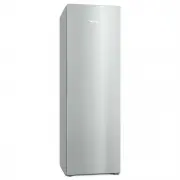


 Miele 10799700
User Manual
Miele 10799700
User Manual
 Miele 11501360
User Manual
Miele 11501360
User Manual
 Miele 11502570
User Manual
Miele 11502570
User Manual
 Miele 11502710
User Manual
Miele 11502710
User Manual
 Miele 11502840
User Manual
Miele 11502840
User Manual
 Miele 11502850
User Manual
Miele 11502850
User Manual
 Miele 11502930
User Manual
Miele 11502930
User Manual
 Miele 11502940
User Manual
Miele 11502940
User Manual
 Miele 11503020
User Manual
Miele 11503020
User Manual
 Miele 11503040
User Manual
Miele 11503040
User Manual
 Miele 11951210
User Manual
Miele 11951210
User Manual