Page 2 - Contents
Contents 2 IMPORTANT SAFETY INSTRUCTIONS ................................................................ 5 Caring for the environment ................................................................................ 12 How to save energy ...............................................................
Page 5 - IMPORTANT SAFETY INSTRUCTIONS; Appropriate use; This appliance is intended for use in the home and similar environ-
IMPORTANT SAFETY INSTRUCTIONS 5 This appliance complies with all statutory safety requirements.Please note that inappropriate use can lead to personal injury anddamage to property. To avoid the risk of accidents and damage to the appliance,please read these instructions carefully before using it for...
Page 6 - Safety with children
IMPORTANT SAFETY INSTRUCTIONS 6 Safety with children To reduce the risk of injury, do not allow children to play in, on or near the appliance. Ensure that any packing material is disposed of safely and kept out of the reach of children. Danger of suffocation! Technical safety The refrigerant s...
Page 8 - Correct use
IMPORTANT SAFETY INSTRUCTIONS 8 For safety reasons, this appliance may only be used after it has been built in. During installation, maintenance and repair work, the appliance must be disconnected from the electrical power supply. It is onlycompletely isolated from the electricity supply when: –...
Page 9 - Cleaning and maintenance
IMPORTANT SAFETY INSTRUCTIONS 9 If storing food which contains a lot of fat or oil in the appliance, make sure that it does not come into contact with plastic compo-nents as this could cause stress cracks or break the plastic. Do not store explosive materials in the appliance or any products con...
Page 10 - California Proposition 65
IMPORTANT SAFETY INSTRUCTIONS 10 Do not use defrosting sprays or de-icers, as they could contain substances which could damage the plastic parts or which mightcause the build-up of gases and pose a danger to health. California Proposition 65 – This product contains chemicals known to the state of ...
Page 11 - Symbol on the compressor (depending on model)
IMPORTANT SAFETY INSTRUCTIONS 11 Dispose of them separately from the appliance. Ensure that the appliance is not stored in the vicinity of gasoline or inflammable gases and liquids during and after disposal. Make sure that the coolant pipework is not damaged during dis- posal to avoid uncontroll...
Page 12 - Caring for the environment; Disposal of packaging material
Caring for the environment 12 Disposal of packaging material The packaging is designed to protectthe appliance from damage duringtransportation. The packaging materialsused are selected from materials whichare environmentally friendly for disposaland should be recycled. Ensure that any plastic wrapp...
Page 13 - How to save energy; In a ventilated room
How to save energy 13 Normal energy consumption Increased energy consumption Installation/main-tenance In a ventilated room In an enclosed, poorly venti-lated room Protected from direct sun-light In direct sunlight Away from heat sources(heater element, oven) Near a heat source (heaterelement, oven)...
Page 14 - Use
How to save energy 14 Normal energy consumption Increased energy consumption Use The drawers and shelves arein the original arrangement. Only open the door whennecessary and for as short atime as possible. Store foodin an organized way. Frequent opening of thedoor for long periods willcause a loss o...
Page 15 - Guide to the appliance; Control panel
Guide to the appliance 15 Control panel a On/Off button b Automatic SuperCool button c Display d Menu symbol(Settings mode for:switching the safety lock on/off) e Automatic SuperCool symbol f Lock symbol g Temperature display h Temperature selector button i Alarm off button
Page 17 - Accessories; Accessories supplied
Guide to the appliance 17 Accessories Accessories supplied Bottle holder The non-slip fins of the bottle holder jutout into the bottle shelf and make bot-tles more secure when you open andclose the appliance door. Egg tray Optional accessories A range of useful Miele accessories andcare products are...
Page 19 - Switching on and off; Before first use; Packaging material; Switching on the appliance; Switching off the appliance; Press the
Switching on and off 19 Before first use Packaging material Remove all packaging material fromthe inside of the appliance. Removing the protective film The stainless steel strips on the doorshelves and adjustable shelves have alayer of protective film to prevent dam-age during transportation. Ca...
Page 20 - switch the appliance off,
Switching on and off 20 Turning off for longer periodsof time If, during a long absence, the ap- pliance is switched off but notcleaned and the door(s) left shut,there is a danger of bacteria buildingup inside the appliance.It is essential to clean the appliance. If the appliance is not going to b...
Page 21 - The correct temperature
The correct temperature 21 It is very important to set the correcttemperature for storing food in the ap-pliance. Bacteria will cause food whichis not stored at the correct temperatureto deteriorate rapidly. The temperature in the appliance willrise: – if you open the door frequently or keep it open...
Page 22 - Temperature display; required; Setting the temperature
The correct temperature 22 Temperature display In normal operation the temperaturedisplay shows the required tempera- ture. Setting the temperature If the appliance door is opened very of-ten, or if large quantities of food are be-ing stored in the appliance, or if the am-bient temperature is high, ...
Page 23 - Using Automatic SuperCool; Automatic SuperCool function; Switching on Automatic SuperCool
Using Automatic SuperCool 23 Automatic SuperCool function The Automatic SuperCool function canbe used to rapidly reduce the tempera-ture in the Fridge Zone to its lowest set-ting (depending on the room tempera-ture). Automatic SuperCool is particularly rec-ommended for the rapid chilling of largeamo...
Page 24 - Door alarm; Turning the door alarm off early
Door alarm 24 The appliance is fitted with a warningsystem to avoid increased energy con-sumption if the door is left open. Door alarm An alarm will sound if the machine doorhas been left open for longer than60 seconds. As soon as the door is closed, thealarm sound will stop. Turning the door alarm ...
Page 25 - Selecting additional settings; Settings mode; – To activate the lock
Selecting additional settings 25 Settings mode Certain settings on the appliance canonly be selected in settings mode. Activating and deactivating thesafety lock Setting the temperature display°C/°F Settings mode is represented in the dis-play by the menu symbol . The procedure for accessing s...
Page 27 - Storing food in the refrigerator section; If storing food which contains fat; Various cooling zones; Warmest area
Storing food in the refrigerator section 27 Do not load more than a maximum of35 lb (16 kg) of food in the appliancedoor. WARNING! Fire hazard! Do not operate any electrical equip-ment inside the appliance. This cancause sparking. Danger of explosion! Do not store any explosive materialsor produ...
Page 28 - Coldest area
Storing food in the refrigerator section 28 Coldest area The coldest area in the Fridge Zone isdirectly above the fruit and vegetabledrawer and at the back of the appli-ance. Use these areas to store all delicate andhighly perishable food, e.g., – fish, meat, poultry, – cold cuts, ready-made meals, ...
Page 29 - Storing food correctly; in packaging or covered
Storing food in the refrigerator section 29 Storing food correctly Ensure that food stored in the FridgeZone is in packaging or covered properly . This will prevent food smells from affecting other foods, food fromdrying out, and also any cross-contami-nation of bacteria. This is especially im-porta...
Page 30 - Adjusting the interior fittings; Moving the shelves
Adjusting the interior fittings 30 Adjusting the door shelf/bottleshelf Danger of injury!Only move the door shelves/bottleshelves in the door when they areempty. Push the door/bottle shelf upwards,then remove it by pulling it forwards. Replace the shelf at the requiredheight. Ensure that it is s...
Page 31 - Moving the carbon filter; – Place the holder with the carbon fil-
Adjusting the interior fittings 31 Moving the carbon filter The carbon filter with KKF-FF holder(Active AirClean) is available as an op-tional accessory (see “Accessories -Optional accessories”). When you are storing very strong-smelling food (e.g., cheese): – Place the holder with the carbon fil- t...
Page 32 - Defrosting; WARNING! Danger of injury and; Refrigerator section; The refrigerator defrosts automatically.
Defrosting 32 WARNING! Danger of injury and damage!Do not use any mechanical or othertypes of aids which are not recom-mended by the manufacturer to ac-celerate the defrosting process. Refrigerator section The refrigerator defrosts automatically. Condensate and frost can build-up onthe back wall o...
Page 33 - Cleaning and care; Cleaning agents; do not
Cleaning and care 33 WARNING! Danger of electric shock!Unplug the appliance or trip the cir-cuit breaker. WARNING! Fire hazard! Do not damage the coolantpipework. Do not let water get into the electronic unit or the lighting. Steam from a steam cleaning ap- pliance could reach the electrical...
Page 34 - Switch the appliance off.
Cleaning and care 34 Preparing the appliance forcleaning Switch the appliance off. The display goes out and cooling isturned off.If this does not happen, then the safetylock is still activated (see “Selecting ad-ditional settings - Activating/deactivat-ing the lock”). Unplug the appliance or tri...
Page 35 - interior
Cleaning and care 35 Cleaning the interior and ac-cessories Clean the appliance at least once amonth. Clean up any spills, stains or food im-mediately. Do not allow them to dryand stick to the appliance. Clean the interior with a clean sponge, lukewarm water, and a littleliquid dish soap. After ...
Page 36 - Cleaning the door seal; If the door seal is damaged or; Cleaning the ventilation grilles; When cleaning the compressor,
Cleaning and care 36 Cleaning the door seal If the door seal is damaged or has come out of the groove, the doorwill not close properly and this willaffect cooling.Condensation will form in the insideand this can cause a build-up of ice.Do not damage the door seal, andmake sure that it does not com...
Page 37 - Replacing the carbon filters; The carbon filter holder is dish-
Cleaning and care 37 Replacing the carbon filters The carbon filter with KKF-FF holder(Active AirClean) is available as an op-tional accessory (see “Guide to theappliance” section “Optional acces-sories”). Replace the carbon filters in the holderaround every 6 months. Replacement KKF-RF carbon filte...
Page 38 - Frequently Asked Questions; Problem
Frequently Asked Questions 38 With the help of the following guide minor faults in the performance of the ma-chine, some of which may result from incorrect operation, can be remedied with-out contacting the Service Department. This guide may help you to find the reason for the fault, and how to corr...
Page 41 - Messages in the display; Contact Miele Technical Service.
Frequently Asked Questions 41 Messages in the display Message Possible cause and solution The symbol lights up in the display, the appli-ance does not get cold,although the controlsand the interior lightingare working. Demo mode is switched on. This allows the applianceto be presented in the showr...
Page 42 - The interior lighting is not working.
Frequently Asked Questions 42 The interior lighting is not working. Problem Possible cause and solution The interior lighting isnot working. The appliance has not been switched on. Switch the appliance on. To avoid overheating, the lighting turns itself off auto-matically after approx. 15 minutes ...
Page 43 - Other problems
Frequently Asked Questions 43 Other problems Problem Possible cause and solution The floor of the refriger-ator section is wet. The drain hole is blocked. Clean the condensate channel and the drain hole. The external walls ofthe appliance feelwarm. This is not a fault. The warmth created by the ev...
Page 44 - Causes of noises; Cause
Causes of noises 44 Normalnoises Cause Brrrrr... A humming noise is made by the motor (compressor). This noisecan get louder for brief periods when the motor switches on. Blub, blub... A gurgling noise can be heard when the coolant circulatesthrough the pipes. Click... Clicking sounds occur whenever...
Page 45 - Technical Service; Contact in case of fault
Technical Service 45 Contact in case of fault In the event of a fault which you cannotremedy yourself, please contact yourMiele dealer or Miele Technical Service. Contact information for Miele Techni-cal Service can be found at the end ofthis document. Please quote the model and serial num-ber of yo...
Page 46 - Electrical connection; Danger of electric shock!
Electrical connection 46 Danger of electric shock! The appliance must only be switchedon when it has been installed in ac-cordance with the installation in-structions.Ground the appliance.The appliance must not be groundedvia a gas pipe.If in doubt, have a suitably qualifiedand experienced electri...
Page 47 - solar
Electrical connection 47 The outlet must be easily accessible inan emergency so that the appliance canbe quickly disconnected from the elec-trical supply in case of an emergency. The socket must be located so that theupper edge is a maximum82" (2100 mm) distance from the upperedge of the base of...
Page 48 - Installation; Installation location; In environments with high hu-
Installation 48 Side-by-side The appliance has two side-wall heatersencased in foam and can be installedside-by-side with other appliances.Each appliance must be installed in itsown niche. Please contact your dealer for specificinformation about which combinationswill work with your appliance. WAR...
Page 49 - Climate class; Ventilation; Noncompliance with the speci-
Installation 49 Climate class The appliance is designed for use withina certain climate range (ambient tem-peratures) and should not be used out-side this range. The climate range of theappliance is stated on the data plate in-side the appliance. Climate class Room temperature SN 50°F to 90°F / 10°C...
Page 50 - Door panel; Weight of the door panel
Installation 50 Door panel The required door panel must be min.5/8” (16 mm) and max. 3/4” (19 mm)thick. Weight of the door panel If the door panel is too heavy, this can cause damage!Installing a door panel which is heav-ier than the maximum permittedweight could damage the hinges.This can cause s...
Page 51 - Before installing the appliance
Installation 51 Before installing the appliance Before installation, remove the bag ofinstallation accessories and other ac-cessories from the appliance. Remove the cord clips from the backof the appliance. Remove red transport safety de-vice (depending on model) and use the stopper supplie...
Page 52 - Installation dimensions
Installation 52 Installation dimensions Appliance dimensions Dimensions for ventilation * The declared energy consumptionwas achieved with a niche depth of 221/16” (560 mm). The appliance is fullycapable of functioning at a niche depthof 21 5/8” (550 mm), but will consumeslightly more energy. If the...
Page 53 - Changing the door hinges; Appliance door
Changing the door hinges 53 Before building the appliance in, youwill need to decide on which side thedoor is to be hinged. If left-hand hingingis required, the hinges must bechanged. To change the door hinging, you willneed the following tools: Appliance door Open the appliance door. Remove cov...
Page 54 - Remove screws
Changing the door hinges 54 Remove the locking pins from the topof the hinges. Remove screws and plug the empty holes with the stoppers sup-plied . Danger of injury! Do not close the hinges. Replace the hinges in their diagonallyopposite corners . Use a power screwdriver to secureth...
Page 55 - Adjusting the door hinge; Adjusting the door hinges; To reduce the opening angle:
Adjusting the door hinge 55 Adjusting the door hinges If you would like the appliance door tobe cushioned so that it opens moresoftly, the spring tension on the appli-ance door can be adjusted. To do this, use an Allen key to adjustthe door hinges. To reduce the opening angle: Turn the Allen ke...
Page 56 - Building in the appliance; Parts required for installation:; Secured at the top
Building in the appliance 56 To install the appliance, youwill need the following tools: Parts required for installation: All installation parts are number-coded.This coding is also used in the installa-tion instructions. Preparing the appliance Position the appliance directly in frontof the niche...
Page 58 - Positioning the appliance
Building in the appliance 58 Positioning the appliance Take care not to trap the power cord when pushing the applianceinto its niche. To prevent damage to the floor, take care when moving the applianceon floors that are sensitive toscratching. The appliance feet can break off. The feet should ...
Page 59 - Aligning the appliance
Building in the appliance 59 On cabinetry with door fittings (e.g., knobs, raised seals) the dimension of these must be taken into account toensure that there is a gap of 1 5/8” (42 mm) all round. Pull the appliance forward by the ap-propriate dimension. Check again to make sure there is agap of...
Page 61 - Fitting the cabinet door; Push the installation aids
Building in the appliance 61 Securing the appliance in theniche 1. Secured at the top 2. Secured at the side Screw the appliance into position onthe right and the left. Fitting the cabinet door Ensure that the toe-kick facing is re-fitted correctly. A gap of 5/16" (8 mm) must be setbetween t...
Page 62 - on the
Building in the appliance 62 Draw a faint central line with a pencilon the inside of the cabinet door. Hang mounting frame with the instal-lation aids on the inside of the cabinet door.Align the fixing bracket centrally. Attach the fixing bracket securely us-ing at least 6 short chipboardsc...
Page 67 - National Headquarters; Canada; Headquarters and Miele Centre
9 Independence WayPrinceton, NJ 08540Phone:Fax:www.mieleusa.com U.S.A. Miele, Inc. National Headquarters Please have the model and serial numberof your appliance available whencontacting Technical Service. Canada ImporterMiele Limited Headquarters and Miele Centre 800-843-7231609-419-4298 Technical ...


 Miele 11501360
User Manual
Miele 11501360
User Manual
 Miele 11502570
User Manual
Miele 11502570
User Manual
 Miele 11502710
User Manual
Miele 11502710
User Manual
 Miele 11502840
User Manual
Miele 11502840
User Manual
 Miele 11502850
User Manual
Miele 11502850
User Manual
 Miele 11502930
User Manual
Miele 11502930
User Manual
 Miele 11502940
User Manual
Miele 11502940
User Manual
 Miele 11503020
User Manual
Miele 11503020
User Manual
 Miele 11503040
User Manual
Miele 11503040
User Manual
 Miele 11951210
User Manual
Miele 11951210
User Manual
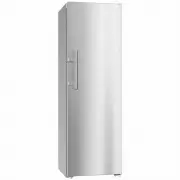 Miele K28202DEDTCS
User Manual
Miele K28202DEDTCS
User Manual