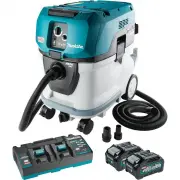
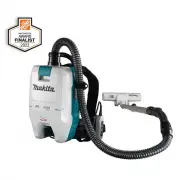
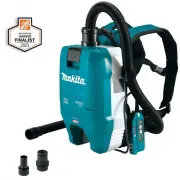
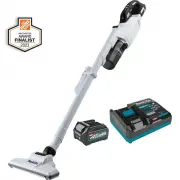
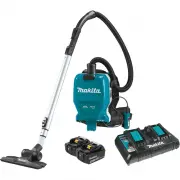
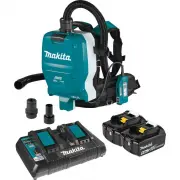
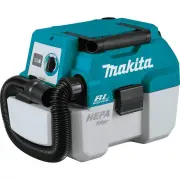
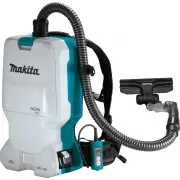
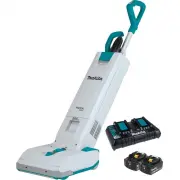
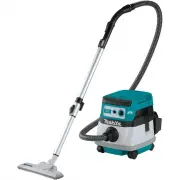
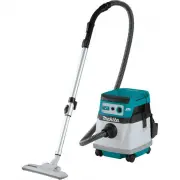
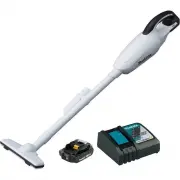
Page 2 - SPECIFICATIONS; Applicable battery cartridge and charger; SAFETY WARNINGS; IMPORTANT SAFETY; WARNING; To reduce the risk of fire, electric shock
2 ENGLISH ENGLISH (Original instructions) SPECIFICATIONS Model: GCV07 Maximum air volume at the end of hose With BL4050F, ø28 mm (1-1/8") x 3.5 m (138") hose 2.0 m 3 /min (71 cu.ft/min) With BL4050F, ø38 mm (1-1/2") x 2.5 m (98-1/2") hose 3.7 m 3 /min (131 cu.ft/min) Maximum air volu...
Page 4 - Battery tool use and care; SAVE THESE; Important safety
4 ENGLISH Battery tool use and care 1. Prevent unintentional starting. Ensure the switch is in the off-po - sition before connecting to battery pack, picking up or carrying the appliance. Carrying the appliance with your finger on the switch or energiz - ing appliance that have the switch on invites...
Page 5 - tery cartridge can explode in a fire.; Such conduct may result in a fire,; Tape or mask off open contacts and pack
5 ENGLISH 2. Do not disassemble or tamper with the battery cartridge. It may result in a fire, excessive heat, or explosion. 3. If operating time has become excessively shorter, stop operating immediately. It may result in a risk of overheating, possi- ble burns and even an explosion. 4. If electrol...
Page 6 - Tips for maintaining maximum; Important safety instructions for; SAVE THESE INSTRUCTIONS.; FUNCTIONAL; Installing or removing battery
6 ENGLISH Tips for maintaining maximum battery life 1. Charge the battery cartridge before completely discharged. Always stop tool operation and charge the battery cartridge when you notice less tool power. 2. Never recharge a fully charged battery car- tridge. Overcharging shortens the battery serv...
Page 7 - Indicating the remaining battery
7 ENGLISH To install the battery cartridge, release the lock first, and then open the battery cover. After that, insert the battery cartridge. 1 2 Fig.1 ► 1. Lock 2. Battery cover Align the tongue on the battery cartridge with the groove in the housing and slip it into place. Insert it all the way u...
Page 8 - Battery indicators on control panel; Appliance / battery protection; Overload protection; Overheat protection; Overdischarge protection
8 ENGLISH Battery indicators on control panel The remaining battery capacity can be read on the control panel at any time. Press the check button, and the left and right indicators will show the battery charge levels correspondingly. 1 2 3 Fig.4 ► 1. Left battery indicator 2. Right battery indicator...
Page 9 - Switch action; Auto-suction stop during wet; Filter cleaning system
9 ENGLISH Switch action Turning cleaner on 1. Turn the stand-by switch in the "I" (ON) or "AUTO" (ON) position to have the cleaner ready in stand-by mode. 2. Press the power button. To switch back to stand-by mode, press the power button again. Turning cleaner off Perform one of the ...
Page 11 - ASSEMBLY; Installing and disposing filter bag; Installing polyethylene bag
11 ENGLISH ASSEMBLY CAUTION: Always be sure that the appliance is switched off and the battery cartridges are removed before carrying out any work on the appliance. CAUTION: Always wear dust mask during assembly or maintenance. Installing and disposing filter bag Optional accessory WARNING: Before u...
Page 12 - Installing hose
12 ENGLISH Emptying tank with polyethylene bag WARNING: Always make sure that the cleaner is switched off and the battery cartridges are removed before emptying the tank. Failure to do so may cause an electric shock and serious personal injury. NOTICE: Empty the tank at least once a day although thi...
Page 13 - Attachments without lock function; Installing MAKPAC
13 ENGLISH Installing or removing cleaner attachments CAUTION: After installing an attachment, check if it is securely installed. If the attachment is installed imperfectly, it may come off and cause personal injury. Attachments without lock function Optional accessory Insert an attachment into the ...
Page 14 - What you can do with the wireless; Installing the wireless unit
14 ENGLISH WIRELESS ACTIVATION FUNCTION Optional accessory What you can do with the wireless activation function The wireless activation function enables clean and comfortable operation. By connecting a supported tool to the cleaner, you can run the cleaner automatically along with the switch operat...
Page 15 - Tool registration for the cleaner; Starting the wireless activation
15 ENGLISH Tool registration for the cleaner NOTE: A Makita tool supporting the wireless activa- tion function is required for the tool registration. NOTE: Finish installing the wireless unit to the tool before starting the tool registration. NOTE: During the tool registration, do not pull the switc...
Page 16 - Cancelling tool registration for the cleaner; Erasing all tool registrations
16 ENGLISH 5. Push the wireless activation button on the tool briefly. The wireless activation lamp will blink in blue. 1 2 Fig.30 ► 1. Wireless activation button 2. Wireless activation lamp 6. Turn on the tool. Check if the cleaner runs while the tool is operating. CAUTION: Always check if the wire...
Page 17 - Description of the wireless activation lamp status
17 ENGLISH 4. Hold down the wireless activation button for about 6 seconds until the wireless activation lamp blinks in red (about twice per one second). 5. When the wireless activation lamp starts blinking in red, release your finger from the wireless activation button. Thereafter, hold down the wi...
Page 18 - Troubleshooting for wireless activation function
18 ENGLISH Troubleshooting for wireless activation function Before asking for repairs, conduct your own inspection first. If you find a problem that is not explained in the manual, do not attempt to dismantle the tool. Instead, ask Makita Authorized Service Centers, always using Makita replace - men...
Page 19 - MAINTENANCE; Removing the filter unit; Removing powder filter and prefilter
19 ENGLISH MAINTENANCE CAUTION: Always be sure that the appliance is switched off and the battery cartridges are removed before attempting to perform inspection or maintenance. NOTICE: Never use gasoline, benzine, thinner, alcohol or the like. Discoloration, deformation or cracks may result. To main...
Page 20 - Assembling the filters
20 ENGLISH Cleaning of powder filter, prefilter and damper Clean out the filters and damper from time to time. Clogged filters and damper may result in poor suction performance. Regularly clean out the accumulated dust of filters and damper. Occasionally wash the powder filter, prefilter and damper ...
Page 21 - Installing water filter; Cleaning the water level sensors
21 ENGLISH Installing water filter Optional accessory NOTICE: For picking up wet dust, make sure that the water level sensors activate properly. NOTICE: Do not use prefilter and damper when using water filter. To pick up water or wet dust only, the water filter is more suitable than the powder filte...
Page 22 - MAKITA LIMITED WARRANTY
22 ENGLISH Fig.48 OPTIONAL ACCESSORIES CAUTION: These accessories or attachments are recommended for use with your Makita tool specified in this manual. The use of any other accessories or attachments might present a risk of injury to persons. Only use accessory or attachment for its stated purpose....
Page 23 - ESPECIFICACIONES; Cartucho de batería y cargador aplicables; ADVERTENCIAS DE; INSTRUCCIONES; GUARDE ESTAS
23 ESPAÑOL ESPAÑOL (Instrucciones originales) ESPECIFICACIONES Modelo: GCV07 Volumen de aire máximo al extremo de la manguera Con BL4050F, manguera de ø28 mm (1-1/8") x 3,5 m (138") 2,0 m 3 /min (71 cu.ft/min) Con BL4050F, manguera de ø38 mm (1-1/2") x 2,5 m (98-1/2") 3,7 m 3 /min (1...
Page 26 - No modifique ni intente reparar el; Símbolos; A continuación se muestran los símbolos; Instrucciones; No desarme ni modifique el cartucho; Podría ocurrir un incendio,; puede causar un flujo grande de; Dicha acción podría
26 ESPAÑOL 11. No modifique ni intente reparar el aparato ni el paquete de baterías salvo como se indique en las ins- trucciones para el uso y cuidado. GUARDE ESTAS INSTRUCCIONES. Este aparato está diseñado para uso comercial. Símbolos A continuación se muestran los símbolos utilizados para la herra...
Page 27 - los productos especificados por; ductos que no cumplen con los requi-; estar lo suficientemente caliente; descompostura de la herramienta o del; Consejos para alargar al máximo; Instrucciones importantes
27 ESPAÑOL Pegue o cubra con cinta adhesiva los contactos abiertos y empaque la batería de manera que ésta no pueda moverse dentro del paquete. 11. Para deshacerse del cartucho de batería, sáquelo de la herramienta y deséchelo en un lugar seguro. Siga las regulaciones locales relaciona- das al desec...
Page 28 - DESCRIPCIÓN DEL; Instalación o extracción del
28 ESPAÑOL 11. La unidad inalámbrica es un instrumento de precisión. Tenga cuidado de no dejar caer ni golpear la unidad inalámbrica. 12. Evite tocar la terminal de la unidad inalámbrica con las manos descubiertas o con materiales metálicos. 13. Retire siempre la batería del producto al insta- lar e...
Page 29 - Indicación de la capacidad restante; Indicadores de batería del panel de control
29 ESPAÑOL Para quitar el cartucho de batería, sáquelo de la herra - mienta mientras desliza el botón enfrente del cartucho. PRECAUCIÓN: Siempre instale el cartucho de batería por completo. De lo contrario, podría salirse accidentalmente de la aspiradora y ocasio- narle lesiones a usted o a alguien ...
Page 30 - Protección contra sobredescarga
30 ESPAÑOL NOTA: El indicador de batería funciona mientras estén insertadas dos baterías. NOTA: Los indicadores de batería también se activa - rán cuando la aspiradora comience a funcionar. Sistema de protección del aparato/ batería El aparato está equipado con un sistema de protección del aparato/b...
Page 31 - Sistema de limpieza del filtro
31 ESPAÑOL Parada de succión automática durante la operación para aspirar objetos húmedos ADVERTENCIA: No aspire espuma ni jabón líquido. Esto podría causar que saliera espuma por la salida de aire. El uso continuo en estas condicio- nes podría ocasionar una descarga eléctrica y la avería de la aspi...
Page 32 - Mango de transporte; MONTAJE; Instalación y desecho de la bolsa
32 ESPAÑOL Mango de transporte PRECAUCIÓN: Levante y transporte el apa- rato con el cuidado debido. El no hacerlo podría resultar en una lesión personal o daños al aparato. Cuando transporte la aspiradora, sosténgala del mango ubicado en el cabezal. El mango del cabezal es retráctil para guardarse c...
Page 35 - Instalación del MAKPAC; FUNCIÓN DE; Lo que puede hacer con la función
35 ESPAÑOL Instalación del MAKPAC Accesorio opcional PRECAUCIÓN: No se pare ni se siente sobre el aparato. Podría caer por la inestabilidad. PRECAUCIÓN: Tenga cuidado con el fun- cionamiento al instalar el MAKPAC. El no hacerlo podría resultar en una lesión personal o daños al aparato. PRECAUCIÓN: C...
Page 36 - Instalación de la unidad inalámbrica
36 ESPAÑOL Fig.23 AVISO: Asegúrese de consultar el manual de instrucciones de la herramienta cuando uti- lice la aspiradora con la función de activación inalámbrica. AVISO: No desarme ni modifique la unidad inalámbrica. AVISO: Para impedir que entre el polvo en la ranura de la unidad inalámbrica, ci...
Page 38 - Cancelación del registro de
38 ESPAÑOL Después de registrar una herramienta en la aspiradora, esta última se activará automáticamente junto con el interruptor de activación de la herramienta. 1. Instale las unidades inalámbricas en la aspiradora y en la herramienta respectivamente. 2. Instale las baterías en la aspiradora y en...
Page 43 - MANTENIMIENTO; Remoción de la unidad de filtro; Extracción del filtro de polvo y el
43 ESPAÑOL MANTENIMIENTO PRECAUCIÓN: Asegúrese siempre de que el aparato haya sido apagado y que los cartuchos de batería hayan sido extraídos antes de intentar realizar una inspección o tarea de mantenimiento. AVISO: Nunca use gasolina, bencina, diluyente (tíner), alcohol o sustancias similares. Pu...
Page 44 - Armado de los filtros
44 ESPAÑOL Limpieza del filtro de polvo, prefiltro y amortiguador Limpie los filtros y el amortiguador ocasionalmente. Los filtros y el amortiguador obstruidos podrían provocar un desempeño deficiente de la succión.Limpie periódicamente el polvo acumulado en los filtros y el amortiguador. De vez en ...
Page 45 - Instalación del filtro de agua; Limpieza de los sensores de nivel de agua
45 ESPAÑOL Instalación del filtro de agua Accesorio opcional AVISO: Para recoger polvo húmedo, asegúrese de que los sensores de nivel de agua se activen correctamente. AVISO: No utilice el prefiltro y el amortiguador cuando use el filtro de agua. Para recoger agua o polvo húmedo únicamente, el filtr...
Page 46 - ACCESORIOS OPCIONALES; GARANTÍA LIMITADA DE MAKITA; Ésta Garantía no aplica para México
46 ESPAÑOL Fig.47 Fig.48 ACCESORIOS OPCIONALES PRECAUCIÓN: Estos accesorios o aditamen- tos están recomendados para utilizarse con su herra- mienta Makita especificada en este manual. El empleo de cualquier otro accesorio o aditamento puede conllevar el riesgo de lesiones personales. Utilice los acc...
Page 48 - Makita Corporation
Some dust created by power sanding, sawing, grinding, drilling, and other construction activities contains chemicals known to the State of California to cause cancer, birth defects or other reproductive harm. Some examples of these chemicals are: • lead from lead-based paints, • crystalline silica f...