Page 2 - SPECIFICATIONS; Applicable battery cartridge and charger; SAFETY WARNINGS; IMPORTANT; WARNING; To reduce the risk of fire, electric shock
2 ENGLISH ENGLISH (Original instructions) SPECIFICATIONS Model: GCV06 Capacity Filter bag 2.0 L (0.53 gal.) Dust bag 1.5 L (0.40 gal.) Maximum air volume 1.9 m 3 /min (67.1 cu.ft/min) Vacuum 18 kPa Dimensions (L x W x H) (excluding the harness, with BL4040) 233 mm x 150 mm x 375 mm (9-1/8″ x 5-7/8″ ...
Page 3 - SAVE THESE
3 ENGLISH 6. Do not handle appliance with wet hands. 7. Do not put any object into openings. Do not use with any opening blocked; keep free of dust, lint, hair, and anything that may reduce air flow. 8. Keep hair, loose clothing, fingers, and all parts of body away from openings and moving parts. 9....
Page 4 - ADDITIONAL; Solidifying and conductive fine; Symbols; Important safety; It may result in
4 ENGLISH ADDITIONAL SAFETY RULES 1. Read this instruction manual and the charger instruction manual care- fully before use. 2. Do not vacuum the following: • Flammable liquid (kerosene, gasoline, solvents such as ben- zine, thinner, etc.) • Hot substances that are burning or smoking (cigarettes, ma...
Page 5 - tery cartridge can explode in a fire.; Such conduct may result in a fire,; Tape or mask off open contacts and; Tips for maintaining maximum
5 ENGLISH 5. Do not short the battery cartridge: (1) Do not touch the terminals with any conductive material. (2) Avoid storing battery cartridge in a container with other metal objects such as nails, coins, etc. (3) Do not expose battery cartridge to water or rain. A battery short can cause a large...
Page 6 - Important safety instructions for; SAVE THESE INSTRUCTIONS.; FUNCTIONAL; Installing or removing battery
6 ENGLISH Important safety instructions for wireless unit 1. Do not disassemble or tamper with the wire- less unit. 2. Keep the wireless unit away from young chil- dren. If accidentally swallowed, seek medical attention immediately. 3. Use the wireless unit only with Makita tools. 4. Do not expose t...
Page 7 - Indicating the remaining battery capacity; Indicating the remaining battery; Appliance / battery protection
7 ENGLISH To remove the battery cartridge, slide it from the tool while sliding the button on the front of the cartridge.To install the battery cartridge, align the tongue on the battery cartridge with the groove in the housing and slip it into place. Insert it all the way until it locks in place wi...
Page 8 - Overload protection; Overheat protection; Adjusting belts; Carrying hook
8 ENGLISH Overload protection When the appliance / battery is operated in a manner that causes it to draw an abnormally high current, the appliance automatically stops. In this situation, turn the appliance off and stop the application that caused the appliance to become overloaded. Then turn the ap...
Page 9 - Switch action; Hose band; ASSEMBLY
9 ENGLISH Stand-by switch The stand-by switch is the switch to turn on/off the wireless activation function. The vacuum cleaner is in the stand-by state regardless of the switch position and it runs when button is pushed. 1 Fig.8 ► 1. Stand-by switch Switch position Status AUTO I (ON) The vacuum cle...
Page 12 - Hose hook
12 ENGLISH The length of the wand can be adjusted. Loosen the ring on the wand and adjust the wand length. Tighten the ring at your desired length. 1 Fig.21 ► 1. Ring Hose hook When you suspend the operation, the hook on the bent pipe assembly can be used for hanging the wand on the lower belt. 2 1 ...
Page 13 - OPERATION
13 ENGLISH 2. Insert the filter bag into the slit on the upper side of the room as illustrated. 1 2 Fig.25 ► 1. Slit 2. Filter bag When using the dust bag, insert the brim of the dust bag into the slit. 1 3 2 Fig.26 ► 1. Slit 2. Brim 3. Dust bag 3. Align the hole of the filter bag with the hose cuff...
Page 15 - What you can do with the wireless; Installing the wireless unit
15 ENGLISH WIRELESS ACTIVATION FUNCTION What you can do with the wireless activation function The wireless activation function enables clean and comfortable operation. By connecting a supported tool to the cleaner, you can run the cleaner automatically along with the switch operation of the tool. Fi...
Page 16 - Tool registration for the cleaner
16 ENGLISH 2. Insert the wireless unit to the slot and then close the lid. When inserting the wireless unit, align the projections with the recessed portions on the slot. 3 2 4 1 2 Fig.35 ► 1. Wireless unit 2. Projection 3. Lid 4. Recessed portion When removing the wireless unit, open the lid slowly...
Page 17 - Starting the wireless activation
17 ENGLISH If the cleaner and the tool are linked successfully, the wireless activation lamps will light up in green for 2 seconds and start blinking in blue. NOTE: The wireless activation lamps finish blinking in green after 20 seconds elapsed. Press the wireless activation button on the tool while...
Page 18 - Erasing all tool registrations
18 ENGLISH Cancelling tool registration for the cleaner Perform the following procedure when cancelling the tool registration for the cleaner. 1. Install the wireless units to the cleaner and the tool, respectively. 2. Install the batteries to the cleaner and the tool. 3. Set the stand-by switch on ...
Page 19 - Description of the wireless activation lamp status
19 ENGLISH Description of the wireless activation lamp status 2 1 Fig.45 ► 1. Wireless activation button 2. Wireless activation lamp The wireless activation lamp shows the status of the wireless activation function. Refer to the below table for the meaning of the lamp status. Status Wireless activat...
Page 20 - Troubleshooting for wireless activation function
20 ENGLISH Troubleshooting for wireless activation function Before asking for repairs, conduct your own inspection first. If you find a problem that is not explained in the manual, do not attempt to dismantle the tool. Instead, ask Makita Authorized Service Centers, always using Makita replace- ment...
Page 21 - MAINTENANCE; Cleaning the HEPA filter
21 ENGLISH State of abnormality Probable cause (malfunction) Remedy The cleaner does not run along with the switch operation of the tool. The wireless unit is not installed into the cleaner and/or the tool. The wireless unit is improperly installed into the cleaner and/or the tool. Install the wirel...
Page 22 - Cleaning the dust bag; OPTIONAL
22 ENGLISH 1. Open the lid and take out the filter bag. Release the hook on the HEPA filter and remove it from the vacuum cleaner body. Fig.46 2. Beat the dust off from the HEPA filter. The HEPA filter can be washed with water. Rinse away the dust and particles on the HEPA filter every 1 or 2 month....
Page 23 - Disposing of dust
23 ENGLISH Cyclone attachment NOTE: When using the cyclone attachment with this appliance, the bent pipe is also required. 1 Fig.49 ► 1. Cyclone attachment About the cyclone attachment Using the cleaner with the cyclone attachment installed reduces the amount of dust that enters the dust bag, which ...
Page 25 - ESPECIFICACIONES; Cartucho de batería y cargador aplicables; ADVERTENCIAS DE; INSTRUCCIONES; GUARDE ESTAS; No lo utilice sobre superficies
25 ESPAÑOL ESPAÑOL (Instrucciones originales) ESPECIFICACIONES Modelo: GCV06 Capacidad Bolsa del filtro 2,0 L (0,53 gal.) Bolsa recolectora de polvo 1,5 L (0,40 gal.) Volumen de aire máximo 1,9 m 3 /min (67,1 cu.ft/min) Vacío 18 kPa Dimensiones (La x An x Al) (sin incluir el arnés, con el modelo BL4...
Page 26 - temperaturas fuera del rango especificado
26 ESPAÑOL 5. No lo utilice con una batería dañada. Si el aparato no está funcionando como debiera, se ha dejado caer, se ha dañado, se ha dejado a la intem- perie o ha caído sobre agua, llévelo a un centro de servicio. 6. No manipule el aparato con las manos mojadas. 7. No introduzca ningún objeto ...
Page 27 - REGLAS DE
27 ESPAÑOL 25. No modifique ni intente reparar el aparato ni el paquete de baterías salvo como se indique en las ins- trucciones para el uso y cuidado. 26. No use ningún alimentador con cableado eléctrico como un adapta- dor para batería o una unidad por- tátil de alimentación eléctrica con esta máq...
Page 28 - Símbolos; Instrucciones; No desarme ni modifique el car; Podría ocurrir; causar un flujo grande de corriente,; Dicha acción podría resultar en un
28 ESPAÑOL 7. Este aparato no se destina para utilizarse por personas (incluyendo niños) cuyas capacidades físicas, sensoriales o mentales sean dife- rentes o estén reducidas o carezcan de experiencia o de conocimiento, a menos que dichas personas reciban una supervisión o capacitación para el funci...
Page 29 - ocasionar un desempeño deficiente o; Consejos para alargar al máximo; Instrucciones importantes
29 ESPAÑOL 12. Utilice las baterías únicamente con los productos especificados por Makita. Instalar las baterías en pro- ductos que no cumplen con los requi- sitos podría ocasionar un incendio, un calentamiento excesivo, una explosión o una fuga de electrolito. 13. Siga las regulaciones locales rela...
Page 30 - DESCRIPCIÓN DEL; Instalación o extracción del
30 ESPAÑOL 11. Evite tocar la terminal de la unidad inalámbrica con las manos descubiertas o con materiales metálicos. 12. Retire siempre la batería del producto al insta- lar en él la unidad inalámbrica. 13. Cuando abra la tapa de la ranura, evite el lugar donde el polvo y el agua puedan introducir...
Page 31 - Indicación de la capacidad restante; Indicación de capacidad restante de
31 ESPAÑOL PRECAUCIÓN: Introduzca siempre com- pletamente el cartucho de batería hasta que el indicador rojo no pueda verse. Si no, podría accidentalmente salirse de la herramienta y caer al suelo causando una lesión a usted o alguien a su alrededor. PRECAUCIÓN: No instale el cartucho de batería a l...
Page 32 - Gancho de sujeción
32 ESPAÑOL El aparato se detendrá automáticamente durante la operación si el aparato o la batería se someten a una de las siguientes condiciones: Protección contra sobrecarga Cuando el aparato / batería se están utilizando de manera que causa que consuma una cantidad de corriente inusual- mente alta...
Page 34 - MONTAJE; Ensamble de la manguera; Conexión de la herramienta
34 ESPAÑOL El bucle en la correa inferior se puede utilizar para transportar boquillas, tal como se ilustra. 1 1 2 2 Fig.11 ► 1. Bucle 2. Boquillas MONTAJE PRECAUCIÓN: Asegúrese siempre de que el aparato esté apagado y el cartucho de batería haya sido extraído antes de realizar cualquier trabajo en ...
Page 35 - Uso como aspiradora
35 ESPAÑOL Uso como aspiradora Si desea usar este producto como aspiradora, siga los procedimientos a continuación. AVISO: Si la boca delantera está acoplada a la manguera, extráigala primero. NOTA: El conjunto de tubo curvo, el tubo de exten - sión y las boquillas se suministran como accesorios opc...
Page 38 - OPERACIÓN
38 ESPAÑOL 3. Alinee el orificio de la bolsa del filtro con la boca de la manguera y empuje la parte de cartón hasta el tope. Asegúrese de que la arandela de goma en la bolsa del filtro esté por encima del reborde en la boca de la manguera. 1 3 4 2 Fig.27 ► 1. Arandela de goma en la bolsa del filtro...
Page 39 - FUNCIÓN DE; Lo que puede hacer con la función
39 ESPAÑOL 3. Reemplace la bolsa del filtro cuando esté llena. Abra la tapa y extraiga la bolsa del filtro. Jale la tira en el lado de la abertura para cerrar la bolsa del filtro y desechar la bolsa del filtro completa. 1 Fig.31 ► 1. Tira Cuando utilice una bolsa recolectora de polvo, retire la bols...
Page 40 - Instalación de la unidad inalámbrica
40 ESPAÑOL NOTA: La activación inalámbrica requiere que la unidad inalámbrica esté equipada con herramientas Makita. NOTA: Antes de usar por primera vez la función de activación inalámbrica con cada herramienta, es necesario registrar la herramienta. Una vez finalizado el registro de la herramienta,...
Page 41 - Inicio de la función de activación
41 ESPAÑOL Registro de herramientas para la aspiradora NOTA: Para el registro de la herramienta, se requiere una herramienta Makita compatible con la función de activación inalámbrica. NOTA: Termine de instalar la unidad inalámbrica en la herramienta antes de comenzar con el registro de la herramien...
Page 42 - Cancelación del registro de
42 ESPAÑOL Después de registrar una herramienta en la aspiradora, esta última se activará automáticamente junto con el interruptor de activación de la herramienta. 1. Instale las unidades inalámbricas en la aspiradora y en la herramienta respectivamente. 2. Instale las baterías en la aspiradora y en...
Page 47 - MANTENIMIENTO; Limpieza del filtro HEPA; Limpieza de la bolsa recolectora de
47 ESPAÑOL MANTENIMIENTO PRECAUCIÓN: Asegúrese siempre de que el aparato haya sido apagado y que el cartucho de batería haya sido extraído antes de intentar reali- zar una inspección o tarea de mantenimiento. AVISO: Nunca use gasolina, bencina, diluyente (tíner), alcohol o sustancias similares. Pued...
Page 48 - Colector ciclónico
48 ESPAÑOL ACCESORIOS OPCIONALES PRECAUCIÓN: Estos accesorios o aditamen- tos están recomendados para utilizarse con su herramienta Makita especificada en este manual. El empleo de cualquier otro accesorio o aditamento puede conllevar el riesgo de lesiones personales. Utilice los accesorios o aditam...
Page 50 - GARANTÍA LIMITADA DE MAKITA; Ésta Garantía no aplica para México
50 3. Inserte el filtro de malla dentro de la base mientras los ganchos están alineados con el puerto. Mueva el filtro de malla en el sentido de las manecillas del reloj hasta que los ganchos se aseguren con un clic. Asegúrese de que el filtro de malla quede bien instalado. 2 1 3 Fig.54 ► 1. Filtro ...
Page 52 - Makita Corporation
Some dust created by power sanding, sawing, grinding, drilling, and other construction activities contains chemicals known to the State of California to cause cancer, birth defects or other reproductive harm. Some examples of these chemicals are: • lead from lead-based paints, • crystalline silica f...
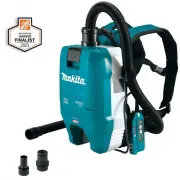


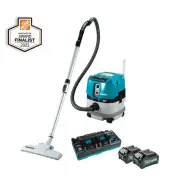 Makita GCV01PM
User Manual
Makita GCV01PM
User Manual
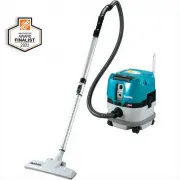 Makita GCV01Z
User Manual
Makita GCV01Z
User Manual
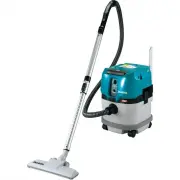 Makita GCV03Z
User Manual
Makita GCV03Z
User Manual
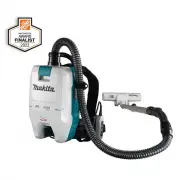 Makita GCV05ZX
User Manual
Makita GCV05ZX
User Manual
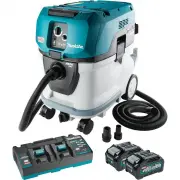 Makita GCV07PMU
User Manual
Makita GCV07PMU
User Manual
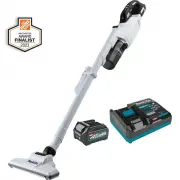 Makita GLC03R1
User Manual
Makita GLC03R1
User Manual
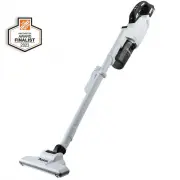 Makita GLC03Z
User Manual
Makita GLC03Z
User Manual
 Makita LC09A1
User Manual
Makita LC09A1
User Manual
 Makita LC09Z
User Manual
Makita LC09Z
User Manual
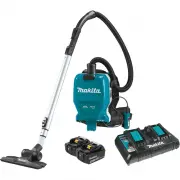 Makita XCV09PT
User Manual
Makita XCV09PT
User Manual
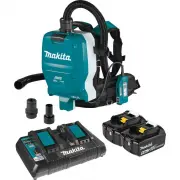 Makita XCV10PTX
User Manual
Makita XCV10PTX
User Manual
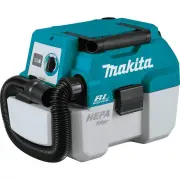 Makita XCV11Z
User Manual
Makita XCV11Z
User Manual
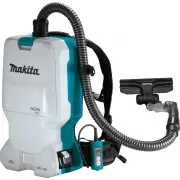 Makita XCV17PG
User Manual
Makita XCV17PG
User Manual
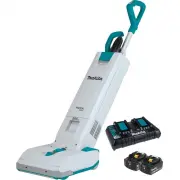 Makita XCV19PG
User Manual
Makita XCV19PG
User Manual
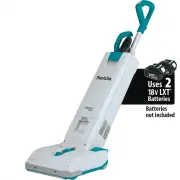 Makita XCV19Z
User Manual
Makita XCV19Z
User Manual
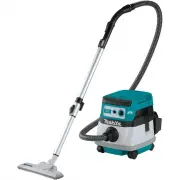 Makita XCV20Z
User Manual
Makita XCV20Z
User Manual
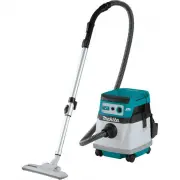 Makita XCV23Z
User Manual
Makita XCV23Z
User Manual
 Makita XLC01ZB
User Manual
Makita XLC01ZB
User Manual
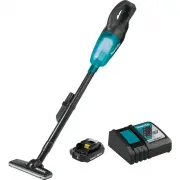 Makita XLC02R1B
User Manual
Makita XLC02R1B
User Manual
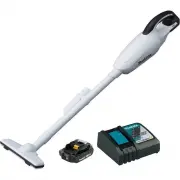 Makita XLC02RB1W
User Manual
Makita XLC02RB1W
User Manual