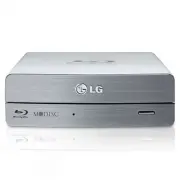
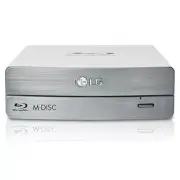
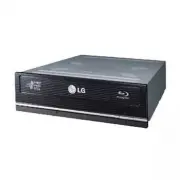
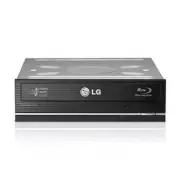
Page 2 - FCC COMPLIANCE STATEMENT; Note; receiver is connected.
i CAUTION : The laser used in the BD-ROM/DVD Writer can damage your eyes. Do not attempt to open the cover.To reduce the risk of electric shock, do not remove the cover (or back).There are no user-serviceable parts inside.Refer servicing to qualified service personnel. Use of controls or performance...
Page 3 - ii; EU Conformity Notice
ii CAUTION : CLASS 3B VISIBLE AND INVISIBLE LASER RADIATION WHEN OPEN.AVOID EXPOSURE TO THE BEAM. ADVARSEL : KLASSE 3B SYNLIG OG USYNLIG LASERSTRÅLING VED ÅBNING.UNDGÅ UDSÆTTELSE FOR STRÅLING. ADVARSEL : KLASSE 3B SYNLING OG USYNLIG LASERSTRÅLING NÅR DEKSEL ÅPENS. UNNGÅ EKSPONERING FOR STRÅLEN. VARN...
Page 4 - • Serial
1 Contents Features Features . . . . . . . . . . . . . . . . . . . . . . . . . . . . . . . . . . . . . . . . . . . . . . . . . . . . . . . . . . .1Important Precautions . . . . . . . . . . . . . . . . . . . . . . . . . . . . . . . . . . . . . . . . . . . . . . . .2System Environment . . . . . . . . ...
Page 5 - Important Precautions
2 Follow these precautions when handling the drive or discs. • Please take notice that the manufacturer of this equipment does not offer any warranty against data loss due to inappropriate installation or handling, or director indirect damages. • Please take notice that the manufacturer will bear no...
Page 6 - Operating Environment; System Environment; DVD±R DL; Digital
3 Operating Environment This unit can be operated in the system environment explained here. System Environment * Compatibility problem in write/read function may occur with media depending on the media manufacturing quality. * There may be some cases when motion picture playback is not smooth depend...
Page 7 - Location and Function of Controls; Front Panel
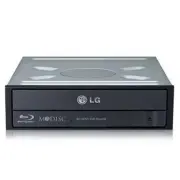
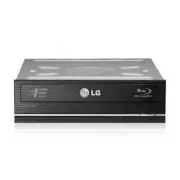
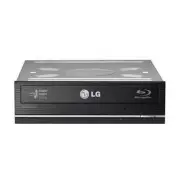
4 Location and Function of Controls Front Panel 1. SATA Power Connector (15 pin) 2. SATA Data Connector (7 pin) Rear Panel 1. Disc Tray 2. Emergency Eject Hole3. Drive activity indicators The LED is used to indicate the operation of BD-ROM/DVD Writer. 4. Eject Button 1 2 ❏ Occasionally CD-R and CD-R...
Page 8 - Before installing the drive, please note the following points.; Removing the Computer Cover; Mounting the Drive; drive bay panel from the computer. Refer to the manual for the; NOTE; consult your hardware manual for installing peripheral devices.; Installing the Drive
5 Before installing the drive, please note the following points. ■ You will need the following:• A screw driver of a suitable size to fit the securing screws for the drive unit.• The manual for the computer, so you can find the mounting positions for the SATA cable. ■ Turn off all peripheral applian...
Page 9 - the power connector can only fit one way.; Connecting the SATA Data Cable; Connect the data cable. Be careful not to connect upside down.; Data cable
PC Connection The BD-ROM/DVD Writer connects to the motherboard of the host computer using aSATA interface cable. Connecting the SATA Power Cable Connect the power cable so the projection of the cable connector side to come to the leftside. Be careful not to connect upside down. NOTE : Improper conn...
Page 10 - Device Drivers; For Windows XP Users; Run; Add New Hardware; in Control Panel to let PC search again for new; Included Software
7 Device Drivers When using Windows Operating System (Windows XP SP3 Home Edition/Professional/Media Center Edition/Vista/Windows 7/Windows 8, 8.1), no specialdevice driver is required. Your system, upon Power On and bootup after installingand connecting the new Writer, will recognize and load nativ...
Page 11 - How to Use the Discs; Emergency Eject; Don’t use this feature; except; Turn the power to OFF.
8 How to Use the Discs Don’t attach any stickers or labels to discs, It could cause read/write errors and data loss. DO NOT use non-standard discs. NON-standard discs may not play or store data properly. The discs in this unit operate at a very highspeed! DO NOT use damaged, cracked orwarped discs. ...
Page 12 - Before Requesting Service; Before calling for service, check this list.; Troubleshooting
9 Before Requesting Service Before calling for service, check this list. • The drive doesn’t have power.• Is the power supply cable from the host computer plugged in?• Is the Power Connector to the drive securely attached? • The system doesn’t start.• Are the power and SATA cables to the PC correctl...
Page 13 - Specifications
10 Specifications *1 The disc of the cartridge type is not supported. *2 BD-RE: The disc of version 1.0 is not supported. *3 There might be some cases when this drive can not satisfy the best performance depending on the conditionsof the disc, the drive, and the recording format. * The drive’s appea...
Page 16 - Made by LG Electronics.
Made by LG Electronics. Copyright © 2014 Please visit www.lgservice.com and install the automaticfirmware download program, “LG ODD Online F/W update.”This program will automatically check for new firmwarereleases and download them. It is also included on the software discs that accompany our drives...