Page 2 - TABLE OF CONTENTS
TABLE OF CONTENTS 2 3 IMPORTANT SAFETY INSTRUCTIONS 3 READ ALL INSTRUCTIONS BEFORE USE 4 WARNING STATEMENTS 8 CAUTION STATEMENTS 9 PRODUCT OVERVIEW 9 Product Features 11 OPERATION-WASHER 11 Using the Washer 14 Adding Cleaning Products 17 Control Panel 18 Wash Cycles 25 Cycle Modifiers 25 Options and...
Page 3 - IMPORTANT SAFETY INSTRUCTIONS; READ ALL INSTRUCTIONS BEFORE USE; WARNING
3 IMPORTANT SAFETY INSTRUCTIONS ENG LI SH IMPORTANT SAFETY INSTRUCTIONS READ ALL INSTRUCTIONS BEFORE USE Safety for a Dryer WARNING Fire HazardFailure to follow safety warnings exactly could result in serious injury, death or property damage.Do not install a booster fan in the exhaust duct.Install a...
Page 4 - Safety Messages; WARNING STATEMENTS; Installation; WARNING - Risk of Fire; dryer airflow and increase the risk of fire.
4 IMPORTANT SAFETY INSTRUCTIONS Safety Messages Your safety and the safety of others are very important. We have provided many important safety messages in this manual and on your appliance. Always read and follow all safety messages. All safety messages will tell you what the potential hazard is, t...
Page 6 - Grounding Instructions
6 IMPORTANT SAFETY INSTRUCTIONS • This is a single appliance and a single unit for sale, delivery and installation.• Do not disassemble this appliance as it can’t be installed in a side-by-side configuration. Grounding Instructions • Improper connection of the equipment-grounding conductor can resul...
Page 7 - Maintenance
7 IMPORTANT SAFETY INSTRUCTIONS ENG LI SH • Do not store or use gasoline or other flammable vapors and liquids in the vicinity of this or any other appliance. • Do not mix chlorine bleach with ammonia or acids such as vinegar. Follow package directions when using laundry products. Incorrect usage ca...
Page 8 - SAVE THESE INSTRUCTIONS; CAUTION STATEMENTS; CAUTION
8 IMPORTANT SAFETY INSTRUCTIONS SAVE THESE INSTRUCTIONS • Remove the door(s) before the appliance is removed from service or discarded to avoid the danger of children or small animals getting trapped inside. • Make sure the dispenser drawer or lid is closed at all times when not being filled with la...
Page 9 - PRODUCT OVERVIEW; Product Features; Front View
9 PRODUCT OVERVIEW ENG LI SH PRODUCT OVERVIEW Product Features The images in this guide may be different from the actual components and accessories, which are subject to change by the manufacturer without prior notice for product improvement purposes. Front View a Control Panel b Lint Filter c Dryer...
Page 10 - Product Specifications; Included Accessories
10 PRODUCT OVERVIEW Product Specifications Accessories Included Accessories a Non-skid Pads b Hole Caps c Wrench d Y Connector e Tie Strap f Elbow Bracket (for securing drain hose) g Drying Rack Required Accessories a Hot and Cold Water Hoses (for Washer) b Cold Water Hose (for Dryer) c Connecting S...
Page 11 - Using the Washer; Operation Overview; NOTE
11 OPERATION-WASHER ENG LI SH OPERATION-WASHER Using the Washer WARNING • To reduce the risk of fire, electric shock, or injury to persons, read the SAFETY INSTRUCTIONS before operating this appliance. Operation Overview 1 Sort laundry and load the washer.• Sort laundry by fabric type, soil level, c...
Page 12 - Sorting Laundry; Grouping Similar Items
12 OPERATION-WASHER Sorting Laundry CAUTION • Clothing or articles that are waterproof or water-resistant must be washed in the Bedding or XL Load cycle only. (Examples include water resistant clothing, mattress covers, outdoor clothes, and plastic mats.) Failure to do so may result in personal inju...
Page 13 - Loading the Washer; General Tips
13 OPERATION-WASHER ENG LI SH Loading the Washer WARNING • Clothing or articles that are waterproof or water- resistant must be washed in the Bedding , or XL Load cycle only. (Examples include water resistant clothing, mattress covers, outdoor clothes, and plastic mats.) Failure to do so may result ...
Page 14 - Small Items; Adding Cleaning Products; About Detergent Use; Tablet Detergents; Using the ezDispense Function
14 OPERATION-WASHER Small Items • Do not wash a single small item. Add enough similar items to the load to prevent an out-of- balance load. • Wash small, light items in a mesh bag. Small items can get caught in the door seal, and brassiere hooks can snag on other clothing or the drum. Adding Cleanin...
Page 15 - Using the Manual Dispense Function
15 OPERATION-WASHER ENG LI SH 3 Pour the detergent and softener into their respective reservoirs, up to the MAX line. • The ezDispense drawer has two reservoirs. Put the liquid detergent into the right-hand reservoir and the fabric softener into the left-hand reservoir. • If you don't use liquid fab...
Page 16 - Manual Main Wash Detergent
16 OPERATION-WASHER based bleach. Do not use it for liquid chlorine bleach. • Do not place detergent sheets in the manual dispenser. • Place liquid chlorine bleach ONLY in the compartment at the rear of the manual dispenser. • If using single-use detergent packs, place the pack in the drum before lo...
Page 17 - Control Panel; Control Panel Features for the Washer
17 OPERATION-WASHER ENG LI SH Control Panel Control Panel Features for the Washer a Power On/Off Button • Press this button to turn the washer on or off.• Pressing this button during a cycle will cancel that cycle and any load settings will be lost.• The door will unlock after a brief pause. NOTE • ...
Page 18 - Wash Cycles; Cycle Guide
18 OPERATION-WASHER • Use these buttons to adjust the wash temperature, spin speed and soil level settings for the selected cycle. • The current settings are shown in the display.• Press the button for that option to select other settings. h Indicators a Control Lock Indicator • This indicator light...
Page 19 - Default Cycles
19 OPERATION-WASHER ENG LI SH Default Cycles These cycles are in the initial cycle list. Cycle Normal Wash Description Use to wash all normal items such as cotton, linen, shirts, jeans or mixed loads, except delicate fabrics such as wool or silk. • Pressing the Start/Pause button without selecting a...
Page 23 - Download Cycles; Available Options
23 OPERATION-WASHER ENG LI SH Download Cycles The wash cycle below can be downloaded on the LG ThinQ app. Available Options † This option is automatically included in the cycle and cannot be deselected. NOTE • Delay Start and Extra Rinse can be selected for every cycle in this table. • Steam and Col...
Page 25 - Cycle Modifiers; About Modifier Buttons; Options and Extra Functions; Washer Settings
25 OPERATION-WASHER ENG LI SH Cycle Modifiers About Modifier Buttons Each cycle has default settings that are selected automatically. You can also customize these settings using the cycle modifier buttons.• Press the button for the desired modifier and select the the desired setting. • The washer au...
Page 27 - Settings
27 OPERATION-WASHER ENG LI SH Pre-wash This option adds a pre-wash (for about 15 - 17 minutes ) for improved cleaning of heavily soiled or stained clothing.• Swipe the bar to turn the option on or off. NOTE • If you select Pre-wash after putting the main wash detergent directly in the drum, the dete...
Page 29 - Using the Dryer; Check the Lint Filter Before Every; Loading the Dryer
29 OPERATION-DRYER ENG LI SH OPERATION-DRYER Using the Dryer WARNING • To reduce the risk of fire, electric shock, or injury to persons, read the SAFETY INSTRUCTIONS before operating this appliance. Operation Overview 1 Clean the lint filter.• If the lint filter has not already been cleaned, lift ou...
Page 31 - Control Panel Features for the Dryer
31 OPERATION-DRYER ENG LI SH Control Panel Control Panel Features for the Dryer a Power On/Off Button • Press this button to turn the dryer on or off.• Pressing this button during a cycle will cancel that cycle and any load settings will be lost. b WASH/DRY Button • Press this button to switch the c...
Page 33 - Dry Cycles
33 OPERATION-DRYER ENG LI SH Dry Cycles Cycle Guide The appliance automatically sets the dryness level and temperature at the recommended setting for each cycle. The estimated time remaining will be shown in the display. Default Cycles These cycles are in the initial cycle list. • Press the Temp. bu...
Page 36 - Special Drying Cycles
36 OPERATION-DRYER WARNING • To reduce the risk of serious injury, death, explosion, or fire, follow basic safety precautions, including the following:- Do not open the dryer door during steam cycles.- Do not touch the steam nozzle in the drum during or after the steam cycle. • Do not use steam cycl...
Page 39 - Options and Extra Fuctions; Dryer Settings
39 OPERATION-DRYER ENG LI SH Cycle Modifiers About Modifier Buttons Each cycle has default settings that are selected automatically. Customize these settings using the cycle modifier buttons. Temp. Use this button to select the temperature setting. This allows precise care of fabrics and garments. P...
Page 41 - Smart Diagnosis
41 OPERATION-DRYER ENG LI SH Smart Diagnosis Use this to help troubleshoot errors or malfunctions.• See the Smart Diagnosis section for more details. en-us_main.book.book Page 41 Monday, January 9, 2023 5:59 PM
Page 42 - SMART FUNCTIONS; Using LG ThinQ Application; LG ThinQ Application Features; Installing LG ThinQ App and; Models with QR Code
42 SMART FUNCTIONS SMART FUNCTIONS Using LG ThinQ Application The LG ThinQ application allows you to communicate with the appliance using a smartphone. LG ThinQ Application Features • Remote Start - Control the appliance remotely from the LG ThinQ application. • Downloaded - Download new and special...
Page 43 - Using the Washer/Dryer Remotely; Remote Start; Using Remote Start; Downloaded Cycle
43 SMART FUNCTIONS ENG LI SH 3 Touch the add ( ~ ) button on the LG ThinQ app to connect your LG appliance. Follow the instructions in the app to complete the process. NOTE • You may be asked to provide a password to connect to the LG network (not your home network) during the Wi-Fi setup. The passw...
Page 44 - Cloud Cycle; Wireless LAN Module Specifications; FCC RF Radiation Exposure Statement; Open Source Software Notice; Function; Using LG ThinQ to Diagnose Issues
44 SMART FUNCTIONS Cloud Cycle Use the LG ThinQ app to start cycles with various options. Cloud cycles are deleted from the appliance once the power is turned off. Wireless LAN Module Specifications FCC Notice The following notice covers the transmitter module contained in this product.This equipmen...
Page 45 - Using Audible Diagnosis to
45 SMART FUNCTIONS ENG LI SH • Launch the LG ThinQ application and select the Smart Diagnosis TM feature in the menu. Follow the instructions provided in the LG ThinQ application. Using Audible Diagnosis to Diagnose Issues Follow the instructions below to use the audible diagnosis method.• Launch th...
Page 46 - MAINTENANCE; Washer; Care after Wash; Cleaning the Exterior; Cleaning the Drum
46 MAINTENANCE MAINTENANCE WARNING • To reduce the risk of fire, electric shock, or injury to persons, read this entire owner’s manual, including the SAFETY INSTRUCTIONS, before operating this appliance. • Unplug the appliance before cleaning to avoid the risk of electric shock. Failure to follow th...
Page 47 - Removing Mineral Buildup; Leaving the Door Open
47 MAINTENANCE ENG LI SH • For other drum cleaning products, follow the cleaner manufacturer’s instructions and recommendations. • Do not exceed the maximum fill line when adding bleach or powdered cleaners. Powdered cleaners may remain in the drum after cleaning. 3 Close the door and press the Powe...
Page 48 - Cleaning the Door Seal; Cleaning the Water Inlet Filters
48 MAINTENANCE 3 Remove the ezDispense reservoirs from the drawer, and open the reservoirs lids.• Rinse the drawer in warm water to dissolve the detergent or softener scale. 4 Clean the outsides of the ezDispense reservoirs and inserts with warm water.• Use a soft cloth or brush to remove any residu...
Page 49 - Cleaning the Drain Pump Filter
49 MAINTENANCE ENG LI SH CAUTION • Do not use the washer without the inlet filters. Doing so will cause leaks and malfunction. • If you use the washer in an area with hard water, the inlet filter may clog due to lime buildup and require more frequent cleaning. 1 Turn off the washer, and unplug the p...
Page 50 - Care in Cold Climates; Storing the Appliance
50 MAINTENANCE 5 Clean the pump filter and opening. 6 Reassemble the plug onto the drain hose and reclip the drain hose. 7 Insert the drain pump filter and twist it clockwise. 8 Close the drain pump filter cover. NOTE • An OE message blinks on the display when the drain pump filter is clogged with d...
Page 51 - When the Water Inlet Hoses Are Frozen
51 MAINTENANCE ENG LI SH 9 Dry the drum interior with a soft cloth, and close the door. 10 Store the washer in an upright position. 11 Remove the inserts from the dispenser. Drain any water in the compartments and let them dry. 12 To remove the antifreeze from the washer after storage, run the Speed...
Page 52 - Dryer; Cleaning the Interior; Maintaining Ductwork; Cleaning the Lint Filter
52 MAINTENANCE Dryer Regular Cleaning Cleaning the Exterior Proper care of your appliance can extend its life. The outside of the appliance can be cleaned with warm water and a mild, nonabrasive household detergent. Immediately wipe off any spills with a soft, damp cloth. NOTE • Do not use methylate...
Page 54 - TROUBLESHOOTING; FAQs: Frequently Asked Questions
54 TROUBLESHOOTING TROUBLESHOOTING The appliance is equipped with an automatic error-monitoring system to detect and diagnose problems at an early stage. If the appliance does not function properly or does not function at all, check the following before you call for service. Washer FAQs: Frequently ...
Page 56 - ezDispense Error Messages
56 TROUBLESHOOTING ezDispense Error Messages Noises Oversudsing Too much sudsing detected. • The washer will operate the suds reduction cycle for about 2 hours. Voltage abnormality Abnormal voltage detected. • Unplug the power plug. If error recurs, call for service. Problem Possible Cause & Sol...
Page 57 - Operation
57 TROUBLESHOOTING ENG LI SH Operation Water being added after the washer has already begun to operate The wash load may be unbalanced. If the washer senses that the load is unbalanced, it will stop and refill to redistribute the load. • Normal operation The washer may be diluting laundry additives ...
Page 60 - Performance
60 TROUBLESHOOTING Performance Water in the washer does not drain or drains slowly. The end of the drain hose is more than 96 inches (2.4 m) above the bottom of the washer. • Move the end of the drain hose so that it is lower than 96 inches (2.4 m). Bleach does not dispense. Bleach dispenser cover i...
Page 61 - Odor
61 TROUBLESHOOTING ENG LI SH Odor Musty or mildewy odor in the washer Incorrect or too much detergent has been used. • Use only HE (High-Efficiency) detergent in accordance with the manufacturer’s instructions. Inside of the drum was not cleaned properly. • Run the Tub Clean cycle regularly. Problem...
Page 65 - Steam Function
65 TROUBLESHOOTING ENG LI SH Steam Function Clothes have damp spots after a dry cycle. Very large load or very small load. Single large item such as a blanket or comforter. • If items are too tightly packed or too sparse the sensor may have trouble reading the dryness level of the load. Use a Timed ...
Page 66 - Common
66 TROUBLESHOOTING Common Wi-Fi Problem Possible Cause & Solution Trouble connecting appliance and smartphone to Wi-Fi network The password for the Wi-Fi network was entered incorrectly. • Delete your home Wi-Fi network and begin the connection process again. Mobile data for your smartphone is t...
Page 67 - LIMITED WARRANTY; USA; TERMS AND CONDITIONS
67 LIMITED WARRANTY ENG LI SH LIMITED WARRANTY USA TERMS AND CONDITIONS ARBITRATION NOTICE: THIS LIMITED WARRANTY CONTAINS AN ARBITRATION PROVISION THAT REQUIRES YOU AND LG ELECTRONICS (“LG”) TO RESOLVE DISPUTES BY BINDING ARBITRATION INSTEAD OF IN COURT, UNLESS YOU CHOOSE TO OPT OUT. IN ARBITRATION...
Page 68 - THIS LIMITED WARRANTY DOES NOT COVER:; PROCEDURE FOR RESOLVING DISPUTES:
68 LIMITED WARRANTY THIS LIMITED WARRANTY DOES NOT COVER: • Service trips to deliver, pick up, or install, educate how to operate, correct wiring, or correct unauthorized repairs. • Damage or failure of the Product to perform during power failures and interrupted or inadequate electrical service. • ...
Page 71 - MANUAL DEL PROPIETARIO; CENTRO DE LAVADO; Lea el manual del propietario detenidamente previo a operar el; ESPAÑOL; Escanee el código QR para ver el manual.
MANUAL DEL PROPIETARIO CENTRO DE LAVADO Lea el manual del propietario detenidamente previo a operar el electrodoméstico y mantengalo al alcance para futuras referencias. ESPAÑOL SWW*50*3 www.lg.com Copyright © 2023 LG Electronics Inc. Todos los derechos reservados Escanee el código QR para ver el ma...
Page 72 - ÍNDICE
ÍNDICE 2 3 INSTRUCCIONES IMPORTANTES DE SEGURIDAD 3 LEA TODAS LAS INSTRUCCIONES ANTES DE UTILIZAR 4 MENSAJES DE ADVERTENCIA 8 MENSAJES DE PRECAUCIÓN 10 DESCRIPCIÓN GENERAL DEL PRODUCTO 10 Características del producto 12 FUNCIONAMIENTO DE LA LAVADORA 12 Uso de la lavadora 15 Agregado de productos de ...
Page 73 - INSTRUCCIONES IMPORTANTES DE SEGURIDAD; LEA TODAS LAS INSTRUCCIONES ANTES DE UTILIZAR; ADVERTENCIA
3 INSTRUCCIONES IMPORTANTES DE SEGURIDAD ESPAÑOL INSTRUCCIONES IMPORTANTES DE SEGURIDAD LEA TODAS LAS INSTRUCCIONES ANTES DE UTILIZAR Medidas de seguridad para una Secadora ADVERTENCIA Peligro de incendioNo seguir exactamente las advertencias de seguridad podría provocar lesiones graves, la muerte o...
Page 74 - MENSAJES DE ADVERTENCIA; ADVERTENCIA - Riesgo de incendio
4 INSTRUCCIONES IMPORTANTES DE SEGURIDAD Mensajes de seguridad Su seguridad y la de los demás son muy importantes. Tanto en este manual como en el equipo, hemos proporcionado muchos mensajes de seguridad importantes. Siempre debe leer y respetar todos los mensajes de seguridad. Todos los mensajes de...
Page 76 - Instrucciones de conexión a tierra
6 INSTRUCCIONES IMPORTANTES DE SEGURIDAD • No se suministran los conductos con el artefacto; deberá obtenerlos en su localidad. La tapa terminal deberá tener reguladores de tiro con bisagras para prevenir una contracorriente de aire cuando no se use la secadora. • Las secadoras de gas DEBEN tener es...
Page 78 - Mantenimiento; MENSAJES DE PRECAUCIÓN; PRECAUCIÓN; Instalación
8 INSTRUCCIONES IMPORTANTES DE SEGURIDAD final del ciclo de secado se lleva a cabo sin calor (período de enfriamiento). Evite detener el secado antes de que el ciclo de secado finalice, a menos que retire todas las prendas rápidamente y las separe para disipar el calor. • No coloque ninguna parte de...
Page 79 - GUARDE ESTAS INSTRUCCIONES
9 INSTRUCCIONES IMPORTANTES DE SEGURIDAD ESPAÑOL GUARDE ESTAS INSTRUCCIONES • No combine productos de lavandería en una misma carga, a menos que este uso se especifique en la etiqueta. • No toque el agua de desagüe, ya que podría estar caliente.• Si las mangueras de drenaje y de entrada de agua se c...
Page 80 - DESCRIPCIÓN GENERAL DEL PRODUCTO; Características del producto; Vista frontal
10 DESCRIPCIÓN GENERAL DEL PRODUCTO DESCRIPCIÓN GENERAL DEL PRODUCTO Características del producto Las ilustraciones en esta guía pueden diferir de los componentes y accesorios reales, los cuales están sujetos a cambios sin previo aviso por parte del fabricante a fin de introducir mejoras en el produ...
Page 81 - Especificaciones del producto; Accesorios incluidos
11 DESCRIPCIÓN GENERAL DEL PRODUCTO ESPAÑOL Especificaciones del producto Accesorios Accesorios incluidos a Apoyos antideslizantes b Tapones de agujeros c Llave d Conector Y e Correa f Codo de soporte (para asegurar la manguera de desagüe) g Rejilla de secado Accesorios requeridos a Mangueras de agu...
Page 82 - FUNCIONAMIENTO DE LA LAVADORA; Uso de la lavadora; Funcionamiento general; NOTA
12 FUNCIONAMIENTO DE LA LAVADORA FUNCIONAMIENTO DE LA LAVADORA Uso de la lavadora ADVERTENCIA • Para reducir el riesgo de incendios, descargas eléctricas o lesiones a las personas, lea las INSTRUCCIONES DE SEGURIDAD antes de operar este artefacto. Funcionamiento general 1 Clasificación y carga de la...
Page 83 - Clasificación de prendas; Conjuntos de prendas similares; Etiquetas de cuidado de las prendas
13 FUNCIONAMIENTO DE LA LAVADORA ESPAÑOL Clasificación de prendas PRECAUCIÓN • Las prendas o los artículos impermeables o resistentes al agua se deben lavar solo en el ciclo Bedding (Ropa de cama) o XL Load (Carga extragrande) . (Entre los ejemplos se incluyen prendas resistentes al agua, fundas par...
Page 84 - Carga de la lavadora; Consejos generales
14 FUNCIONAMIENTO DE LA LAVADORA Carga de la lavadora ADVERTENCIA • Las prendas o los artículos impermeables o resistentes al agua se deben lavar solo en el ciclo Bedding (Ropa de cama) , o XL Load (Carga extragrande) . (Entre los ejemplos se incluyen prendas resistentes al agua, fundas para colchon...
Page 85 - Prendas pequeñas; Agregado de productos de; Acerca del uso de detergente; Detergentes en tabletas, en gel o; Utilización de la función ezDispense
15 FUNCIONAMIENTO DE LA LAVADORA ESPAÑOL pueden enredarse o provocar una carga desequilibrada si se combinan con otros artículos. Prendas pequeñas • No lave prendas pequeñas individualmente. Agregue suficientes prendas similares a la carga para evitar que quede desequilibrada. • Lave las prendas peq...
Page 86 - Cómo utilizar la Función de
16 FUNCIONAMIENTO DE LA LAVADORA a Reserva de suavizante líquido b Reserva de detergente líquido para lavado principal 2 Gire las tapas de las reservas del ezDispense , para abrirlas. 3 Vierta el detergente y el suavizante en sus reservas correspondientes, hasta la línea MAX . • La bandeja del ezDis...
Page 87 - Compartimiento de detergente para
17 FUNCIONAMIENTO DE LA LAVADORA ESPAÑOL 3 Seleccione Detergent Dispense o Softener Dispense . 4 Deslice la barra hacia la izquierda hasta que aparezca Off . 5 Abra la bandeja dispensadora de detergente. 6 Cargue los productos de lavandería en los compartimientos adecuados.• Use el compartimento de ...
Page 89 - Panel de control; Funciones del panel de control para la lavadora
19 FUNCIONAMIENTO DE LA LAVADORA ESPAÑOL Panel de control Funciones del panel de control para la lavadora a Botón de Encendido/Apagado • Presione este botón para encender o apagar la lavadora.• Presionar este botón durante un ciclo cancelará ese ciclo y se perderá cualquier configuración ingresada. ...
Page 90 - Ciclos de lavado; Guía de ciclos
20 FUNCIONAMIENTO DE LA LAVADORA • Una vez haya seleccionado el ciclo deseado, se mostrarán las configuraciones predeterminadas en la pantalla. Estas configuraciones pueden ajustarse usando los Botones modificadores de ciclo en cualquier momento antes de iniciar el ciclo. g Botones modificadores de ...
Page 91 - Ciclos predeterminados
21 FUNCIONAMIENTO DE LA LAVADORA ESPAÑOL Ciclos predeterminados Estos ciclos se encuentran en la lista de ciclos iniciales. • Presione el botón Temp. (Temperatura) y las configuraciones disponibles se mostrarán en la pantalla: Tap Cold (Más Fría) , Cold (Fría) , Warm (Tibia) , Hot (Caliente) o Ex. H...
Page 94 - Ciclos no predeterminados
24 FUNCIONAMIENTO DE LA LAVADORA Ciclos no predeterminados Edite la lista de los ciclos de lavado mediante el uso de la opción Edición de la lista de ciclos para usar estos ciclos. Nivel de suciedad Predeterminado: Medium (Medio) Disponible: Todos Ciclo Tub Clean (Limpiando el Tambor) Descripción Es...
Page 97 - Opciones disponibles
27 FUNCIONAMIENTO DE LA LAVADORA ESPAÑOL Download Cycles (Descarga de ciclos) El ciclo de lavado a continuación se puede descargar en la aplicación LG ThinQ . Opciones disponibles † Esta opción se incluye automáticamente en el ciclo y no se puede deseleccionar. NOTA • Delay Start (Inicio Retardado) ...
Page 100 - Modificadores de ciclo; Acerca de los botones; Opciones y funciones; Configuración de la lavadora
30 FUNCIONAMIENTO DE LA LAVADORA Modificadores de ciclo Acerca de los botones modificadores Cada ciclo tiene configuraciones predeterminadas que se seleccionan automáticamente. Usted también puede personalizar estas configuraciones usando los botones modificadores de ciclo.• Presione el botón del mo...
Page 101 - Opciones básicas
31 FUNCIONAMIENTO DE LA LAVADORA ESPAÑOL • Para otras configuraciones, presione para abrir una pantalla con las opciones disponibles. NOTA • Si no se realiza ninguna acción durante varios minutos después de presionar el botón SETTINGS (Ajustes) O , la pantalla vuelve a la pantalla anterior. Opciones...
Page 102 - Más opciones; TurboWash; Configuración; Configuración adicional de la
32 FUNCIONAMIENTO DE LA LAVADORA Más opciones TurboWash TM Al agregar esta opción se reduce el tiempo del ciclo, mientras se obtiene un desempeño de lavado similar al del mismo ciclo sin TurboWash TM . • Deslice el dedo por la barra para activar o desactivar la opción. • Esta opción no puede usarse ...
Page 103 - Configuraciones comunes de la
33 FUNCIONAMIENTO DE LA LAVADORA ESPAÑOL Cycle Optimization Cuando está activada, esta función organiza la lista de ciclos y opciones automáticamente sobre la base de sus patrones de uso.• On está en la configuración predeterminada. • Si selecciona Off , retiene el orden de la lista actual. ezDispen...
Page 104 - FUNCIONAMIENTO DE LA SECADORA; Cómo usar la secadora; Revise el filtro de pelusa antes de
34 FUNCIONAMIENTO DE LA SECADORA FUNCIONAMIENTO DE LA SECADORA Cómo usar la secadora ADVERTENCIA • Para reducir el riesgo de incendios, descargas eléctricas o lesiones a las personas, lea las INSTRUCCIONES DE SEGURIDAD antes de operar este artefacto. Funcionamiento general 1 Limpie el filtro de pelu...
Page 105 - Carga de la secadora
35 FUNCIONAMIENTO DE LA SECADORA ESPAÑOL Asegúrese siempre de que el filtro de pelusa esté instalado correctamente antes de poner en funcionamiento la secadora. Hacer funcionar la secadora sin el filtro o con el filtro de pelusa suelto podría dañar la secadora y las prendas que se encuentran en su i...
Page 107 - Funciones del panel de control para la secadora
37 FUNCIONAMIENTO DE LA SECADORA ESPAÑOL Panel de control Funciones del panel de control para la secadora a Botón de Encendido/Apagado • Presione este botón para encender o apagar la secadora.• Presionar este botón durante un ciclo cancelará ese ciclo y se perderá cualquier configuración ingresada. ...
Page 109 - Ciclos de secado
39 FUNCIONAMIENTO DE LA SECADORA ESPAÑOL Ciclos de secado Guía de ciclos El artefacto establece automáticamente el nivel de secado y la temperatura en el ajuste recomendado para cada ciclo. El tiempo restante estimado se mostrará en la pantalla. Ciclos predeterminados Estos ciclos se encuentran en l...
Page 113 - Ciclos de secado especiales
43 FUNCIONAMIENTO DE LA SECADORA ESPAÑOL ADVERTENCIA • Para reducir el riesgo de lesiones graves, muerte, explosión o incendio, siga las precauciones básicas de seguridad, incluidas las siguientes:- No abra la puerta de la secadora durante los ciclos de vapor.- No toque la boquilla de vapor del tamb...
Page 116 - Configuración de la secadora; TurboSteam
46 FUNCIONAMIENTO DE LA SECADORA Modificadores de ciclo Acerca de los botones modificadores Cada ciclo tiene configuraciones predeterminadas que se seleccionan automáticamente. Puede personalizar estas configuraciones usando los botones modificadores de ciclo. Temp. (Temperatura) Use este botón para...
Page 117 - Damp Dry Signal (Señal de Secado
47 FUNCIONAMIENTO DE LA SECADORA ESPAÑOL • No utilice vapor con telas delicadas como lana, seda, o con telas que se decoloran fácilmente. • Si el filtro/conducto está obstruido, es posible que esta opción no dé resultados óptimos. • Cuando se ejecute la función de vapor, el tambor se detendrá para p...
Page 119 - Uso de la aplicación LG; Funciones de la aplicación LG ThinQ; Instalar la aplicación LG ThinQ y; Modelos con código QR
49 FUNCIONES INTELIGENTES ESPAÑOL FUNCIONES INTELIGENTES Uso de la aplicación LG ThinQ La aplicación LG ThinQ le permite comunicarse con el electrodoméstico usando un teléfono inteligente. Funciones de la aplicación LG ThinQ • Remote Start (Inicio remoto) - Controle el aparato de manera remota desde...
Page 120 - Utilización de forma remota de la; Uso de Inicio remoto
50 FUNCIONES INTELIGENTES 2 Ejecute la aplicación LG ThinQ e inicie sesión con su cuenta existente o cree una cuenta de LG para iniciar sesión. 3 Toque el botón de añadir ( ~ ) en la aplicación LG ThinQ para conectar su electrodoméstico LG. Siga las instrucciones en la aplicación para completar el p...
Page 121 - Ciclo descargado; Ciclo en la nube; Especificaciones módulo LAN; Declaración sobre exposición a la; Software de código abierto
51 FUNCIONES INTELIGENTES ESPAÑOL Ciclo descargado Usted puede descargar ciclos nuevos y especializados que no se encuentran incluidos en los ciclos estándar del electrodoméstico.Los artefactos que se han conectado correctamente tienen la posibilidad de descargar una variedad de ciclos especiales es...
Page 122 - Función Smart Diagnosis; Uso de LG ThinQ para diagnosticar; Uso del diagnóstico audible para
52 FUNCIONES INTELIGENTES Función Smart Diagnosis TM (Diagnóstico Inteligente) Utilice esta función como ayuda para diagnosticar y resolver problemas con su electrodoméstico. NOTA • Por motivos no atribuibles a la negligencia de LGE, es posible que el servicio no pueda funcionar debido a factores ex...
Page 123 - MANTENIMIENTO; Lavadora; Cuidado después del lavado; Limpieza del exterior; Limpiando el Tambor
53 MANTENIMIENTO ESPAÑOL MANTENIMIENTO ADVERTENCIA • Para reducir el riesgo de incendios, descargas eléctricas o lesiones, lea todo el manual del usuario, incluidas las INSTRUCCIONES DE SEGURIDAD, antes de utilizar este aparato. • Desconecte el aparato antes de limpiarlo para evitar el riesgo de des...
Page 124 - Remoción de acumulación de; Dejar la puerta abierta
54 MANTENIMIENTO • Para otros productos de limpieza, siga las instrucciones y recomendaciones del fabricante del producto. • No sobrepase la línea de llenado máximo cuando añada blanqueador o limpiadores en polvo. Los limpiadores en polvo podrían quedar en el tambor luego de la limpieza. 3 Cierre la...
Page 125 - Limpieza del sello de la puerta
55 MANTENIMIENTO ESPAÑOL Retire y limpie la bandeja de dispensador de detergente una o dos veces por mes . Deje el detergente en la bandeja del dispensador de detergente durante un período prolongado o usar la lavadora durante mucho tiempo puede causar la acumulación de residuos en la bandeja del di...
Page 126 - Limpieza de los filtros de entrada; Limpieza del filtro de la bomba de
56 MANTENIMIENTO 2 Diluya 3/4 taza (177 mL) de blanqueador con cloro líquido en 1 galón (3.8 L) de agua. 3 Limpie toda la circunferencia del sello.• Empape una esponja o un paño suave en esta solución de cloro diluido y limpie alrededor del sello de la puerta. 4 Seque la humedad con un paño o una to...
Page 127 - Cuidado en climas fríos; Almacenamiento del artefacto
57 MANTENIMIENTO ESPAÑOL • Utilizar la lavadora sin el filtro de desagüe o con un filtro de desagüe montado de manera incorrecta puede provocar fugas o mal funcionamiento de la lavadora. 1 Apague la lavadora y desenchufe el cable de alimentación. 2 Abra la cubierta del filtro de la bomba de desagüe....
Page 128 - Cuando las mangueras de entrada de; Cuando se congela la manguera de
58 MANTENIMIENTO NOTA • Asegúrese de que el tambor esté vacío antes de seguir estos pasos. 1 Apague la lavadora y desenchufe el cable de alimentación. 2 Cierre las llaves de paso de agua. 3 Desconecte las mangueras de entrada de agua. Drene el agua que quede en ellas. 4 Enchufe el cable de alimentac...
Page 130 - Secadora; Limpieza del interior; Mantenimiento de los conductos; Limpieza del filtro de pelusa
60 MANTENIMIENTO Secadora Limpieza regular Limpieza del exterior El mantenimiento adecuado de su artefacto puede prolongar su vida útil. La parte exterior del artefacto puede limpiarse con agua tibia y un detergente para el hogar suave, no abrasivo. Limpie inmediatamente cualquier derrame con un pañ...
Page 132 - SOLUCIÓN DE PROBLEMAS; Preguntas frecuentes
62 SOLUCIÓN DE PROBLEMAS SOLUCIÓN DE PROBLEMAS El artefacto está equipado con un sistema automático de detección de errores para detectar y diagnosticar problemas en una etapa temprana. Si el artefacto no funciona correctamente o no funciona en absoluto, compruebe lo siguiente antes de llamar al ser...
Page 134 - Mensajes de Error del ezDispense
64 SOLUCIÓN DE PROBLEMAS Mensajes de Error del ezDispense Ruidos Power failure Hubo una interrupción del suministro eléctrico o el cable de alimentación no estaba conectado correctamente. • Conecte el cable de alimentación o presione el botón Inicio/Pausa (Inicio/Pausa) para reiniciar el ciclo. Over...
Page 136 - FUNCIONAMIENTO
66 SOLUCIÓN DE PROBLEMAS FUNCIONAMIENTO Problemas Causas posibles y solución Fuga de agua Las mangueras no están conectadas correctamente. • Verifique la presencia de fugas, rajaduras o quebraduras en las mangueras y los conectores. • Compruebe y apriete las conexiones de las mangueras. Los tubos de...
Page 139 - Desempeño
69 SOLUCIÓN DE PROBLEMAS ESPAÑOL Desempeño Olor Problemas Causas posibles y solución Arrugas La ropa no se retira de la lavadora pronto. • Siempre retire las prendas de la lavadora tan pronto como termine el ciclo. Lavadora sobrecargada. • La lavadora puede estar llena por completo, pero el tambor n...
Page 144 - Función de vapor
74 SOLUCIÓN DE PROBLEMAS Función de vapor Pelusa en las prendas. La ropa no se clasificó correctamente. • Algunos tejidos producen pelusas (p. ej.: una toalla de algodón peluda blanca) y deben secarse separadas de prendas que atrapen pelusa (p. ej.: un par de pantalones de lino negro). Ropa con exce...
Page 146 - Común
76 SOLUCIÓN DE PROBLEMAS Común Wi-Fi Problemas Causas posibles y solución Problema al conectar el electrodoméstico y el teléfono inteligente a la red Wi-Fi. La contraseña de la red Wi-Fi fue ingresada incorrectamente. • Borre su red Wi-Fi doméstica e inicie el proceso de registro de nuevo. Los Datos...
Page 147 - GARANTÍA LIMITADA; TÉRMINOS Y CONDICIONES
77 GARANTÍA LIMITADA ESPAÑOL GARANTÍA LIMITADA EE. UU. TÉRMINOS Y CONDICIONES AVISO DE ARBITRAJE: ESTA GARANTÍA LIMITADA CONTIENE UNA CLÁUSULA DE ARBITRAJE QUE LES DEMANDA A USTED Y A LG ELECTRONICS (“LG”) A RESOLVER CONFLICTOS A TRAVÉS DE UN ARBITRAJE VINCULANTE EN LUGAR DE HACERLO EN LA CORTE, A M...
Page 148 - ESTA GARANTÍA LIMITADA NO CUBRE LO SIGUIENTE:
78 GARANTÍA LIMITADA ALGUNOS ESTADOS NO PERMITEN LA EXCLUSIÓN O LIMITACIÓN DE DAÑOS INCIDENTALES O EMERGENTES, O LIMITACIONES A LA DURACIÓN DE LA GARANTÍA IMPLÍCITA, POR LO QUE LA EXCLUSIÓN O LIMITACIÓN ANTERIORMENTE MENCIONADAS PODRÍAN NO CORRESPONDER EN SU CASO. ESTA GARANTÍA LE OTORGA DERECHOS LE...
Page 149 - PROCEDIMIENTO PARA RESOLVER CONFLICTOS:
79 GARANTÍA LIMITADA ESPAÑOL O visite nuestro sitio web en http://www.lg.com O por correo postal a: LG Electronics Customer Service P.O. Box 240007 Huntsville, AL 35813 Atención: CIC PROCEDIMIENTO PARA RESOLVER CONFLICTOS: TODOS LOS CONFLICTOS ENTRE USTED Y LG QUE SURJAN FUERA DE O RELACIONADOS DE A...
Page 156 - For inquiries or comments,
LG Customer Information Center Register your product Online! www.lg.com For inquiries or comments, visit www.lg.com or call: 1-800-243-0000 U.S.A. 1-888-542-2623 CANADA es-us_main.book.book Page 81 Monday, January 9, 2023 6:02 PM


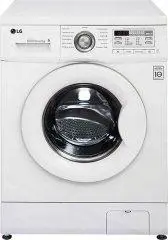 LG F10B8LD0
Manual
LG F10B8LD0
Manual
 LG F10B8QD
Manual
LG F10B8QD
Manual
 LG F1443KDS
Manual
LG F1443KDS
Manual
 LG F4J6VN0W
Manual
LG F4J6VN0W
Manual
 LG F80B8MD
Manual
LG F80B8MD
Manual
 LG FH2C3WD
Manual
LG FH2C3WD
Manual
 LG FH2H3WDS2
Manual
LG FH2H3WDS2
Manual
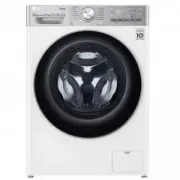 LG TW4V9RD9E
Manual
LG TW4V9RD9E
Manual
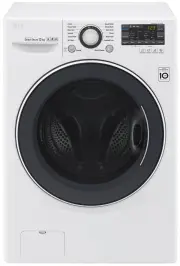 LG WD1013NDW
User Manual
LG WD1013NDW
User Manual
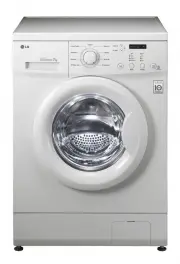 LG WD1200D
User Manual
LG WD1200D
User Manual
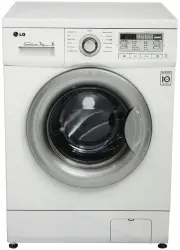 LG WD12021D6
User Manual
LG WD12021D6
User Manual
 LG WD1207NCW
User Manual
LG WD1207NCW
User Manual
 LG WD1275TC5W
User Manual
LG WD1275TC5W
User Manual
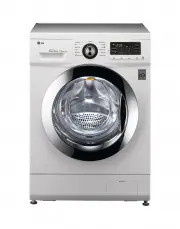 LG WD14022D6
User Manual
LG WD14022D6
User Manual
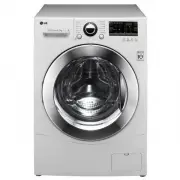 LG WD14023D6
User Manual
LG WD14023D6
User Manual
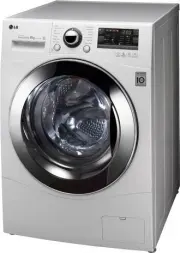 LG WD14024D6
User Manual
LG WD14024D6
User Manual
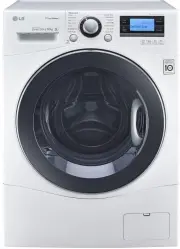 LG WD14071SD6
User Manual
LG WD14071SD6
User Manual
 LG WD1408NCW
User Manual
LG WD1408NCW
User Manual
 LG WD1408NPW
User Manual
LG WD1408NPW
User Manual