Page 2 - TABLE OF CONTENTS
TABLE OF CONTENTS 2 3 IMPORTANT SAFETY INSTRUCTIONS 3 READ ALL INSTRUCTIONS BEFORE USE 3 WARNING STATEMENTS 6 CAUTION STATEMENTS 8 PRODUCT OVERVIEW 8 Product Features 9 INSTALLATION 9 Before Installing 15 Installing the Cooktop 18 OPERATION 18 Introduction to Induction Cooking 18 Cookware 21 Control...
Page 3 - IMPORTANT SAFETY INSTRUCTIONS; READ ALL INSTRUCTIONS BEFORE USE; Safety Messages; WARNING STATEMENTS; Installation
3 IMPORTANT SAFETY INSTRUCTIONS ENGLISH IMPORTANT SAFETY INSTRUCTIONS READ ALL INSTRUCTIONS BEFORE USE Safety Messages Your safety and the safety of others are very important. We have provided many important safety messages in this manual and on your appliance. Always read and follow all safety mess...
Page 5 - Maintenance
5 IMPORTANT SAFETY INSTRUCTIONS ENGLISH cookware, the handles of cookware should be positioned so that they are turned inward, and do not extend over adjacent surface units. • Never leave prepared food on the cooking zones. Boilovers cause smoking and greasy spillovers that may ignite, or a pan that...
Page 6 - CAUTION STATEMENTS; CAUTION; Operation
6 IMPORTANT SAFETY INSTRUCTIONS CAUTION STATEMENTS CAUTION • To reduce the risk of minor or moderate injury to persons, malfunction, or damage to the product or property when using this product, follow basic precautions, including the following: Operation • This appliance may only be used for normal...
Page 7 - SAVE THESE INSTRUCTIONS; Disposal of Old Appliances
7 IMPORTANT SAFETY INSTRUCTIONS ENGLISH SAVE THESE INSTRUCTIONS • If sugar or a mixture containing sugar falls onto a hot cooking zone and melts, remove it with a metal scraper immediately, while still hot. If left to cool down, it may damage the surface when removed. Use caution and wear an oven mi...
Page 8 - PRODUCT OVERVIEW; Product Features; Parts and Features; Accessories
8 PRODUCT OVERVIEW PRODUCT OVERVIEW Product Features Parts and Features Throughout this manual, features and appearance may vary from your model. Accessories a Cooktop Cleaner (1 ea) b Non-scratch Scouring Pad (1 ea) c Retainer Brackets (2 ea) d Bolts (2 ea) e Type A Screws (2 ea) Parts and Features...
Page 9 - INSTALLATION; Before Installing; Before You Begin; Tools Needed
9 INSTALLATION ENGLISH INSTALLATION Before Installing Before You Begin Installation and service must be performed by a qualified installer.Important: Save these instructions for local electrical inspector’s use. Read and save these instructions for future reference.Read these instructions completely...
Page 10 - Unpacking the Cooktop; Model and Serial Number Location; Technical Specifications; NOTE
10 INSTALLATION Unpacking the Cooktop 1 Unpack and visually inspect the cooktop for any damage or missing components. 2 Be sure the bottle of cleaner and conditioner packed in the literature bag is left where the user can find it easily. It is important that the ceramic-glass cooktop be pretreated b...
Page 11 - Preparing the Installation Location; Important Installation Information; Dimensions and Clearances; Standard Installation
11 INSTALLATION ENGLISH Preparing the Installation Location Important Installation Information • All electric cooktops run off a single phase, three-wire or four-wire cable, 240/208 volt, 60 hertz, AC-only electrical supply with ground. • Minimum distance between cooktop and overhead cabinetry is 30...
Page 12 - Flush Installation
12 INSTALLATION Flush Installation a Do not obstruct these areas. b Right side c Radius: 3/8" (10 mm) d 4 ″ X 8 ″ (102 mm x 203 mm) opening to route armored cable if panel is present. e Approximate location of junction box f Front and Back Side g Right and Left Side h Radius: 1/2" (13 mm) i ...
Page 13 - Cleat option
13 INSTALLATION ENGLISH Cleat option For this installation, the countertop cut-out will be the same size as the outer edge of the cooktop glass.Attach L-shaped support cleats a to the perimeter of the countertop cut-out. The top edge of the cleat will be attached 1/4" (7 mm) below the surface of...
Page 15 - Installing the Cooktop; Electrical Connections; Important Safety Instructions; Electrical Connection
15 INSTALLATION ENGLISH Installing the Cooktop Electrical Connections Important Safety Instructions • Be sure the cooktop is installed and grounded properly by a qualified installer or service technician. • This cooktop must be electrically grounded in accordance with local codes or, in their absenc...
Page 16 - Where Local Codes Permit Connecting; If Cooktop is Used in a New Branch
16 INSTALLATION WARNING • This appliance is equipped with a copper conductor flexible cable. If connection is made to aluminum house wiring, use only special connectors which are approved for joining copper and aluminum wires in accordance with the National Electrical Code and local codes and ordina...
Page 17 - Installing the Cooktop Unit; Final Check
17 INSTALLATION ENGLISH e Green Wire (Ground) f UL-listed Conduit Connector g Black Wires h Junction Box i White Wire (No Connection) Installing the Cooktop Unit 1 Visually inspect the cooktop for damage. Make sure all cooktop screws are tight (see below for locations). a 3 Screws (Same Both Side) b...
Page 18 - OPERATION; Introduction to Induction; How Induction Cooking Works; Cookware; Induction Cookware; Induction Cookware Types; Incompatible Cookware
18 OPERATION OPERATION Introduction to Induction Cooking How Induction Cooking Works An induction coil beneath the ceramic glass cooking surface generates magnetic fields, which act directly on the base of the pots and pans. Instead of heating the ceramic glass, this method heats the base of the pan...
Page 19 - Pan Preheat Recommendations; Noises during Cooktop Operation; Use Flat-Bottomed Cookware
19 OPERATION ENGLISH • Pots with partially magnetic base - Even if there is an IH mark, a container that only has magnetic material on part of the bottom of the container may not be automatically detected or the product may not work properly. a Material that sticks to the magnet b Material that does...
Page 20 - Minimum Cookware Size; Correct; Cookware Placement in Flexible
20 OPERATION • The center area is a dual cooking zone which activates single or dual elements depending on pot/pan size. If the cooktop detects cookware that is less than 9" in diameter, only the inner ring(single element) will activate. If it detects cookware larger than 9" in diameter, it ...
Page 21 - For Best Results; Control Panel Features; Locations of Surface Elements and
21 OPERATION ENGLISH the possibility of developing scratches on the ceramic surface.Low-quality cookware can scratch the cooktop surface.Cookware should always be lifted over the ceramic cooktop surface to prevent scratching.Over time, sliding ANY type of cookware over the ceramic cooktop may alter ...
Page 22 - To Set the Element Power Level; Getting Started; Settings
22 OPERATION To Set the Element Power Level Select the number on the element power settings for the active cooking zone to adjust the power level from 1 to 9.If you've set 17 power levels in the SETTINGS menu, press the dots between the numbers to adjust the power level up or down half a step. Hot S...
Page 23 - Location of Settings; Lockout; Lock; Time; Setting Time of Day
23 OPERATION ENGLISH screen or press the "<, >" arrow keys to navigate through the settings screens. Location of Settings • Page 1: Lockout , Time , Wi-Fi , Brightness , Power Levels , Language Selection • Page 2: Volume , Program Update , Demo Mode , Factory Data Reset , Open Source L...
Page 24 - Setting Display Brightness
24 OPERATION 2 Follow the instructions in the Wi-Fi Guide in the display. 3 Select ON , OFF , or RESET and press OK . 4 If ON is selected, the Wi-Fi icon f appears at the bottom of the display. 5 If you select RESET , you will have to re-enter the Wi-Fi password. Brightness Adjust the brightness of ...
Page 25 - Factory Data Reset; Open Source License; Before Using the Cooktop; Activating the Cooktop; Automatic Detection
25 OPERATION ENGLISH NOTE • When demo mode is on, the appliance will not heat up. • The cooktop demo mode icon appears in the display if the demo mode is on. Factory Data Reset This function returns all settings to the factory defaults. 1 Press SETTINGS at the center bottom of the main screen, swipe...
Page 26 - Selecting the Cooking Zone; Setting the Power Level; Selecting the Power Level
26 OPERATION Selecting the Cooking Zone Place an induction-compatible pan on top of the desired cooking zone. Press the icon s in the desired cooking zone on the display to set the power level. NOTE • Once the cooking zone has been selected the power level must be selected within 3 seconds with the ...
Page 27 - Turning Off the Cooking Zone
27 OPERATION ENGLISH 2 Press the desired level in the Power Levels popup. If no selection is made, the Power Level popup disappears after 3 seconds and the power level remains the same. NOTE • Once the power level is changed, the burner operation is temporarily stopped and then restarted at the chan...
Page 28 - Tips for Induction Cooking
28 OPERATION NOTE • If the following pop-up screen appears during operation, check for the following issues.- The cookware is not centered within the cooking zone. - The cookware is not compatible with induction cooking. - There is no cookware on the cooking zone. Tips for Induction Cooking Getting ...
Page 29 - Using the Cook Modes; SIMMER; Turning Simmer On; MELT
29 OPERATION ENGLISH NOTE • These settings are recommended guidelines for cooking. You may need to adjust the power level for the type of food and pan. Cooking times for some foods will vary depending on quantity or quality. Using the Cook Modes SIMMER Use SIMMER to simmer sauces or stews. Turning S...
Page 30 - BOOST; Using the Flexible Cooking Zone
30 OPERATION Turning Melt On Place the cookware on the rear right cooking zone. Activate the Power Levels popup and press the MELT key. BOOST Use the Boost function to boil water or heat up large quantities of food quickly.To prevent damage to the product, if one of the right-side elements is turned...
Page 31 - Using the Dual Cooking Zone; Activating the Dual Cooking Zone; Other Functions; Pause; Kitchen Timer
31 OPERATION ENGLISH 4 To turn off Flex mode, press the Flex icon again. Using the Dual Cooking Zone The dual element, located in the center position, offers two different sized elements to accommodate different pan sizes. The cooking zone automatically activates the single or double cooking zone, s...
Page 32 - Cooking Timer; Automatic Power Level Control; Cookware Heating Index; Using the Heating Index
32 OPERATION • When the set time has passed, a popup screen with " Timer finished " appears with the alarm sound. Cooking Timer The Cooking Timer also acts as a simple timer and automatically turn off the cooking zone. This timer can be set for each cooking zone, and sounds an alarm when the...
Page 34 - SMART FUNCTIONS; LG ThinQ Application; LG ThinQ Application Features; Installing LG ThinQ Application and; Models with QR Code
34 SMART FUNCTIONS SMART FUNCTIONS LG ThinQ Application This feature is only available on models with Wi-Fi.The LG ThinQ application allows you to communicate with the appliance using a smartphone. LG ThinQ Application Features • Monitoring - This function helps you check the current status, remaini...
Page 35 - Wireless LAN Module Specifications
35 SMART FUNCTIONS ENGLISH • If the appliance is having trouble connecting to the Wi-Fi network, it may be too far from the router. Purchase a Wi-Fi repeater (range extender) to improve the Wi-Fi signal strength. • The network connection may not work properly depending on the Internet service provid...
Page 36 - FCC RF Radiation Exposure; IC Radiation Exposure Statement; Open Source Software Notice
36 SMART FUNCTIONS the party responsible for compliance could void the user’s authority to operate the equipment. FCC RF Radiation Exposure Statement This equipment complies with FCC radiation exposure limits set forth for an uncontrolled environment. This transmitter must not be co- located or oper...
Page 37 - MAINTENANCE; Care and Cleaning; Cleaning the Cooktop; Normal Daily Use Cleaning
37 MAINTENANCE ENGLISH MAINTENANCE Care and Cleaning Make sure that the electrical power is off and all surfaces are cool before cleaning any part of the cooktop. Cleaning the Cooktop Normal Daily Use Cleaning CAUTION • If any sugar or food containing sugar spills, or plastic or foil melts on the co...
Page 39 - TROUBLESHOOTING; Before Calling for Service
39 TROUBLESHOOTING ENGLISH TROUBLESHOOTING Before Calling for Service Before calling for service, review this list. It may save you time and expense. This list includes common occurrences that are not the result of a defect in workmanship or materials. Parts and Features Problem Possible Cause &...
Page 42 - LIMITED WARRANTY; USA; TERMS AND CONDITIONS
42 LIMITED WARRANTY LIMITED WARRANTY USA TERMS AND CONDITIONS Should your SIGNATURE KITCHEN SUITE Induction Cooktop (“Product”) fail due to a defect in materials or workmanship under normal and proper use, during the warranty period set forth below, SIGNATURE KITCHEN SUITE will, at its option, repai...
Page 44 - CANADA; THIS LIMITED WARRANTY DOES NOT COVER:
44 LIMITED WARRANTY CANADA TERMS AND CONDITIONS Should your SIGNATURE KITCHEN SUITE Induction Cooktop ("Product") fail due to a defect in materials or workmanship under normal and proper use, during the warranty period set forth below, SIGNATURE KITCHEN SUITE will, at its option, repair, rep...


 LG CBGS3028S
User Manual
LG CBGS3028S
User Manual
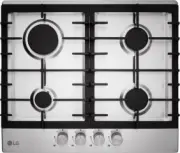 LG HU641BAG
User Manual
LG HU641BAG
User Manual
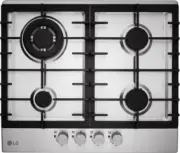 LG HU641DAG
User Manual
LG HU641DAG
User Manual
 LG LSCE305ST
User Manual
LG LSCE305ST
User Manual
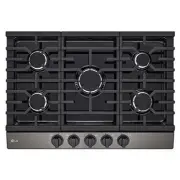 LG CBGJ3023D
User Manual
LG CBGJ3023D
User Manual
 LG CBGJ3023S
User Manual
LG CBGJ3023S
User Manual
 LG CBGJ3027S
User Manual
LG CBGJ3027S
User Manual
 LG CBGJ3623D
User Manual
LG CBGJ3623D
User Manual
 LG CBGJ3623S
User Manual
LG CBGJ3623S
User Manual
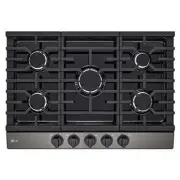 LG CBGJ3627S
User Manual
LG CBGJ3627S
User Manual
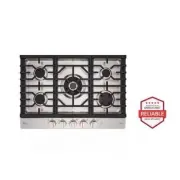 LG CBGS3028N
User Manual
LG CBGS3028N
User Manual
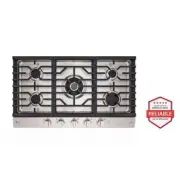 LG CBGS3628N
User Manual
LG CBGS3628N
User Manual
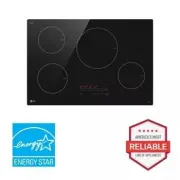 LG CBIH3013BE
User Manual
LG CBIH3013BE
User Manual
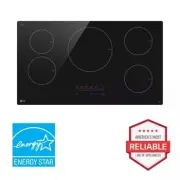 LG CBIH3613BE
User Manual
LG CBIH3613BE
User Manual
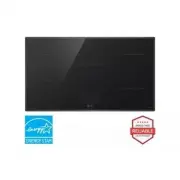 LG CBIS3618BE
User Manual
LG CBIS3618BE
User Manual
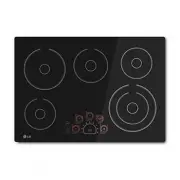 LG LCE3010SB
User Manual
LG LCE3010SB
User Manual
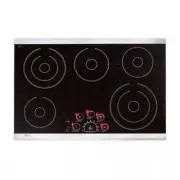 LG LCE3081ST
User Manual
LG LCE3081ST
User Manual