Page 2 - TABLE OF CONTENTS
TABLE OF CONTENTS 2 3 IMPORTANT SAFETY INSTRUCTIONS 3 READ ALL INSTRUCTIONS BEFORE USE 3 WARNING 8 CAUTION 10 PRODUCT OVERVIEW 10 Product Features 12 OPERATION 12 Operating Control Panel 13 Changing Settings 14 Operating the Microwave 24 Operating the Oven 31 SMART FUNCTIONS 31 LG ThinQ Application3...
Page 3 - IMPORTANT SAFETY INSTRUCTIONS; READ ALL INSTRUCTIONS BEFORE USE; Safety Messages; WARNING; Technical Safety; WARNING
3 IMPORTANT SAFETY INSTRUCTIONS ENGLISH IMPORTANT SAFETY INSTRUCTIONS READ ALL INSTRUCTIONS BEFORE USE Precautions to Avoid Possible Exposure to Excessive Microwave Energy (a) Do not attempt to operate this oven with the door open since open-door operation can result in harmful exposure to microwave...
Page 5 - Grounding Instructions
5 IMPORTANT SAFETY INSTRUCTIONS ENGLISH Grounding Instructions • This appliance must be grounded. Connect only to a properly grounded outlet. In the event of an electrical short circuit, grounding reduces the risk of electric shock by providing an escape wire for the electric current. This appliance...
Page 6 - Maintenance
6 IMPORTANT SAFETY INSTRUCTIONS • Do not allow aluminum foil to contact heating elements.• Do not touch the oven racks while they are hot.• Do not use the oven if a heating element develops a glowing spot during use or shows other signs of damage. A glowing spot indicates the heating element may fai...
Page 7 - Microwave Oven
7 IMPORTANT SAFETY INSTRUCTIONS ENGLISH • Do not use water on grease fires. Should an oven fire occur, leave the oven door closed and turn the oven off. If the fire continues, throw baking soda on the fire or use a fire extinguisher. Do not put water or flour on the fire. Flour may be explosive and ...
Page 8 - CAUTION; Operation
8 IMPORTANT SAFETY INSTRUCTIONS - Plug the microwave oven into a different outlet so that the microwave oven and the receiver are on different branch circuits. • The manufacturer is not responsible for any radio or TV interference caused by unauthorized modification to this microwave oven. It is the...
Page 9 - SAVE THESE INSTRUCTIONS
9 IMPORTANT SAFETY INSTRUCTIONS ENGLISH SAVE THESE INSTRUCTIONS • Do not touch heating elements or interior surfaces of microwave oven. - During and after use or cleaning the interior, do not touch other flammable materials contact heating elements or interior surfaces of microwave oven until they h...
Page 10 - PRODUCT OVERVIEW; Product Features; Accessories; Accessories for Installation
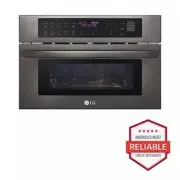
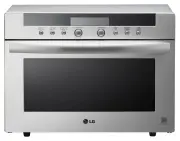
10 PRODUCT OVERVIEW PRODUCT OVERVIEW Product Features The appearance and specifications listed in this manual may vary due to constant product improvements. Exterior / Interior a Oven Controller b Oven Door c Model & Serial Number Plate, Cooking Guide Accessories The turntable rotates in both di...
Page 11 - How to Use Accessories; NOTE; Specifications
11 PRODUCT OVERVIEW ENGLISH How to Use Accessories $ : Recommended method % : Alternative method -: Do not use NOTE • Contact LG Customer Service at 1-800-243-0000 if any accessories are missing.• For your safety and for extended product life, only use authorized components.• The manufacturer is not...
Page 12 - OPERATION; Operating Control Panel; Control Panel Features
12 OPERATION OPERATION Operating Control Panel Control Panel Features a MICROWAVE • Select various functions of the Microwave. See Operating the Microwave . b OVEN • Select various functions of the Oven. See Operating the Oven . c Light • Turn the oven lights on and off. d Clock • Set the time of da...
Page 13 - Changing Settings; Clock; Settings; Setting the Clock Mode; Setting the Timer
13 OPERATION ENGLISH Changing Settings Clock The clock must be set to the correct time of day in order for the automatic oven timing functions to work properly. 1 Press Clock . 2 Press the numbers to enter the time. For example, to set the clock for 10:30, press the numbers: 1 , 0 , 3 and 0 . 3 Pres...
Page 14 - Canceling the Timer; Control Lock; Operating the Microwave; Before Using; Microwave Cookware Guide; Microwave-Safe Cookware
14 OPERATION Canceling the Timer 1 Press Timer On/Off once. The display returns to the time of day. Control Lock The Control Lock prevents most oven controls from operating. It does not disable the clock or the interior oven light. 1 Press and hold CLEAR/OFF for three seconds. 2 LOCKED appears in th...
Page 15 - Microwave-Unsafe Cookware
15 OPERATION ENGLISH - Do not use delicate glassware, such as tumblers or wine glasses, as these might shatter when heated. • China - Use bowls, cups, serving plates, pottery, stoneware, ceramics, and platters without metal rims or handles. Many containers made of these materials are microwave-safe,...
Page 16 - Cooking Tips
16 OPERATION Cooking Tips Carefully monitor the food in the microwave oven while it is cooking. Directions given in recipes to elevate, stir, etc., are the minimum steps recommended. If food is overcooked (dry), undercooked, or unevenly cooked, make adjustments before or during cooking to correct th...
Page 17 - Microwave Power Levels; Express Cook
17 OPERATION ENGLISH - Always underestimate defrosting time. Food should still be somewhat icy in the center when removed from the oven. If defrosted food is still frozen solid in the center, return it to the upper oven for more defrosting. - Depending on the shape of the food, some areas may defros...
Page 18 - Sensor Cook Mode; About Features; Example: To cook rice; Sensor Cook Menu
18 OPERATION 2 Press number keys to set the cook time. 3 Press Power Level followed by a number key to set the power level. 4 Press START to start cooking. • When the cook time is over a melody sounds and COOK END displays. Sensor Cook Mode About Features This function reheats favorite foods without...
Page 19 - Popcorn Mode; Setting the Popcorn Function; Potato Mode; Setting the Potato Function; Vegetable Mode; Setting the Vegetable Function
19 OPERATION ENGLISH • 6 Plate of food (1 serving) - Cookware: Microwave-safe bowl on the glass tray - Food temperature: Refrigerated- Instructions: Use microwave safe bowl. Cover food with lid or vented plastic wrap and place in oven. After heating, let stand for 3 minutes. • 7 Rice (½ - 2 cups † )...
Page 20 - Defrost Mode; Setting the Defrost Function; Weight Conversion Table
20 OPERATION Vegetable Menu • 1 Canned vegetable (1 - 4 cups) - Cookware: Microwave-safe bowl on the glass tray - Food temperature: Room- Instructions: Cover with vented plastic wrap. Stir thoroughly after cooking. • 2 Fresh vegetable (1 - 4 cups) - Cookware: Microwave-safe bowl on the glass tray - ...
Page 21 - Soften Mode; Setting the Soften Function; Example: 8 oz of cream cheese; Soften Menu; Melt Mode; Setting the Melt Function; Example: 8 oz of Chocolate
21 OPERATION ENGLISH • Lamb: Chops, rolled roast• Pork: Chops, hot dogs, spareribs, country-style ribs, rolled roast, sausage • Veal: Cutlets (1 lb., ½ inch thick)• Turn food over when the oven beeps.• Standing time: 5-15 minutes Poultry (0.1 - 6.0 lbs) • Poultry: Whole, cut-up, breast (boneless)• C...
Page 22 - Melt Menu; More Modes; Setting the Simmer Function; Example: 9 oz of Macaroni; Simmer Menu
22 OPERATION 3 Set the weight: Press 2 to select 8 oz. 4 Press START . • When the cook time is over a melody sounds and COOK END displays. Melt Menu • 1 Butter (½, 1, 2 sticks) - Cookware: Microwave-safe bowl on the glass tray - Food temperature: Refrigerated- Instructions: Unwrap and place food in ...
Page 24 - Operating the Oven; Setting the Convection Bake Function; With Preheating; Broil Mode; Setting the Broil Function
24 OPERATION - Instructions: Follow instructions for cooking Farfalle, but after selecting Simmer press 7 and START to select Spaghetti. † Use a large bowl that holds at least 1 gallon (4 L) and is at least 6 in. (15 cm) high. NOTE • Be careful when removing the bowl from the oven or opening the lid...
Page 25 - Air Fry Mode; Setting the Air Fry Function; Example: Air Frying for 9 minutes 30; Dehydrate Mode; Setting the Dehydrate Function; Example: Dehydrating for 5 hours at 140
25 OPERATION ENGLISH CAUTION • Always use oven gloves when removing the food and accessories after cooking as the oven and accessories will be very hot. NOTE • For best results, use the metal tray and rack when broiling in the oven. Air Fry Mode The Air Fry function is specially designed for oil fre...
Page 26 - Auto Cook Mode; Setting the Auto Cook Function; Example: To cook 4 slices of bacon; Auto Cook Menu
26 OPERATION - Set temp / Time: 160 ℉ / 5 - 8 hrs - Use: Snacks, baby food, granola, cookies and banana bread • Figs - Preparation: Remove stems and halve.- Set temp / Time: 160 ℉ / 8 - 9 hrs - Use: Fillings, cakes, puddings, bread and cookies • Kiwi - Preparation: Peel and cut into 3/8" (8 - 12...
Page 28 - Speed Cook Mode; Speed Broil; power; Warm Mode; Setting the Warm Function
28 OPERATION • 22 Vegetable-canned (4 - 6, 7 - 9, 10 - 12, 13 - 15, 16 - 20 oz)- Cookware: Microwave-safe bowl on the glass tray - Food temperature: Room- Instructions: Cover with vented plastic wrap. After cooking, stir and let stand for 3 minutes. NOTE • Do not use recycled paper products in the o...
Page 29 - Proof Mode; Setting the Proof Function; Example: Proofing for 2 hours; Setting the Auto Cook Air Fry Function; mozzarella sticks
29 OPERATION ENGLISH 3 Select the type: Press 1 for moist, 2 for crisp. 4 Press START to start warming. The time is automatically set for 3 hours. 5 Press CLEAR/OFF at any time to cancel. NOTE • This function is intended to keep food warm. Do not use it to cool food down. • It is normal for the fan ...
Page 31 - SMART FUNCTIONS; LG ThinQ Application; LG ThinQ Application Features; Installing LG ThinQ Application and; Models with QR Code
31 SMART FUNCTIONS ENGLISH SMART FUNCTIONS LG ThinQ Application This feature is only available on models with Wi-Fi.The LG ThinQ application allows you to communicate with the appliance using a smartphone. LG ThinQ Application Features • Settings - Allows you to set various options on the oven and i...
Page 32 - Wireless LAN Module Specifications; FCC RF Radiation Exposure Statement; Open Source Software Notice
32 SMART FUNCTIONS NOTE • If the appliance is having trouble connecting to the Wi-Fi network, it may be too far from the router. Purchase a Wi-Fi repeater (range extender) to improve the Wi-Fi signal strength. • The network connection may not work properly depending on the Internet service provider....
Page 33 - Smart Diagnosis; Feature; Using LG ThinQ to Diagnose Issues
33 SMART FUNCTIONS ENGLISH Smart Diagnosis TM Feature This feature is only available on models with the c or d logo. Use this feature to help you diagnose and solve problems with your appliance. NOTE • For reasons not attributable to LGE’s negligence, the service may not operate due to external fact...
Page 34 - MAINTENANCE; Cleaning; Interior; Glass Tray and Rotating Ring
34 MAINTENANCE MAINTENANCE Cleaning Interior Wash often with warm, sudsy water and a sponge or soft cloth. Use only mild, nonabrasive soaps or a mild detergent. Keep the areas clean where the door and oven frame touch when closed.Wipe well with a clean cloth. Over time, stains can occur on the surfa...
Page 35 - TROUBLESHOOTING; FAQs; Frequently Asked Questions
35 TROUBLESHOOTING ENGLISH TROUBLESHOOTING FAQs Frequently Asked Questions Q: Will the oven be damaged if it operates while empty? A: Yes. Never operate the oven while it is empty or without the glass tray. Q: Does microwave energy pass through the viewing screen in the door? A: No. The metal screen...
Page 37 - Before Calling for Service; Cooking
37 TROUBLESHOOTING ENGLISH Before Calling for Service Review this section before calling for service; doing so will save you both time and money. Cooking Problem Possible Cause & Solution Oven will not work Plug on appliance is not completely inserted in the electrical outlet. • Make sure electr...
Page 38 - Noises
38 TROUBLESHOOTING Parts & Features Noises Food does not bake properly Incorrect cookware or cookware of improper size being used. • See the Operating the Oven section. Food does not broil properly Oven controls improperly set. • See the Operating the Oven section. In some areas the power voltag...
Page 40 - LIMITED WARRANTY; USA; TERMS AND CONDITIONS; THIS LIMITED WARRANTY DOES NOT COVER
40 LIMITED WARRANTY LIMITED WARRANTY USA TERMS AND CONDITIONS ARBITRATION NOTICE: THIS LIMITED WARRANTY CONTAINS AN ARBITRATION PROVISION THAT REQUIRES YOU AND LG ELECTRONICS (“LG”) TO RESOLVE DISPUTES BY BINDING ARBITRATION INSTEAD OF IN COURT, UNLESS YOU CHOOSE TO OPT OUT. IN ARBITRATION, CLASS AC...
Page 41 - PROCEDURE FOR RESOLVING DISPUTES
41 LIMITED WARRANTY ENGLISH • Damage or failure of the Product caused by accidents, pests and vermin, lightning, wind, fire, floods, acts of nature, or any other causes beyond the control of LG. • Damage or failure of the Product caused by unauthorized modification or alteration, or if the Product i...
Page 44 - For inquiries or comments,
LG Customer Information Center Register your product Online! www.lg.com For inquiries or comments, visit www.lg.com or call: 1-800-243-0000 U.S.A. 1-888-542-2623 CANADA