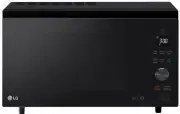
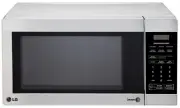
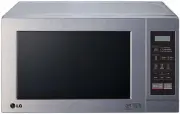
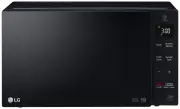
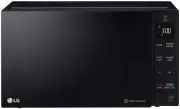
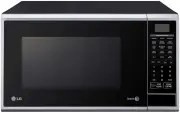
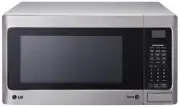
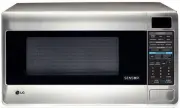
Page 2 - Thank you for purchasing an LG microwave oven.; PRECAUTIONS TO AVOID POSSIBLE
- 2 - Please record the model number and serial number of this unit for future reference. We also suggest you record the details of your contact with LG (LG Electronics U.S.A., Inc.) concerning this unit. Staple your receipt here to prove your retail purchase. Model No: Serial No: Dealer: Dealer Pho...
Page 3 - TABLE OF CONTENTS
- 3 - TABLE OF CONTENTS PRECAUTIONS TO AVOID POSSIBLE EXPOSURE TO EXCESSIVE MICROWAVE ENERGY ............................................................... TABLE OF CONTENTS ....................................... SAFETY ................................................................ Important Saf...
Page 4 - WARNING; IMPORTANT SAFETY INSTRUCTIONS; SAFETY
- 4 - WARNING - To reduce the risk of burns, electric shock, fire, injury to persons, or exposure toexcessive microwave energy. • Read all the instructions before using your oven. • Do not allow children to use this oven without close supervision. • Read and follow the specific PRECAUTIONS TO AVOID ...
Page 5 - SAVE THESE INSTRUCTIONS
- 5 - WARNING: This equipment generates and uses ISM frequencyenergy and if not installed and used properly, that isin strict accordance with the manufacturer'sinstructions, may cause interference to radio andtelevision reception. It has been type tested andfound to comply with limits for ISM Equipm...
Page 6 - INFORMATION
- 6 - Please read this owner’s manual. It will tell you howto use all the fine features of this microwave oven. LOCATION OF MODEL NUMBER To request service information or replacement parts,the service center will require the complete modelnumber of your microwave oven. The number is on theoven front...
Page 7 - MICROWAVE OVEN FEATURES
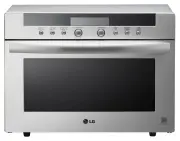
- 7 - MICROWAVE OVEN FEATURES Door Handle Window with Metal Shield Oven Control Panel Cooktop/Countertop Light Grease Filter Door SafetyLock System Model and Serial Number Plate Cooking Guide Vent Grille Two-position Metal Rack Glass Turntable Defrosting Rack INFORMATION
Page 8 - OVEN CONTROL PANEL
- 8 - OVEN CONTROL PANEL 25 21 24 28 26 23 4 7 9 12 10 20 22 27 2 5 3 6 11 8 13 18 17 14 15 16 19 1 INFORMATION
Page 10 - LEARN ABOUT YOUR MICROWAVE OVEN; OPERATION; CLOCK; HELP; KITCHEN TIMER
- 10 - LEARN ABOUT YOUR MICROWAVE OVEN This section discusses the concepts behind microwave cooking and introduces you to the basics you need toknow to operate your microwave oven. Please read this information before use. OPERATION CLOCK This oven includes a 24-hour clock. 1. Touch CLOCK pad. (Press...
Page 11 - CHILD LOCK
- 11 - OPERATION TURNTABLE ON-OFF For best cooking results, leave theturntable on. It can be turned off forlarge dishes. Press TURNTABLE ON-OFF to turn the turntable on or off. NOTE: • Sometimes the turntable can become hot to touch. Be careful touching the turntableduring and after cooking. • Do no...
Page 12 - HOLD WARM
- 12 - OPERATION EZ-ON A time-saving pad, this simplified control lets youquickly set and start microwave cooking without theneed to touch START pad. NOTE:If you touch Ez-On, it will add 30 seconds up to 3minutes; after 3 minutes, every touch will add 1 minuteup to 99 min 59 seconds. HOLD WARM You c...
Page 14 - COOKING GUIDE FOR LOWER POWER LEVELS
- 14 - OPERATION POWER LEVEL MICROWAVE OUTPUT USE • Boil water.• Cook ground beef.• Make candy.• Cook fresh fruits and vegetables.• Cook fish and poultry. • Preheat browning dish. • Reheat meat slices quickly.• Saute onions, celery, and green pepper. • All reheating.• Cook scrambled eggs. • Cook bre...
Page 15 - SENSOR COOKING GUIDE
- 15 - OPERATION SENSOR OPERATINGINSTRUCTIONS Sensor Cook allows you to cook most of your favoritefoods without selecting cooking times and power levels.The display will indicate SENSING during the initialsensing period. The oven automatically determinesrequired cooking time for each food item. When...
Page 16 - POPCORN
- 16 - OPERATION ADDING OR SUBTRACTING COOK TIME If the SENSOR function is too long or too short, youcan increase or decrease the cook time by 10% afterchoosing the function. You can only increase ordecrease cook time before cooking starts. 1. Touch COOK pad. 2. Choose food category. 3. Touch number...
Page 17 - COOK
- 17 - OPERATION 1. Touch COOK pad. 2. Choose food category. Example: To cook Rice. COOK Using COOK lets you heat common microwave-preparedfoods without needing to program times and Cook Powers.COOK has preset Cook Power for 3 food categories:Frozen Entree, Casserole, and Rice. 1. Touch REHEAT pad. ...
Page 18 - WEIGHT CONVERSION CHART
- 18 - OPERATION WEIGHT CONVERSION CHART To enter food weight in AUTO DEFROST, you mustspecify pounds and tenths of a pound. If the weight onthe food package is in fractions of a pound, you canuse the following chart to convert the weight todecimals. DEFROSTING TIPS • When using AUTO DEFROST, the we...
Page 19 - AUTO DEFROST CHART
- 19 - OPERATION AUTO DEFROST CHART FOOD AT BEEP SETTING SPECIAL INSTRUCTIONS BEEF Ground Beef,Bulk Ground Beef,Patties Round Steak TenderloinSteak Stew Beef Pot Roast,Chuck Roast Rib Roast Rolled Rump Roast LAMBCubes forStew Chops(1 inch thick) PORKChops( 1/2 inch thick) Hot Dogs SpareribsCountry-s...
Page 21 - TIME DEFROST
- 21 - OPERATION 1. Touch TIME DEFROST pad. 2. Enter the defrosting time you want. 3. Touch START pad. (Defrost starts)When the defrost time isover, you will hear fourbeeps and END will display. Example: To defrost for 2 minutes. TIME DEFROST This feature allows you to choose the time you want todef...
Page 22 - COOKING; Cooking Fish and Shellfish: General Directions
- 22 - COOKING GETTING THE BEST COOKINGRESULTS To get the best results from your microwave oven, readand follow the guidelines below. • Storage Temperature: Foods taken from the freezer or refrigerator take longer to cook than the samefoods at room temperature. The time for recipes inthis book is ba...
Page 23 - Meat; Cooking Meat: General Directions
- 23 - COOKING Appetizers / Sauces / Soups Cooking Appetizers: Tips andTechniques Recommended • Crisp crackers, such as melba toast, shredded wheat, and crisp rye crackers are best for microwave use.Wait until party time to add the spreads. Place apaper towel under the crackers while they cook in th...
Page 24 - Meat Cooking Table
- 24 - COOKING Form patties with depression in center of each. Place on microwavable roast rack. Brush with browningagent, if desired. Cover with waxed paper. Turn over halfway through cooking. Let stand covered 1 minute. Place roast fat side down on microwavable roast rack. Adddesired seasonings an...
Page 25 - Poultry; Cooking Poultry: General Directions
- 25 - COOKING Poultry Cooking Poultry: General Directions • Prepare the poultry for cooking. - Defrost completely.- Arrange poultry pieces with thicker pieces at the outside edge of the baking dish. When cooking legs,arrange them like the spokes of a wheel. - Cover the baking dish with waxed paper ...
Page 26 - Pasta And Rice; Cooking Pasta and Rice: Tips and Techniques
- 26 - COOKING Pasta And Rice Microwave cooking and conventional cooking of pasta,rice, and cereal require about the same amount of time,but the microwave is a more convenient methodbecause you can cook and serve in the same dish. There is no stirring needed and leftover pasta tastesjust like fresh ...
Page 27 - CARE AND CLEANING; METAL RACK; CHARCOAL FILTER REPLACEMENT; MAINTENANCE
- 27 - CARE AND CLEANING For best performance and safety, keep the oven cleaninside and outside. Take special care to keep the innerdoor panel and the oven front frame free of food orgrease build-up.Never use rough powder or pads. Wipe themicrowave oven inside and out, including the hoodbottom cover...
Page 28 - OVEN LIGHT REPLACEMENT; QUESTIONS AND ANSWERS
- 28 - OVEN LIGHT REPLACEMENT 1. Disconnect power or unplug microwave oven.2. Remove the vent grille mounting screws.3. Tip the cover forward, then lift out to remove. 4. Lift up the bulb holder. 5. Replace bulb with a 30 or 40 watt appliance bulb.6. Replace the bulb holder, if damaged.7. Slide the ...
Page 29 - MICROWAVE UTENSIL GUIDE
- 29 - USE OVENPROOF GLASS (treated for highintensity heat):utility dishes, loaf dishes, pie plates,cake plates, liquid measuring cups,casseroles and bowls without metallictrim. CHINA:bowls, cups, serving plates and platterswithout metallic trim. PLASTIC:Plastic wrap (as a cover)-- lay the plasticwr...
Page 30 - BEFORE CALLING FOR SERVICE; TROUBLESHOOTING
- 30 - Check the following list to be sure a service call isreally necessary. A quick reference of this manual aswell as reviewing additional information on items tocheck may prevent an unneeded service call. If nothing on the oven operates:• check for a blown circuit fuse or a tripped main circuit ...