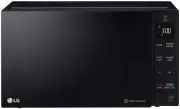
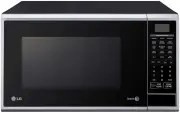
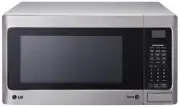
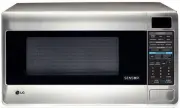
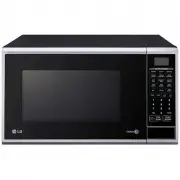
Page 2 - It is important not to tamper with the safety interlocks.; fire and subsequent damage to your oven.; Warning; How the Microwave Oven Works; A very safe appliance
2 You cannot operate your oven with the door open due to the safety interlocks built into the doormechanism. These safety interlocks automatically switch off any cooking activity when the door is opened;which in the case of a microwave oven could result in harmful exposure to microwave energy. It is...
Page 3 - CONTENTS; MICROWAVE-SAFE UTENSILS
3 PRECAUTIONS 2 3 4-5 6 6 7 -15 8 CONTENTS UNPACKING & INSTALLING FEATURE DIAGRAM CONTROL PANEL OPERATING INSTRUCTIONS TIMED COOKING 7 CHILD LOCK 8 CONTENTS ADD MINUTE QUICK DEFROST 9 QUICK DEFROST MENU INSTRUCTIONS 9 SETTING CLOCK 10 ONE TOUCH AUTO MENU 10 ONE TOUCH AUTO MENU CHART 10 AUTO WEIG...
Page 4 - UNPACKING & INSTALLING; GLASS TRAY; THIS OVEN SHOULD NOT BE USED FOR COMMERCIAL
4 UNPACKING & INSTALLING Unpack your oven and place it on a flat level surface. By following the basic steps on these two pages you will be able to quickly check that your oven is operating correctly. Please pay particular attention to the guidance on where to install your oven. When unpacking y...
Page 7 - ime; ower; for 5 minutes 30 seconds; OPERATING INSTRUCTIONS; TIMED COOKING; STAGE TIMED COOKING; End; MICROWAVE POWER LEVEL CHART
1. Touch STOP/CLEAR. 2. Touch T ime . 3. Enter 5 minutes 30 seconds by touching [5], [3] ,and [0]. 4. Touch P ower . P-HI appears in the display. This is to tell you that the oven is set on HI unless a different power setting is chosen. 5. Touch 8. To select power level 80%. Display shows P-80. 6. T...
Page 8 - dd; Example : To set ADD MINUTE cooking 2 minutes.; CHILD LOCK; To cancel the child lock; QUICK START; Example: Set 2 minutes of cooking on high power.; ENERGY SAVING; To set the ECO ON
ADD MINUTE A time-saving option , this simplified control lets you quickly set and start microwave cooking without the need to touch START/ Q - START NOTE: If you touch A dd M inute , it will add 1 minute increments up to 99 minutes 59 seconds. Example : To set ADD MINUTE cooking 2 minutes. 1. Touch...
Page 9 - QUICK DEFROST; QUICK DEFROST MENU INSTRUCTIONS; Initial
1. Touch STOP/CLEAR. 2. Touch Q uick Defrost. Example: To defrost 0.5 kg meat. 9 QUICK DEFROST NOTE: The oven will beep during the DEFROST CYCLE.At this time open the door and turn over, separate, or rearrange the food.Quick Defrost provides just enough defrosting that the foods can be used in recip...
Page 10 - ONE TOUCH AUTO MENU; Example: To cook popcorn, simply follow the; Key; Touch; ONE TOUCH AUTO MENU CHART; SETTING CLOCK; opcorn
10 ONE TOUCH AUTO MENU 1. Touch STOP/CLEAR. *Place popcorn in the oven and close the door. Example: To cook popcorn, simply follow the step below 1. Touch STOP/CLEAR. 2. Touch C lock once. 3 . Enter the time by using the number key pads. ("11:11") 4 . Touch START/Q-START. Example:To set 11:1...
Page 11 - AUTO WEIGHT DEFROST; ROUND MEAT; uto Defrost; CHOPS
AUTO WEIGHT DEFROST Three defrost sequences are preset in the oven. The defrost feature provides you with the best defrosting method for frozen foods. The cooking guide will show you which defrost sequence is recommended for the food you are defrosting.With the Auto Weight Defrost feature, the oven ...
Page 12 - Do not use aluminum foil during any cooking cycle.; GROUND MEAT; GROUND MEAT COOKING CHART
WARNING : Do not use aluminum foil during any cooking cycle. GROUND MEAT 1. No special techniques are required. The roast should be prepared and seasoned (if desired) as for any other conventional method. Meat should be thoroughly defrosted before cooking. 2. 3. Cook according to the cooking chart (...
Page 14 - HEATING OR REHEATING GUIDE
To heat or reheat successfully in the microwave, it is important to follow several guidelines. Measure the amount of food in order to determine the time needed to reheat. Arrange the food in a circular pattern for best results. Room temperature food will heat faster than refrigerated food. Canned fo...
Page 15 - FRESH VEGETABLE GUIDE
15 Cook time Standing at HIGH Time Artichokes 2 medium 4 ~9 Trim. Add 2 tsp water and 2 tsp juice. Cover. 2-3 minutes (230 g each) 4 medium 11~14 Asparagus, 450 g 2 ~7 Add 1 cup water. Cover. 2-3 minutes Fresh, SpearsBeans, Green & 450 g 8~13 2-3 minutes WaxBeets, Fresh 450 g 13~18 2-3 minutes B...
Page 16 - CAUTION
1 6 MICROWAVE-SAFE UTENSILS Never use metal or metal trimmed utensils in your microwave oven Microwaves cannot penetrate metal. They will bounce off any metal object in the oven and cause arcing, an alarming phenomenon that resembles lightning. Most heat resistant non metallic cooking utensils are s...
Page 17 - FOOD CHARACTERISTICS & MICROWAVE COOKING
1 7 FOOD CHARACTERISTICS & MICROWAVE COOKING Keeping an eye on things The recipes in this book have been formulatedwith great care, but your success in preparingthem depends on how much attention you pay tothe food as it cooks. Always watch your foodwhile it cooks. Your microwave oven is equippe...
Page 18 - Stirring; To Clean Your Oven
18 FOOD CHARACTERISTICS & MICROWAVE COOKING Stirring Stirring is one of the most important of all microwaving techniques. In conventional cooking, food is stirred for the purpose of blending. Microwaved food, however, is stirred in order to spread and redistribute heat. Always stir from the outs...
Page 19 - IMPORTANT SAFETY INSTRUCTIONS; WARNING
IMPORTANT SAFETY INSTRUCTIONS Please keep for future reference. Read and follow all instructions before using your oven to prevent the risk of fire, This guide does not cover all possible conditions that may occur. Always contact your service agent or manufacturer about problems that you do not unde...
Page 24 - This appliance must be earthed; MODEL
2 4 TECHNICAL SPECIFICATIONS PLUG WIRING INFORMATION The wires in this mains lead are colored in accordance with the following codes BLUE ~ Neutral BROWN ~ Live GREEN & YELLOW ~ Earth Warning This appliance must be earthed *IEC 60705 RATING STANDARD Specifications subject to change without prior...
Page 26 - Printed in China; LGEAP