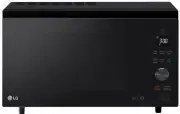
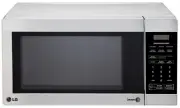
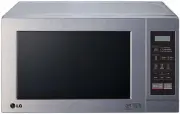
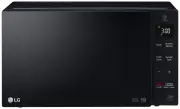
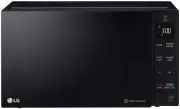
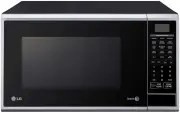
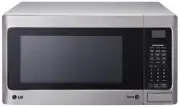
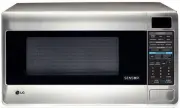
Page 2 - TABLE OF CONTENTS; Thank you for purchasing a LG microwave oven.
2 TABLE OF CONTENTS SAFETY................................................................................................................................................................. 3-5 Precautions to Avoid Possible Exposure to Excessive Microwave Energy ..........................................
Page 3 - SAFETY; GROUNDING INSTRUCTIONS; WARNING
3 SAFETY • Do not attempt to operate this oven with the door open, since open-door operation canresult in harmful exposure to microwave energy. It is important not to defeat or tamperwith the safety interlocks. • Do not place any object between the oven front face and the door, or allow soil or clea...
Page 4 - IMPORTANT SAFETY INSTRUCTIONS; PRECAUTIONS TO AVOID; POSSIBLE EXPOSURE TO EXCESSIVE
4 SAFETY IMPORTANT SAFETY INSTRUCTIONS The safety instructions below will tell you how to use your oven to avoid harm to yourself or damage to your oven. WARNING - To reduce the risk of burns, electric shock, fire, injury to persons, or exposure to excessive microwave energy: 1. Read all instruction...
Page 5 - SAVE THESE INSTRUCTIONS
5 SAFETY 17. Liquids such as water, coffee,or tee are able to be overheated beyond the boiling point without appearing to be boiling. Visible bubbling or boiling when the container is removed from the microwave oven is not alwayspresent. THIS COULD RESULT IN VERY HOT LIQUIDS SUDDENLY BOILING OVER WH...
Page 6 - UNDERSTANDING YOUR MICROWAVE OVEN; SPECIFICATIONS; MODEL; INSTALLATION; C. Placement of the Oven
6 UNDERSTANDING YOUR MICROWAVE OVEN SPECIFICATIONS *IEC 60705 RATING STANDARD Specifications subject to change without prior notice. MODEL L R M 1 2 3 0 W / L R M 1 2 3 0 B Power Supply Rated Power Consumption Microwave Output Frequency Rated Current Overall Dimensions(WxHxD) Oven Cavity Dimensions(...
Page 7 - PARTS AND ACCESSORIES
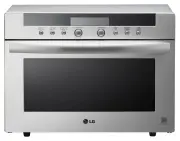
7 UNDERSTANDING YOUR MICROWAVE OVEN PARTS AND ACCESSORIES Your oven comes with the following accessories:• Owner’s Manual and Cooking Guide : 1 each• Glass Turntable : 1 each • Rotating Ring : 1 each Oven Front Plate Window Door Screen Door Seal Control Panel Door Open Button Safety Door Lock System...
Page 8 - CONTROL PANEL
8 UNDERSTANDING YOUR MICROWAVE OVEN CONTROL PANEL 1. DISPLAY: The display includes a clock and indicators that tell you the time of day, cook time settings, andcooking functions selected. 2. AUTO TOUCH: Touch this pad to cook without entering a cook time or power. 3. AUTO COOK: Touch this pad to coo...
Page 9 - TIPS FOR MICROWAVE COOKING
9 UNDERSTANDING YOUR MICROWAVE OVEN TIPS FOR MICROWAVE COOKING BROWNINGMeat and poultry with high fat content cooked for atleast 10 to 15 minutes will brown lightly. Foods cookeda shorter time can be brushed with a browning agent,such as Worcestershire sauce, soy sauce, or barbecuesauce. COVERING A ...
Page 11 - USING YOUR MICROWAVE OVEN; TIMED COOKING; STAGE TIMED COOKING
11 USING YOUR MICROWAVE OVEN TIMED COOKING This function allows you to cook food for adesired time. And in order to give you the bestresults, there are 10 power level settings inaddition to HI-POWER because many food needslower cooking (at less than HI-POWER). When cooking is complete, four short to...
Page 12 - CHILD LOCK
12 USING YOUR MICROWAVE OVEN Ez-ON A time-saving pad, this simplified control letsyou quickly set and start microwave cookingwithout the need to touch START. NOTE:If you touch Ez-ON, it will add 30 seconds up to 3 minutes 30 seconds; after 3 minutes 30 seconds,every touch will add 1 minute up to 99 ...
Page 13 - CUSTOM SET; CUSTOM SET FUNCTION TABLE
13 USING YOUR MICROWAVE OVEN CUSTOM SET CUSTOM SET provides five modes which make using your microwave oven quite handy. You can selectSOUND ON/OFF, CLOCK SETTING, CLOCK ON/OFF. SCROLL SPEED, LBS/KG CHOICE. Example 1 : To turn off Sound of beeper. 1. Touch STOP/CLEAR. 2. Touch CUSTOM SET. Five modes...
Page 14 - AUTO TOUCH TABLE
14 USING YOUR MICROWAVE OVEN AUTO TOUCH TABLE AUTO TOUCH Use this function to cook food without entering a cooktime or power. Refer to the Auto touch table belowmore information. Example : Auto touch (popcorn 3.5 oz.) 1. Touch STOP/CLEAR. 2. Touch POPCORN. 3.5 oz touch 1 3.0 oz touch 2 shows in the ...
Page 15 - AUTO COOK; AUTO REHEAT
USING YOUR MICROWAVE OVEN 15 AUTO COOK This feature allows to cook foods that you select bytouching AUTO COOK pad. It has 4 foods categories. AUTO COOK TABLE • First, touch AUTO COOK pad, then select food and amount. Example : To cook 4 oz. of Pasta 1. Touch STOP/CLEAR. 2. Touch AUTO COOK. then sele...
Page 16 - FAST BREAKFAST TABLE; Q Defrost
16 USING YOUR MICROWAVE OVEN FAST BREAKFAST TABLE FAST BREAKFAST FAST BREAKFAST has 6 food categories of presetcooking time and power level. Example : To cook 8 slices of Bacon 1. Touch STOP/CLEAR. 2. Touch FAST BREAKFAST. select menu 1 to 6 - - - see cooking guide shows in the display. 3. Touch num...
Page 17 - CHICKEN CHOICES; CHICKEN CHOICES TABLE
17 USING YOUR MICROWAVE OVEN CHICKEN CHOICES CHICKEN CHOICES has 4 food categories of presetcooking time and power level. ChickenWings ChickenNuggets SpicyChicken MexicanChicken Place in a single layer around theedge of a dinner plate or servingplatter. Place in a single layer around theedge of a di...
Page 18 - SOFTEN; MELT
18 USING YOUR MICROWAVE OVEN SOFTEN The oven uses low power to soften foods (butter, icecream, cream cheese, and frozen juice)See the following table. SOFTEN TABLE Example : To Soften 8 oz. Cream Cheese. 1. Touch STOP/CLEAR. 2. Touch SOFTEN. select menu 1 to 4 - - - see cooking guide shows in the di...
Page 19 - AUTO DEFROST
19 USING YOUR MICROWAVE OVEN AUTO DEFROST Four defrost sequences are preset in the oven.The defrost feature provides you with the bestdefrosting method for frozen foods. The cookingguide will show you which defrost sequence isrecommended for the food you are defrosting.With the Auto Defrost feature,...
Page 20 - AUTO DEFROST TABLE; Meat setting; FOOD
20 USING YOUR MICROWAVE OVEN AUTO DEFROST TABLE Meat setting FOOD AT BEEP SETTING SPECIAL INSTRUCTIONS BEEF Ground Beef,Bulk Ground Beef,Patties Round Steak TenderloinSteak Stew Beef Pot Roast,Chuck Roast Rib Roast Rolled Rump Roast LAMBCubes forStew Chops(1 inch thick) PORKChops(1/2 inch thick) Hot...
Page 21 - Poultry setting
21 USING YOUR MICROWAVE OVEN AUTO DEFROST TABLE (CONT.) Poultry setting Fish setting Bread setting FOOD AT BEEP SETTING SPECIAL INSTRUCTIONS CHICKENWhole Cut-up CORNISHHENSWhole TURKEYBreast POULTRY POULTRY POULTRY Turn over (finish defrosting breast-side down). Cover warm areas withaluminum foil. S...
Page 22 - HEATING/REHEATING GUIDE
22 HEATING/REHEATING GUIDE To heat or reheat successfully in a microwave oven, it is important to follow several guidelines. Measure the amountof food in order to determine the time needed to reheat. Arrange the food in a circular pattern for best results. Roomtemperature food will heat faster than ...
Page 23 - FRESH VEGETABLE GUIDE
23 FRESH VEGETABLE GUIDE Standing Time Artichokes 2 medium 2-4 Trim. Add 2 tsp water and 2 tsp juice. Cover. 2-3 minutes (8 oz. each) 4 medium 3-5 Asparagus, 1 Ib. 3-4 Add 1 / 2 cup water. Cover. 2-3 minutes Fresh, Spears Beans, Green & 1 lb. 4-6 Add 1 / 2 cup water in 1 1 / 2 qt. casserole. Sti...
Page 24 - TROUBLESHOOTING; Questions and Answers; Operation; Food
24 TROUBLESHOOTING Questions and Answers Operation Question Why is the oven light not on during cooking? Why does steam come out of the airexhaust vent? Will the microwave oven be damaged if itoperates empty? Does microwave energy pass through theviewing screen in the door? Why does a tone sound whe...
Page 26 - Before Calling for Service; FEDERAL COMMUNICATIONS COMMISSION
26 TROUBLESHOOTING Before Calling for Service Problem Oven does not start Arcing or Sparking Incorrect time of day Unevenly Cooked Foods Overcooked Foods Undercooked Foods Improper Defrosting You can often correct operating problems yourself. If your microwave oven fails to work properly, locate the...
Page 27 - LG; Model; TO CONTACT LG ELECTRONICS BY MAIL:
LG Electronics, Inc. will repair or replace your product, at LG’s option, if it proves to be defective in material or workmanship under normal use, during the warranty period set forth below, effective from the date of original consumer purchase of the product. This warranty is good only to the orig...